



CCTV Installation KPI Dashboard in Google Sheets gives installation leaders one formula-driven place to monitor 13 operational KPIs across four business groups. Replace the sample monthly inputs with your own actual, target and prior-year values; the workbook recalculates MTD and YTD achievement, traffic-light status, trends and ranked performance automatically. It is a practical choice for a CCTV contractor that wants visible performance control without buying a field-service platform. The file is backed by support if anything does not work as described, and the downloadable PDF contains the link for making your own editable Google Sheets copy.
Teams searching for a CCTV installation dashboard, Google Sheets KPI dashboard, security installation KPI template or CCTV contractor performance tracker can use this template to standardise monthly reviews while retaining control of their definitions and data.

Key Features of CCTV Installation KPI Dashboard in Google Sheets
- 13 installation KPIs: measure cameras installed, completed jobs, installation revenue, average job value, first-time fix rate, on-time installation, callback or rework rate, image-quality QA, warranty claims, remote-monitoring attachment, lead conversion, technician utilisation and customer satisfaction.
- MTD and YTD views: compare actual, target and prior-year values for the selected month.
- Direction-aware scoring: UTB and LTB settings calculate achievement correctly for both growth and reduction metrics.
- Traffic lights: On Target, At Risk and Missed statuses make review priorities visible.
- KPI Trend: select one KPI to see twelve monthly values and MTD/YTD charts.
- KPI Analysis: review group performance plus the top and bottom five KPIs by YTD achievement.
- Editable definitions: maintain KPI group, name, unit, formula, definition, type, owner, priority and frequency.

What’s Inside the CCTV Installation KPI Dashboard in Google Sheets
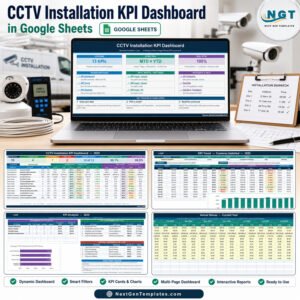
The template contains a Home sheet plus the six working pages shown in the product gallery. The main KPI Dashboard displays seven headline cards: total KPIs, On Target, At Risk, Missed, improving versus prior year, average MTD achievement and average YTD achievement. Its 13-row scorecard shows current-month and year-to-date performance together.

KPI Trend adds context for one selected measure. KPI Analysis summarises the four groups – Volume & Revenue, Service Quality, Growth & Sales, and Workforce & Experience – and ranks the top and bottom five KPIs. Three input sheets hold actual, target and previous-year numbers. KPI Definition is the master list used throughout the workbook.

CCTV Installation KPI Dashboard vs. Excel vs. Paid Field-Service SaaS – Where This Fits
| Factor | This Google Sheets template | Excel alternative | Paid field-service SaaS |
|---|---|---|---|
| Sale price | $8.99 one time | Usually a one-time file | Usually recurring |
| Collaboration | Native Google sharing | Depends on storage setup | Usually included |
| Setup | Make a copy and replace sample inputs | Download and configure locally | Account, permissions and onboarding |
| KPI logic | 13 editable KPI definitions with UTB/LTB scoring | Can be customised offline | Often fixed to vendor modules |
| Operational workflow | Monthly KPI reporting only | Monthly KPI reporting only | May include dispatch, CRM and work orders |
Who This Template Is For – and Who It’s Not For
It suits CCTV installers, security-system contractors, operations managers, sales leaders and quality teams that already collect monthly results. It is especially useful for small and mid-sized businesses that want a shared management scorecard without per-user software fees.
It is not a job-dispatch system, CRM, inventory ledger, camera-monitoring platform, SLA timer or automated data connector. It does not capture technician routes, customer addresses or live camera feeds. The user supplies accurate monthly inputs and owns the KPI definitions.
How to Use This CCTV Installation Dashboard
- Download the PDF and use its Google Sheets copy link to create your private editable copy.
- Review the 13 rows on KPI Definition and adjust names, owners, priorities or formulas to match your operating model.
- Enter monthly actual, target and previous-year figures in the yellow input cells.
- Select a month on KPI Dashboard and review MTD/YTD achievement and status.
- Use KPI Trend and KPI Analysis to investigate changes and prepare the next review.
For permission choices on the copied workbook, follow Google’s official guide to sharing files from Google Drive.

Real-World Use Cases
Operations manager monthly review
Priya checks completed jobs, on-time installation and technician utilisation before the branch meeting, then assigns follow-up owners to missed KPIs.
Quality lead service review
Daniel compares first-time fix rate, callback rate, image-quality QA and warranty claims to locate service-quality pressure.
Sales director pipeline review
Amira reviews installation revenue, average job value, remote-monitoring attachment and lead-to-sale conversion alongside prior-year performance.
Frequently Asked Questions
How many KPIs are included?
The supplied template contains 13 KPIs across four groups. You can rename, add or remove definitions to fit your business.
Does it update automatically?
Yes. Formula-based dashboard, trend and analysis pages recalculate from the monthly input sheets. You still need to enter or paste the source figures.
Does it connect to CCTV cameras or field-service software?
No. It is a management reporting template and has no camera feed, CRM, dispatch, ticketing or API integration.
Can my team collaborate?
Yes. Standard Google Sheets sharing controls can be used after you create your own copy.
Are the status thresholds editable?
The supplied logic uses On Target from 100%, At Risk from 95% to 99%, and Missed below 95%. Advanced users can edit the formulas.
What do I receive?
You receive a PDF containing the public make-a-copy link for the editable Google Sheets template.
About the Author
Built by PK – Microsoft Certified Professional with 15+ years of Excel, Google Sheets, and Power BI experience. Founder of NextGenTemplates, reaching 300K+ subscribers across YouTube channels. Every template is hand-built and tested before release.
Explore Related Templates
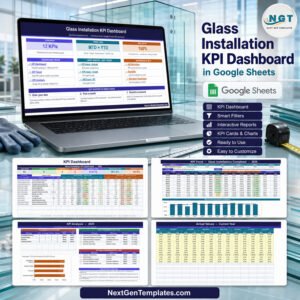
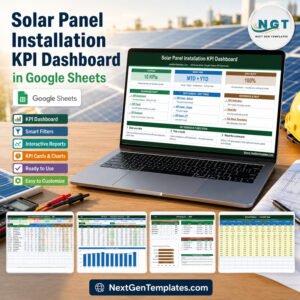
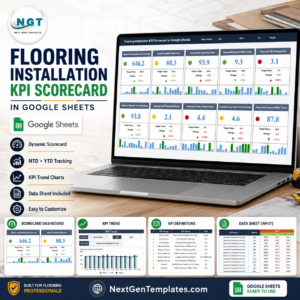
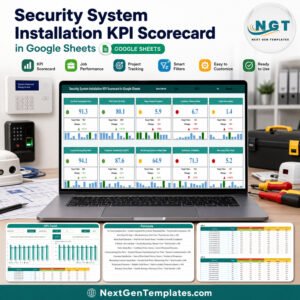
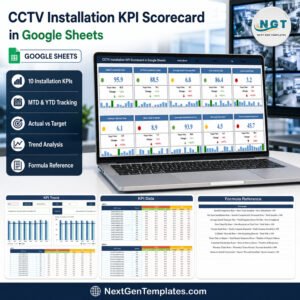
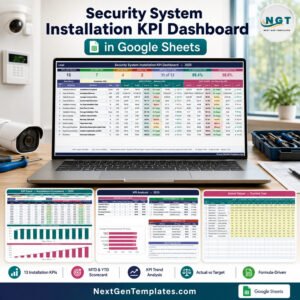
Compare this KPI dashboard with the separate CCTV Installation KPI Scorecard or the Security System Installation KPI Scorecard. Installation teams may also consider the Solar Panel Installation KPI Dashboard and Glass Installation KPI Dashboard. Browse more Google Sheets KPI dashboards.
Start with the sample data, replace it with your monthly figures and turn scattered CCTV installation metrics into one repeatable review.
Watch the step-by-step video Demo:
Last updated: September 11, 2026.
Compatibility and Requirements
- Works in Google Sheets. You need a free Google account and a web browser.
- You pick the month and the KPI from dropdowns on the KPI Dashboard and KPI Trend sheets. Google explains dropdowns in Create an in-cell dropdown list.
More Questions About This Template
Is there an Excel or Power BI version?
Yes. See the CCTV Installation KPI Dashboard in Excel and the CCTV Installation KPI Dashboard in Power BI.
Where do I enter my own figures?
Enter them in the yellow input cells of the three input sheets: actual numbers, targets and previous-year numbers. The dashboard, trend and analysis pages recalculate from those sheets.
Which KPI groups does the analysis cover?
KPI Analysis summarises four groups: Volume & Revenue, Service Quality, Growth & Sales, and Workforce & Experience. It also ranks the top and bottom five KPIs by YTD achievement.
Does it handle KPIs where a lower value is better?
Yes. Each KPI is set as UTB or LTB on the KPI Definition sheet, so achievement is calculated correctly for both growth and reduction metrics.
Related Installation Templates
- CCTV Installation KPI Dashboard in Excel: the same dashboard in Excel
- CCTV Installation KPI Dashboard in Power BI: the Power BI edition
- Window and Door Installation KPI Dashboard in Google Sheets: the same layout for another installation trade
- Flooring Installation KPI Dashboard in Google Sheets: a dashboard for flooring installers
- Small Business Owner Essentials: 12 templates for owners in one download
Browse all Google Sheets KPI dashboards.



























Reviews
There are no reviews yet.