


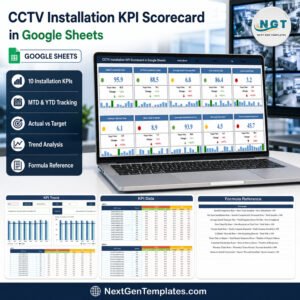
Turn 10 installation measures into one monthly operating view. The CCTV Installation KPI Scorecard in Google Sheets brings completion, timeliness, repair, quality, warranty and sales-conversion indicators together without a recurring software subscription. It includes MTD and YTD comparisons, targets, previous-year values and red-yellow-green status signals. The sample figures are editable demonstration data, and your purchase is protected by our standard digital-product support process.

Key Features of CCTV Installation KPI Scorecard in Google Sheets
- 10 practical installation KPIs: track delivery, quality, service and commercial performance in one scorecard.
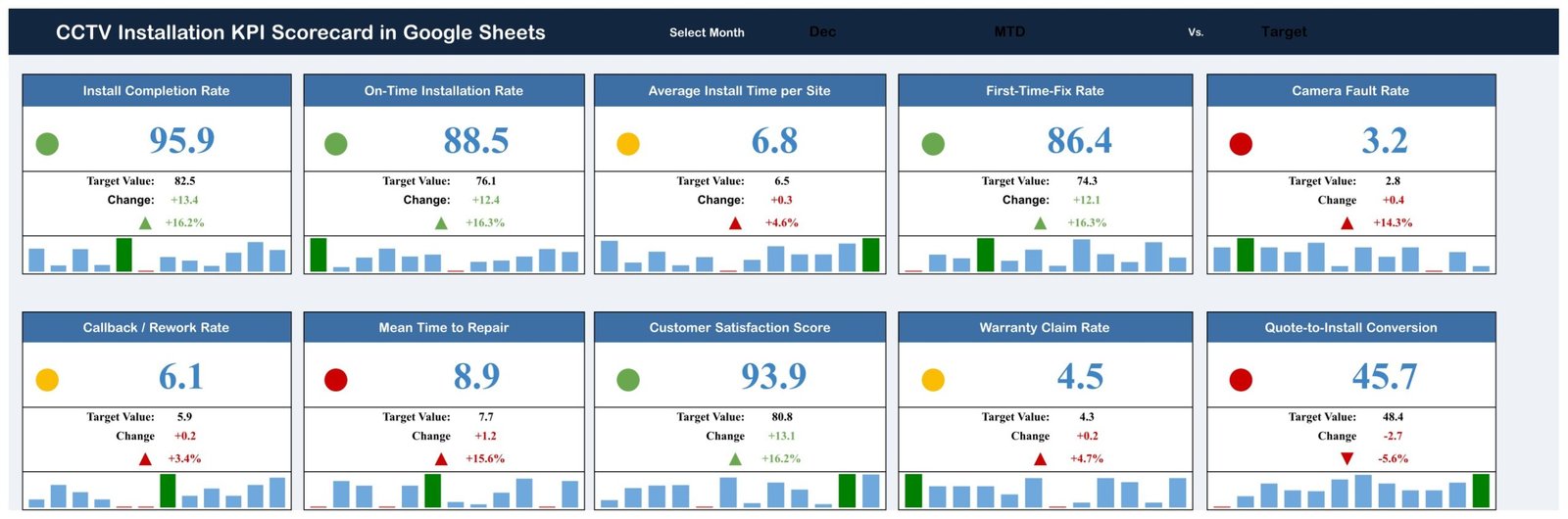
- Monthly selector: choose a month to refresh the main KPI cards.
- MTD and YTD comparisons: compare actual, target and previous-year values.
- Traffic-light status: interpret each result through green, yellow and red signals.
- Correct metric direction: the scorecard supports both upper-the-better and lower-the-better KPIs.
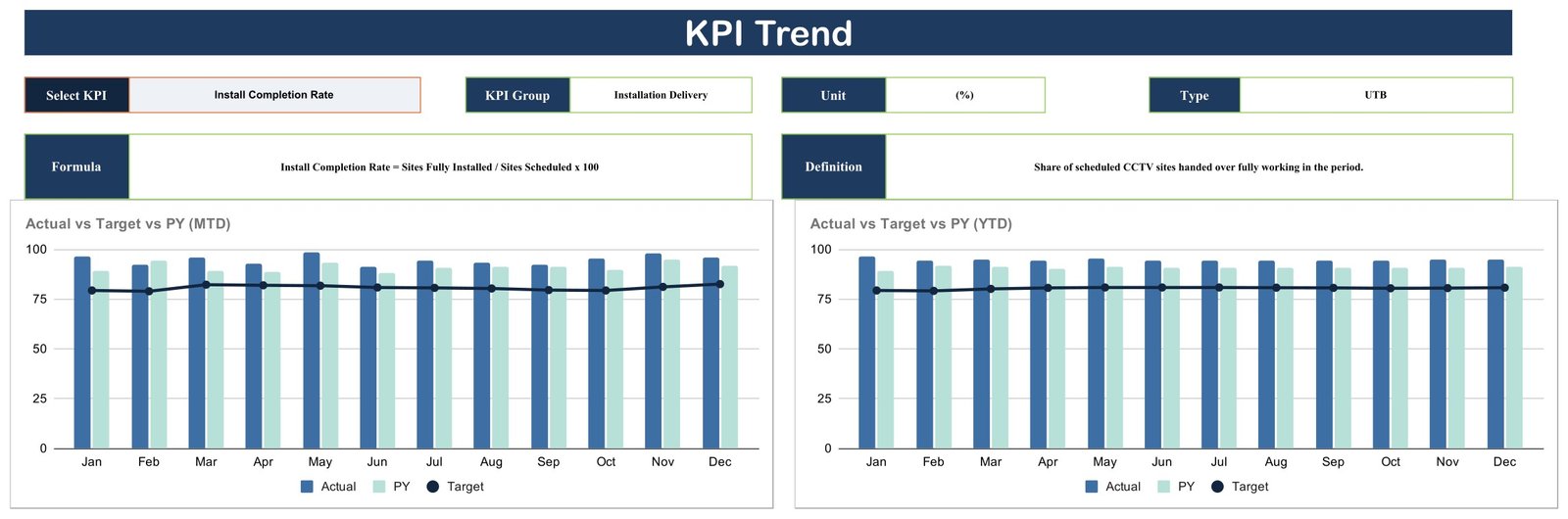
- Trend analysis: review the selected KPI across all 12 months.
- Formula reference: keep names, units, formulas, definitions and direction rules visible.
- Google Sheets workflow: create your copy, replace demonstration values and share access with your team.
What’s Inside the CCTV Installation KPI Scorecard in Google Sheets
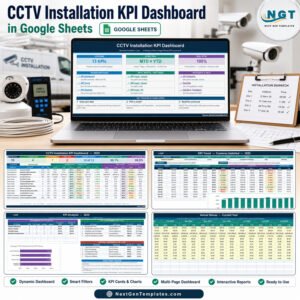
The main scorecard displays Install Completion Rate, On-Time Installation Rate, Average Install Time per Site, First-Time-Fix Rate, Camera Fault Rate, Callback / Rework Rate, Mean Time to Repair, Customer Satisfaction Score, Warranty Claim Rate and Quote-to-Install Conversion. The measures are organised into Installation Delivery, Quality & Reliability, Service & Support, and Sales & Commercial groups.
The KPI Trend page shows Actual, Previous Year and Target by month for the selected measure, with separate MTD and YTD charts. A definition panel states the KPI group, unit, type, formula and business meaning so reviewers can understand what is being measured.
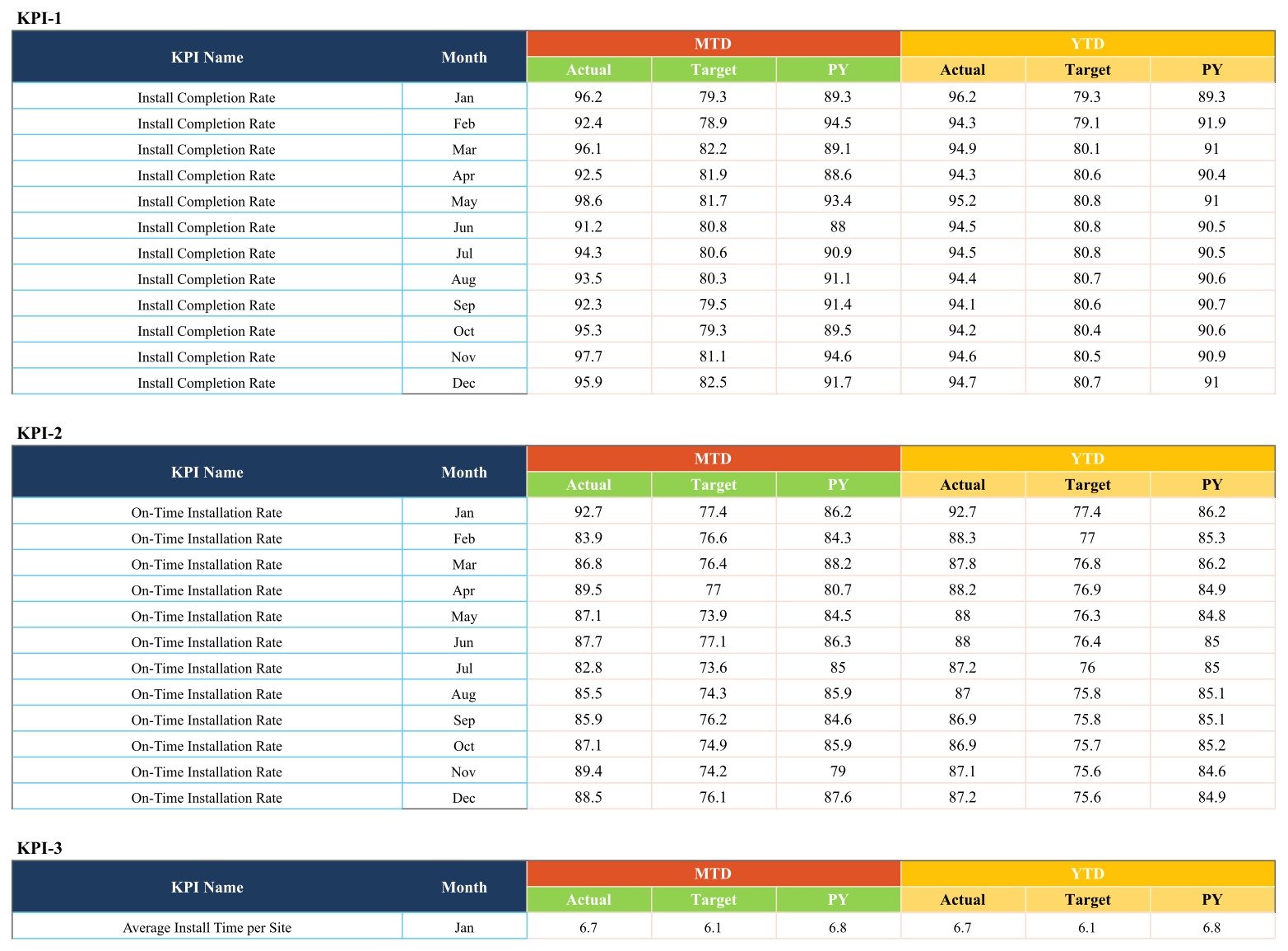
The KPI Definition page documents all 10 measures. The data area provides month-by-month MTD and YTD actual, target and previous-year fields for each KPI. These pages make the calculation structure visible and keep data maintenance separate from the presentation layer.

CCTV Installation KPI Scorecard in Google Sheets vs. Excel vs. Paid Field-Service SaaS – Where This Fits
| Area | This Google Sheets scorecard | Excel alternative | Paid field-service SaaS |
|---|---|---|---|
| Cost | One-time template purchase | One-time file purchase | Usually recurring per-user fees |
| Setup | Copy to Drive and replace sample values | Download and open locally | Account configuration and onboarding |
| Collaboration | Native link sharing and simultaneous editing | Best for desktop ownership | Role-based online workflows |
| Custom fields | Editable sheet structure | Editable workbook structure | Depends on subscription tier |
| Operational scope | KPI reporting and trend review | KPI reporting and trend review | May include scheduling, dispatch and work orders |
| Year-one cost at 5 users | Single template price | Single template price, excluding Excel licences | Often five recurring licences |
Who This Template Is For – and Who It’s Not For
It suits CCTV installers, low-voltage contractors, security-system service teams, operations managers and small businesses that already collect monthly results and need a clearer review format. It is also useful to a manager replacing disconnected monthly reports with a consistent KPI meeting pack.
It is not surveillance software. It does not connect to cameras, watch video feeds, detect incidents, dispatch technicians, issue legal-compliance certificates or guarantee security outcomes. It is also not a substitute for a CMMS, CRM, field-service platform or professionally designed safety and security procedure.
How to Use the CCTV Installation KPI Scorecard in Google Sheets
- Download the PDF and use its Google Sheets link to make a private copy in your Drive.
- Review the KPI Definition page and adapt names, units or formulas to your operating model.
- Replace the demonstration values with verified monthly actual, target and previous-year figures.
- Select a month on the scorecard and review MTD and YTD status.
- Use the Trend page to investigate movement over time and discuss exceptions with the responsible team.
- Limit sharing permissions to the people who need the operational report. Review Google Drive’s file-sharing controls before adding business data.
Real-World Use Cases
Priya, installation operations manager
Priya reviews completion, timeliness and first-time-fix rates before the weekly delivery meeting, then records actions outside the scorecard in her team workflow.
Daniel, service supervisor
Daniel compares camera faults, callbacks and mean time to repair to spot months that deserve a root-cause review.
Amina, business owner
Amina pairs customer satisfaction and quote-to-install conversion with delivery indicators to balance growth discussions with service quality.
Frequently Asked Questions
Does this scorecard monitor CCTV cameras?
No. It reports manually maintained operational KPIs and has no connection to cameras or live surveillance systems.
How many KPIs are included?
Ten KPIs are shown across installation delivery, quality and reliability, service and support, and sales and commercial performance.
Can I change the KPIs?
Yes. Google Sheets is editable, but changing formulas or structure should be tested carefully before operational use.
Does it calculate MTD and YTD comparisons?
The visible model includes MTD and YTD actual, target and previous-year fields, together with change and status views.
Can multiple people use it?
Yes. Google Sheets supports shared editing, subject to the permissions you configure.
Does it guarantee regulatory or security compliance?
No. It is a reporting template, not legal advice, certification, a security control or an assurance service.
About the Author
Built by PK – Microsoft Certified Professional with 15+ years of Excel, Google Sheets, and Power BI experience. Founder of NextGenTemplates, reaching 300K+ subscribers across YouTube channels. Every template is hand-built and tested before release.
Explore Related Templates
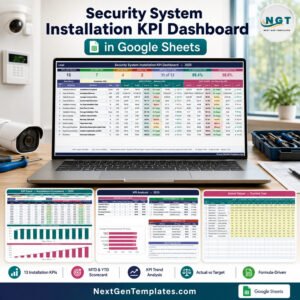
Compare the Security System Installation KPI Scorecard, Window and Door Installation KPI Scorecard, Solar Panel Installation KPI Scorecard, and our Google Sheets KPI templates.
Build a repeatable monthly review around the 10 measures your team can verify. Add the CCTV Installation KPI Scorecard in Google Sheets to your reporting toolkit, replace the sample values and tailor the definitions before use.
Last updated: September 10, 2026.
Compatibility and Requirements
- Works in Google Sheets. You need a free Google account and a web browser.
- You pick the month on the scorecard page and the KPI cards refresh. Google explains charts in Add and edit a chart or graph.


























Reviews
There are no reviews yet.