

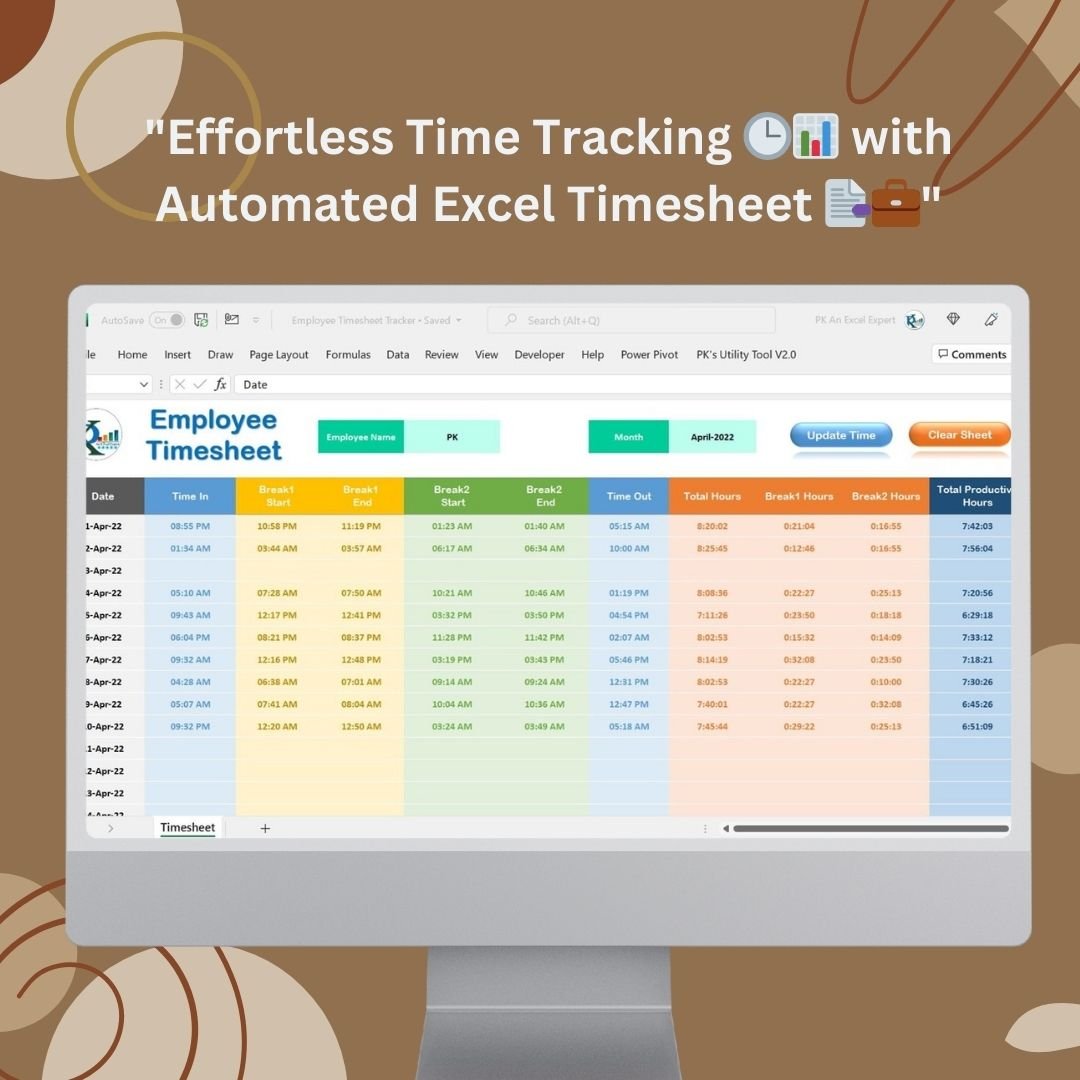

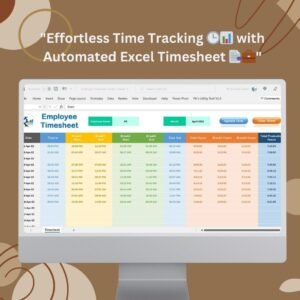
The Automated Employee Timesheet Template in Excel is a ready-made, macro-enabled Excel timesheet that automates time entry, break tracking and total hours calculation. It is built for business owners, HR teams and managers who want accurate employee time tracking and simpler payroll processing. VBA macros capture the current time for you, so records stay correct and up to date with less manual work.

Key Features of the Automated Employee Timesheet Template
- Automatic time logging with VBA macros: The template uses VBA macros to capture the current time when you record start and end times for work and breaks. This cuts manual effort and keeps the timesheet accurate without extra steps.
- Daily time tracking: Only the current day’s data can be entered. This reduces errors such as wrong dates or times, and employees do not have to worry about entering data for past or future dates.
- Break tracking: Record Break 1 and Break 2. The template calculates total break time and deducts it from total work hours to show productive work time.
- Total hours calculation: Total hours worked are calculated automatically, with a breakdown of break times. HR and managers no longer need to calculate hours by hand, which lowers the risk of payroll mistakes.
- Clean, color-coded layout: Color-coded fields for start and end times, break times and total hours make it obvious where to enter data and where calculations happen.
- Clear Sheet macro: Reset the template to its original state in one click, so it is ready for the next workday without erasing old data manually.
- Error prevention and data integrity: Certain fields are locked and clear data entry guidelines are provided. Built-in macros help keep calculations accurate and data in the correct format.
- Monthly overview: A built-in overview shows cumulative total hours worked, break times and productive hours for the month, giving managers a quick snapshot for review.
- Excel compatibility: Works with standard versions of Microsoft Excel and uses familiar Excel functions and formulas.
- Customizable: Adjust workday times, break periods and other variables to suit your business and work schedules.
What’s Inside the Template
| Component | What it does |
|---|---|
| Daily timesheet entry area | Records work start and end times plus Break 1 and Break 2 for the current day, with automatic time capture via VBA macros. |
| Automatic calculations | Computes total break time, total hours worked and productive hours. |
| Monthly overview | Summarises cumulative hours worked, breaks and productive hours for each month. |
| Clear Sheet macro | Resets the sheet so it is ready for the next day’s use. |
Why Choose This Excel Timesheet?
- Save time and reduce errors: Automation reduces manual data entry and keeps employee time tracking accurate for both employees and managers.
- Easy to use: A user-friendly interface and clear instructions help employees adapt quickly with minimal training.
- Better productivity insight: Accurate tracking of working hours and breaks makes it easier to analyse productivity and spot time inefficiencies.
- Fits your needs: Easily tailored to your workday times, break periods and business requirements.
Who It’s For
- Small businesses and growing teams that need a simple timesheet solution
- Larger organisations managing an entire workforce
- Managers of remote workers who need clear records of hours and breaks
- HR and payroll teams that want accurate totals for payroll processing every month
The straightforward design means it is easy to implement without extensive training.
How to Use It
- Download and unzip the file.
- Enable macros in Excel before use. Follow our tutorial for step-by-step instructions: https://www.pk-anexcelexpert.com/4-easy-ways-to-enable-macros-in-excel-vba/
- At the start of the workday, use the template to log the start time; the current time is captured automatically.
- Log Break 1 and Break 2 start and end times, then the end of work. Total hours, break time and productive hours are calculated for you.
- Review hours in the monthly overview.
- Use the Clear Sheet macro to reset the sheet for the next day.
Click here to read the detailed blog post
Watch the Step-by-Step Video Tutorial
Visit our YouTube channel to learn from step-by-step video tutorials: Youtube.com/@PKAnExcelExpert
Frequently Asked Questions
Does the template need macros enabled?
Yes. The automatic time logging and the Clear Sheet macro rely on VBA macros, so please enable macros after downloading and unzipping the file.
Can employees enter time for past or future dates?
No. The template allows only the current day’s data to be entered, which helps prevent errors such as incorrect dates or times.
How does break tracking work?
You record Break 1 and Break 2. The template calculates total break time and deducts it from total work hours to show productive work time.
Is there a monthly summary?
Yes. The monthly overview shows cumulative total hours worked, break times and productive hours for each month.
Which Excel versions does it work with?
It is designed to work with standard versions of Microsoft Excel.
Can I customise it for my work schedule?
Yes. You can adjust workday times, break periods and other variables to fit your business requirements.
Also check our Download Attachments from Multiple Emails Automatically using VBA
Last updated: October 2026
Related Timesheet and Attendance Templates
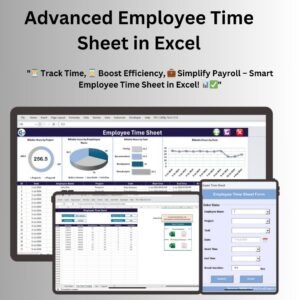
- Advanced Employee Time Sheet in Excel: another Excel timesheet layout
- Employee Timesheet for Billable Hours in Google Sheets: for teams that bill clients by the hour
- Employee Attendance Tracker in Google Sheets: daily attendance for the whole team
- Monthly Timesheet Calendar in Excel: a calendar view of hours worked
- HR Director Toolkit: 10 premium HR templates in Excel and Google Sheets
Browse all Excel HR and payroll templates or the Excel VBA tools.











Reviews
There are no reviews yet.