



👩💼 In today’s fast-paced business world, Human Resources (HR) has evolved far beyond recruitment and payroll. HR leaders are now strategic drivers of growth, ensuring employee satisfaction, productivity, and alignment with company goals. But tracking all of this manually can be overwhelming—unless you have the right tool.
That’s where the HR KPI Scorecard in Excel 🚀 comes in. This ready-to-use scorecard helps HR professionals track, analyze, and visualize key performance indicators (KPIs) with the simplicity of Excel. It eliminates the guesswork from HR reporting and ensures that your people strategy is perfectly aligned with your business strategy.
🌟 Key Features of HR KPI Scorecard in Excel
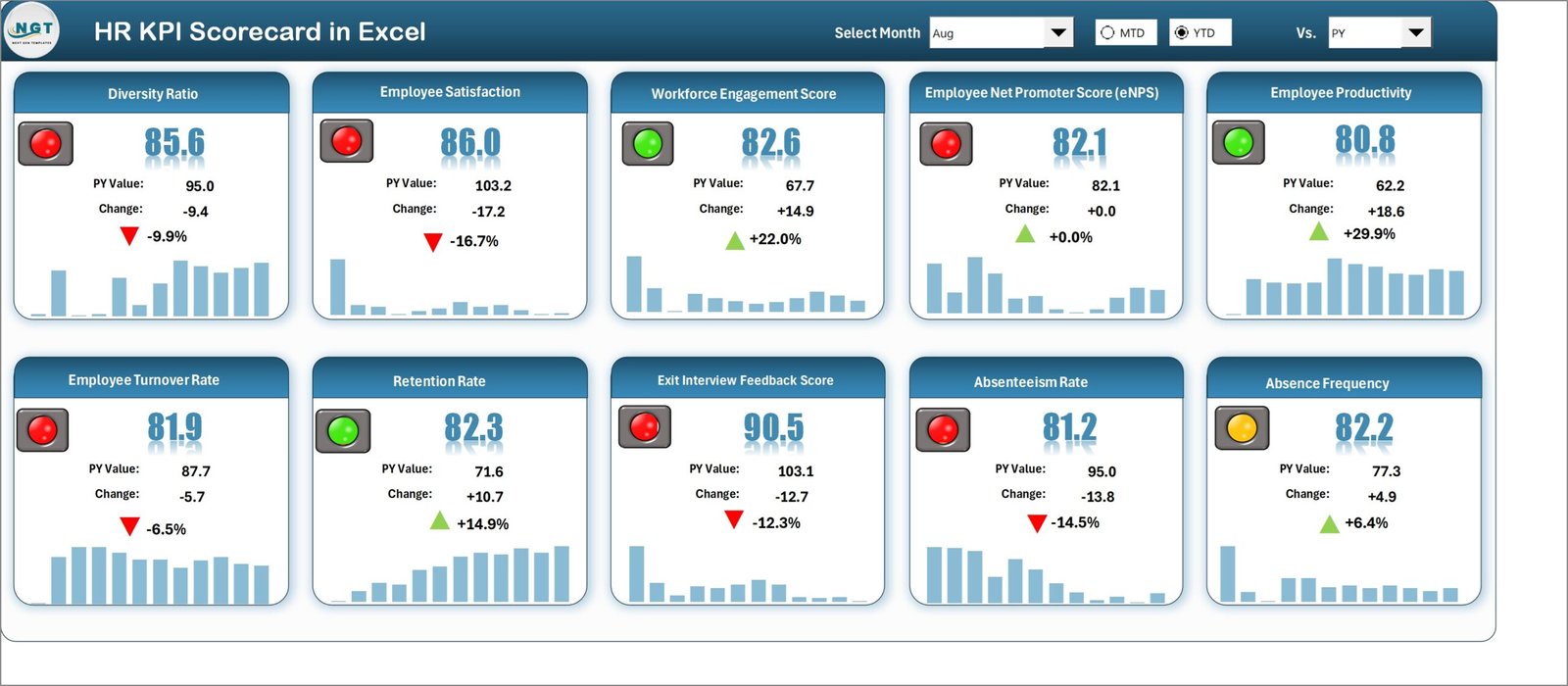
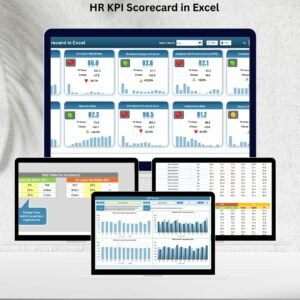
📊 Scorecard Sheet: A one-stop dashboard with dropdowns for Month, MTD (Month-to-Date), and YTD (Year-to-Date) analysis. View Actual vs. Target values with color-coded performance indicators.
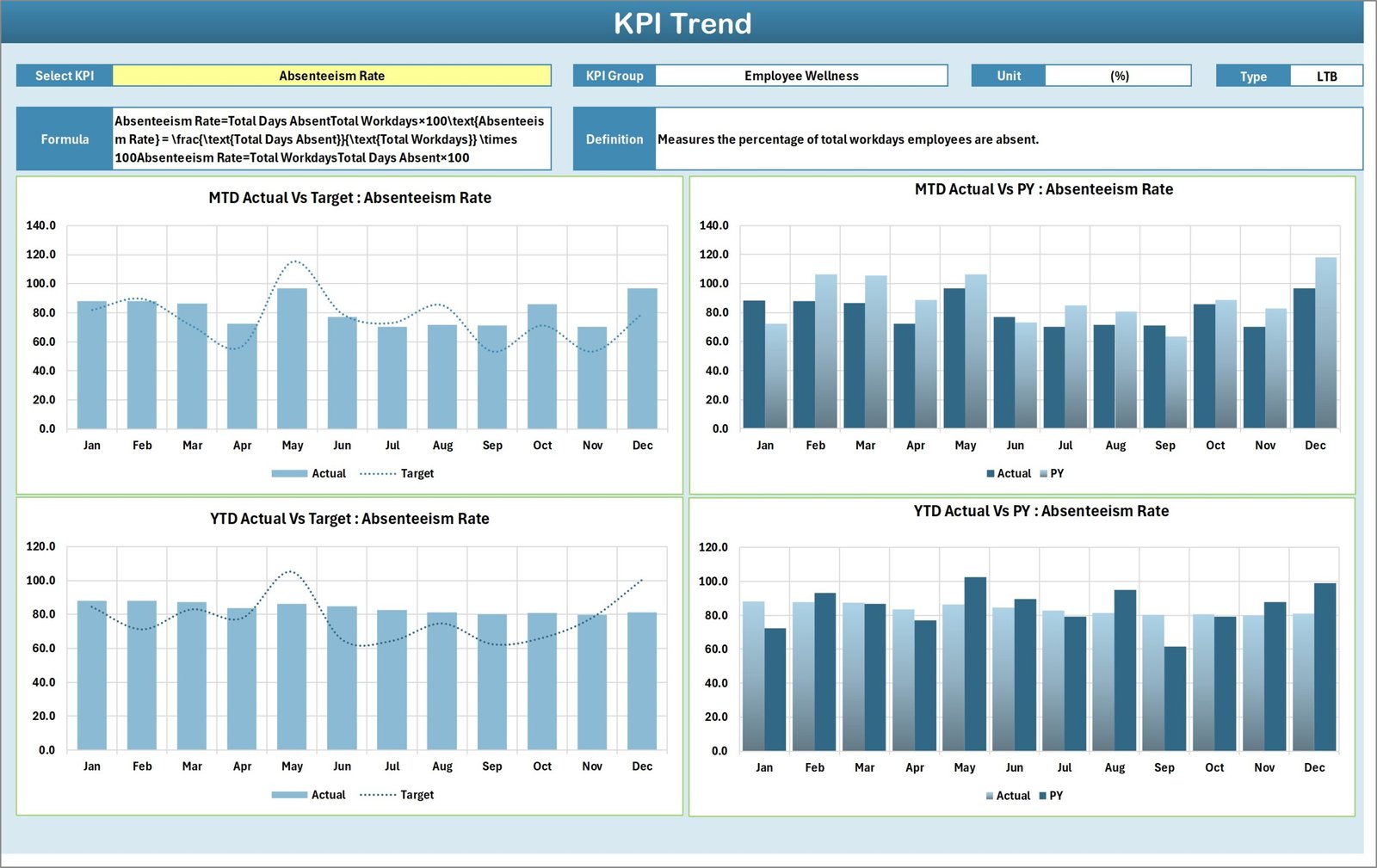
📈 KPI Trend Sheet: Drill into specific KPIs, analyze trends, and compare with targets and previous year numbers. Includes group, unit, type (LTB/UTB), and formula details.
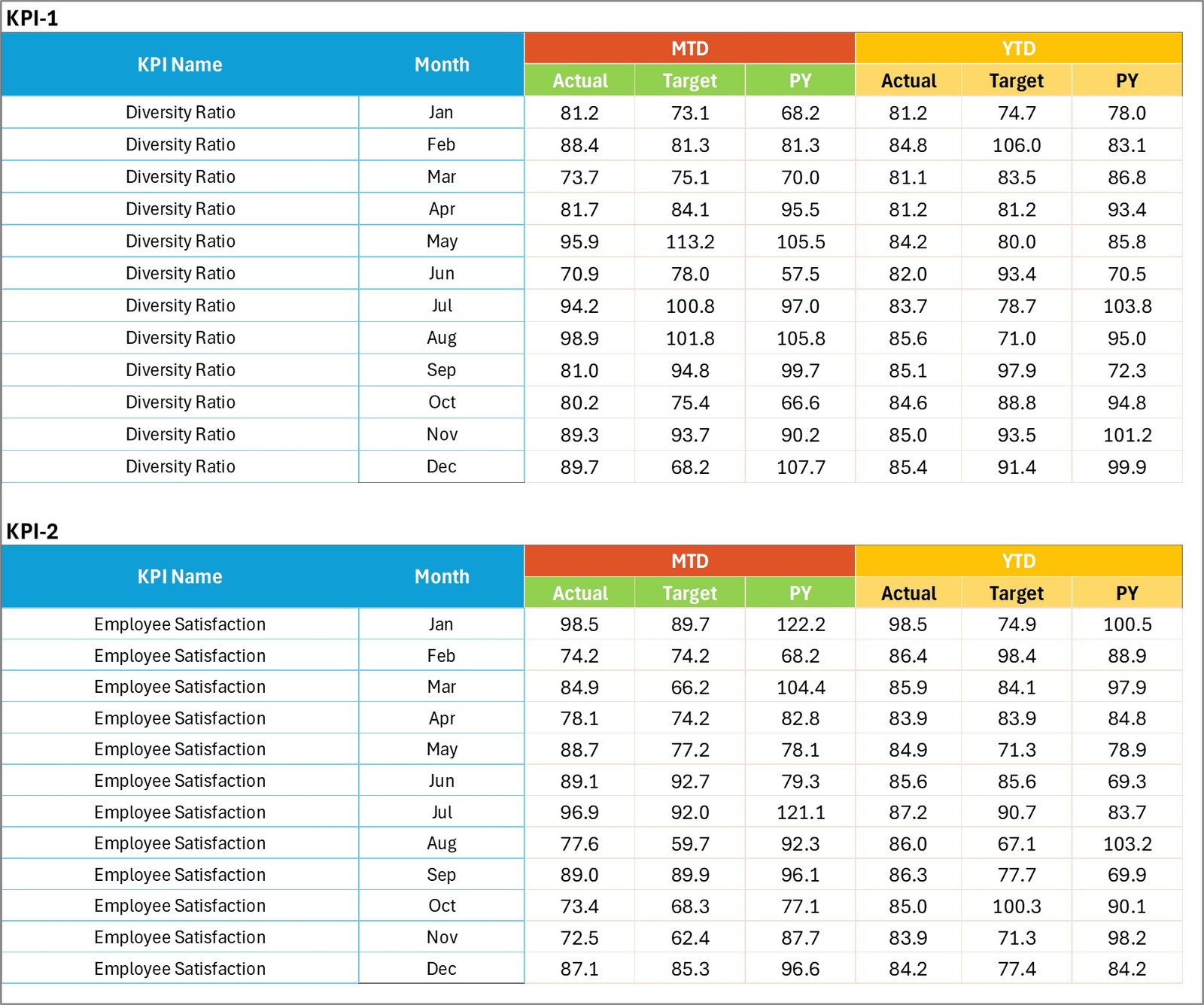
📝 Input Data Sheet: A flexible entry area where HR teams can record actual values, targets, and other KPI details. Keep it updated for real-time accuracy.
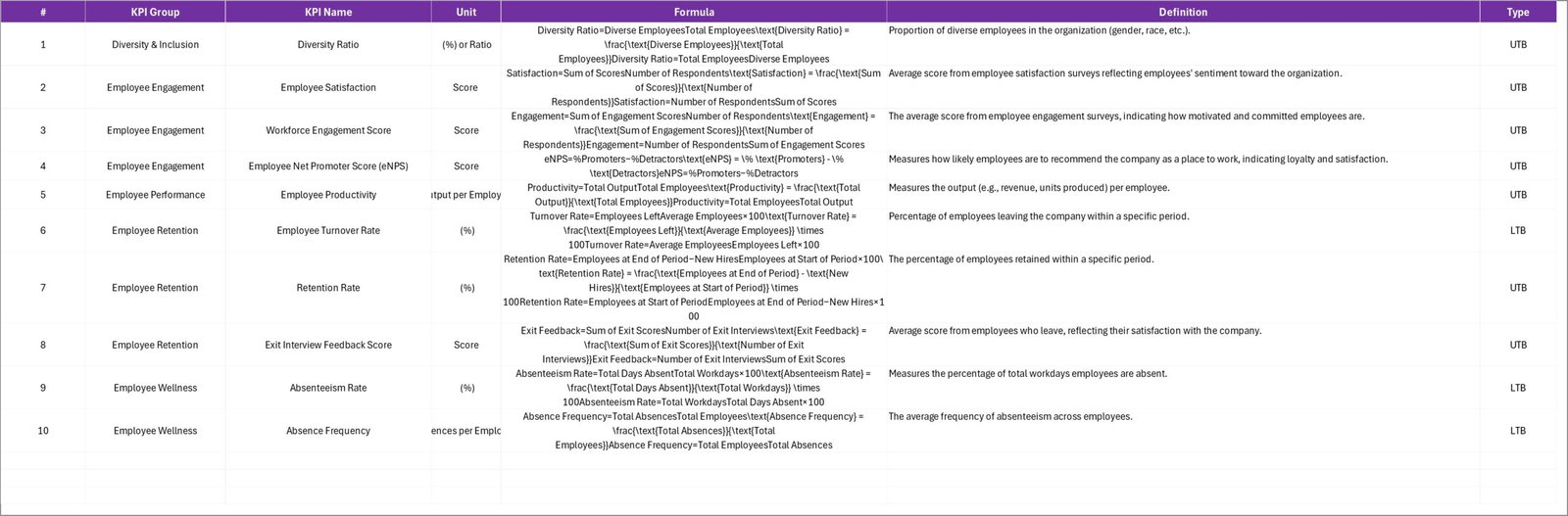
📑 KPI Definition Sheet: Your in-house reference library with clear KPI definitions, formulas, and explanations to avoid confusion across teams.
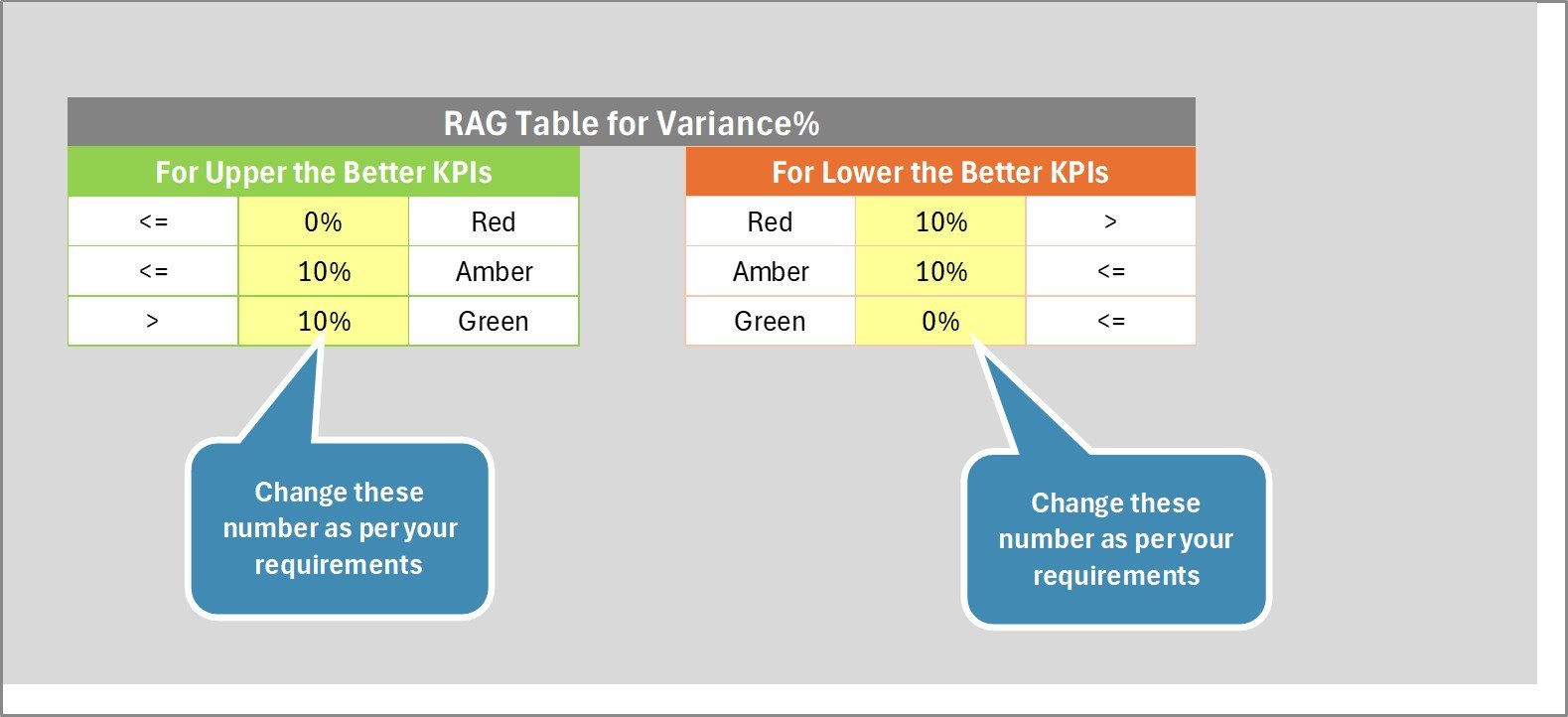
🎯 Visual Indicators: Arrows, color codes, and charts highlight performance at a glance.
⚡ Excel-Powered: Built with pivot tables, slicers, and conditional formatting for interactive analysis.
📦 What’s Inside the HR KPI Scorecard
When you download this product, you’ll get:
✅ A pre-built Excel template with 4 key sheets (Scorecard, KPI Trend, Input Data, KPI Definition).
✅ Predefined sample HR KPIs like Employee Turnover, Training Completion, Absenteeism, and Recruitment Efficiency.
✅ Built-in charts, dropdowns, and slicers for dynamic analysis.
✅ A framework you can customize with your own HR KPIs and definitions.
✅ Easy navigation and automation-ready design.
Everything is set up—you just need to update data regularly.
🛠 How to Use the HR KPI Scorecard
Enter Data: Fill in the Input Data sheet with actual values and targets.
Review the Scorecard Sheet: Use dropdowns to select Month, MTD, or YTD to instantly view KPI progress.
Drill into KPI Trends: Select any KPI to see detailed performance, formulas, and long-term trends.
Align & Analyze: Compare Actual vs. Target vs. Previous Year to identify problem areas.
Decide & Act: Use insights to improve HR processes, enhance employee satisfaction, and align with strategic goals.
💡 No special software needed—just Excel!
👥 Who Can Benefit from This Scorecard
The HR KPI Scorecard in Excel is ideal for:
🏭 Manufacturing Companies: Monitor absenteeism, overtime, and safety metrics.
💻 IT & Tech Firms: Track recruitment speed, training hours, and engagement scores.
🛍 Retail Businesses: Measure staff turnover, hiring efficiency, and sales per employee.
🏥 Healthcare Organizations: Track nurse-to-patient ratios, compliance training, and retention rates.
📈 Small Businesses: Get strategic HR insights without expensive software.
🏢 Corporate HR Leaders: Align HR with overall business objectives and present data-backed reports to management.
If you want HR to be seen not just as a support function but as a strategic business partner, this scorecard is for you.
📖 Click here to read the Detailed Blog Post
🎥 Visit our YouTube channel to learn step-by-step video tutorials
Watch the step-by-step video tutorial:
Compatibility and Requirements
- Works in Microsoft Excel desktop (Excel 2016 or later, or Microsoft 365).
- It uses pivot tables, slicers and conditional formatting. Microsoft explains slicers in Use slicers to filter data.
Frequently Asked Questions
Which sheets are in the scorecard?
Four sheets: Scorecard, KPI Trend, Input Data and KPI Definition.
How do I switch between periods?
Use the dropdowns on the Scorecard sheet to pick the month and switch between MTD and YTD views.
Which HR KPIs are included?
Sample KPIs such as Employee Turnover, Training Completion, Absenteeism and Recruitment Efficiency. You can replace them with your own.
Can I compare with last year?
Yes. The KPI Trend sheet compares actuals with targets and previous year numbers.
Is there a Google Sheets version?
Yes. See the HR KPI Scorecard in Google Sheets.
Related HR KPI Templates
- HR KPI Scorecard in Google Sheets: the same scorecard in Google Sheets
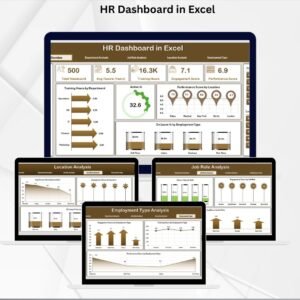
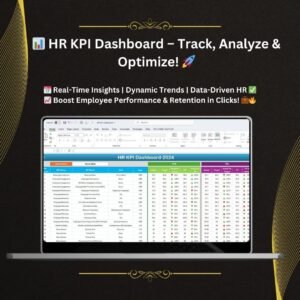
- HR KPI Dashboard: an HR KPI dashboard in Excel
- HR KPI Dashboard in Google Sheets: the HR KPI dashboard in Google Sheets
- HR KPI Dashboard in Power BI: the HR KPI dashboard in Power BI
- KPI Scorecard Mega Pack: 12 KPI scorecards in one download
Browse all Excel HR and payroll templates or the Excel KPI dashboards.







Reviews
There are no reviews yet.