Running an astrology or spiritual service business is no longer just about intuition—it’s about making smart, data-driven decisions. However, when your bookings, revenue, and client data are scattered across multiple sheets, it becomes difficult to see the full picture.
That’s where the Astrology and Spiritual Services Dashboard in Excel comes in 🚀
This powerful, ready-to-use dashboard helps you track, analyze, and grow your spiritual business with ease. Moreover, it turns complex data into clear visuals, allowing you to understand your performance instantly. Therefore, you can focus more on your clients and less on manual reporting.
Whether you are an astrologer, tarot reader, healer, or wellness coach, this dashboard will help you unlock new growth opportunities and boost your business performance.
📊 Key Features of Astrology and Spiritual Services Dashboard in Excel
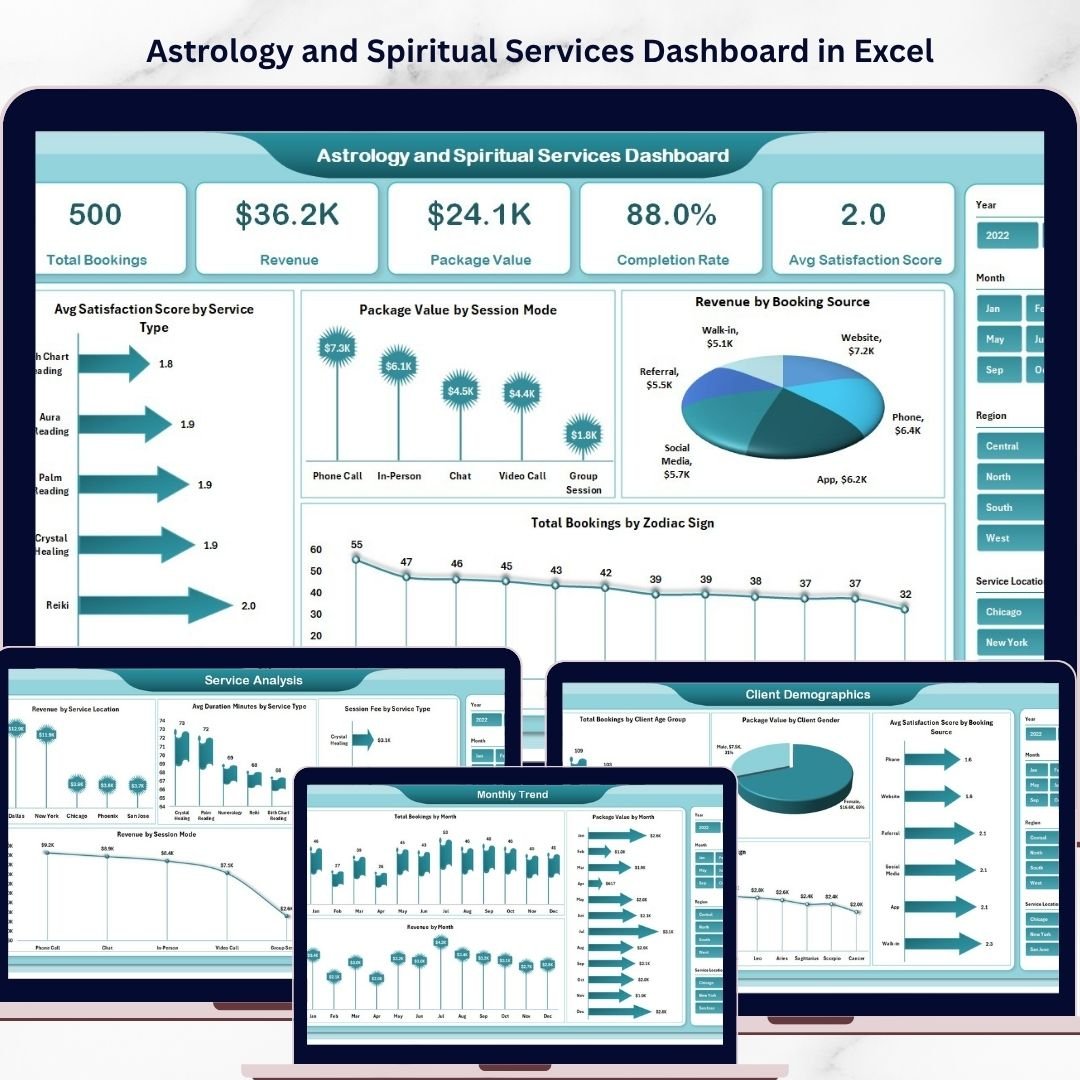
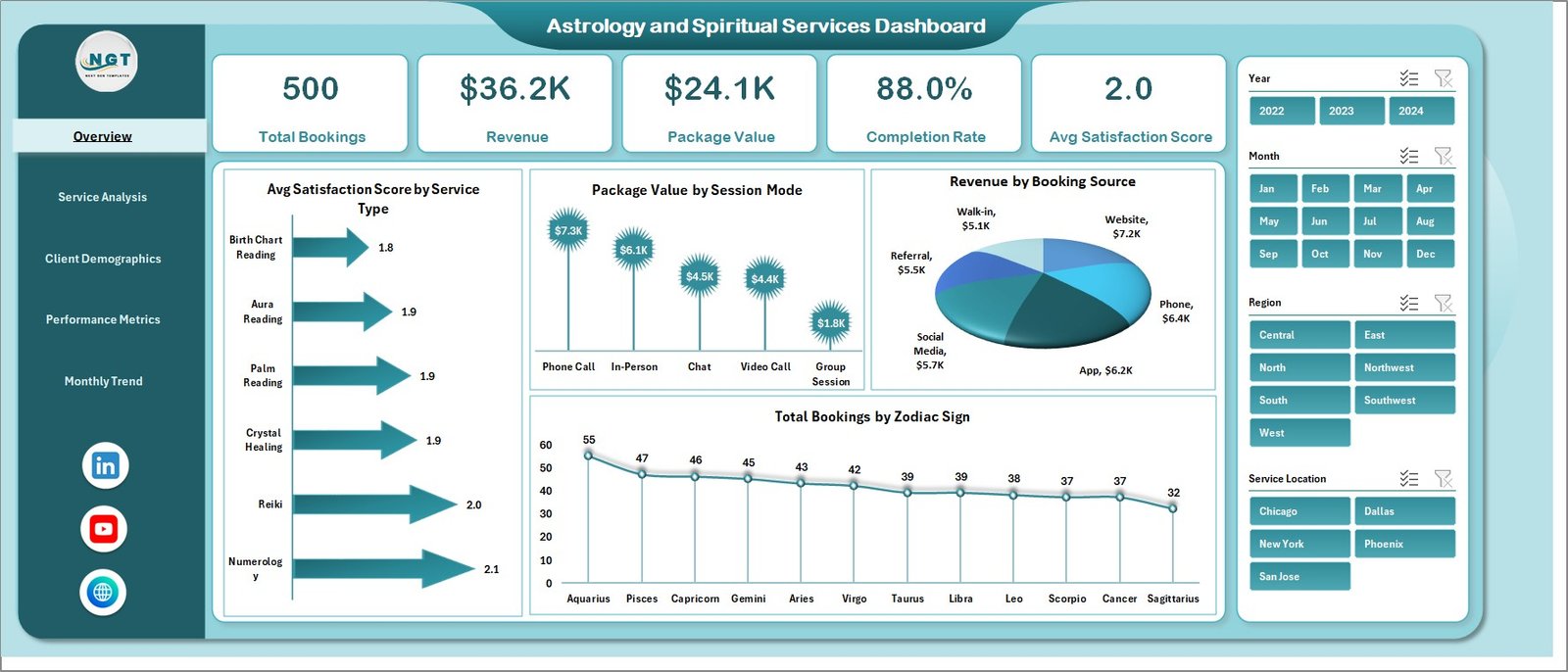
✨ All-in-One Business Overview – Instantly view bookings, revenue, satisfaction scores, and completion rates.
📈 5 Interactive Dashboard Pages – Get deep insights across overview, services, clients, performance, and trends.
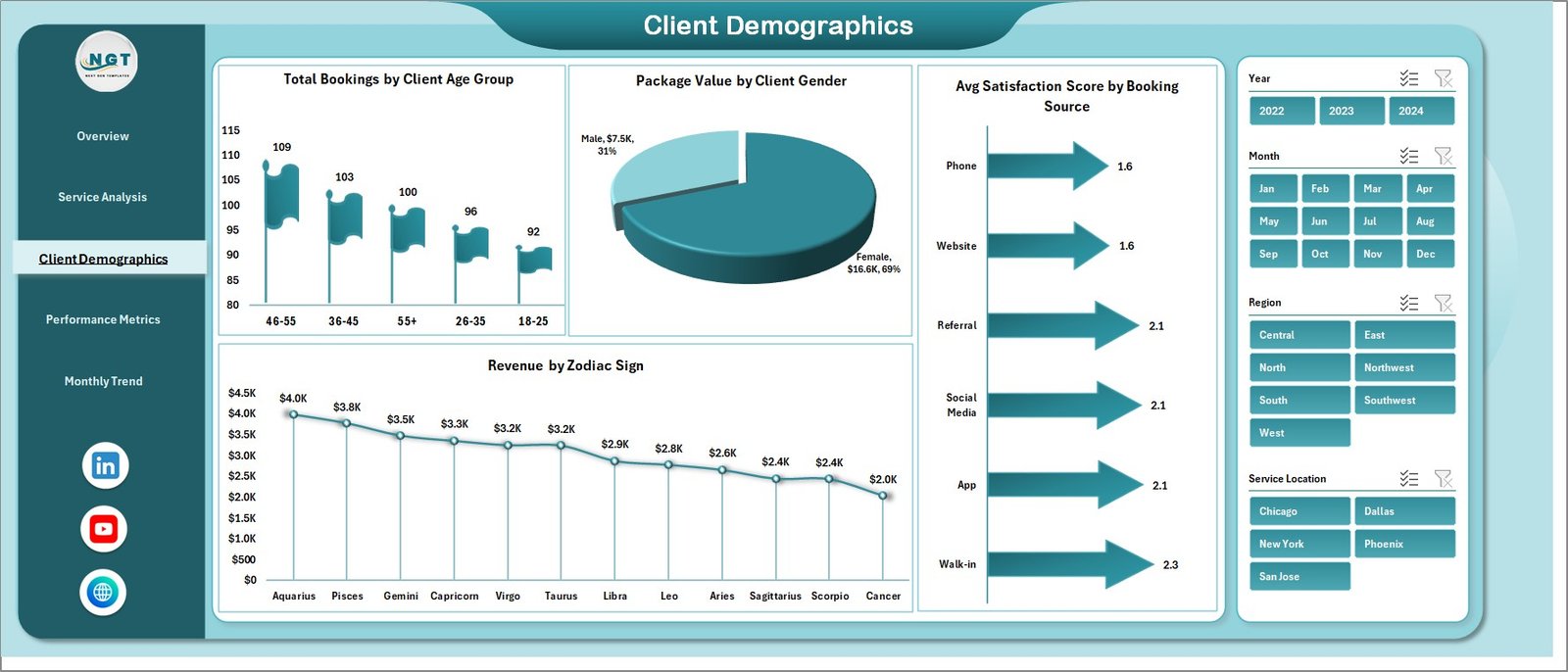
🔮 Zodiac-Based Insights – Analyze bookings and revenue by zodiac signs for unique spiritual insights.
📊 Dynamic Charts & KPI Cards – Visualize data using clean, easy-to-understand charts and metrics.
🎯 Smart Filters (Slicers) – Drill down into specific data like service type, booking source, or client group.
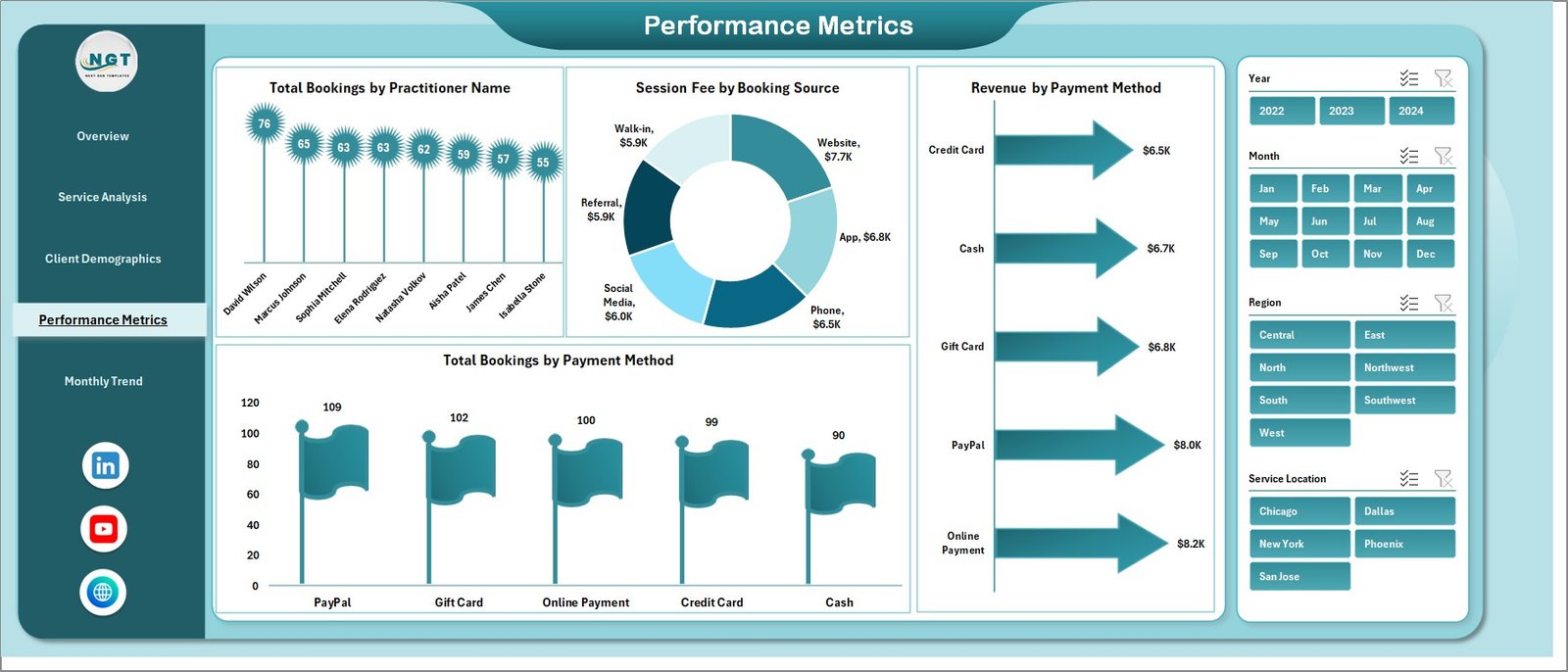
💡 Practitioner Performance Tracking – Identify top performers and improve service quality.
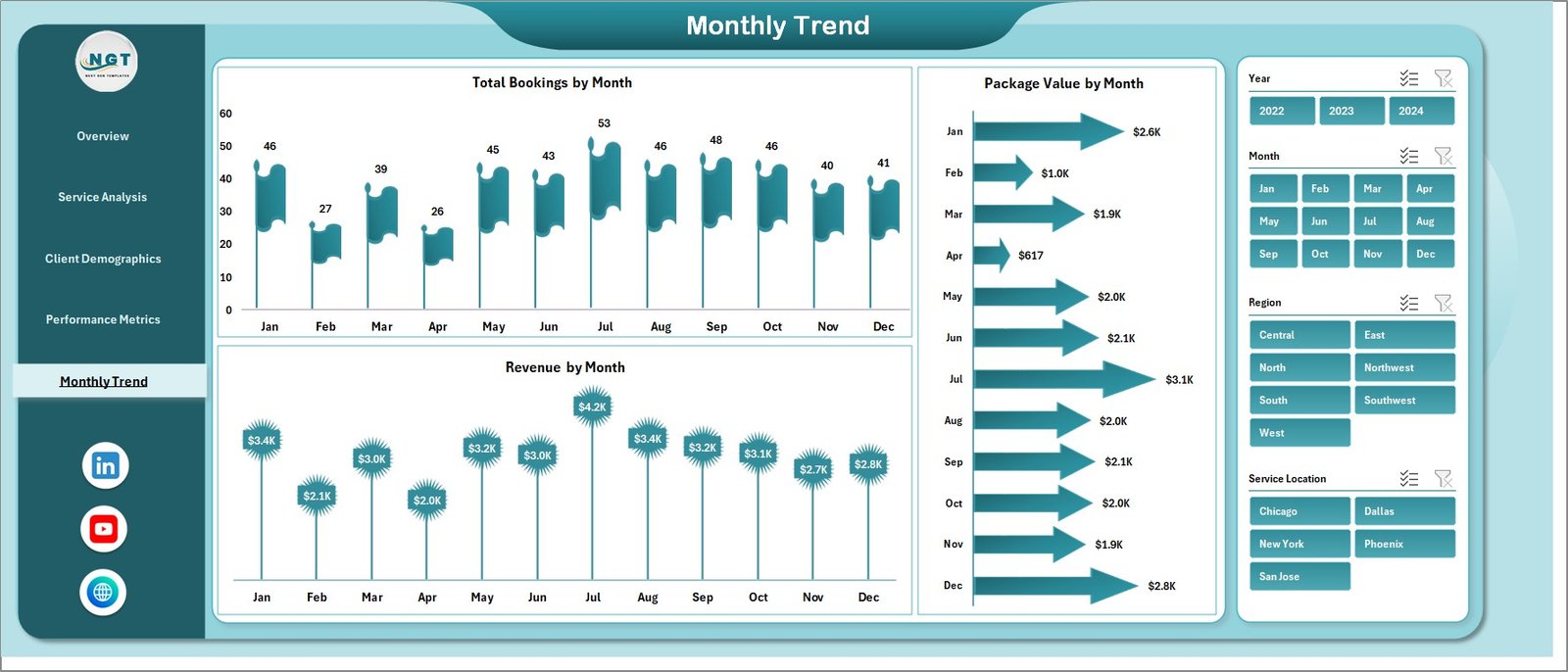
📅 Monthly Trend Analysis – Track growth patterns and seasonal demand easily.
⚡ Automatic Updates – Just update the data sheet and everything refreshes instantly.
🧩 Fully Customizable – Modify the dashboard based on your business needs.
📂 What’s Inside the Astrology and Spiritual Services Dashboard in Excel
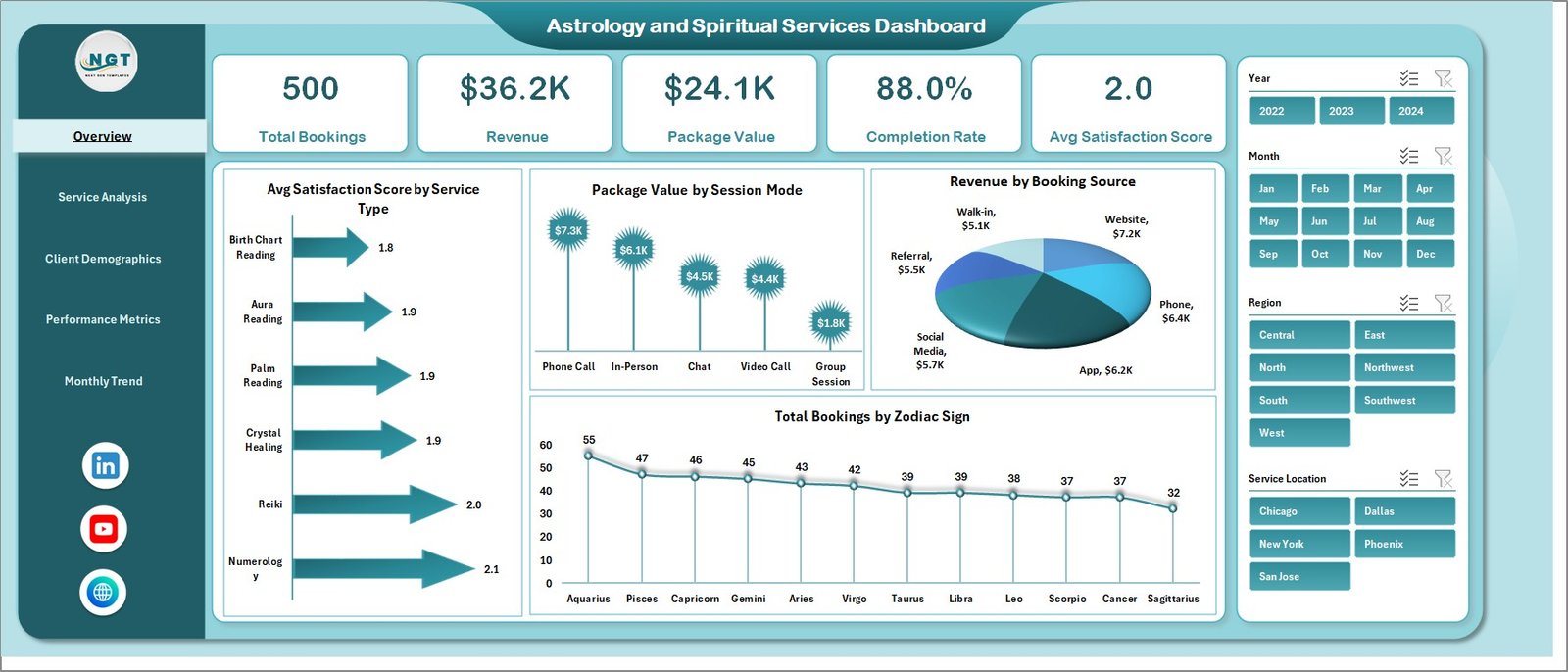
📊 Overview Page – Get a complete snapshot of your business with KPI cards and performance charts.
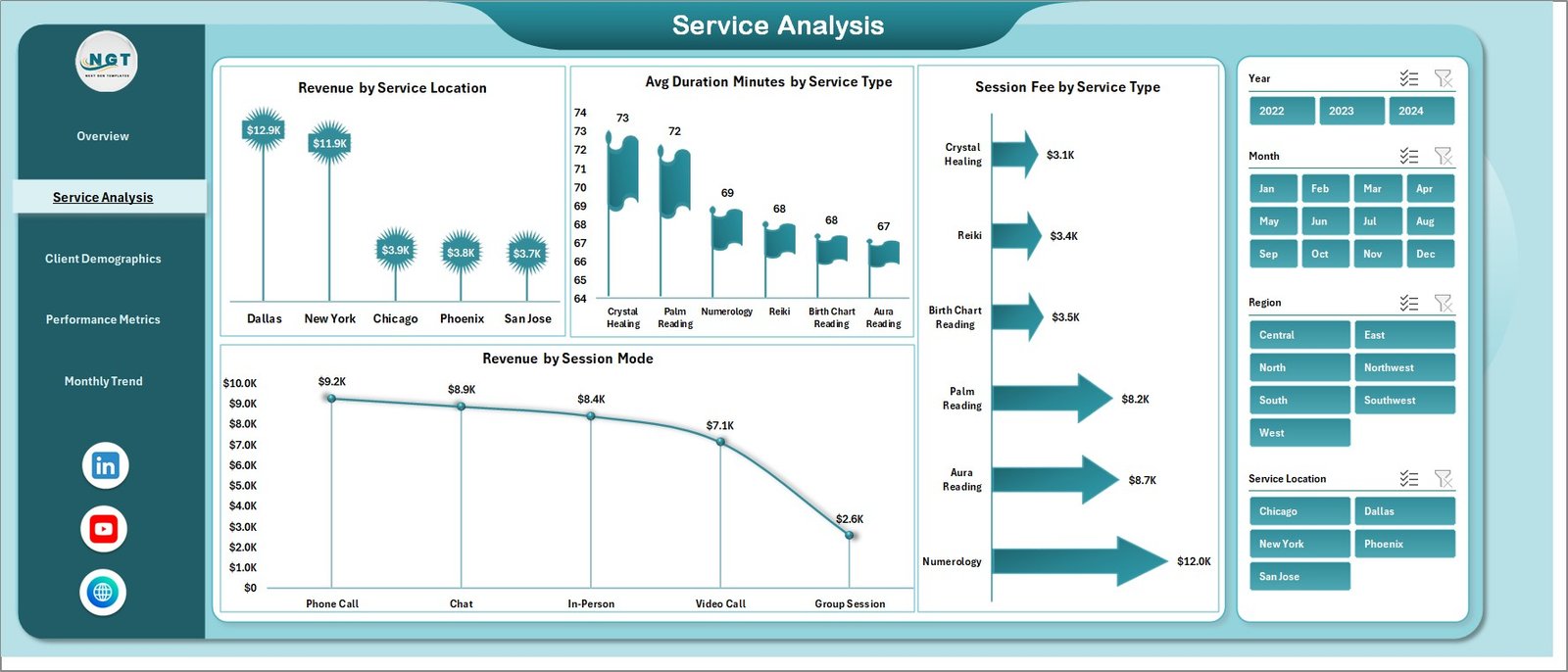
📊 Service Analysis Page – Understand which services generate the most revenue and engagement.
📊 Client Demographics Page – Analyze client age, gender, zodiac trends, and booking behavior.
📊 Performance Metrics Page – Track practitioner performance and payment insights.
📊 Monthly Trends Page – Monitor bookings, revenue, and package value over time.
📁 Data Sheet – Enter all your raw data in one place.
⚙️ Support Sheet – Manage dropdowns and backend settings for smooth functionality.
🛠️ How to Use the Astrology and Spiritual Services Dashboard in Excel
1️⃣ Enter Your Data – Add booking, client, and revenue data into the Data Sheet.
2️⃣ Automatic Update – The dashboard updates instantly without manual effort.
3️⃣ Use Filters – Apply slicers to analyze specific services, clients, or time periods.
4️⃣ Review Insights – Study charts and KPIs to understand performance trends.
5️⃣ Take Action – Improve services, optimize pricing, and increase revenue based on insights.
🎯 Who Can Benefit from This Astrology and Spiritual Services Dashboard in Excel
🔮 Astrology Consultants
🃏 Tarot Readers
🧘 Spiritual Healers
🌿 Wellness Coaches
💻 Online Astrology Platforms
🧠 Meditation & Mindfulness Centers
👉 In short, anyone offering spiritual or astrology services can use this dashboard to grow faster and smarter.
🚀 Why This Dashboard is a Gamechanger
Instead of guessing what works, you get clear answers backed by data. As a result, you can improve client satisfaction, increase revenue, and scale your spiritual business with confidence.
📖 Click here to read the Detailed blog post
🎥 Visit our YouTube channel to learn step-by-step video tutorials
👉 https://www.youtube.com/@PKAnExcelExpert