

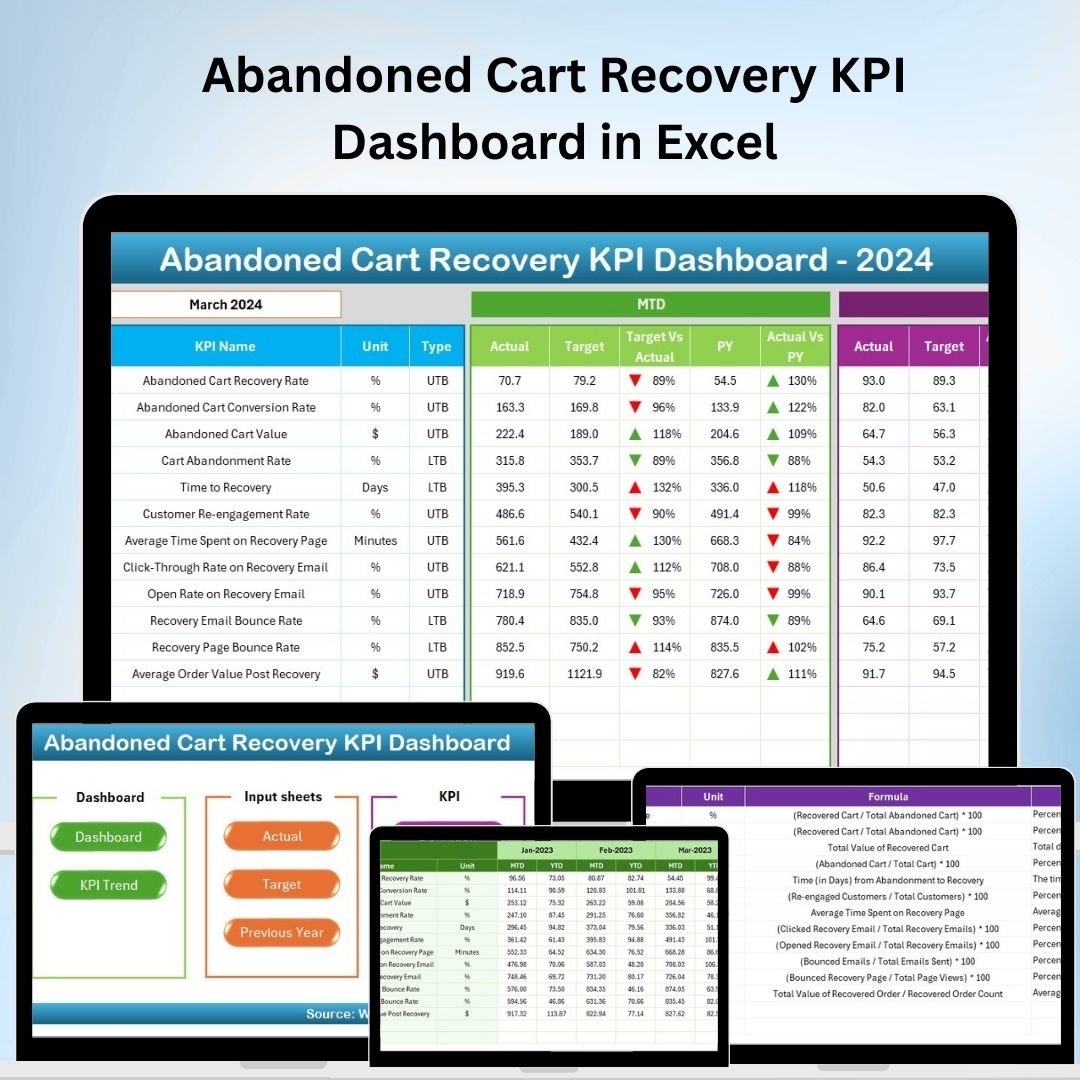
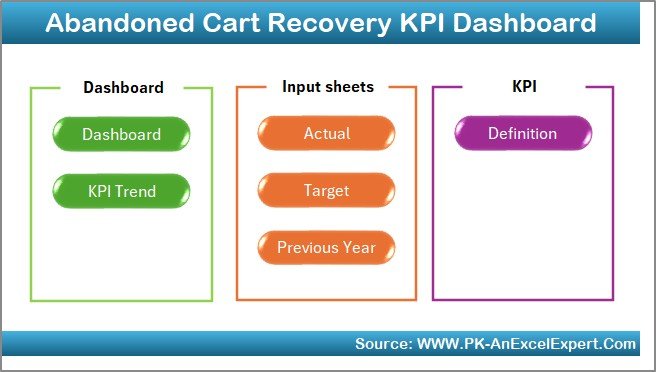
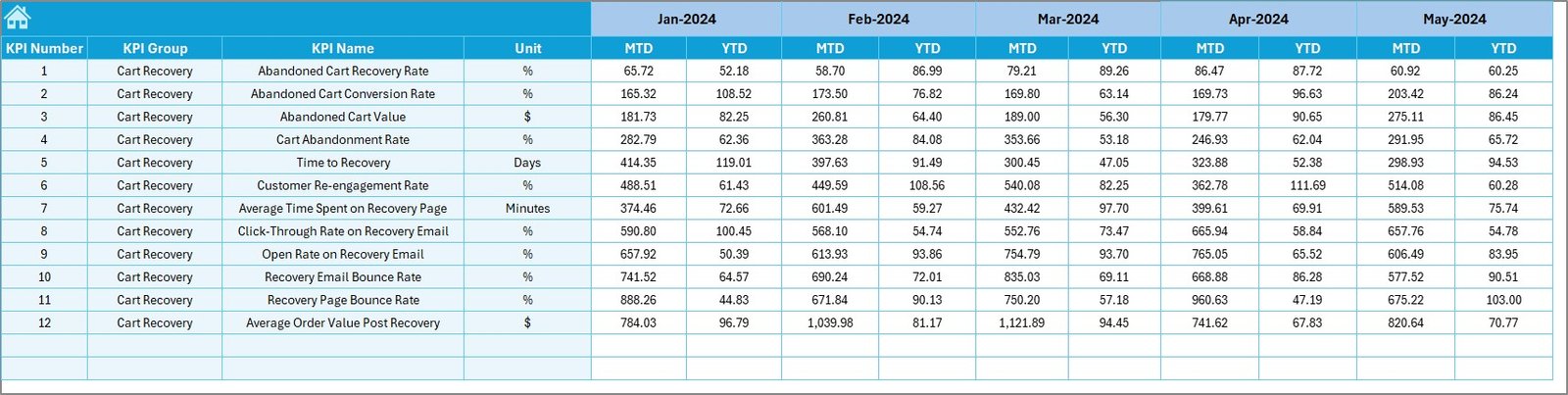
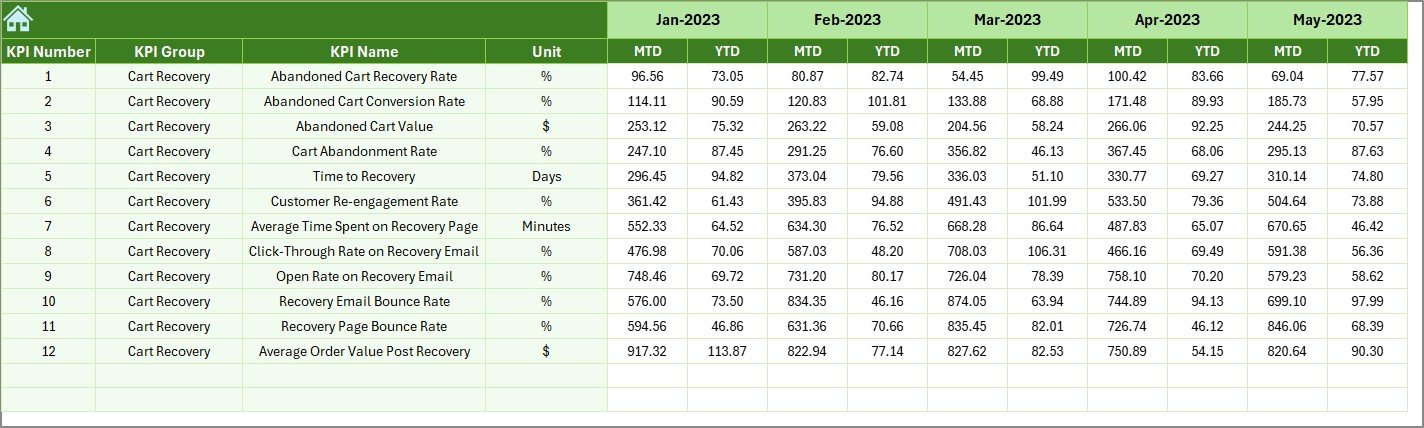
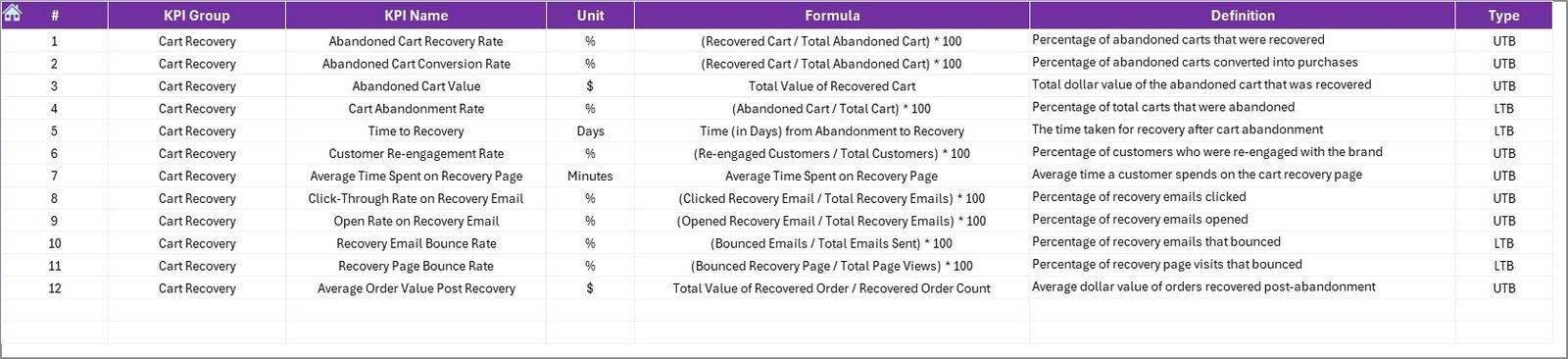

The Abandoned Cart Recovery KPI Dashboard in Excel is a powerful tool designed for e-commerce businesses looking to track and improve their cart abandonment recovery efforts. This dashboard helps monitor critical performance indicators (KPIs) related to abandoned carts, providing valuable insights into customer behavior and the effectiveness of your recovery strategies.
By using this Excel-based tool, you can identify where customers are abandoning their carts, measure the success of recovery tactics, and make data-driven decisions to reduce abandonment and increase conversions.
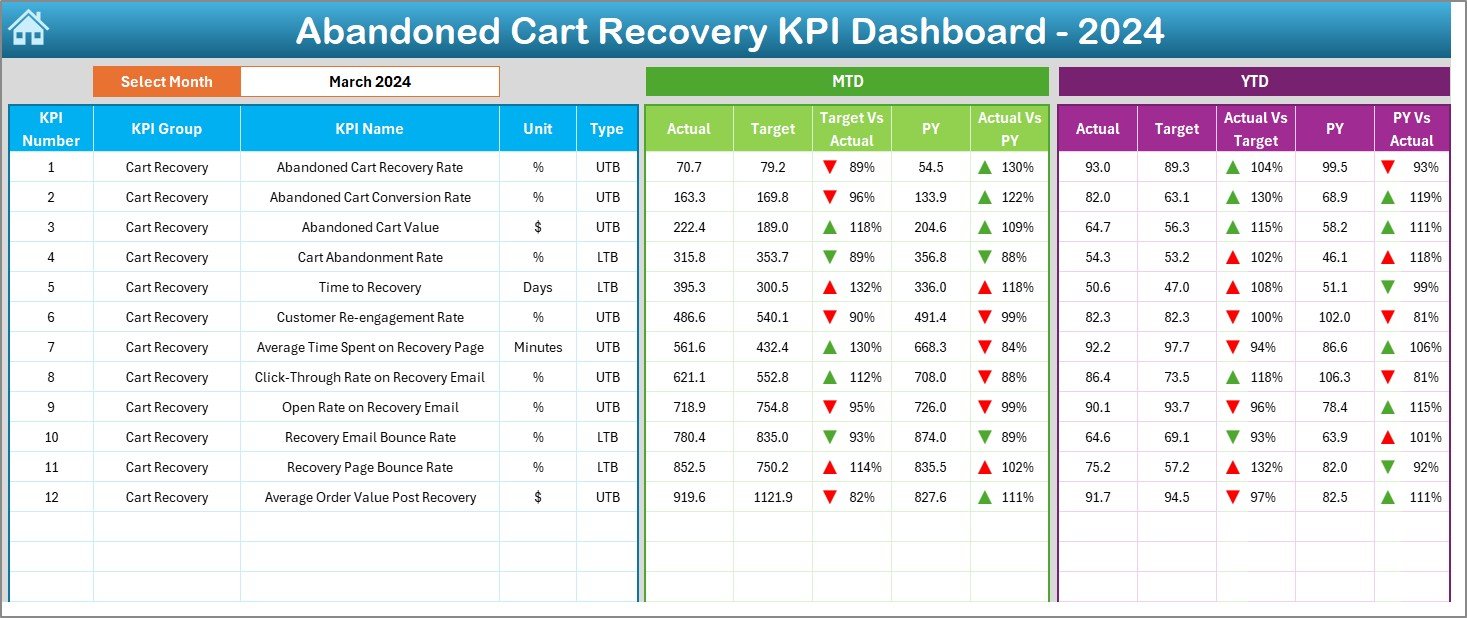
Key Features of the Abandoned Cart Recovery KPI Dashboard in Excel
📉 Abandonment Rate Tracking
Track Abandoned Carts: Monitor the percentage of shopping carts that are abandoned before completing a purchase. This helps identify potential friction points in the checkout process and areas that need improvement.
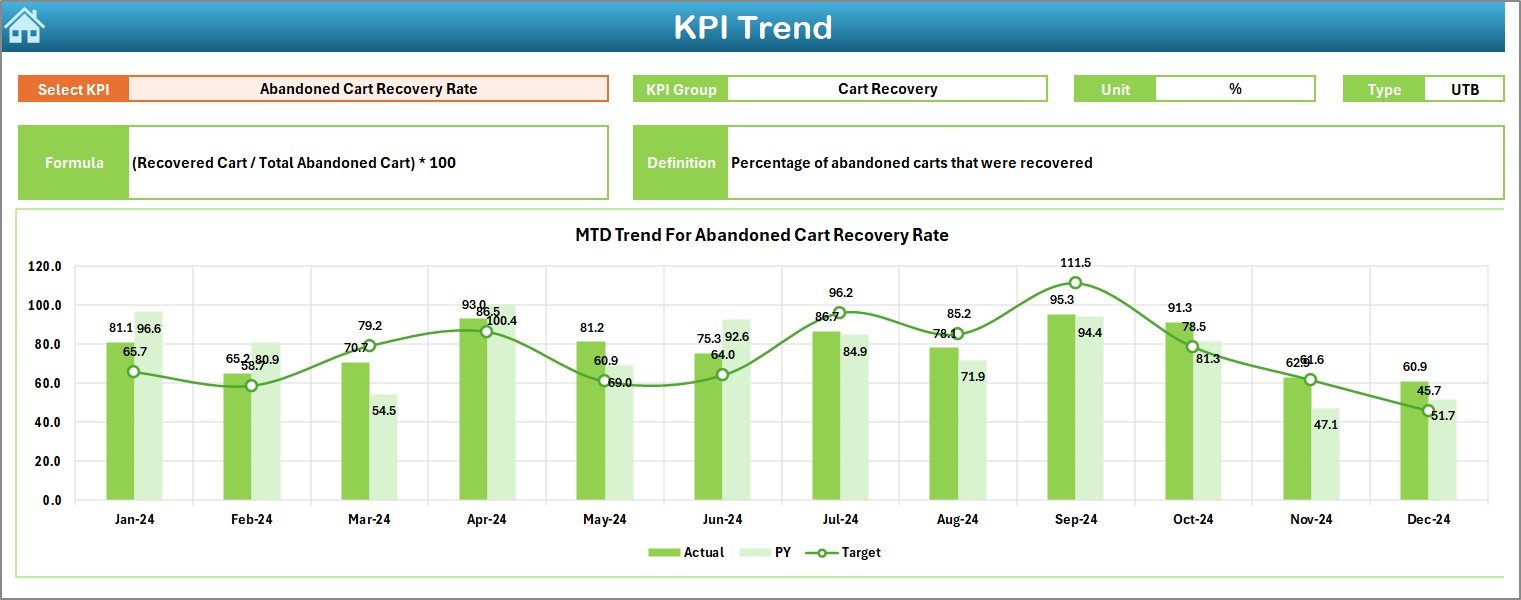
Dynamic Data Visualization: Visualize cart abandonment trends over time with interactive graphs and charts to monitor the effectiveness of your strategies.
🔄 Recovery Rate Analysis
Measure Recovery Success: Track the percentage of abandoned carts that are successfully recovered into sales through targeted campaigns like email reminders, discounts, or retargeting ads.
Impact on Revenue: Calculate the lost revenue due to abandoned carts and the revenue gained from recovery efforts to understand the financial impact.
💰 Revenue Impact Tracking
Lost vs. Recovered Revenue: Quantify the revenue loss caused by abandoned carts and measure the success of your recovery campaigns to understand their effectiveness in increasing sales.
Potential Recovery Forecast: Use the dashboard to forecast potential revenue recovery based on historical trends and campaign performance.
📊 Customer Segmentation
Segment Your Customers: Break down abandonment and recovery rates by customer segments such as new vs. returning customers, geographic location, and purchase behavior.
Targeted Recovery Campaigns: With detailed segmentation, you can create more personalized recovery campaigns, targeting the most valuable or at-risk customers effectively.
📅 Trend Visualization
Track Trends Over Time: Use historical data and visual charts to analyze trends in cart abandonment and recovery rates. This helps in assessing the long-term impact of recovery efforts and in planning future strategies.
Monitor Campaign Effectiveness: Visualize how different recovery tactics are performing over time, allowing you to adjust and optimize campaigns as needed.
Benefits of Using the Abandoned Cart Recovery KPI Dashboard in Excel
✅ Improved Conversion Rates
By tracking abandonment and recovery rates, you can pinpoint the issues causing cart abandonment and address them, leading to higher conversion rates and sales.
✅ Data-Driven Decision-Making
Real-time access to key KPIs helps businesses make informed decisions on optimizing the checkout process, improving recovery tactics, and enhancing the overall customer experience.
✅ Better Marketing Targeting
Customer segmentation allows for more targeted and personalized marketing efforts, improving the chances of converting abandoned carts into completed sales.
✅ Increased Revenue
By reducing cart abandonment and increasing recovery rates, businesses can significantly boost their revenue, turning missed opportunities into successful sales.
Getting Started with Your Abandoned Cart Recovery KPI Dashboard in Excel
Download the Template: Obtain the Abandoned Cart Recovery KPI Dashboard template to get started.
Set Up KPIs: Define the key performance indicators you wish to track, including abandonment rates, recovery rates, and revenue impact.
Customize Your Dashboard: Tailor the dashboard to your specific needs, including adding new data points or adjusting visual settings to match your business strategy.
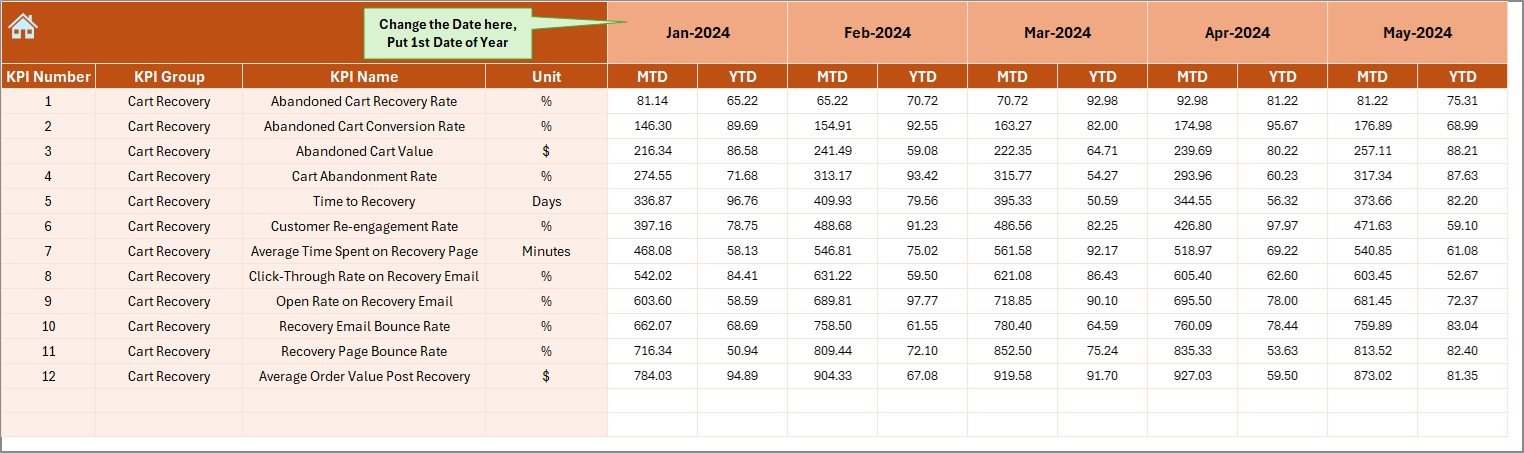
Input Data: Regularly input data regarding abandoned carts, recovered sales, and marketing campaigns to ensure your dashboard remains up-to-date.
Monitor and Optimize: Continuously track your recovery rates, identify areas for improvement, and optimize your strategies to maximize sales recovery.
By implementing the Abandoned Cart Recovery KPI Dashboard in Excel, you can optimize your recovery efforts, boost conversion rates, and improve your e-commerce revenue.
Click here to read the Detailed blog post
Abandoned Cart Recovery KPI Dashboard in Excel
Visit our YouTube channel to learn step-by-step video tutorials
YouTube.com/@PKAnExcelExpert
Watch the step-by-step video Demo:
What’s Inside
- Abandonment rate tracking: the share of carts left before checkout, with trend charts
- Recovery rate analysis: carts won back through email reminders, discounts or retargeting ads
- Revenue impact: lost revenue versus recovered revenue, plus a potential recovery forecast
- Customer segmentation: new versus returning customers, location and purchase behavior
- Trend charts that show how each recovery tactic performs over time
Compatibility and Requirements
- Works in Microsoft Excel desktop (Excel 2016 or later, or Microsoft 365).
- Results are shown in charts. Microsoft explains Excel charts in Create a chart from start to finish.
Frequently Asked Questions
What does the Abandoned Cart Recovery KPI Dashboard track?
It tracks the cart abandonment rate, the recovery rate, revenue lost to abandoned carts and revenue won back by recovery campaigns.
Can I compare customer segments?
Yes. Abandonment and recovery rates can be broken down by new versus returning customers, geographic location and purchase behavior.
Can I see which recovery campaigns work best?
Yes. Trend charts show how tactics such as email reminders, discounts and retargeting ads perform over time.
Can I add my own KPIs?
Yes. You define the KPIs you want to track and can add new data points or adjust the visual settings.
Related E-commerce KPI Templates
- Ecommerce Conversion Rate KPI Dashboard in Excel: track store conversion rates in Excel
- E-commerce KPI Dashboard in Excel: a wider set of online store KPIs
- E-commerce KPI Scorecard in Excel: score e-commerce KPIs against targets
- Ecommerce Conversion Rate KPI Dashboard in Google Sheets: conversion tracking in Google Sheets
- KPI Dashboard Library (Excel): 15 Excel KPI dashboards in one download
Browse all Excel KPI dashboards or the Excel sales and marketing templates.
































Reviews
There are no reviews yet.