


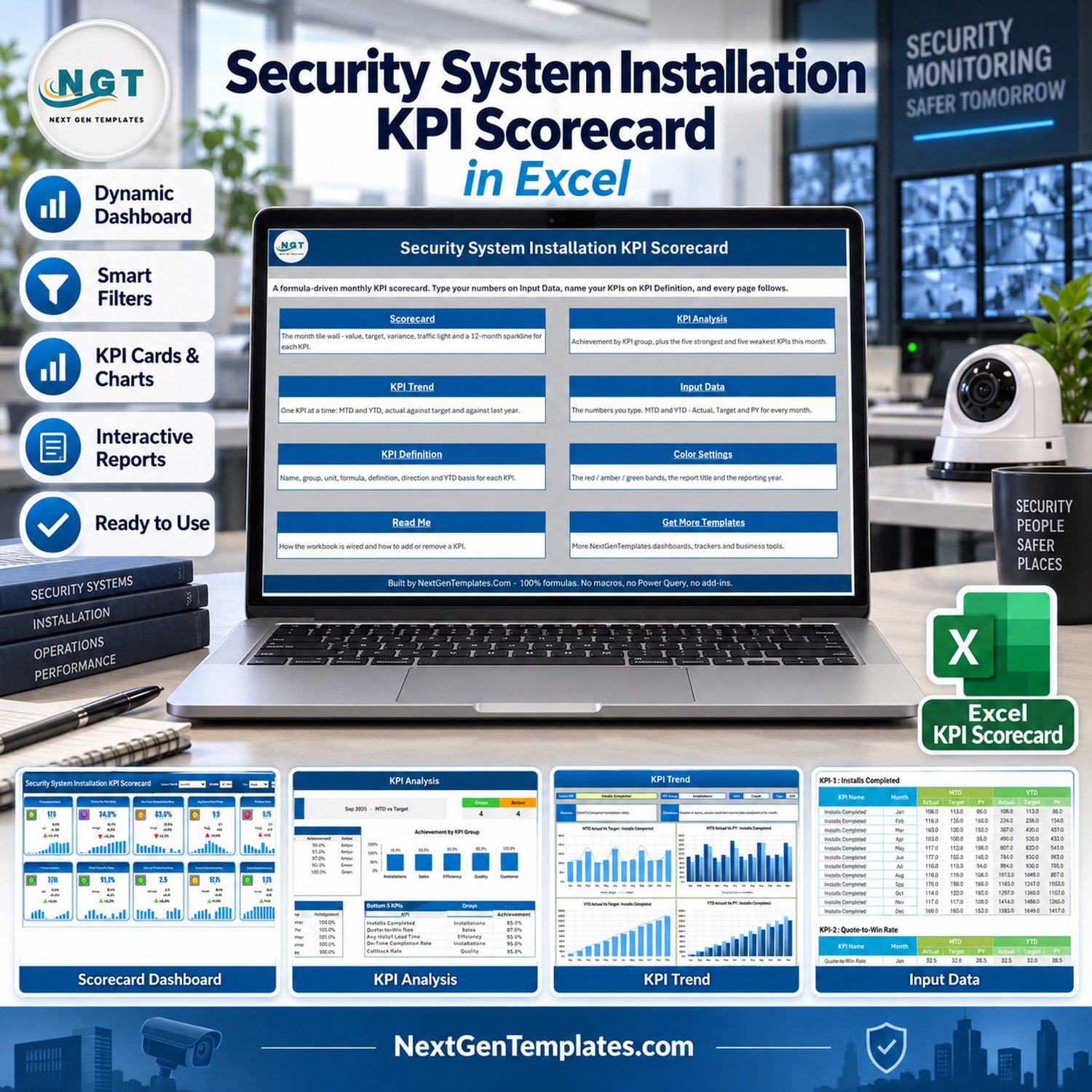
Security System Installation KPI Scorecard in Excel is a ready-to-use monthly performance workbook for security installation teams that need a clear view of installs completed, quote win rate, on-time completion, average install lead time, callback rework and customer satisfaction. It includes 9 visual pages, 10 KPI cards, trend charts, KPI definitions, settings and sample input data, so managers can review the work without building a reporting file from scratch. The workbook is a scorecard, not a dispatch platform, which keeps the setup focused and practical. For general workbook help, see Microsoft Excel Support.
KPI Scorecard in Excel Features for Security Installation Reporting
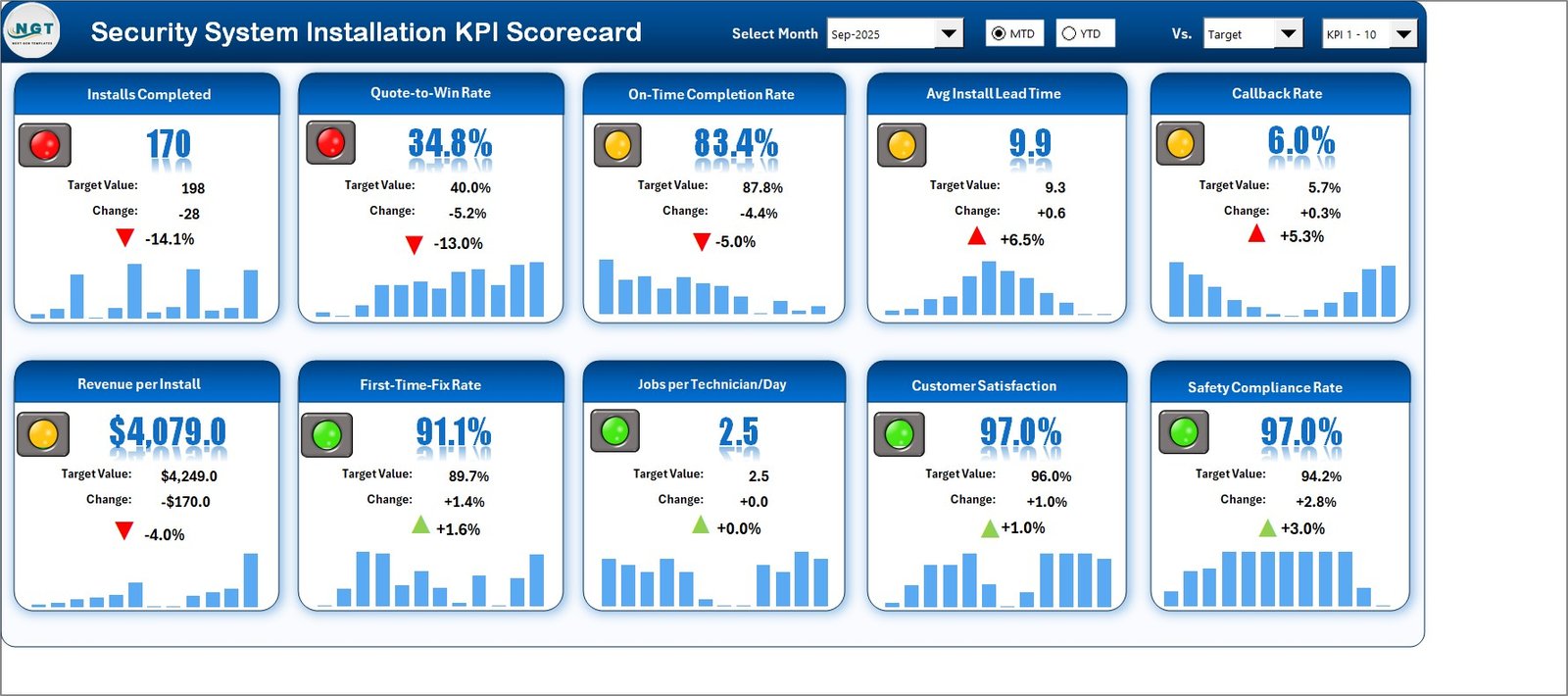
- Monthly scorecard page with KPI cards, traffic-light status and compact trend bars.
- KPI Analysis page for achievement grouping, top KPI review and performance mix.
- KPI Trend page with actual-versus-target charts for selected installation metrics.
- Input Data page for replacing demo values with your own monthly numbers.
- KPI Definition and Settings pages for target, threshold and report configuration.
- Excel workbook plus user manual inside the downloadable ZIP file.
What’s Inside the Excel Scorecard
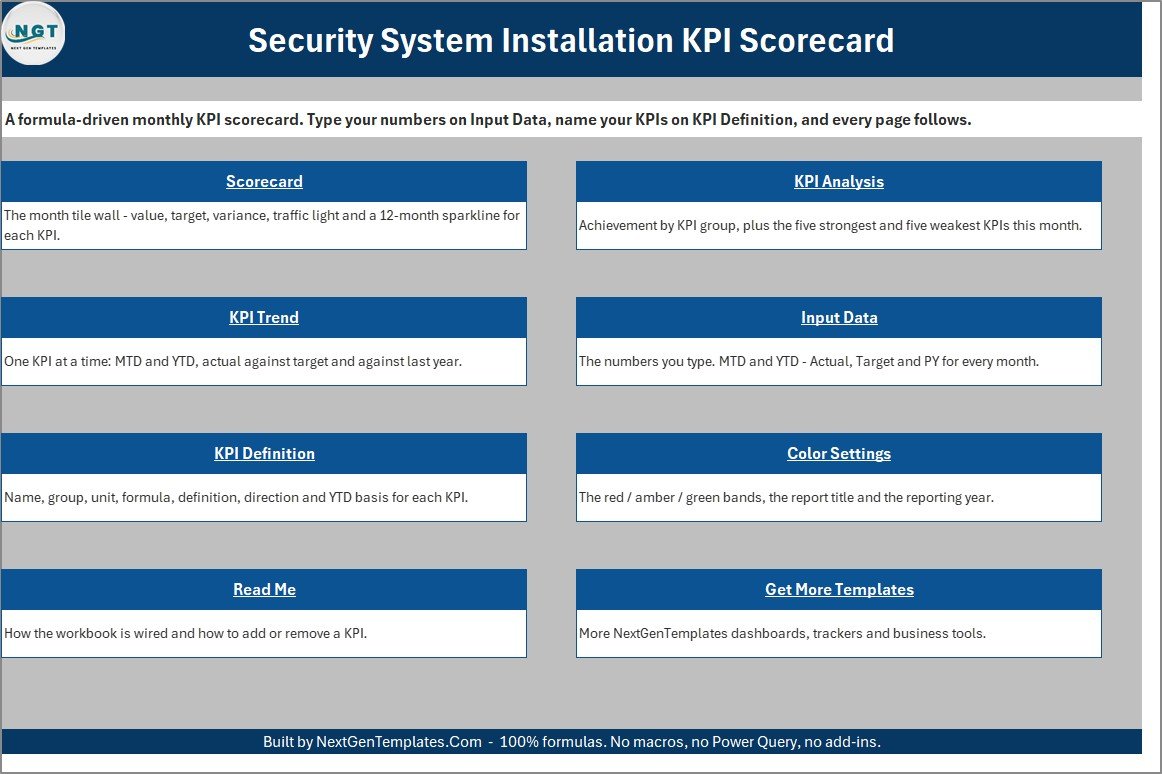
The workbook opens with a simple navigation page that explains the six main areas: Scorecard, KPI Analysis, KPI Trend, Input Data, KPI Definition and Settings. The scorecard page shows 10 operational KPIs for security installation work, including installs completed, quote win rate, on-time completion rate, average install lead time, callback rework rate, revenue per install, first-time fix rate, jobs per technician day, customer satisfaction and safety compliance rate.
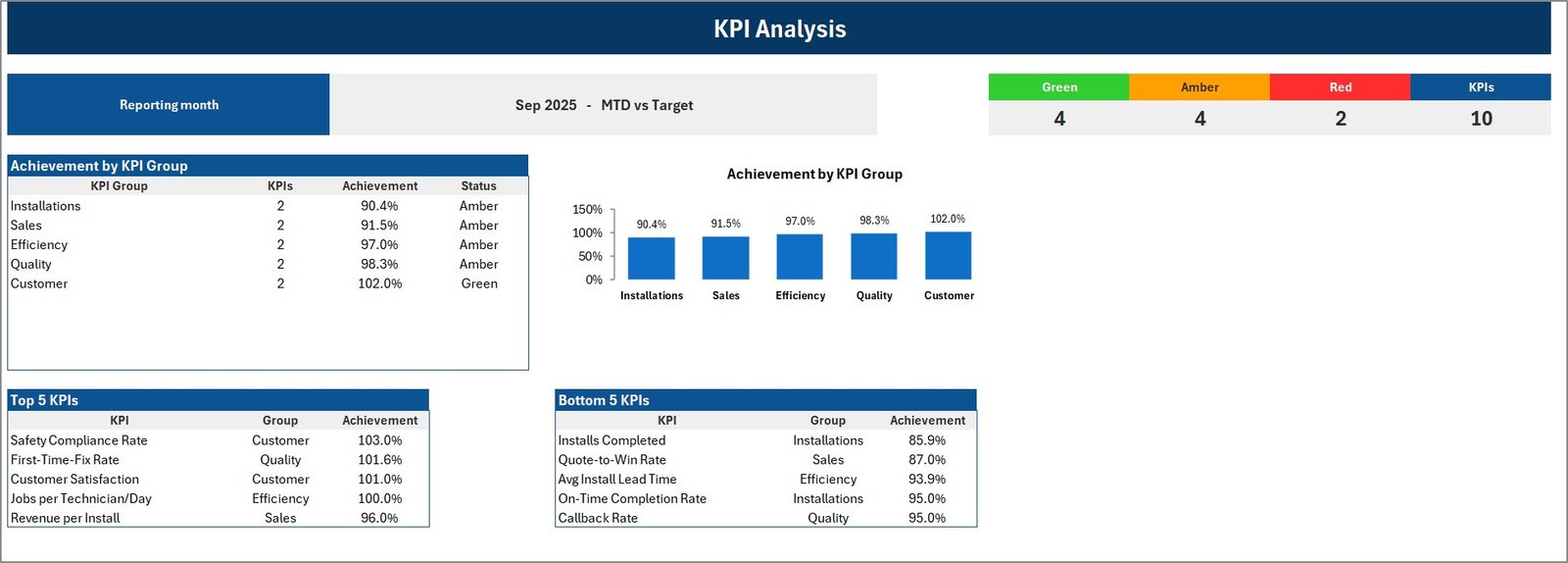
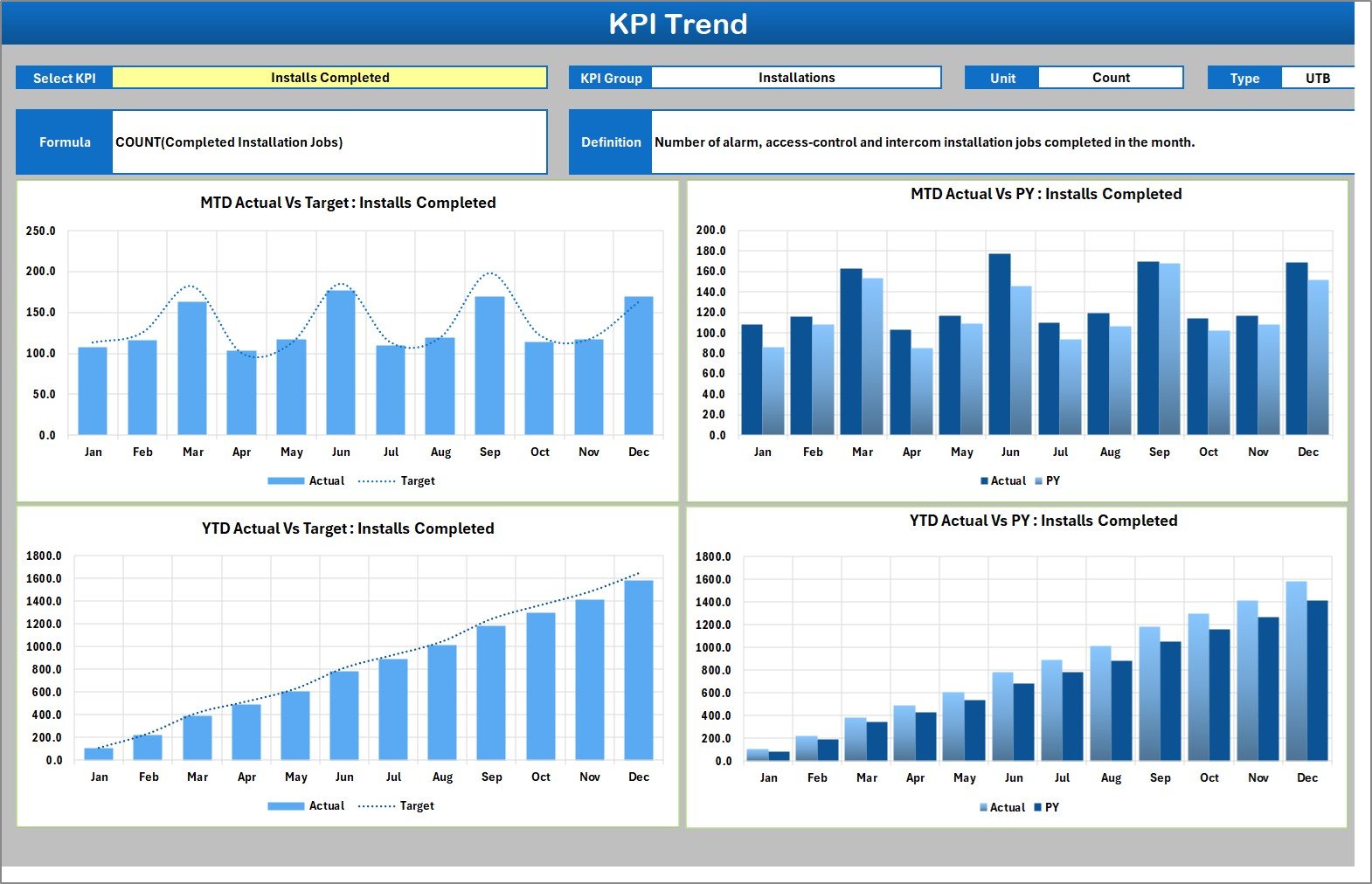
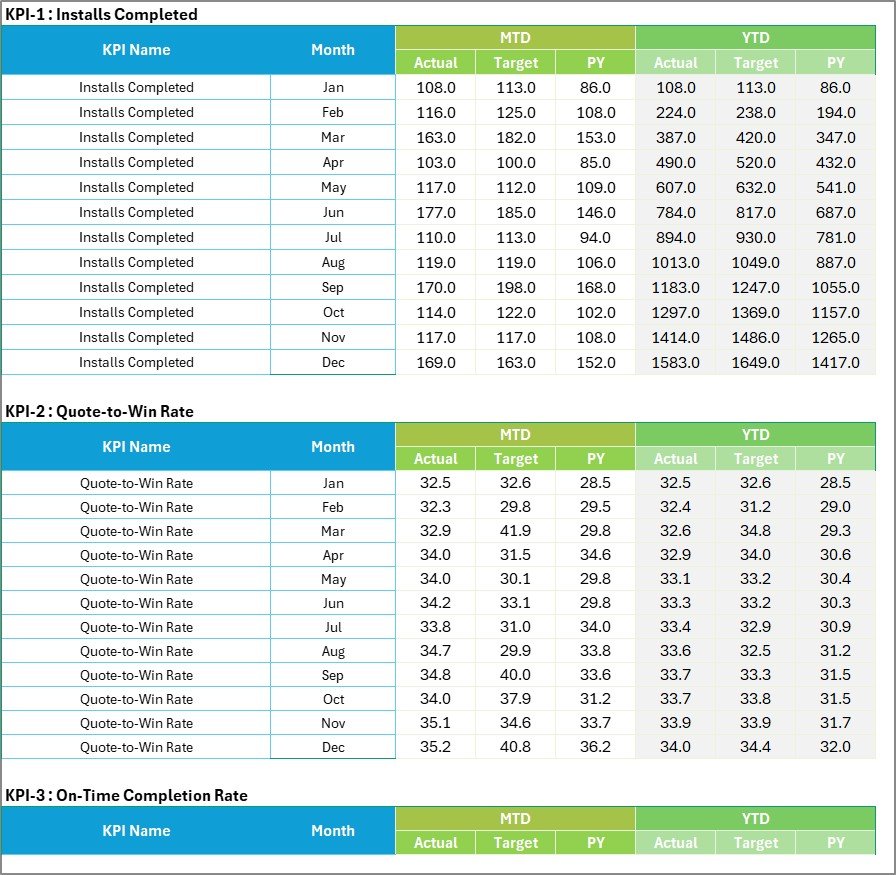

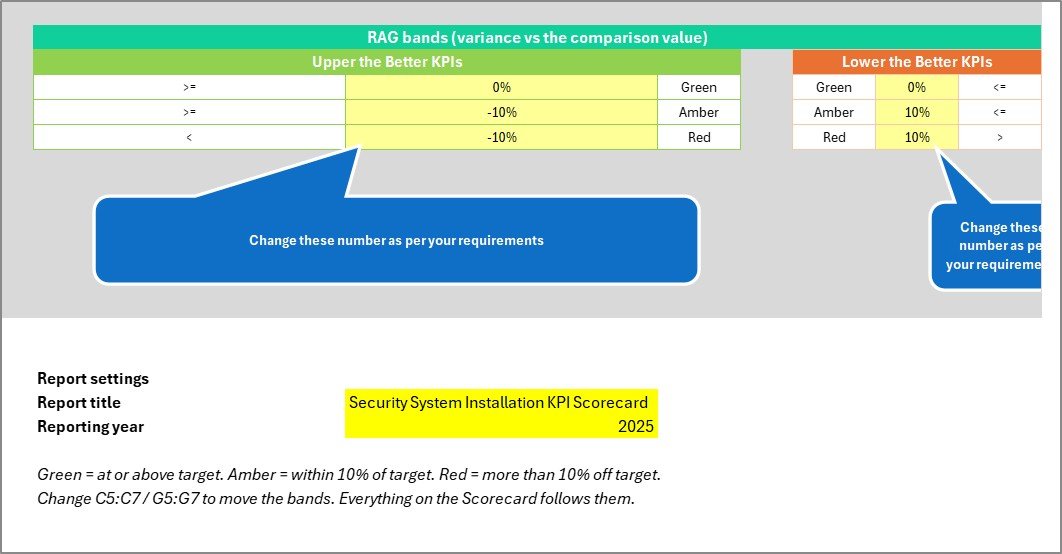
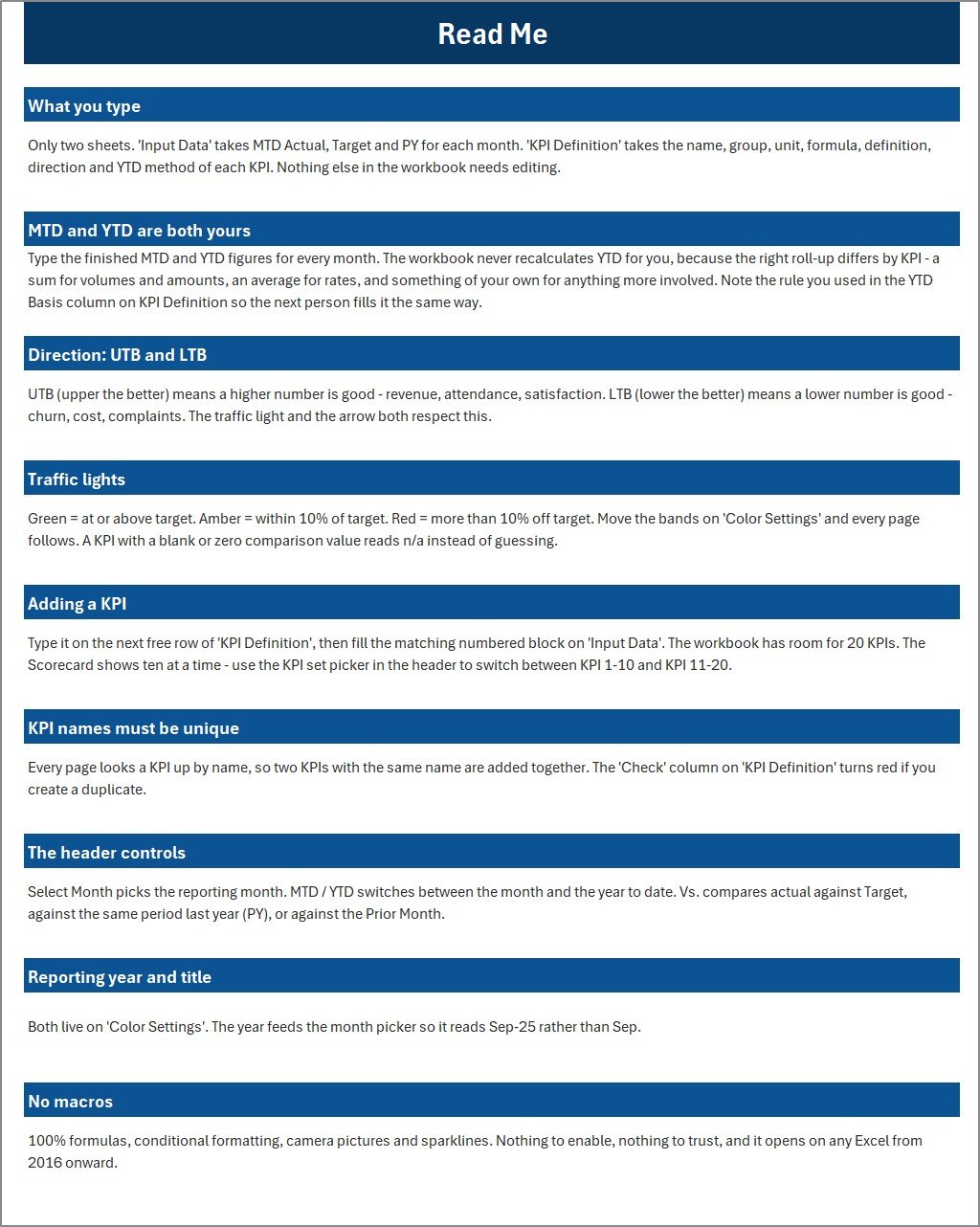
The KPI Analysis view groups results into green, amber and red bands. The trend page compares actual and target values month by month. The settings page includes RAG thresholds and report labels, while the input data page keeps the raw monthly records separate from the reporting views.
Excel vs. Google Sheets vs. Paid CRM/SaaS – Where This Fits
| Decision point | This Excel scorecard | Google Sheets scorecard | Paid field-service SaaS |
|---|---|---|---|
| Best fit | Monthly security installation KPI review in Excel | Shared browser-based review | Full ticketing, dispatch and CRM workflow |
| Setup time | Open the workbook, replace sample input data and review the linked pages | Copy the sheet and connect team inputs | Configure users, roles, workflows and integrations |
| Cost | One-time template purchase | One-time template purchase | Recurring licence fees |
| KPI view | Scorecard, KPI Analysis, KPI Trend and KPI Definition pages | Similar monthly scorecard in the browser | Depends on the vendor reporting module |
| Custom fields | Edit the input table and KPI definition areas in Excel | Edit sheet fields and formulas with care | Usually configurable, but limited by plan |
| Year-1 cost at 5 users | $9.99 sale price today | Usually lower than SaaS but needs Google Workspace familiarity | Often hundreds or thousands per year |
Who This Template Is For – and Who It’s Not For
This template is for small and mid-sized security installers, operations managers, service coordinators and owners who already track jobs in Excel or export monthly figures from another tool. It is especially useful when you want a clean reporting layer for meetings, not a heavy software rollout.
It is not for teams that need live technician GPS tracking, dispatch automation, customer portals, alarm event monitoring, billing automation or legally auditable compliance workflows. Use a dedicated field-service or security operations platform for those needs.
How to Use This Security Installation Scorecard
- Download and unzip the product file.
- Open the Excel workbook and read the included user manual.
- Replace the sample monthly rows on the Input Data page with your own figures.
- Review or adjust KPI definitions, targets and RAG thresholds.
- Use the Scorecard, KPI Analysis and KPI Trend pages in management reviews.
Real-World Use Cases
Operations manager: review monthly completion rate, callbacks and technician productivity before the weekly leadership meeting.
Security installation owner: compare quote win rate, revenue per install and customer satisfaction before deciding where to focus training.
Service coordinator: prepare a consistent scorecard for installers without rebuilding charts every month.
Frequently Asked Questions
Is this the same as a full security installation CRM?
No. It is a KPI scorecard for monthly reporting and performance review, not a scheduling, dispatch, alarm monitoring or customer-management system.
Which Excel version should I use?
Use the Microsoft Excel desktop app for best results. The workbook is designed for standard Excel editing, charts and formulas.
Can I change the KPI names and targets?
Yes. The KPI Definition and Settings pages are built so you can adapt target values, thresholds and labels to your own installation operation.
Does it include security customer data?
No. The included records are sample data for demonstration. Replace them with your own internal operational numbers before using the scorecard for decisions.
Can this scorecard be used for CCTV installers?
It can be adapted, but a dedicated CCTV Installation KPI Scorecard in Excel is a better fit when CCTV is the whole service line.
What happens after purchase?
You receive a ZIP download containing the Excel workbook and user manual. Unzip it, open the workbook and replace the sample rows with your own monthly data.
About the Author
Built by PK – Microsoft Certified Professional with 15+ years of Excel, Google Sheets, and Power BI experience. Founder of NextGenTemplates, reaching 300K+ subscribers across YouTube channels. Every template is hand-built and tested before release.
Explore Related Templates
For a broader dashboard-style workbook, see the Security System Installation KPI Dashboard in Excel. For a related installation niche, compare the CCTV Installation KPI Scorecard in Excel. Renovation contractors may also like the Home Renovation Contractor KPI Scorecard in Excel. Browse more Excel KPI dashboard and scorecard templates in the NextGenTemplates catalogue.
Ready to review security installation KPIs without building a workbook from zero? Add this Excel scorecard to your toolkit and replace the sample data with your own monthly numbers.
Last updated: September 12, 2026.
Watch the demo video:
Compatibility and Requirements
- Works in Microsoft Excel desktop (Excel 2016 or later, or Microsoft 365).
- The Trend page uses charts to compare actual and target values month by month. Microsoft explains charts in Create a chart from start to finish.
More Questions About This Template
Which KPIs are on the scorecard?
There are 10 KPIs: installs completed, quote win rate, on-time completion rate, average install lead time, callback rework rate, revenue per install, first-time fix rate, jobs per technician day, customer satisfaction and safety compliance rate.
Is there a Google Sheets or Power BI version?
Yes. See the Security System Installation KPI Scorecard in Google Sheets and the Security System Installation KPI Dashboard in Power BI.
Related Security Templates
- Security System Installation KPI Scorecard in Google Sheets: the same scorecard in Google Sheets
- Security System Installation KPI Dashboard in Excel: a dashboard view of the same topic
- Security System Installation KPI Dashboard in Power BI: the Power BI edition
- Security KPI Dashboard in Excel: a wider security KPI view
Browse all Excel operations templates.





























Reviews
There are no reviews yet.