

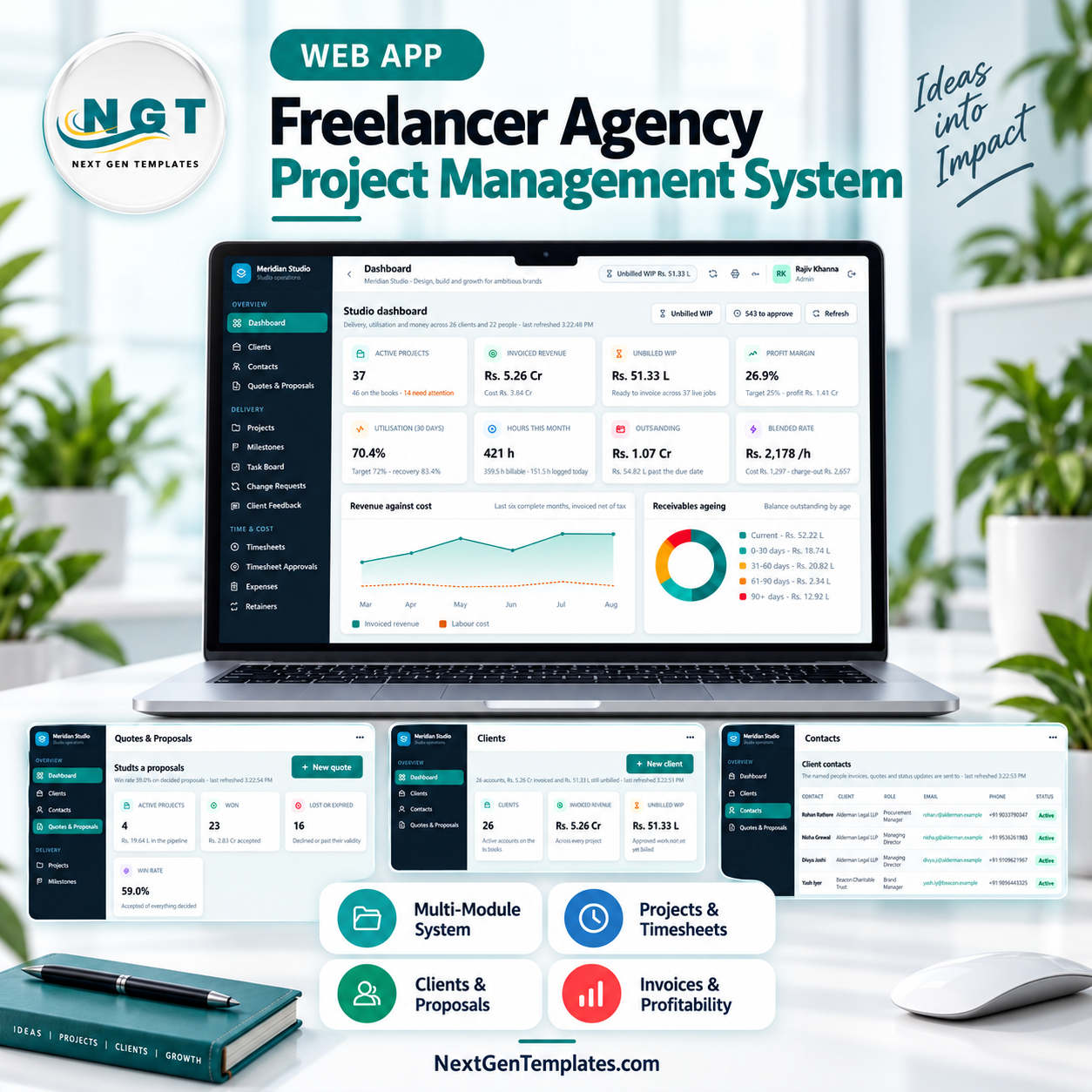
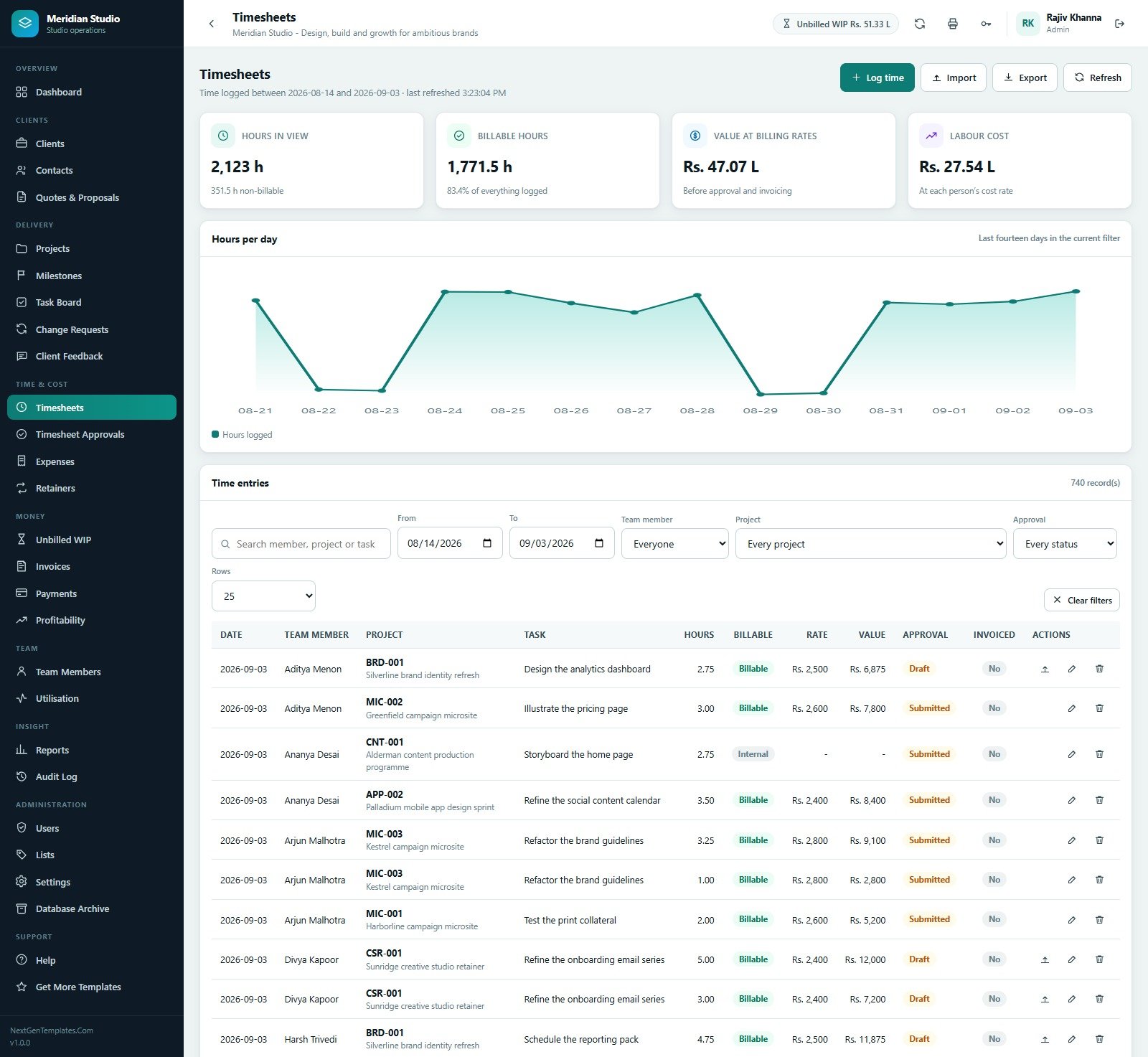

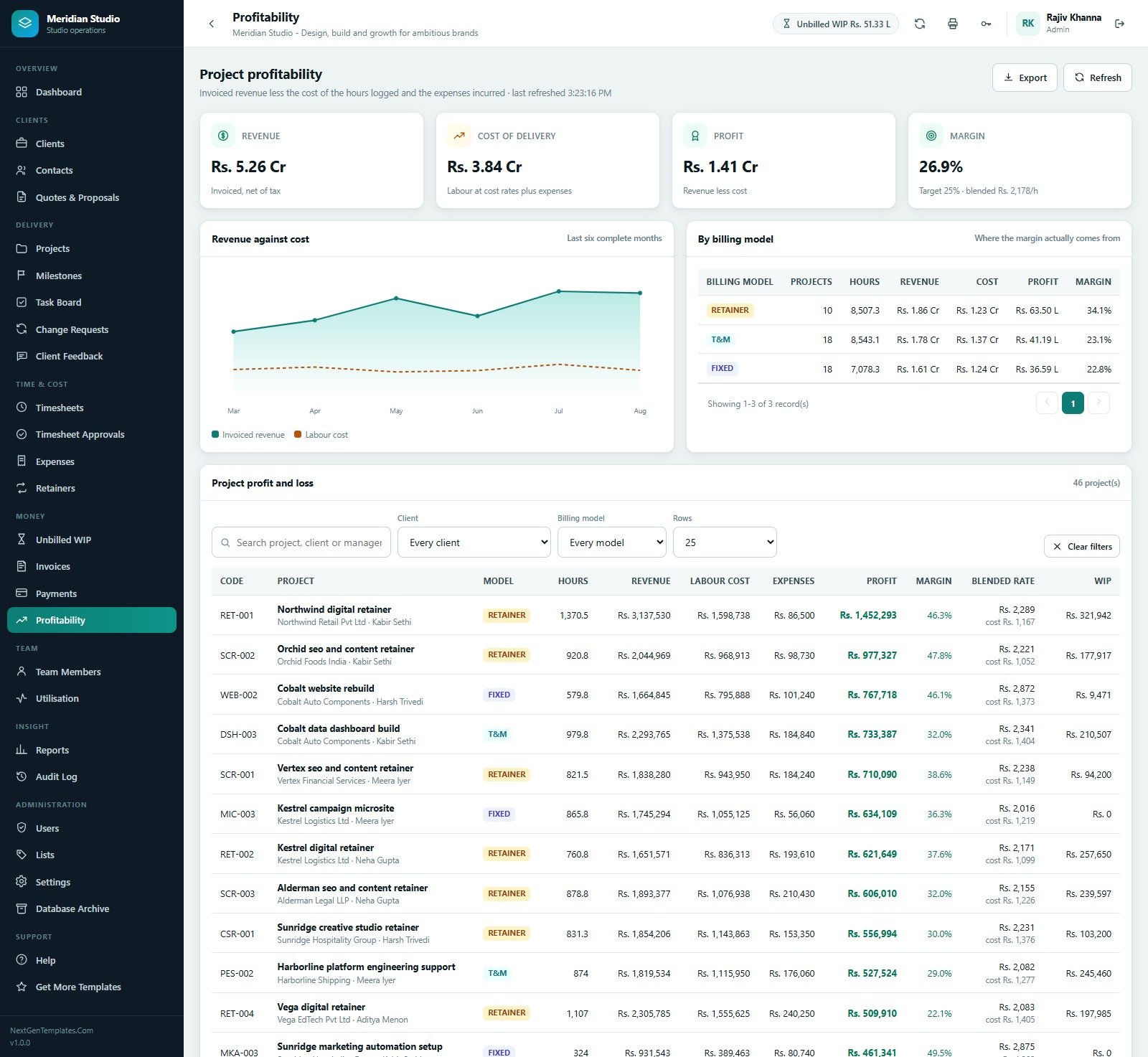


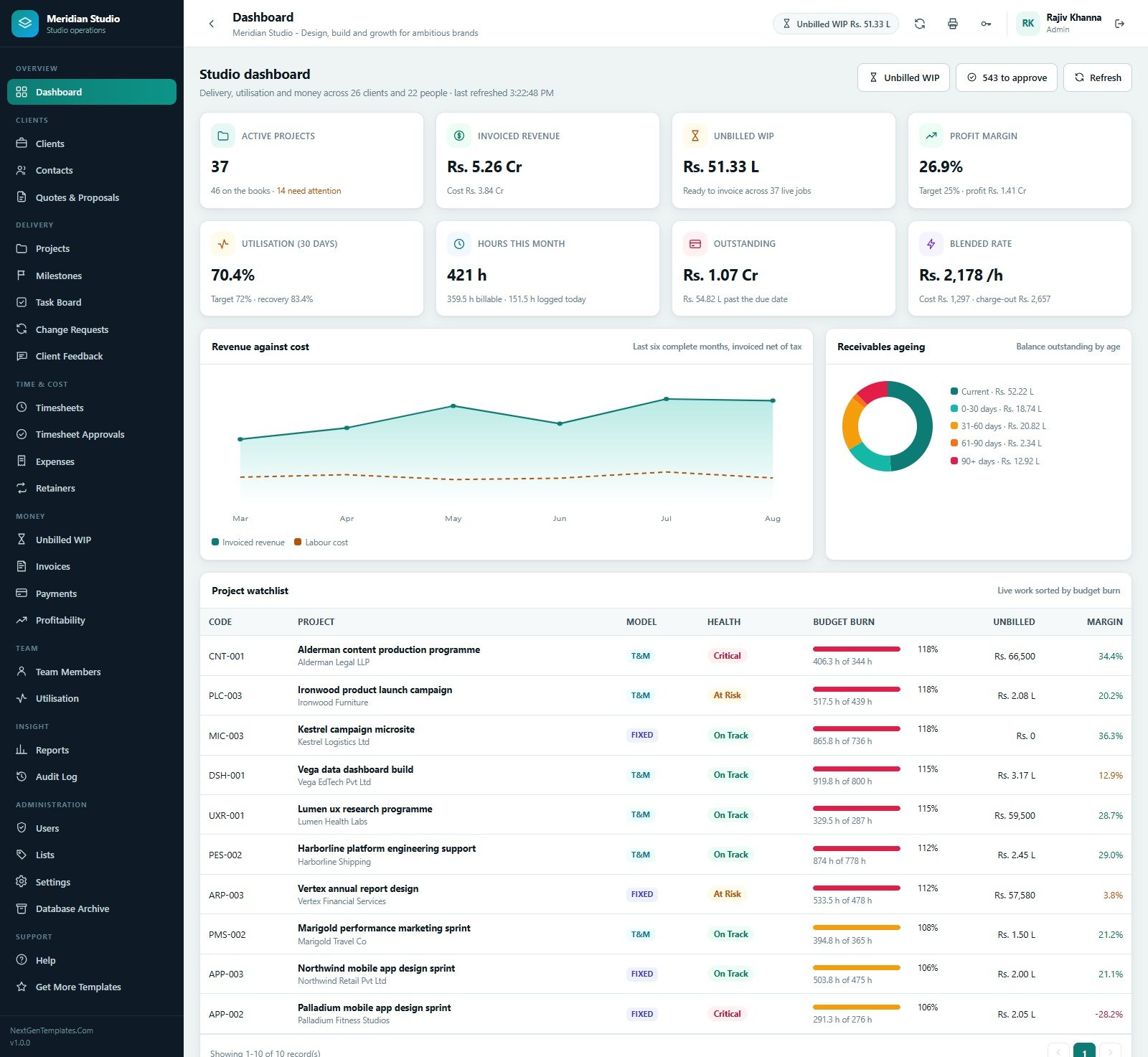
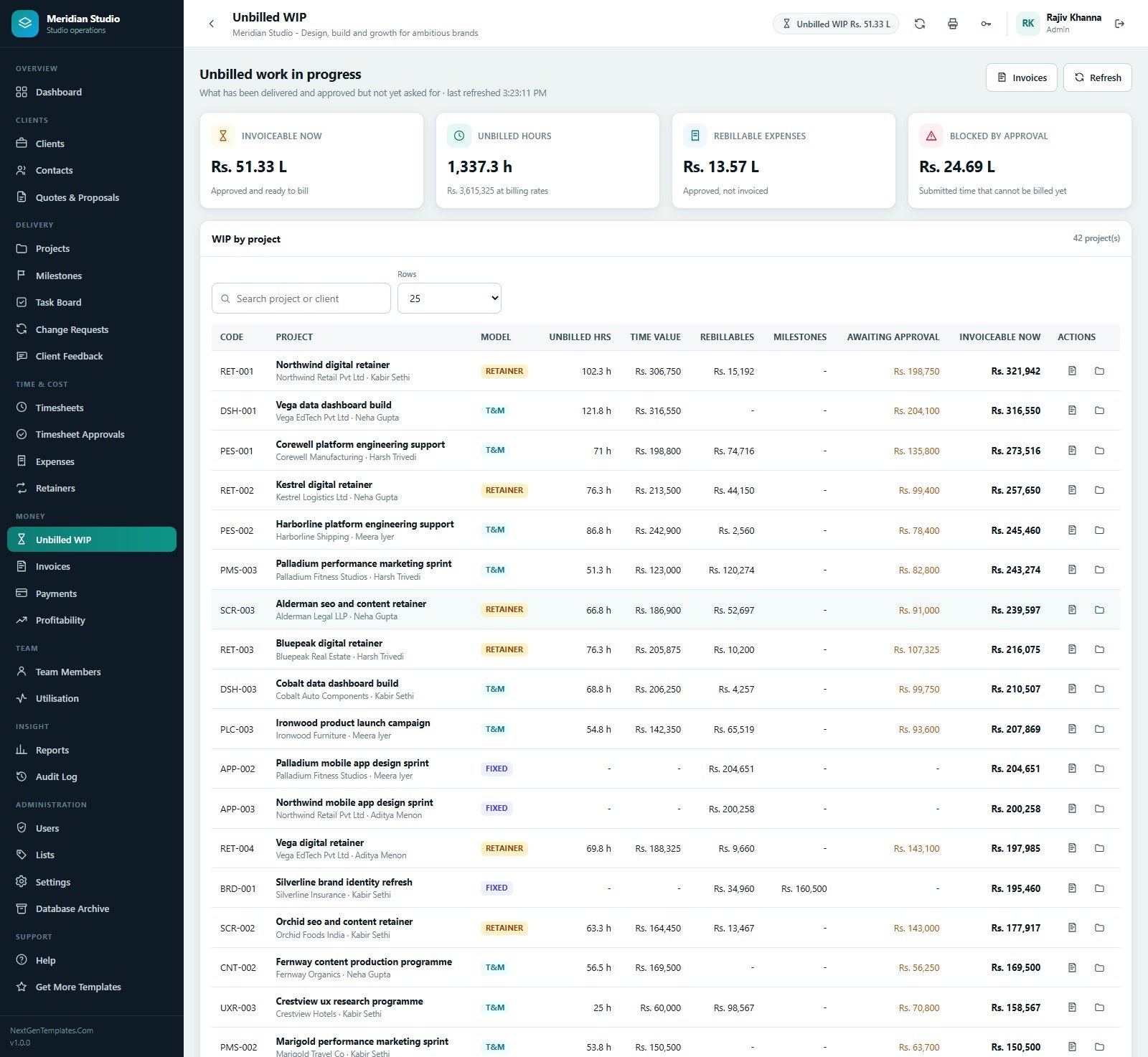
The Freelancer & Agency Project Management System Web App is a role-based agency project management system built entirely in Google Apps Script, so it runs inside your own Google account with no monthly subscription. It ships as 27 working screens, 12 operational reports, 6 seeded roles and a full demonstration database: 26 clients, 66 contacts, 46 projects, 44 quotes, 170 milestones, 462 tasks, 8,400 timesheet rows, 380 expenses, 10 retainers, 217 invoices and 186 payments. The demo studio it is seeded with reports Rs 5.26 Cr invoiced, Rs 51.33 L of unbilled WIP, 26.9% profit margin and 70.4% utilisation. Those are sample numbers used to exercise every calculation, not a forecast for your business. Try the live demo below before you buy, and you get the full source, a PDF user manual and a deployment guide in the download.
Try the Live Demo
Open the shared demonstration system and sign in as each role to see exactly what that role can and cannot reach.
Demo login details
| Role | Username | Password |
|---|---|---|
| Admin | admin | Admin@2025 |
| Director | director | Director@2025 |
| Project Manager | pm | Manager@2025 |
| Account Manager | account | Account@2025 |
| Team Member | team | Member@2025 |
| Accountant | accounts | Finance@2025 |
These credentials belong to a shared seeded demo that is reset from time to time. They are not the credentials of a customer deployment, and your own copy starts with its own accounts.
Key Features of the Freelancer & Agency Project Management System Web App
One chain from quote to profit
A quote becomes a project, the project carries milestones and tasks, team members log time against those tasks, an approver releases the billable hours, approved hours plus rebillable expenses plus signed-off milestones become unbilled WIP, WIP becomes an invoice, and the invoice becomes a payment. Profitability then reads the same rows back: invoiced revenue less labour at each person’s cost rate less absorbed expenses. Nothing is retyped between stages.
Three billing models that behave differently
Fixed Price bills on milestone sign-off. Time & Materials bills approved hours at the rate on each time entry. Retainer bills a monthly fee, draws the allowance down with chargeable hours only, carries unused hours forward where the rollover policy allows, caps them where a cap is set, and charges anything beyond allowance plus rollover at the overage rate.
Approval that actually gates the money
Time moves Draft to Submitted to Approved, and only approved billable time that has not already been invoiced can be pulled onto an invoice. The Timesheet Approvals screen shows the value locked behind approval – in the seeded data, 543 entries worth 1,572.5 hours and Rs 35.07 L – so nobody has to guess why WIP is not moving.
Six roles, one permission map
Admin, Director, Project Manager, Account Manager, Team Member and Accountant each get a different sidebar, and the same permission map is re-checked on the server for every request, so a hidden screen cannot be reached by guessing a URL. The Users page prints the matrix – 48 permissions for Admin down to 15 for Team Member – so an administrator can audit access instead of trusting it.
What’s Inside the Freelancer & Agency Project Management System Web App
27 screens grouped into eight areas:
- Overview – Dashboard with eight KPI cards, a revenue-against-cost trend, a receivables ageing donut and a project watchlist sorted by budget burn.
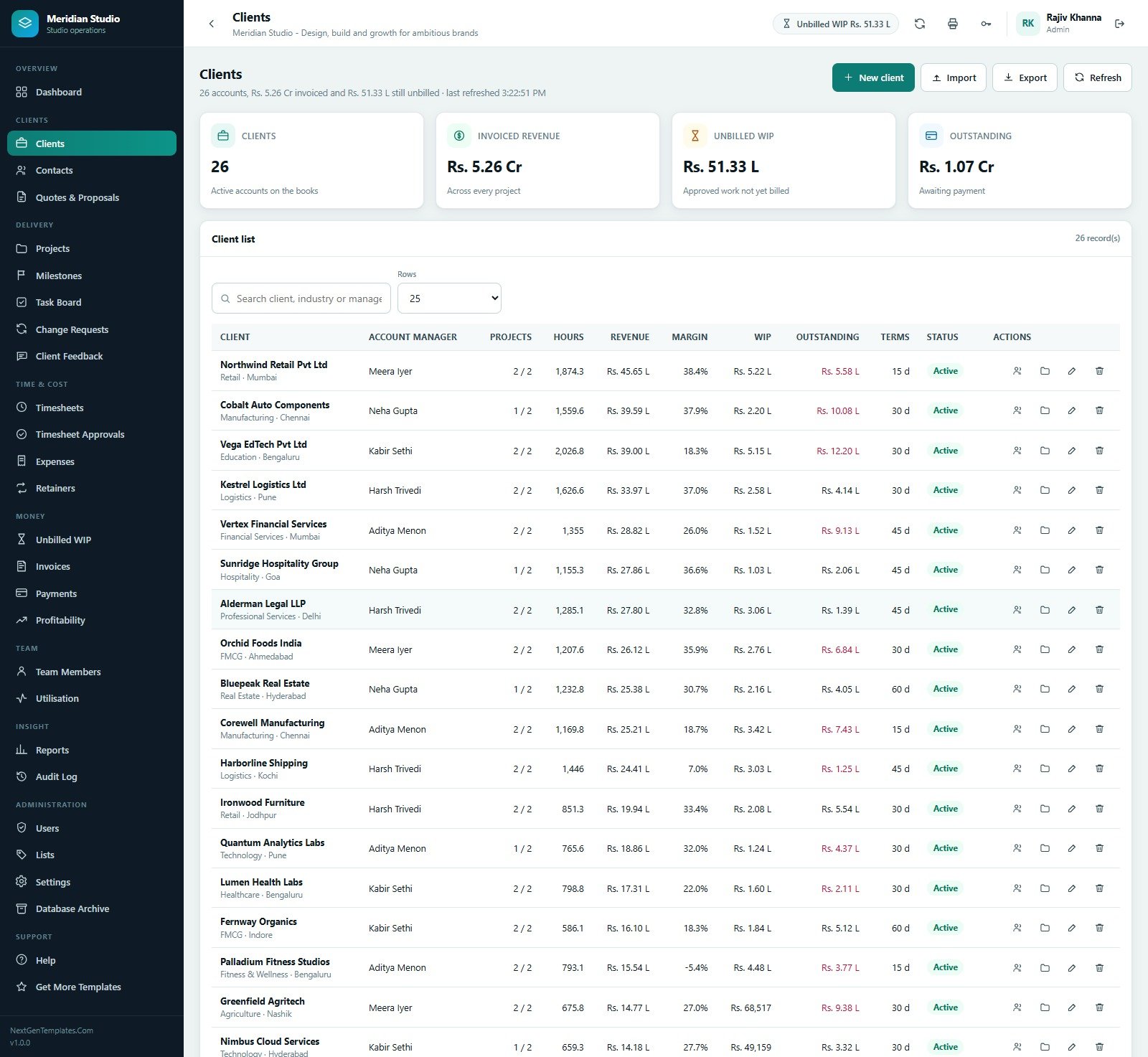
- Clients – Clients, Contacts, and Quotes & Proposals with win rate, pipeline value and quote-to-project conversion.
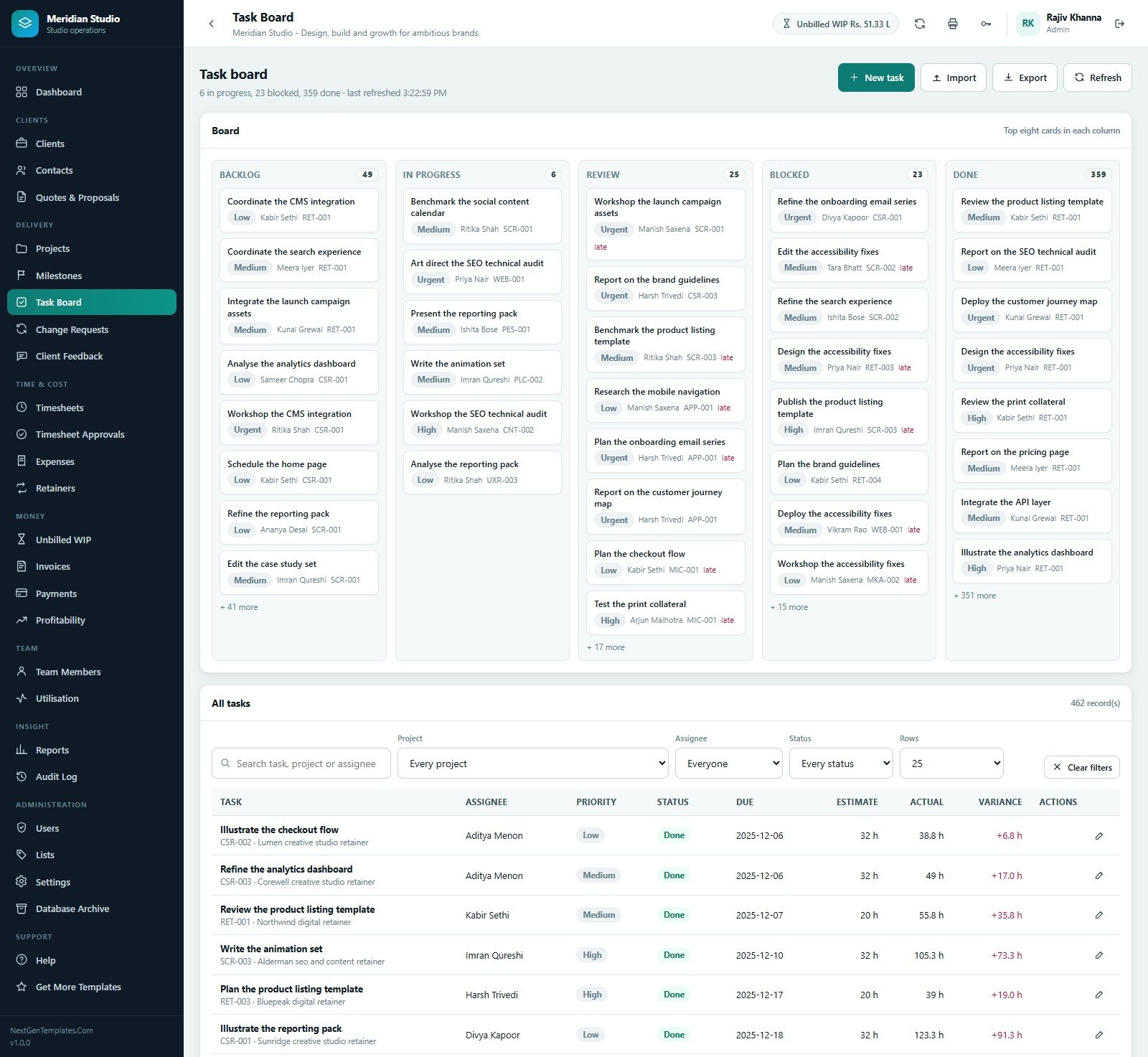
- Delivery – Projects, Milestones, Task Board, Change Requests and Client Feedback.
- Time & Cost – Timesheets, Timesheet Approvals, Expenses and Retainers.
- Money – Unbilled WIP, Invoices, Payments and Profitability.
- Team – Team Members with cost rate, charge-out rate and capacity, plus Utilisation by person.
- Insight – Reports and a full Audit Log.
- Administration and Support – Users, Lists, Settings, Database Archive and an in-app Help guide.

The twelve reports are Project Profitability, Unbilled WIP by Client and Project, Invoice Ageing, Timesheet Summary, Team Utilisation, Budget Burn and Over-Budget Projects, Retainer Utilisation and Overage, Expense Analysis, Milestone Delivery and Slippage, Client Revenue Ranking, Quote Conversion, and Payment Collection. Each one filters by date range and client, prints, and exports to CSV.
Settings hold studio identity, currency and symbol, default tax percentage and label, invoice number prefix, payment terms, invoice footer, default rebill markup, standard blended charge-out rate, weekly capacity, target utilisation, target margin and the budget-burn warning threshold. Lists hold every dropdown value in the app – 126 of them in the seeded copy – so you extend the vocabulary without touching code. Database Archive moves closed transactions older than a cutoff into a separate spreadsheet after writing a full backup, and never touches master data.
Freelancer & Agency Project Management System vs. a Google Sheets Workbook vs. Paid SaaS – Where This Fits
| This Web App | Spreadsheet workbook | Asana / Monday.com + invoicing add-on | |
|---|---|---|---|
| Cost | $39.99 once | Free to build, weeks of your time | Roughly $25-$40 per user per month |
| Platform | Google Apps Script web app on your Drive | Google Sheets or Excel | Vendor cloud |
| Setup time | 15-20 minutes from the PDF guide | Days to weeks | Hours, plus data migration |
| Real-time team collaboration | Yes, multi-user with sign-in | Shared file, easy to break | Yes |
| Mobile access | Yes, responsive browser UI | Clumsy on phones | Native apps |
| Customisable fields | Yes, Lists and Settings, plus full source | Yes | Limited to the plan you pay for |
| Share with a link | Yes, deployed /exec URL | Yes | Invite-based seats |
| Year-1 cost at 5 users | $39.99 | $0 plus your build time | $1,500-$2,400 |
| Retainer allowance, rollover and overage | Built in | Manual formulas | Usually a paid add-on |
| Approved-time-only invoicing | Enforced by the app | Honour system | Yes on higher tiers |
Who This Template Is For – and Who It’s Not For
It fits a solo freelancer who bills by the hour and keeps forgetting what is billable; a two-to-thirty person design, content, development or marketing studio running fixed-price, T&M and retainer work side by side; and an agency owner who wants to see project margin after real cost rates rather than after gross revenue.
It does not fit a business that needs statutory accounting, payroll, or GST return filing – this raises invoices and records payments, it is not a ledger. It is not a file-storage or proofing tool: there is no version-controlled asset library or annotation layer. It does not send automated client reminders, does not integrate with a payment gateway, and does not do resource forecasting beyond the utilisation and capacity numbers you enter. If you need any of those, keep the specialist tool and use this for delivery and billing.
How to Use the Freelancer & Agency Project Management System Web App
- Try the live demo first using the credentials above, so you know the workflow before you install anything.
- Create a new project at script.google.com, paste
Code.cs.txtintoCode.gs, add an HTML file named exactlyIndexand pasteIndex.txtinto it. - Deploy as a Web app, Execute as Me, Who has access Anyone, and accept the permission prompt once.
- Run setup once – either from the First run panel on the sign-in card or by choosing
setupin the editor and pressing Run. - Sign in as admin, open Users, and reset every seeded password immediately.
- Fill Settings with your studio name, currency, tax rate, invoice prefix, payment terms, capacity and target utilisation.
- Add your team with real cost and charge-out rates – profitability is only as honest as those two numbers.
- Load clients and contacts, then quote, convert, deliver, approve time, invoice and record payments.
Real-World Use Cases
Priya runs a six-person brand studio. She was invoicing from memory at month end and losing hours nobody had written down. Now her designers log time against tasks, she approves it every Friday, and the Unbilled WIP screen tells her exactly what is invoiceable before she opens the invoice generator.
Arjun is a solo developer on three retainers. The Retainers screen shows allowance, rollover in, hours used, remaining and overage per client per month, so the conversation about a client who is 114% into their allowance happens before the invoice, not after it.
Meera is an account director at a twenty-two person agency. She uses Profitability and the Client Revenue Ranking report to see that a retainer at 47.8% margin is worth more than a fixed-price build at 22.8%, and reprices the next renewal accordingly.
Frequently Asked Questions
Can I try it before buying?
Yes. The live demo above is a fully seeded copy of this exact system. Sign in with any of the six role accounts and click through every screen. Nothing you do there affects your purchase.
Where does my data live?
In a Google Sheets database inside your own Google Drive, created when you run setup. NextGenTemplates never sees it, and there is no external server involved.
How many people can use it?
There is no seat limit built in. Add as many sign-in accounts as you need in the Users screen; Google Apps Script quotas, not this template, are the practical ceiling.
Can I change the currency, tax rate and invoice numbering?
Yes, all three are in Settings, along with the invoice footer, payment terms, rebill markup and the blended charge-out rate used when a project has no rate of its own. The seeded copy uses INR with 18% GST and an invoice prefix of MER.
Is the source code included and editable?
Yes. You get the full Apps Script backend and the complete HTML front end as plain text files. Edit anything you like; you are not locked into our build.
Does it handle accounting or payroll?
No. It raises invoices, records payments and reports project profitability, but it is not a general ledger and it does not run payroll or file tax returns. Keep your accounting package for that.
What happens when the database gets large?
Use the Database Archive screen. It writes a full backup copy first, registers it, and only then moves closed transactions older than your cutoff date into a separate spreadsheet. Master data is never archived.
About the Author
Built by PK – Microsoft Certified Professional with 15+ years of Excel, Google Sheets, and Power BI experience. Founder of NextGenTemplates, reaching 300K+ subscribers across YouTube channels. Every template is hand-built and tested before release.
Explore Related Templates
- App Development Project Management System Web App – the same delivery spine tuned to sprints and release management.
- Graphic Design Agency Management System Web App – adds briefs, revisions, approvals and an asset register for studios.
- Expense & Petty Cash Management System Web App – a dedicated claim and reimbursement workflow.
- Work Progress Data Entry System in Excel – a lightweight offline alternative for very small teams.
- Browse every system in the Web Apps category.
Get the Freelancer & Agency Project Management System Web App for $39.99 (regular $59.99). The download contains the Apps Script backend, the HTML front end and a PDF user manual with the full deployment guide. Change every seeded password before you put real client data in it.
Last updated: 6 September 2026.
Compatibility and Requirements
- Runs as a Google Apps Script web app in your own Google account. You need a free Google account and a web browser.
- The interface is responsive, so it also opens in a phone or tablet browser.
- Google explains how spreadsheets and web files work in Drive in Get started with Google Sheets.





























Reviews
There are no reviews yet.