

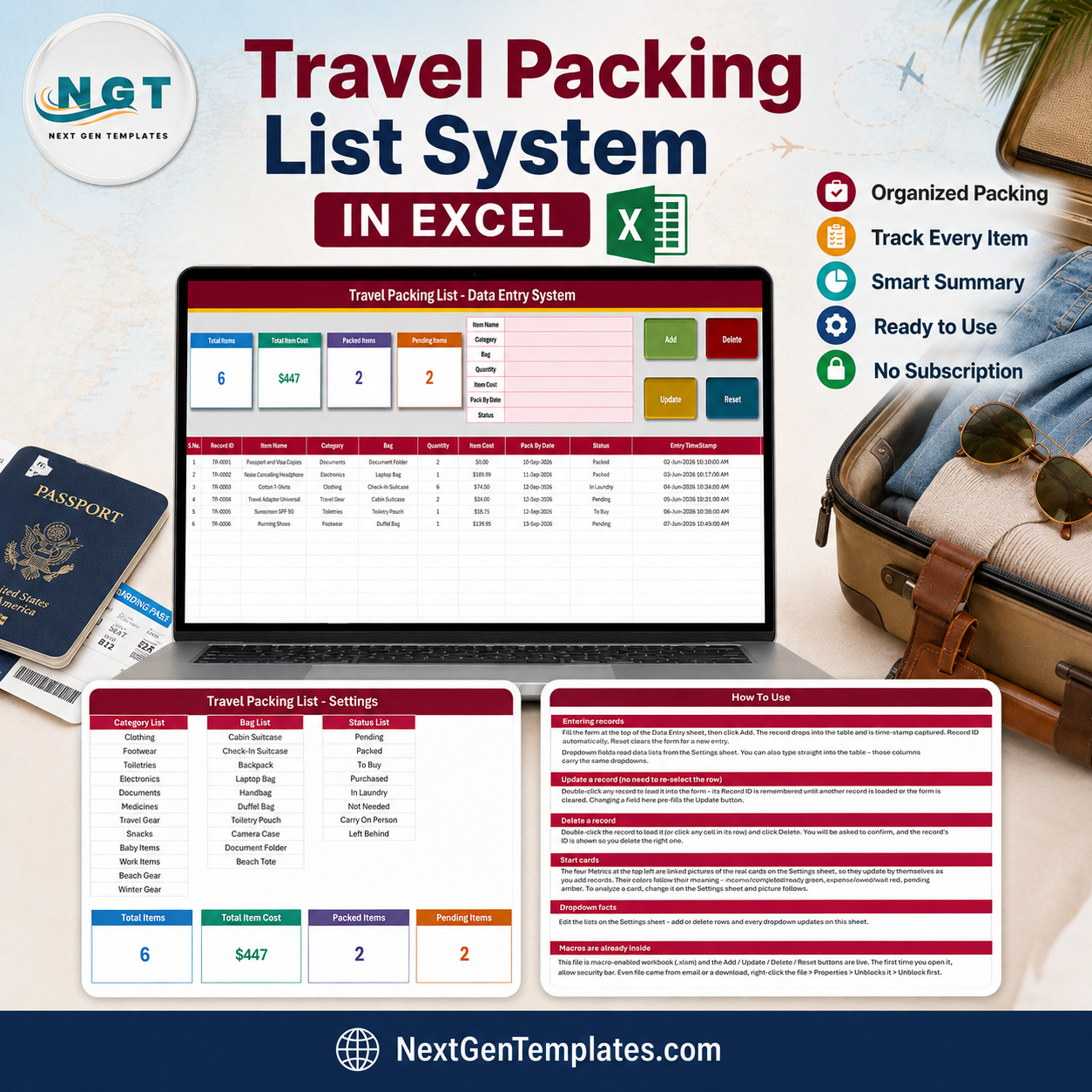

The Travel Packing List Data Entry System in Excel is a macro-enabled workbook that turns packing into a record you can reuse trip after trip. It ships with a 7-field entry form, a 10-column records table, four live summary cards, three editable dropdown lists holding 30 preset values, and four working VBA buttons – Add, Update, Delete and Reset. Every item you save is stamped with its own TPL-0001 style Record ID and an Entry TimeStamp, so nothing is entered twice and nothing is lost. It is a one-time $6.99 download (regular $11.99) with no account and no subscription. Built and shipped by NextGenTemplates, whose YouTube channels reach 300K+ subscribers. Six sample rows are included so you can see it working in under a minute, and deleting them leaves you a clean sheet. Travel Packing List Data Entry System in Excel
Key Features of Travel Packing List Data Entry System in Excel
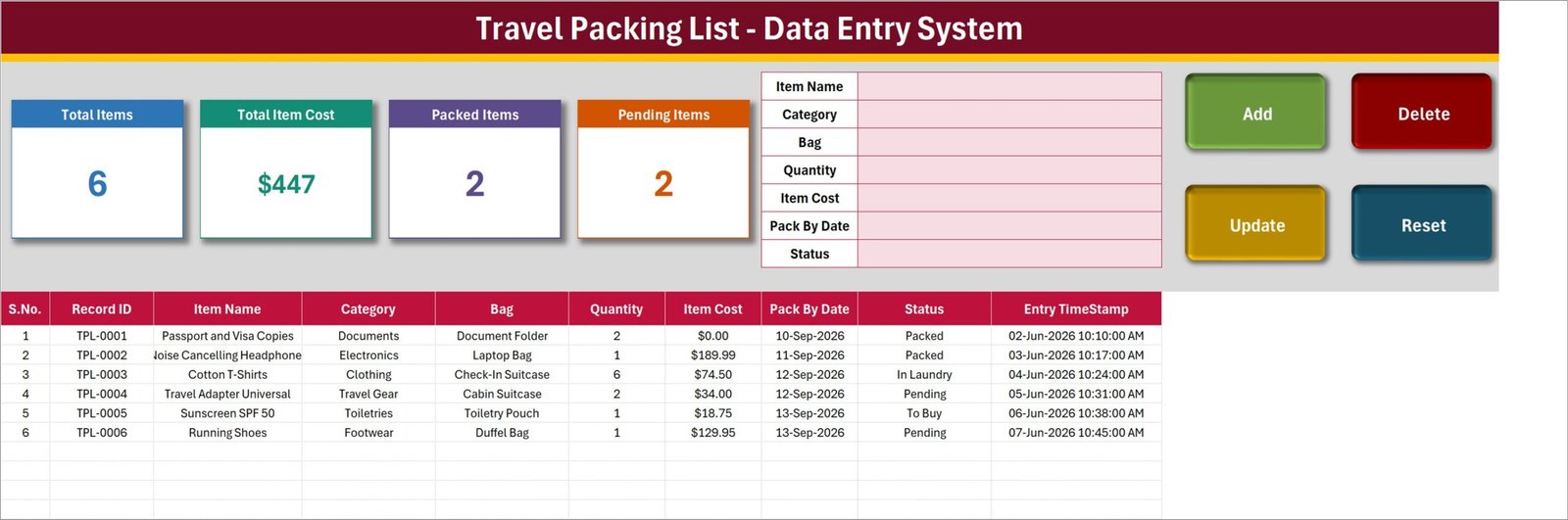
- 7-field packing form – Item Name, Category, Bag, Quantity, Item Cost, Pack By Date and Status, all visible on one screen with no scrolling.
- Real VBA buttons – Add, Update, Delete and Reset are live macros, not pictures. Double-click any row to load it back into the form; the Record ID is remembered, so you can edit and click Update without re-selecting the row.
- Automatic Record ID and time stamp – each item is issued a sequential ID (TPL-0001, TPL-0002 and so on) and an Entry TimeStamp the moment you click Add.
- Four live summary cards – Total Items, Total Item Cost, Packed Items and Pending Items, driven by formulas on the Setting sheet and mirrored on the Data Entry screen as linked pictures.
- Three editable dropdown lists – 12 categories, 10 bags and 8 statuses, all controlled from one Setting sheet. Add a row to a list and every dropdown picks it up.
- Bag-level packing – the Bag column separates Cabin Suitcase, Check-In Suitcase, Backpack, Laptop Bag, Handbag, Duffel Bag, Toiletry Pouch, Camera Case, Document Folder and Beach Tote, so you can filter and pack one bag at a time.
- Pack By Date column – stage a long trip over several evenings instead of one panic night.
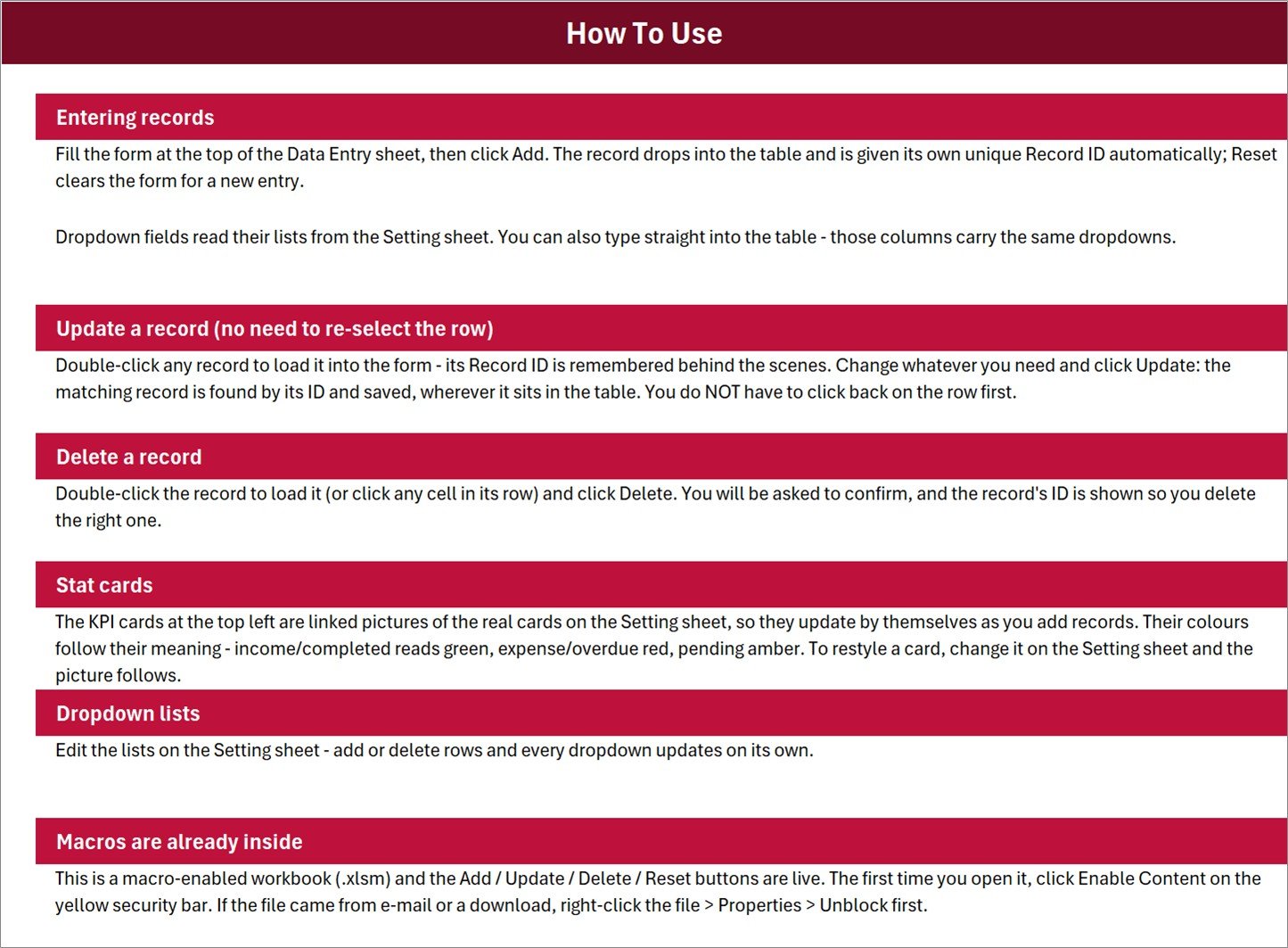
- How To Use sheet built in – six plain-English sections covering entry, update, delete, the cards, the lists and macro security.
- Under 10 minutes to set up – enable macros, edit the three lists, delete the six sample rows, start typing.
- Desktop Excel for Windows – a macro-enabled .xlsm file; Excel for the web, Excel for Mac and Google Sheets will not run the buttons. Travel Packing List Data Entry System in Excel
What’s Inside the Travel Packing List Data Entry System in Excel
The download is a single ZIP containing one file, Travel_Packing_List_System.xlsm. There is no separate manual, because the instructions live inside the workbook. Four sheets:
- Data Entry – the working screen. Four cards along the top left, the 7-field form to their right, the Add / Delete / Update / Reset buttons on the far right, and below them the records table with S.No., Record ID, Item Name, Category, Bag, Quantity, Item Cost, Pack By Date, Status and Entry TimeStamp.
- Setting – the Category List, Bag List and Status List that feed every dropdown, plus the four card formulas themselves.
- Instructions – the How To Use sheet.
- Get More Templates – links back to the wider NextGenTemplates library.
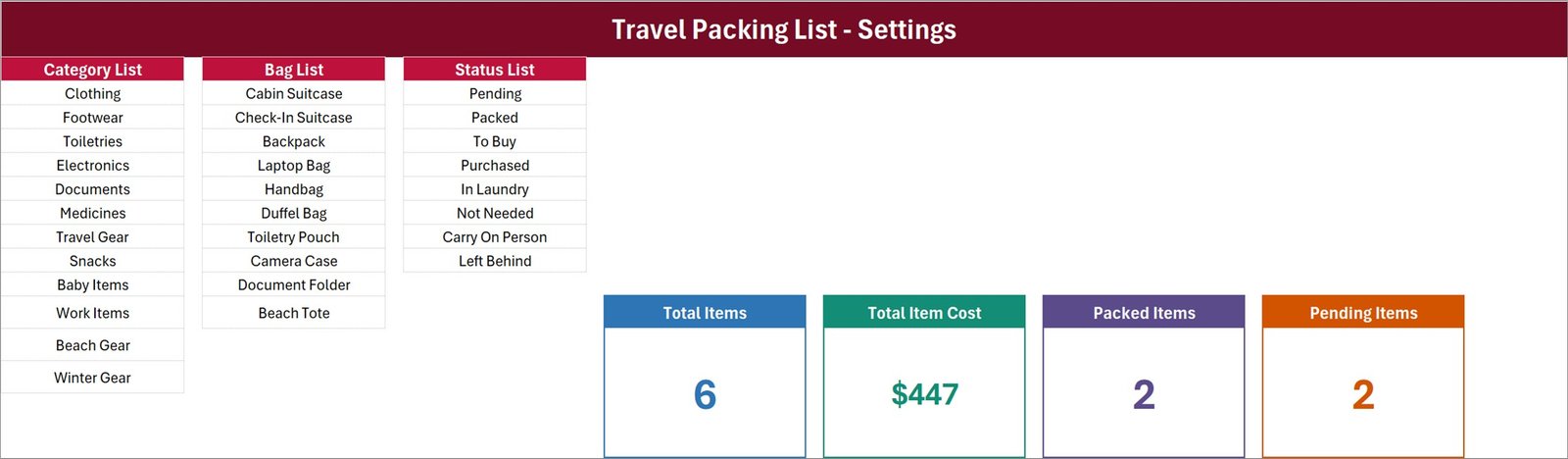
Be clear-eyed about what the four cards actually count, because it changes how you read them. Total Item Cost adds up the Item Cost column exactly as typed – it does not multiply by Quantity and it does not filter by Status. In the shipped sample it reads $447 for six rows; multiplying each unit cost by its quantity gives $853.69, and the figure also includes an item still marked To Buy. Treat that card as “sum of unit prices entered”, not “what the trip costs”. Packed Items and Pending Items cover 2 of the 8 statuses, so 2 + 2 will not add up to Total Items 6 – the remaining rows sit in In Laundry, To Buy and the rest. Quantity is never totalled anywhere. And Total Items counts the Item Name column rather than the Record ID column, so a row saved with a blank item name would be stored but not counted. All four are one-formula changes on the Setting sheet, and the How To Use sheet points you straight at them.
Travel Packing List Data Entry System in Excel vs. Google Sheets vs. Paid Packing Apps – Where This Fits
| What matters | This Excel system | Google Sheets packing list | Paid packing app |
|---|---|---|---|
| Cost | $6.99 once | Free to $5 once | $3 – $30 per year, per person |
| Platform | Desktop Excel for Windows (.xlsm) | Any browser | Phone app |
| Setup time | Under 10 minutes | 15 – 30 minutes to build the form yourself | 2 minutes, then it decides your list for you |
| Real-time team collaboration | No – single user, single file | Yes | Usually only on a paid family plan |
| Mobile access | View only, and the buttons will not run | Yes | Yes, that is the point |
| Customizable fields | Yes – all three lists are yours to edit | Yes | Limited to the categories the app ships |
| Share with link | No – you send the file | Yes | Yes |
| Year-1 cost at 5 users | $6.99 total | $0 – $25 | $75 – $150 |
| Automatic Record ID and time stamp | Yes, on every row | Only if you write the formula | Hidden from you |
| Works with no account and no internet | Yes | No | No |
Who This Template Is For – and Who It’s Not For
It fits frequent travellers who pack the same core kit repeatedly and want last trip’s list as the starting point for the next one; families splitting one trip across several bags; photographers, musicians and trade travellers moving expensive kit who want a written record of what went in which case; and anyone who already lives in Excel and does not want another phone app.
It does not fit you if you need the list on your phone while you pack – the VBA buttons only run in desktop Excel for Windows. It is not built for a family editing the same file at the same time. And it is not a compliance tool: it does not weigh bags, does not check any airline’s baggage allowance or size limits, does not check security rules on liquids, batteries or sharps, and does not calculate customs or duty-free allowances. It has no barcode scanning and no luggage tracking. Item Cost is whatever you type – there is no currency conversion and no live pricing, and the workbook is not a valuation or an insurance claim document. Travel Packing List Data Entry System in Excel
How to Use the Travel Packing List Data Entry System in Excel
- Unzip the download and open Travel_Packing_List_System.xlsm in desktop Excel for Windows. Click Enable Content on the yellow bar. If the file came by e-mail, right-click it first, choose Properties and tick Unblock.
- Open the Setting sheet and edit the three lists to match your trip – rename the bags to the actual bags you own, and add or delete categories and statuses freely.
- Go to Data Entry, click one of the six sample rows, click Delete, confirm, and repeat until the table is clear.
- Fill the form and click Add. The row lands in the table with its own Record ID and time stamp.
- To change something, double-click the row, edit the form and click Update. To remove it, load it and click Delete.
- Watch the four cards as you go, reading them with the caveats above in mind. Travel Packing List Data Entry System in Excel
Real-World Use Cases
Priya, a consultant flying twice a month. She keeps one master list of about 40 recurring items and, before each trip, sets every row back to Pending, then works down the Bag column – Laptop Bag first, Cabin Suitcase second. Nothing is rebuilt from scratch, and the Documents category catches the passport every single time.
The Okafor family, three weeks abroad with two children. Each person’s kit gets its own bag value, and the Pack By Date column spreads 90 items across the four evenings before departure instead of the last one. Baby Items and Medicines are their own categories, so nothing hides inside a “misc” pile.
Daniel, a wedding photographer. Every body, lens and light is a row, with its purchase cost typed into Item Cost and the case it travels in named in Bag. When he lands, the sheet is the checklist he packs back against, and the written record is what he refers to if a case goes missing – a record he made himself, not a certified valuation.
Frequently Asked Questions
Do I need macros enabled?
Yes. Add, Update, Delete and Reset are VBA macros. The workbook is a .xlsm and you must click Enable Content the first time you open it. Without macros the sheets still display and you can type into the table by hand, but the buttons will do nothing.
Will it work on a Mac, in Excel for the web, or in Google Sheets?
No. VBA does not run in Excel for the web or in Google Sheets, and the buttons are not supported on Excel for Mac. Use desktop Microsoft Excel for Windows.
Why does Total Item Cost look too low?
Because it sums the Item Cost column without multiplying by Quantity, and without excluding any status. Six cotton t-shirts entered at $74.50 count once, not six times. It is a single formula on the Setting sheet if you would rather it multiplied by Quantity – replace the SUM with a SUMPRODUCT of the Quantity and Item Cost columns.
Why don’t Packed Items and Pending Items add up to Total Items?
The status list has eight values but only two of them have cards. Anything sitting in To Buy, Purchased, In Laundry, Not Needed, Carry On Person or Left Behind is counted in Total Items and in neither of the other two cards. Copy an existing COUNTIF on the Setting sheet if you want a card for a status that matters to you.
How many rows can I add?
The card formulas read the whole column, so the arithmetic keeps working indefinitely. The dropdown validation, however, is applied to rows 15 to 214 – about 200 items. Past that you can still type, but you will need to drag the validation down if you want the dropdowns to continue.
Does it check airline baggage rules or weigh my bags?
No. It has no weight field, no airline data, no baggage-allowance or size rules, and no security or customs rules of any kind. It records what you decide to pack; the airline’s own site remains the authority on what you are allowed to carry.
Is my data sent anywhere?
No. It is a local file on your machine. There is no account, no login, no sync and no cloud service behind it. Nothing leaves your computer unless you send the file yourself.
About the Author
Built by PK – Microsoft Certified Professional with 15+ years of Excel, Google Sheets, and Power BI experience. Founder of NextGenTemplates, reaching 300K+ subscribers across YouTube channels. Every template is hand-built and tested before release. Travel Packing List Data Entry System in Excel
Explore Related Templates
- Travel Packing Checklist in Excel – the $1.99 tick-box version, if you want a printable list rather than a record you keep.
- Post-Travel Unpacking Checklist in Excel – the other end of the trip.
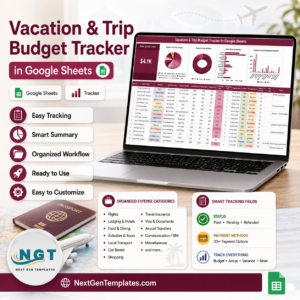
- Vacation & Trip Budget Tracker in Google Sheets – for what the trip costs, which this workbook deliberately does not calculate.
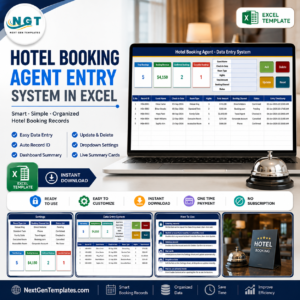
- Hotel Booking Agent Data Entry System in Excel – the same form-and-cards engine applied to bookings.
- Book Reading Log Data Entry System in Excel – another personal-use build from the same family.
- Browse the full Excel VBA Tools category, or everything under MS Excel. Travel Packing List Data Entry System in Excel
Get it now for $6.99 (regular $11.99) – instant download, lifetime access, no subscription and no account. Read the full walkthrough on the Travel Packing List Data Entry System in Excel blog post, and subscribe to youtube.com/@PKAnExcelExpert for video tutorials.
Last updated: 26 August 2026.



























Reviews
There are no reviews yet.