

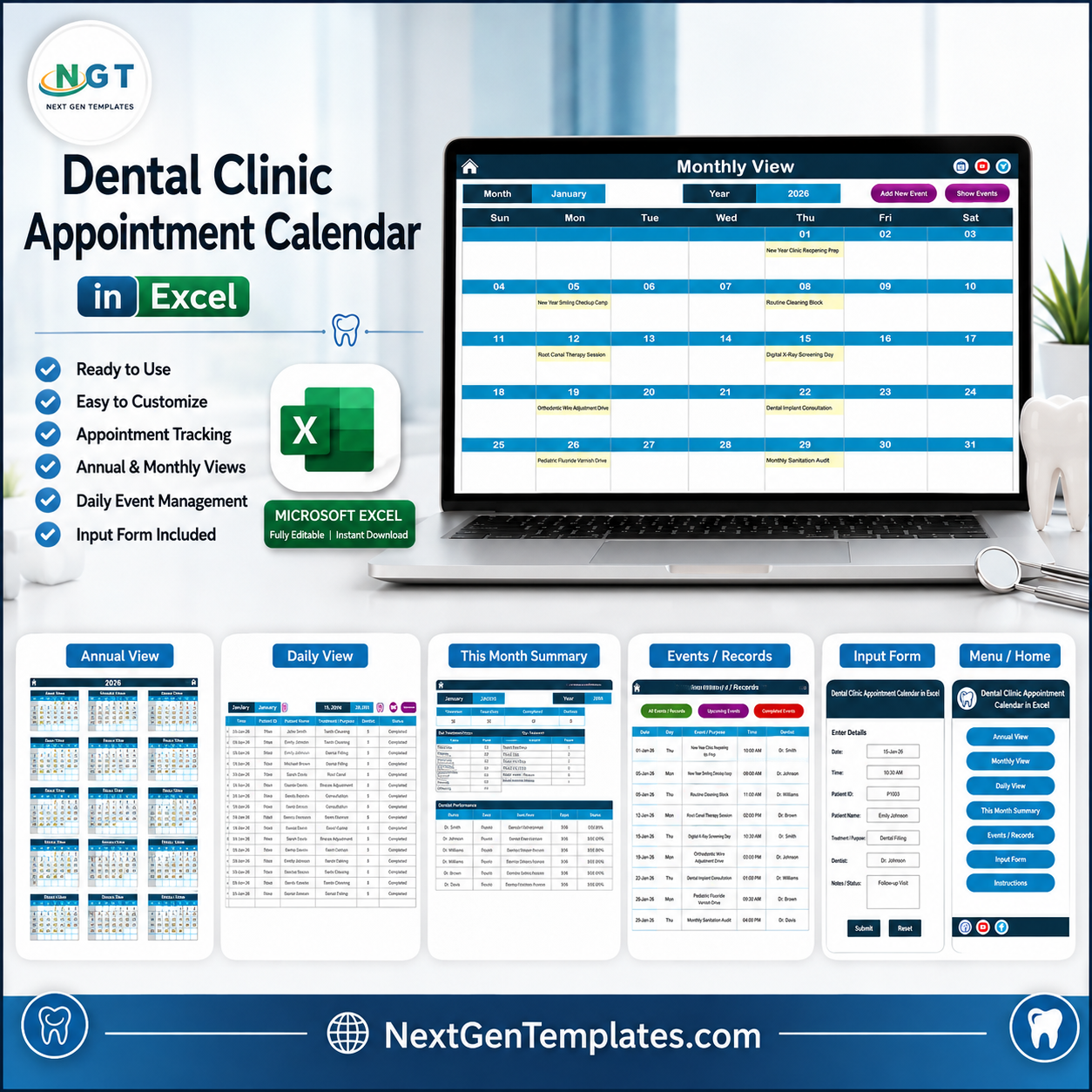
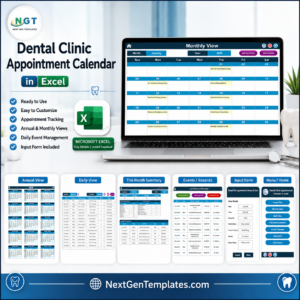
The Dental Clinic Appointment Calendar in Excel organizes clinic scheduling across 7 worksheet tabs, 4 calendar views, a 7-field event database, and 100 pre-loaded sample appointments. Type an appointment once into the Events sheet and the Annual View, Monthly View, Daily View, and This Month summary all read from that single list. Setup takes under 10 minutes: unzip the file, enable macros, set your year in the Setting sheet, and replace the sample rows.
Join 8,400+ teams in 40+ countries using NextGenTemplates to replace repetitive spreadsheet work with one-time-purchase templates. You pay once, get lifetime access, and keep the workbook on your own computer.
Instant download – One-time payment – No subscription – No per-user fees – Lifetime access
Please read first: this is an offline Excel calendar, not clinical software. It is not a patient record, EHR/EMR, or practice management system, it is not HIPAA, GDPR, or any other health-data-protection certified, it does not secure or encrypt anything you type into it, and it does not book appointments, send reminders, or connect to any clinical, insurance, or billing system. A spreadsheet shared around a clinic is not an appropriate place to keep patient-identifiable or clinical information – schedule by procedure or session name and use initials or your own reference code if you need to point at a specific patient.
Key Features of Dental Clinic Appointment Calendar in Excel
- 7 connected worksheet tabs. Home, Annual View, Monthly View, Daily View, This Month, Events, and a Setting sheet that controls the whole workbook from one place.
- Annual planning view. All 12 months of the selected year sit on one page, with dates that carry an entry highlighted and your two chosen weekdays shaded, so a full year of clinic activity reads at a glance.
- Monthly calendar view. Pick a month and year from the controls at the top and each date cell shows the entry name booked against it, with Add New Event and Show Events buttons on the same sheet.
- Daily date-range view. Enter a Start Date and End Date, refresh, and the sheet returns every entry in that window with ID, Date, Day, Event Name, Time, Location, and Description – the printable day sheet or week sheet for the front desk.
- This Month summary. Four headline counts – Events This Month, Active Days, Locations Used, and Next 7 Days – sit above an Events by Day of Week table, a Top 5 Locations ranking, and the full list of that month’s entries.
- Editable Events database. One sheet holds every record with ID, Date, Day, Event Name, Time, Location, and Description, plus Add New Record, Update Record, and Delete Record buttons at the top.
- Data entry form. A macro-driven form captures Date, Day, Event Name, Time, Location, and Description with Submit and Reset buttons, and writes straight into the Events sheet so every view updates.
- 5 colour themes and a Setting sheet. Choose Default, Blue, Red, Black, or Orange, set the calendar year, the starting month, the first day of the week, and which two weekdays are highlighted.
- 100 dental sample appointments. Hygiene recalls, root canal sessions, digital X-ray days, orthodontic wire adjustments, implant consultations, pediatric fluoride drives, whitening clinics, and monthly sterilization audits are already loaded so you can see the structure working.
- Location column doubles as the room. Sample rows use Operatory 1, Operatory 2, Operatory 3, Hygiene Suite, Ortho Bay, Pediatric Bay, Imaging Room, Surgical Suite, Consultation Room, Sterilization Lab, and Front Office, so the Top 5 Locations ranking effectively ranks chair and room usage.
What’s Inside the Dental Clinic Appointment Calendar in Excel
Home Sheet Tab
The Home sheet is the index page. Five buttons – Annual View, Monthly View, Daily View, This Month, and Events – jump straight to each area of the workbook.
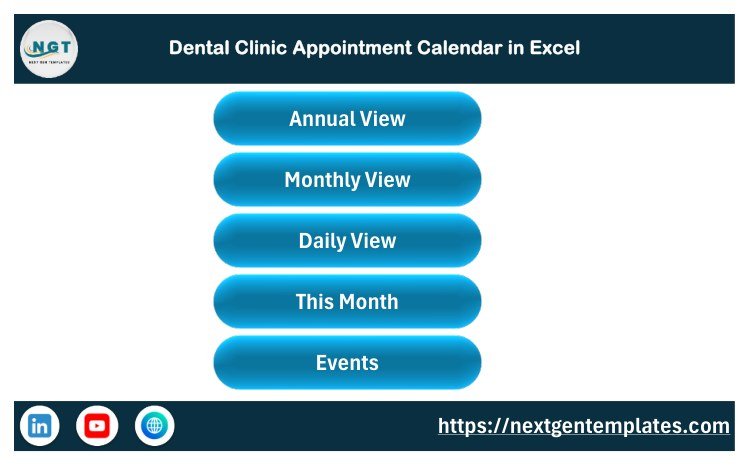
Home Sheet tab
Annual View Sheet Tab
The Annual View shows 12 monthly calendars on a single page for the year set in the Setting sheet. Dates carrying an entry are highlighted and the two chosen weekdays are shaded, which makes recall waves, seasonal campaigns, and quiet weeks easy to spot.
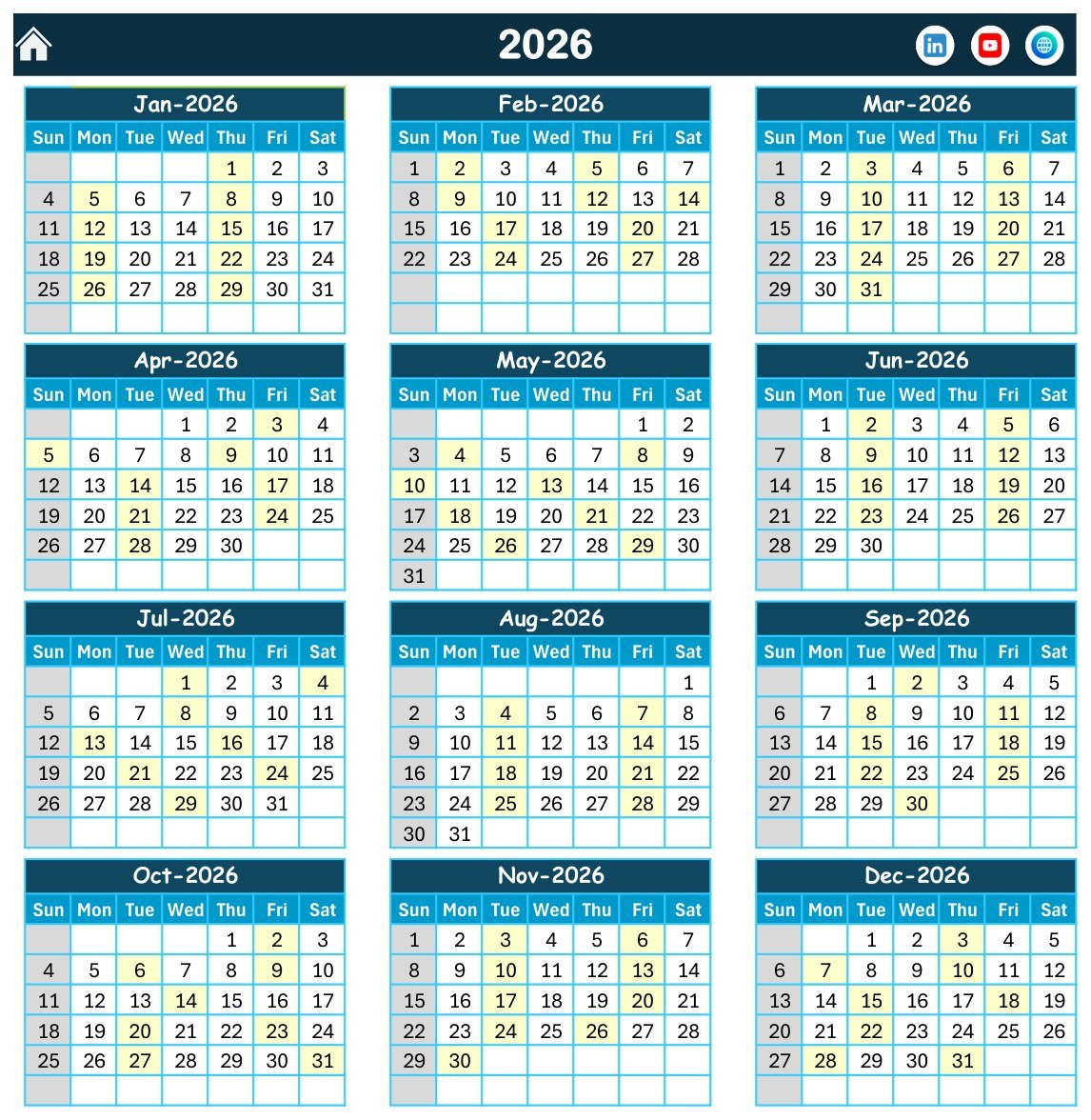
Annual View Sheet tab
Monthly View Sheet Tab
The Monthly View shows one month at a time, chosen from the Month and Year controls. Each date cell displays the entry name booked against it, and the Add New Event and Show Events buttons sit on the same sheet so a session can be added without leaving the calendar.
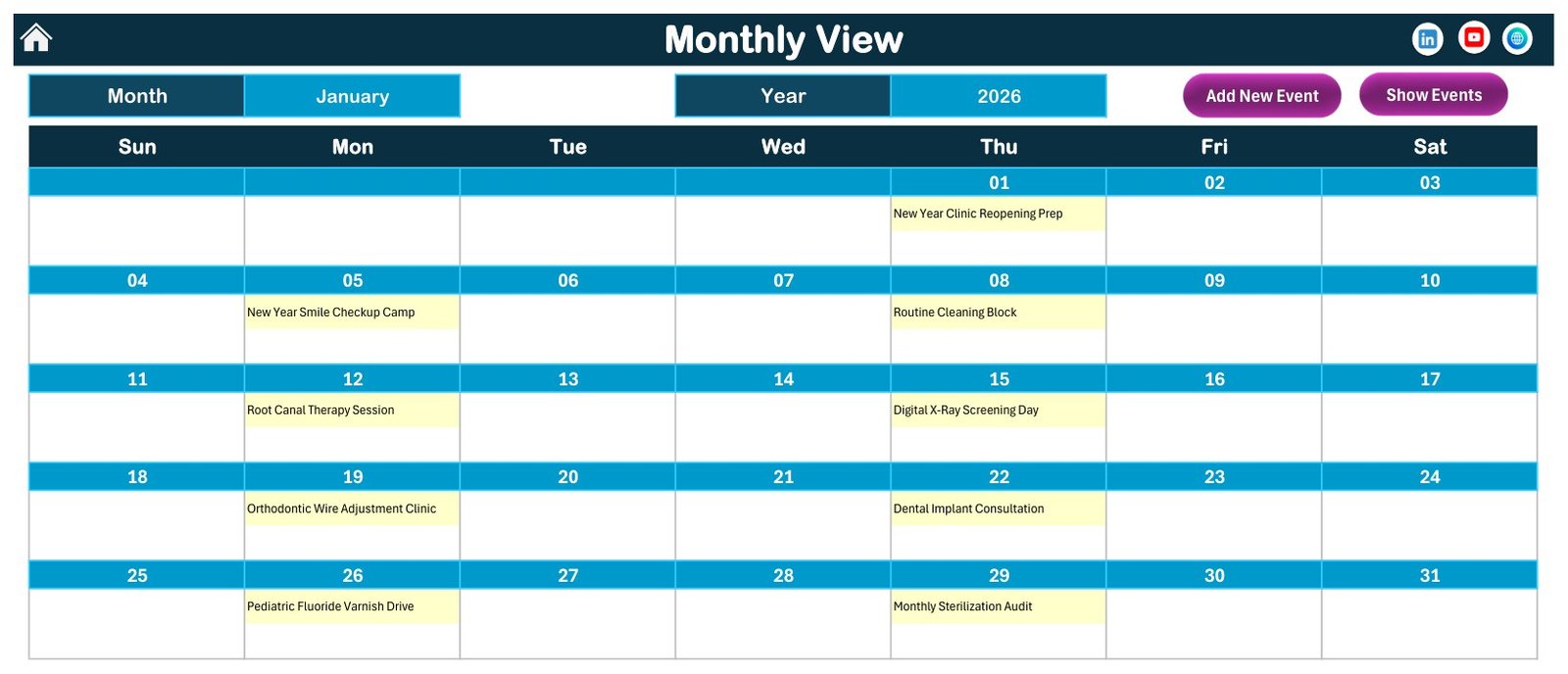
Monthly View Sheet tab
Daily View Sheet Tab
The Daily View works as a date-range report. Set the Start Date and End Date, press the refresh button, and the table lists the ID, Date, Day, Event Name, Time, Location, and Description of every entry between those dates.
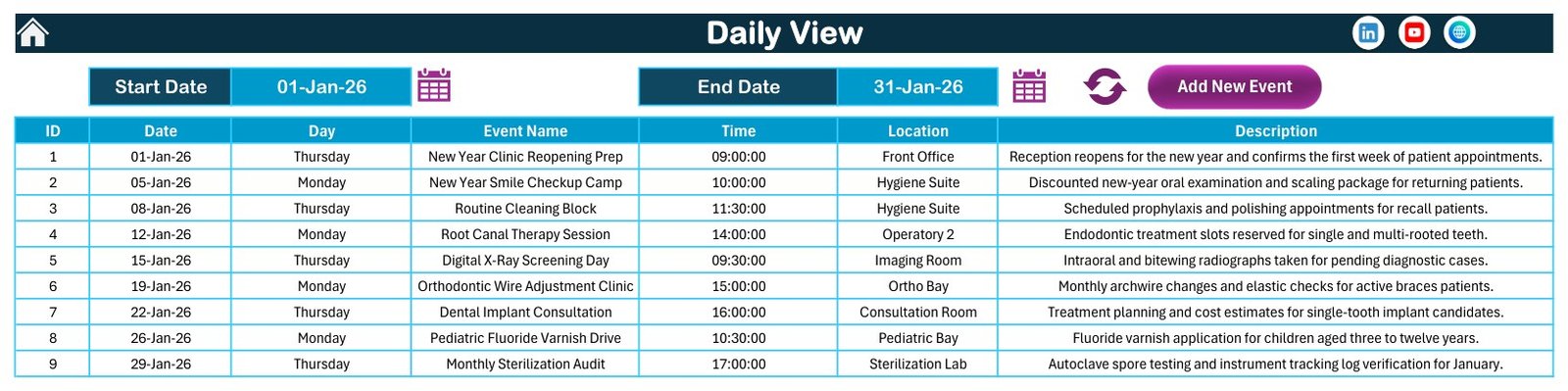
Daily View Sheet tab
This Month Sheet Tab
The This Month sheet summarises the month you select. Events This Month, Active Days, Locations Used, and Next 7 Days appear as headline numbers, followed by an Events by Day of Week table, a Top 5 Locations ranking, and the month’s full entry list with times, locations, and descriptions.
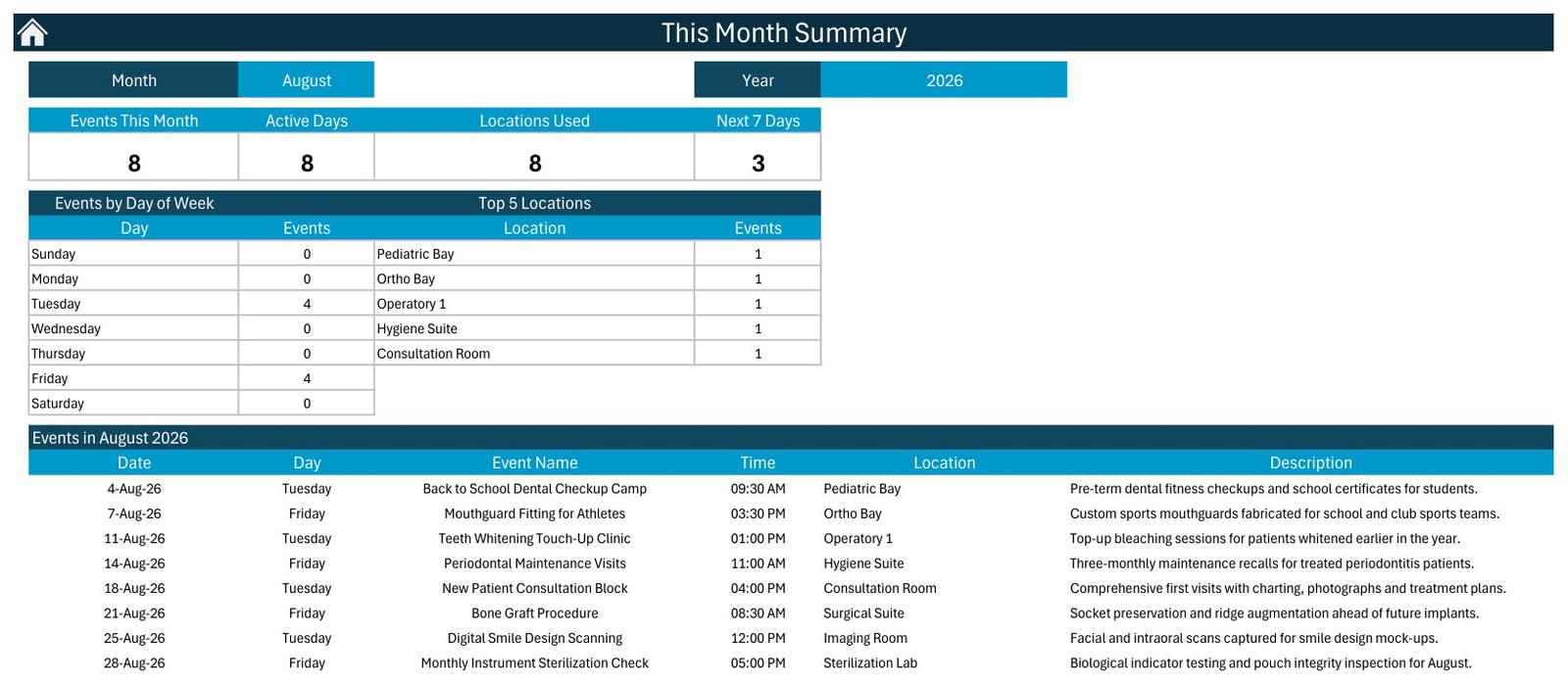
This Month Sheet tab
Events Sheet Tab
The Events sheet is the database behind every view. It stores ID, Date, Day, Event Name, Time, Location, and Description for each record and carries the Add New Record, Update Record, and Delete Record buttons across the top.
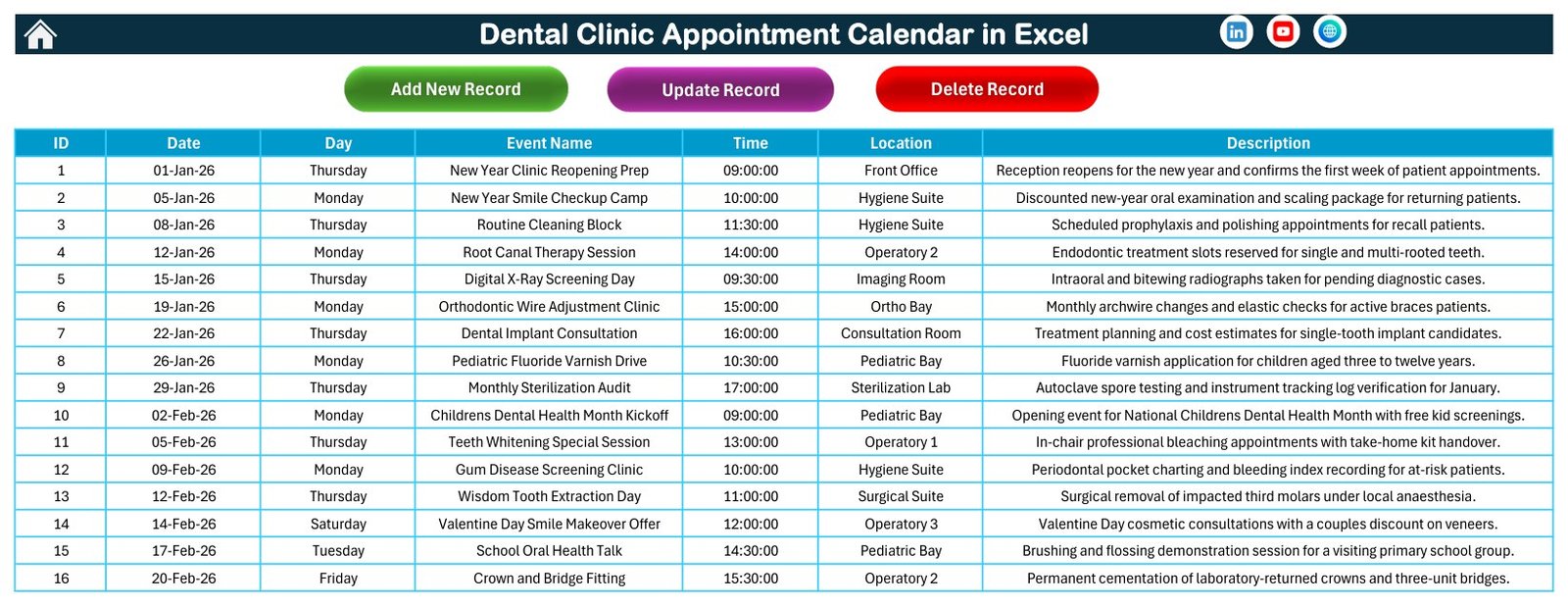
Events Sheet tab
Add New Event Form
The entry form captures Date, Day, Event Name, Time, Location, and Description. Submit writes the record into the Events sheet, Reset clears the fields, and the calendar views pick the change up straight away. There is no patient field and none is added for you.
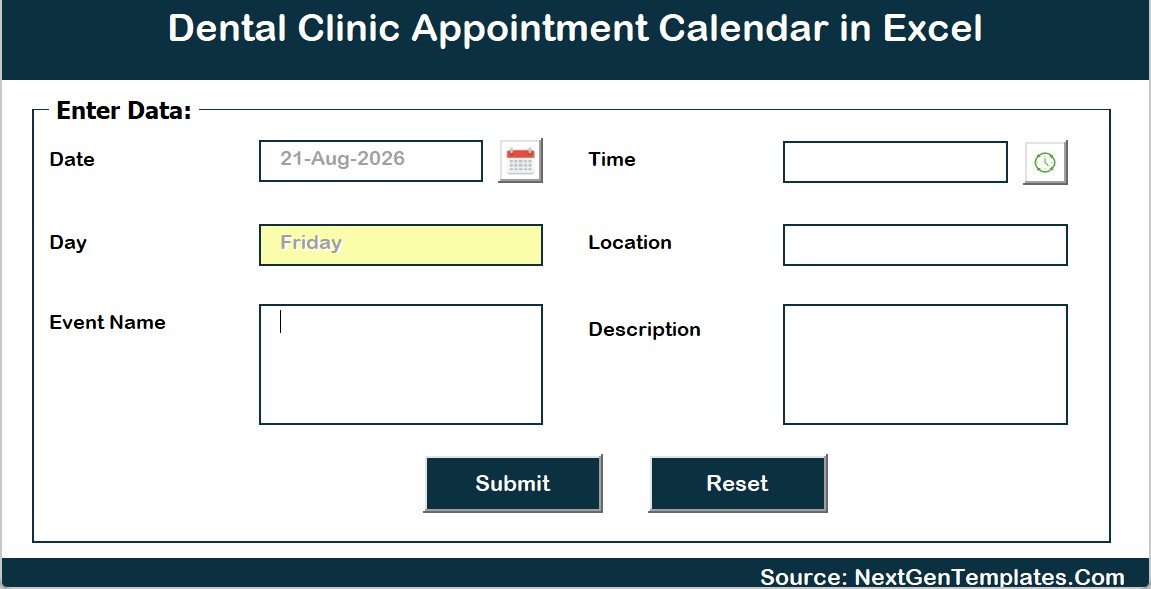
Add New Event form
Dental Clinic Appointment Calendar in Excel vs. Google Sheets Calendar vs. Paid Dental Practice Software – Where This Fits
| Feature | Dental Clinic Appointment Calendar in Excel | Google Sheets calendar | Paid dental practice software |
|---|---|---|---|
| Cost | $4.99 one-time | One-time template, free Google account | Monthly per-chair or per-provider subscription |
| Platform | Excel for Windows desktop, macros enabled | Browser, any device | Vendor-hosted web app |
| Setup time | Under 10 minutes | Under 10 minutes | Days or weeks with onboarding |
| Works fully offline | Yes, the file lives on your PC | No, needs a connection | No, needs a connection |
| Real-time team collaboration | Only via OneDrive or a shared drive | Built in | Included by seat |
| Customizable fields and colours | Fully editable, 5 themes | Fully editable | Limited to vendor settings |
| Automated reminders, SMS, patient portal | No | No | Yes |
| Patient records, charting, claims, billing | No | No | Yes |
| Year-1 cost at 5 users | $4.99 total | Template cost only | Often thousands per year |
| Best fit | Small practices wanting clear chair-time visibility in Excel | Teams that must edit together in a browser | Practices that need records, claims, and reminders |
For a practice that wants the clinic year visible on one page without paying a per-chair subscription, the Dental Clinic Appointment Calendar in Excel sits in the sweet spot – and when you outgrow it, dedicated practice software is the right next step, not a bigger spreadsheet.
Who This Template Is For – and Who It’s Not For
This template is for dental practice owners planning the clinic year, front-desk and reception teams laying out chair time, practice managers coordinating operatories and rotas, hygienists mapping recall and periodontal maintenance blocks, orthodontic and pediatric teams running regular adjustment and screening clinics, and consultants who want a tested calendar structure instead of a blank sheet.
This template is not for anyone who needs a patient record, EHR or EMR, practice management system, online booking page, automated SMS or email reminders, insurance claim or billing workflows, clinical charting or decision support, or a HIPAA or GDPR compliant place to store patient data. It is a scheduling calendar, and it makes no compliance or security claim of any kind. It also needs Excel for Windows with macros enabled, so Excel for the web and the mobile apps will not run the buttons or the form.
How to Use the Dental Clinic Appointment Calendar in Excel
- Unzip the download and open the .xlsm workbook in Excel for Windows.
- Click Enable Content when the macro prompt appears – the form and the refresh buttons need it.
- Open the Setting sheet and set the year, the starting month, the first day of the week, the two highlighted weekdays, and one of the 5 colour themes.
- Go to the Events sheet and replace the 100 sample rows with your own sessions, keeping to procedure or session names rather than patient details.
- Use Add New Event, Update Record, and Delete Record to maintain the list instead of typing over rows by hand.
- Plan the year in Annual View, run the week from Daily View, and review workload in This Month.
Real-World Use Cases
Dr. Anita runs a three-chair family practice. She blocks recall weeks and whitening clinics a year ahead in Annual View, then checks This Month each Monday to see how many sessions are booked and which operatories are carrying them.
Ravi is the front-desk coordinator at a two-site clinic. Every morning he sets the Daily View to today’s date, prints the list, and works the day from it – session name, time, and room, with no patient names on the printout.
Meera manages an orthodontic and pediatric practice. She keeps the wire-adjustment clinic and the fluoride varnish drive on a fixed rhythm in Monthly View and uses the Top 5 Locations ranking to see whether the Ortho Bay is being over-booked against the Pediatric Bay.
Frequently Asked Questions
Is this a patient record, EHR, or HIPAA-compliant practice management system?
No. The Dental Clinic Appointment Calendar in Excel is an offline scheduling calendar. It is not a patient record, EHR, EMR, or practice management system, it holds no compliance certification of any kind, it does not encrypt or protect anything, and it does not connect to clinical, insurance, or billing systems.
Can I store patient names in it?
We recommend you do not. A workbook that circulates around a clinic is not an appropriate place for patient-identifiable or clinical information. Name each entry by procedure or session and, if you must identify someone, use initials or an internal reference code your own system can resolve.
Does it send appointment reminders or take online bookings?
No. The Dental Clinic Appointment Calendar in Excel has no reminder, SMS, email, or online booking feature and no patient portal. Entries are added and edited by your team inside the workbook. For automated reminders and self-service booking you need dedicated practice software.
How many worksheets and sample records are included?
The workbook has 7 sheets: Home, Annual View, Monthly View, Daily View, This Month, Events, and Setting. The Events sheet ships with 100 sample dental appointments covering recalls, treatments, consultations, screenings, and sterilization audits, all of which you can delete or overwrite.
Does the file contain macros, and will it work on Mac or Excel online?
Yes, it is a macro-enabled .xlsm workbook and macros must be enabled. The entry form and refresh buttons are built for Excel on Windows desktop. Excel for the web and the mobile apps will display the sheets but will not run the buttons.
How long does setup take?
Under 10 minutes. Unzip, open, enable macros, choose the year and colour theme in the Setting sheet, then clear the sample rows from the Events sheet and start entering your own sessions.
How does this compare to paid dental practice software?
Paid platforms cost a monthly per-chair fee and give you records, charting, claims, reminders, and a patient portal. The Dental Clinic Appointment Calendar in Excel costs $4.99 once and does one job – showing chair time and clinic activity across the year, month, a date range, and a monthly summary.
About the Author
Built by PK – Microsoft Certified Professional with 15+ years of Excel, Google Sheets, and Power BI experience. Founder of NextGenTemplates, reaching 300K+ subscribers across YouTube channels. Every template is hand-built and tested before release.
Explore Related Templates
- Healthcare Task Calendar in Excel – the same calendar engine aimed at clinic tasks and compliance dates.
- Physiotherapy Session Calendar in Excel – the sister calendar for physiotherapy session planning.
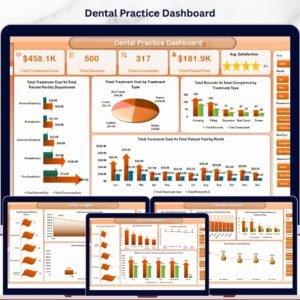
- Dental Practice Dashboard in Excel – analyse practice performance once the schedule is running.
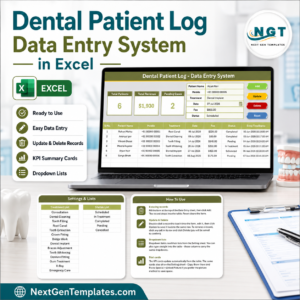
- Dental Patient Log Data Entry System in Excel – a form-driven record log rather than a calendar.
- Medical Appointment Calendar in Google Sheets – the browser-based equivalent for teams that edit together.
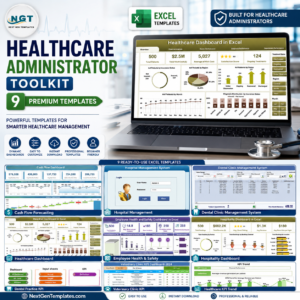
- Healthcare Administrator Toolkit – 9 Excel templates for healthcare administration in one bundle.
Browse more Excel calendar templates or all MS Excel templates.
Ready to put every chair, recall, and consultation on one calendar? Download the Dental Clinic Appointment Calendar in Excel and start from a tested structure instead of a blank workbook. The ZIP contains the macro-enabled .xlsm file and the Excel Calendar user manual PDF.
Click here to read the detailed blog post
Visit our YouTube channel for step-by-step video tutorials
Last updated: August 2026






























Reviews
There are no reviews yet.