

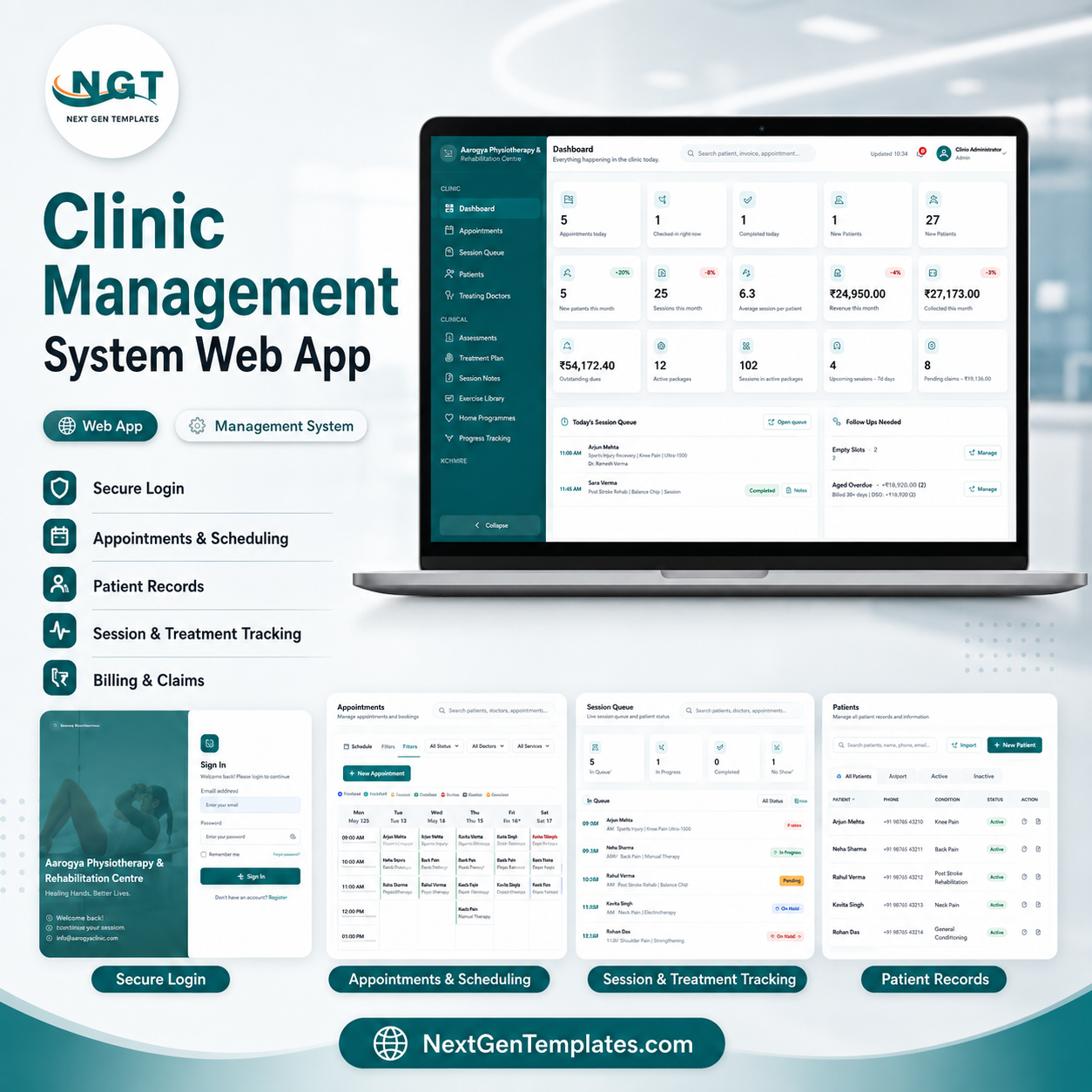
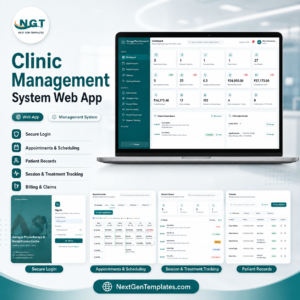
The Physiotherapy Clinic Management System Web App runs 27 connected modules inside one Google Apps Script web app, with a 38-sheet Google Sheet as the database. It tracks 14 dashboard KPIs, records SOAP session notes with pre and post pain scores, deducts package session credits automatically when an invoice is raised, and ships 20 built-in reports. Deployment takes about 10 minutes: make a copy, deploy as a web app, sign in and start booking Physiotherapy Clinic Management System Web App
🌍 Join 8,400+ teams in 40+ countries using NextGenTemplates to replace paid SaaS tools with one-time-purchase Excel, Google Sheets, Power BI and web app templates Physiotherapy Clinic Management System Web App.
🚀 Try the Live Demo Before You Buy
We have deployed this web app in our own Google account so you can test every page, every module and all 6 user roles — with real sample clinic data (patients, appointments, treatment sessions, invoices and staff records) — before purchasing. No signup, no email required.
🔑 Test Login Credentials
Sign in as admin to unlock the full system — dashboard KPIs, patient master, appointment scheduling, billing, reports, user management and settings. Or log in with any of the staff accounts below to see exactly what that role can and cannot access: physiotherapists see only their own patients, appointments and treatment notes; the receptionist handles registration, appointment booking and payment collection; the physio assistant records session progress and exercise logs; and the accountant works with invoices, payments and financial reports.
💡 What you get after purchase: The full source code (Code.gs + Index.html) plus a step-by-step deployment guide so you can deploy your own private instance in your own Google account in under 15 minutes.
✅ Instant download · One-time payment · No subscription · No per-user fees · Lifetime access
🔑 Key Features of the Physiotherapy Clinic Management System Web App
🗓️ Appointment scheduling with conflict checking. The Appointments screen offers Day, Week and List views and moves every booking through seven statuses — Scheduled, Confirmed, Checked-In, In Session, Completed, Cancelled and No-Show. Double bookings are blocked against both therapist and treatment-room availability, and recurring series can be previewed before they are committed Physiotherapy Clinic Management System Web App.
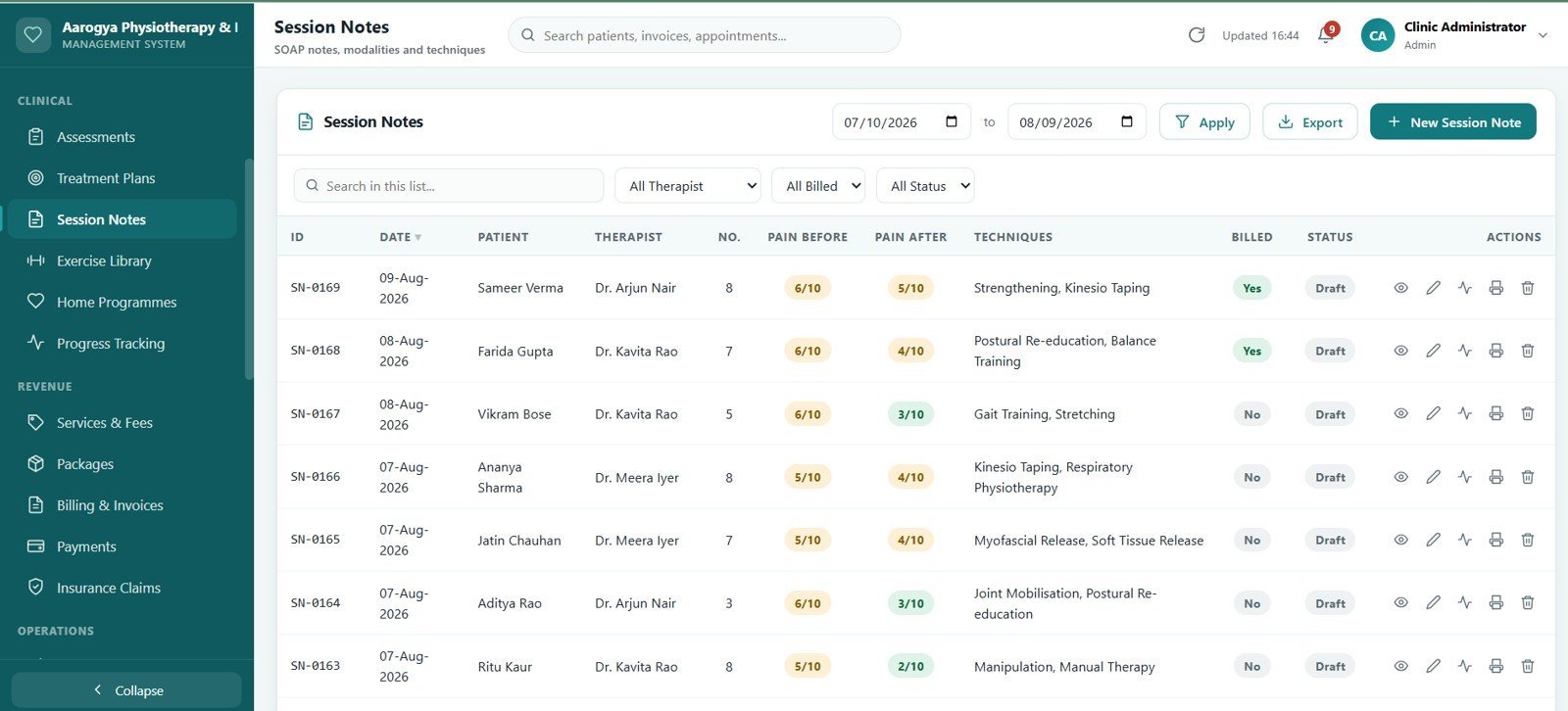
🩺 SOAP session notes with pain scoring. Every note records the modalities delivered, techniques applied and exercises supervised, plus a pre-session pain score, a post-session score and the change between them. The previous session copies forward in one click, and a signed note can be locked so the clinical record stays fixed.
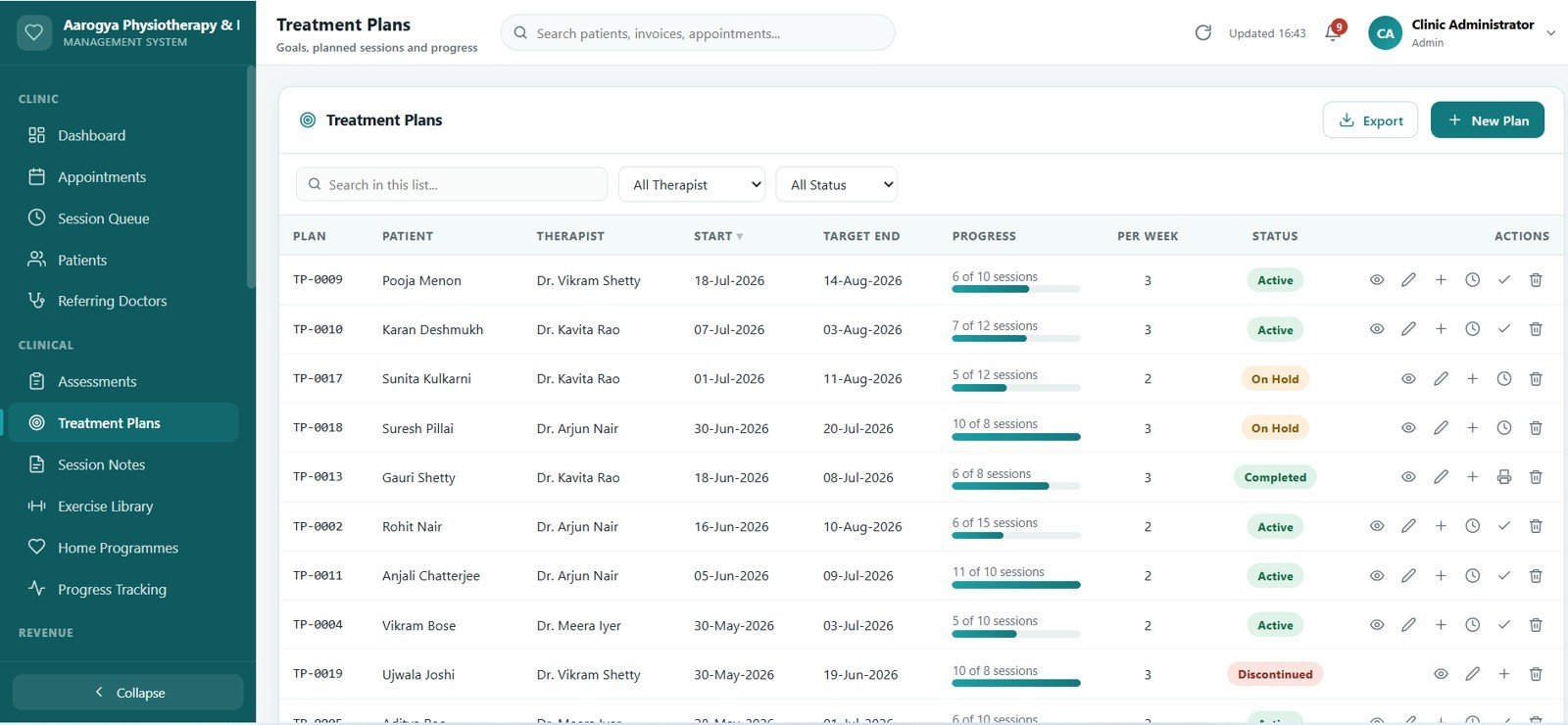
📈 Treatment plans that track themselves. Each plan holds goals, planned session count, frequency, plan value and a progress bar that fills as session notes are recorded. Plans can be held, resumed or discharged, and the discharge summary prints straight from the plan.
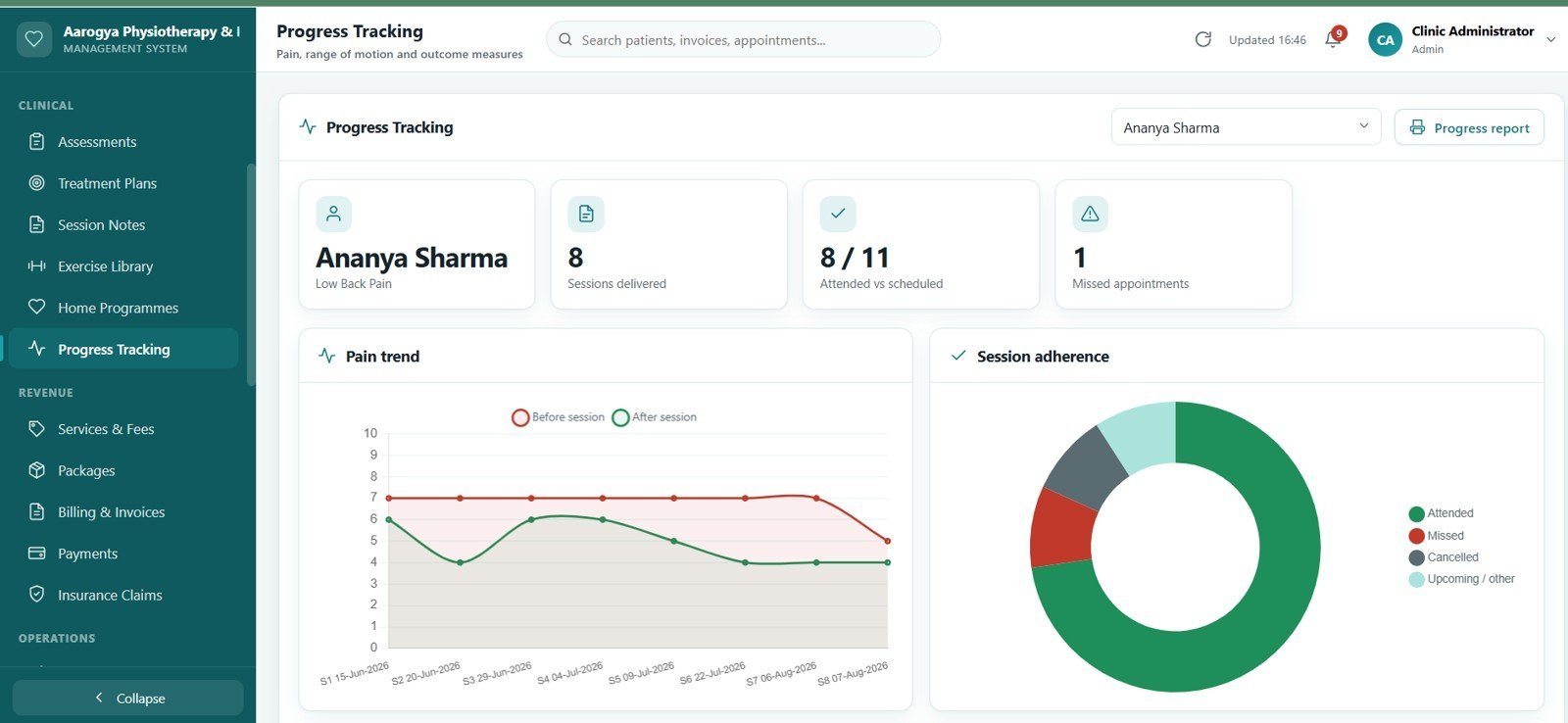
🎯 Assessments with real clinical fields. Range-of-motion readings, manual muscle testing grades, special test results and standardised outcome measures are captured on the assessment form and charted on Progress Tracking, so improvement across a course of treatment is visible rather than remembered.
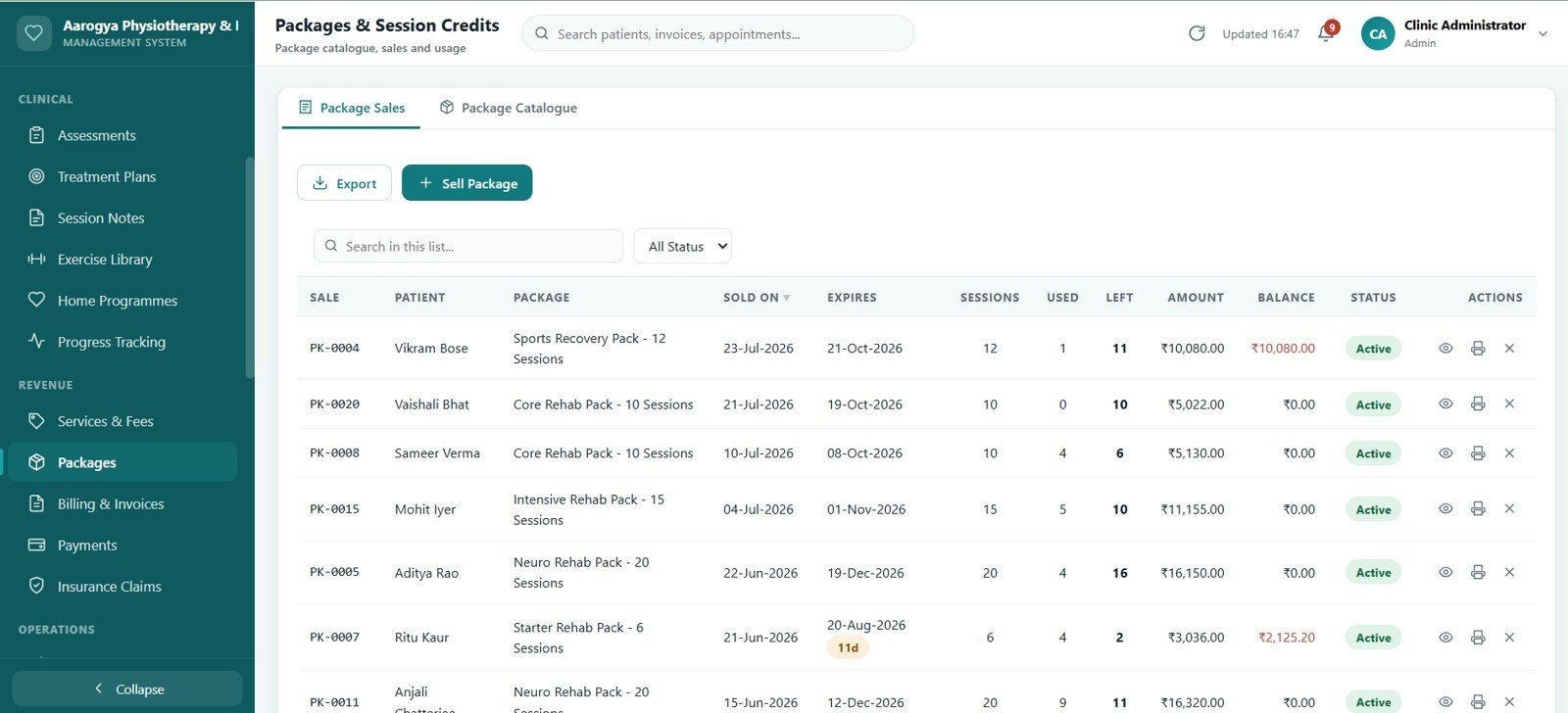
📦 Packages and session credits. Sell a 10-session or 20-session package, and credits are deducted automatically at billing. The Packages screen flags every package that is expiring within the next 15 days or running low on remaining sessions.
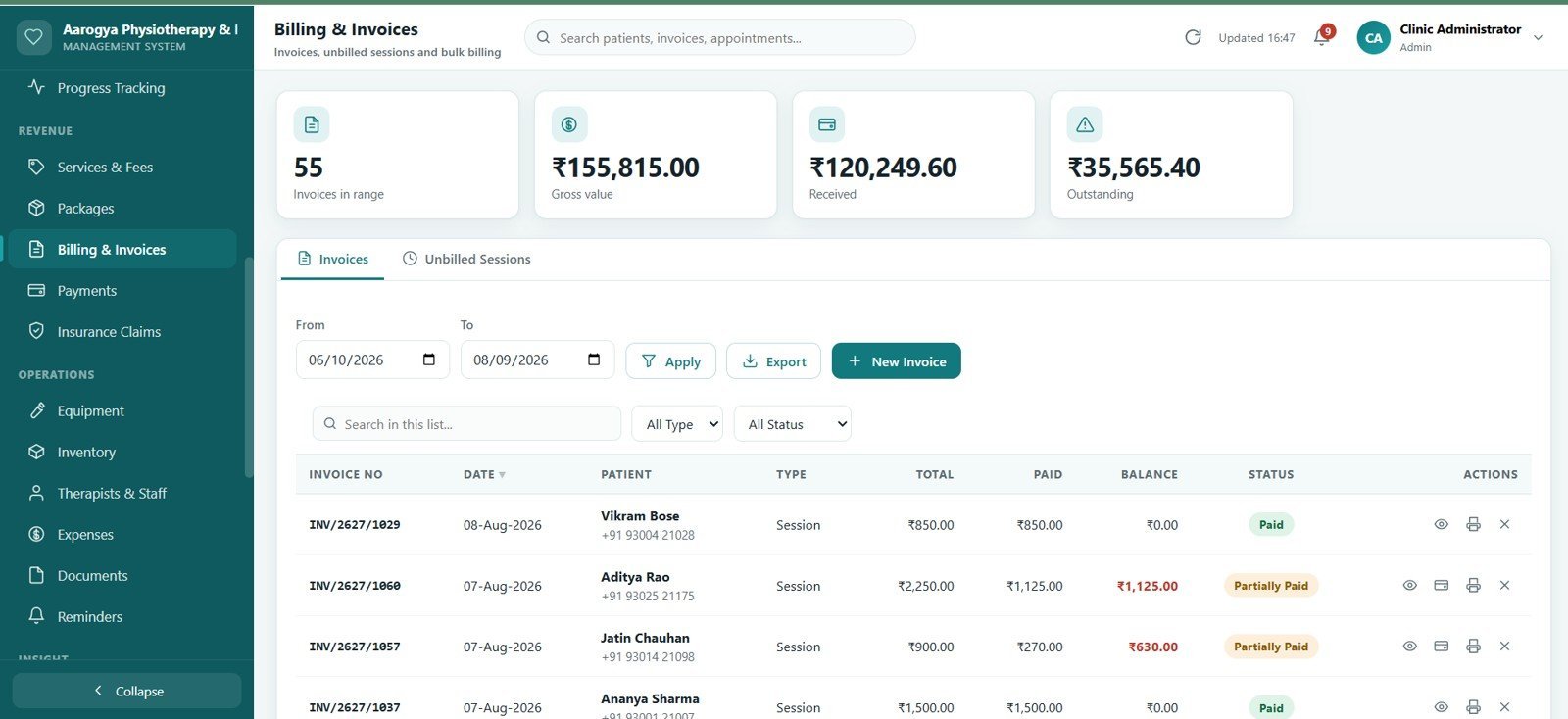
🧾 Billing that combines everything. One invoice can carry treatment sessions, retail items and package redemptions together, with discount, tax and running balance. Unbilled sessions are bulk-invoiced in a single action instead of one at a time.
💳 Payments, refunds and day-end cash-up. Collections are recorded by mode, allocated across open invoices, held as advances on account where needed, and closed off with a printable end-of-day summary.
🛡️ Insurance claim tracking. Policy details, claimed value, approved amount, patient payable and ageing sit on every claim record, with a full status history. Outputs are prepared as claim summaries for submission support.
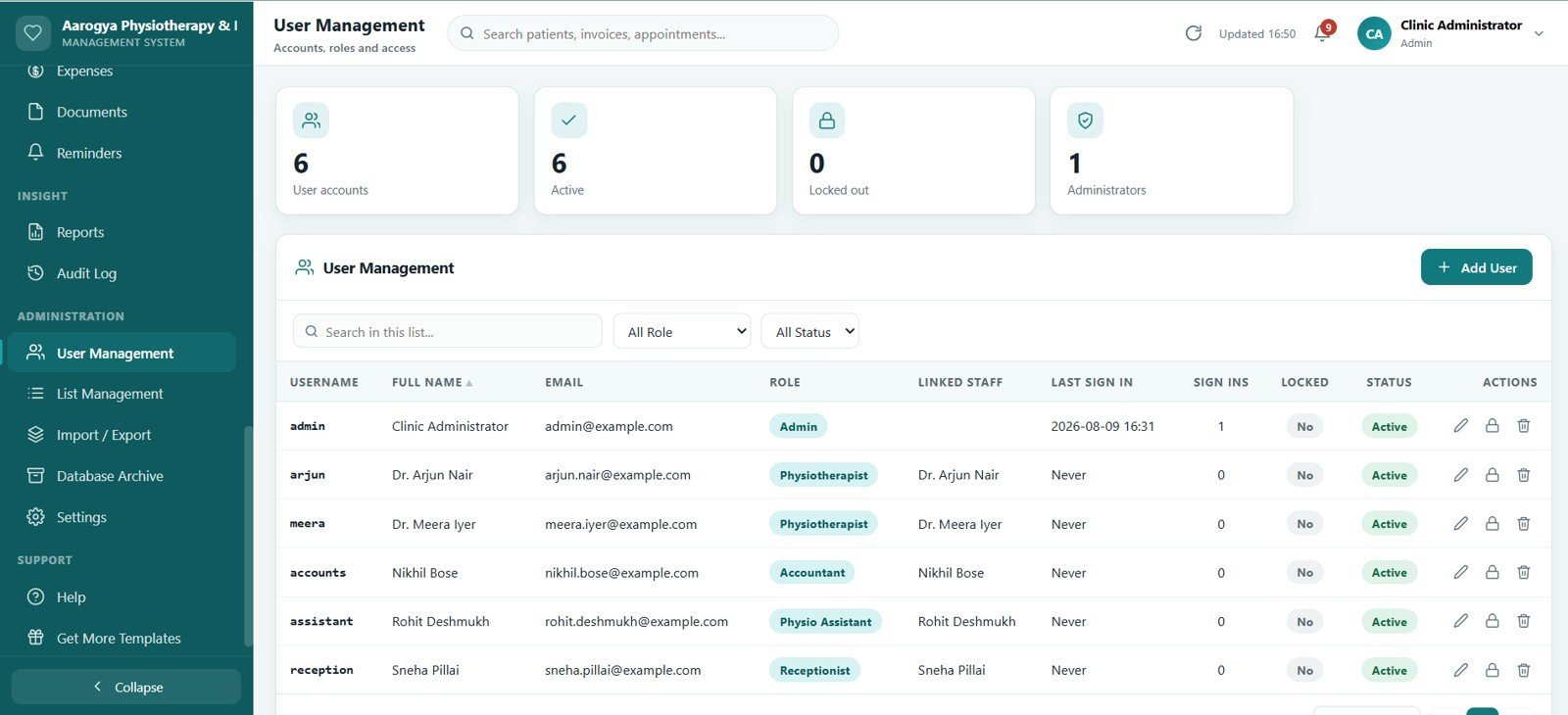
👥 Five roles with server-side permissions. Admin, Physiotherapist, Receptionist, Physio Assistant and Accountant each see a different app. The permission matrix is re-checked on the server for every single request, so access is genuinely restricted rather than just hidden from the menu Physiotherapy Clinic Management System Web App.
🖨️ Print built for a real front desk. Invoices and receipts print to 80mm and 100mm thermal rolls or A4, and patient handouts, discharge summaries and reports print to A4 — all from the browser, no add-on required.
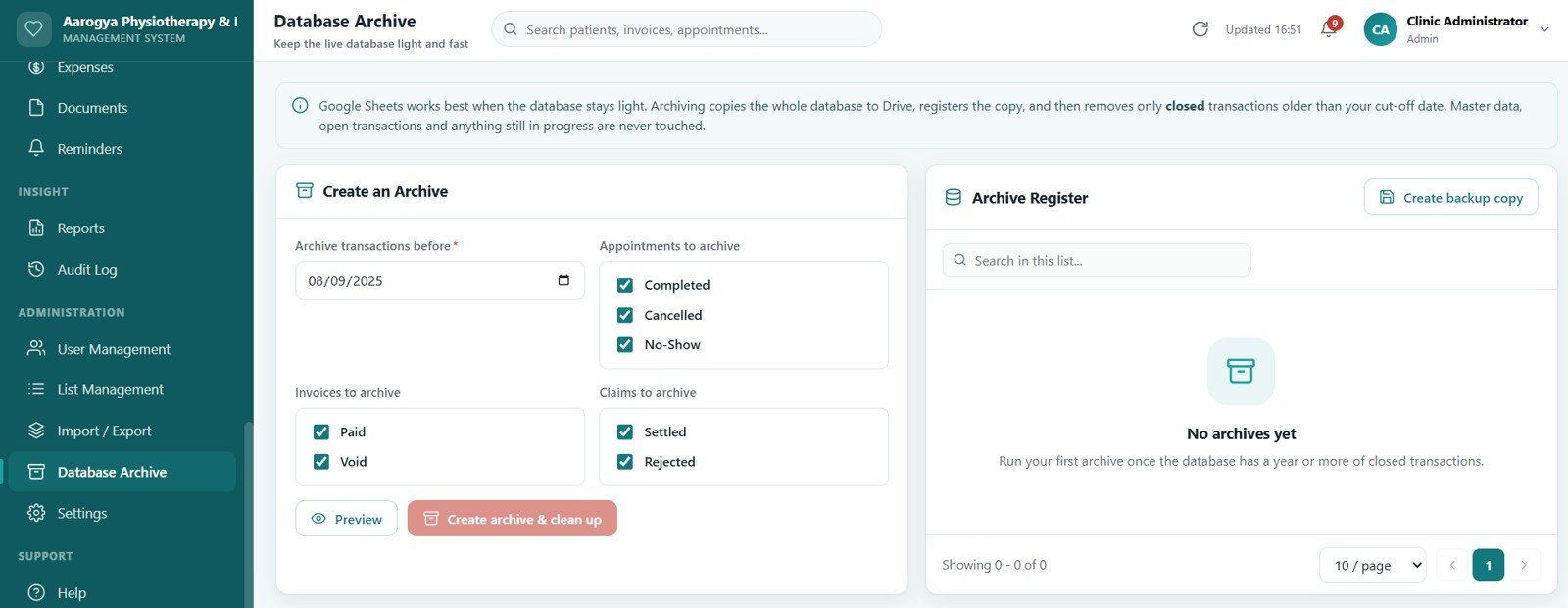
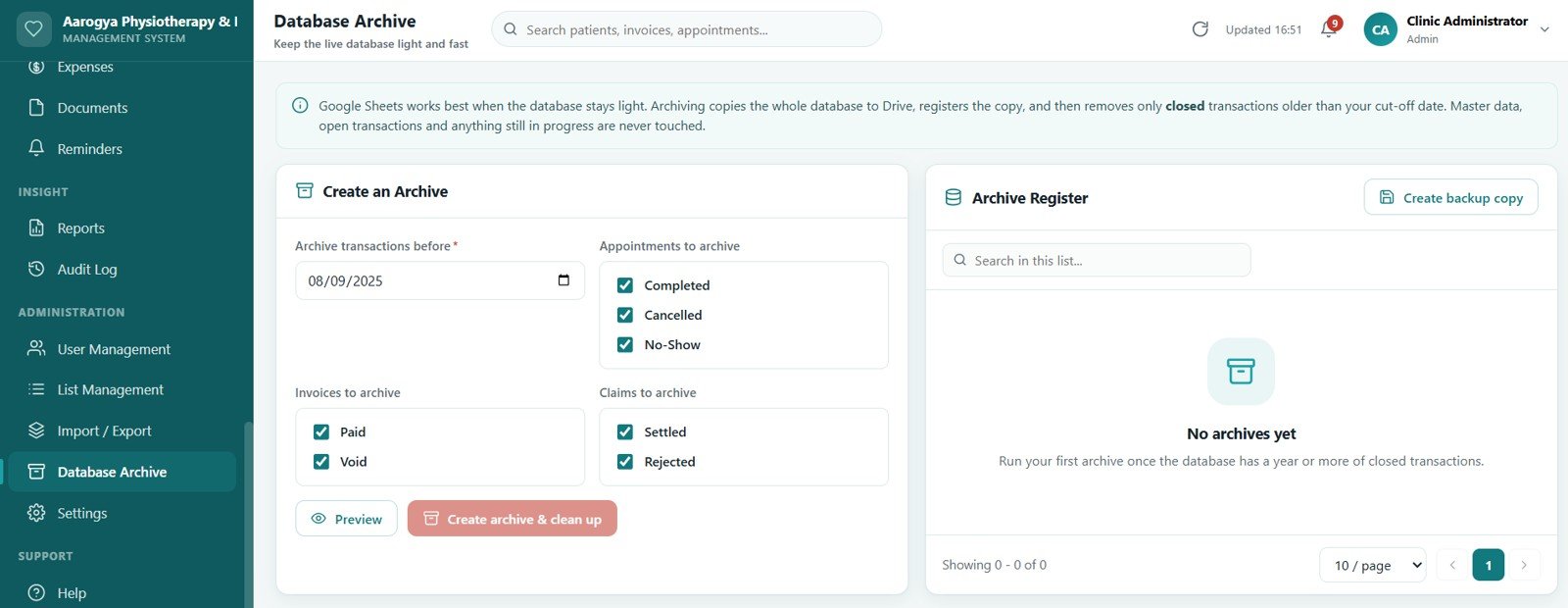
🗄️ Database archive to keep it fast. Closed records older than a chosen cut-off can be moved into a separate archive spreadsheet in one action, keeping the live database light while the history stays readable and reconnectable.
☁️ Runs entirely on your own Google account. Google Apps Script front end, Google Sheets database, Google Drive for documents. It opens on desktop, tablet and phone, and the full source code ships with it — nothing is hosted or licensed by us.
📦 What’s Inside the Physiotherapy Clinic Management System Web App
The app ships with 28 screens and a demonstration dataset already loaded, so every screen has realistic data on first sign-in. Here is what each one does.
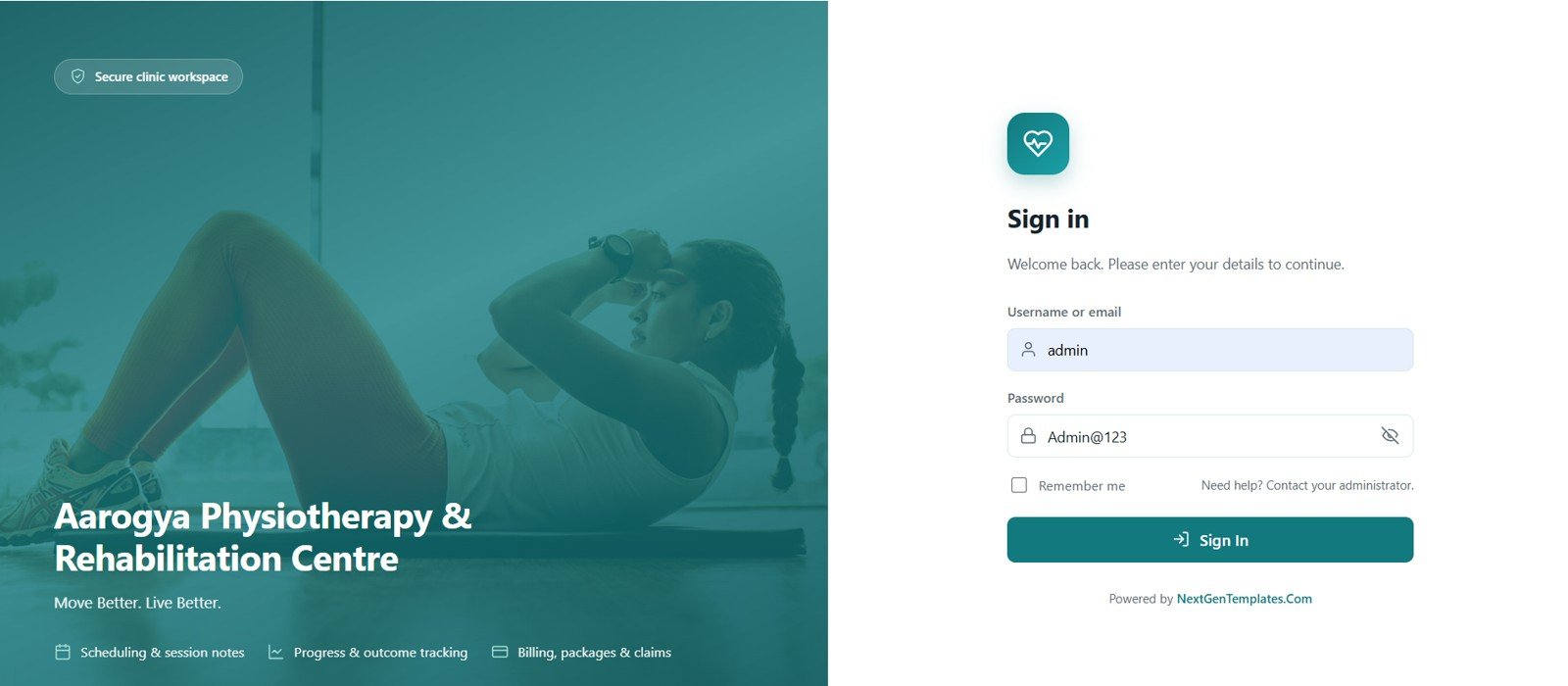
1. Login Page
A split-screen sign-in with the clinic branding on one side and the login form on the other. Five role-based accounts sign in against a salted SHA-256 password hash, and every session is validated on the server before any screen loads.
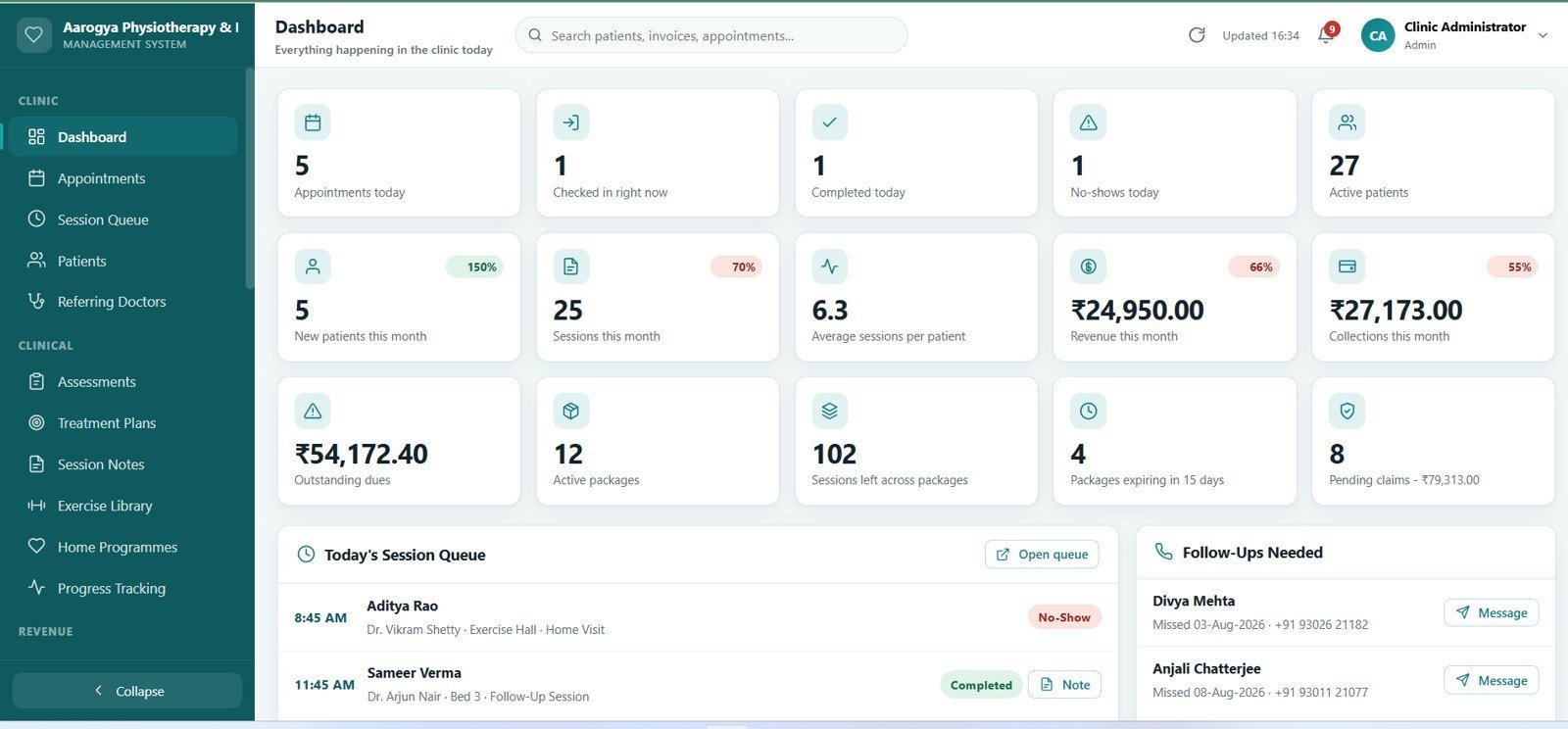
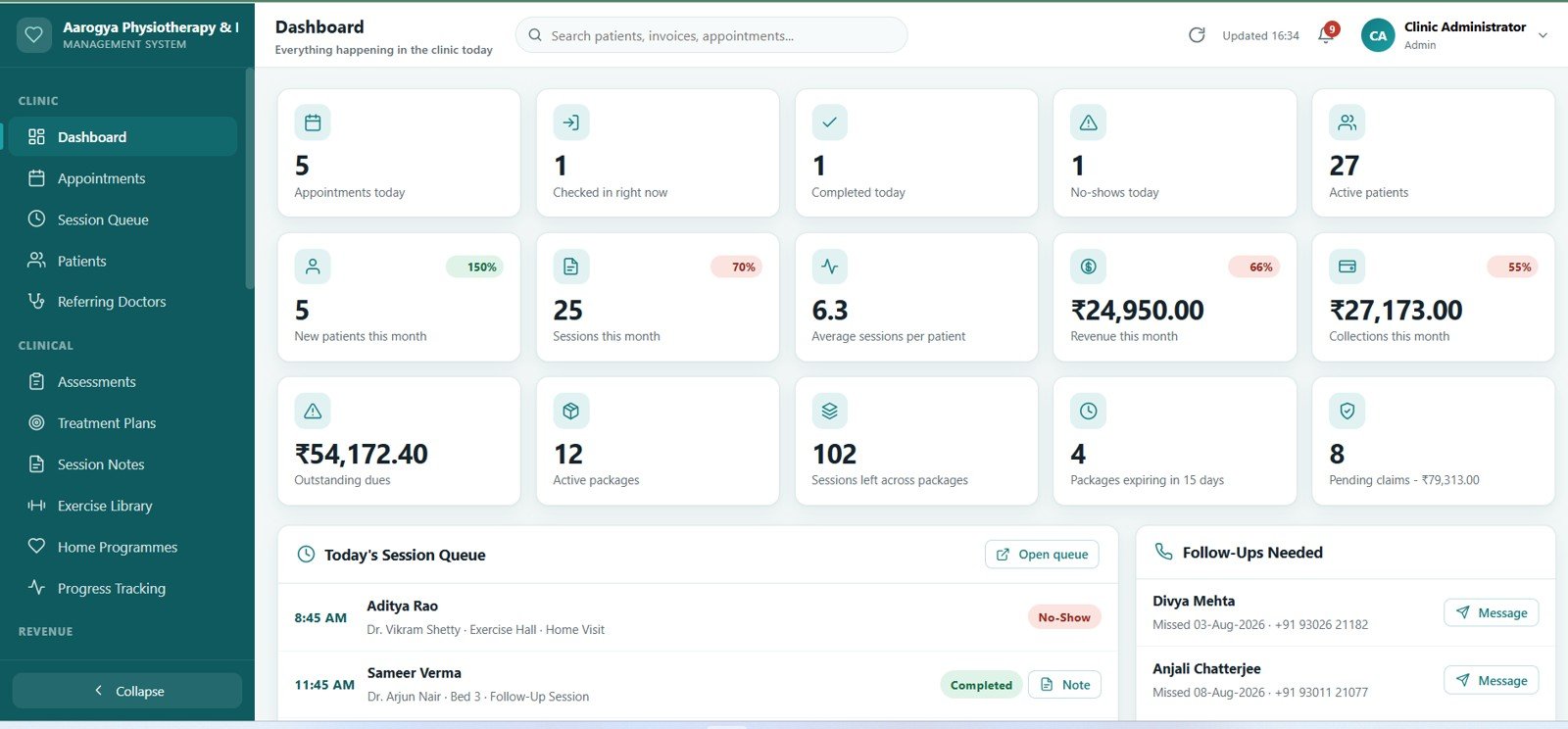
2. Dashboard
Fourteen KPI cards grouped into Today, Patients, Money, Packages and Claims — appointments today, checked in right now, completed, no-shows, active patients, new patients this month, sessions this month, average sessions per patient, revenue, collections, outstanding dues, active packages, sessions left across packages and pending claim value. Charts include Revenue by Month, Sessions by Therapist and Appointments by Status.
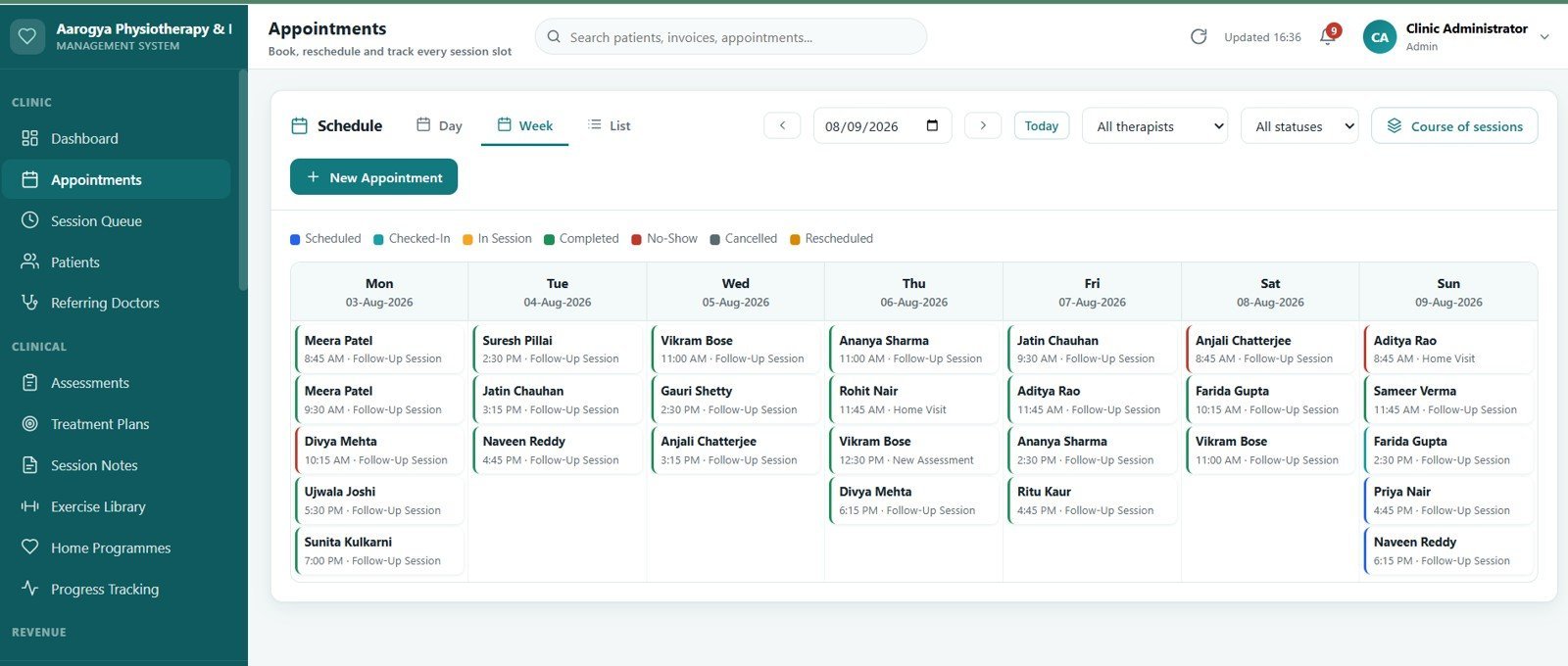
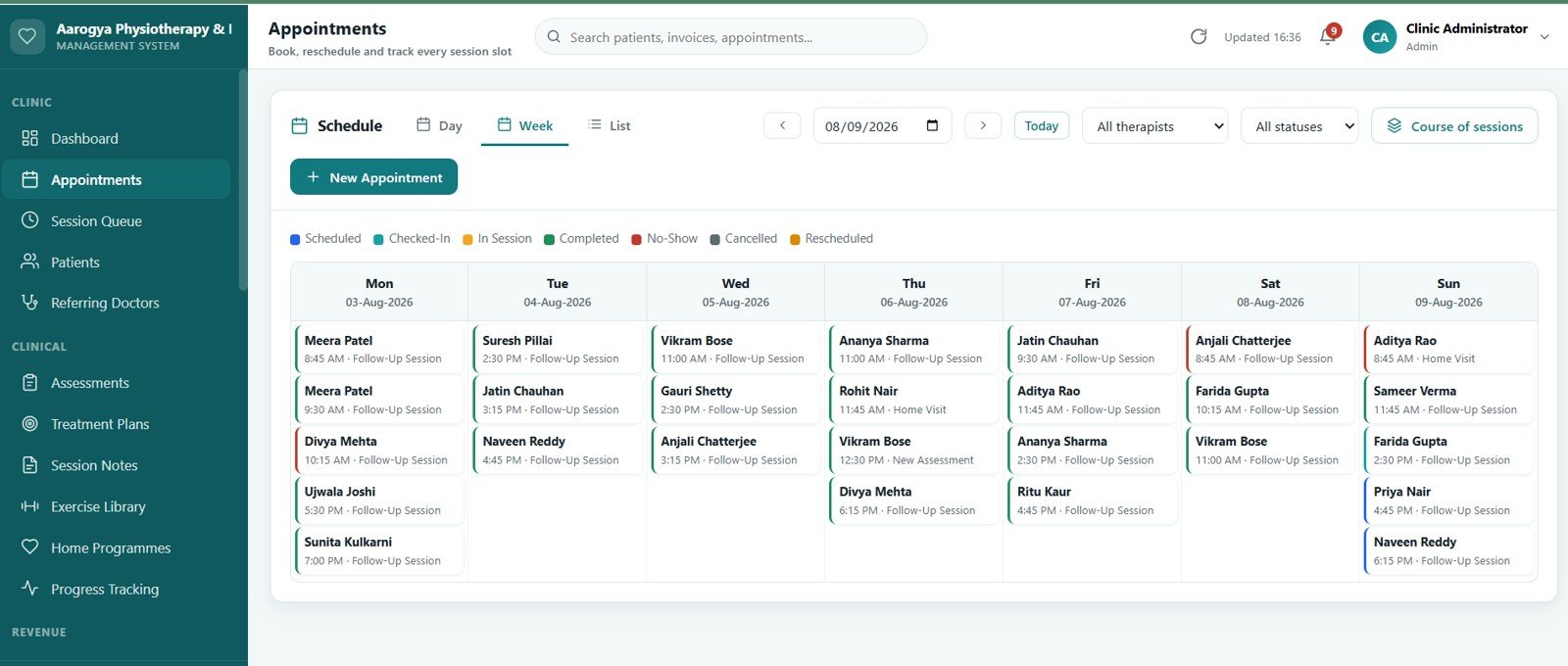
3. Appointments
Day, Week and List views with double-booking conflict checks against therapist and treatment-room availability. Recurring bookings can be previewed before they are committed, and each slot moves through Scheduled, Confirmed, Checked-In, In Session, Completed, Cancelled and No-Show.
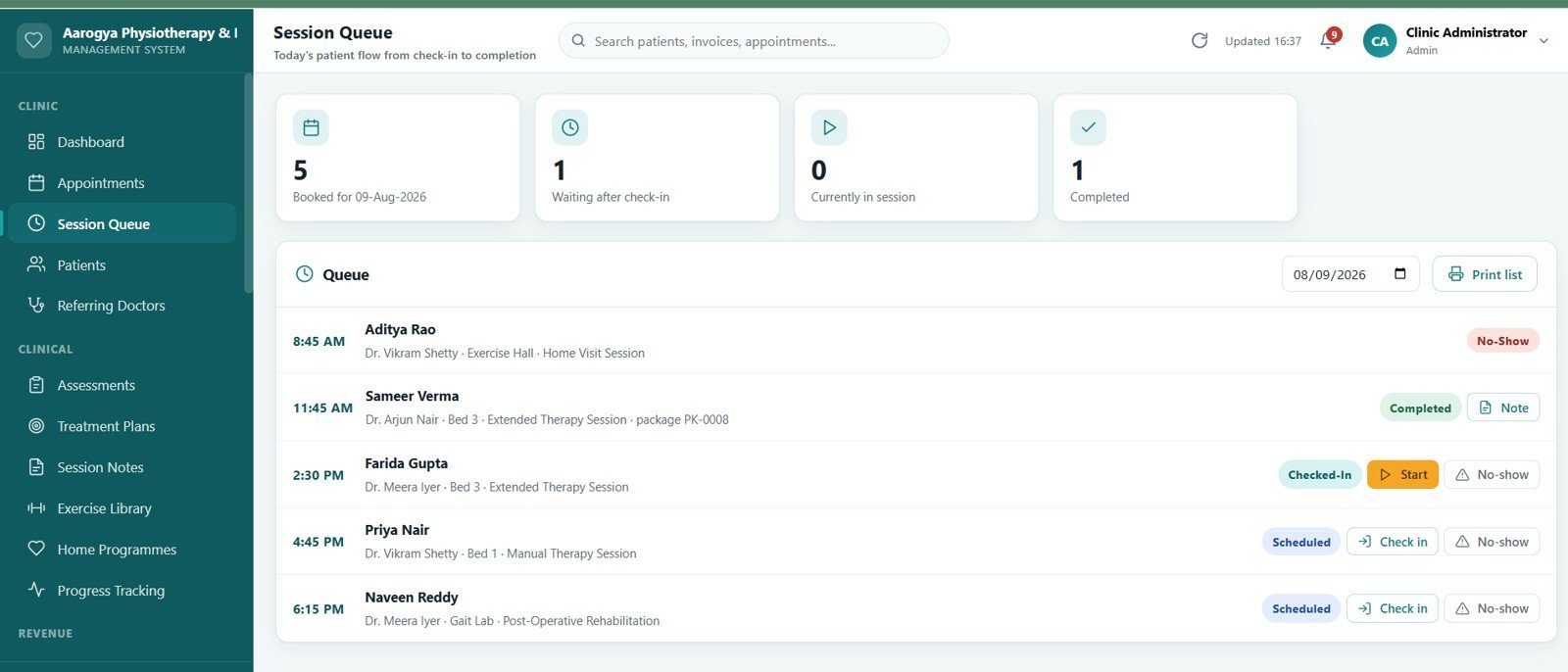
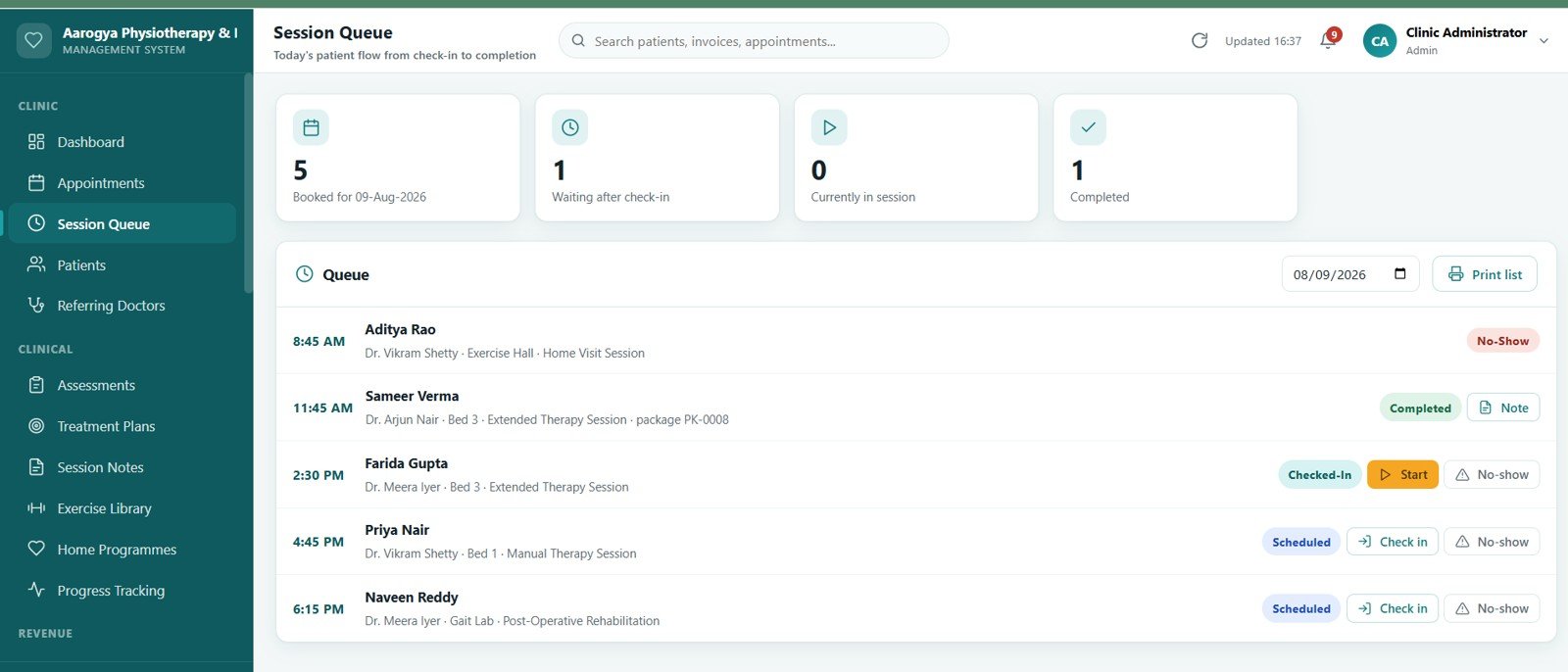
4. Session Queue
Today’s patient flow on one screen, from check-in to completion, with four live counters — booked, waiting after check-in, currently in session and completed. Front desk staff move a patient forward with a single click.
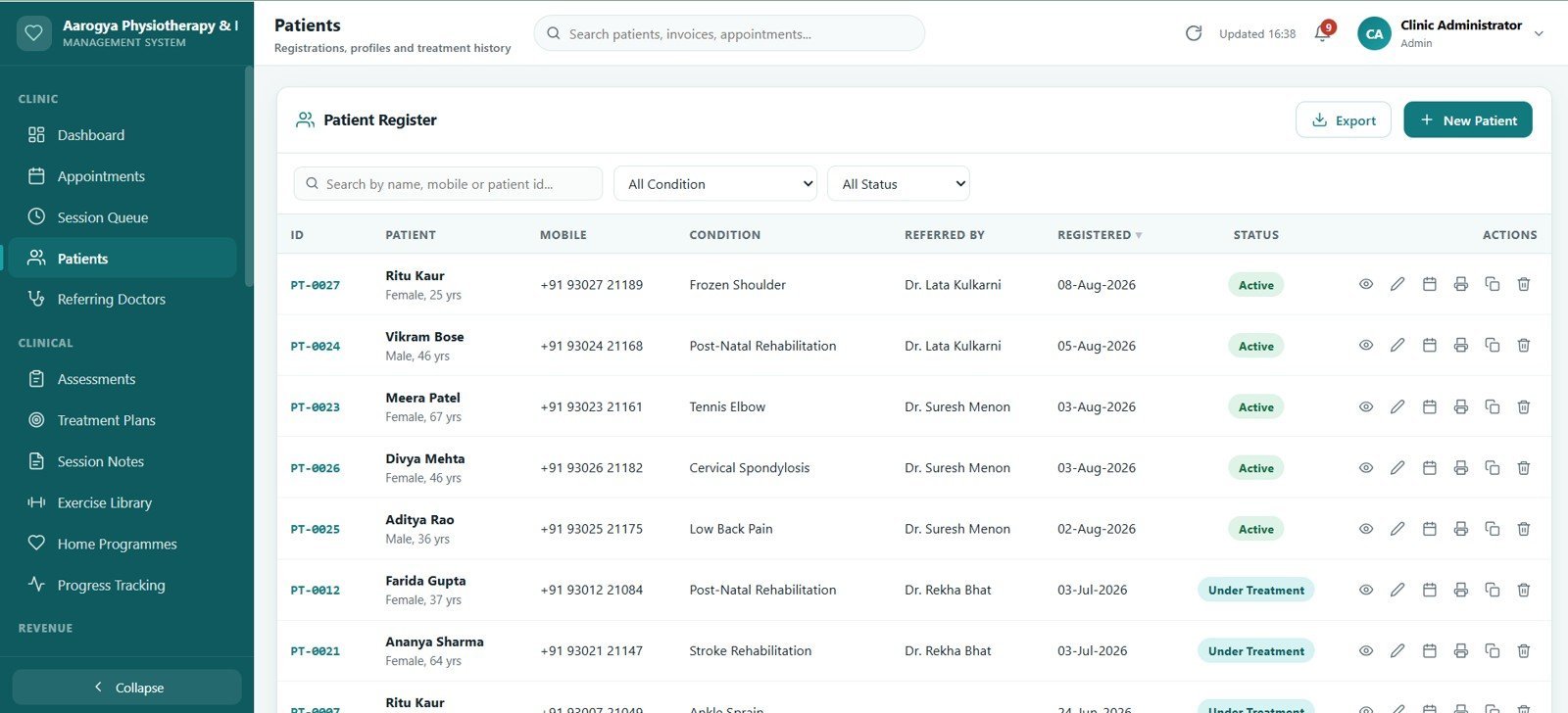
5. Patients
The full registration list with search, filters and a duplicate check that runs on mobile number before a new record is saved. Records can be merged when the same patient was registered twice.
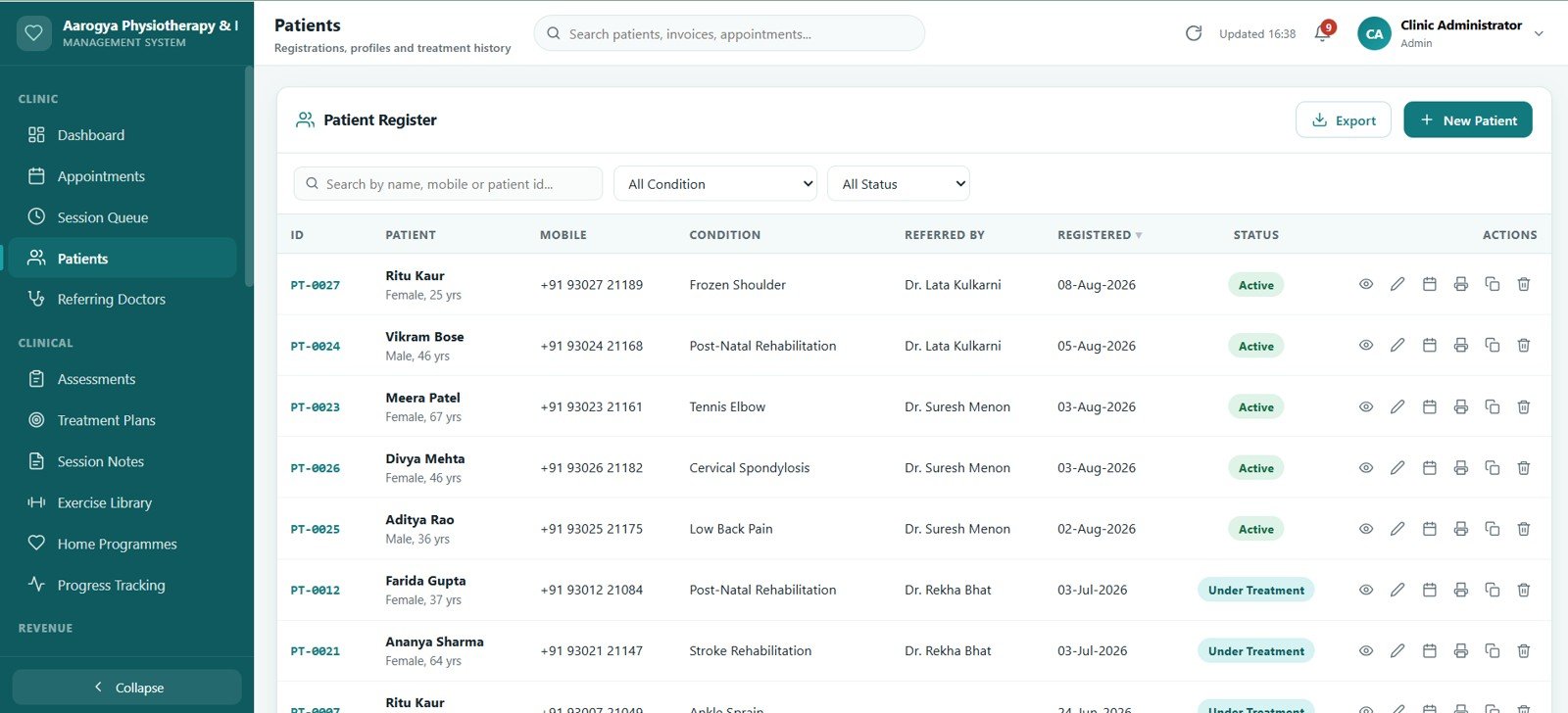
6. Patient 360 Profile
One page holding demographics, referral source, appointment history, assessments, treatment plans, session notes, invoices, payments, packages and documents for a single patient. Everything loads on demand so the profile opens quickly even for long-running cases.

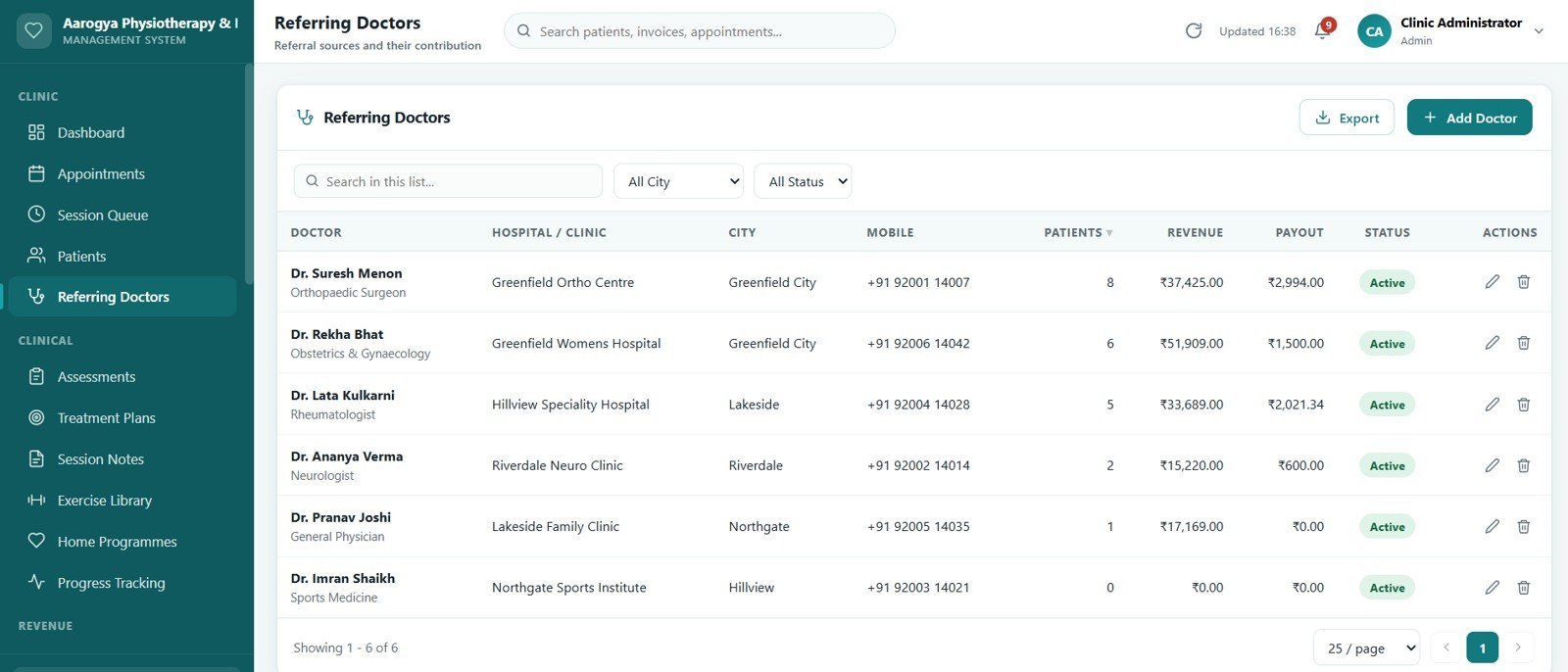
7. Referring Doctors
A referral register showing which doctor or clinic sent each patient, with referral counts and revenue contribution per source so the practice can see where its work actually comes from.
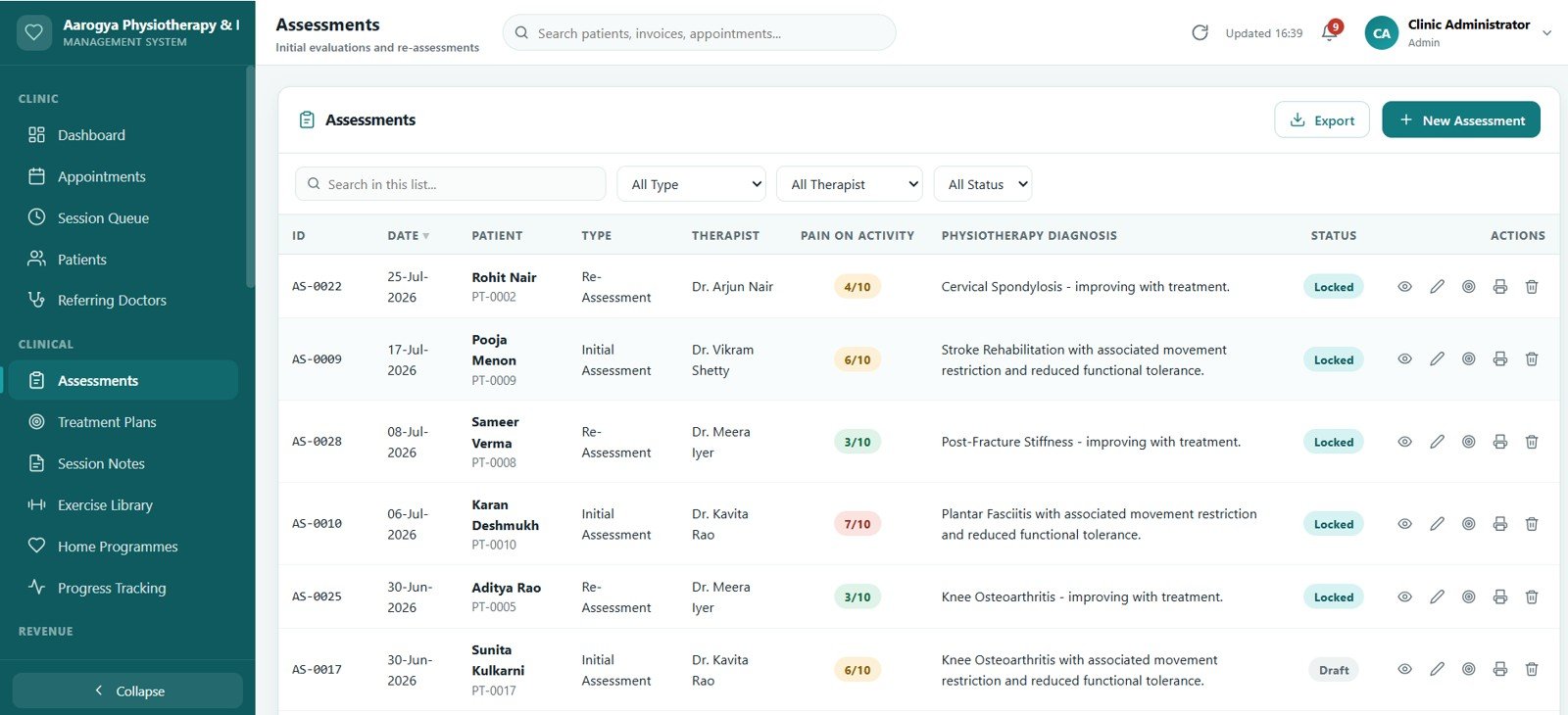
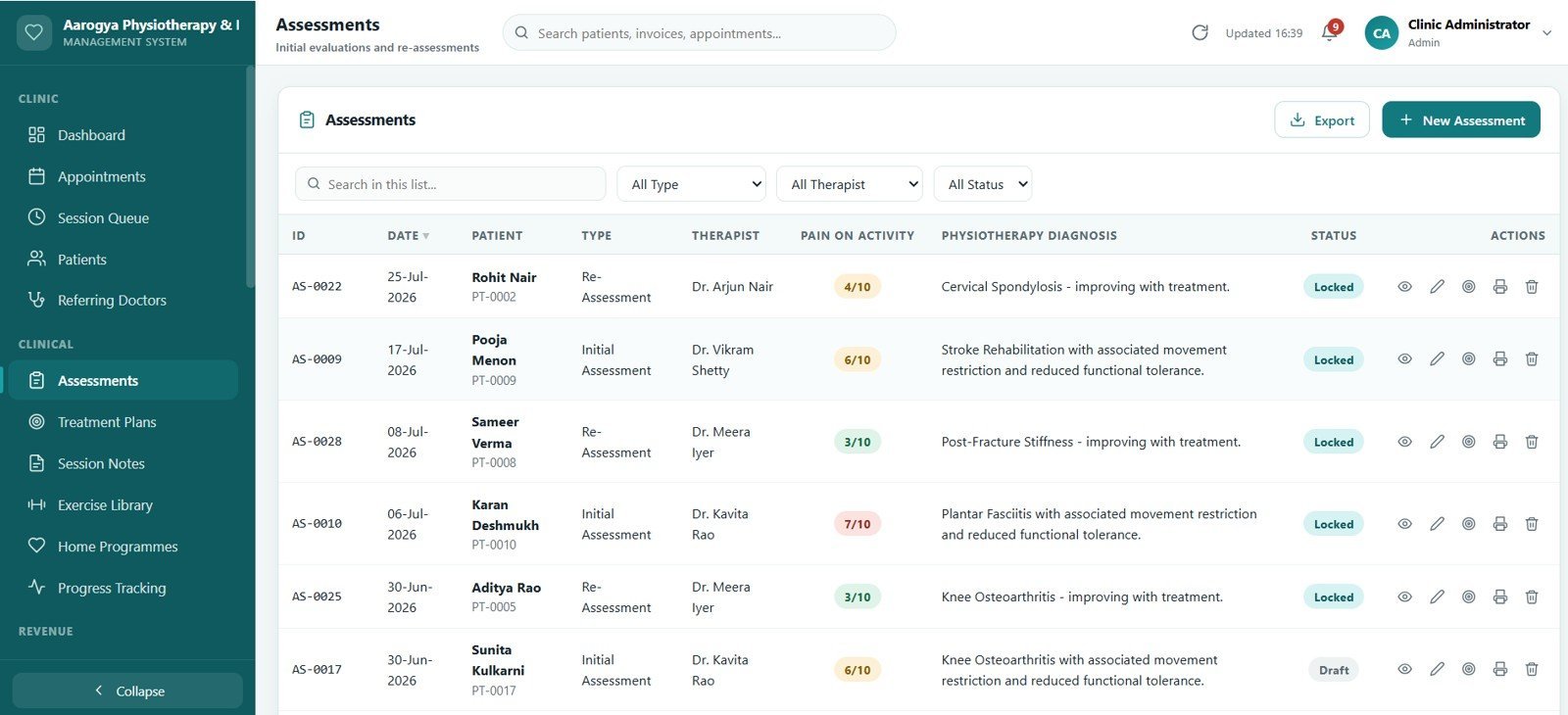
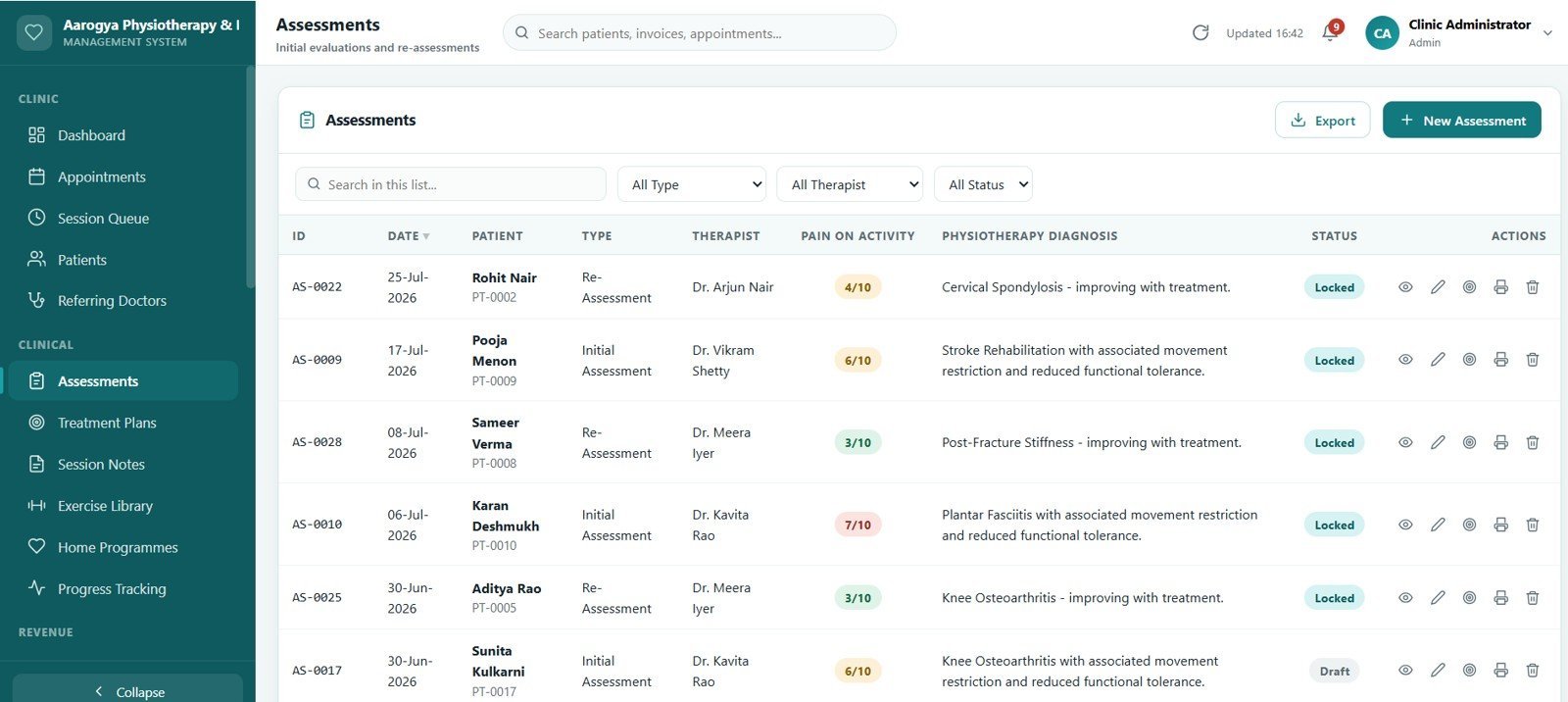
8. Assessments
Initial evaluations and re-assessments with range-of-motion readings, manual muscle testing grades, special test results and standardised outcome measures. Completed assessments can be locked so the clinical record stays fixed.
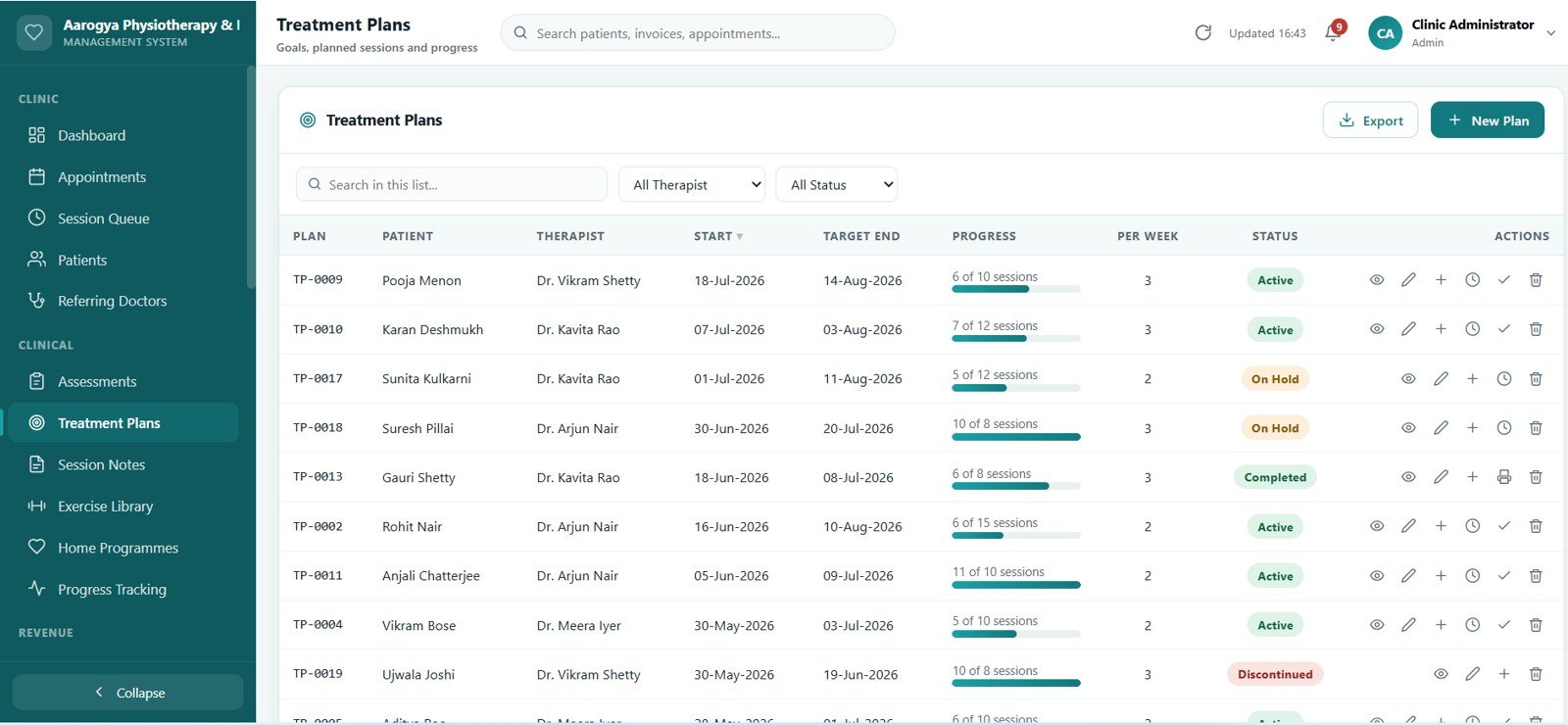
9. Treatment Plans
Goals, planned session counts, frequency, plan value and a progress bar that fills as sessions are recorded. Plans can be put on hold, resumed or discharged, and a printable discharge summary is generated at the end.
10. Session Notes
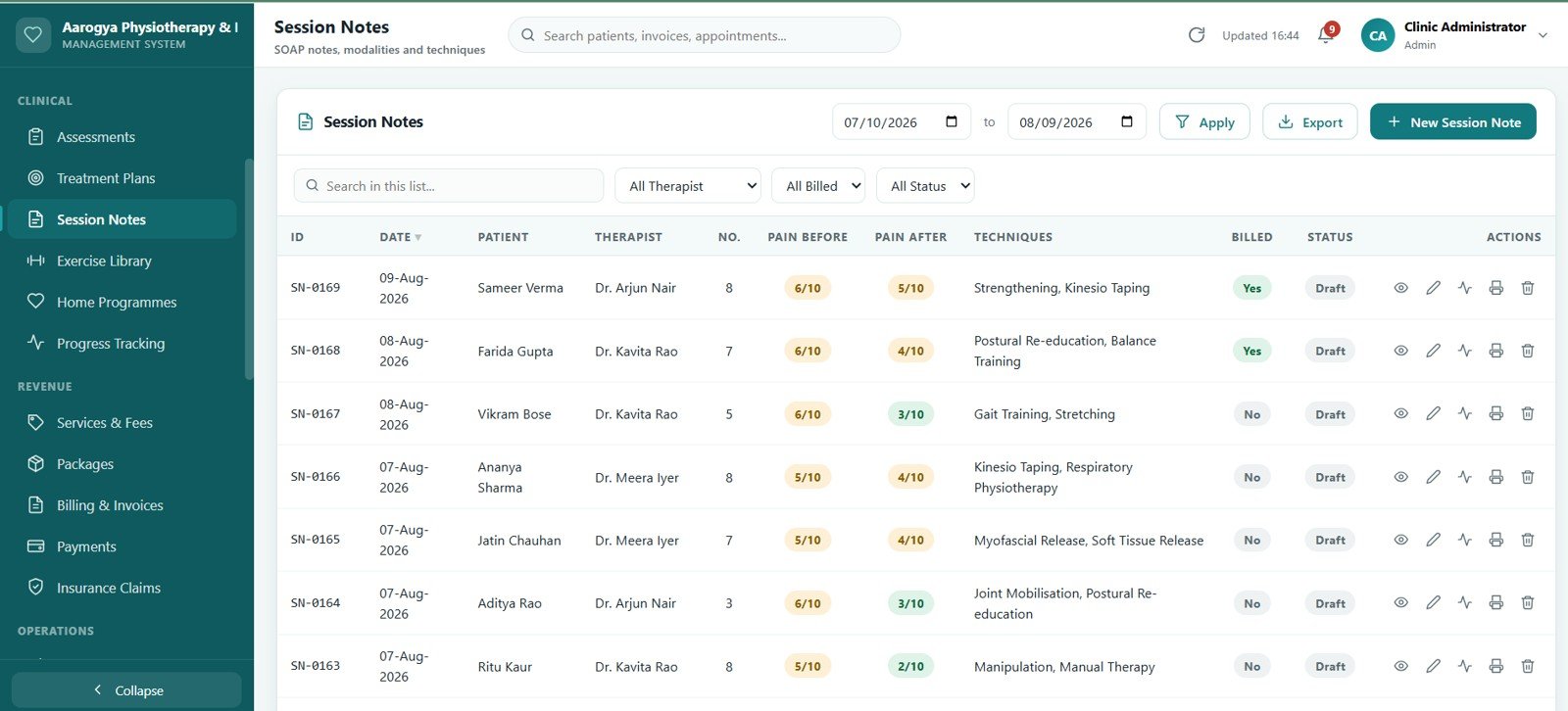
SOAP-format notes recording modalities delivered, techniques applied, exercises supervised and pre/post pain scores. The previous session can be copied forward so therapists type less between patients, and notes can be locked once signed.
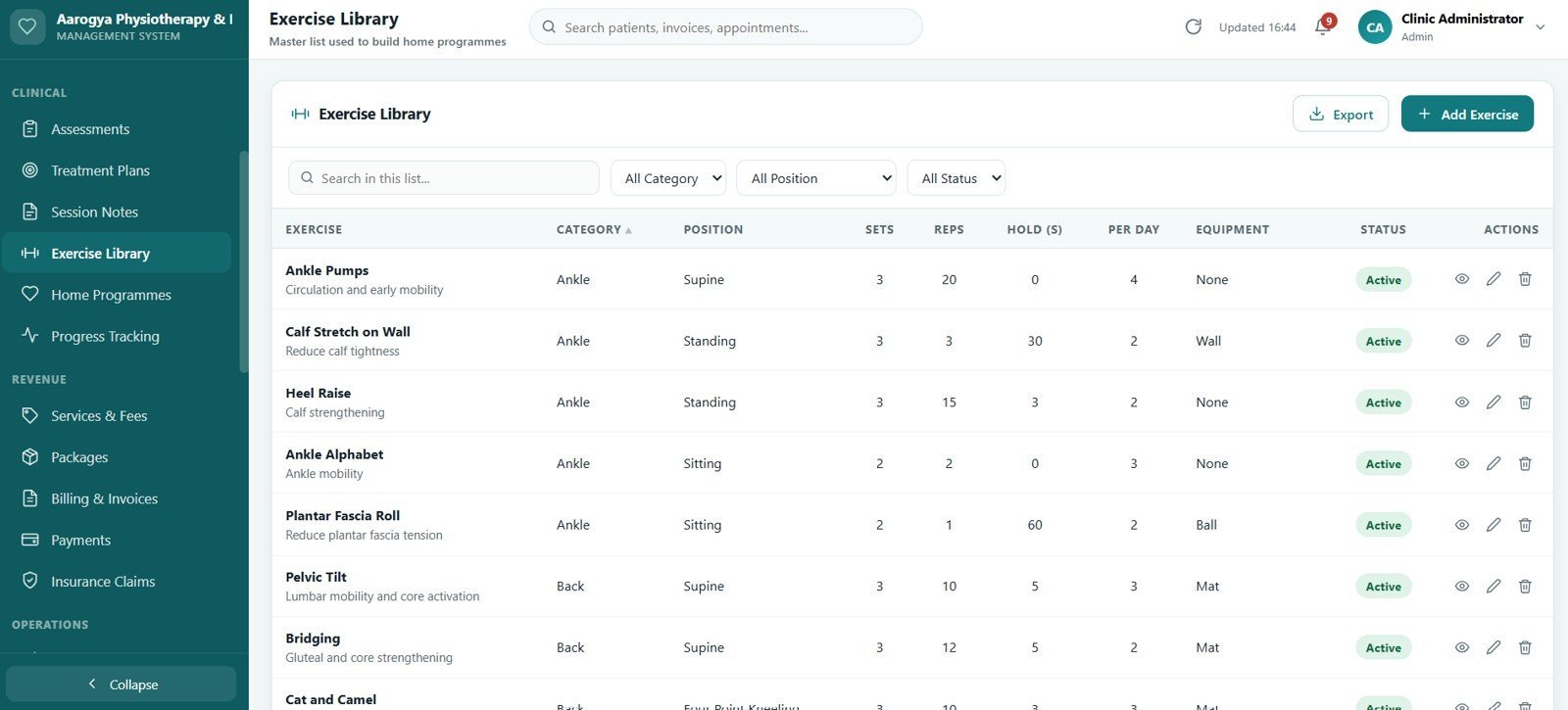
11. Exercise Library
A master list of exercises with body region, category, sets, reps, hold time and progression notes. It is the source list used to build every home programme.

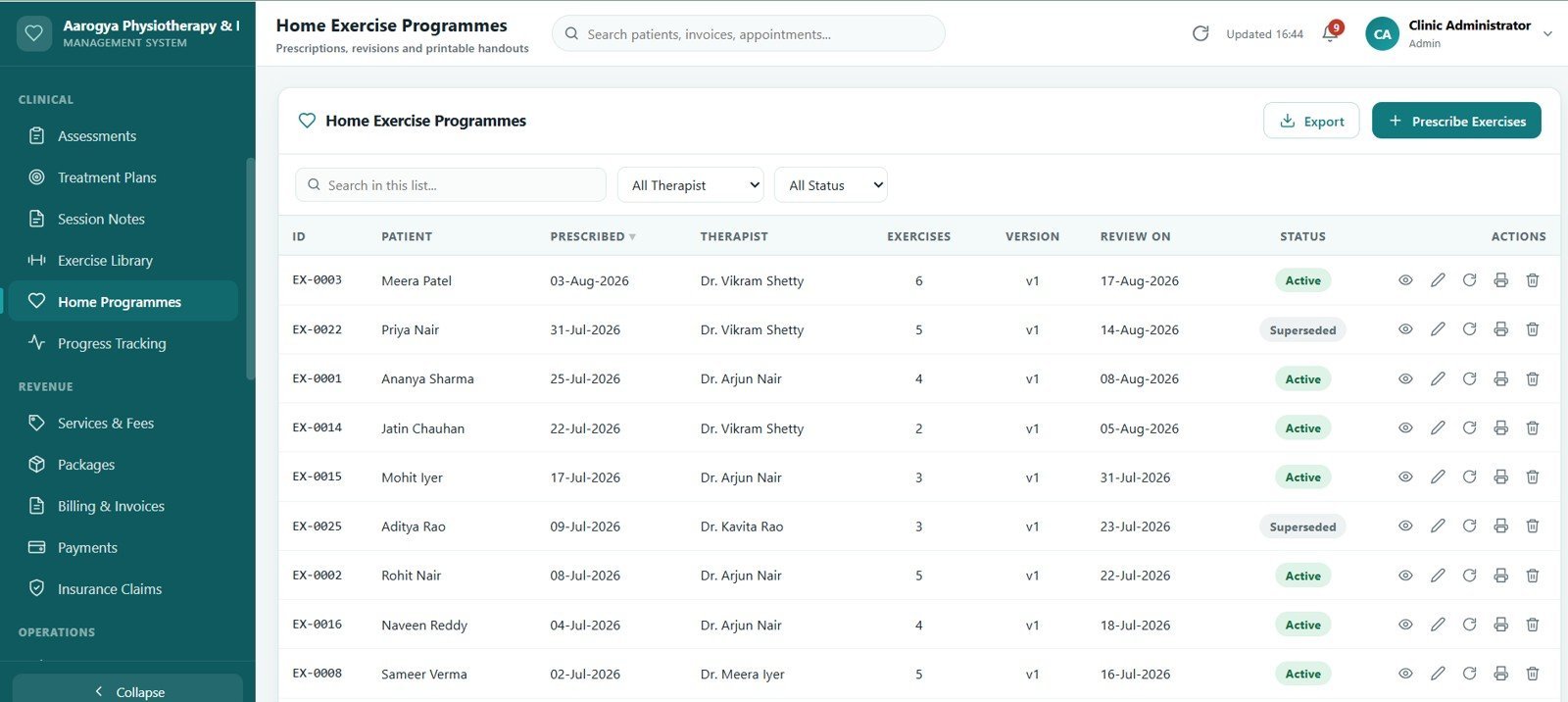
12. Home Exercise Programmes
Prescriptions built from the exercise library with sets, reps, frequency and therapist instructions. Each programme is versioned — revising it keeps the earlier version on record — and prints as a patient handout.

13. Progress Tracking
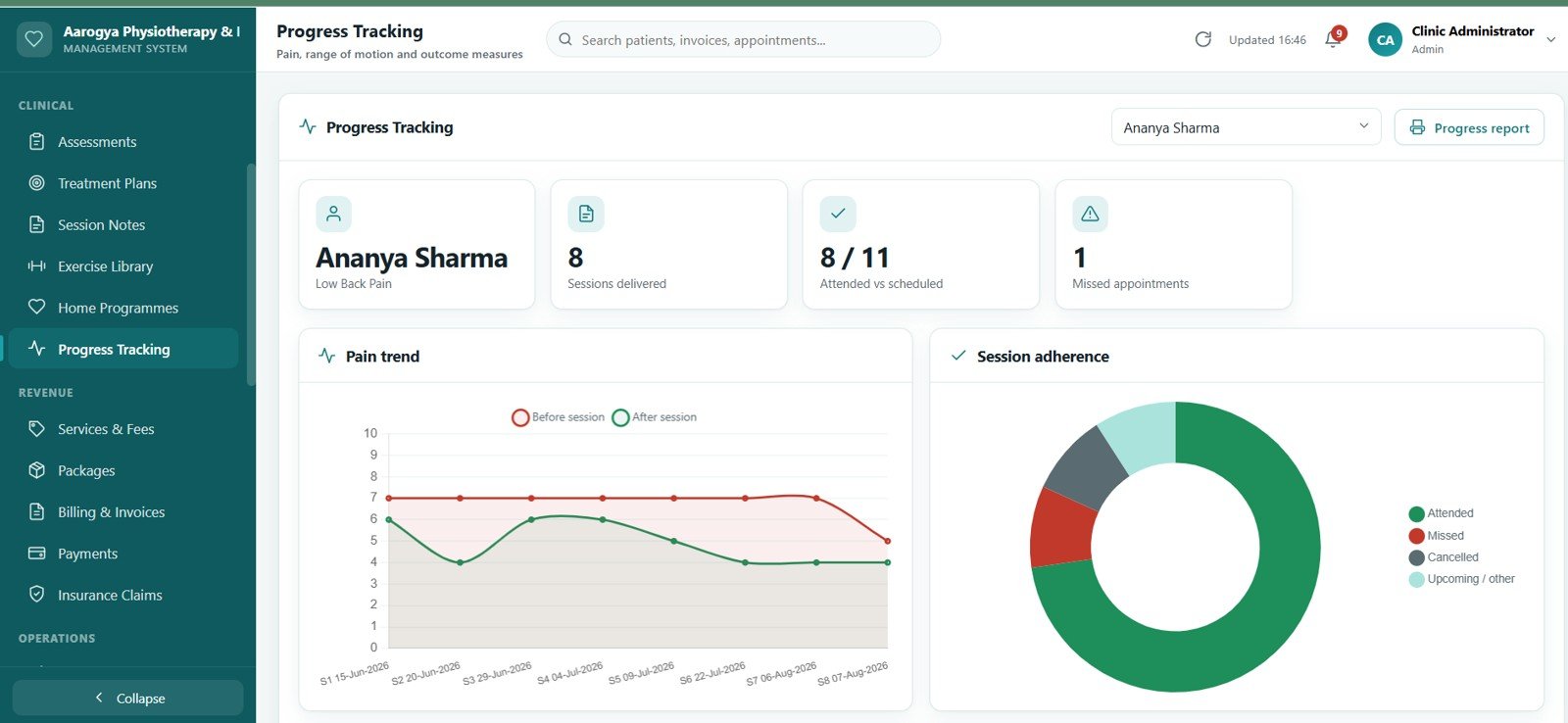
Pain scores, range-of-motion readings and outcome-measure scores charted over time for a selected patient, so improvement across a course of treatment is visible on one screen.
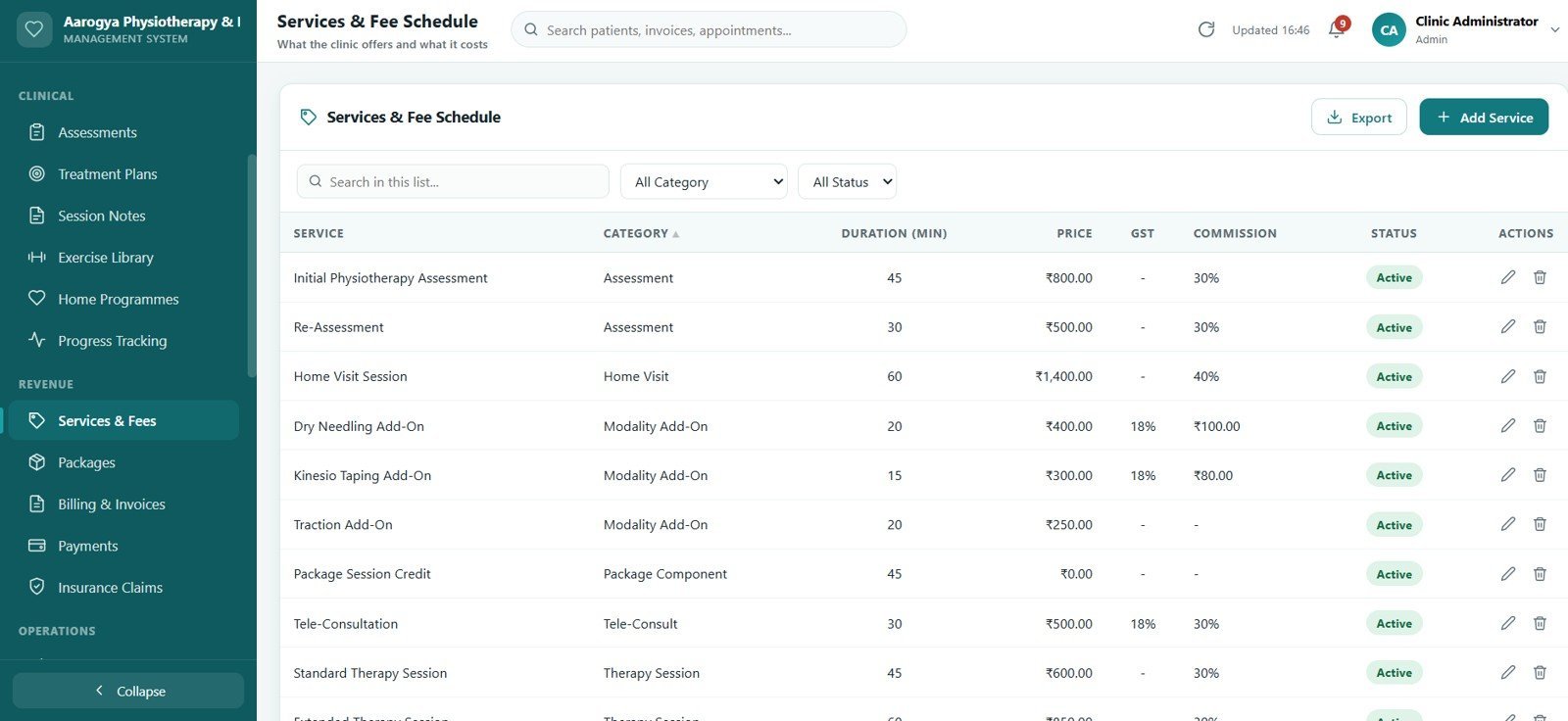
14. Services & Fee Schedule
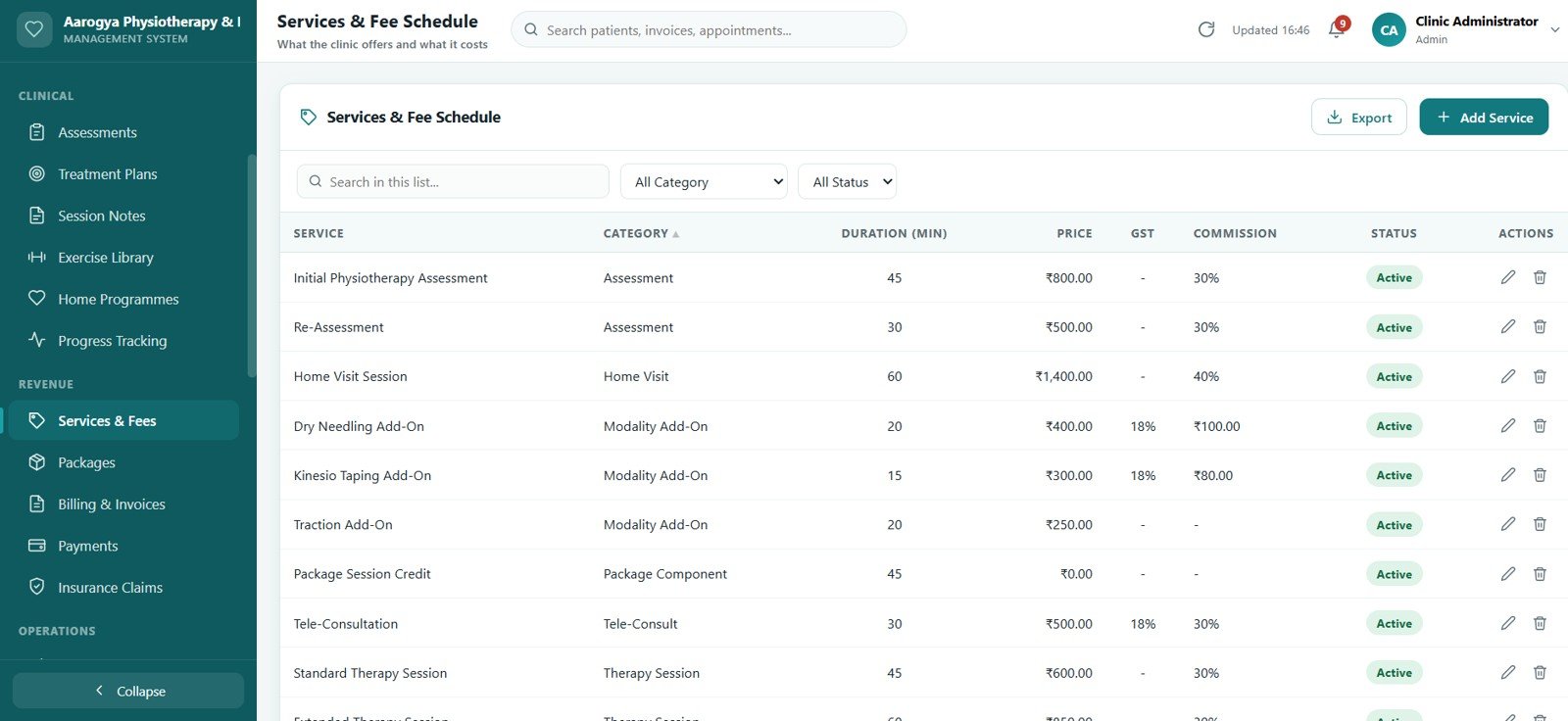
The clinic’s treatment catalogue with duration, category, standard fee and tax treatment. Every price used in billing is read from here, so a fee change flows through automatically.
15. Packages & Session Credits
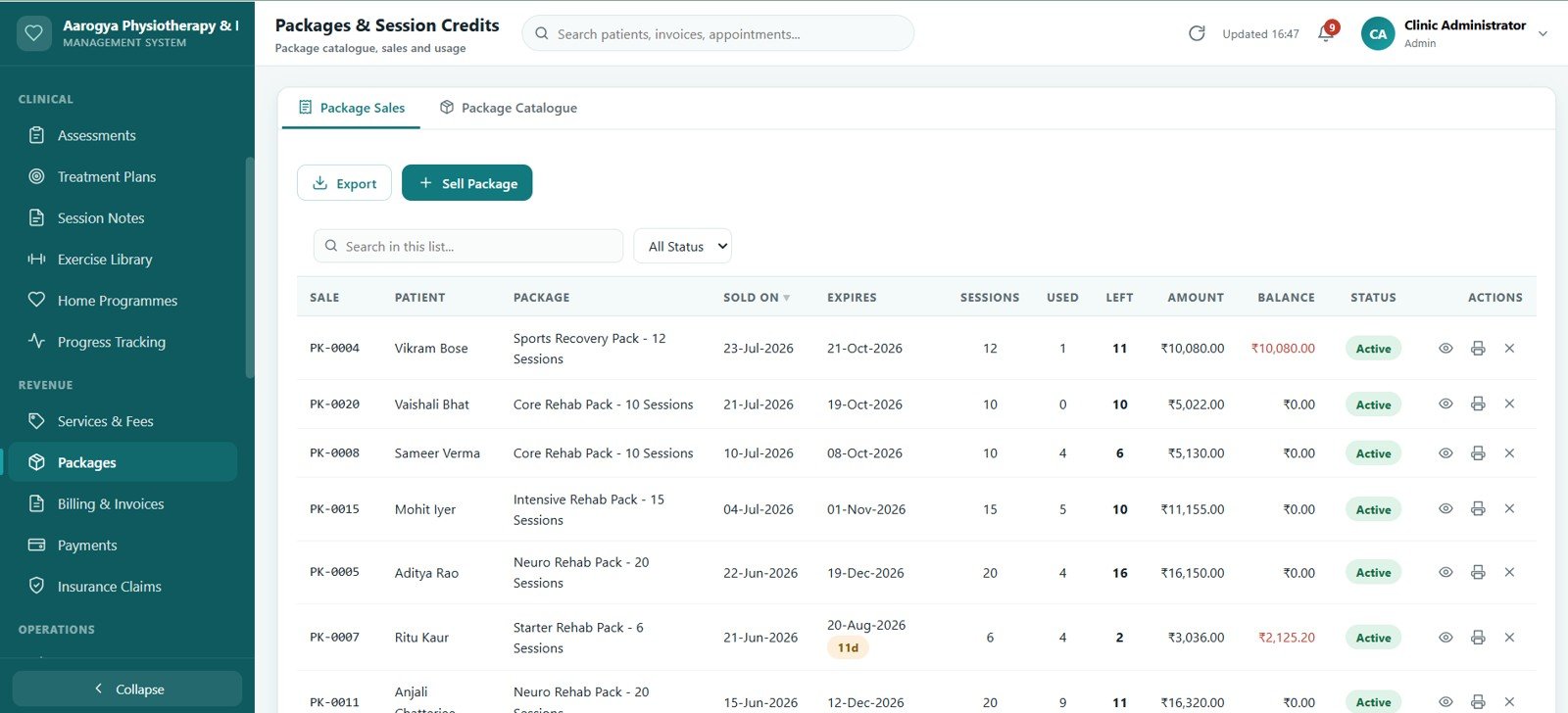
Package catalogue, package sales and a live usage ledger. Credits are deducted automatically when a session is billed, and the screen flags packages that are expiring or running low on sessions.
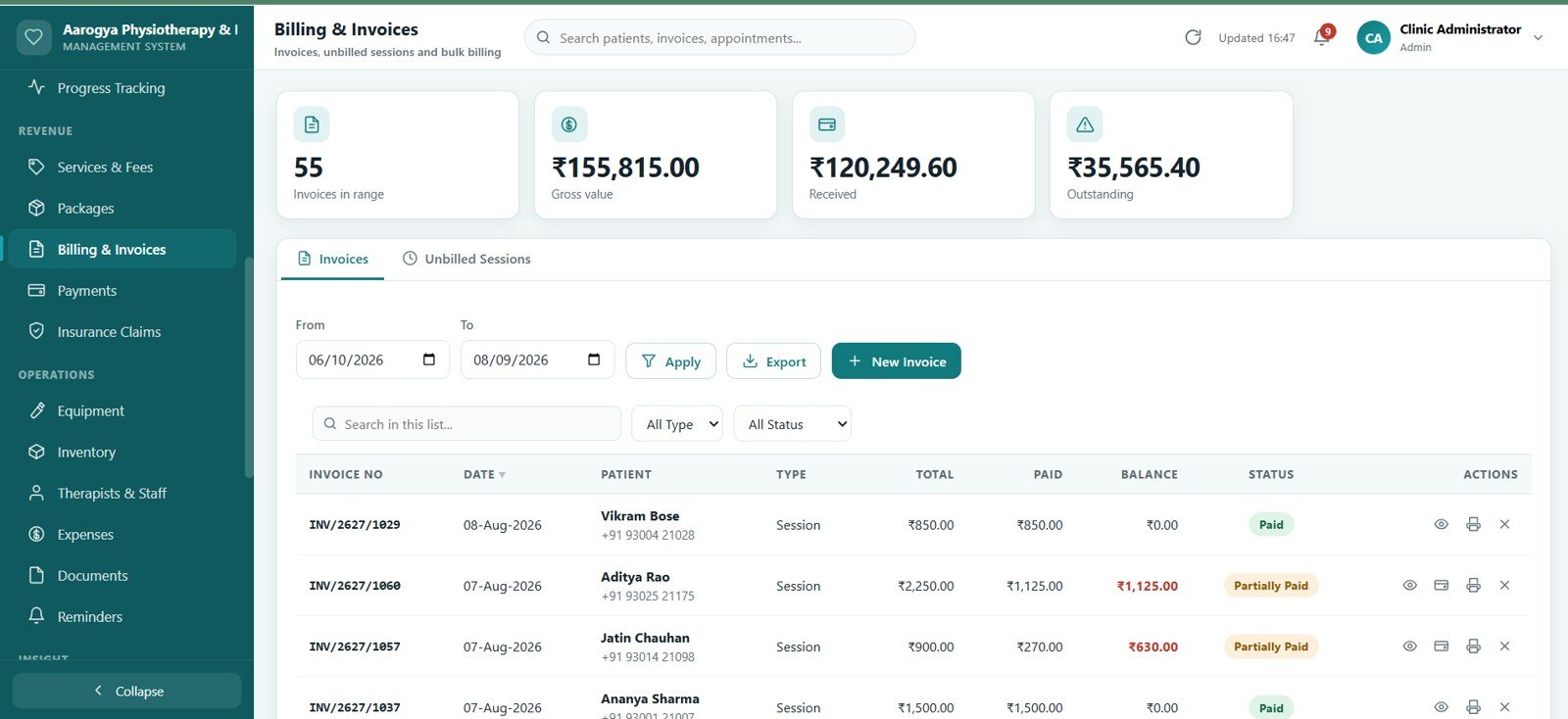
16. Billing & Invoices
Invoices combining treatment sessions, retail items and package redemptions on one document, with discount, tax and running balance. Unbilled sessions can be bulk-invoiced, and invoices can be voided with a reason recorded.
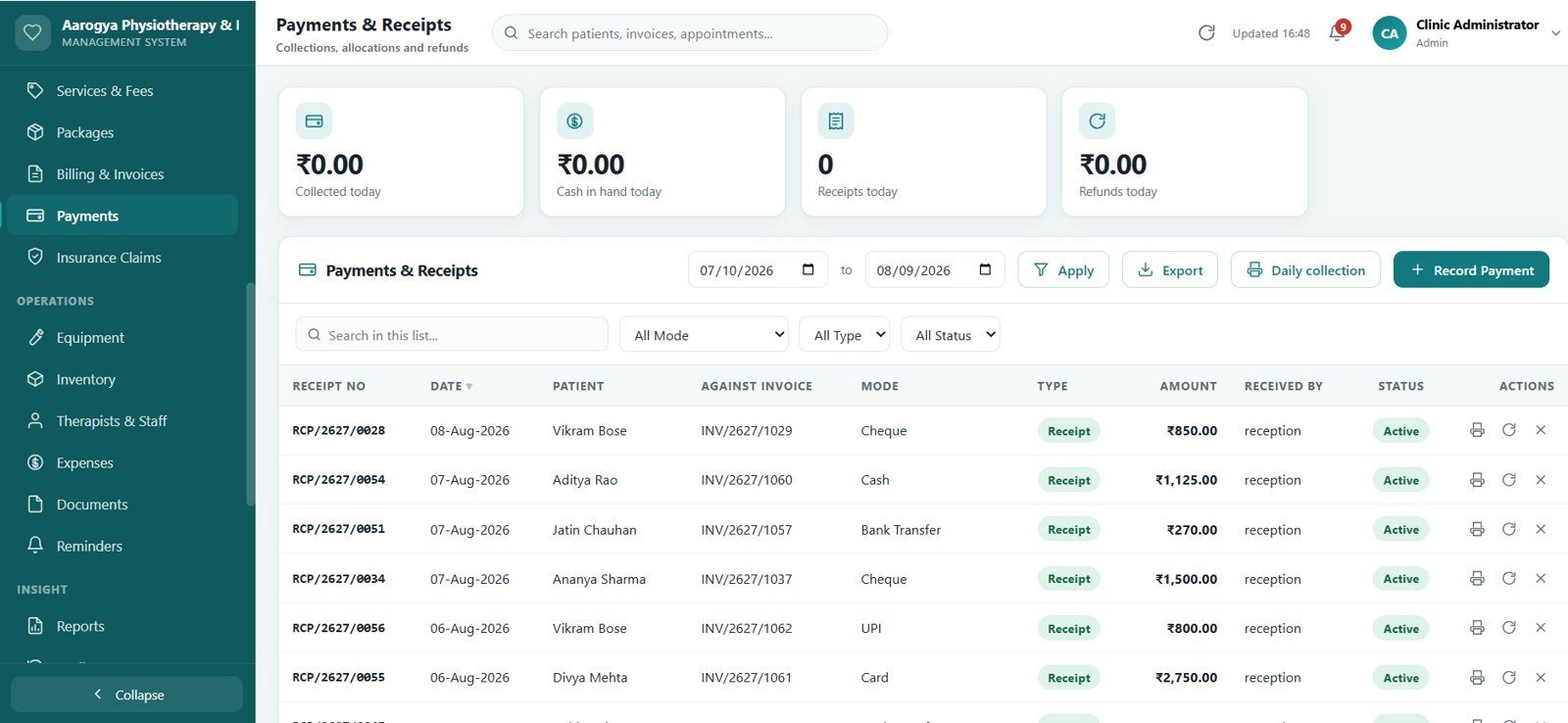
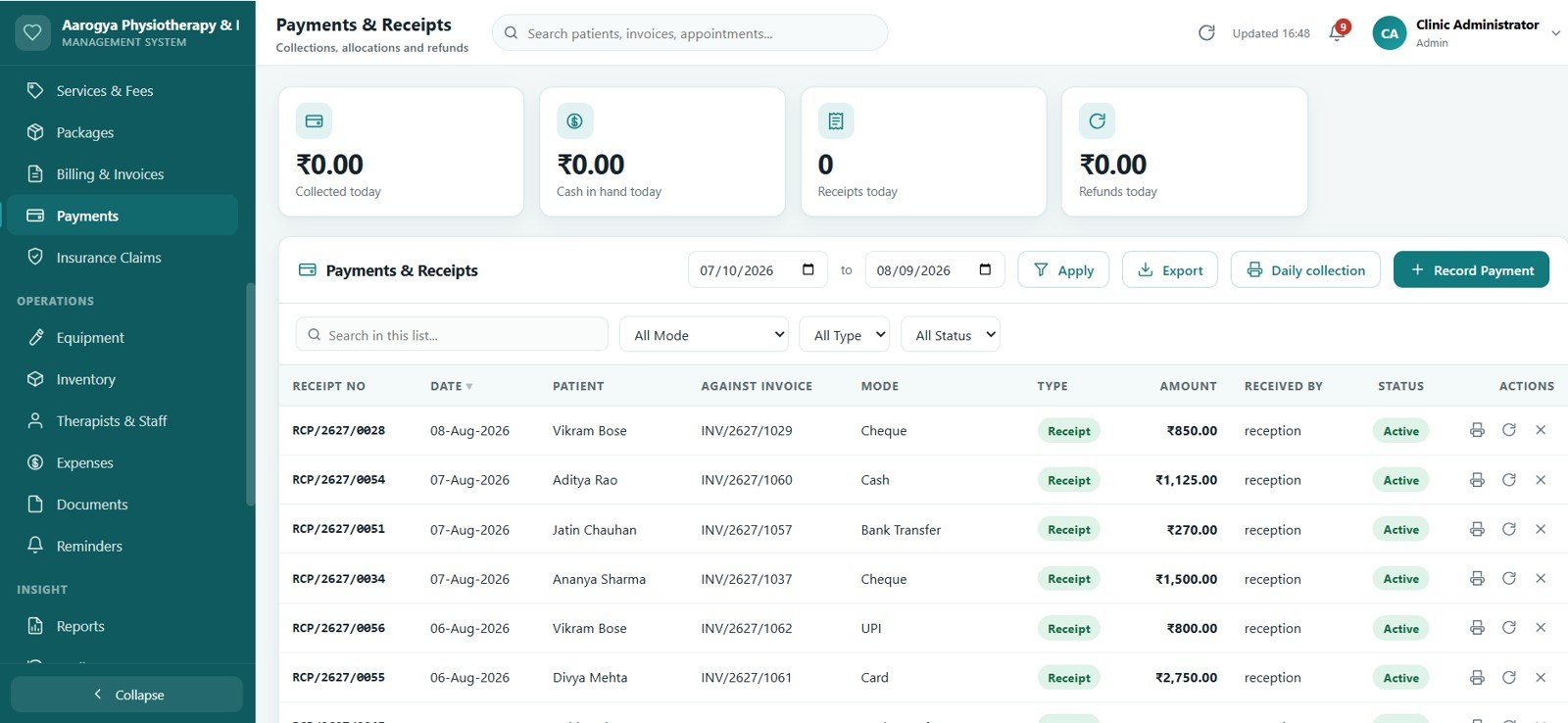
17. Payments & Receipts
Collections by mode — cash, card, UPI, bank transfer and cheque — with allocation across open invoices, advance receipts on account, refunds and a printable day-end cash-up summary.
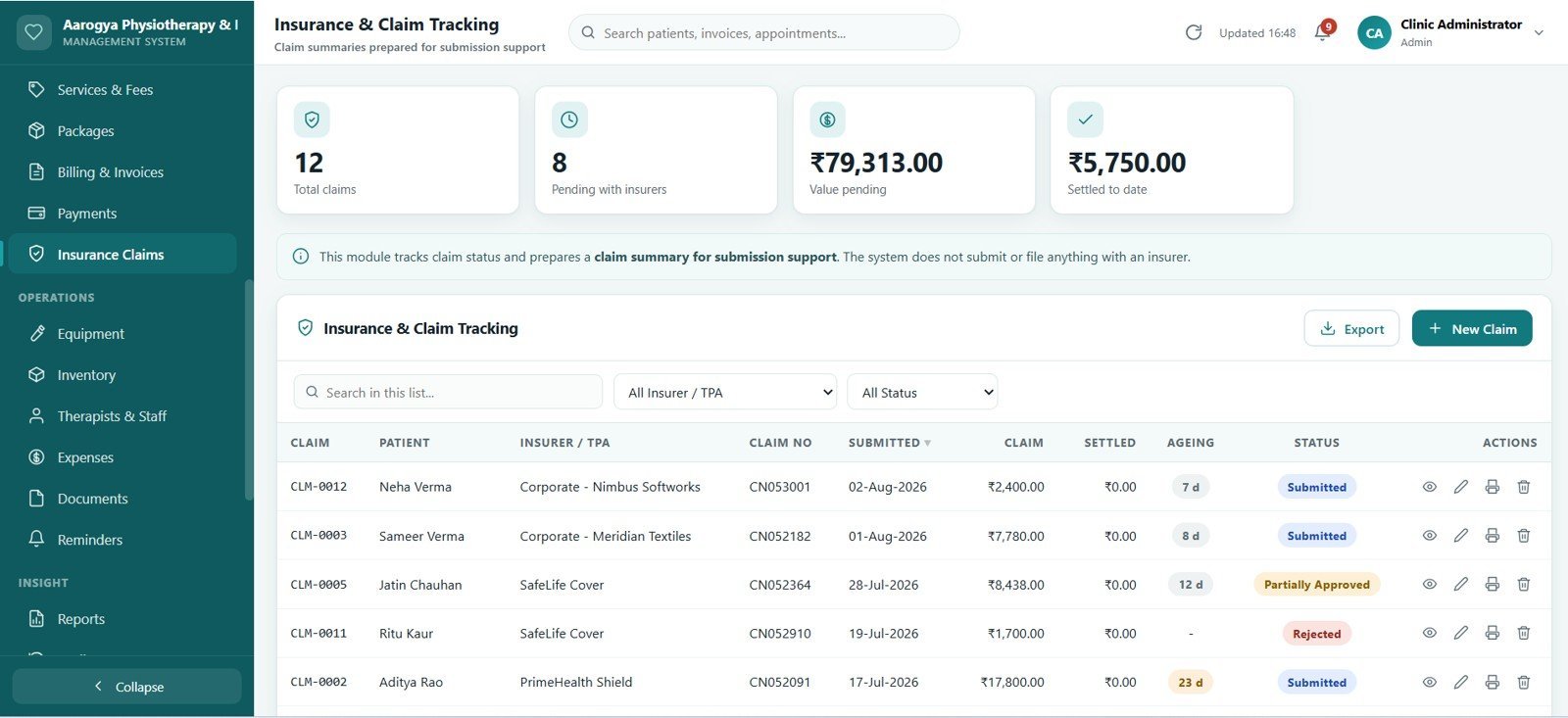
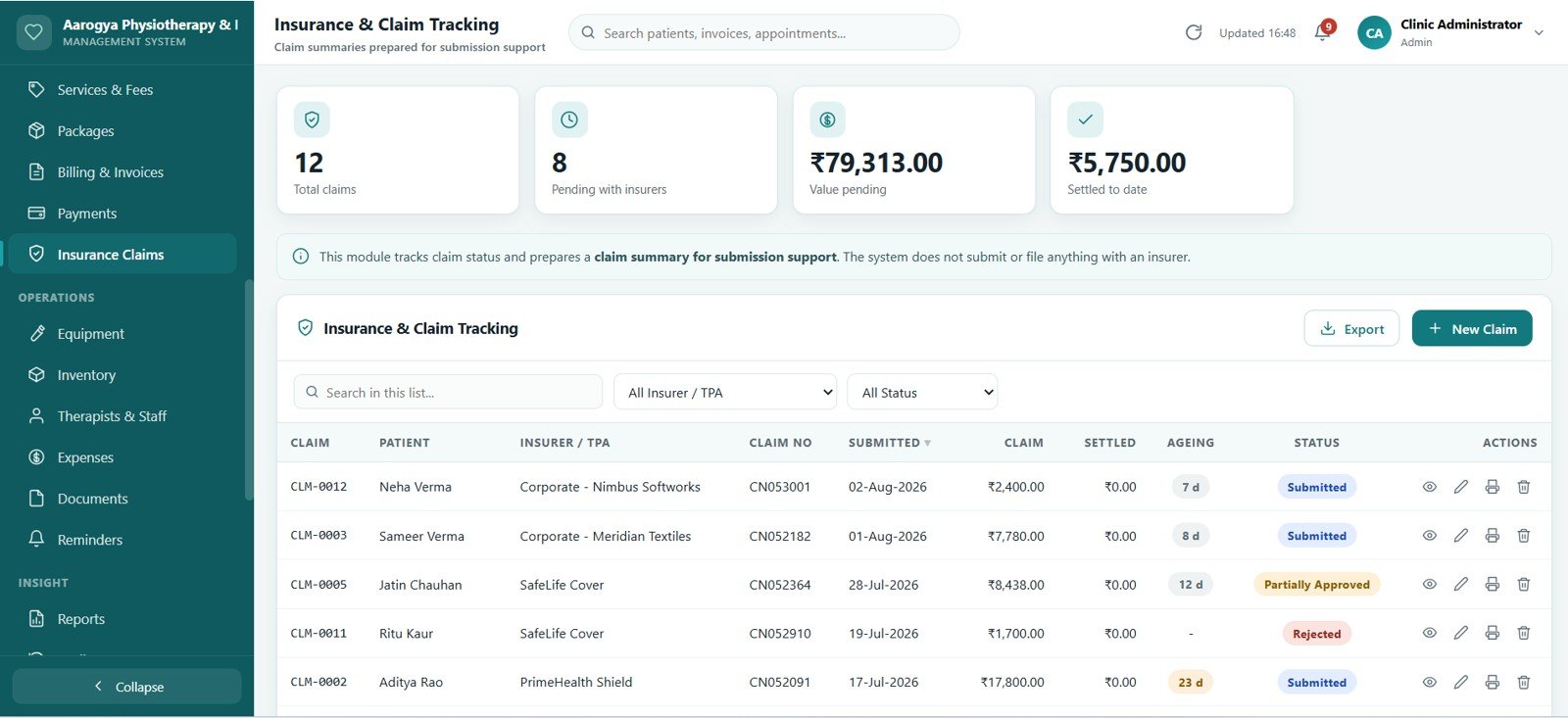
18. Insurance & Claim Tracking
A claim register holding policy details, claimed value, approved amount, patient payable and ageing, with a status history for every claim. Outputs are prepared as claim summaries for submission support.
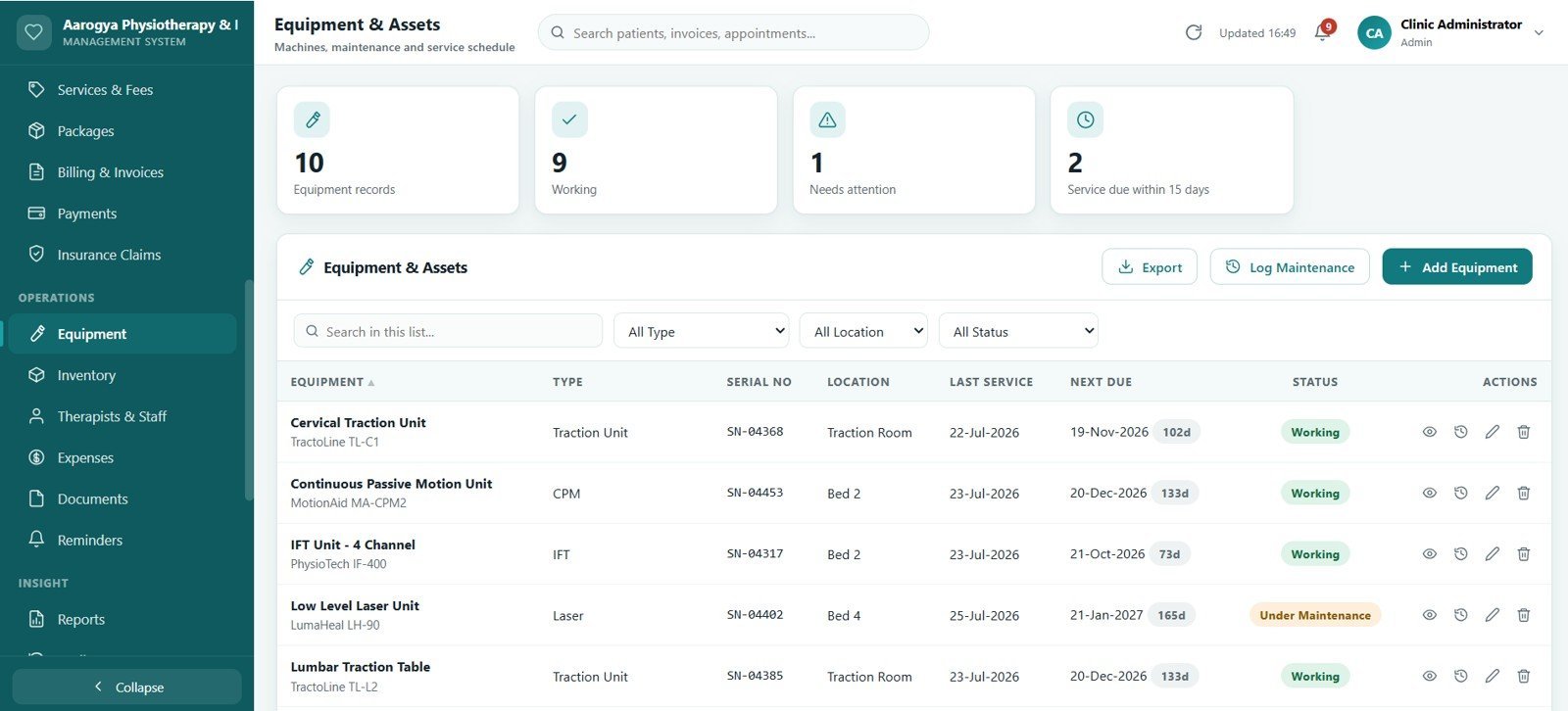
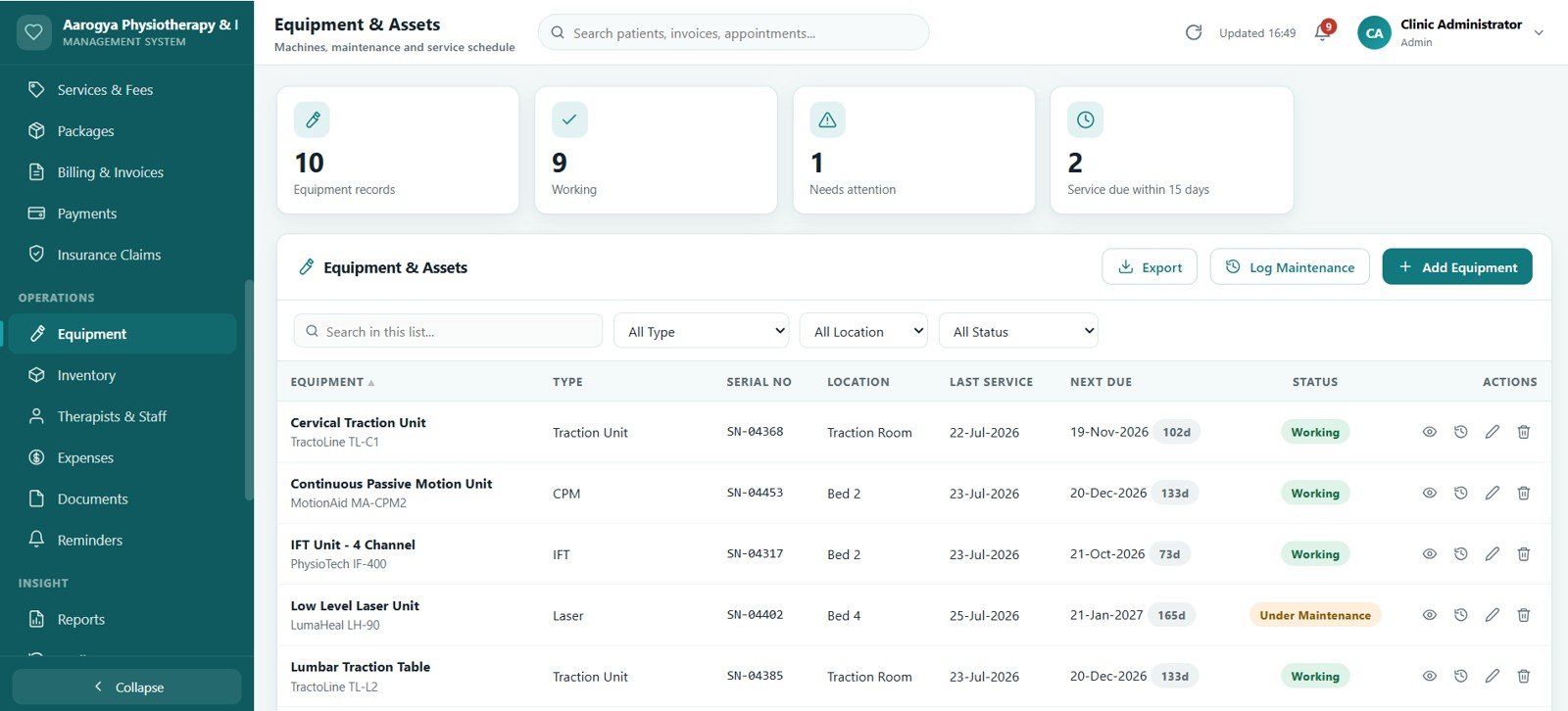
19. Equipment & Assets
Machines and clinic assets with purchase details, warranty dates, service intervals and a maintenance log that flags equipment due for servicing.
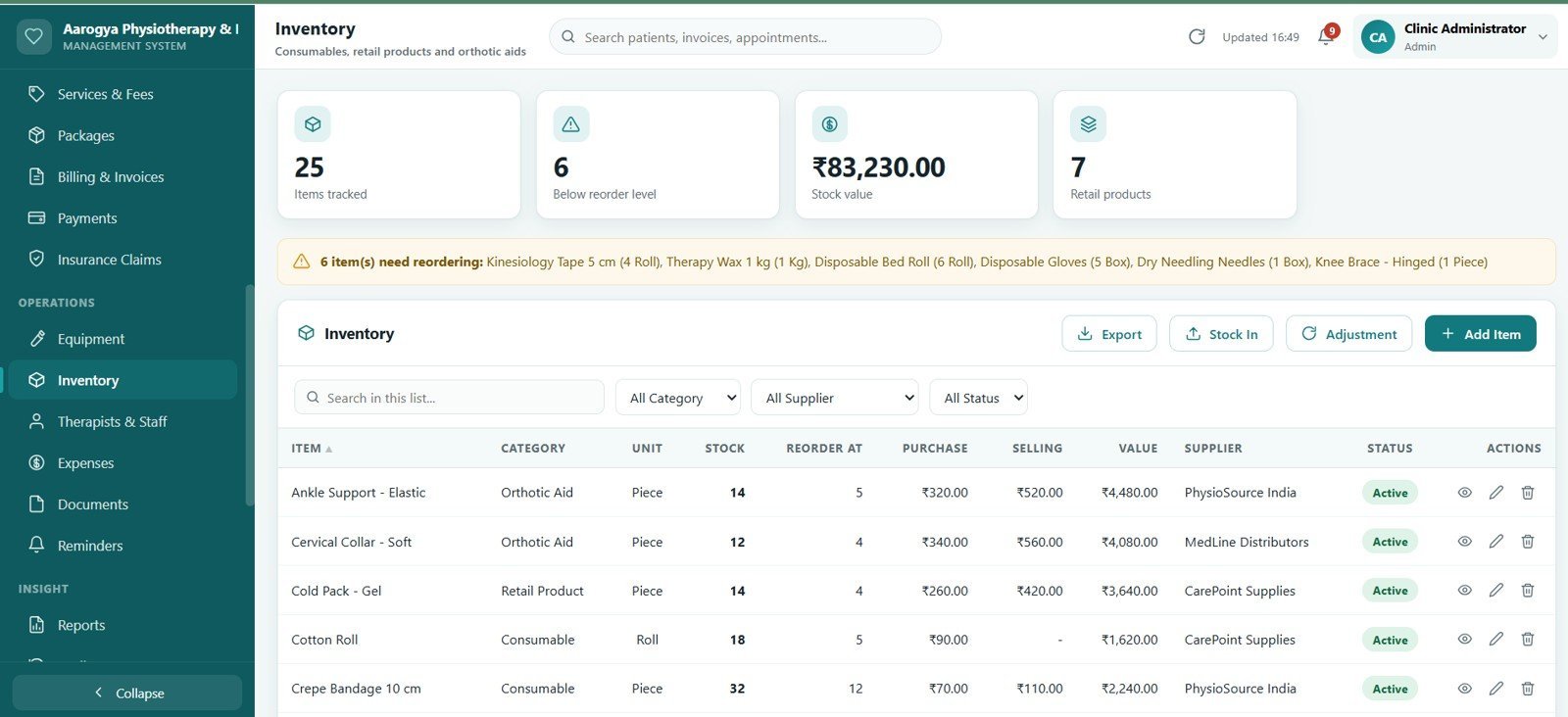
20. Inventory
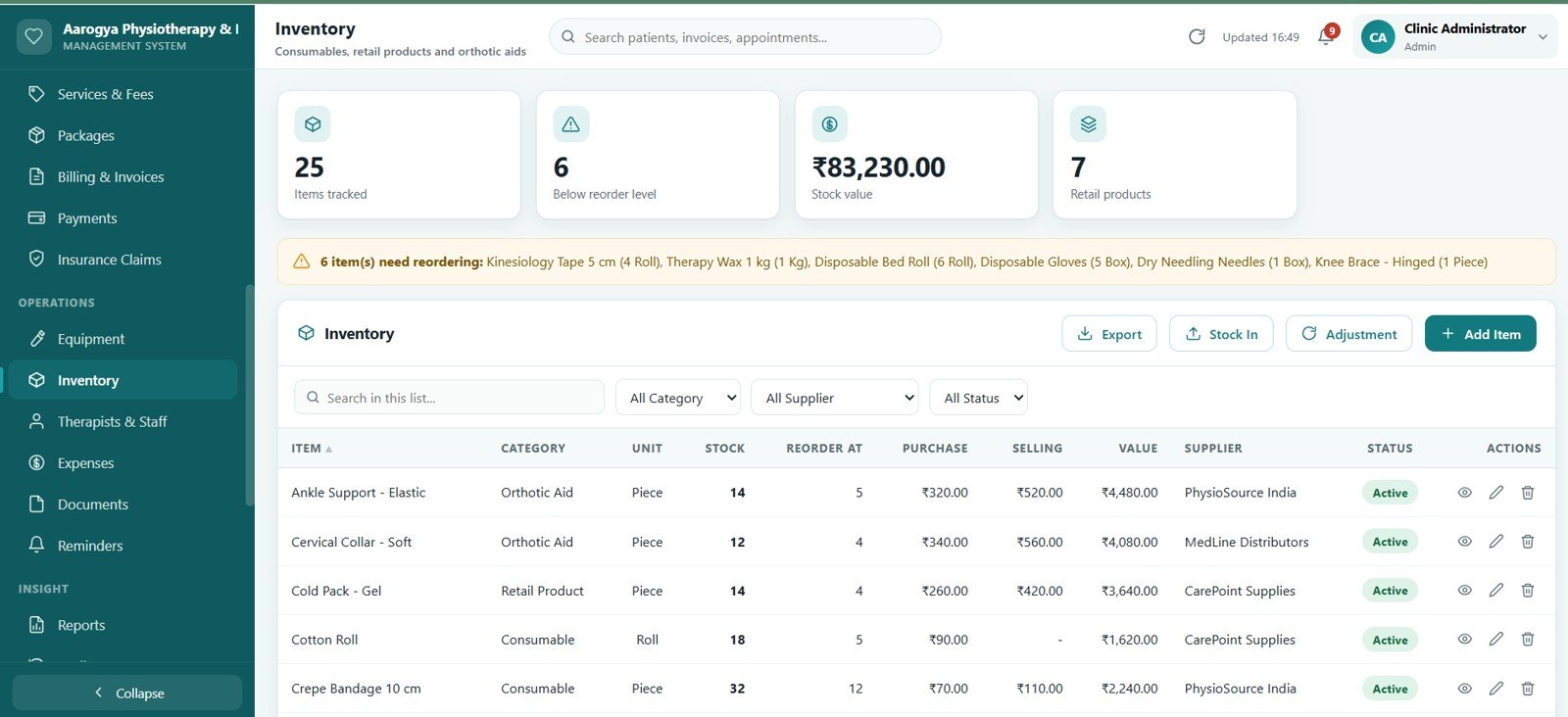
Consumables, retail products and orthotic aids with a full stock movement ledger. Opening balance, receipts, issues and sales reconcile to the current stock figure, and low-stock items are highlighted.
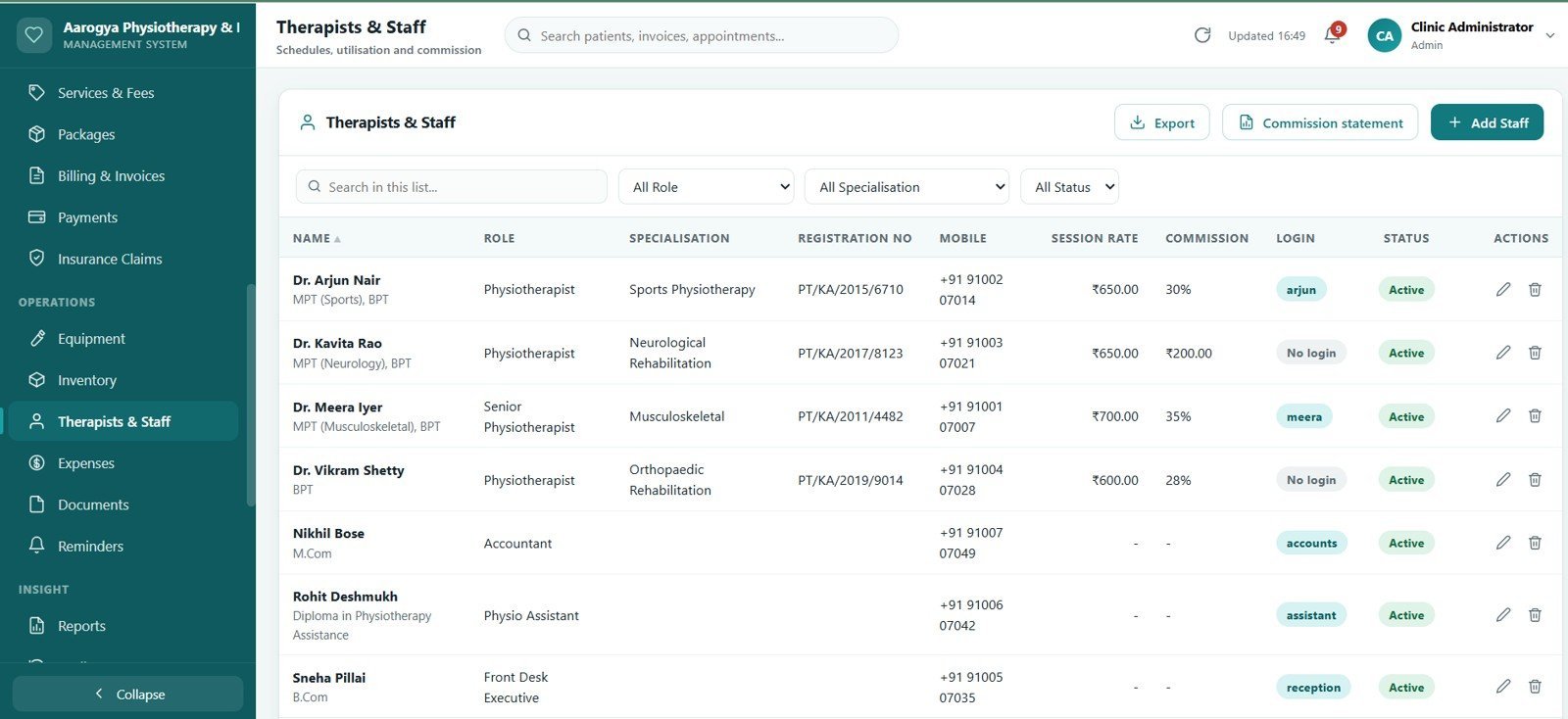
21. Therapists & Staff
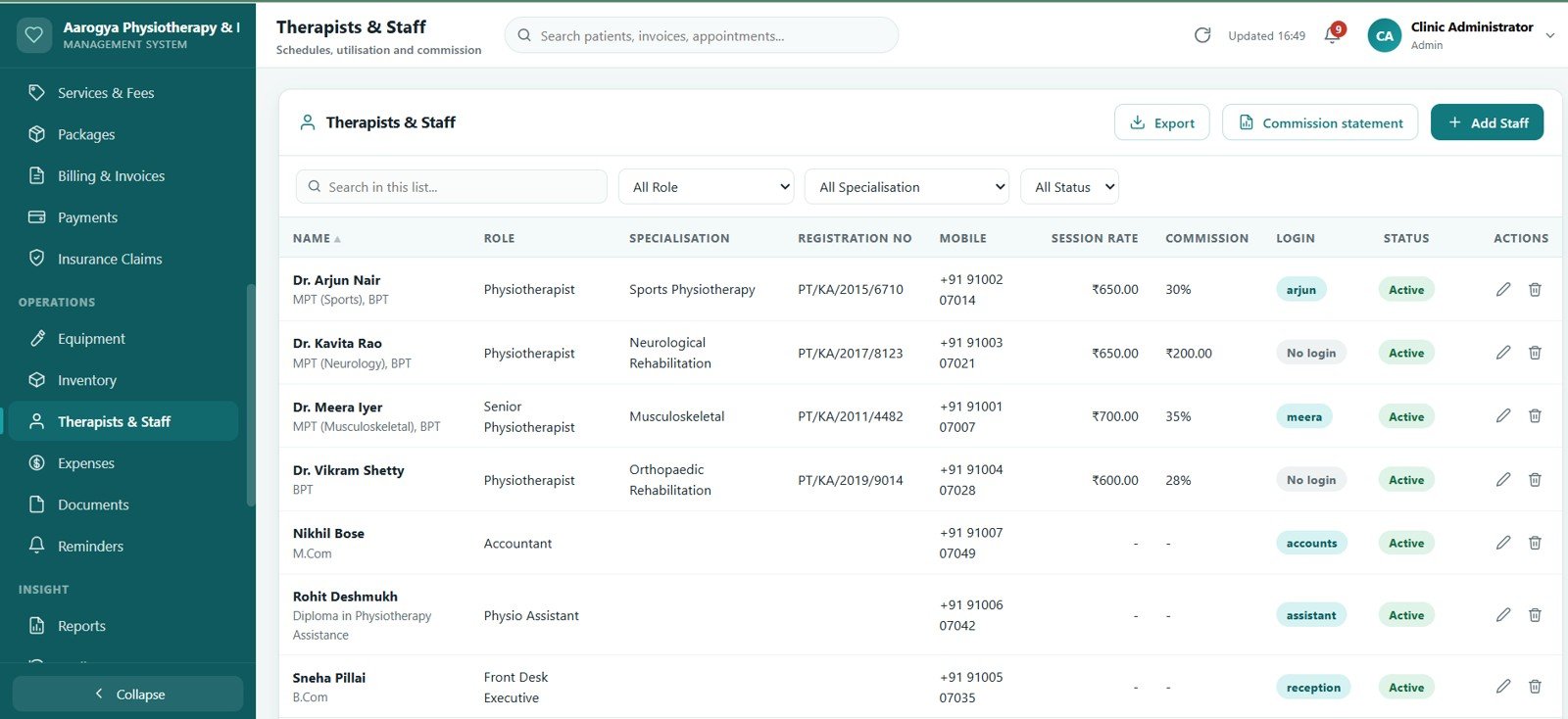
Staff records with specialisation, working days, shift timings, utilisation and commission on delivered sessions, so therapist workload and payout are both visible.
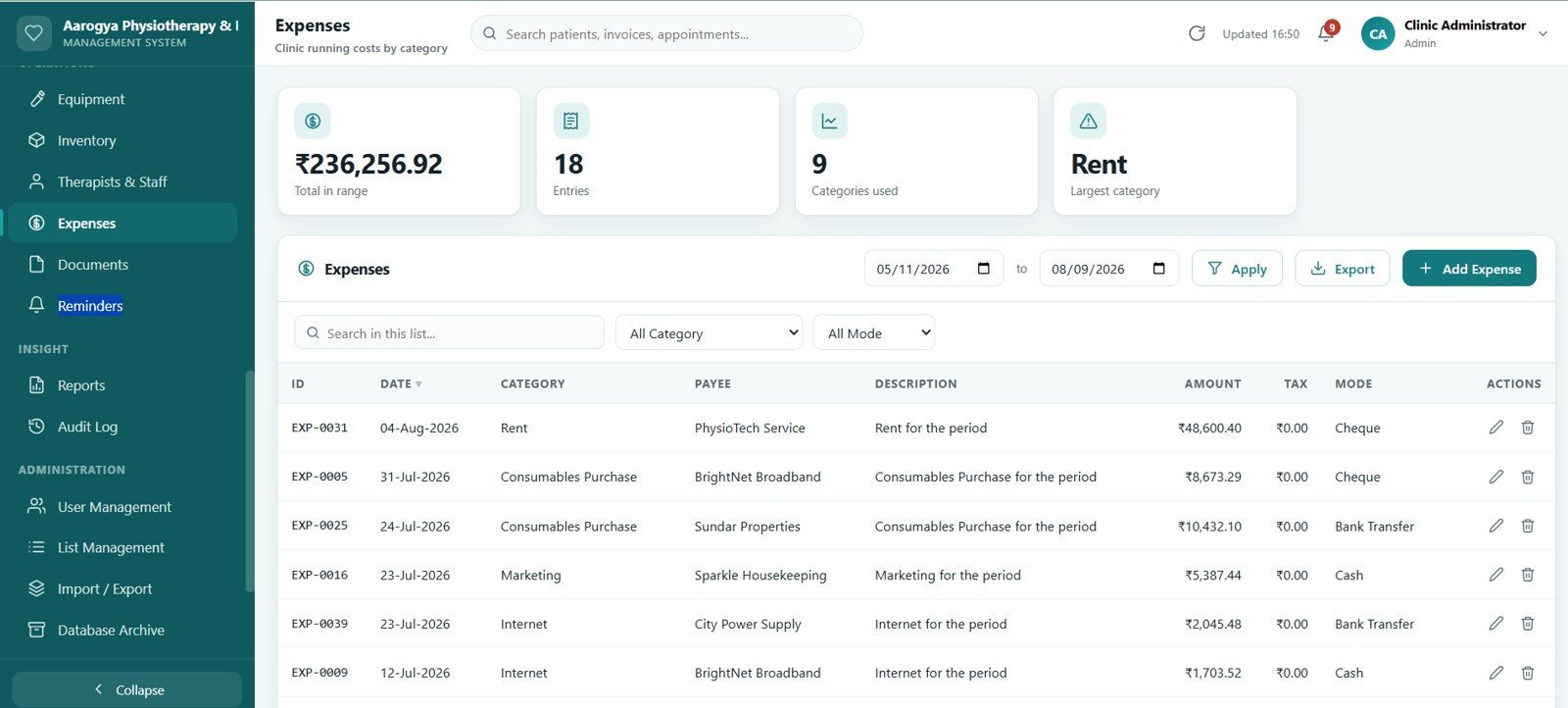
22. Expenses
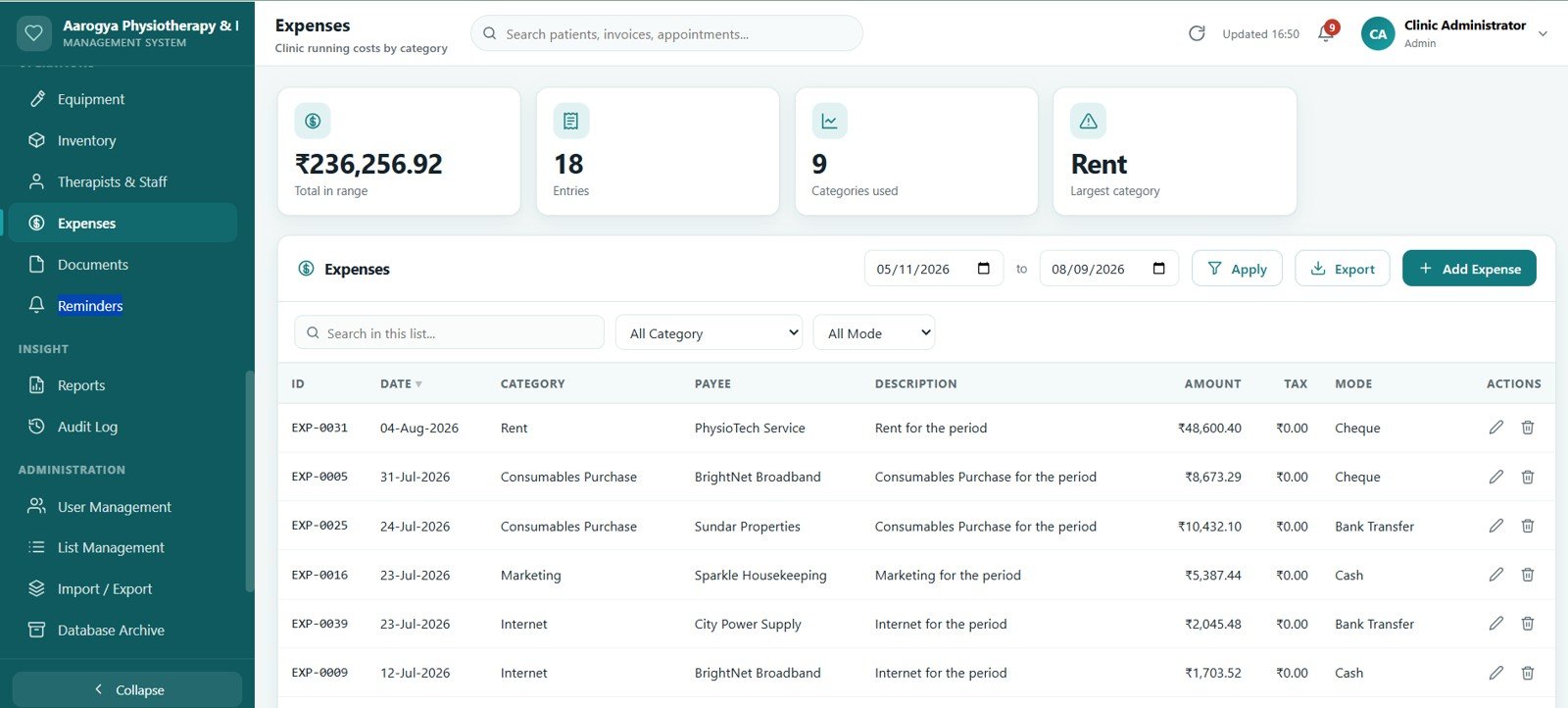
Clinic running costs recorded by category and payment mode, feeding the income-versus-expense report so the practice sees profit rather than just revenue.
23. Documents
Referral letters, scan reports, consent forms and images stored in a Google Drive folder created by the app and linked to the patient record they belong to.

24. Reminders & Notifications
Daily call lists for tomorrow’s appointments, expiring packages, overdue invoices and pending claims, with editable message templates so the front desk sends a consistent message.
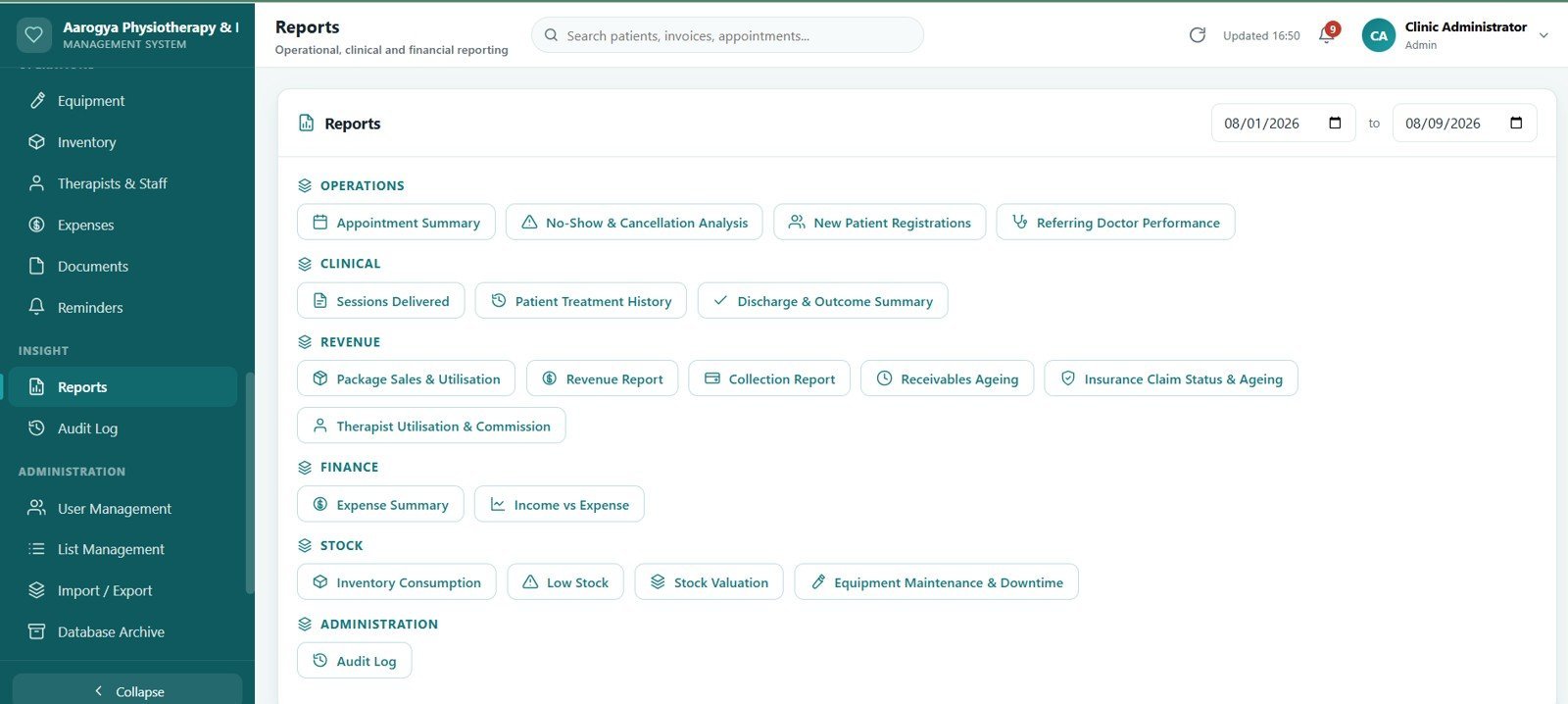
25. Reports
Twenty report types across operations, clinical work and finance — appointment summary, no-show analysis, new patients, sessions delivered, treatment history, referring doctor, package sales, revenue, collection, receivables, claims, therapist commission, expense, income versus expense, inventory consumption, low stock, stock valuation, equipment maintenance, discharge and audit log. Every report exports to CSV.
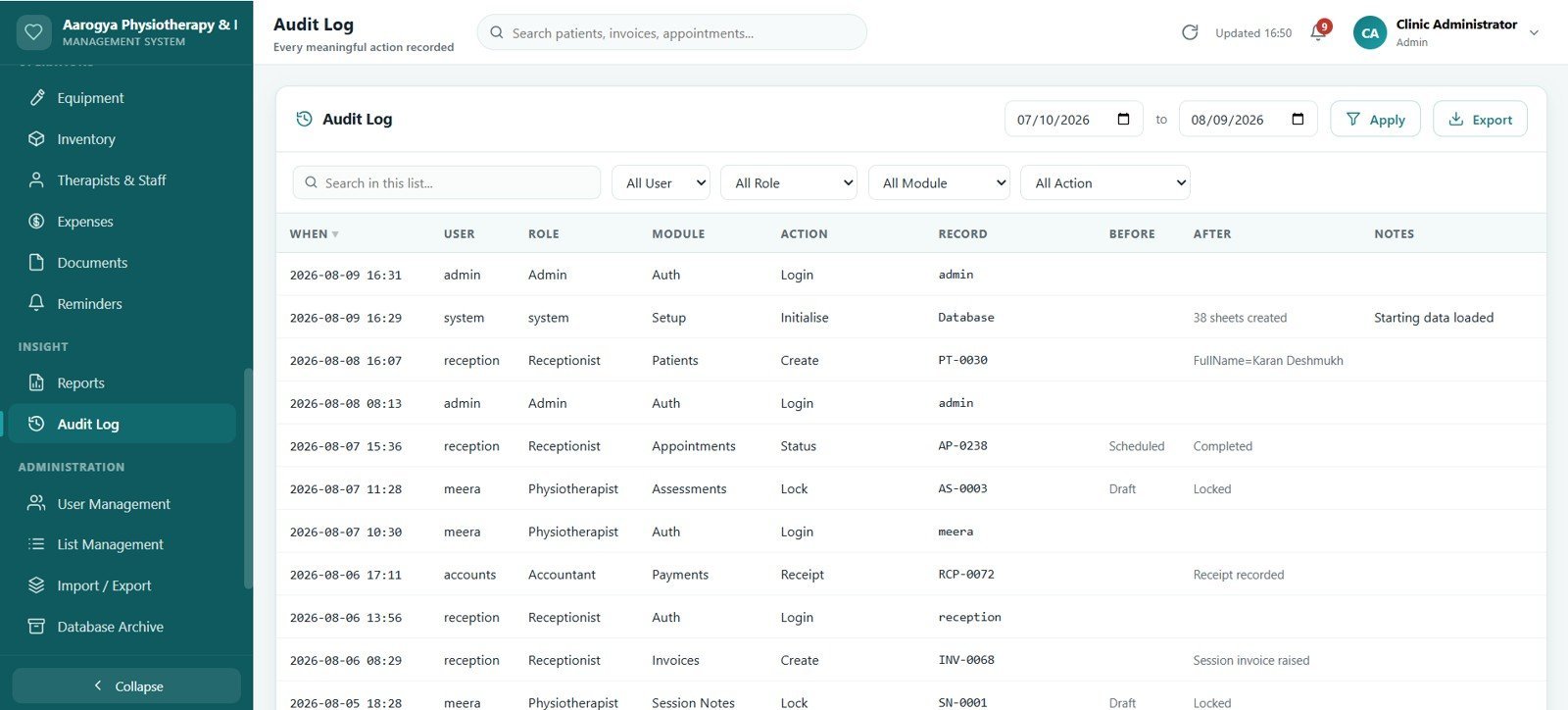
26. Audit Log
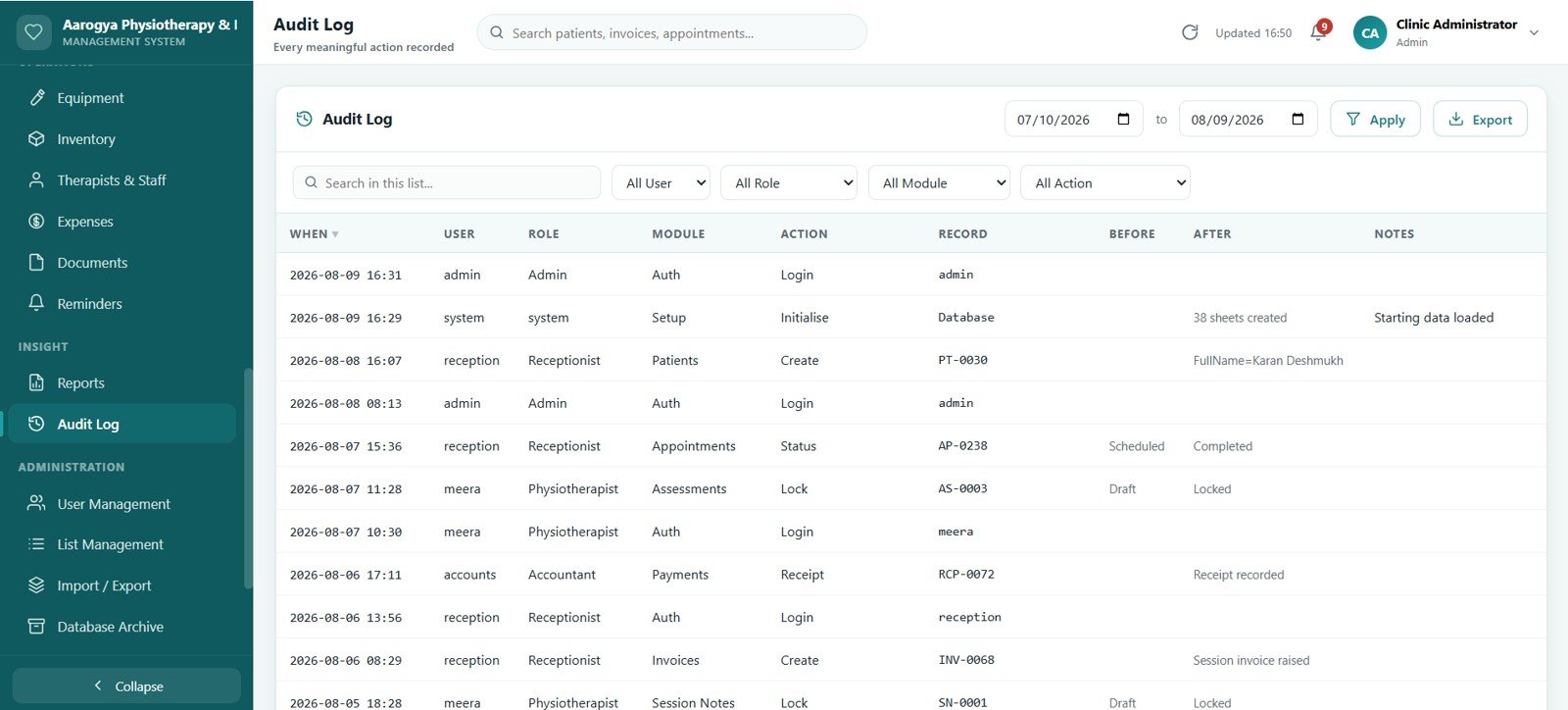
Every meaningful action — logins, record changes, invoice edits, voids, refunds and permission changes — recorded with user, timestamp and detail, filterable by user, module and date range.
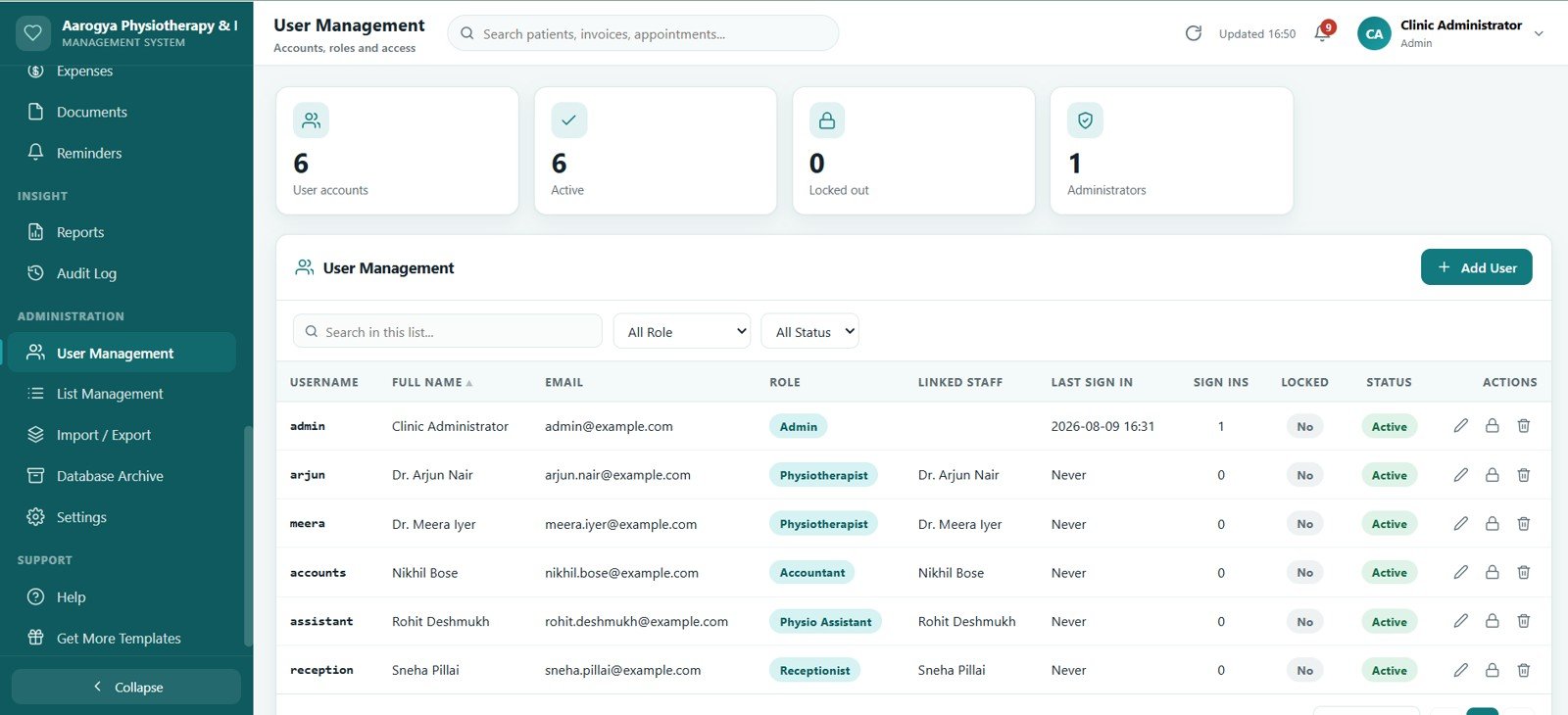
27. User Management
Accounts, roles and access for Admin, Physiotherapist, Receptionist, Physio Assistant and Accountant. Permissions are enforced on the server for every request, not just hidden in the menu.
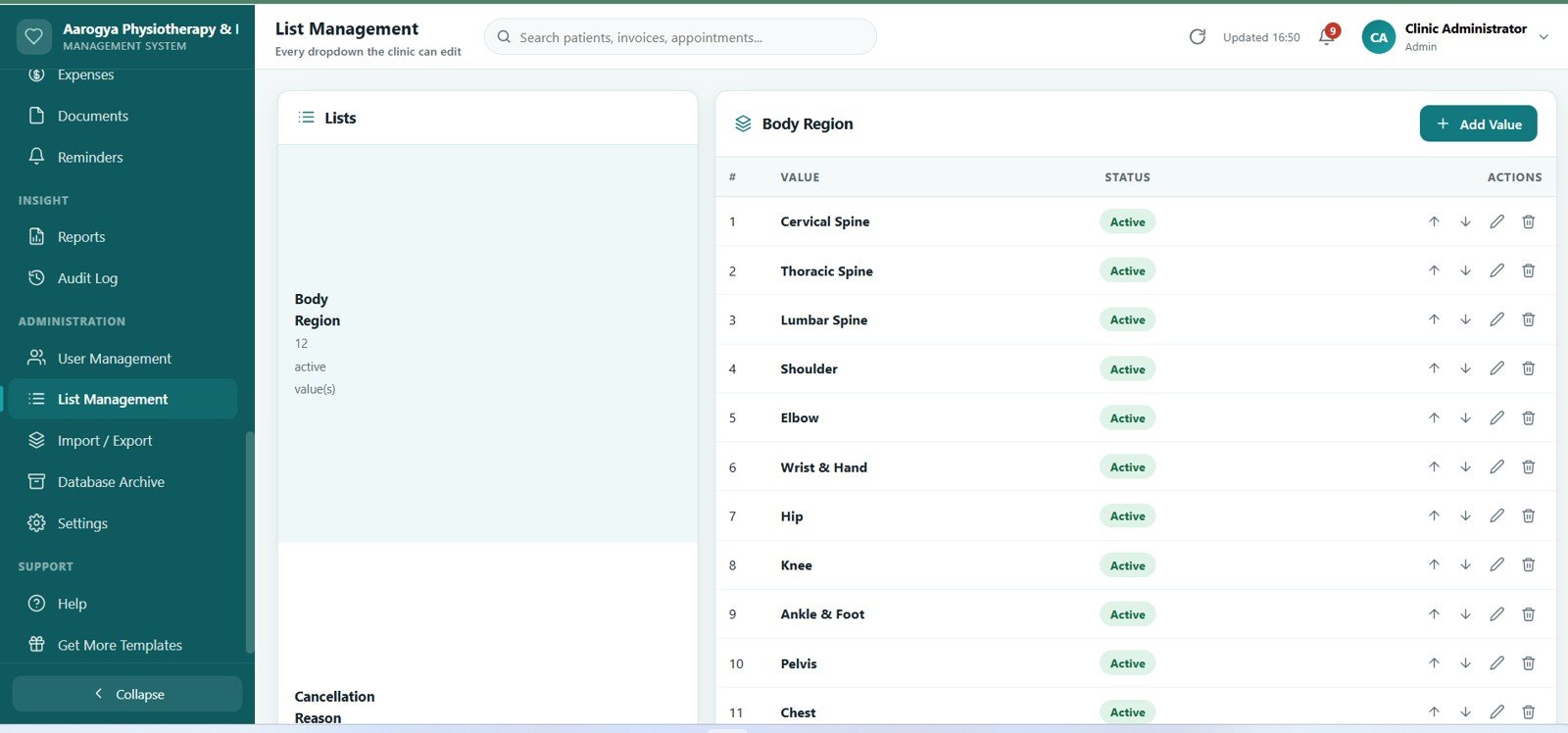
28. Settings
Clinic profile, logo, currency, tax rate, invoice and receipt numbering, appointment slot length, working days, reminder rules and print sizes — all configurable without touching code.
📊 Physiotherapy Clinic Management System Web App vs. Excel VBA Physiotherapy System vs. Paid Physio Practice SaaS — Where This Fits
| Feature | Physiotherapy Clinic Management System Web App | Excel VBA Physiotherapy System | Cliniko / Jane App / PtEverywhere |
|---|---|---|---|
| Cost | $39.99 one-time ✅ | $6–$40 one-time | $45–$195 per month |
| Platform | Google Apps Script web app on your own Google account ✅ | Windows Excel with macros enabled | Vendor-hosted cloud |
| Setup time | About 10 minutes ✅ | Under 5 minutes | Days, often with paid onboarding |
| Real-time team access | Yes, unlimited staff logins ✅ | One machine at a time | Yes, billed per practitioner |
| Mobile and tablet access | Yes, opens in any phone or tablet browser ✅ | No | Yes |
| Assessments, ROM and outcome measures | Included, with progress charting ✅ | Rarely included | Yes, on higher tiers |
| Session packages with automatic credit deduction | Included ✅ | Manual tracking | Yes, on higher tiers |
| Customisable fields, dropdowns and branding | Yes, via List Management, Settings and full source code ✅ | Yes, with VBA editing | Limited to vendor settings |
| Data ownership | Your Google Sheet, exportable any time ✅ | Your local file | Vendor database, export on request |
| Year-1 cost at 5 users | $39.99 ✅ | $6–$40 | $2,700–$11,700 |
For a physiotherapy or rehabilitation practice that wants multi-user scheduling, clinical notes, package billing and insurance tracking without a per-seat monthly bill, the Physiotherapy Clinic Management System Web App sits in the sweet spot.
👥 Who This Template Is For — and Who It’s Not For
✅ This template is built for:
- Solo physiotherapists and clinics with 1–15 therapists still running on paper cards, WhatsApp bookings or a shared spreadsheet
- Rehabilitation centres and sports injury clinics that sell session packages and want credits deducted automatically instead of counted by hand
- Practices that take insurance and need claimed value, approved amount, patient payable and ageing on every claim in one place
- Chiropractic, osteopathy, occupational therapy and speech therapy practices that need the same appointment, notes and billing flow
- Front desk teams who want Day and Week booking views and a live session queue on a tablet with nothing to install
- Clinic owners who want the full Google Apps Script source so they can rename modules, add fields and keep the data on their own Google account
❌ This template is not for:
- Hospitals needing a certified electronic health record with statutory clinical coding — this is a practice record-keeping tool, not an EHR
- Teams that need direct electronic claim submission to an insurer or payer gateway; the app prepares claim summaries for submission support, it does not transmit them
- Anyone expecting clinical decision support — the app records what the therapist enters, it does not diagnose or recommend treatment
- Organisations that cannot use Google Workspace or a Google account for data storage
- Multi-branch groups needing 50+ concurrent users on a shared database; Google Sheets is the right size for a single practice, not an enterprise chain
⚙️ How to Use the Physiotherapy Clinic Management System Web App
- Download and open the files. The download contains the Apps Script code file, the interface file and a login details file.
- Create the script project. Open script.google.com, create a new project, paste in the code file and add the interface file as an HTML file named Index.
- Run the setup. Run the setup function once. It builds the 38-sheet Google Sheets database, the Drive folder for documents, the user accounts and a full demonstration dataset.
- Deploy as a web app. Deploy → New deployment → Web app, execute as yourself, and copy the URL. The step-by-step deployment video is linked below and included in the download.
- Sign in and change the passwords. Use the credentials in the login details file, then change every password from User Management before the clinic starts using it.
- Set up your clinic. On Settings, enter the clinic name, logo, currency, tax rate, invoice numbering, slot length and working days. On Services & Fees, enter your own treatment list and prices.
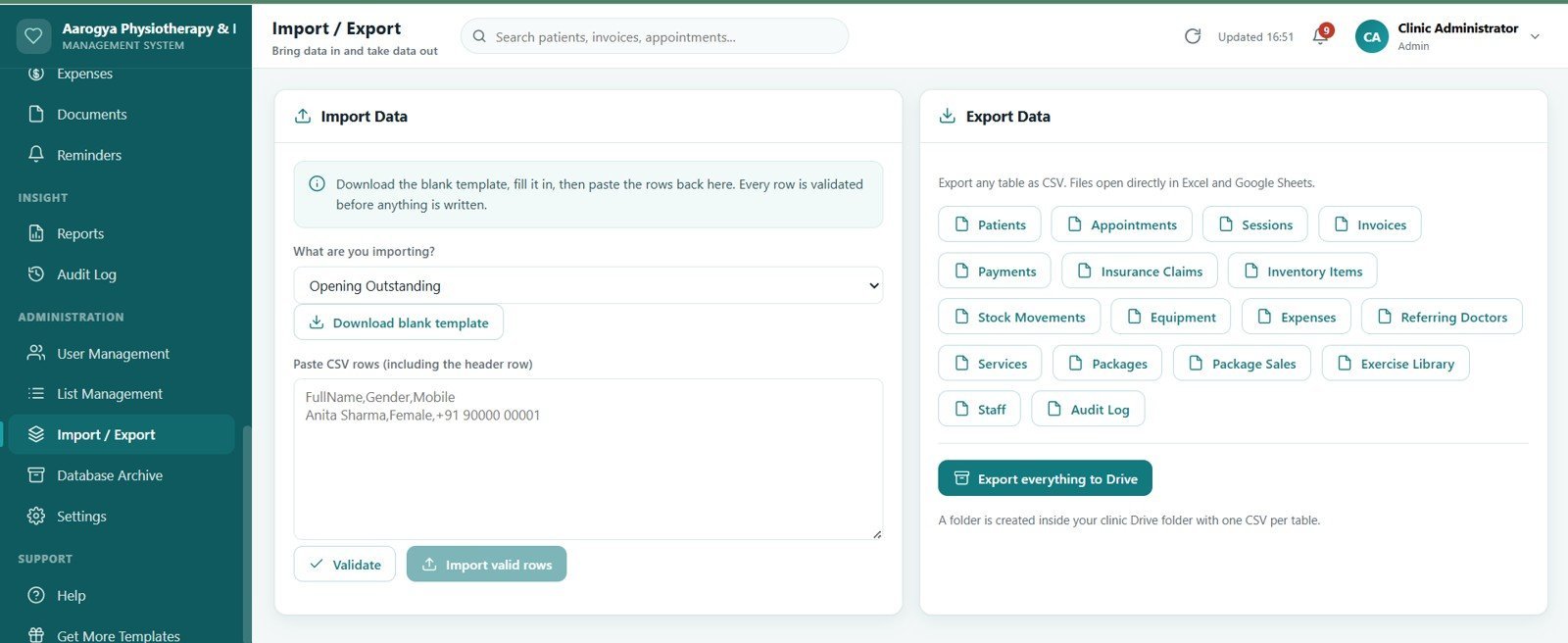
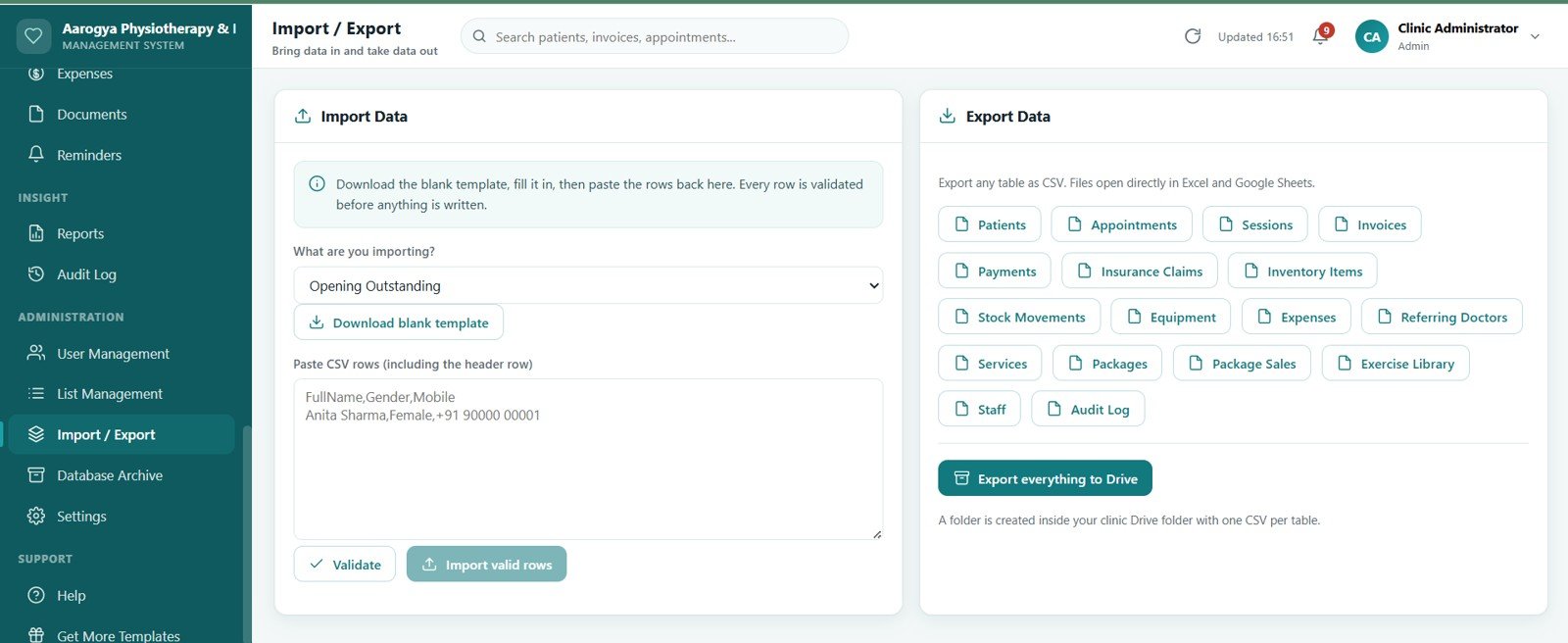
- Clear the demo data and go live. Use Import / Export to bring in your patient list, then start booking. Every dropdown in the app is editable from List Management.
💼 Real-World Use Cases
🩺 A solo physiotherapist replacing a paper diary. Bookings, session notes and receipts move into one app that opens on the phone between patients, and the day ends with a printed cash-up instead of a mental tally.
🏥 A four-therapist rehabilitation centre. Each therapist sees only their own queue and notes, the receptionist books and collects, the accountant sees invoices and claims, and the owner sees all 14 KPIs on one dashboard.
🏃 A sports injury clinic selling packages. Ten-session packages are sold at the front desk, credits fall automatically as sessions are billed, and the expiring-package alert catches the ones about to lapse unused.
📋 A practice that takes insurance work. Every claim carries policy number, claimed value, approved amount, patient payable and ageing, so the follow-up list writes itself instead of living in someone’s notebook.
🤝 A clinic built on doctor referrals. The referring doctor register shows exactly which sources send patients and what they are worth, which turns relationship-building into something measurable.
❓ Frequently Asked Questions
What does the Physiotherapy Clinic Management System Web App actually include?
It includes 27 modules across 28 screens, a 38-sheet Google Sheets database, five user roles, 20 built-in reports, 14 dashboard KPIs, thermal and A4 printing, a database archive tool, import and export, and a full demonstration dataset so every screen has data on first sign-in. The complete Google Apps Script source code ships with it.
Do I need coding knowledge to install it?
No. You copy two files into a new Google Apps Script project, run the setup function once and deploy as a web app. It takes about 10 minutes and the step-by-step deployment video walks through every click. Editing the code is optional, not required.
How does this compare to Cliniko, Jane App or PtEverywhere?
Those are subscription platforms charging roughly $45–$195 per month, usually per practitioner. This is a one-time purchase that runs on your own Google account, with the source code included and the data in your own Google Sheet. It does not offer a patient-facing online booking portal or direct electronic claim submission, so it suits practices that book internally and want to own their system outright.
Can several staff members use it at the same time?
Yes. There is no per-user charge and no seat limit. Each person signs in with their own account, and the five roles — Admin, Physiotherapist, Receptionist, Physio Assistant and Accountant — control what each one can see and do. Permissions are enforced on the server for every request.
How do session packages and credits work?
You define packages on the Packages screen, sell one to a patient, and the credits are deducted automatically when a session is billed on an invoice. The screen shows sessions used, sessions remaining and expiry, and flags packages expiring within 15 days or running low.
Does it handle insurance claims?
It records and tracks them. Each claim holds the policy number, claimed value, approved amount, patient payable, ageing and a full status history, and it prints a claim summary for submission support. It does not transmit claims electronically to an insurer or payer gateway.
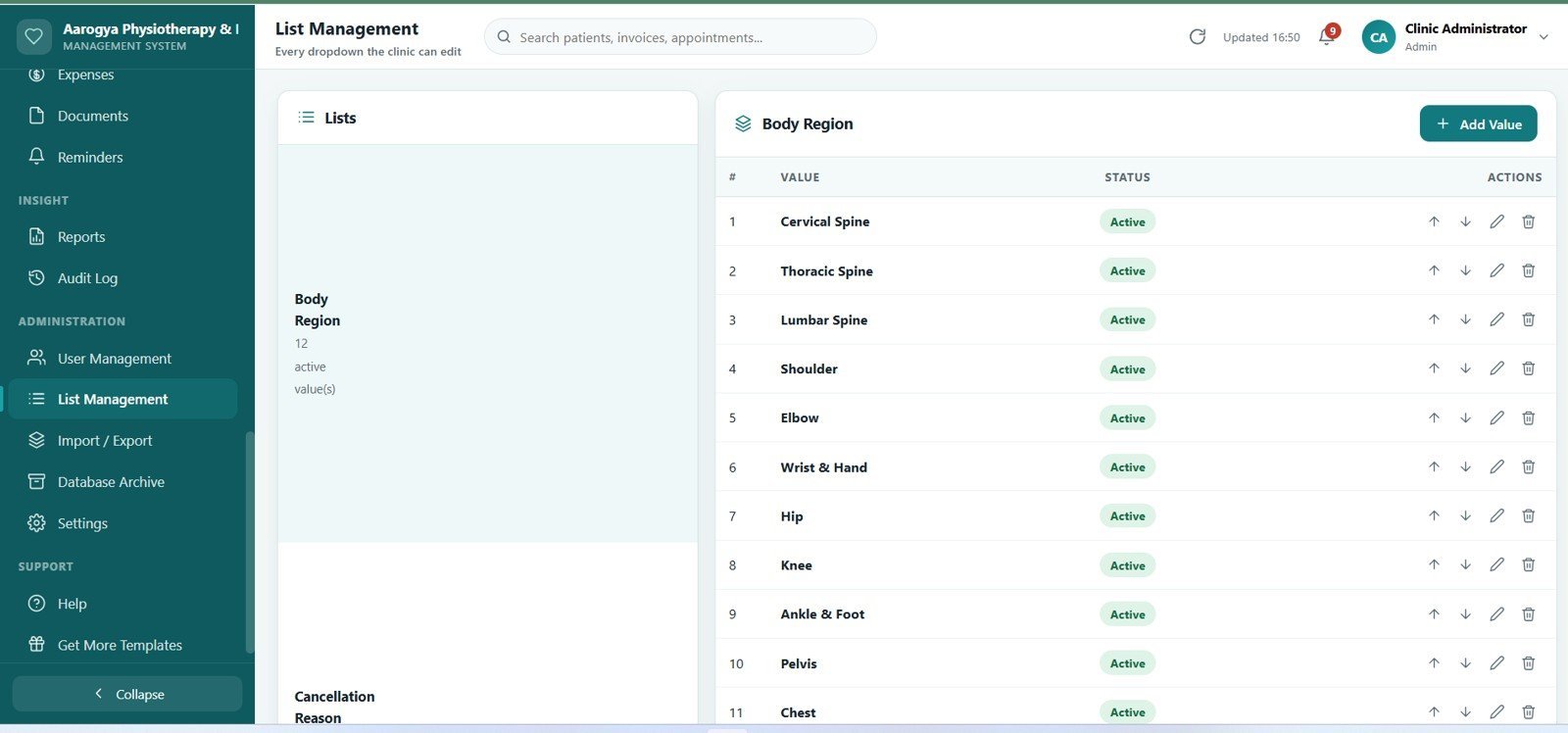
Can I change the fields, dropdowns and clinic branding?
Yes. Every dropdown in the app is editable from List Management without touching code. Clinic name, logo, currency, tax rate, invoice and receipt numbering, appointment slot length, working days and print sizes are all on the Settings screen. For deeper changes, the full Apps Script source is included.
Will it slow down as the clinic grows?
Screens load their data on demand rather than all at once, and reads and writes are batched. When the database gets large, the Database Archive tool moves closed records older than a chosen cut-off into a separate archive spreadsheet in one action, so the live database stays light and the history stays readable.
👤 About the Author
Built by PK — Microsoft Certified Professional with 15+ years of Excel, Google Sheets and Power BI experience. Founder of NextGenTemplates, reaching 300K+ subscribers across YouTube channels (@PK-AnExcelExpert, @NextGenTemplates, @NeoTechNavigators). Every template is hand-built and tested before release Physiotherapy Clinic Management System Web App.
🔗 Explore Related Templates
🔹 Therapy Center Management System Web App — the same appointment, session notes and package structure tuned for therapy and counselling centres.
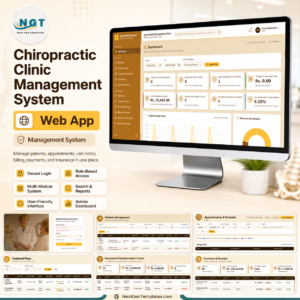
🔹 Chiropractic Clinic Management System Web App — the chiropractic version, with spinal region tracking and SOAP visit notes.
🔹 Physiotherapy and Rehabilitation Dashboard in Excel — a reporting-only option if you already have a booking system and just need the analytics layer.
🔹 Rehabilitation Center KPI Scorecard in Excel — a monthly scorecard for tracking clinic performance against targets.
🔹 Healthcare Administrator Toolkit – 9 Premium Templates — the full administration bundle if you manage more than the clinical side.
Browse more Web App Templates or explore our Google Sheets Dashboards.
📖 Click here to read the Detailed Blog Post
Watch the step-by-step deployment video:
🎥 Visit our YouTube channel for step-by-step video tutorials
👉 YouTube.com/@NextGenTemplates
Watch the demo video:
Last updated: August 2026

























Reviews
There are no reviews yet.