

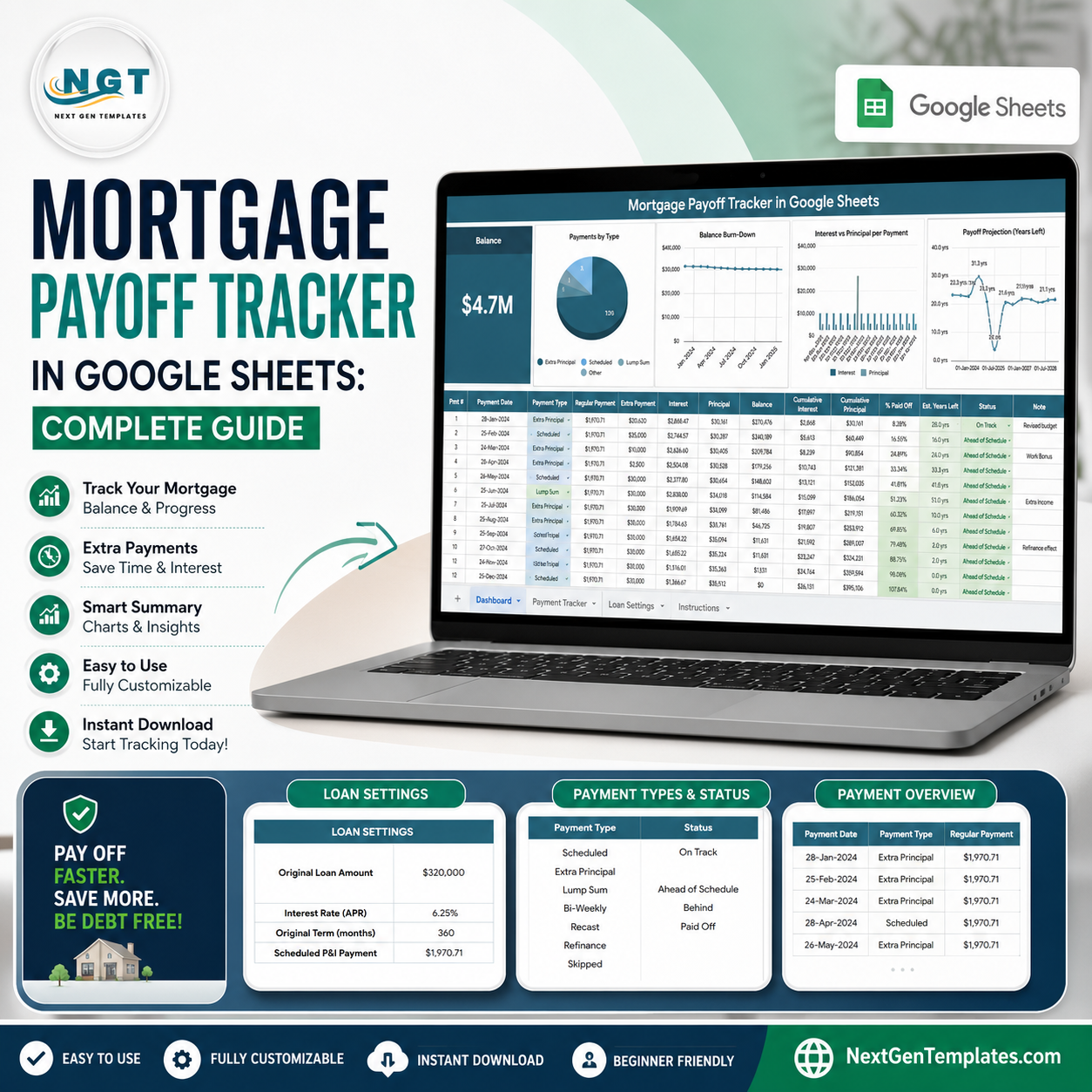

A 30-year mortgage can span 360 scheduled payments, making small changes difficult to judge from a lender statement alone. The Mortgage Payoff Tracker in Google Sheets turns that long timeline into one balance card, four payoff charts, and a reusable payment log. NextGenTemplates is built by a Microsoft Certified Professional whose channels reach 300K+ subscribers. Pay once, keep your editable copy, and avoid subscription or per-user fees. Use it for planning and record-keeping; it does not replace lender statements, tax advice, or regulated financial guidance.
Key Features of Mortgage Payoff Tracker in Google Sheets
- Balance card: See the latest remaining mortgage balance at the top of the overview.
- Four visual analyses: Review payment mix, balance movement, principal versus interest, and estimated years left.
- Flexible payment log: Record scheduled, extra, or other payment types with dates and status values.
- One-time setup: Enter the original amount, APR, term, and scheduled principal-and-interest payment once.
- Editable dropdown lists: Maintain payment type and status options without rewriting formulas.
- Google Sheets access: Open your copy in a browser and share it with a household member or adviser when appropriate.
What’s Inside the Mortgage Payoff Tracker in Google Sheets
1. Overview Page
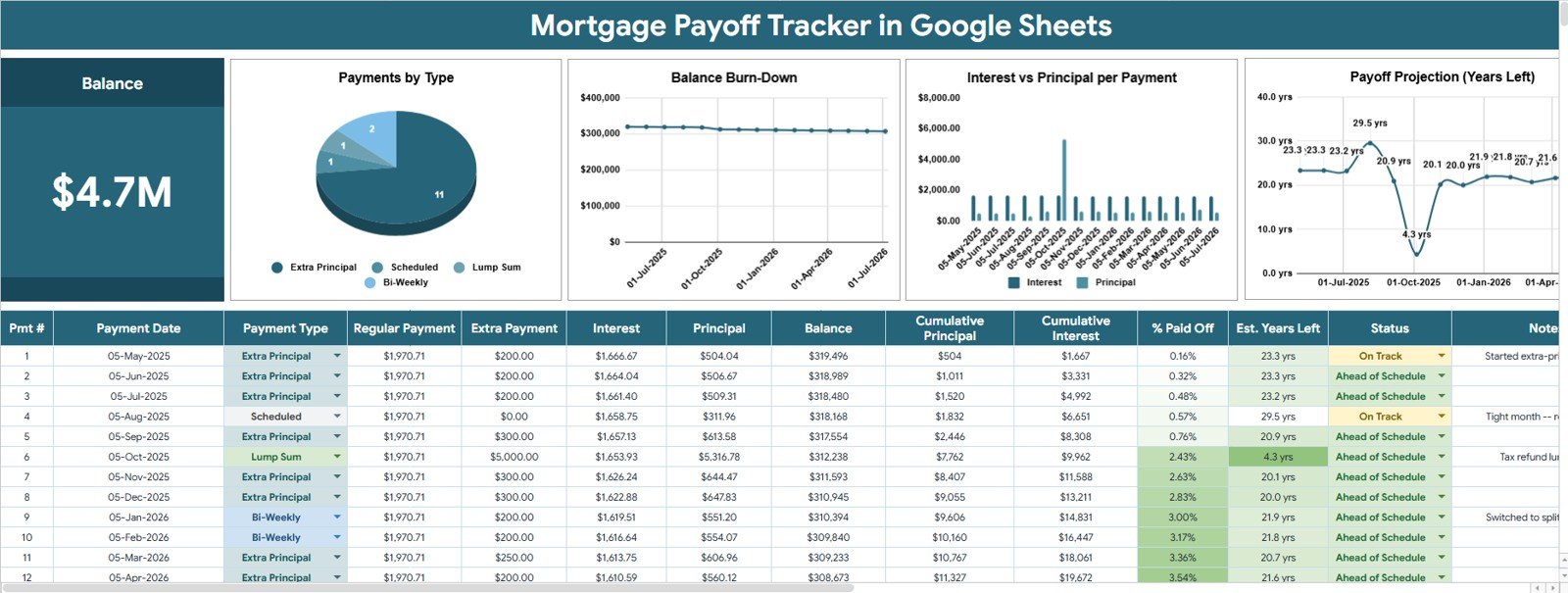
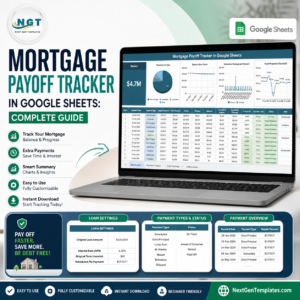
The Overview page places the Balance card above the analysis area so you can check the latest outstanding amount before studying payment details.
Payments by Type: Compares how recorded payments are distributed across the payment categories you maintain. It helps separate regular payments from extra-paydown activity.
Balance by Payment Date: Plots the outstanding balance across payment dates. Use the direction and pace of the line to see whether the mortgage is reducing as expected.
Interest and Principal by Payment: Shows how each payment is divided between interest and principal. It makes the changing cost composition easier to inspect over time.
Estimated Years Left by Payment Date: Tracks the remaining estimated payoff period as payments are logged. It provides a planning view of whether extra payments may be shortening the timeline.
 Mortgage Payoff Tracker in Google Sheets
2. Settings and Lists Tab
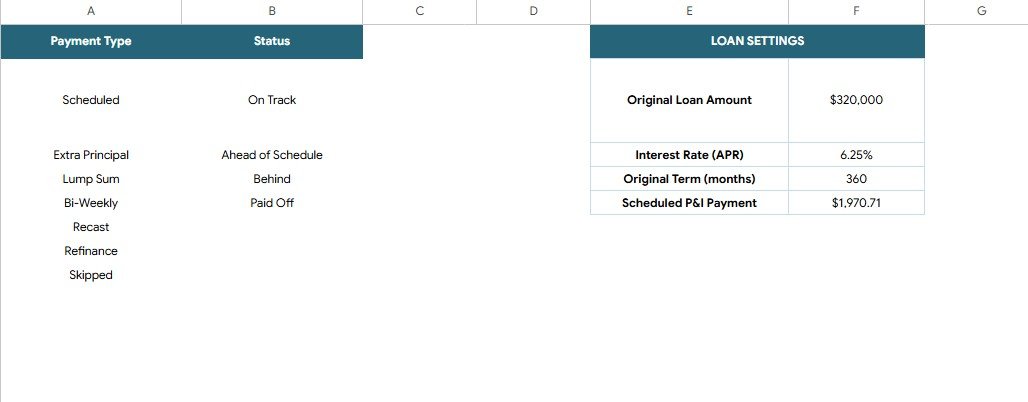
Enter the Original Loan Amount, Interest Rate (APR), Original Term (months), and Scheduled P and I Payment. The same tab contains editable Payment Type and Status lists used by dropdowns across the tracker.
 Settings and Lists tab
Mortgage Payoff Tracker in Google Sheets vs. Excel vs. Paid Finance SaaS – Where This Fits
| Feature | This Google Sheets tracker | Excel mortgage workbook | Paid finance SaaS |
|---|---|---|---|
| Cost | $6.99 one-time sale price | Separate workbook or license | Recurring subscription |
| Platform | Browser-based Google Sheets | Microsoft Excel | Vendor website or app |
| Setup time | Enter 4 core loan settings | Varies by workbook | Account setup and data connection |
| Real-time collaboration | Share through Google Drive | Depends on storage setup | Usually plan-dependent |
| Mobile access | Google Sheets app or browser | Excel app | Vendor app |
| Customizable fields | Yes, editable cells and lists | Usually | Often limited |
| Share with link | Yes | Cloud storage required | Plan-dependent |
| Year-1 cost at 5 users | $6.99 total | Depends on Microsoft licensing | Recurring fee; verify vendor pricing |
| Mortgage payoff visuals | 4 included | Build or buy separately | Varies by service |
Who This Template Is For – and Who It’s Not For
Good fit: homeowners tracking one mortgage, couples reviewing extra payments, financial coaches preparing a simple client discussion, and spreadsheet users who want an editable payoff record.
Not a fit: lenders servicing multiple loans, users who need an automatic bank feed, adjustable-rate modeling, escrow accounting, tax calculations, or a legally authoritative amortization statement.
How to Use the Mortgage Payoff Tracker in Google Sheets
- Open the PDF guide from your purchase and create your editable Google Sheets copy.
- Enter the four loan settings on the Settings and Lists tab.
- Review and edit the Payment Type and Status dropdown lists.
- Add each payment with its date, amount, type, and status in the tracker input area.
- Return to Overview to review the Balance card and four charts.
- Compare calculated values with your lender statement before making financial decisions.
Real-World Use Cases
Maya, a first-time homeowner, checks the Balance chart after each monthly payment and records occasional extra principal. Rohan and Priya, a household planning team, review the principal-interest split before deciding how much cash to reserve. Elena, a financial coach, uses a separate copy during client planning sessions while reminding clients to verify lender figures.
Frequently Asked Questions
Does the tracker work with extra mortgage payments?
Yes. Add extra-payment options to the Payment Type list and log them separately. The charts then reflect the payment records entered in your copy.
Does it calculate principal and interest?
The template is designed to show principal and interest by payment using the loan settings and payment data. Always reconcile calculated amounts with your lender statement.
Can I change the payment type and status lists?
Yes. Both lists are editable on the Settings and Lists tab and support the dropdowns used across the tracker.
Can two people use the same tracker?
Yes. Google Sheets sharing lets you grant appropriate access to a spouse, co-owner, or adviser. You control permissions in Google Drive.
Is this an automatic bank-connected mortgage app?
No. It is a manually maintained spreadsheet and does not connect to a bank, lender portal, or credit-reporting service.
Will it support an adjustable-rate mortgage?
The supplied settings use one APR value. A changing-rate loan may require formula customization and should be checked against the lender’s schedule.
About the Author
Built by PK – Microsoft Certified Professional with 15+ years of Excel, Google Sheets, and Power BI experience. Founder of NextGenTemplates, reaching 300K+ subscribers across YouTube channels. Every template is hand-built and tested before release.
Explore Related Templates
- Loan EMI Repayment Tracker in Google Sheets
- Debt Payoff (Snowball) Tracker in Google Sheets
- Bill Payment Tracker in Google Sheets
- Personal Finance Net Worth Tracker in Google Sheets
Browse more Google Sheets templates and Google Sheets financial tools.
Start tracking your mortgage payoff today for $6.99. Create your editable copy, enter the four loan settings, and make each payment easier to understand.
Watch the step-by-step video Demo:
Last updated: July 15, 2026.
Compatibility and Requirements
- Works in Google Sheets. You need a free Google account and a web browser, or the Google Sheets app.
- The Payment Type and Status dropdowns are editable on the Settings and Lists tab. Google explains dropdowns in Create an in-cell dropdown list.
More Questions About This Template
Which settings do I enter first?
Open the Settings and Lists tab and enter the Original Loan Amount, Interest Rate (APR), Original Term (months) and Scheduled P and I Payment.
Which charts are on the Overview page?
The Overview page has a Balance card and four charts: Payments by Type, Balance by Payment Date, Interest and Principal by Payment, and Estimated Years Left by Payment Date.
Is there an Excel version?
There is no Excel edition of this exact tracker. For a similar payoff calculation in Excel, see the Debt Payoff Calculator Template in Excel.
Can I track a credit card or other debt too?
This template tracks one mortgage. For credit cards, use the Credit Card Payoff Tracker in Google Sheets.

























Reviews
There are no reviews yet.