

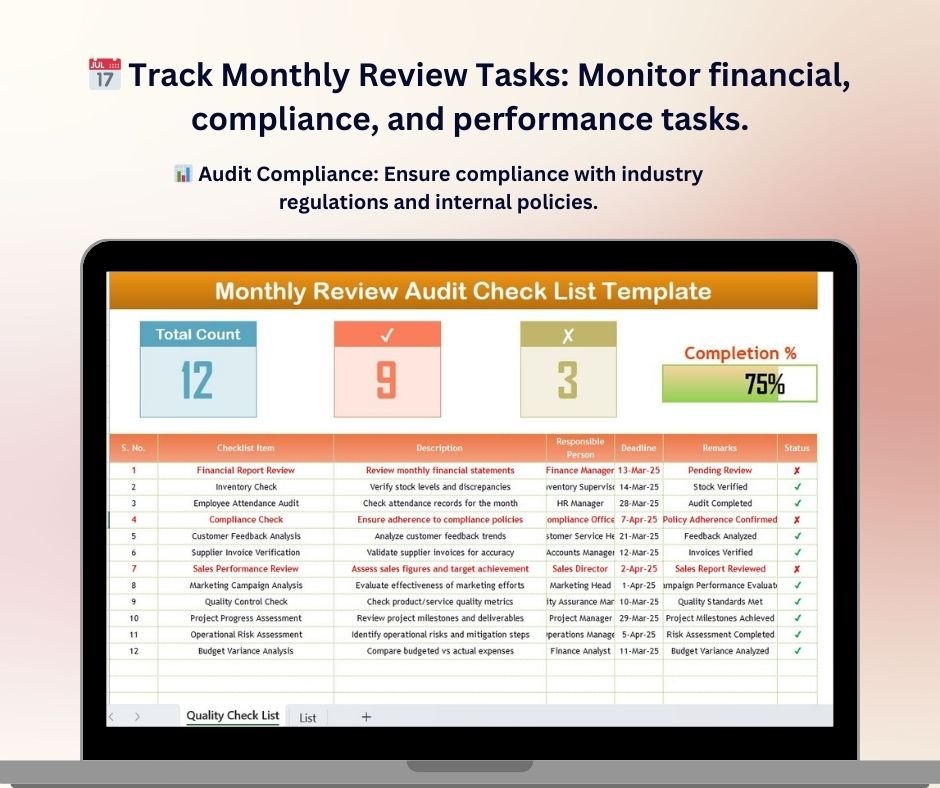

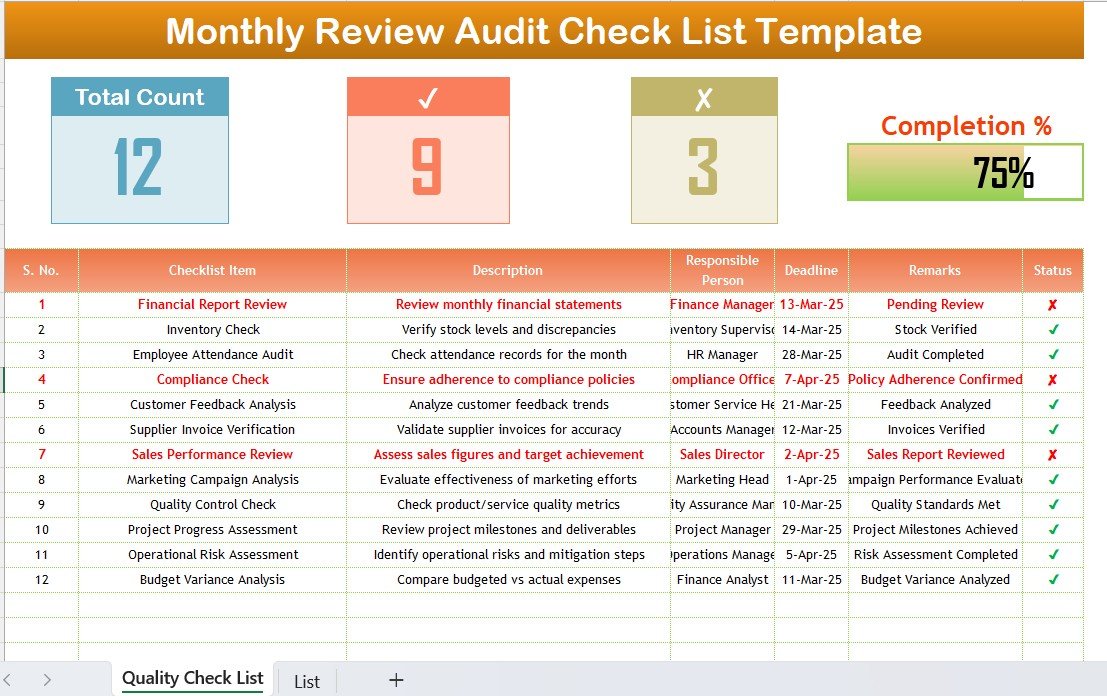
The Monthly Review Audit Checklist in Excel is a comprehensive tool designed for businesses and organizations to streamline their monthly review and audit processes. This Excel-based checklist helps you track and manage tasks, identify areas for improvement, and ensure compliance with industry standards and regulations.
Whether you’re conducting financial audits, performance evaluations, or compliance checks, this template helps you stay organized and on schedule. With its clear structure and customizable features, it allows businesses to perform efficient audits and reviews without missing critical steps.
Key Features of the Monthly Review Audit Checklist in Excel
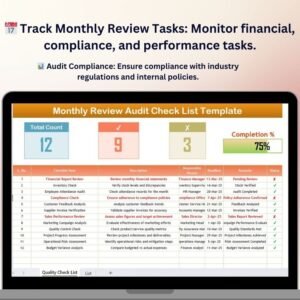
📅 Track Monthly Review Tasks
Monitor monthly tasks, including financial reviews, compliance checks, and performance evaluations. Ensure that all key aspects of your operations are reviewed and audited on time.
📊 Audit Compliance Monitoring
Ensure compliance with internal policies and external regulations by tracking audit tasks and deadlines. Keep a record of compliance actions taken and issues resolved.
📝 Task Completion Tracking
Easily mark tasks as completed, in progress, or pending with an intuitive checkbox system. Stay on top of critical review tasks and deadlines.
📈 Performance Review Metrics
Track performance metrics such as employee productivity, financial performance, and customer satisfaction. Use these insights to evaluate the effectiveness of your operations and identify areas for improvement.
💡 Action Items & Recommendations
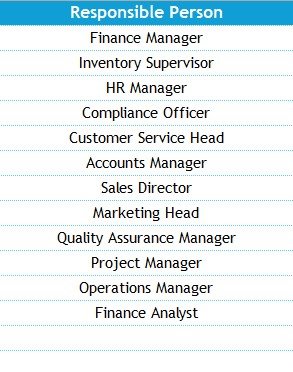
Record key findings, suggestions, and recommendations from your review and audit. Assign responsibilities for follow-up actions and monitor progress toward implementing improvements.
🖥️ Customizable & Interactive Layout
This Excel template is fully customizable to suit your specific auditing and review needs. Add, remove, or modify tasks based on the areas you need to audit and review each month.
Why You’ll Love the Monthly Review Audit Checklist in Excel
✅ Streamline Monthly Audits & Reviews
Organize your monthly review process and ensure that every task is completed on time, from performance checks to compliance audits.
✅ Improve Efficiency & Productivity
Track tasks efficiently and reduce errors or oversights with a simple yet effective task-tracking system.
✅ Ensure Compliance
Track audit tasks related to internal policies, legal requirements, and industry standards, ensuring that your business stays compliant and audit ready.
✅ Evaluate Performance
Monitor business performance metrics across various departments and functions, helping you identify areas for improvement.
✅ Fully Customizable for Your Business Needs
Tailor the checklist to your specific audit needs, whether you’re reviewing financials, operations, or compliance matters. Customize it as you see fit.
What’s Inside the Monthly Review Audit Checklist Template in Excel?
- Task Tracking: Keep track of essential monthly review tasks such as financial checks, performance evaluations, and regulatory compliance.
- Audit Compliance Monitoring: Ensure all compliance requirements are met and track actions taken.
- Performance Review Metrics: Track and analyze performance metrics to evaluate business performance.
- Action Items & Recommendations: Record action items and track follow-up on key recommendations.
- Customizable Template: Modify the checklist to fit your organization’s unique review and audit needs.
- Interactive Features: Use checkboxes and dropdowns to track the status of each task and assign follow-up actions.
How to Use the Monthly Review Audit Checklist in Excel
1️⃣ Download the Template: Get immediate access to the Monthly Review Audit Checklist in Excel.
2️⃣ Input Your Monthly Review Tasks: Enter your review tasks, compliance checks, and audit activities into the template.
3️⃣ Track & Monitor Tasks: Use the checklist to monitor the completion of key review tasks and track deadlines.
4️⃣ Analyze & Improve Performance: Use performance metrics to evaluate operations and identify areas for improvement.
5️⃣ Generate Reports & Insights: Easily generate reports for your audit findings and ensure continuous improvement.
Who Can Benefit from the Monthly Review Audit Checklist in Excel?
🔹 Business Owners & Managers
🔹 Compliance Officers & Auditors
🔹 HR & Operations Teams
🔹 Finance & Accounting Teams
🔹 Small & Medium Businesses (SMBs)
🔹 Enterprises & Corporations with Audit Needs
Streamline your monthly audit and review processes, ensure compliance, and improve business performance with the Monthly Review Audit Checklist in Excel. Track tasks, evaluate performance, and stay audit-ready with this user-friendly template.
Click here to read the Detailed blog post
Visit our YouTube channel to learn step-by-step video tutorials
Youtube.com/@PKAnExcelExpert
Watch the step-by-step video Demo:
Compatibility and Requirements
- Works in Microsoft Excel desktop (Excel 2016 or later, or Microsoft 365).
- Task status uses checkboxes and dropdowns. Microsoft explains checkboxes in Using check boxes in Excel.
Frequently Asked Questions
What can I track with this checklist?
You can track monthly review tasks such as financial checks, performance evaluations and compliance checks. Each task can be marked completed, in progress or pending.
Can I add or remove tasks?
Yes. The template is customizable, so you can add, remove or change tasks to match what you audit each month.
How do I record follow-up actions?
Use the action items and recommendations section to note findings and suggestions. You can assign responsibility for each follow-up and watch progress there.
Does it track compliance?
Yes. You can list audit tasks tied to internal policies, legal requirements and industry standards, and keep a record of the compliance actions taken.
Is there a Google Sheets version?
This product is for Excel. For Google Sheets, see the Monthly Performance Review Checklist in Google Sheets.
Related Review and Audit Checklists
- Monthly Review Checklist in Excel: a general monthly review checklist
- Monthly Performance Review Checklist Template in Excel: focused on performance checks
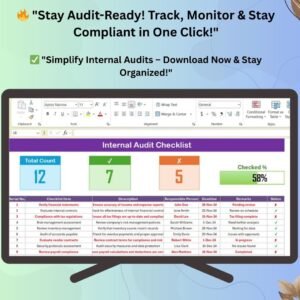
- Internal Audit Checklist in Excel: for internal audit work
- Financial Audit Preparation Checklist in Excel: for getting ready for a financial audit
- Monthly Performance Review Checklist in Google Sheets: the Google Sheets option
Browse all Excel checklist templates.






























Reviews
There are no reviews yet.