

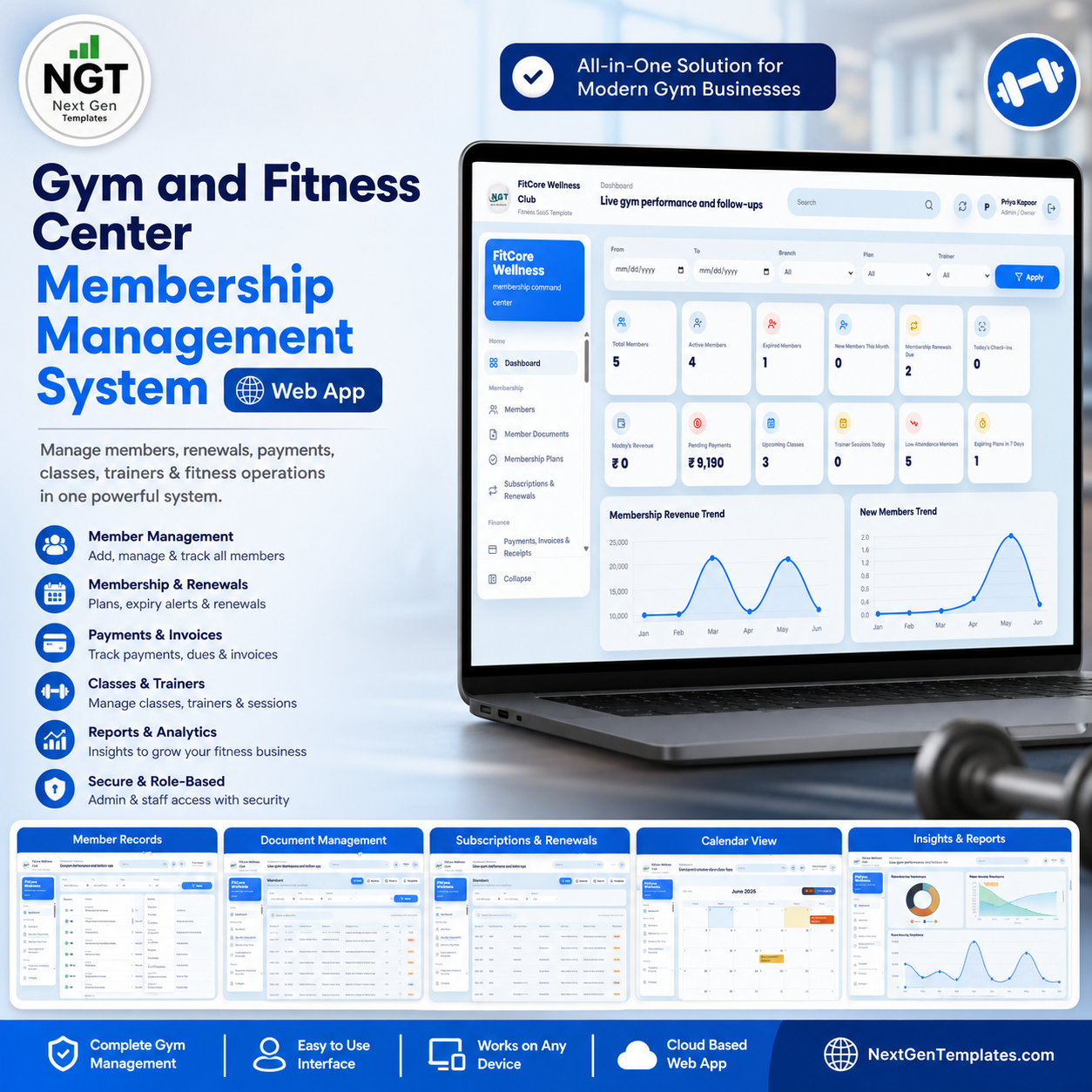







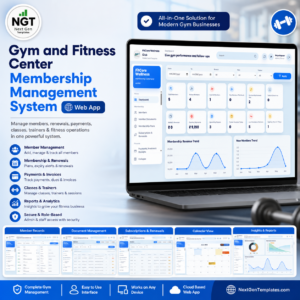
The Gym and Fitness Center Membership Management System Web App runs 25 connected screens — from member sign-up to attendance, billing, and renewals — on a single Google Sheets backend with role-based login for Admin, Front Desk, Trainer, Accountant, and Manager. The dashboard tracks 12 live KPIs and the system covers members, plans, subscriptions, payments, check-ins, classes, PT sessions, leads, workout and diet plans, expenses, and merchandise sales.
🌍 Join 8,400+ teams in 40+ countries using NextGenTemplates to replace paid SaaS tools with one-time-purchase Excel, Google Sheets, Power BI, and HTML templates.
✅ Instant download · One-time payment · No subscription · No per-member fees · Lifetime access
🔑 Key Features of the Gym and Fitness Center Membership Management System Web App
🔹 Role-based login for 5 staff roles — Admin, Front Desk, Trainer, Accountant, and Manager each see only the screens they need, with usernames and passwords managed inside the Google Sheet.
🔹 Full membership lifecycle in one place — capture leads, convert them to members, assign plans, track subscriptions and renewals, collect payments, and log daily check-ins without juggling separate apps.
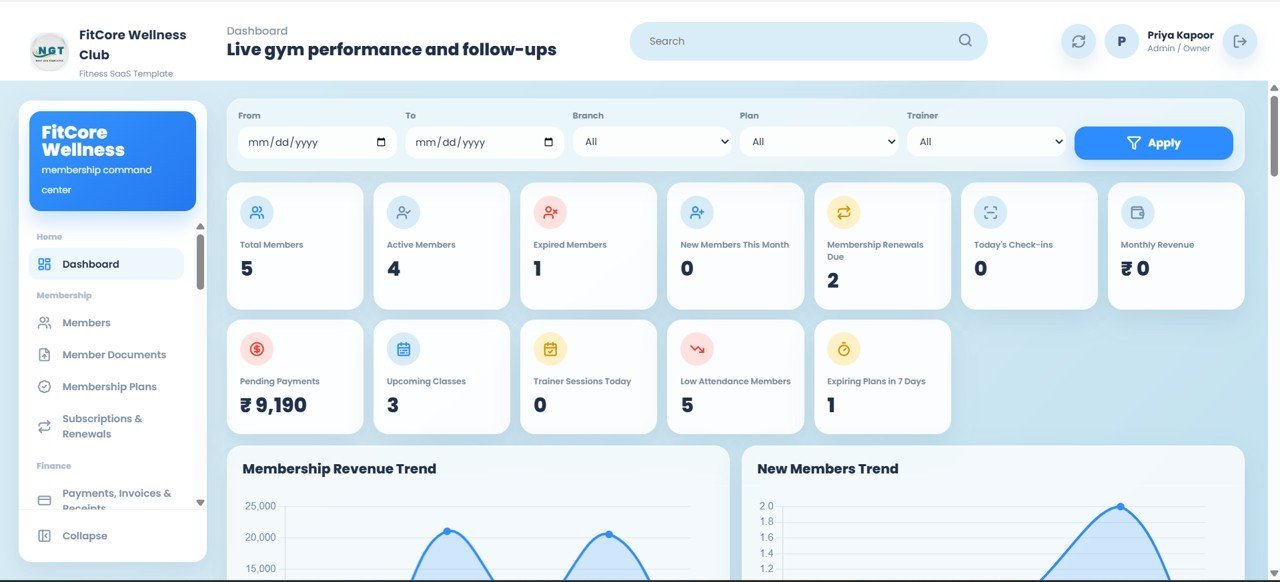
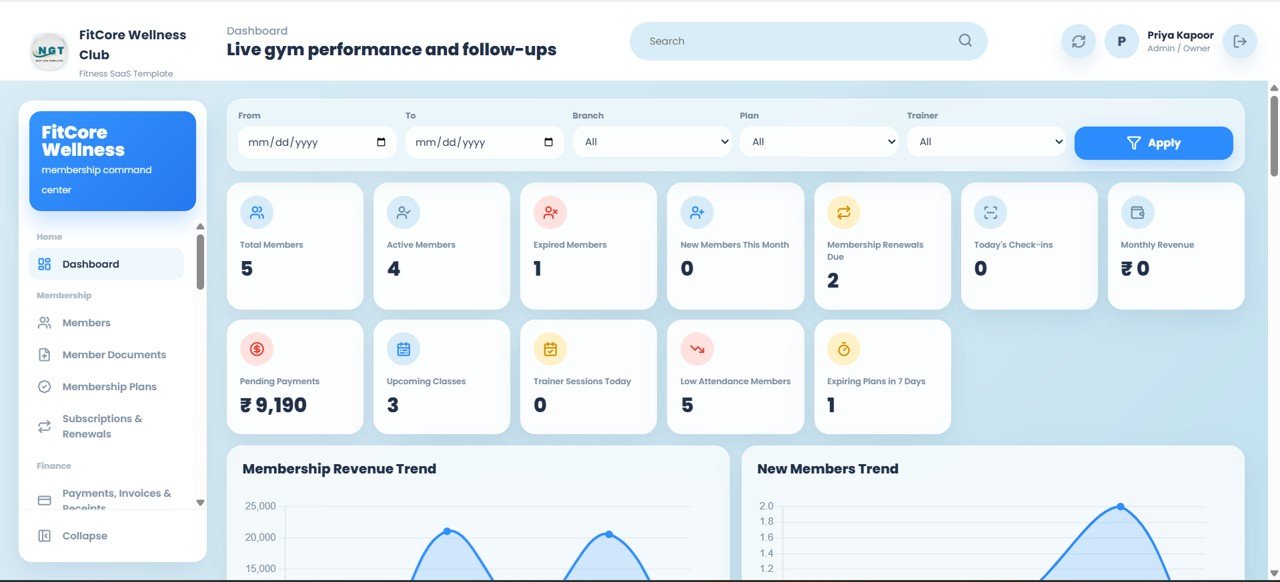
🔹 12-KPI dashboard with slicers — the overview screen shows Total Members, Active Members, Expired Members, New Members This Month, Renewals Due, Today’s Check-ins, Monthly Revenue, Pending Payments, Upcoming Classes, Trainer Sessions Today, Low Attendance Members, and Expiring Plans in 7 Days, all filterable by branch, trainer, and status.Gym and Fitness Center Membership Management System Web App
🔹 Multi-branch ready — manage members, staff, classes, and revenue across multiple gym branches, with branch filters on every operational screen.Gym and Fitness Center Membership Management System Web App
🔹 Built on Google Apps Script — deploy it as your own private web app from a Google account; your data stays in your Google Drive, accessible from any browser or phone.Gym and Fitness Center Membership Management System Web App
📦 What’s Inside the Gym and Fitness Center Membership Management System Web App
The system is organised into 25 screens. Below is what each one does, in order.
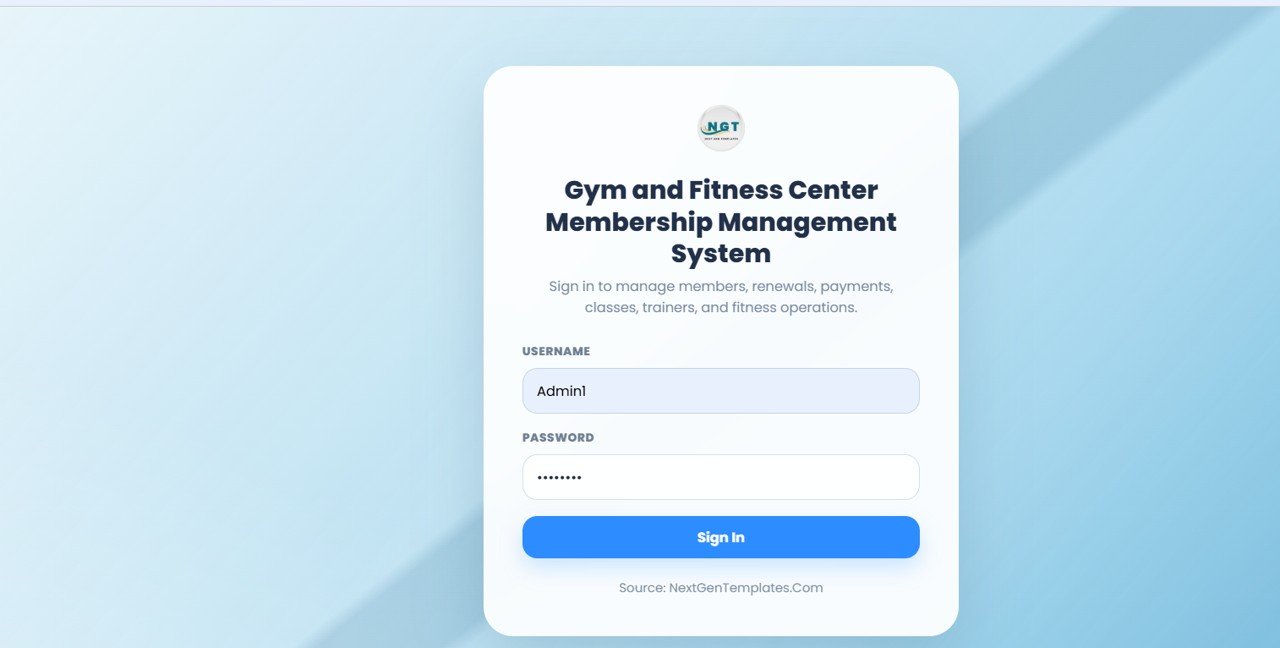
Login Page
Secure sign-in with username and password, plus role-based access for Admin, Front Desk, Trainer, Accountant, and Manager so each user only reaches their permitted modules.
🚀 Try the Live Demo Before You Buy
We have deployed this web app in our own Google account so you can test every page, every role — with real sample data — before purchasing. No signup, no email required.
🔑 Test Login Credentials
Sign in as Admin1 to manage all gym owner settings, members, payments, attendance, renewals, reports, and system setup or as FrontDesk1 to manage front desk operations including members, payments, attendance, and renewals. Additional test roles from the login screen include Trainer1, Accountant1, and Manager1.
💡 What you get after purchase: The full source code (Code.gs + Index.html) plus a step-by-step deployment guide so you can deploy your own private instance in your own Google account in under 15 minutes.
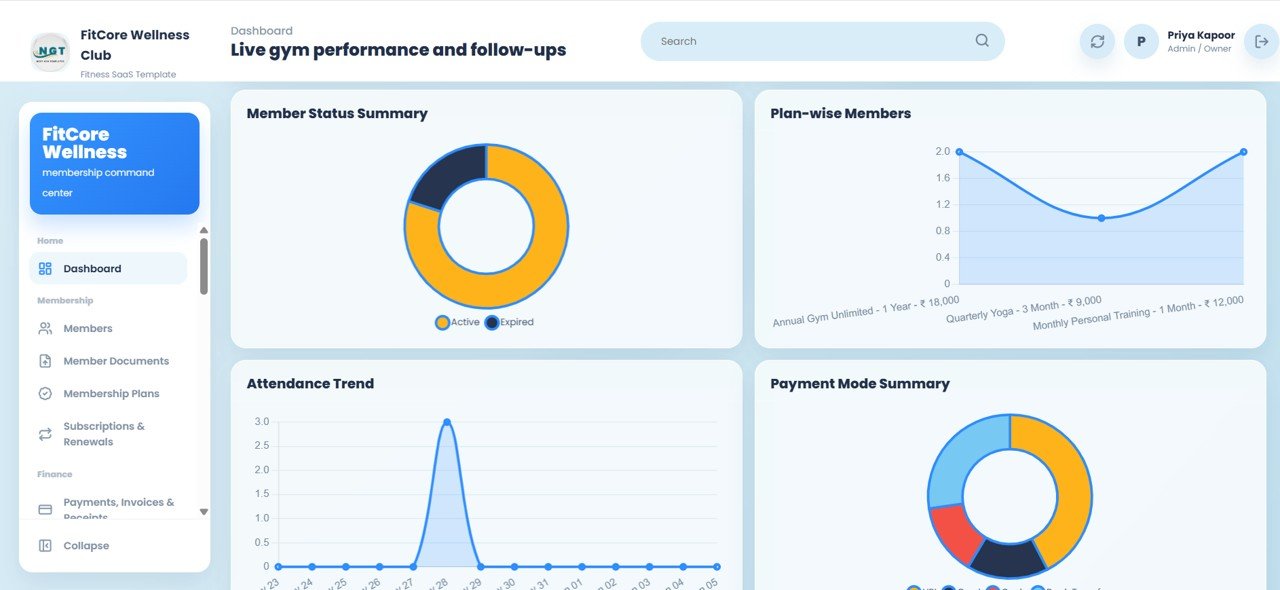
Dashboard Overview
Twelve KPI cards across the top — Total Members, Active Members, Expired Members, New Members This Month, Renewals Due, Today’s Check-ins, Monthly Revenue, Pending Payments, Upcoming Classes, Trainer Sessions Today, Low Attendance Members, and Expiring Plans in 7 Days. Charts include Membership Revenue by Month (tracks income trend month over month) and New Members by Month (shows acquisition pace), with slicers to filter the whole view instantly.Gym and Fitness Center Membership Management System Web App
Dashboard Analytics
Deeper breakdowns with Members by Status, Members by Plan, Attendance by Date, and Payments by Payment Mode so owners can read retention, plan mix, footfall, and collection channels at a glance.Gym and Fitness Center Membership Management System Web App
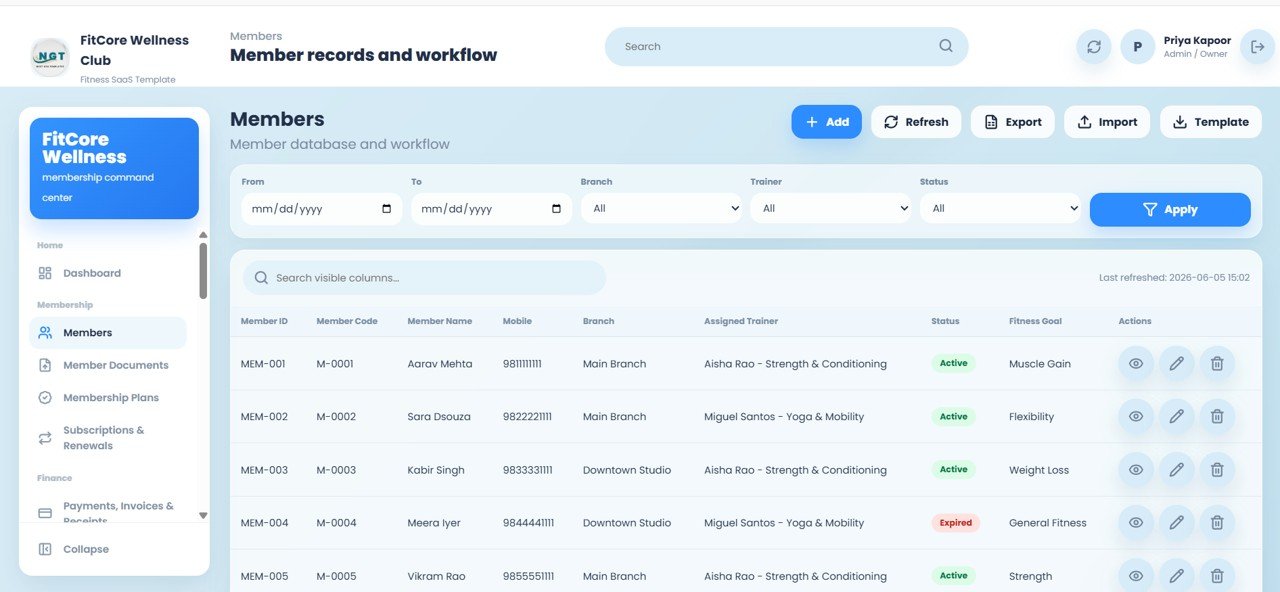
Members
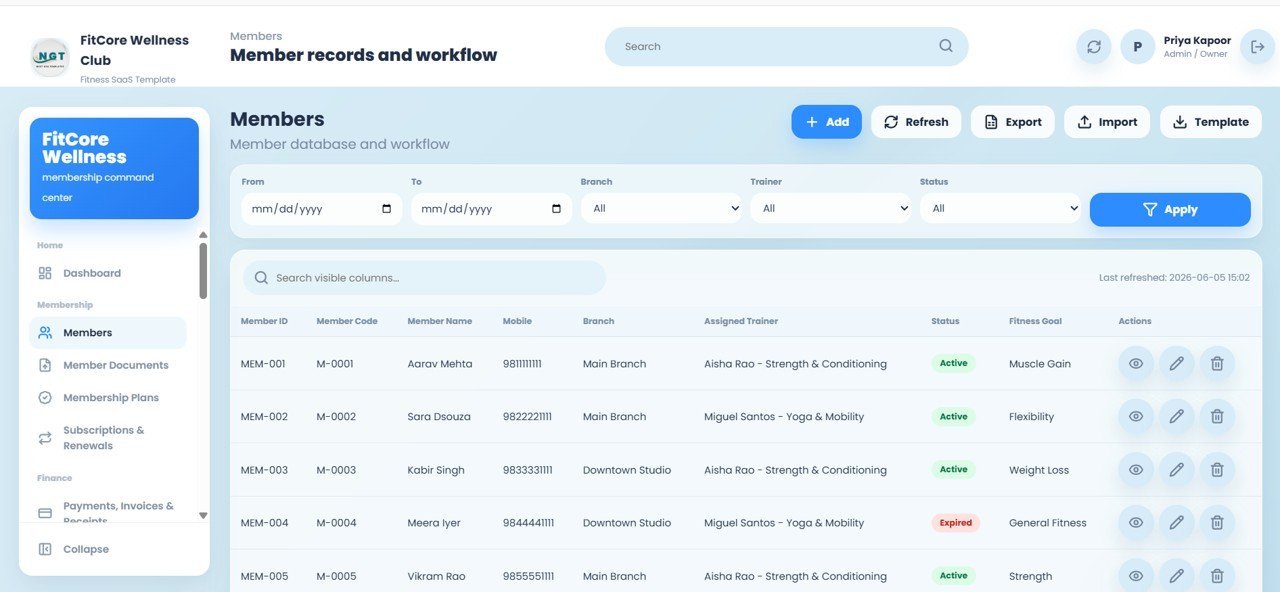
Member records with Member ID, Member Code, Name, Mobile, Branch, Assigned Trainer, Status, and Fitness Goal. Add, Refresh, Export, Import, and Template options, plus filters for date range, branch, trainer, and status, and View, Edit, and Delete actions on every row.
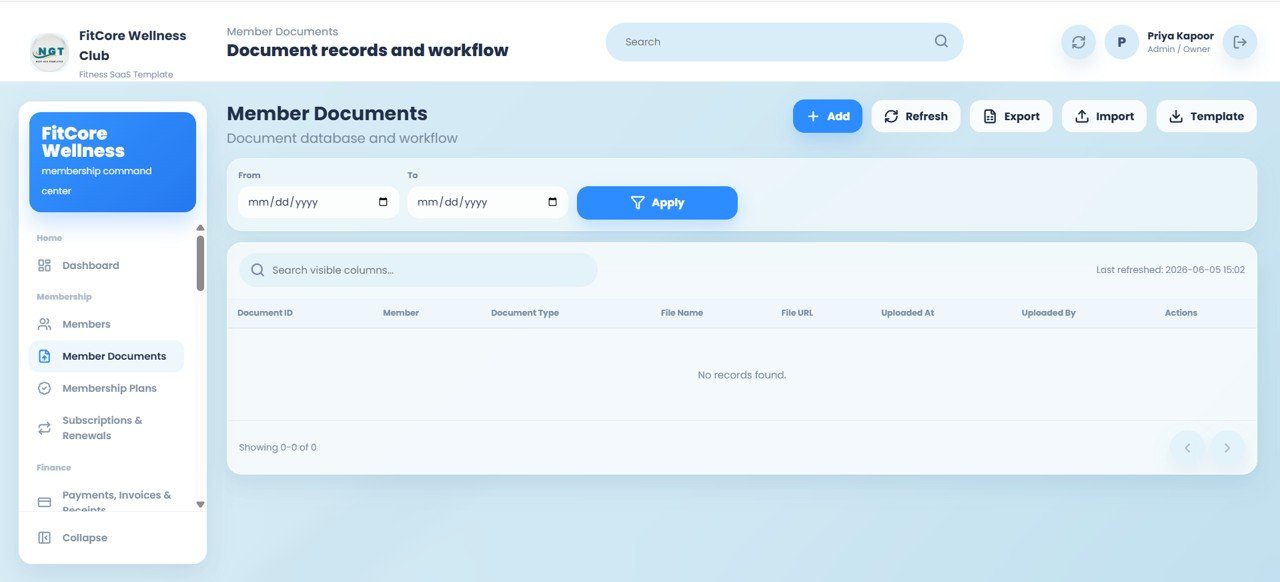
Member Documents
Store ID proofs and forms with Document ID, Member, Document Type, File Name, File URL, Uploaded At, and Uploaded By, with a date-range filter to find any document quickly.
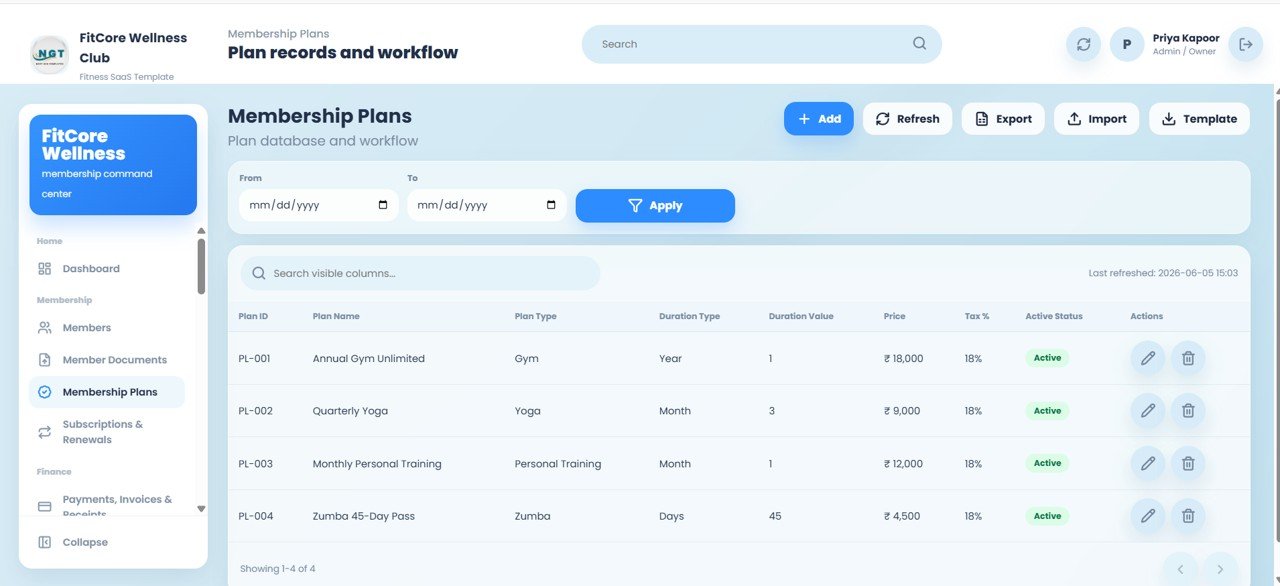
Membership Plans
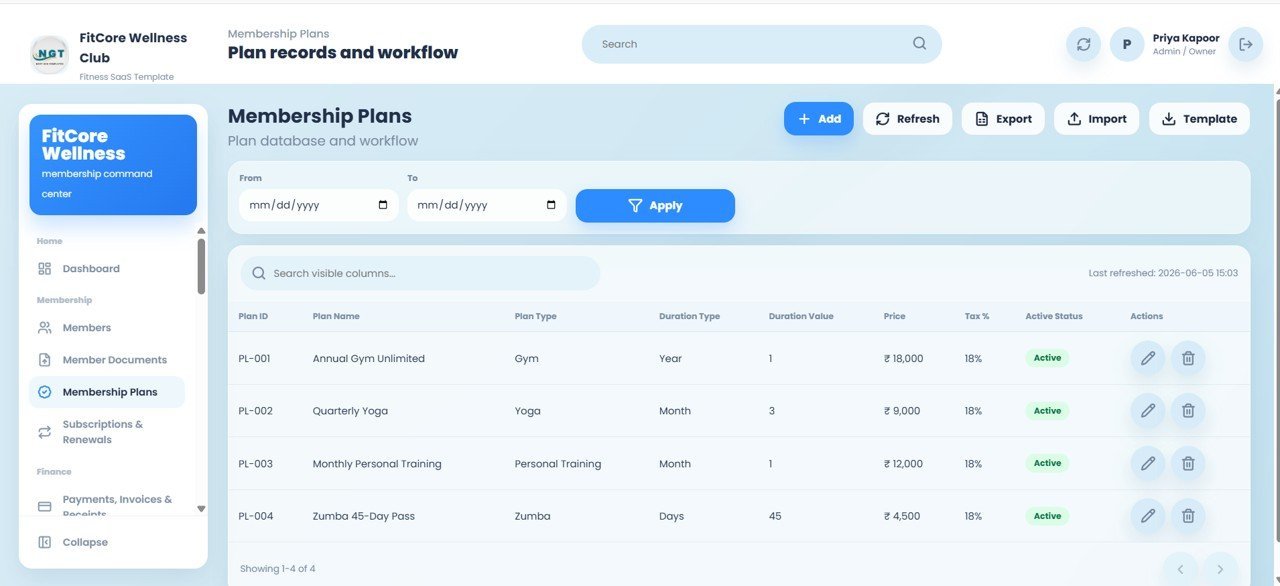
Plan records with Plan ID, Plan Name, Plan Type, Duration Type, Duration Value, Price, Tax %, and Active Status — ready-made for Gym, Yoga, Personal Training, and Zumba, with Edit and Delete on each plan.
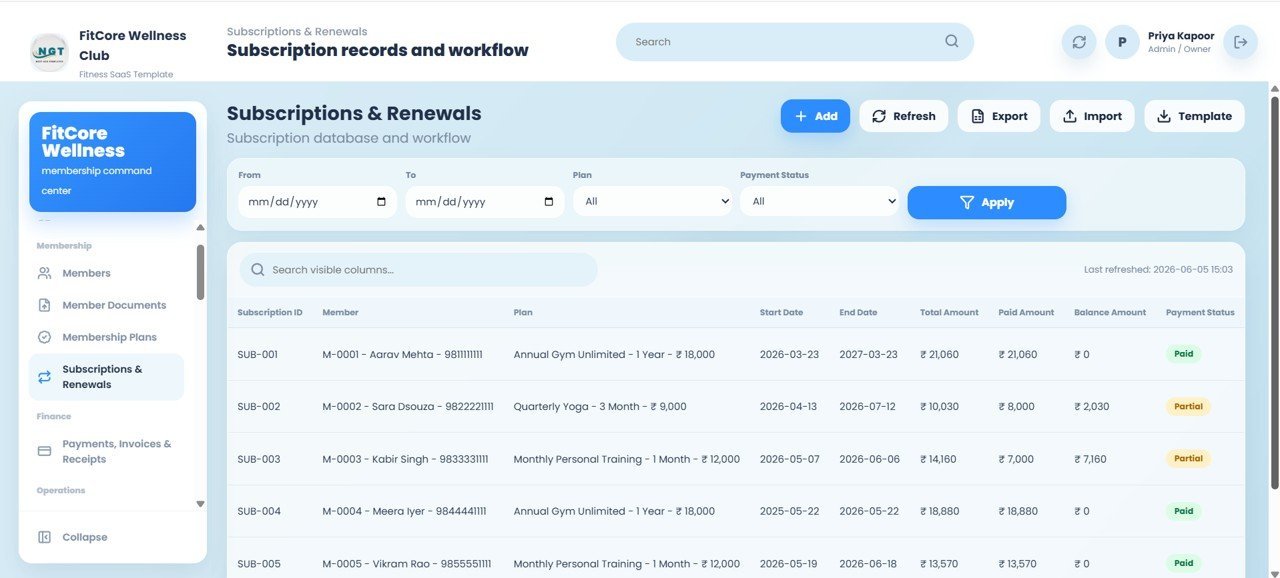
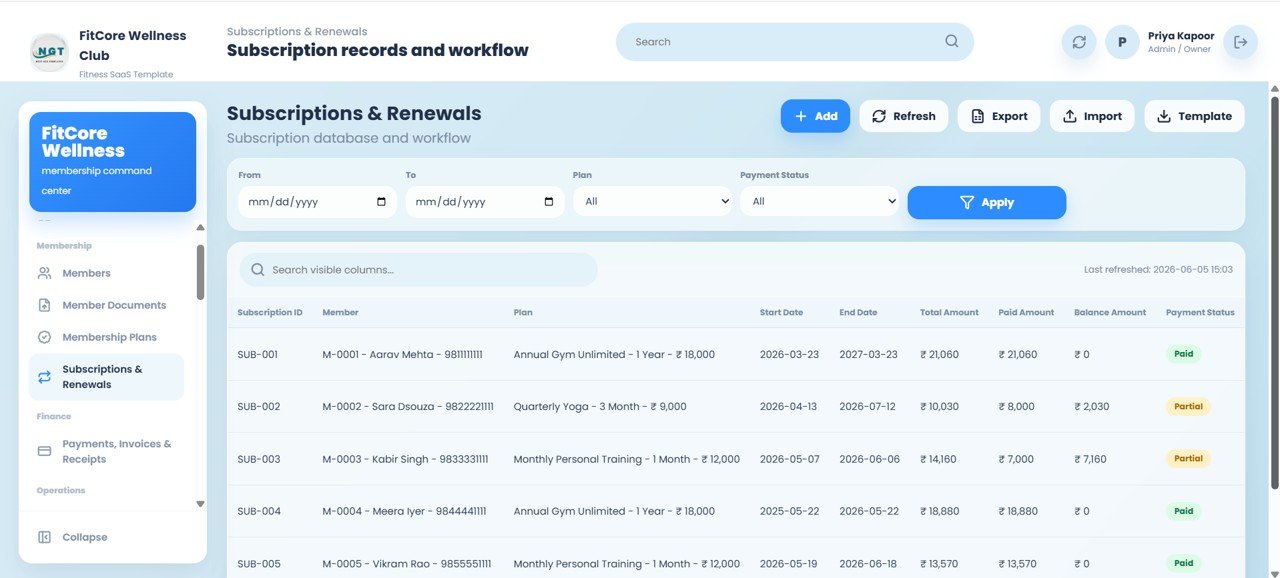
Subscriptions and Renewals
Subscription records with Subscription ID, Member, Plan, Start Date, End Date, Total Amount, Paid Amount, Balance Amount, and Payment Status, with filters for date range, plan, and payment status and clear Paid/Partial tracking.
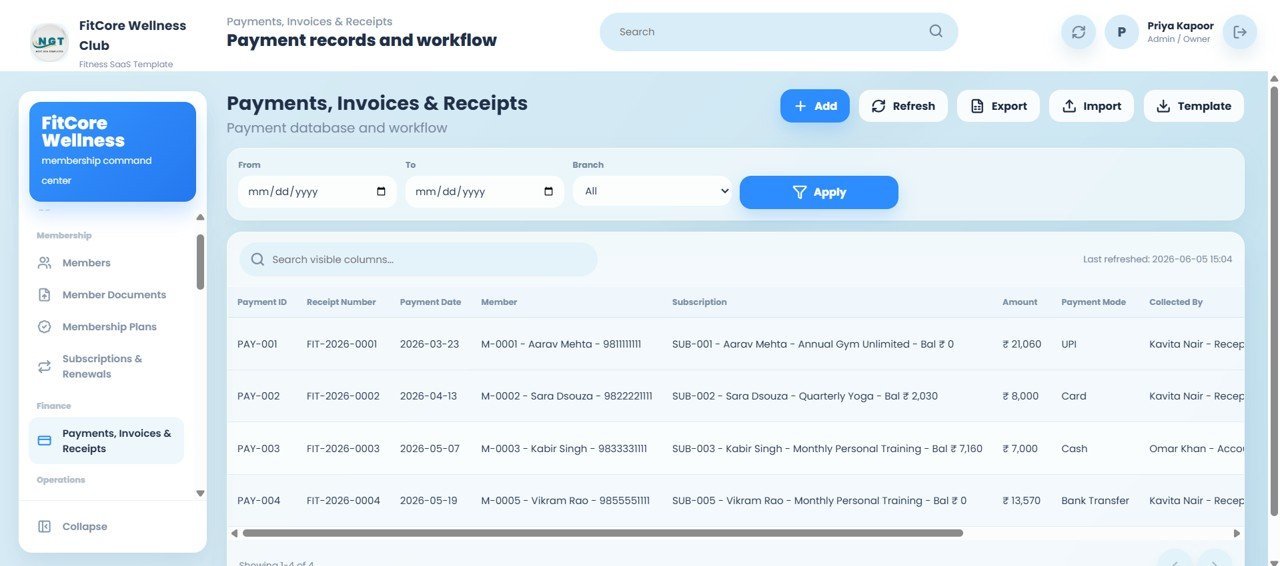
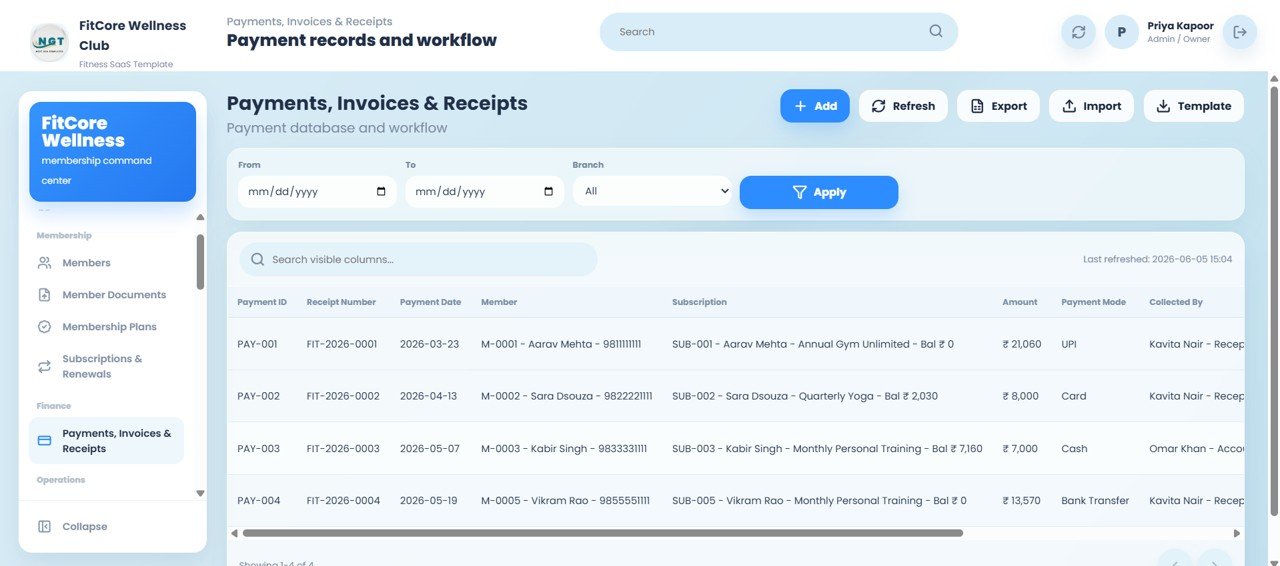
Payments, Invoices and Receipts
Payment records with Payment ID, Receipt Number, Payment Date, Member, Subscription, Amount, Payment Mode, and Collected By — supporting UPI, Card, Cash, and Bank Transfer, filtered by date range and branch.
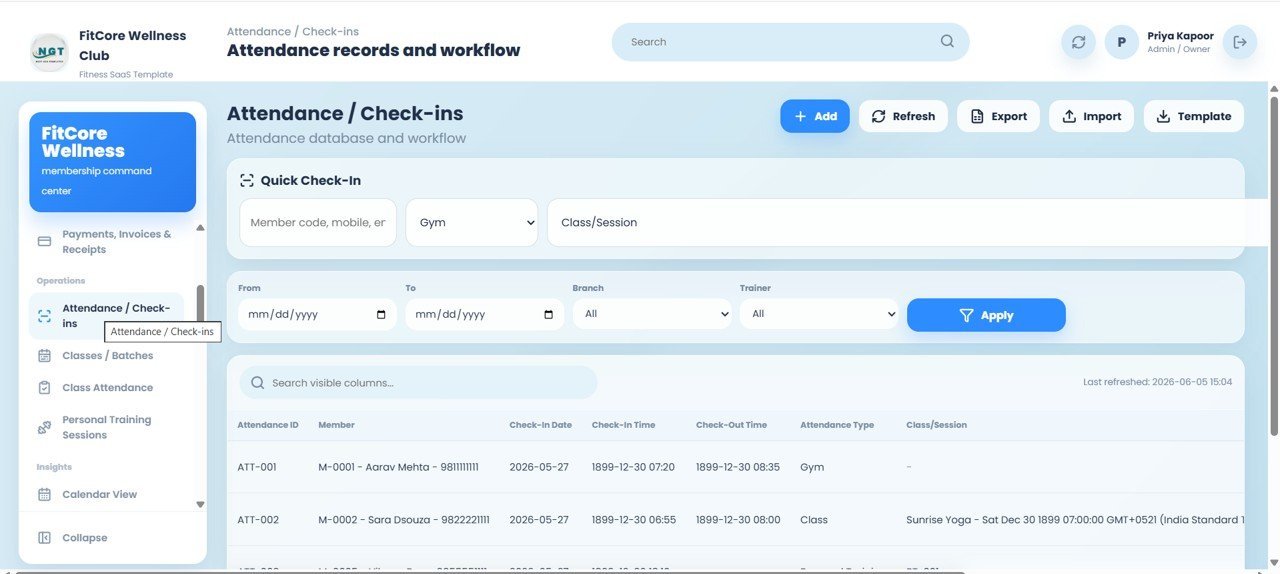
Attendance and Check-ins
Quick Check-In by Member Code or mobile with attendance type and class/session, plus attendance records showing Attendance ID, Member, Check-In Date, Check-In Time, Check-Out Time, type, and class/session, filtered by date range, branch, and trainer.

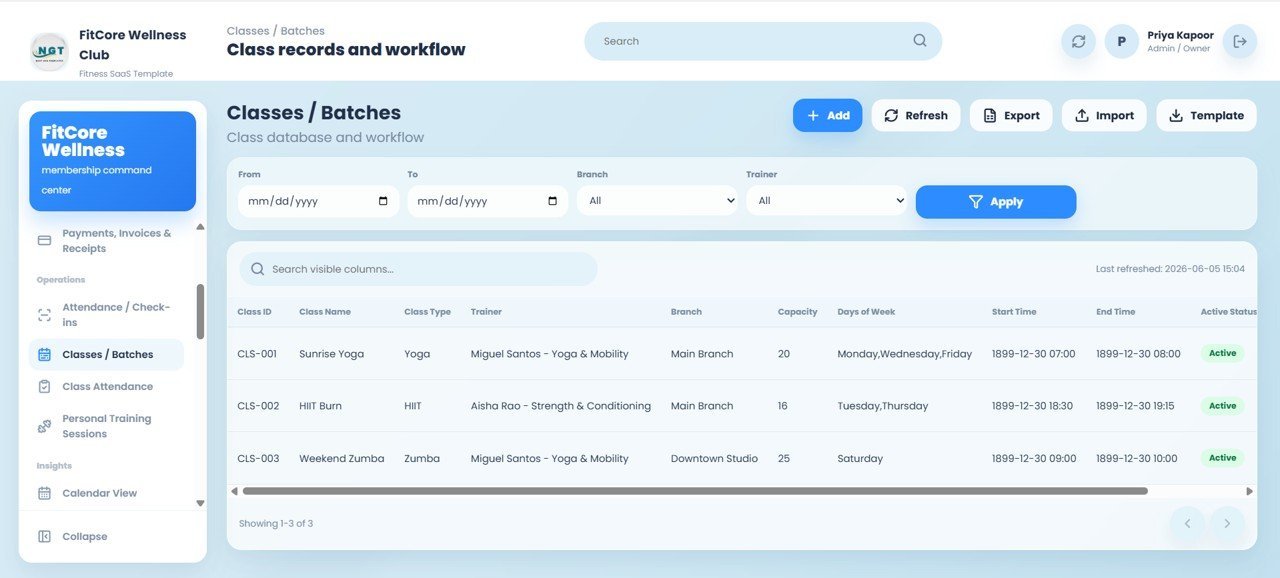
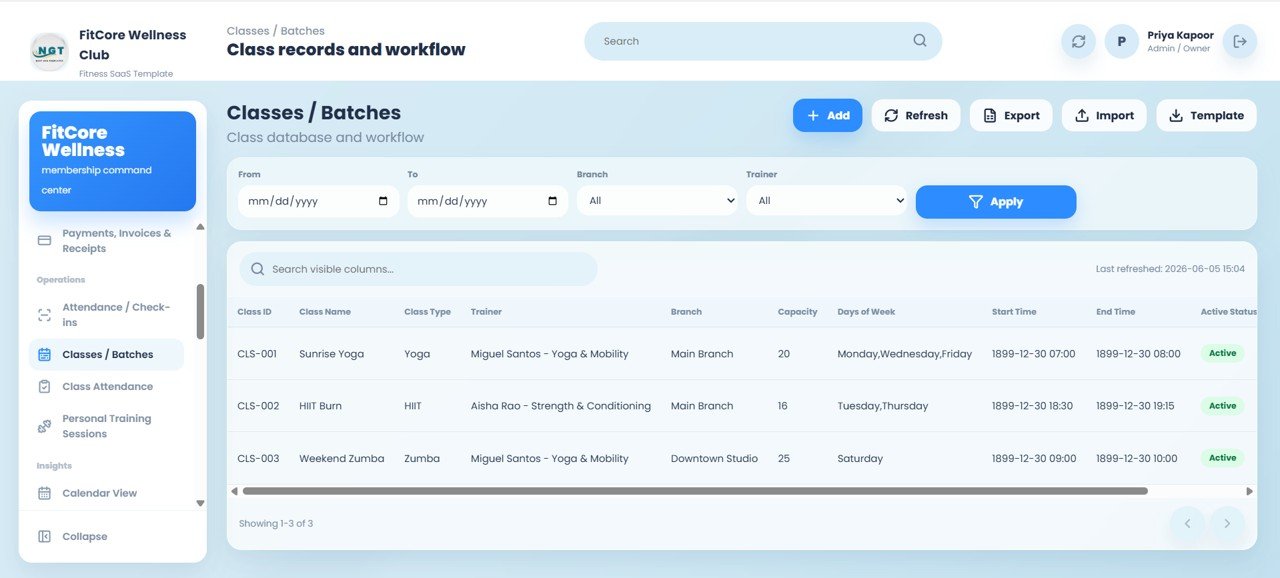
Classes and Batches
Class records with Class ID, Class Name, Class Type, Trainer, Branch, Capacity, Days of Week, Start Time, End Time, and Active Status, with filters for date range, branch, and trainer.Gym and Fitness Center Membership Management System Web App
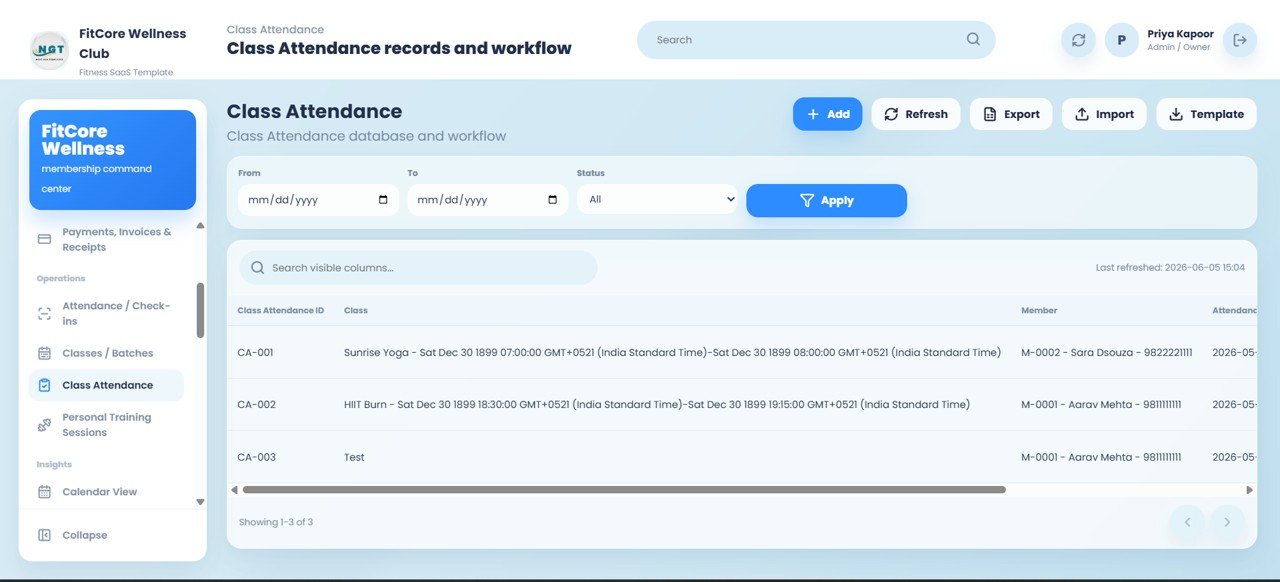
Class Attendance
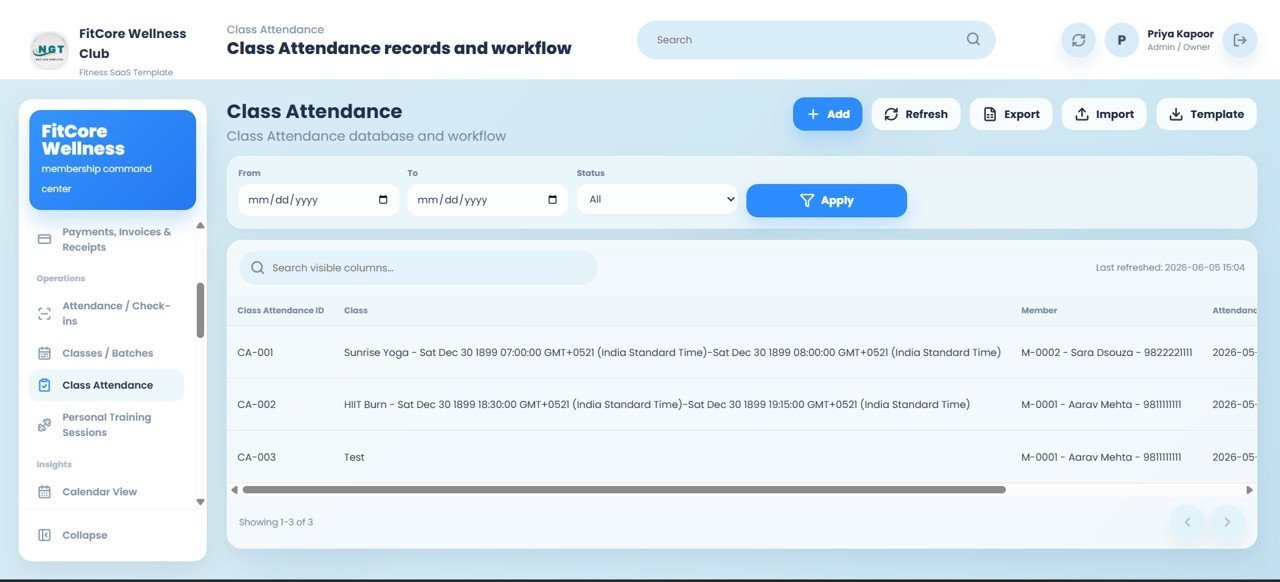
Class Attendance records with Class Attendance ID, Class, Member, and Attendance Date, plus a status filter to review who attended each class quickly.
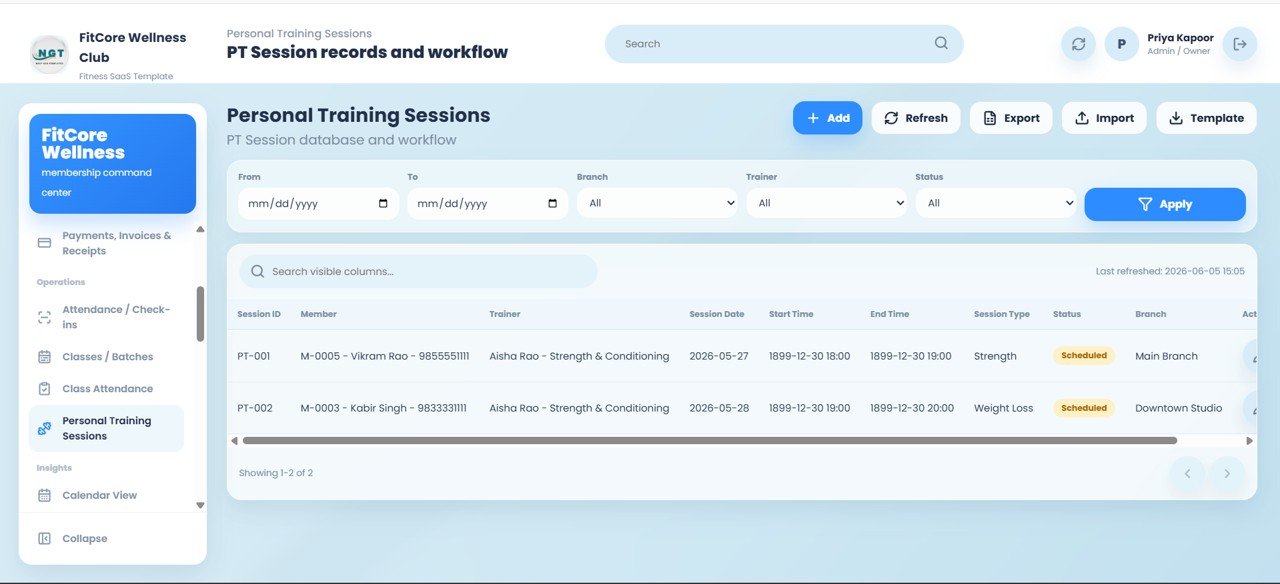
Personal Training Sessions
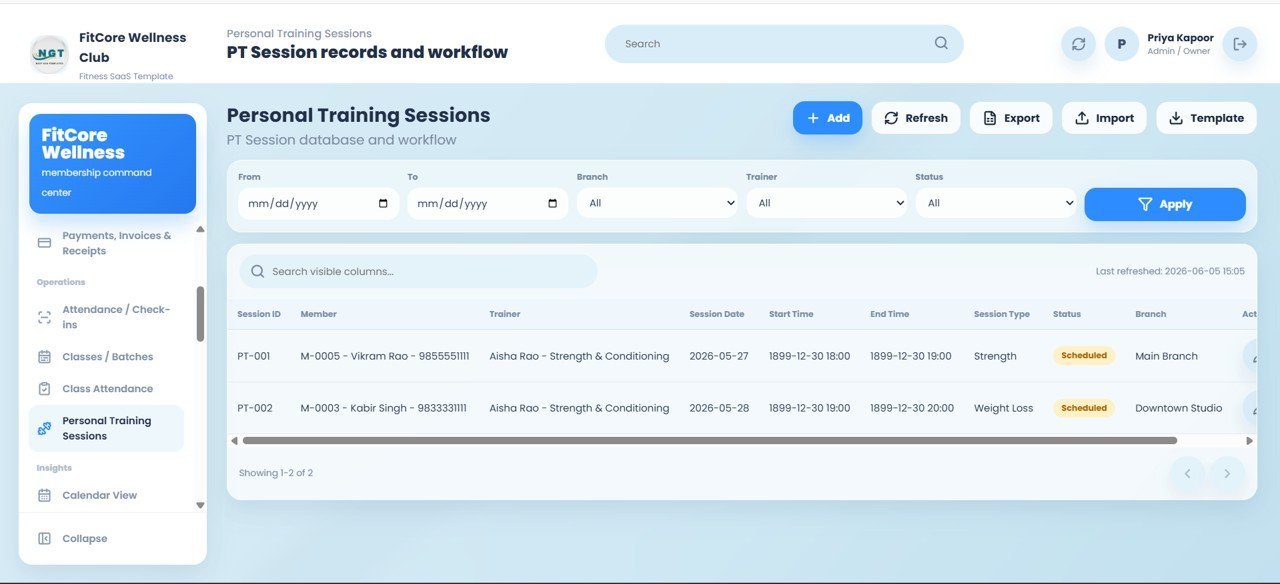
Session records with Session ID, Member, Trainer, Session Date, Start Time, End Time, Session Type, Status, and Branch, with filters for date range, branch, trainer, and status and Scheduled tracking for upcoming sessions.Gym and Fitness Center Membership Management System Web App
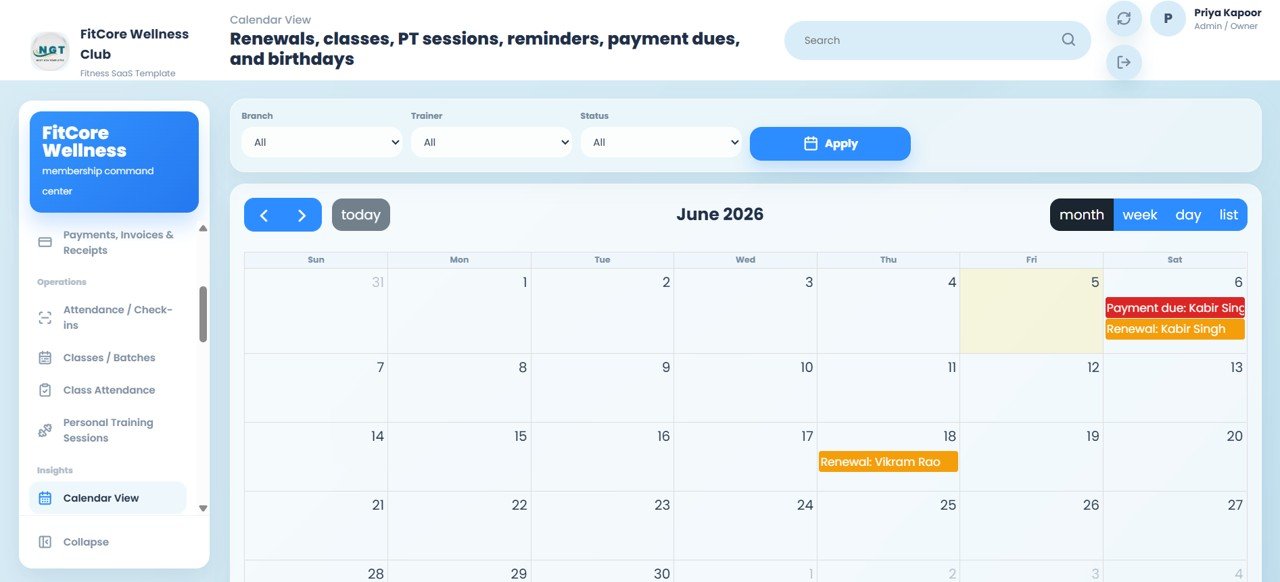
Calendar View
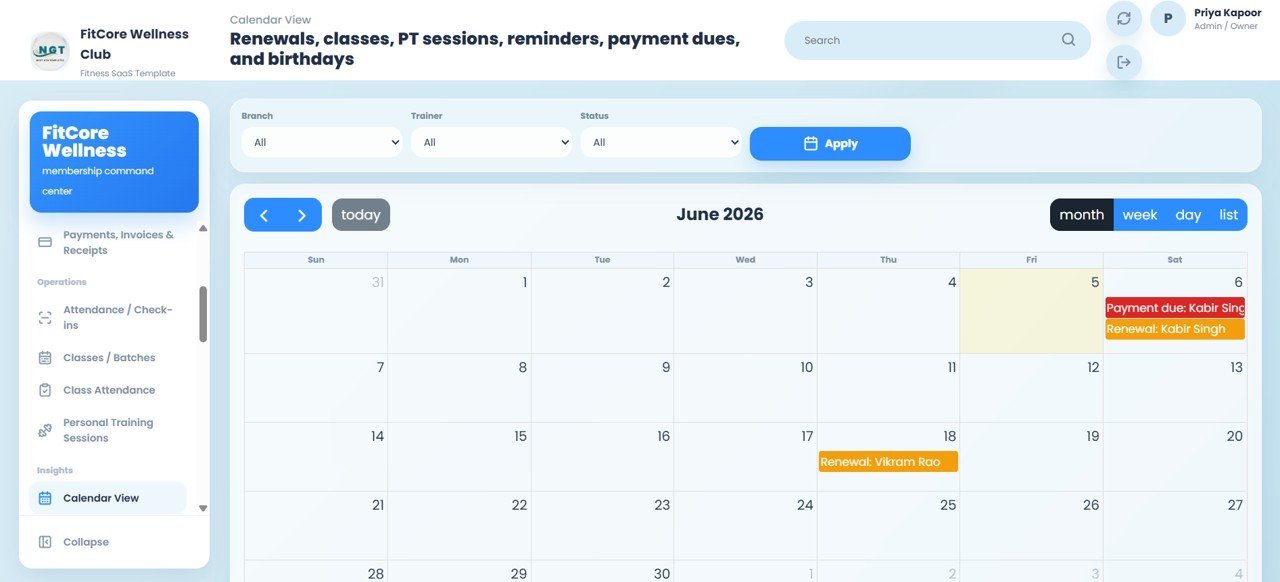
Renewals, classes, PT sessions, reminders, payment dues, and birthdays on one calendar with Month, Week, Day, and List views and filters for branch, trainer, and status.
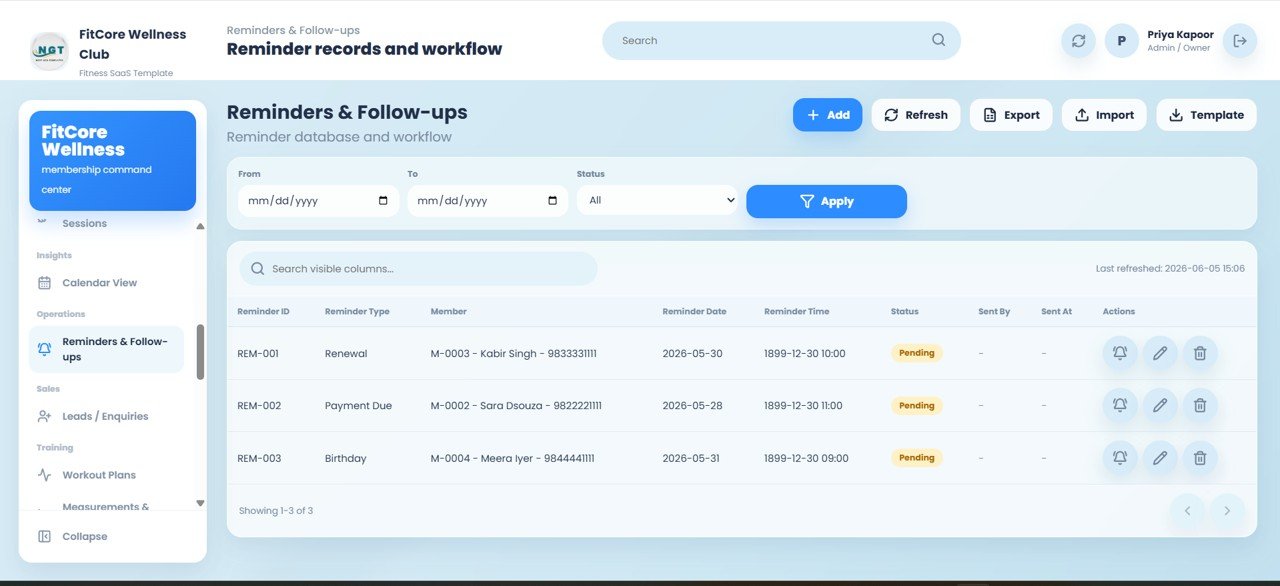
Reminders and Follow-ups
Reminder records with Reminder ID, Reminder Type, Member, Reminder Date, Reminder Time, Status, Sent By, and Sent At — covering Renewal, Payment Due, and Birthday reminder types.
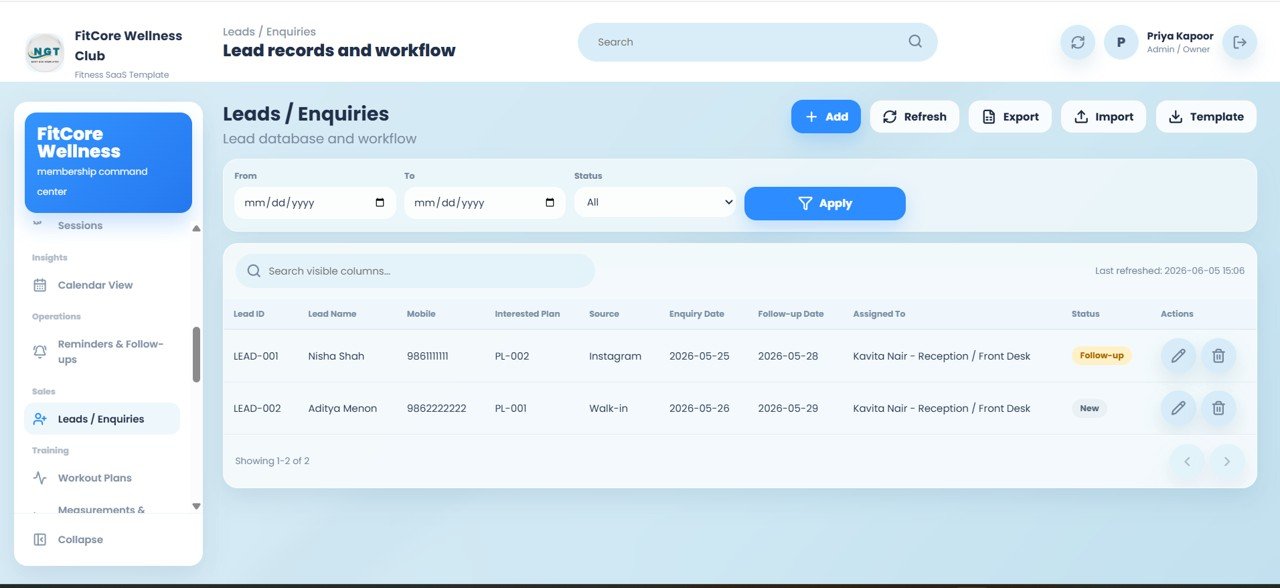
Leads and Enquiries
Lead records with Lead ID, Lead Name, Mobile, Interested Plan, Source, Enquiry Date, Follow-up Date, Assigned To, and Status — track sources like Instagram and Walk-in with New and Follow-up status.Gym and Fitness Center Membership Management System Web App
Workout Plans
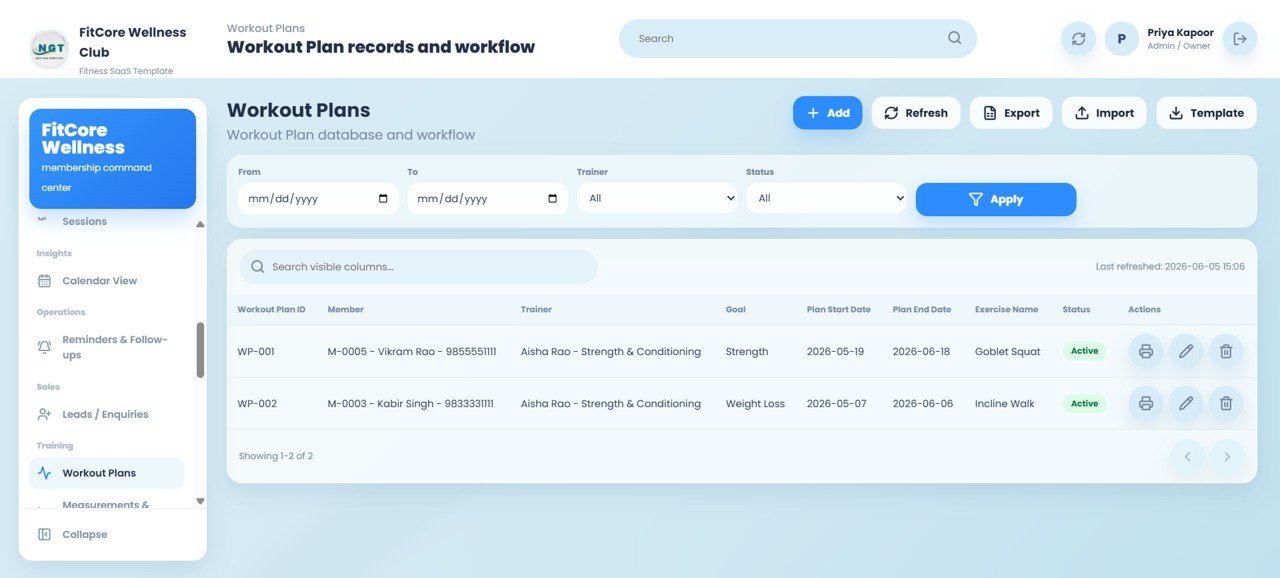
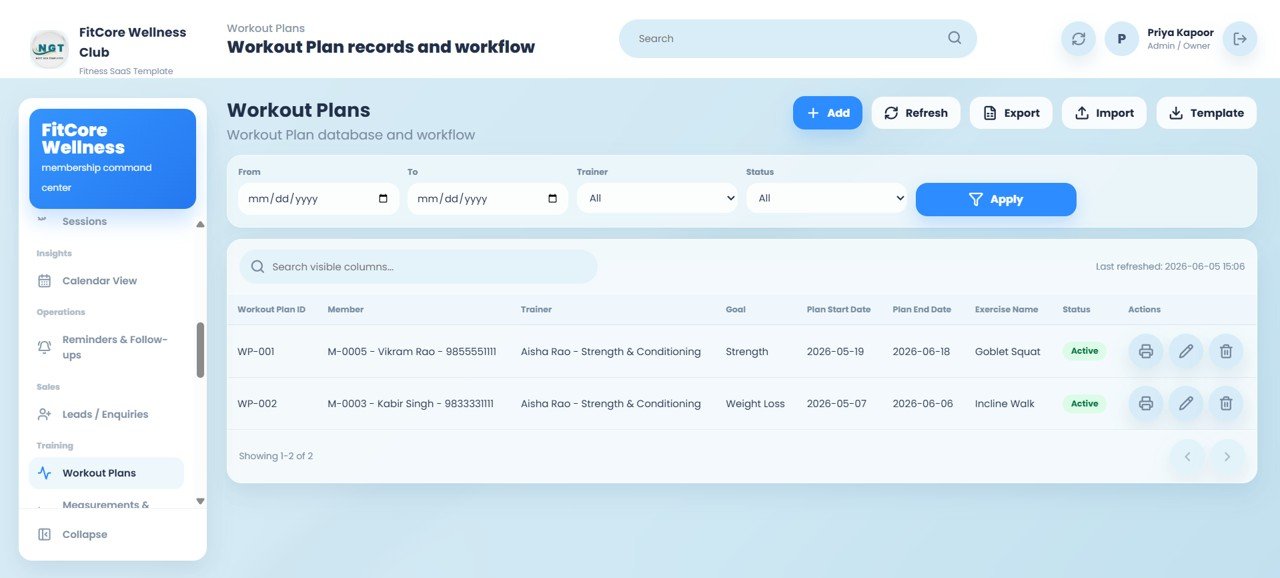
Workout Plan records with Workout Plan ID, Member, Trainer, Goal, Plan Start Date, Plan End Date, Exercise Name, and Status, with a Print option for each plan.Gym and Fitness Center Membership Management System Web App
Measurements and Progress
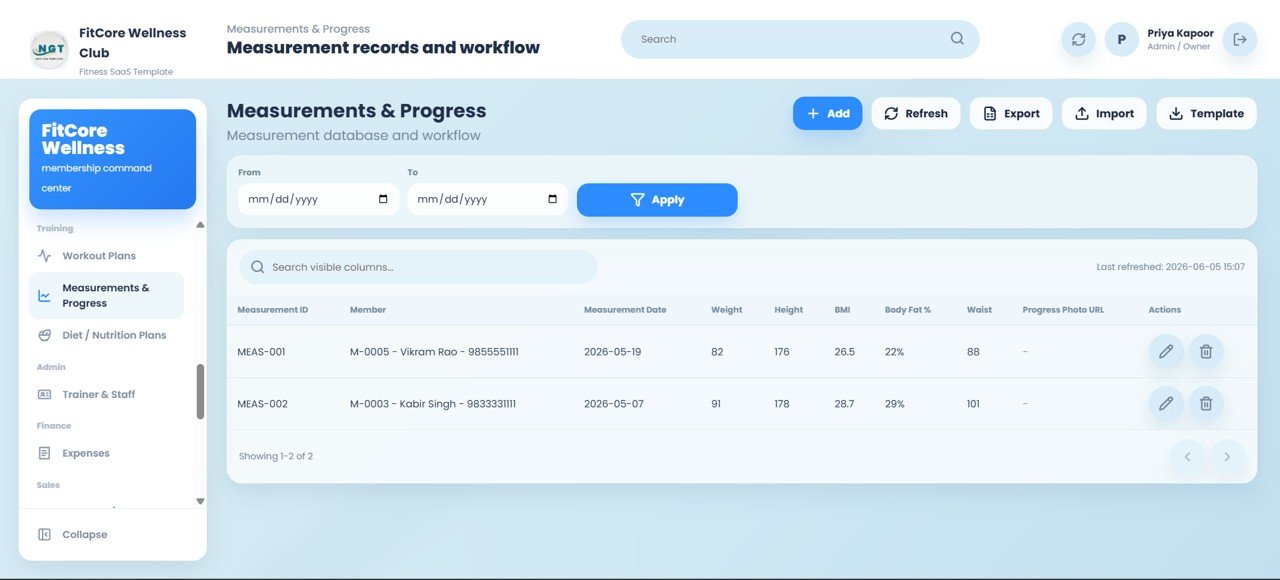
Measurement records with Measurement ID, Member, Measurement Date, Weight, Height, BMI, Body Fat %, Waist, and Progress Photo URL to chart each member’s transformation over time.
Diet and Nutrition Plans
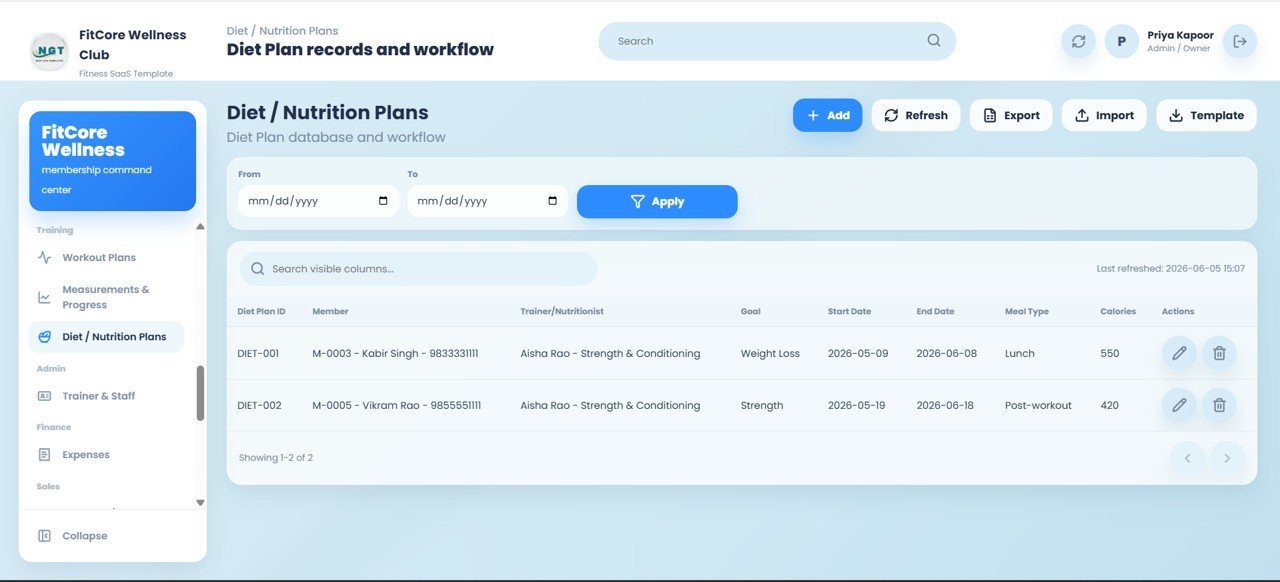
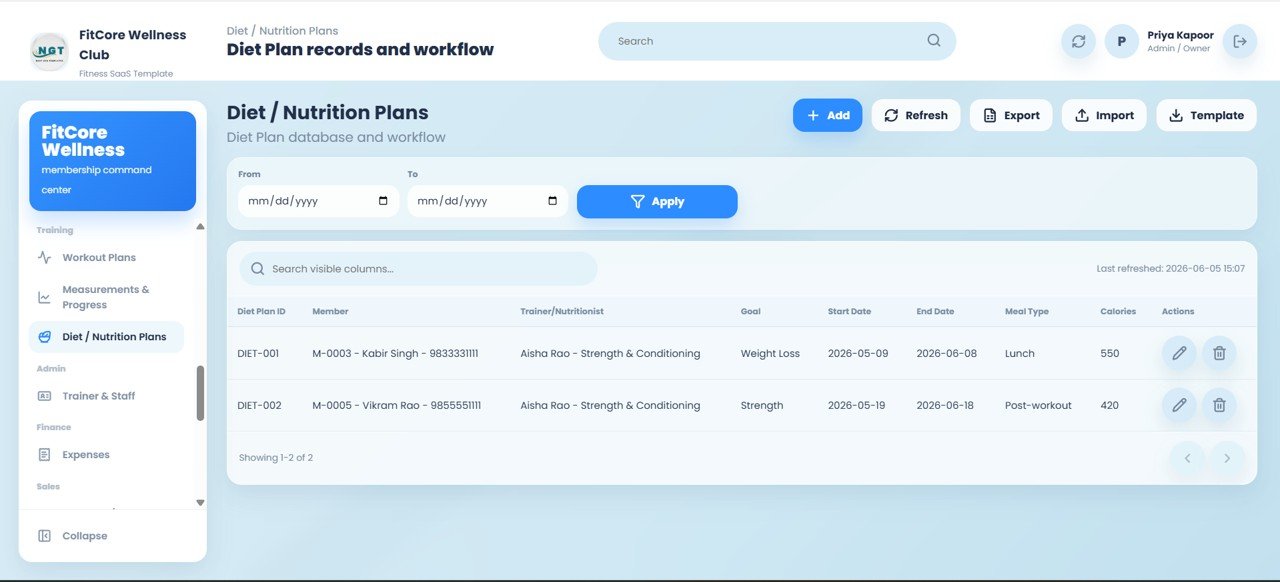
Diet Plan records with Diet Plan ID, Member, Trainer or Nutritionist, Goal, Start Date, End Date, Meal Type, and Calories for structured nutrition guidance.
Trainer and Staff
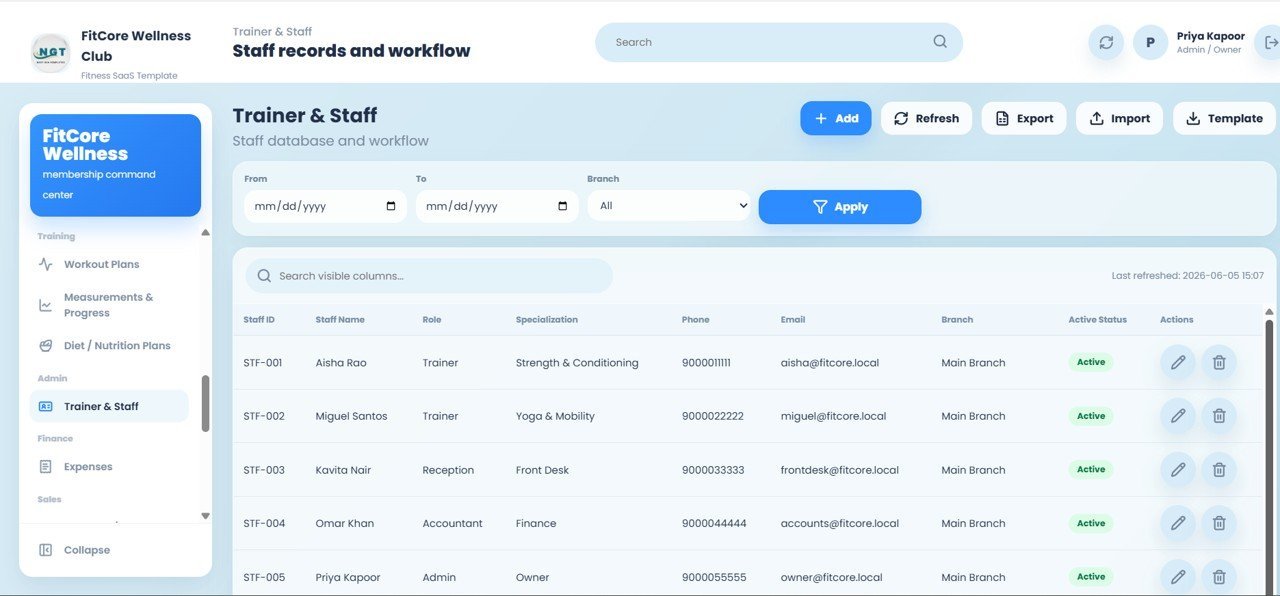
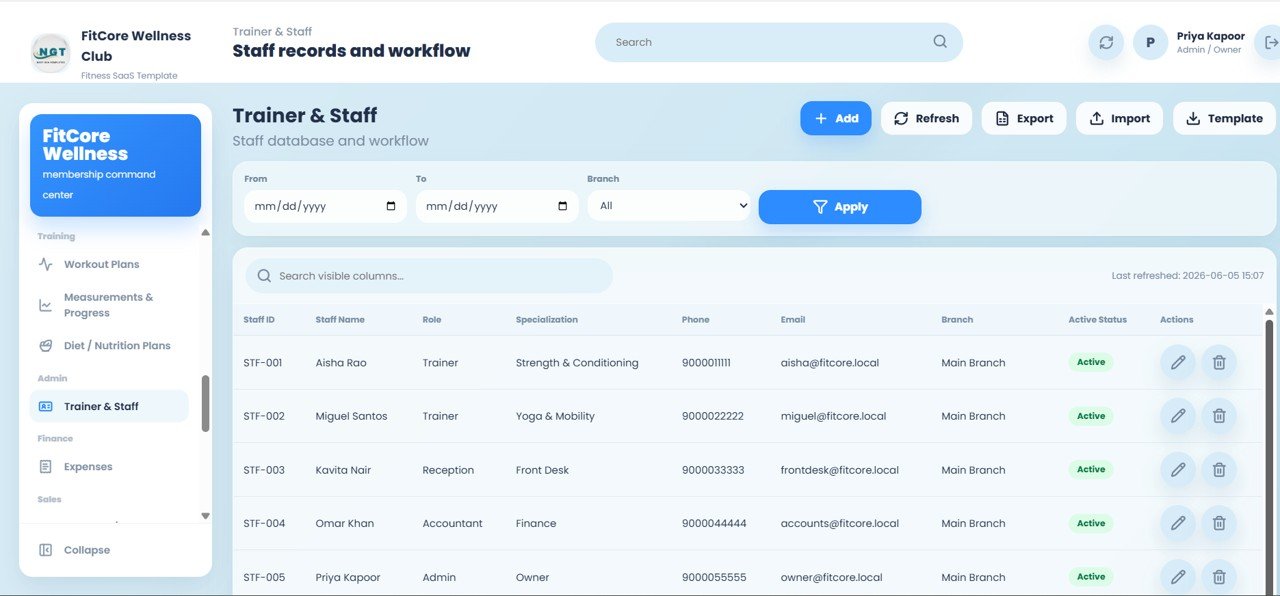
Staff records with Staff ID, Name, Role, Specialization, Phone, Email, Branch, and Active Status, covering Trainer, Reception, Accountant, and Admin roles.
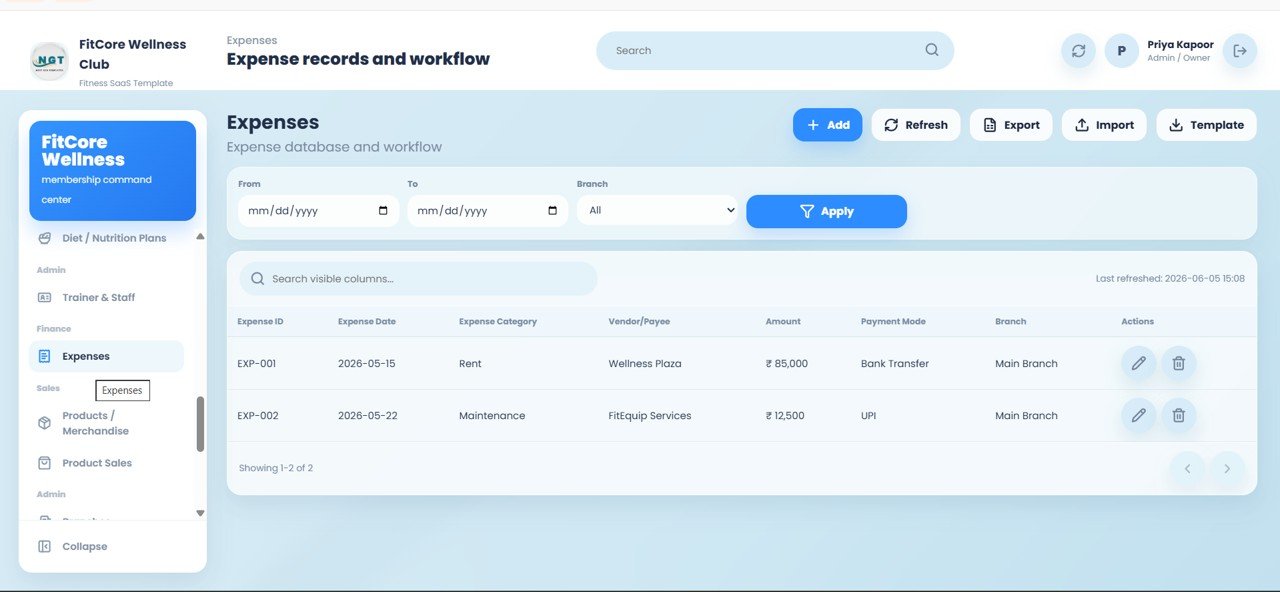
Expenses
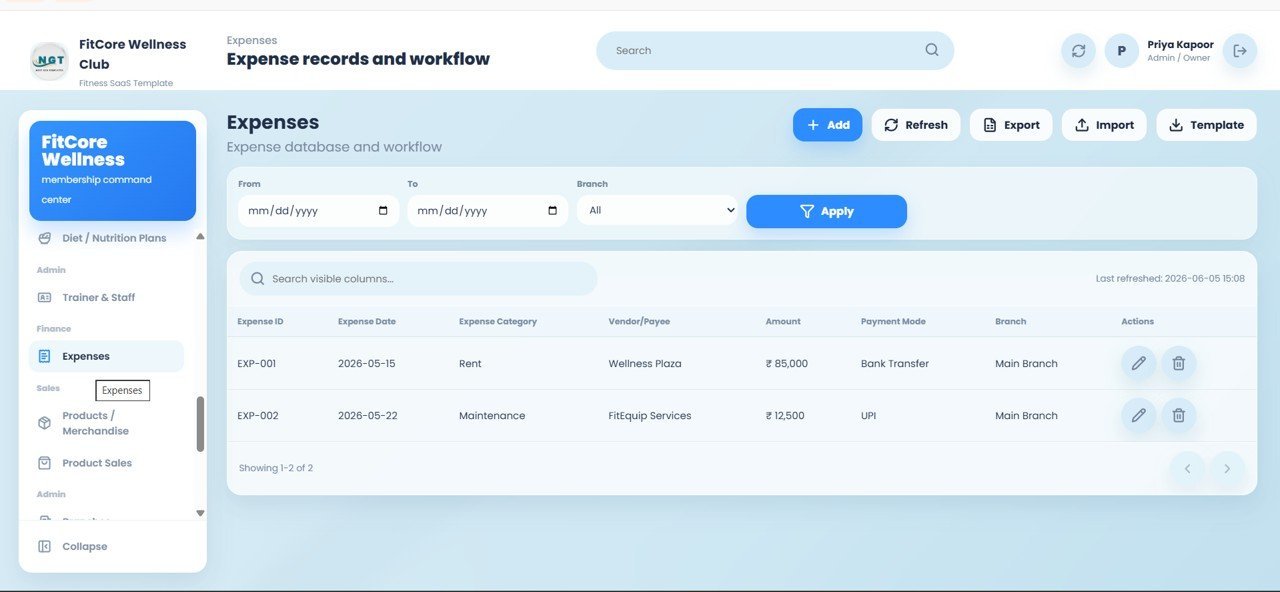
Expense records with Expense ID, Expense Date, Expense Category, Vendor or Payee, Amount, Payment Mode, and Branch to keep operating costs visible alongside revenue.
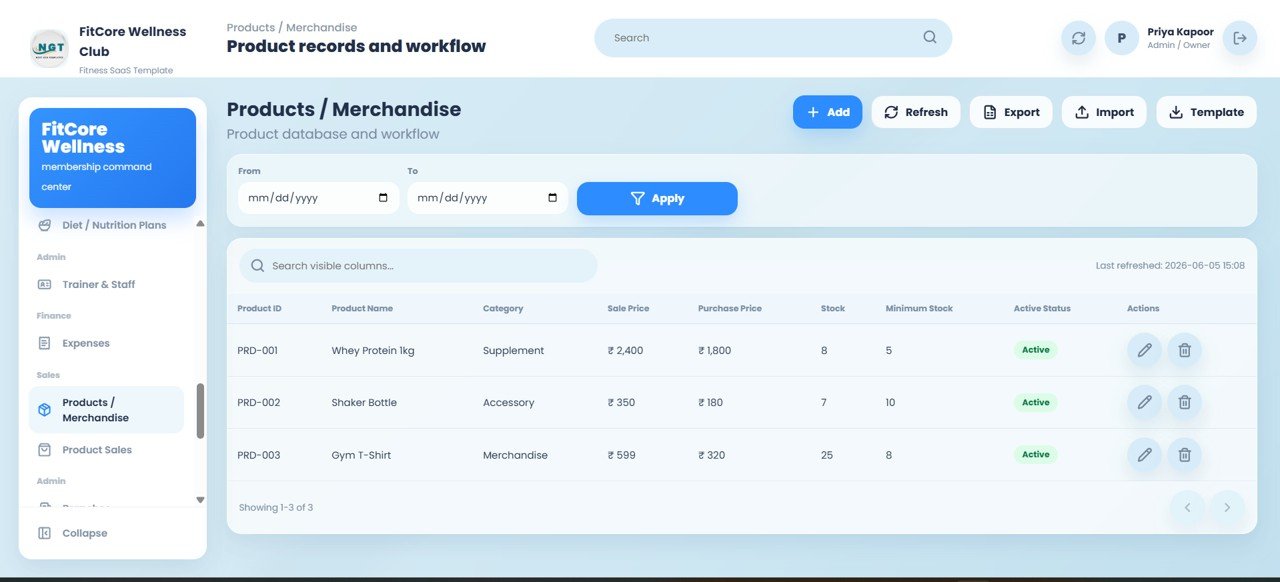
Products and Merchandise
Product records with Product ID, Product Name, Category, Sale Price, Purchase Price, Stock, Minimum Stock, and Active Status for supplements, gear, and retail items.
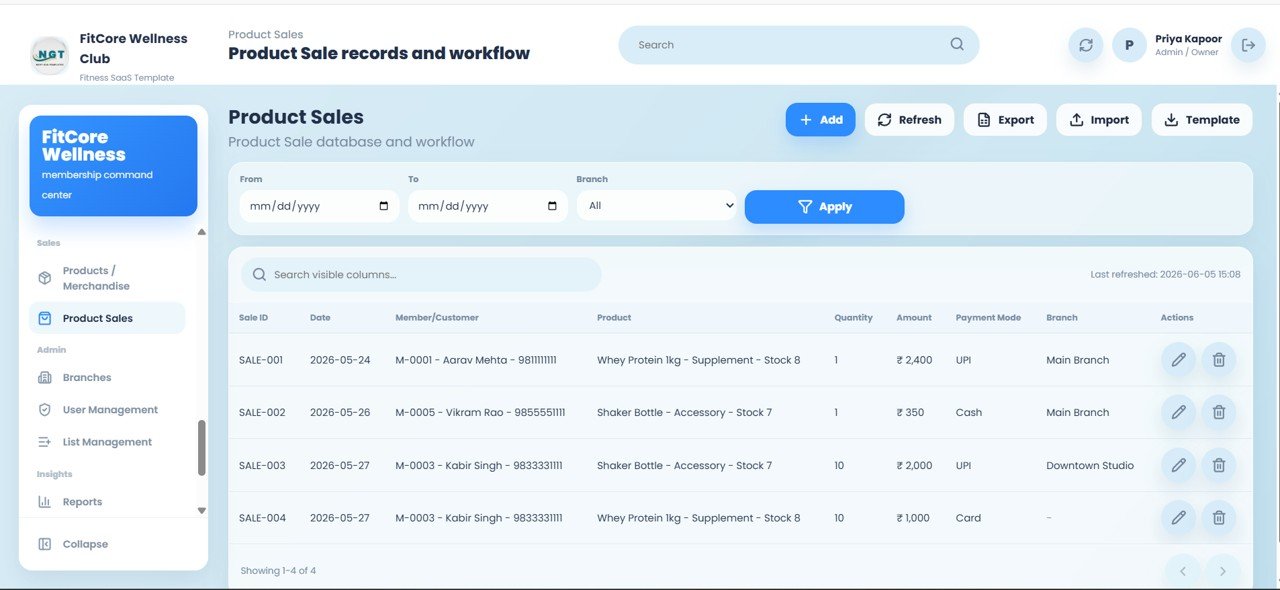
Product Sales
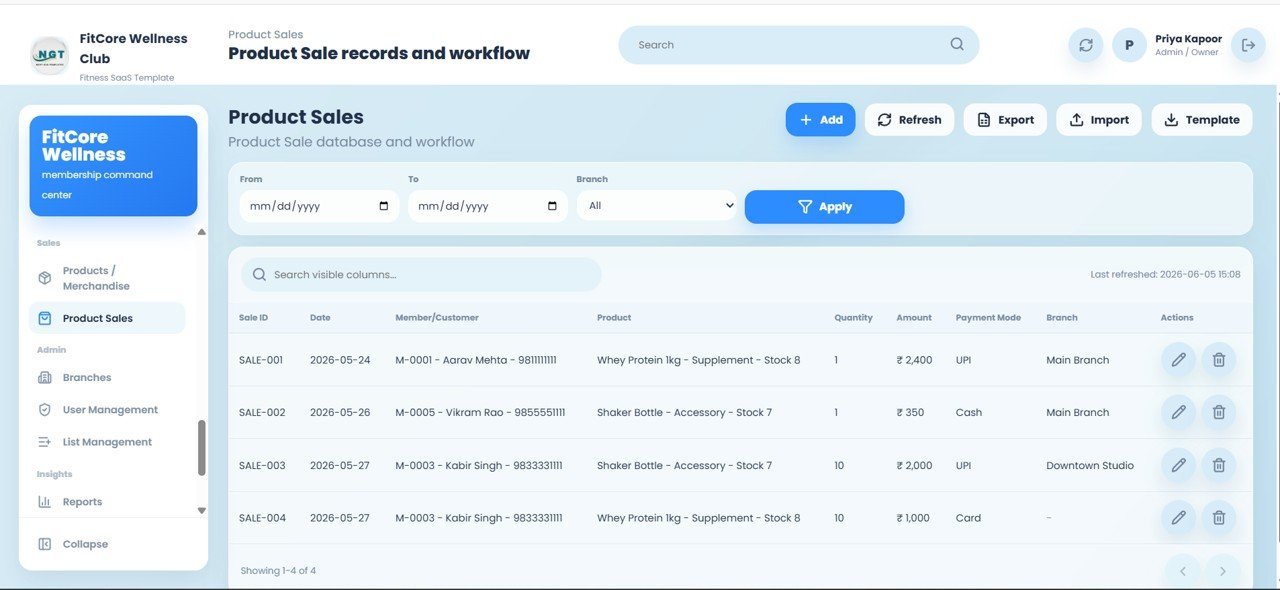
Sale records with Sale ID, Date, Member or Customer, Product, Quantity, Amount, Payment Mode, and Branch — stock updates automatically with every sale.
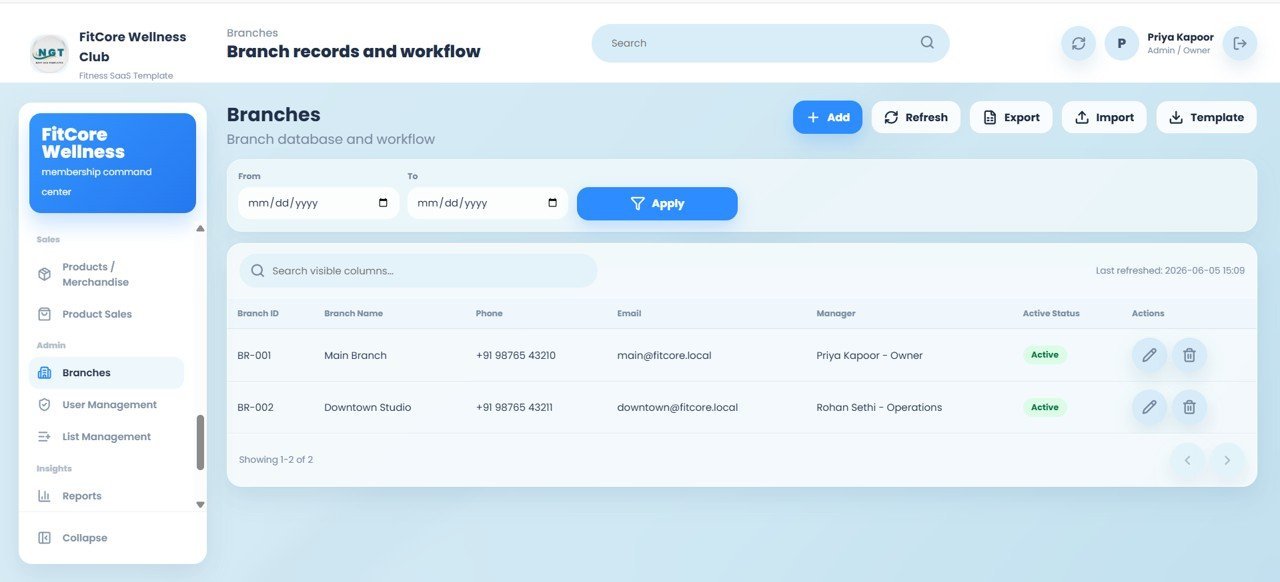
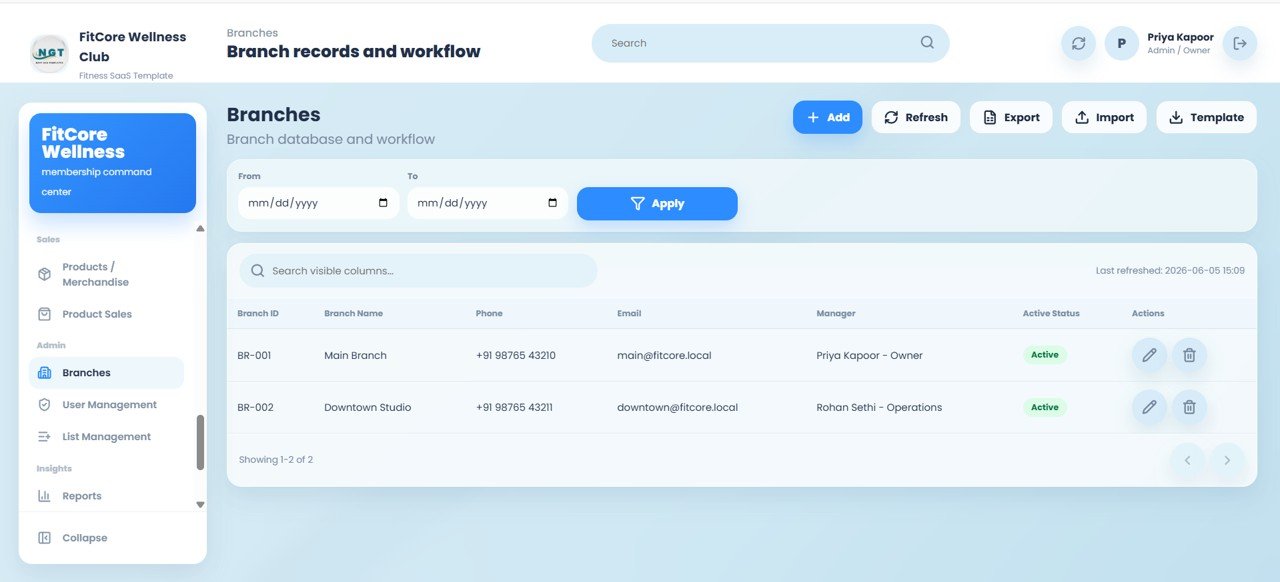
Branches
Branch records with Branch ID, Branch Name, Phone, Email, Manager, and Active Status to centrally manage every location.
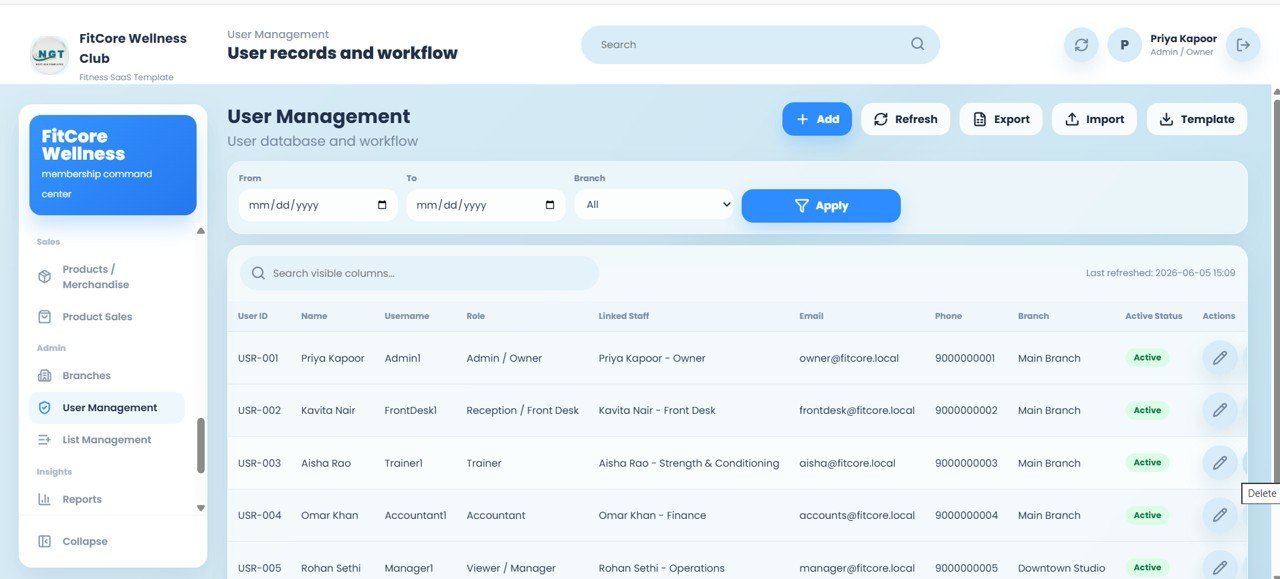
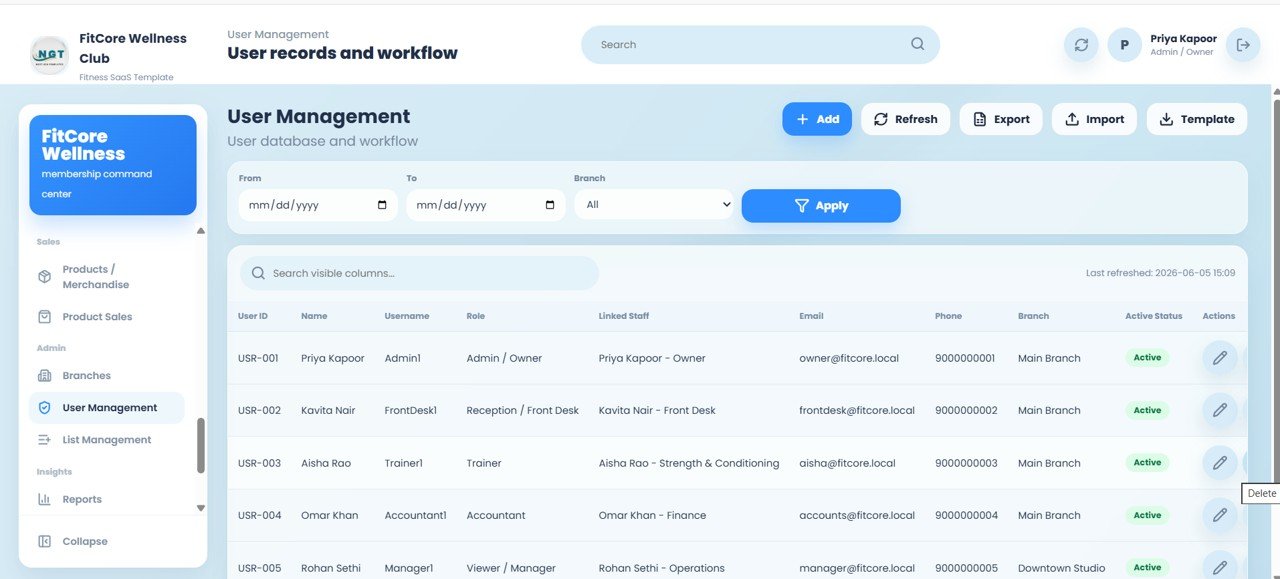
User Management
User records with User ID, Name, Username, Role, Linked Staff, Email, Phone, Branch, and Active Status — with roles for Admin/Owner, Reception/Front Desk, Trainer, Accountant, and Viewer/Manager.
List Management
Central control of dropdown values with List ID, List Type, Value, and Active Status — manage lists like Member Status and Gender from one place so every screen stays consistent.
📊 Gym Membership Web App vs. Excel/Sheets Trackers vs. Paid Gym SaaS — Where This Fits
| Feature | This Web App (Google Sheets) | Manual Excel/Sheets Tracker | Mindbody / GymMaster / PushPress |
|---|---|---|---|
| Cost | $24.99 one-time | Free but manual | $70–$300+ / month |
| Platform | Google Sheets + Apps Script web app | Spreadsheet only | Cloud SaaS |
| Login & role-based access | ✅ 5 roles built in | ❌ None | ✅ Yes |
| Setup time | Under 30 minutes | Hours of formula building | Days + onboarding call |
| Mobile / browser access | ✅ Any browser | ⚠️ Limited | ✅ Yes |
| Data ownership | ✅ Your Google Drive | ✅ Your file | ❌ Vendor servers |
| Per-member / per-user fees | ✅ None ever | ✅ None | ❌ Tiered limits |
| Year-1 cost (1 branch) | $24.99 total | $0 + your time | $840–$3,600+ |
For gyms and studios that want full member, billing, and attendance control without paying $70–$300 every month, the Gym and Fitness Center Membership Management System Web App sits in the sweet spot.Gym and Fitness Center Membership Management System Web App
👥 Who This Template Is For — and Who It’s Not For
✅ This template is built for:
- Independent gyms, fitness studios, and CrossFit boxes with 50–2,000 members
- Yoga, Zumba, and personal-training studios that bill plans and track attendance
- Multi-branch fitness chains wanting one shared system without monthly SaaS fees
- Owners who want their data inside their own Google account, not a vendor’s cloud
❌ This template is NOT for:
- Large chains needing turnstile hardware integration, biometric access, or SOC 2 / SSO compliance
- Gyms that require automated card payment processing built into the app (this logs payments, it does not charge cards)
- Teams unwilling to make a one-time Google Sheet copy and deploy a web app
⚙️ How to Use the Gym and Fitness Center Membership Management System Web App
- Open the PDF guide in your download and click the Google Sheets copy link to create your own editable copy in Google Drive.
- Open the Apps Script editor and deploy the project as a web app using Execute as: Me and Access: Anyone.
- Open the generated web app URL and sign in with the default Admin login, then change the password.
- Add your branches, membership plans, staff, and users from the relevant screens.
- Start enrolling members, recording check-ins, and collecting payments — the dashboard KPIs update automatically.
💼 Real-World Use Cases
Rahul owns a two-branch gym with 600 members. He uses the web app’s Front Desk login for his reception team to handle daily check-ins and walk-in leads, while he watches Monthly Revenue, Renewals Due, and Pending Payments from the Admin dashboard — replacing a $99/month SaaS subscription.
Priya runs a boutique yoga and Zumba studio. She schedules classes and batches, tracks class attendance, and sends renewal and birthday reminders, keeping retention high without any per-member software fee.
Sameer is a personal trainer with a small private studio. He logs PT sessions, builds workout and diet plans, and records member measurements and progress photos so clients see their transformation over time.Gym and Fitness Center Membership Management System Web App
❓ Frequently Asked Questions
What does the Gym and Fitness Center Membership Management System Web App do?
The Gym and Fitness Center Membership Management System Web App manages the full membership lifecycle across 25 screens — members, plans, subscriptions, payments, attendance, classes, PT sessions, leads, workout and diet plans, expenses, and merchandise — on a Google Sheets backend with role-based login.Gym and Fitness Center Membership Management System Web App
Do I need to pay monthly fees?
No. The Gym and Fitness Center Membership Management System Web App is a one-time purchase of $24.99 with no subscription and no per-member fees, unlike Mindbody, GymMaster, or PushPress which cost $70–$300+ per month.
How long does setup take?
Most owners are live in under 30 minutes: make a copy of the Google Sheet, deploy the Apps Script web app, sign in as Admin, and add your branches, plans, and staff. A PDF guide walks through every step.
Who can log in to the system?
The web app supports five role types — Admin, Front Desk, Trainer, Accountant, and Manager — each with access only to the screens they need. Logins are managed from the User Management screen inside the sheet.Gym and Fitness Center Membership Management System Web App
Where is my data stored?
All data lives in your own Google Sheet inside your Google Drive. You own and control it entirely, with no third-party vendor holding your members’ information.Gym and Fitness Center Membership Management System Web App
Can it handle multiple branches?
Yes. The Gym and Fitness Center Membership Management System Web App is multi-branch ready, with a Branches screen and branch filters on members, classes, attendance, payments, and reporting screens.Gym and Fitness Center Membership Management System Web App
👤 About the Author
Built by PK — Microsoft Certified Professional with 15+ years of Excel, Google Sheets, and Power BI experience. Founder of NextGenTemplates, reaching 300K+ subscribers across YouTube channels (@PK-AnExcelExpert, @NextGenTemplates, @NeoTechNavigators). Every template is hand-built and tested before release.
🔗 Explore Related Templates
Pair this system with analytics from our Gym Fitness Business Dashboard in Google Sheets, the Gym Retention Dashboard in Google Sheets, and the Fitness Trainer Dashboard in Google Sheets. Running other operations too? See the School Management System Web App and the GST Billing System Web App. Browse more in our Web Apps collection and Google Sheets Dashboards.
📖 Click here to read the Detailed Blog Post
Watch the step-by-step video tutorial:
🎥 Visit our YouTube channel for step-by-step video tutorials
👉 YouTube.com/@NextGenTemplates
Compatibility and Requirements
- Runs in Google Sheets with Google Apps Script. You need a free Google account and a web browser.
- You deploy your own private copy as a web app with Execute as: Me and Access: Anyone. Your data stays in your own Google Drive.
- Google explains how files and sheets work together in Get started with Google Sheets.
Related Gym and Membership Templates
- Gym Membership Tracker in Google Sheets: a lighter sheet for tracking members
- Gym Membership Data Entry System in Excel: member entry in Excel
- Gym Fitness Business Dashboard in Power BI: business reporting in Power BI
- Club & Association Membership Management System Web App: the same kind of web app for clubs
- Membership Growth and Churn Analysis Dashboard in Google Sheets: track growth and churn
Browse all Web Apps and Google Sheets templates.






Reviews
There are no reviews yet.