

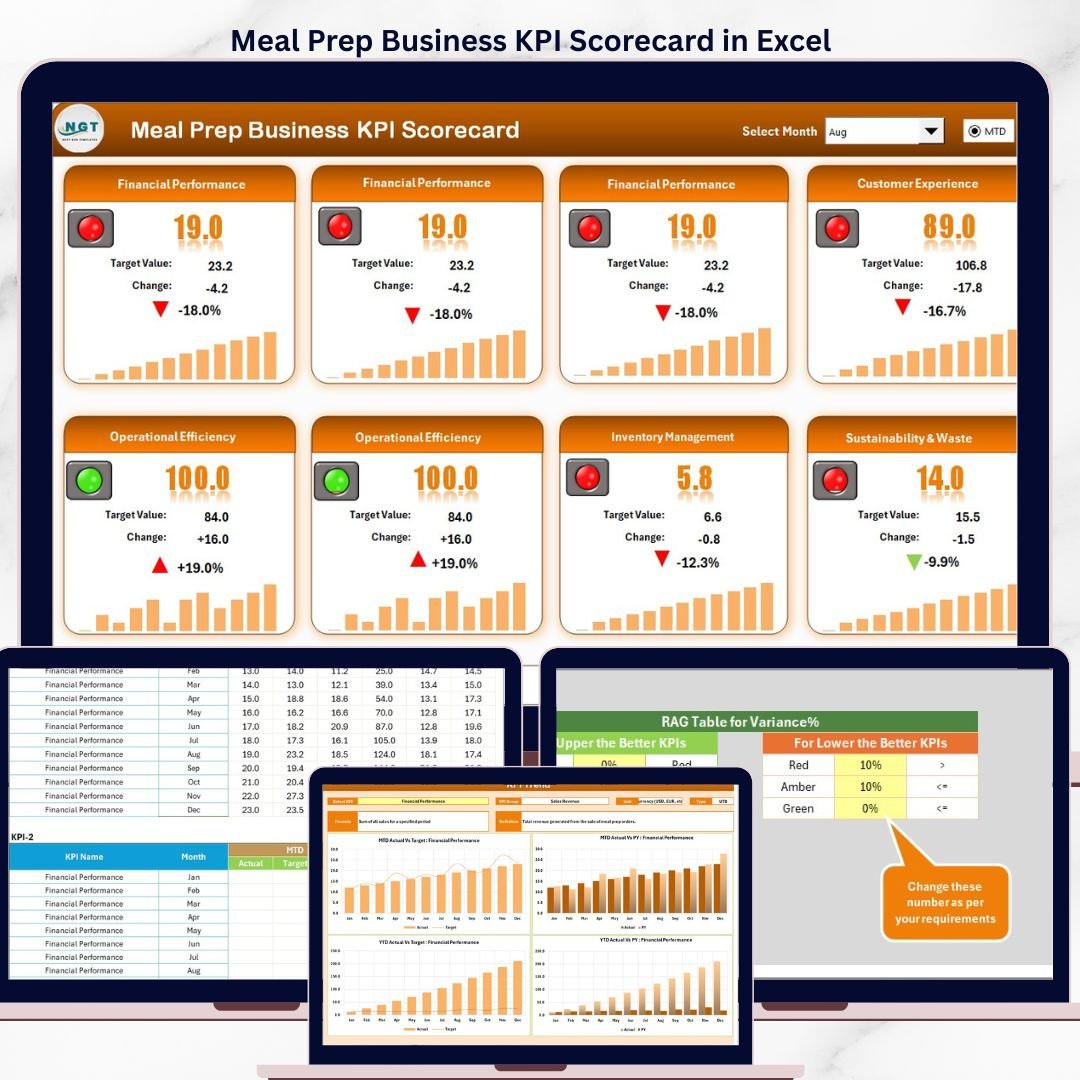

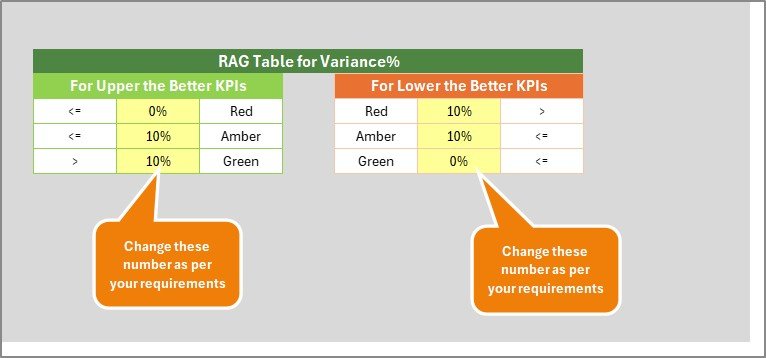

Key Features of Meal Prep Business KPI Scorecard
Introducing the Meal Prep Business KPI Scorecard, a ready-to-use, comprehensive digital template designed to help meal prep businesses track, analyze, and improve their key performance metrics efficiently. This powerful tool empowers business owners and managers with real-time insights into their operations, enabling smarter decision-making and enhanced profitability.
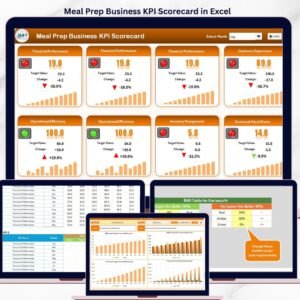
This scorecard consists of 4 intuitive worksheets, each tailored to provide a unique perspective on your business KPIs:
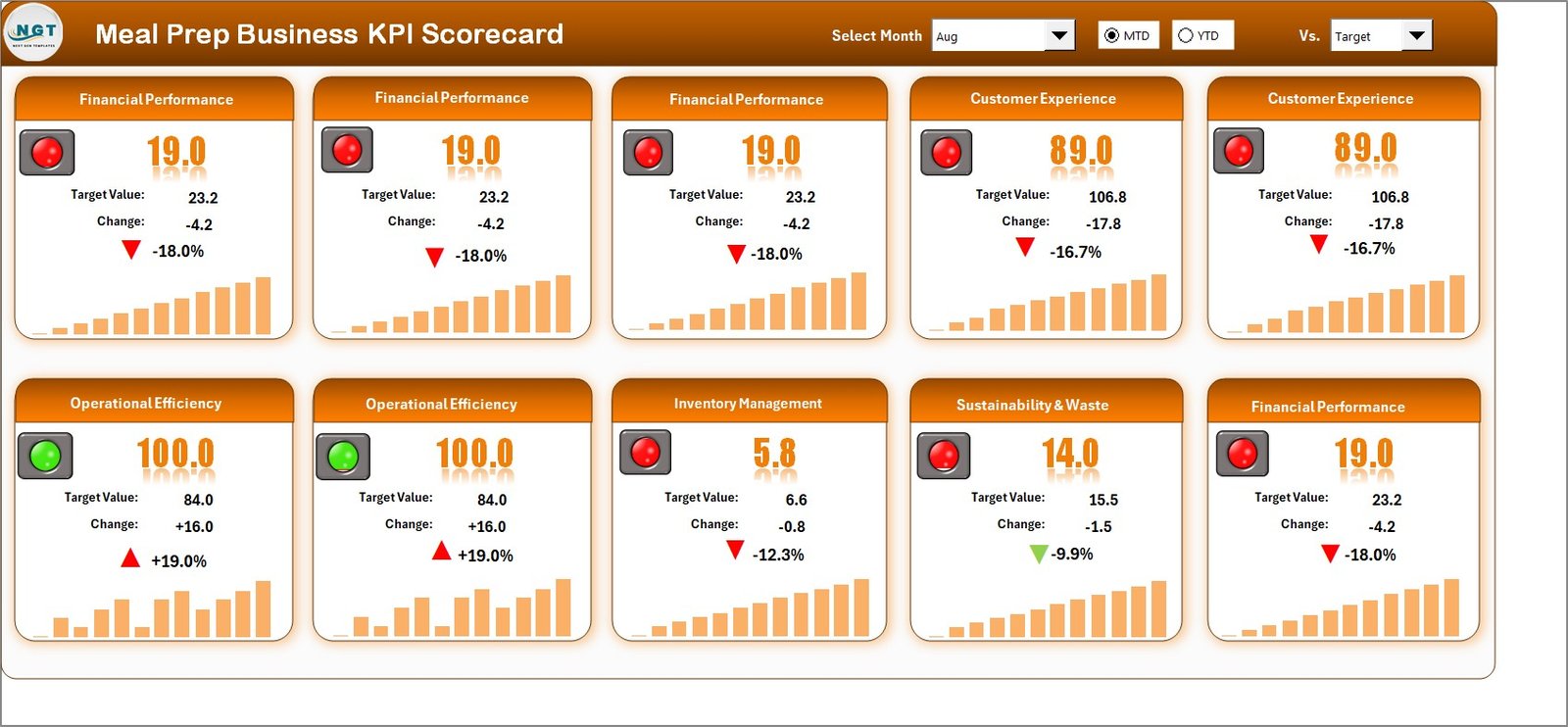
- 🗓️ Scorecard Sheet: The main interface where you can effortlessly view and evaluate your KPI performance. Select the month, MTD (Month-to-Date), or YTD (Year-to-Date) using dropdown menus for precise performance analysis. Compare actual results against targets, and quickly identify areas needing attention through clear, color-coded visual indicators.
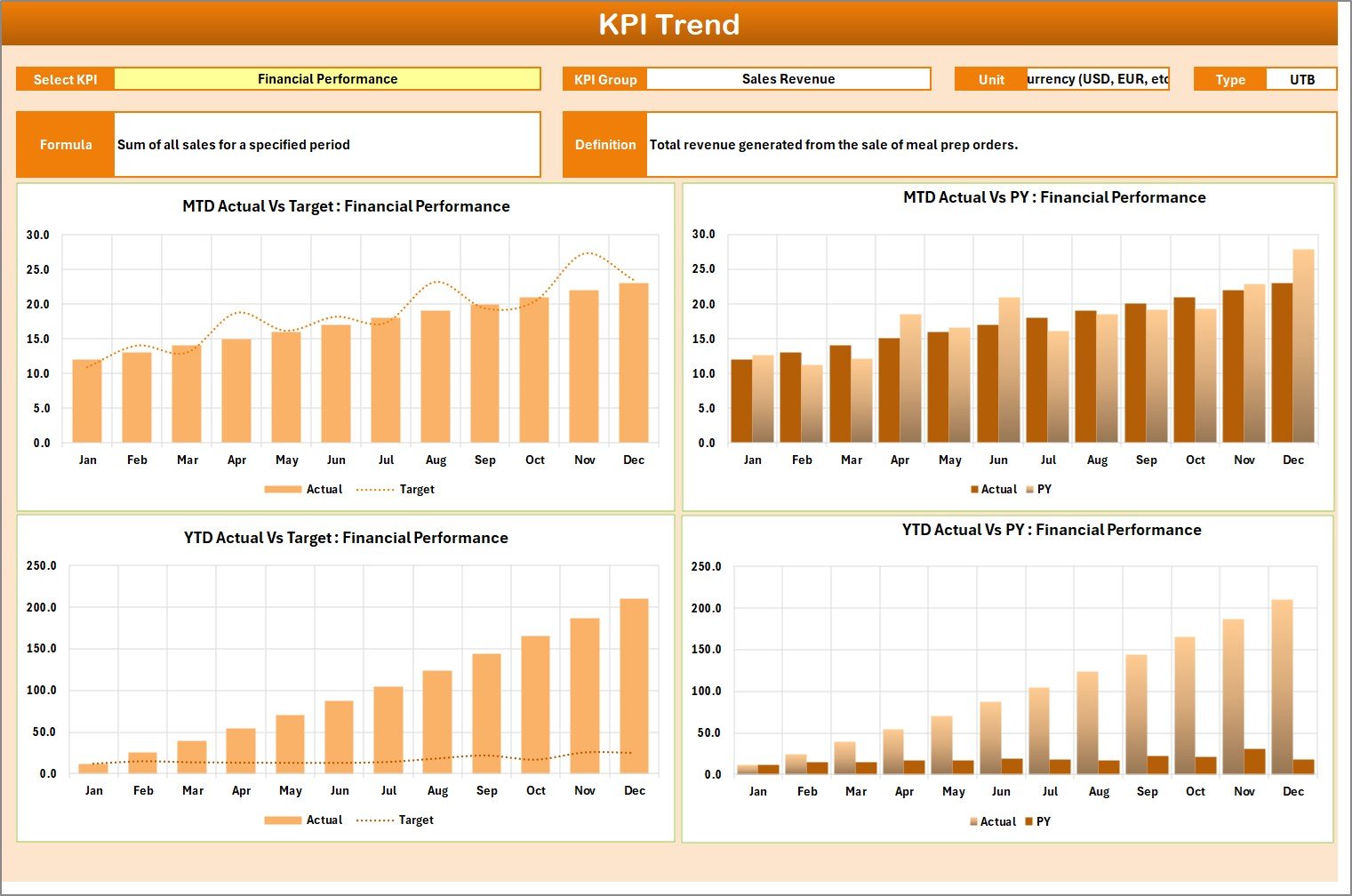
- 📈 KPI Trend Sheet: Dive deeper into trends by selecting any KPI to see its group, unit, type (whether lower or upper values are better), formula, and definition. This sheet also presents MTD and YTD trend charts comparing actual, target, and previous year numbers, helping you visualize progress and patterns.
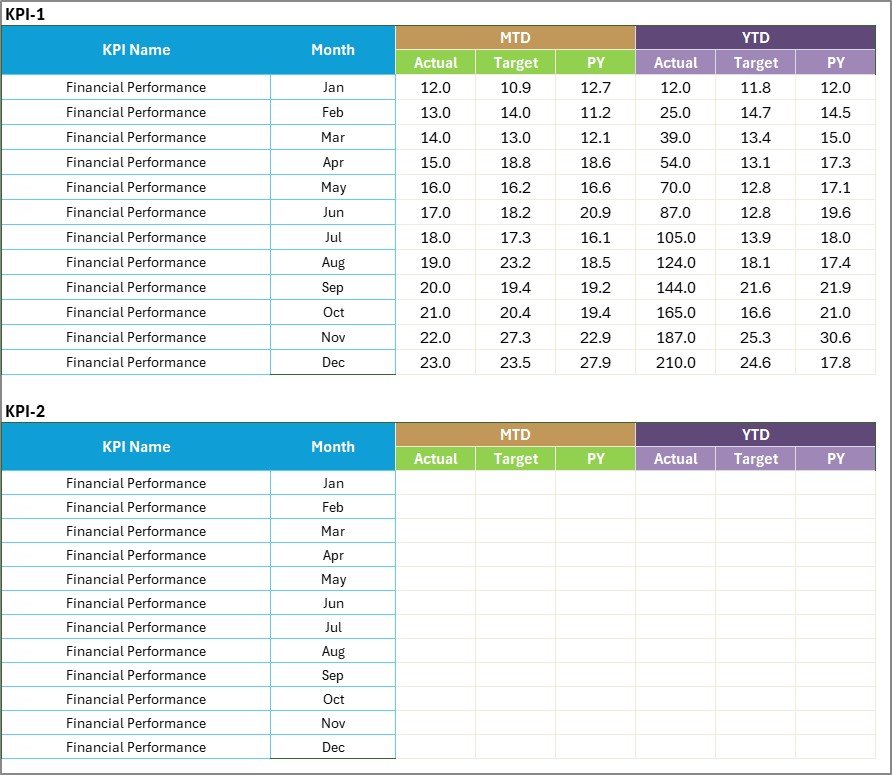
- ✍️ Input Data Sheet: The backbone of your scorecard where all KPI data is entered. Easily input actual values, targets, and other essential metrics. This sheet is designed for flexibility, allowing timely updates as new data becomes available, ensuring your scorecard remains accurate and relevant.
- 📋 KPI Definition Sheet: Maintain clarity by defining each KPI’s name, group, unit, formula, and description. This provides context and consistency, especially useful for teams and stakeholders reviewing the scorecard.
The Meal Prep Business KPI Scorecard is an all-in-one solution, perfectly suited to keep your business metrics transparent and your goals on track.
What’s Inside the Meal Prep Business KPI Scorecard
This digital product includes:
- 🖥️ Scorecard Sheet: Central dashboard with dropdown filters for month, MTD, and YTD views, actual vs target comparison, and intuitive visual cues.
- 📊 KPI Trend Sheet: Detailed KPI insights, definitions, and dynamic trend charts for performance visualization.
- 📝 Input Data Sheet: User-friendly space to enter and update KPI metrics flexibly.
- 📚 KPI Definition Sheet: Clear documentation of each KPI’s purpose, calculation, and measurement unit.
These components work together to provide a seamless experience for monitoring, analyzing, and improving your meal prep business operations.
How to Use the Meal Prep Business KPI Scorecard
Getting started with the Meal Prep Business KPI Scorecard is simple and efficient:
- 🔍 Select the Time Frame: Use the dropdown menus on the Scorecard Sheet to choose your preferred analysis period – monthly, MTD, or YTD.
- 📥 Enter Your Data: Input actual values, targets, and other KPI metrics in the Input Data Sheet to keep your scorecard updated.
- 📈 Analyze Trends: Navigate to the KPI Trend Sheet, select any KPI from the dropdown, and review trend charts alongside KPI details for deeper insights.
- 🛠️ Customize Definitions: Modify or add KPIs in the KPI Definition Sheet to tailor the scorecard specifically to your business needs.
- 📊 Monitor Performance: Use the color-coded visuals and comparison features to quickly identify strengths and areas requiring improvement.
This step-by-step approach ensures that you leverage the full power of the scorecard to drive business success.
Who Can Benefit from This Meal Prep Business KPI Scorecard
The Meal Prep Business KPI Scorecard is ideal for:
- 👩💼 Meal Prep Business Owners: Gain full visibility into key metrics and make data-driven decisions to grow your business.
- 📊 Operations Managers: Track performance trends and operational efficiency effortlessly.
- 📈 Financial Analysts: Evaluate financial KPIs like revenue, costs, and margins with clear comparative data.
- 🧑🍳 Kitchen Managers: Monitor production efficiency and quality metrics to maintain high standards.
- 🧑💻 Consultants & Advisors: Provide clients with actionable insights backed by organized KPI data.
- 🎯 Marketing Teams: Measure customer acquisition and retention KPIs to optimize campaigns.
Whether you’re a solo entrepreneur or part of a growing team, this scorecard makes managing your meal prep business KPIs easier and more effective.
Click here to read the Detailed blog post.
Visit our YouTube channel to learn step-by-step video tutorials
Compatibility and Requirements
- Works in Microsoft Excel desktop (Excel 2016 or later, or Microsoft 365).
- The Month, MTD and YTD selectors and the KPI picker are drop-down lists. Microsoft’s guide to creating a drop-down list explains how they work.
Frequently Asked Questions
Which sheets are in the Meal Prep Business KPI Scorecard?
Four sheets: Scorecard, KPI Trend, Input Data and KPI Definition.
How do I switch between Month, MTD and YTD?
Use the dropdown menus on the Scorecard sheet. Actual and target values and the color-coded indicators change to the period you pick.
What does the KPI Trend sheet show?
Pick a KPI to see its group, unit, type (lower or upper is better), formula and definition, plus MTD and YTD charts of actual, target and previous year numbers.
Can I add KPIs for my own meal prep business?
Yes. Add or edit KPIs on the KPI Definition sheet, then enter their numbers on the Input Data sheet.
Related Meal Prep and Food Business Templates
- Meal Prep Business KPI Dashboard in Excel: a dashboard view of meal prep KPIs.
- Meal Prep Business KPI Dashboard in Google Sheets: the KPI dashboard in Google Sheets.
- Catering Business KPI Scorecard in Excel: a scorecard for catering businesses.
- Weekly Meal Prep Checklist Template in Excel: plan weekly meal prep tasks.
- KPI Scorecard Mega Pack: 12 Excel and Google Sheets KPI scorecards.
Browse all Excel KPI dashboards.


























Reviews
There are no reviews yet.