

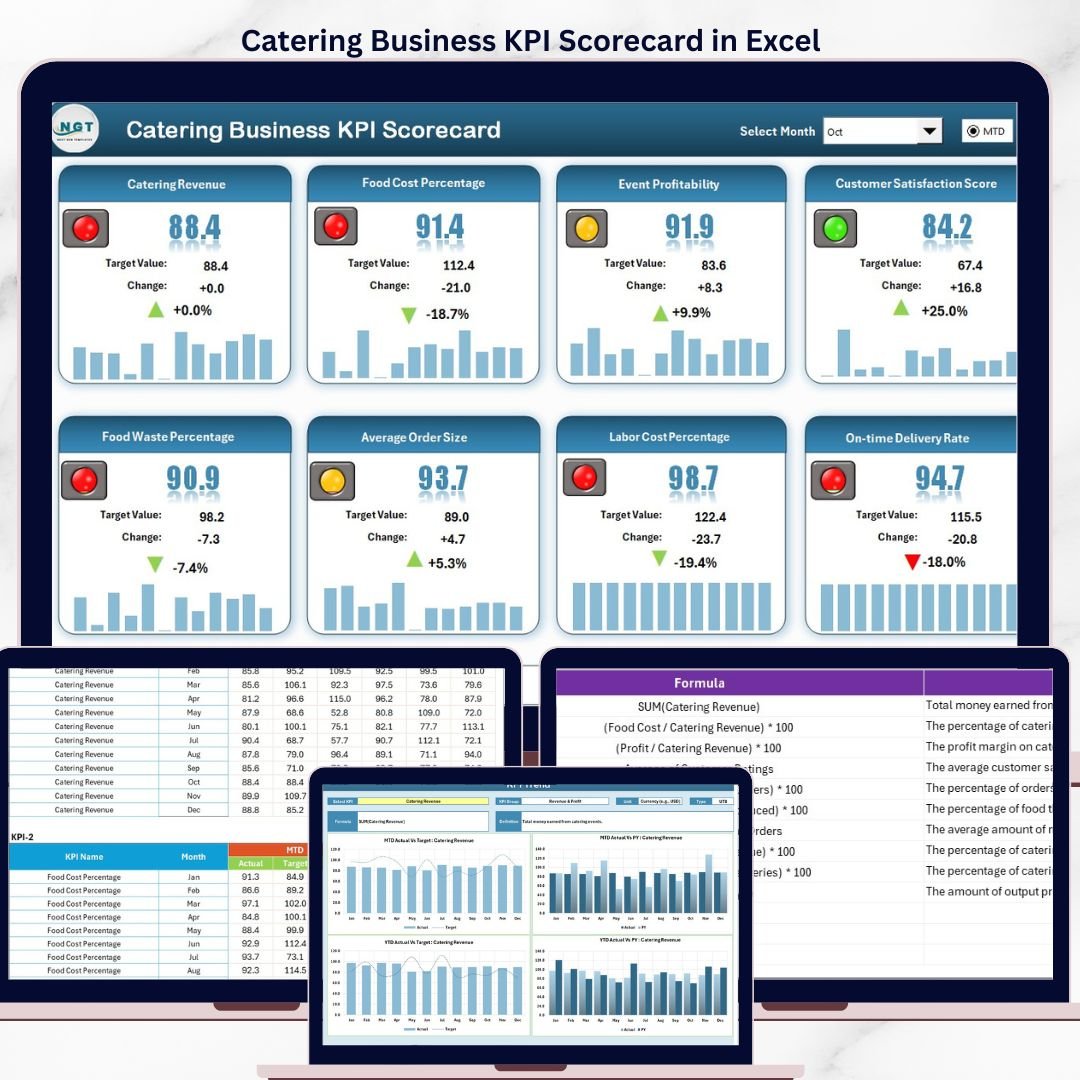
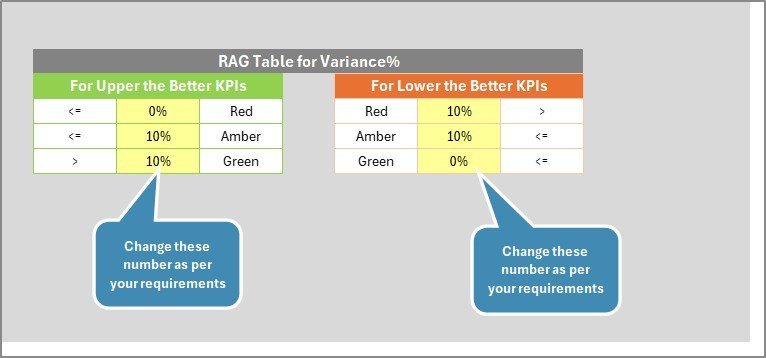
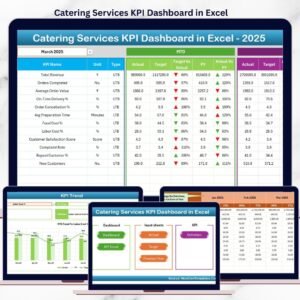
The Catering Business KPI Scorecard in Excel tracks catering-specific KPIs across 4 interactive worksheets, with built-in MTD and YTD analysis, trend charts, and conditional formatting. Setup takes under 10 minutes — just replace the sample data with your own catering numbers and every metric updates automatically.
🌍 Join 8,400+ teams in 40+ countries using NextGenTemplates to replace paid SaaS tools with one-time-purchase Excel, Google Sheets, Power BI, and HTML templates.
✅ Instant download · One-time payment · No subscription · No per-user fees · Lifetime access
🔑 Key Features of Catering Business KPI Scorecard in Excel
The Catering Business KPI Scorecard in Excel includes 4 structured worksheets designed specifically for catering businesses. The Scorecard sheet displays all KPIs with Actual vs Target values, MTD and YTD comparisons, and color-coded performance indicators that let you spot underperformance at a glance. The KPI Trend sheet shows monthly trend charts for any selected KPI, comparing Actual, Target, and Previous Year numbers side by side.
This template tracks essential catering metrics including revenue per event, food cost percentage, labor cost ratio, customer satisfaction score, repeat booking rate, on-time delivery rate, waste percentage, and average order value. Each KPI is categorized by group, measured in its proper unit, and includes a formula and definition for clarity. The Input Data sheet lets you enter actual values, targets, and previous year data for 12 months — and every chart and indicator updates automatically.
For catering companies tracking food costs, event profitability, and service quality, this scorecard provides the same structured monitoring that SaaS platforms charge monthly fees for — at a fraction of the cost. Explore more KPI Dashboard Templates from NextGenTemplates.
📦 What’s Inside the Catering Business KPI Scorecard in Excel
The template contains 4 worksheets:
1. Scorecard Sheet:
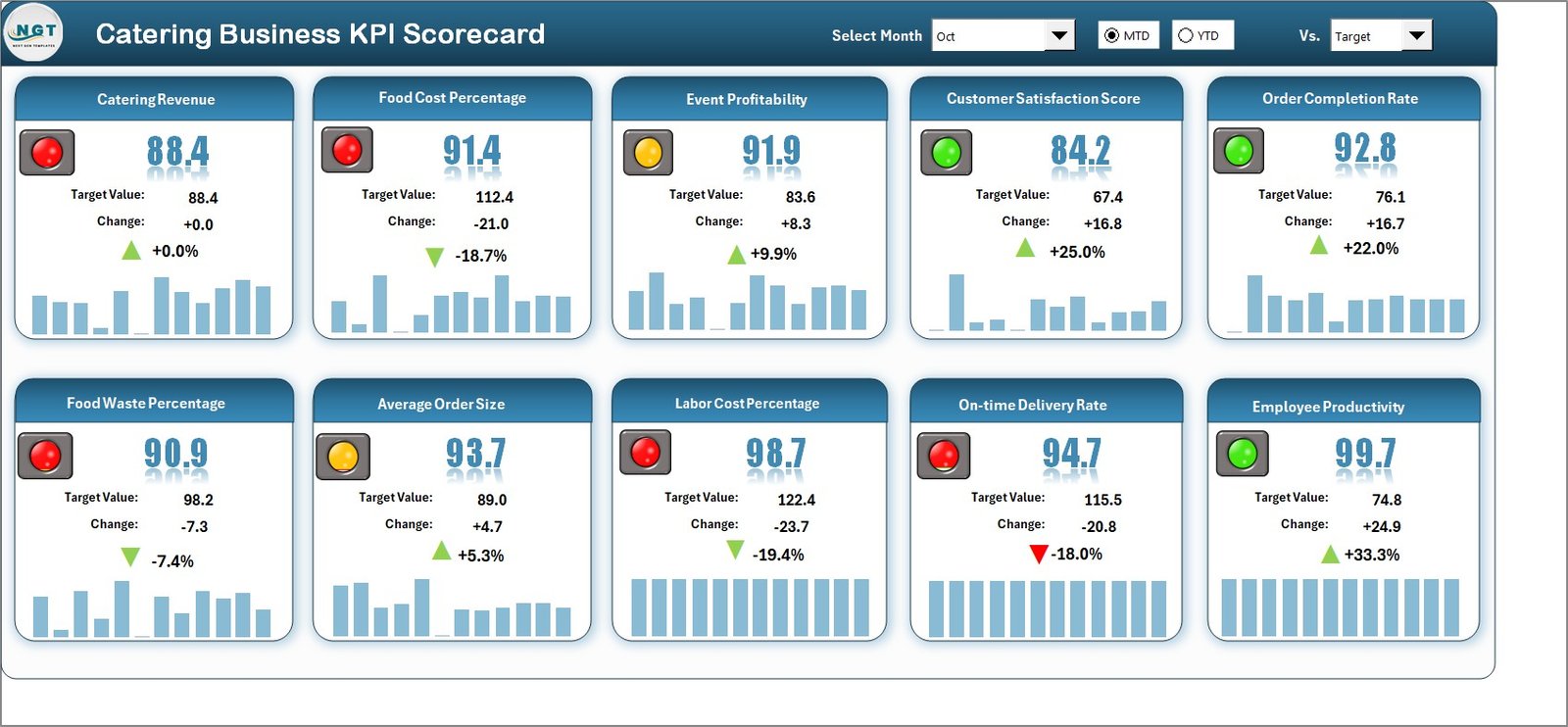
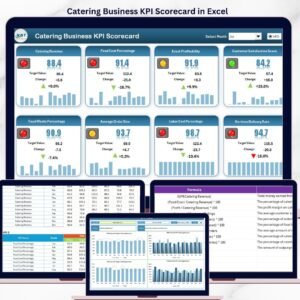
Catering Business KPI Scorecard in Excel
The Scorecard sheet is the main interface where you can view KPI performance. Key features include: dropdown menus to select the month, MTD or YTD for performance analysis; Actual vs Target values with visual comparison for each KPI; color-coded conditional formatting that highlights performance status instantly; and a complete KPI overview displaying all relevant information including MTD and YTD comparisons.
2. KPI Trend Sheet:
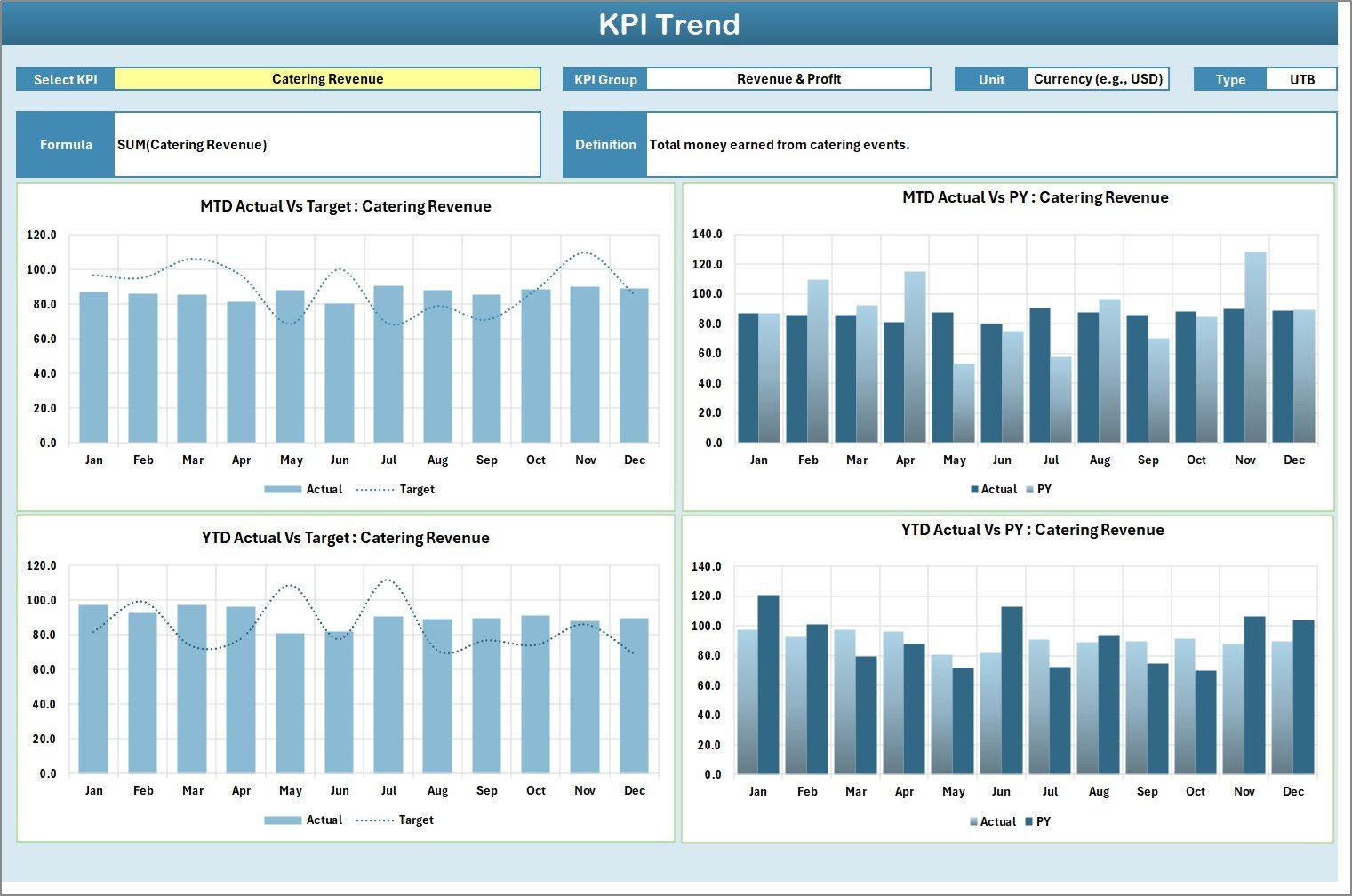
KPI Trend Sheet
Here you can select the KPI name from the dropdown available on range C3. The sheet displays the KPI Group, Unit of KPI, Type of KPI (Lower the Better or Upper the Better), Formula of the KPI, and Definition of the KPI. MTD and YTD trend charts show Actual, Target, and Previous Year numbers for easy comparison across months.
3. Input Data Sheet:
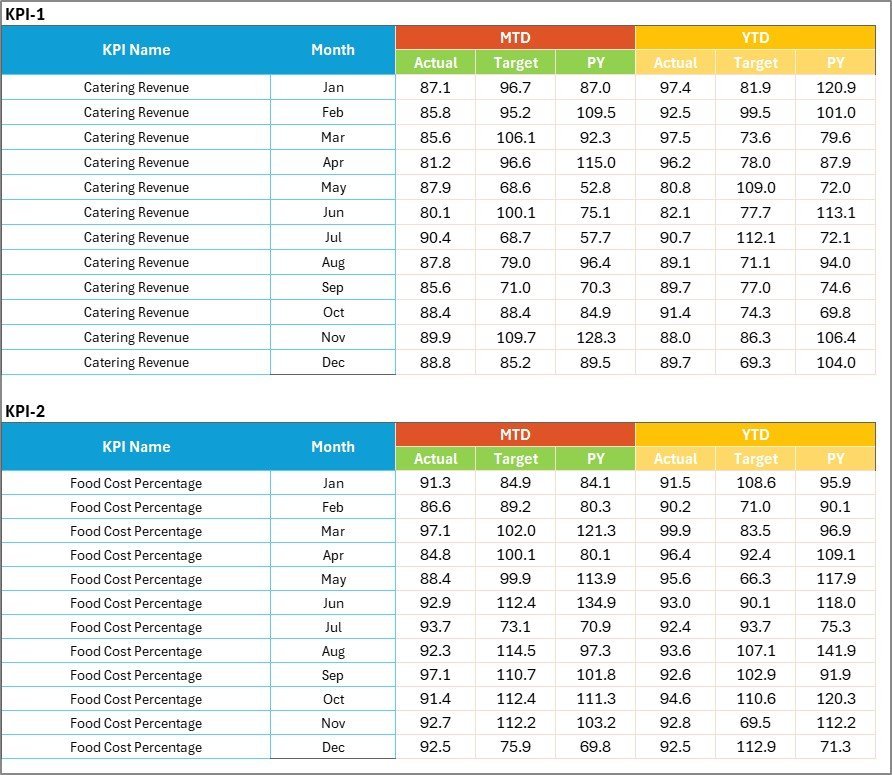
Input Data Sheet
The Input Data sheet is where you enter all KPI data. Record actual values, targets, and previous year metrics for each KPI across 12 months. The template is fully flexible — update data as new results become available, and the scorecard remains current with zero manual recalculation.
4. KPI Definition Sheet:
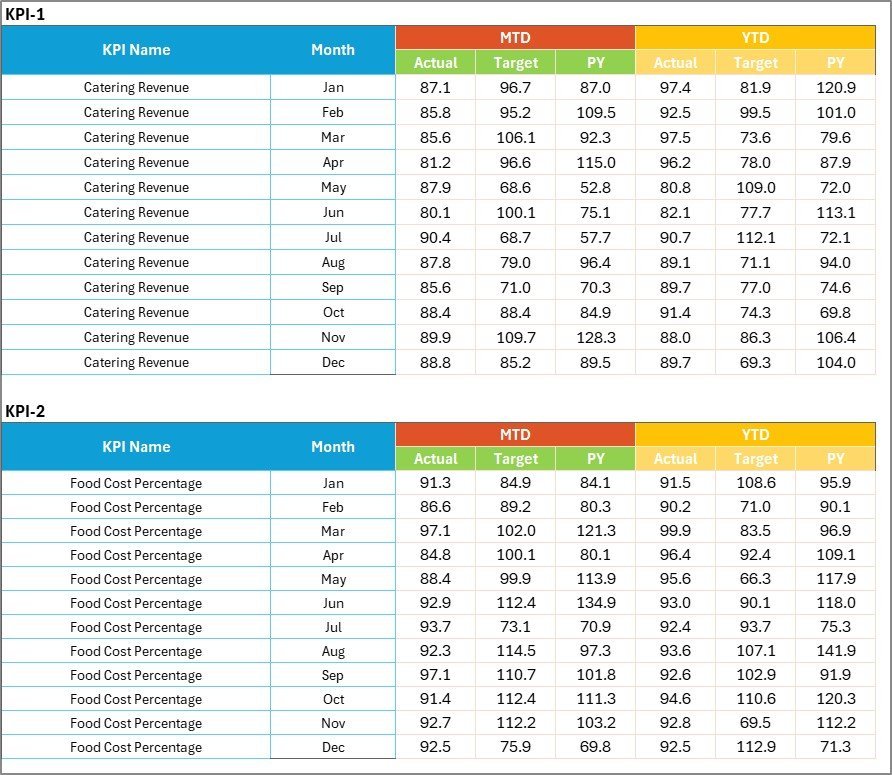
KPI Definition Sheet
In this sheet, you enter the KPI Name, KPI Group, Unit, Formula, and KPI Definition. This ensures every team member measures performance consistently using the same definitions and calculation methods.
Also check: Food Service KPI Scorecard in Excel | Food Delivery KPI Scorecard in Excel | Hospitality KPI Scorecard in Excel
📊 Catering Business KPI Scorecard vs. Google Sheets vs. Paid Catering Software — Where This Fits
| Feature | Catering Business KPI Scorecard in Excel | Google Sheets KPI Scorecard | CaterTrax / Total Party Planner |
|---|---|---|---|
| Cost | $12.99 one-time | Free (manual setup) | $50–200/month |
| Platform | Microsoft Excel | Google Sheets (browser) | Cloud SaaS |
| Setup Time | Under 10 minutes | 2–4 hours (build from scratch) | 1–2 weeks onboarding |
| MTD & YTD Analysis | ✅ Built-in | ❌ Manual formulas needed | ✅ Included |
| KPI Trend Charts | ✅ Auto-generated | ❌ Build manually | ✅ Included |
| Offline Access | ✅ Full offline | ❌ Requires internet | ❌ Cloud only |
| Customizable KPIs | ✅ Add/remove freely | ✅ Manual | ⚠️ Limited |
| Year-1 Cost (5 users) | $12.99 total | $0 (DIY effort) | $600–2,400 |
For catering businesses that want structured KPI tracking without paying monthly software fees, the Catering Business KPI Scorecard in Excel sits in the sweet spot.
👥 Who This Template Is For — and Who It’s Not For
✅ This template is built for:
- Catering company owners and managers tracking event profitability, food costs, and service quality
- Corporate catering managers monitoring vendor performance and customer satisfaction metrics
- Wedding and event catering businesses tracking repeat bookings, revenue per event, and waste reduction
- Small to mid-size catering operations (1–50 staff) that need structured KPI monitoring without SaaS costs
❌ This template is NOT for:
- Enterprise catering chains needing real-time POS integration and multi-location cloud sync
- Businesses requiring automated data feeds from accounting or ERP systems
⚙️ How to Use the Catering Business KPI Scorecard in Excel
- Open the downloaded Excel file in Microsoft Excel 2016 or later.
- Go to the KPI Definition sheet and review or customize KPI names, groups, units, formulas, and definitions.
- Navigate to the Input Data sheet and enter your actual values, targets, and previous year data for each month.
- Switch to the Scorecard sheet, select a month from the dropdown, and view your MTD/YTD performance with color-coded indicators.
- Use the KPI Trend sheet to select any KPI and analyze its monthly trend chart comparing Actual, Target, and Previous Year.
💼 Real-World Use Cases
Priya manages catering operations for a 35-person wedding catering company in Mumbai. She uses the Catering Business KPI Scorecard in Excel to track food cost percentage, on-time delivery rate, and customer satisfaction score month by month. Before using the scorecard, she relied on scattered WhatsApp notes and gut feeling — now she presents data-backed reports to her business partner every month.
David runs a corporate catering division for a hospitality group in Chicago. He tracks 15 KPIs including revenue per event, labor cost ratio, waste percentage, and repeat booking rate across his team. The MTD/YTD trend charts help him identify seasonal patterns and adjust staffing levels before peak months.
Anya operates a boutique event catering business in London. With just 8 employees, she uses the scorecard to monitor average order value, client retention rate, and cost per plate. The traffic-light indicators immediately flag when food costs creep above her 32% target — saving her thousands in unchecked waste each quarter.
❓ Frequently Asked Questions
What KPIs does the Catering Business KPI Scorecard in Excel track?
The Catering Business KPI Scorecard in Excel tracks catering-specific metrics including revenue per event, food cost percentage, labor cost ratio, customer satisfaction score, repeat booking rate, on-time delivery rate, waste percentage, and average order value. All KPIs are customizable.
How long does it take to set up the Catering Business KPI Scorecard?
Setup takes under 10 minutes. Open the Excel file, review the pre-loaded KPI definitions, enter your actual data and targets in the Input Data sheet, and the Scorecard and Trend sheets update automatically with charts and conditional formatting.
Can I add my own custom KPIs to this catering scorecard?
Yes. The KPI Definition sheet allows you to add, remove, or modify any KPI. Enter a new KPI name, group, unit, formula, and definition — then add corresponding data in the Input Data sheet. The scorecard adapts to your business needs.
How does this Excel scorecard compare to paid catering management software?
Paid catering software like CaterTrax costs $50–200 per month and requires onboarding. The Catering Business KPI Scorecard in Excel costs $12.99 one-time, works offline, and provides the same KPI tracking with MTD/YTD analysis and trend charts — without recurring fees.
Does this template work on Mac?
Yes. The Catering Business KPI Scorecard in Excel works on Microsoft Excel for Mac (2016 and later). It uses standard formulas and conditional formatting — no VBA or macros required.
Can I use this scorecard for multiple catering locations?
You can duplicate the workbook for each location or add location-specific rows in the Input Data sheet. For multi-location analytics with centralized dashboards, consider the Restaurant P&L Dashboard in Excel.
Is there a Google Sheets version of this catering scorecard?
Yes. NextGenTemplates offers the Food Service KPI Scorecard in Google Sheets for cloud-based catering KPI tracking with real-time collaboration.
👤 About the Author
Built by PK — Microsoft Certified Professional with 15+ years of Excel, Google Sheets, and Power BI experience. Founder of NextGenTemplates, reaching 300K+ subscribers across YouTube channels (@PK-AnExcelExpert, @NextGenTemplates, @NeoTechNavigators). Every template is hand-built and tested before release.
🔗 Explore Related Templates
🔹 Food Service KPI Scorecard in Excel — Track food service KPIs including COGS, table turnover, and customer retention with MTD/YTD analysis.
🔹 Bakery KPI Scorecard in Excel — Monitor bakery-specific metrics like production efficiency, waste rate, and sales per product line.
🔹 Restaurant P&L Dashboard in Excel — 5-page interactive dashboard for restaurant revenue, cost, and profitability analysis.
🔹 Food Service KPI Scorecard in Google Sheets — Cloud-based alternative with the same KPI tracking structure in Google Sheets.
📖 Click here to read the Detailed Blog Post
🎥 Visit our YouTube channel for step-by-step video tutorials
👉 YouTube.com/@NextGenTemplates


















Reviews
There are no reviews yet.