



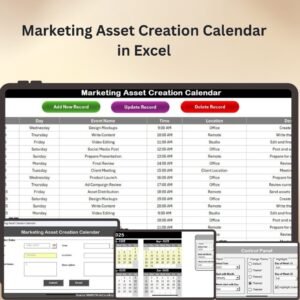
The Marketing Asset Creation Calendar in Excel is an essential tool for organizing and managing your marketing assets efficiently. Designed to help marketing teams and professionals stay on top of content creation, this calendar provides a comprehensive view of all your planned marketing activities, including blog posts, social media campaigns, email marketing, and more. With clear deadlines, responsible teams, and detailed task descriptions, this calendar makes it easy to coordinate and track the creation of marketing materials across different platforms.
The Marketing Asset Creation Calendar offers a clean, intuitive layout, allowing you to plan, schedule, and track all marketing projects in one place. It’s fully customizable to fit your specific business needs, making it a perfect tool for both small businesses and large organizations looking to streamline their marketing efforts.

Key Features of the Marketing Asset Creation Calendar in Excel
📌 Organized Task Management
Track all your marketing assets in one place, including tasks, deadlines, responsible teams, and asset types. The calendar helps you stay on schedule and ensures that nothing falls through the cracks.
🛠 Customizable Design
You can easily customize the calendar to match your business’s needs. Whether you’re managing content for blogs, social media, or email campaigns, you can tailor the calendar to track specific details, such as content themes, creative requirements, or asset types.
💡 Visual Scheduling
The calendar format provides a clear, visual representation of your marketing schedule. Quickly identify upcoming deadlines, projects that are behind schedule, or tasks that are due soon, allowing you to manage time more efficiently.
🔢 Real-Time Updates
As your team updates the calendar with new tasks or changes to deadlines, the schedule automatically adjusts to reflect these updates. This ensures that everyone is always on the same page and allows for dynamic planning.
🚀 Detailed Task Descriptions
For each marketing asset, you can add specific details such as the task description, target audience, and any creative or strategic notes. This helps the marketing team stay aligned with project goals and ensures that assets are created according to plan.
📊 Track Multiple Marketing Channels
Whether you’re creating assets for digital marketing, print, or events, the Marketing Asset Creation Calendar lets you track multiple channels in one place. This ensures that all aspects of your marketing strategy are coordinated and properly managed.
⚙ Easy-to-Use Interface
Designed for ease of use, the calendar is simple to navigate. You can update tasks, assign responsibilities, and adjust dates with just a few clicks, making it an accessible tool for both novice and experienced Excel users.
🚀 Why You’ll Love the Marketing Asset Creation Calendar in Excel
✅ All-in-One Task Tracker – Organize all your marketing activities in one calendar. ✅ Customizable and Flexible – Adjust the calendar to suit your team’s needs and business objectives. ✅ Visual and Easy to Use – Easily track deadlines, responsibilities, and progress. ✅ Real-Time Updates – Stay up-to-date with instant changes and adjustments. ✅ Perfect for Teams – Collaborate efficiently and keep everyone aligned on marketing goals.
📂 What’s Inside the Marketing Asset Creation Calendar in Excel?
- Task Management: A comprehensive tracker for all marketing assets and tasks.
- Customizable Fields: Adjust the calendar to include task types, creative requirements, and more.
- Visual Scheduling: A clear and intuitive calendar format that makes it easy to see deadlines and priorities.
- Real-Time Updates: Stay on top of changes and updates with instant adjustments.
- Clear Instructions: Easy setup guide to help you get started right away.
🔍 How to Use the Marketing Asset Creation Calendar in Excel
1️⃣ Download the Template – Instant access to the Excel file upon purchase. 2️⃣ Input Your Marketing Assets – Add your planned content and campaigns to the calendar. 3️⃣ Assign Responsibilities – Specify which team or individual is responsible for each task. 4️⃣ Set Deadlines – Set deadlines for each task to ensure timely completion. 5️⃣ Track and Collaborate – Use the calendar to manage and track progress in real time.
🎯 Who Can Benefit from the Marketing Asset Creation Calendar in Excel? 🔹 Marketing Teams
🔹 Content Creators
🔹 Social Media Managers
🔹 Brand Managers
🔹 Digital Marketing Professionals
🔹 Anyone involved in the creation and scheduling of marketing assets
Keep your marketing campaigns on track with the Marketing Asset Creation Calendar in Excel. This simple but powerful tool ensures that you can efficiently manage and track all aspects of your marketing efforts, from content creation to distribution.
Click here to read the Detailed blog post
https://www.pk-anexcelexpert.com/marketing-asset-creation-calendar-in-excel/
Visit our YouTube channel to learn step-by-step video tutorials
Compatibility and Requirements
- Works in Microsoft Excel desktop (Excel 2016 or later, or Microsoft 365).
- Fields such as asset type and responsible team can be set up as drop-down lists. Microsoft’s guide to creating a drop-down list shows how.
Frequently Asked Questions
What can I track in the Marketing Asset Creation Calendar?
Each marketing asset with its task, deadline, responsible team, asset type and a task description. It covers blog posts, social media campaigns, email marketing and other channels.
Can I add my own fields?
Yes. You can add columns for content themes, creative requirements, target audience or any other detail your team tracks.
Does it work for print and event assets too?
Yes. The calendar is not limited to digital work. You can track print, event and digital assets in the same file.
Is there a Google Sheets version?
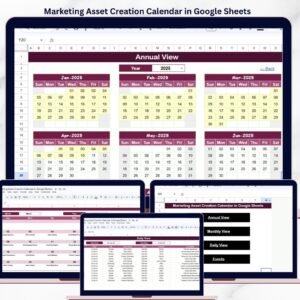
Yes. The Marketing Asset Creation Calendar in Google Sheets covers the same work for teams that use Google Sheets.
Related Marketing Calendar Templates
- Marketing Asset Creation Calendar in Google Sheets: the Google Sheets edition.
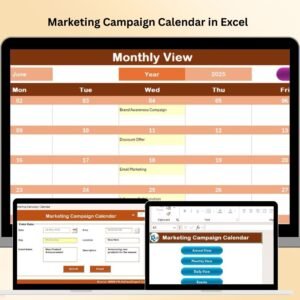
- Marketing Campaign Calendar in Excel: plan the campaigns your assets support.
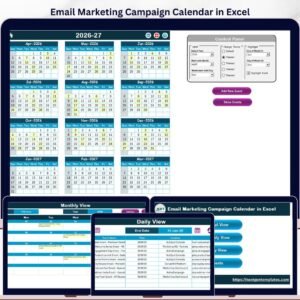
- Email Marketing Campaign Calendar in Excel: schedule email sends.
- Content Calendar Checklist Template in Excel: a checklist for each piece of content.
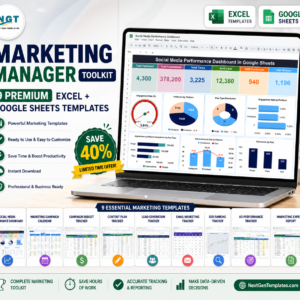
- Marketing Manager Toolkit: 9 Excel and Google Sheets marketing templates.
Browse all Excel calendar templates or the Excel sales and marketing templates.















Reviews
There are no reviews yet.