



Key Features of Stem Cell Banks KPI Dashboard
The Stem Cell Banks KPI Dashboard is a powerful, all-in-one digital tool designed specifically for stem cell bank management and performance tracking. This comprehensive dashboard features 7 dedicated worksheets that provide a seamless experience for monitoring key performance indicators (KPIs) with clarity and precision.
- 🏠 Home Sheet: Acts as the central index page with six easy-to-navigate buttons that direct you to specific sheets, improving user experience and quick access.
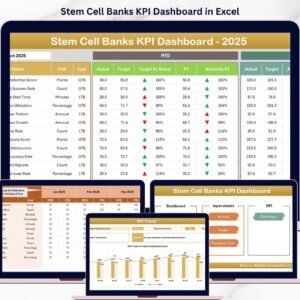
- 📊 Dashboard Sheet: The core of the product where you can select the month via a dropdown (cell D3), instantly updating all KPI data including Month-to-Date (MTD) Actuals, Targets, Previous Year data, and visually engaging conditional formatting with up/down arrows to compare Target Vs Actual and Previous Year Vs Actual. Year-to-Date (YTD) figures are also displayed for comprehensive performance tracking.
- 📈 KPI Trend Sheet: Allows selection of individual KPIs to view detailed trends, including KPI Group, Unit, KPI Type (Lower the Better or Upper the Better), Formula, and Definition. It also features MTD and YTD trend charts presenting Actual, Target, and Previous Year numbers for a clear visual performance overview.
- 📝 Actual Numbers Input Sheet: Simplifies data entry for MTD and YTD actuals with an intuitive month selection feature (cell E1), enabling users to start tracking from any month of the year.
- 🎯 Target Number Input Sheet: Facilitates input of monthly and year-to-date target numbers for each KPI, ensuring your performance goals are clearly defined and measurable.
- 📅 Previous Year Numbers Sheet: Enter last year’s data for accurate year-on-year comparisons, essential for performance benchmarking and trend analysis.
- 📚 KPI Definition Sheet: A detailed reference tab where users define KPI Names, Groups, Units, Formulas, and specify if the KPI is ‘Lower the Better’ (LTB) or ‘Upper the Better’ (UTB), enhancing clarity and consistency across reports.
What’s Inside the Stem Cell Banks KPI Dashboard
This digital product includes a fully customizable Excel-based KPI dashboard tailored for stem cell banks. The seven sheets are interconnected to provide a holistic view of your operational and strategic KPIs. It enables easy data input, dynamic month-based filtering, conditional formatting for quick insights, and visually appealing trend charts for data-driven decision-making.
The dashboard is designed to be user-friendly and adaptable, serving as a vital tool for monitoring monthly and yearly performance, spotting trends, and identifying areas for improvement in stem cell banking operations.
How to Use the Stem Cell Banks KPI Dashboard
Using the dashboard is straightforward and intuitive:
- 🔄 Start at the Home Sheet to navigate to any section quickly.
- 📅 Use the dropdown in the Dashboard Sheet to select your month and instantly view all KPI data for that period.
- ✍️ Enter your actual MTD and YTD numbers in the Actual Numbers Input Sheet, adjusting the starting month as needed.
- 🎯 Input your performance targets in the Target Number Input Sheet to set measurable goals.
- 📊 Use the KPI Trend Sheet to analyze trends and evaluate your progress against targets and previous year’s performance.
- 📚 Define or update KPIs with details and formulas in the KPI Definition Sheet to maintain accuracy and consistency.
- 📅 Enter previous year numbers in the Previous Year Number Sheet to facilitate year-over-year analysis.
This step-by-step approach helps you stay organized, make informed decisions, and improve operational efficiency.
Who Can Benefit from This Stem Cell Banks KPI Dashboard
This KPI dashboard is an essential digital product for various professionals and organizations in the stem cell industry:
- 🏥 Stem Cell Bank Managers: Monitor and improve operational performance with real-time KPI tracking.
- 📈 Data Analysts: Easily input, analyze, and present performance data with dynamic charts and conditional formatting.
- 🧬 Quality Assurance Teams: Track key quality metrics and ensure compliance with standards.
- 👩💼 Executives and Decision Makers: Get instant visual insights into business health and strategic progress.
- 📊 Consultants and Auditors: Use the dashboard as a reporting tool for client assessments.
- 🎯 Project Managers: Align team efforts to targets and identify areas needing attention.
Whether you are a small stem cell bank or a large organization, this dashboard offers a scalable and customizable solution for KPI management.
Click here to read the Detailed blog post.
Visit our YouTube channel to learn step-by-step video tutorials.

Compatibility and Requirements
- Works in Microsoft Excel desktop (Excel 2016 or later, or Microsoft 365).
- The month on the Dashboard sheet is picked from a drop-down list in cell D3. Microsoft explains these lists in Create a drop-down list.
Frequently Asked Questions
What sheets are in the Stem Cell Banks KPI Dashboard?
Seven sheets: Home, Dashboard, KPI Trend, Actual Numbers Input, Target Number Input, Previous Year Numbers and KPI Definition.
How do I change the month on the dashboard?
Select the month in the drop-down in cell D3 of the Dashboard sheet. MTD and YTD actuals, targets and previous year figures update for that month.
Can I start tracking in a month other than January?
Yes. The Actual Numbers Input sheet has a month selection in cell E1, so you can start from any month of the year.
What do LTB and UTB mean?
Each KPI is marked Lower the Better (LTB) or Upper the Better (UTB) on the KPI Definition sheet. The up and down arrows on the dashboard follow that setting.
Is there a Power BI version?
Yes, see the Stem Cell Banks KPI Dashboard in Power BI.
Related Healthcare and Lab Templates
- Stem Cell Banks KPI Dashboard in Power BI: the same KPIs in Power BI.
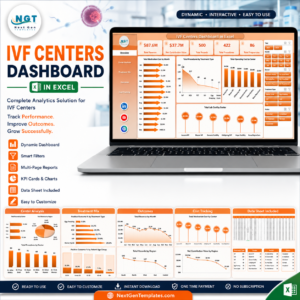
- IVF Centers KPI Dashboard in Excel: KPIs for fertility clinics.
- Laboratory Instruments KPI Dashboard in Excel: KPIs for lab equipment.
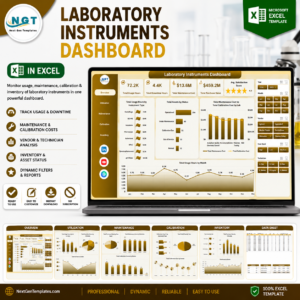
- Laboratory Instruments Dashboard in Excel: a chart dashboard for lab data.
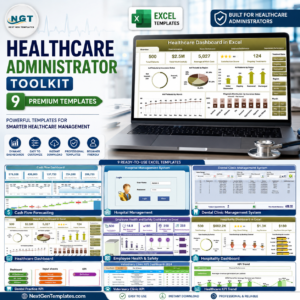
- Healthcare Administrator Toolkit: 9 Excel templates for healthcare administration.
Browse all Excel KPI dashboards or the Excel dashboards.


















Reviews
There are no reviews yet.