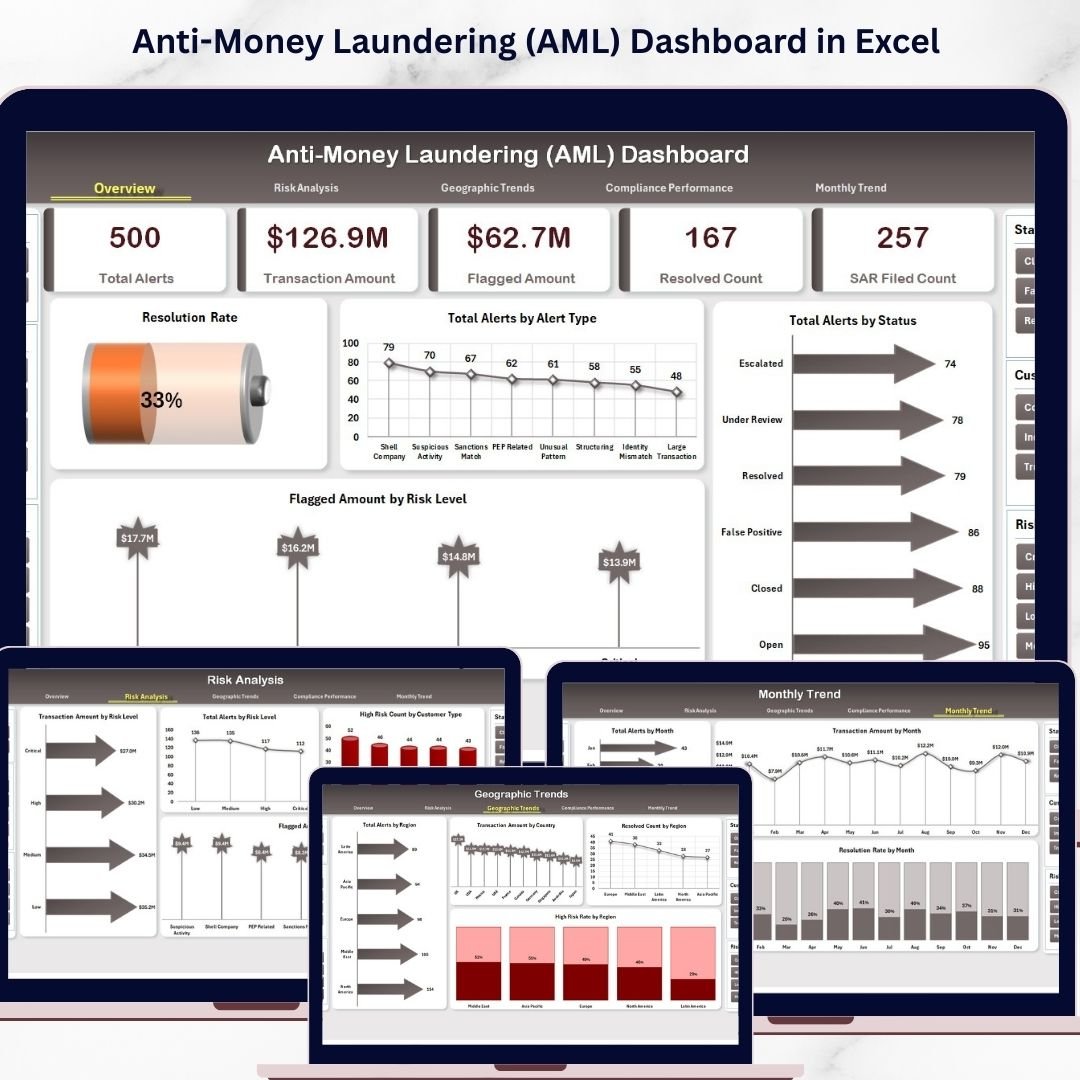

Financial crimes are rising rapidly, and organizations must act faster than ever to detect suspicious activities. However, when compliance data is scattered across multiple spreadsheets, tracking risks becomes slow and inefficient. That’s where the Anti-Money Laundering (AML) Dashboard in Excel becomes a gamechanger 🚀
This powerful and ready-to-use dashboard helps financial institutions, banks, and compliance teams monitor transactions, track alerts, and identify risks in real time. Instead of relying on manual reports, you can now access all critical AML insights in one centralized and interactive dashboard.
Because this dashboard is built in Excel, it offers flexibility, ease of use, and seamless integration with your existing data. As a result, your compliance team can detect suspicious activities faster, improve reporting accuracy, and reduce regulatory risks.
Whether you are tracking alerts, analyzing high-risk transactions, or monitoring compliance performance, this dashboard gives you everything you need to stay ahead of financial crime.
🚀 Key Features of Anti-Money Laundering (AML) Dashboard in Excel
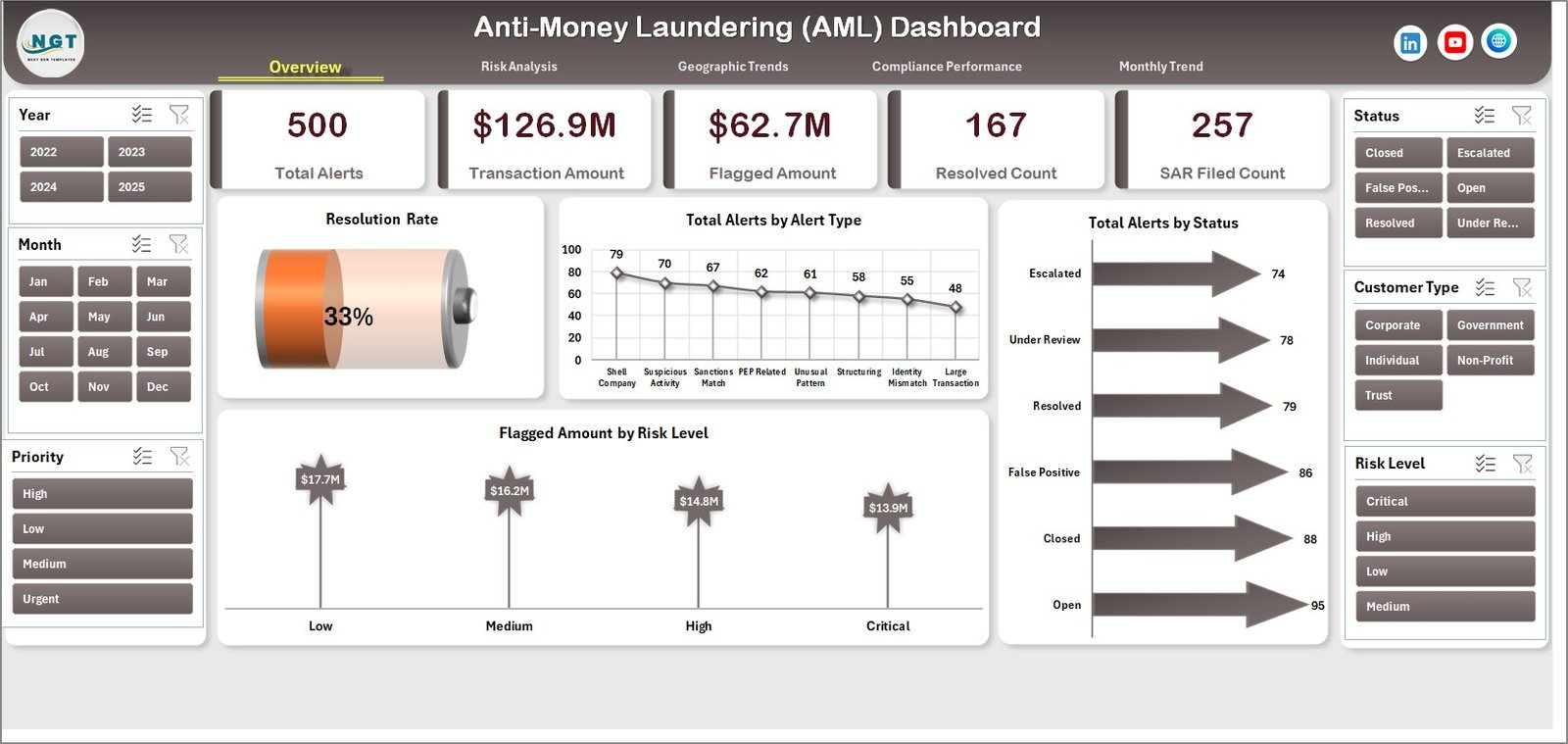
🚨 Complete AML Overview Dashboard – Get a snapshot of alerts, flagged transactions, and compliance metrics in one place.
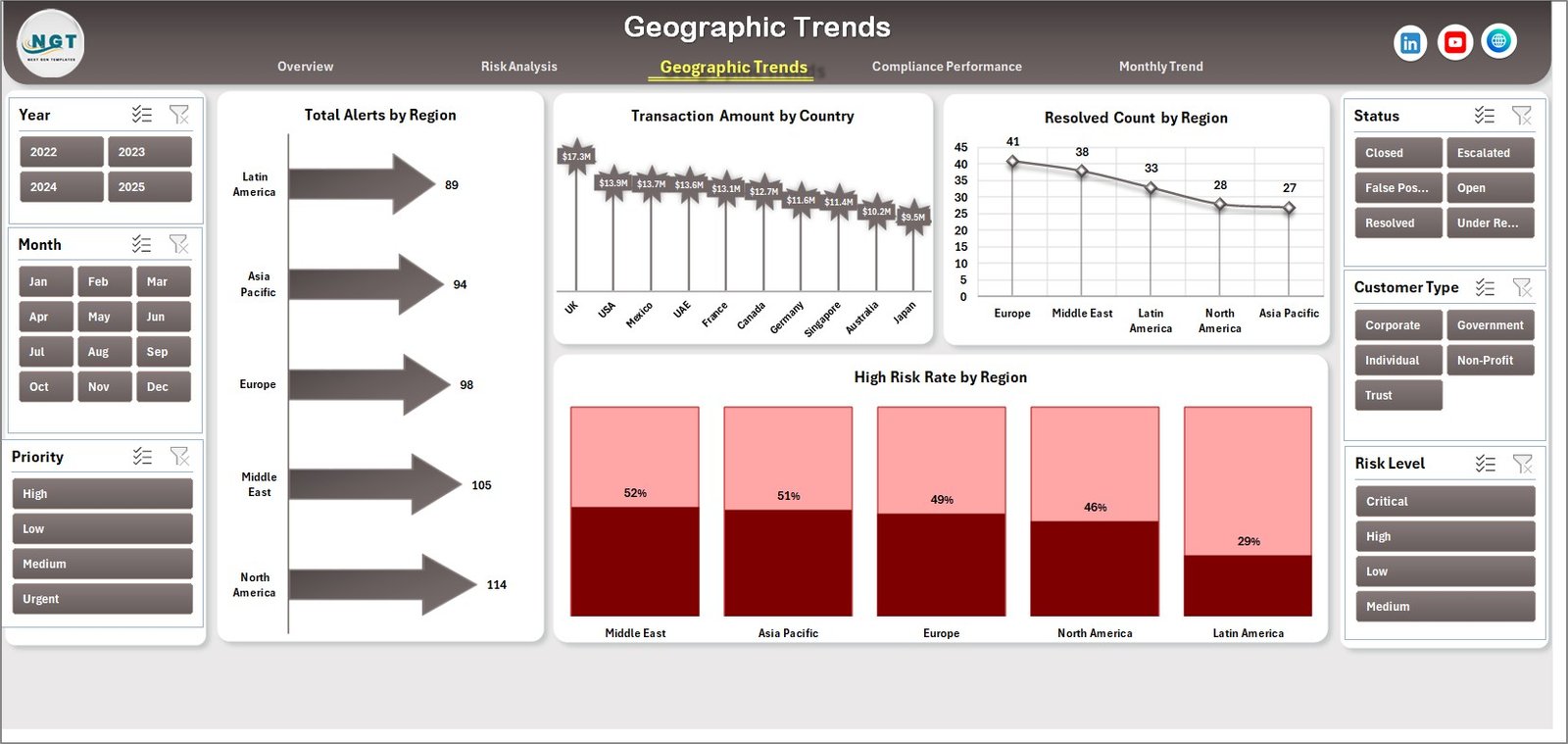
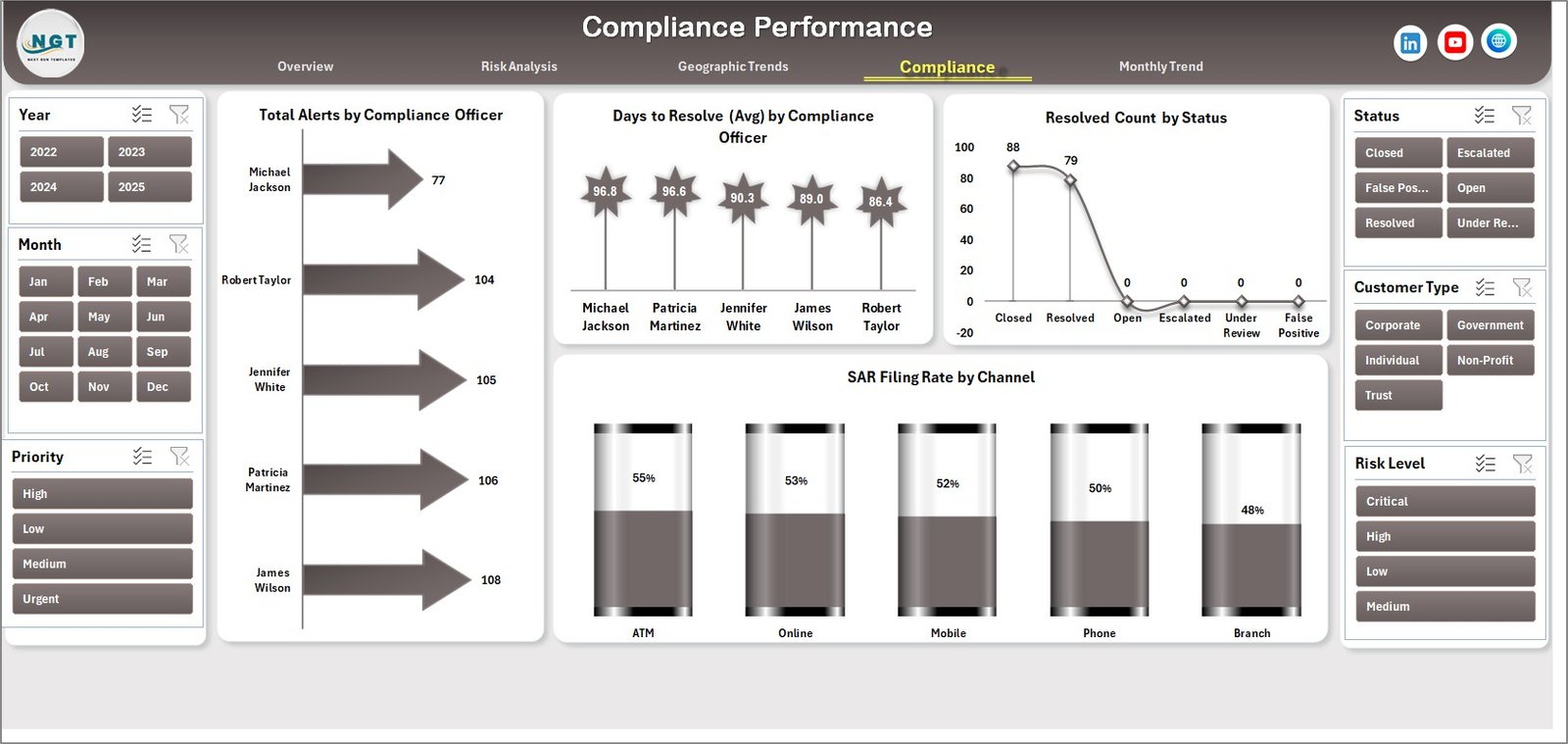
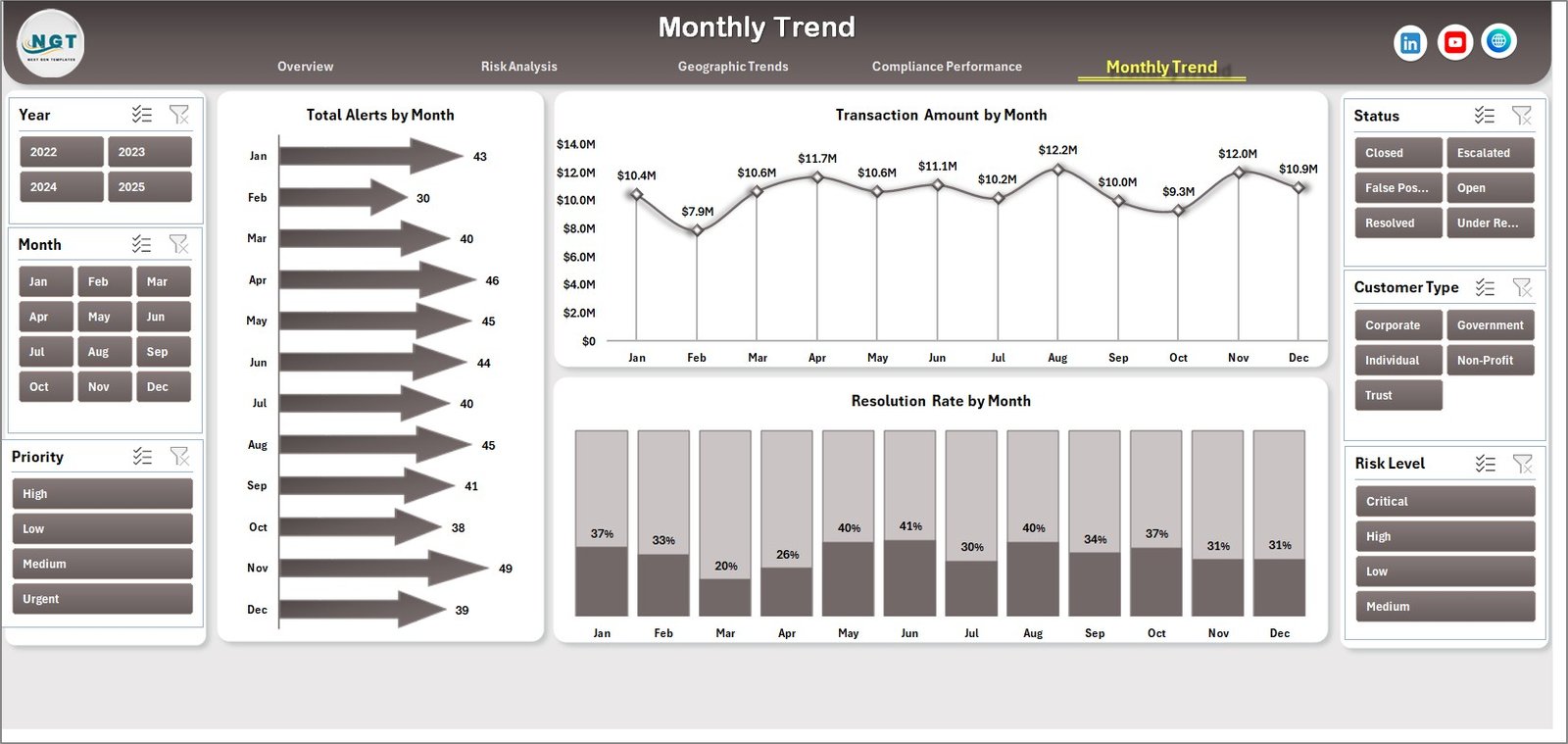
📊 5 Interactive Dashboard Pages – Cover risk analysis, geographic trends, compliance performance, and monthly insights.
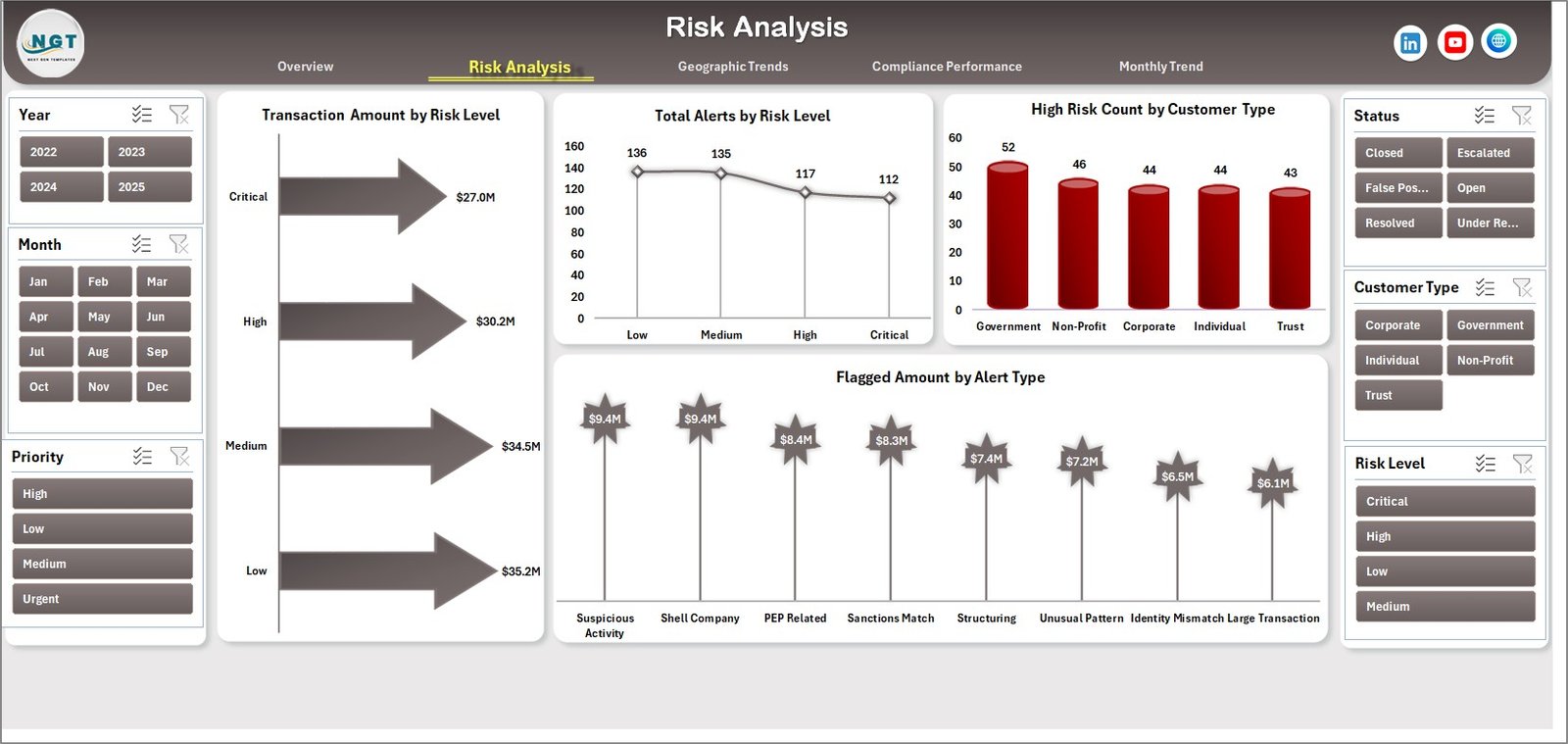
📉 Risk Level Analysis – Identify high-risk transactions and customers instantly.
🌍 Geographic Insights – Analyze alerts and risks by region and country.
📈 Compliance Performance Tracking – Monitor team productivity and resolution efficiency.
📅 Monthly Trend Analysis – Detect patterns and seasonal financial risks.
⚡ Automated Calculations – Reduce manual work and improve reporting speed.
📊 Dynamic Charts & Visuals – Easily interpret complex financial data.
🔄 Real-Time Data Updates – Refresh data quickly for up-to-date insights.
📦 What’s Inside the Anti-Money Laundering (AML) Dashboard in Excel
📁 Fully functional Excel Dashboard Template
📊 5 Analytical Dashboard Pages:
Overview Dashboard
Risk Analysis
Geographic Trends
Compliance Performance
Monthly Trends
📑 Structured Data Input Sheets for transactions, alerts, and compliance tracking
📘 Pre-built AML KPI Framework
📊 Ready-to-use Charts, KPIs, and Visual Indicators
⚙️ How to Use the Anti-Money Laundering (AML) Dashboard in Excel
Using this dashboard is simple and efficient 👇
1️⃣ Enter transaction and alert data into Excel sheets
2️⃣ Update compliance and investigation details
3️⃣ Refresh the dashboard
4️⃣ Use slicers to filter data by risk level, region, or time
5️⃣ Analyze KPI cards and charts
6️⃣ Identify high-risk transactions and alerts
7️⃣ Track compliance performance
8️⃣ Take immediate action to reduce financial risk
Because of its user-friendly design, even non-technical users can use it effectively.
👨💼 Who Can Benefit from This Anti-Money Laundering (AML) Dashboard in Excel
🏦 Banks & Financial Institutions
💳 Fintech Companies
📊 Compliance & Risk Management Teams
📈 Financial Analysts
🛡️ Fraud Detection Teams
This dashboard is ideal for any organization that wants to strengthen compliance, reduce risk, and improve AML monitoring.
📖 Click hare to read the Detailed blog post
🎥 Visit our YouTube channel to learn step-by-step video tutorials
👉 https://youtube.com/@PKAnExcelExpert