


Vocational Training Dashboard programs play a critical role in building job-ready skills, improving employability, and supporting workforce development. Training institutes, skill development centers, NGOs, and corporate learning teams must track attendance, assessments, course progress, trainer performance, and training fees continuously. However, when this information stays scattered across multiple Excel files and manual reports, visibility disappears and decisions slow down.
That is exactly where the Vocational Training Dashboard in Excel becomes a powerful game-changer 🚀.
This ready-to-use Excel dashboard transforms raw training data into clear, visual, and actionable insights. Instead of manually preparing reports, training managers can instantly analyze performance using interactive charts, slicers, and KPI cards—all within Microsoft Excel.
Designed for ease of use and scalability, this dashboard helps organizations monitor training effectiveness, improve learning outcomes, and optimize operational efficiency without advanced tools or technical expertise.
🔑 Key Features of Vocational Training Dashboard in Excel
📊 Centralized Training Performance Monitoring
🎯 Training Progress & Completion Tracking
👥 Trainer-wise & Center-wise Analysis
📚 Course Category Performance Insights
🕒 Training Duration & Attendance Analysis
💰 Monthly Fee & Revenue Trends
📅 Month-wise Performance Tracking
🧭 Interactive Slicers & Page Navigator
🧩 100% Excel-Based & Fully Customizable
This dashboard helps training organizations move from manual tracking to data-driven decision-making.
📂 What’s Inside the Vocational Training Dashboard?
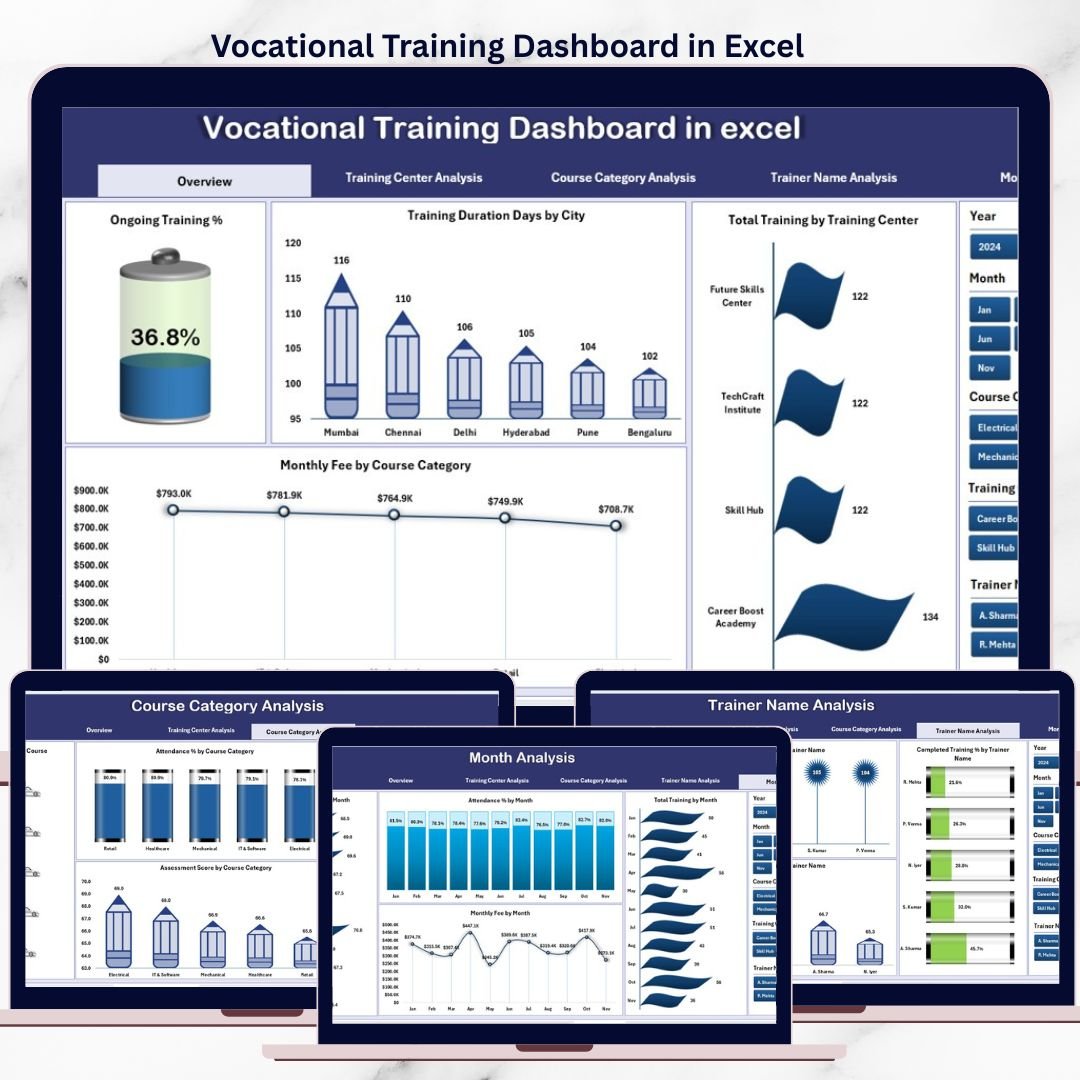
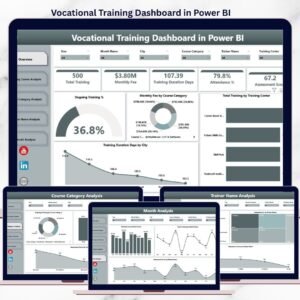
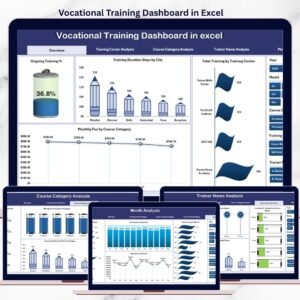
📊 Overview Page – Training Performance Snapshot
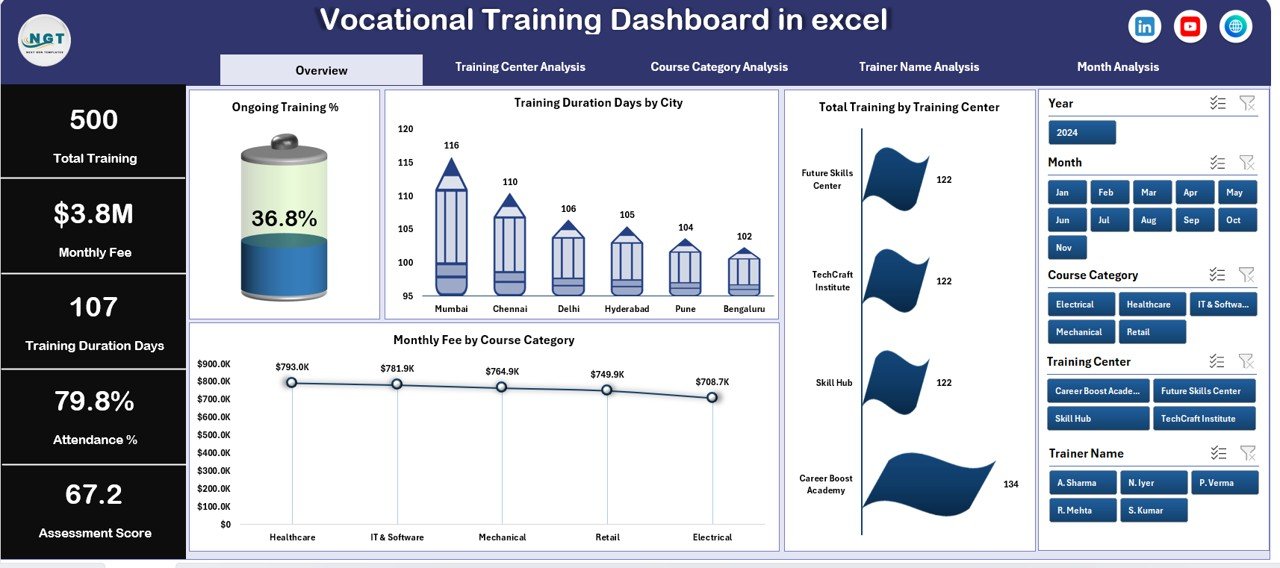
The Overview Page acts as the command center of the dashboard.
Key KPIs & Charts Included:
Ongoing Training % – Tracks active training programs
Training Duration Days by City – Compares program length across locations
Total Training by Training Center – Shows training volume by center
Monthly Fee by Course Category – Highlights revenue contribution
This page delivers instant clarity on overall training operations.
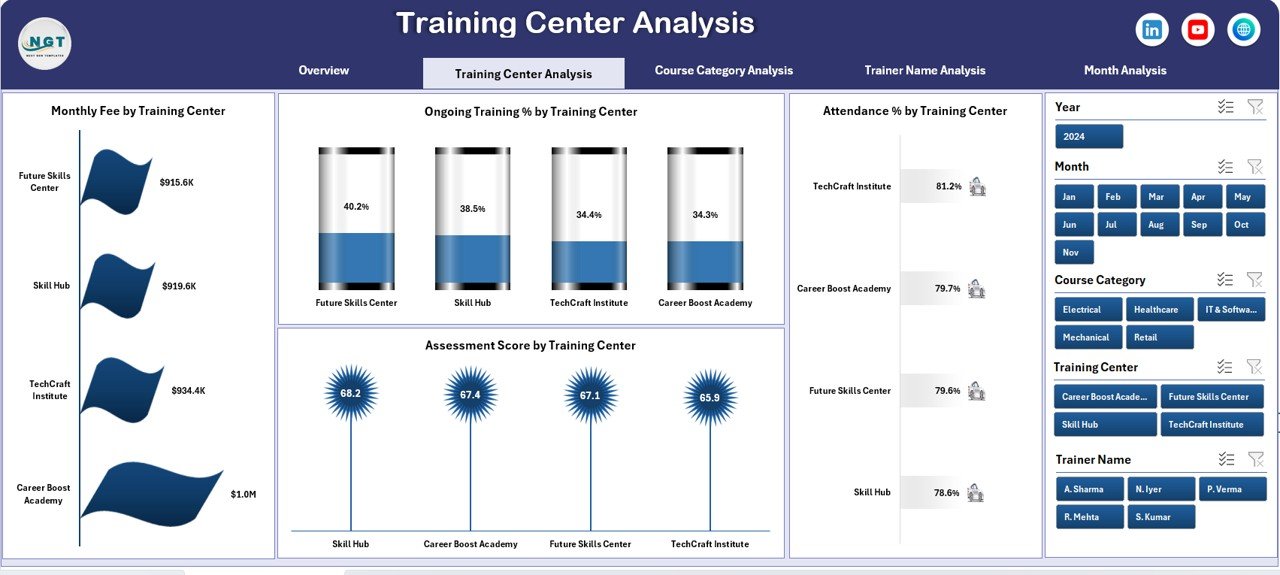
🏫 Training Center Analysis Page
This page evaluates performance across training centers.
Key Insights:
Monthly Fee by Training Center
Ongoing Training % by Training Center
Attendance % by Training Center
Assessment Score by Training Center
It helps management identify high-performing centers and address gaps early.
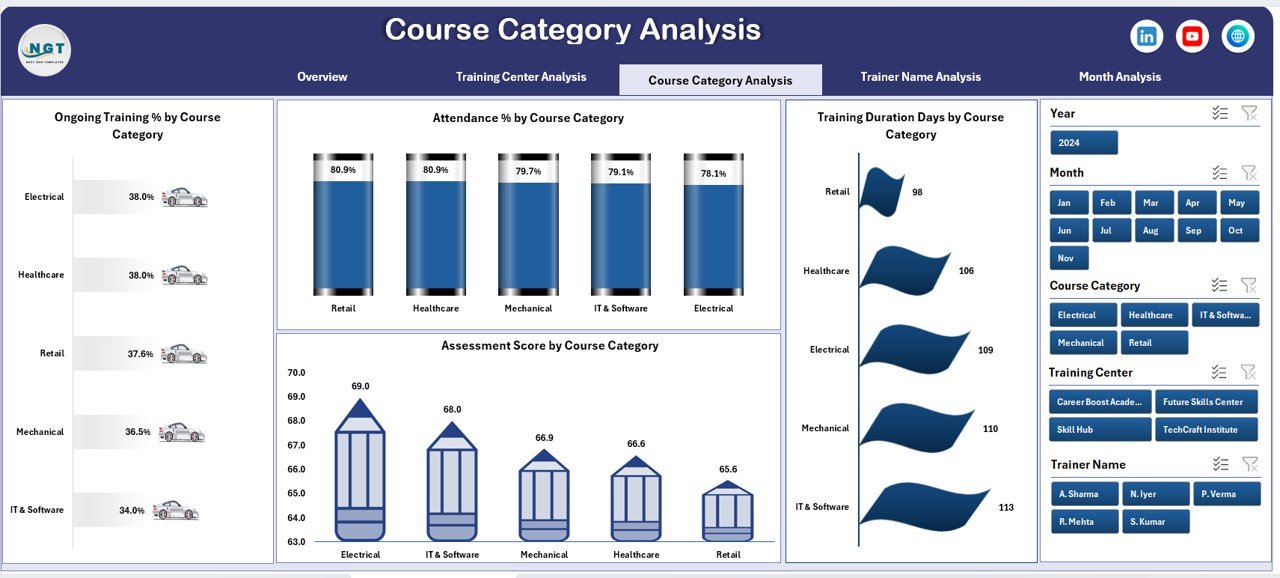
📘 Course Category Analysis Page
Different courses deliver different outcomes. This page focuses on category-wise performance.
Key Charts:
Ongoing Training % by Course Category
Attendance % by Course Category
Training Duration Days by Course Category
Assessment Score by Course Category
Institutes can refine course offerings and improve curriculum effectiveness.
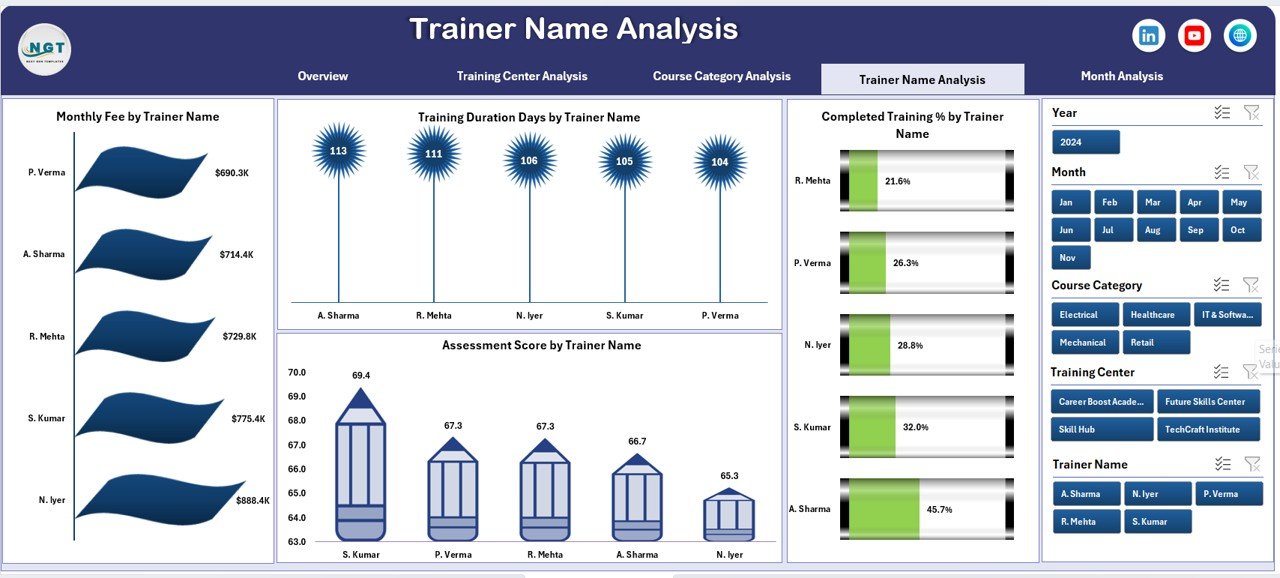
👨🏫 Trainer Name Analysis Page
Trainers play a direct role in learning success.
Key Charts:
Monthly Fee by Trainer Name
Training Duration Days by Trainer Name
Completed Training % by Trainer Name
Assessment Score by Trainer Name
This analysis supports trainer evaluation, recognition, and improvement planning.
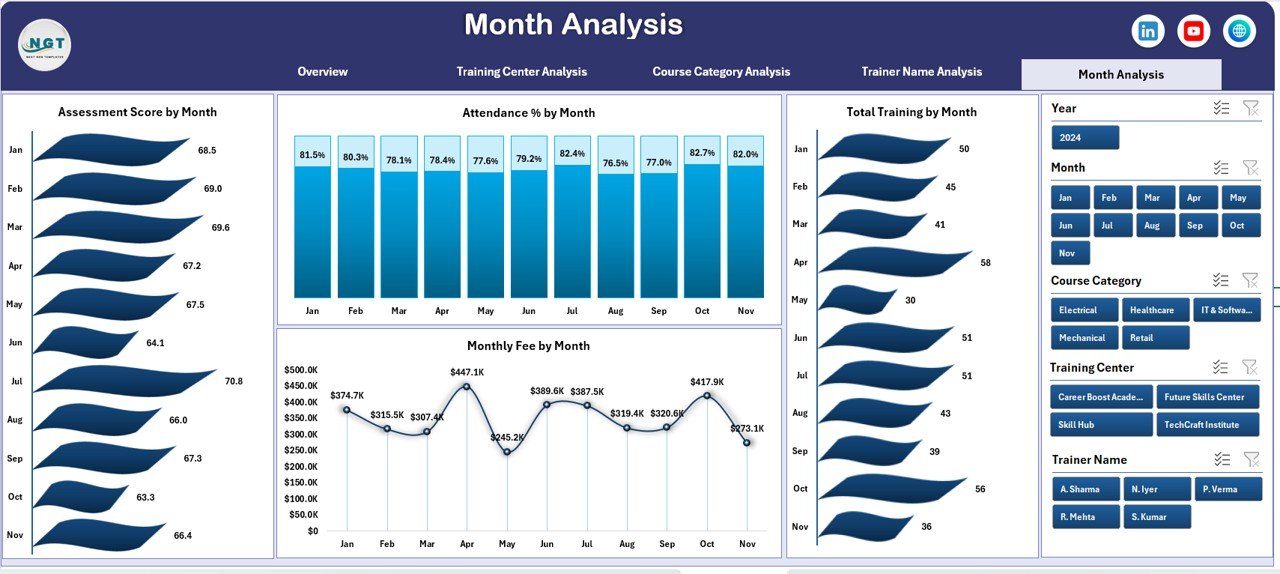
📆 Month Analysis Page
The Month Analysis Page highlights time-based trends.
Key Charts:
Assessment Score by Month
Attendance % by Month
Total Training by Month
Monthly Fee by Month
It helps organizations forecast demand, plan schedules, and manage revenue trends.
🛠️ How to Use the Vocational Training Dashboard in Excel
✅ Enter or update training data in the Data Sheet
✅ Refresh Pivot Tables
✅ Use slicers to filter by month, center, course, or trainer
✅ Review KPIs and charts instantly
✅ Take data-driven actions confidently
No advanced Excel skills are required.
👥 Who Can Benefit from This Dashboard?
🎓 Vocational Training Institutes
🏫 Skill Development Centers
🏢 Corporate Learning & Development Teams
🤝 NGOs & Government Training Programs
📊 Training Managers & Analysts
📈 Education Consultants
Perfect for single-center and multi-center training organizations.
👉 Click here to read the Detailed blog post
▶️ Visit our YouTube channel to learn step-by-step video tutorials
https://youtube.com/@PKAnExcelExpert
Watch the step-by-step video tutorial:
Compatibility and Requirements
- Works in Microsoft Excel desktop (Excel 2016 or later, or Microsoft 365).
- You filter the pages with slicers, which Microsoft explains in Use slicers to filter data.
Frequently Asked Questions
Which pages does the dashboard have?
Five pages: Overview, Training Center Analysis, Course Category Analysis, Trainer Name Analysis and Month Analysis.
What do I need to update it?
Enter or update your training data in the Data Sheet, then refresh the Pivot Tables. The KPIs and charts update from there.
Can I filter by trainer, center or course?
Yes. Slicers let you filter by month, center, course or trainer.
Does it show attendance and assessment scores?
Yes. Attendance % and Assessment Score are shown by training center, course category and month. Assessment Score is also shown by trainer.
Is there a Google Sheets or Power BI version?
Yes. See the Vocational Training Dashboard in Google Sheets and the Vocational Training Dashboard in Power BI.
Related Training Templates
- Vocational Training KPI Dashboard in Excel: a KPI view of vocational training
- Vocational Training KPI Scorecard in Excel: a scorecard view of the same topic
- Vocational Training Dashboard in Power BI: the Power BI edition
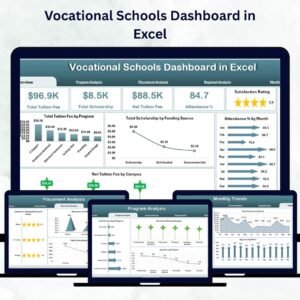
- Vocational Schools Dashboard in Excel: a school-level view
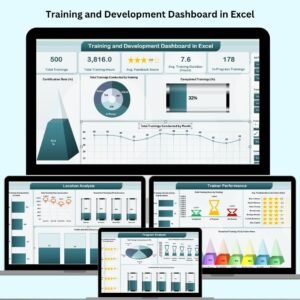
- Training and Development Dashboard in Excel: for corporate training teams
Browse all Excel dashboards.






Reviews
There are no reviews yet.