



The Email Data Consolidation Tool in Excel is a ready-made VBA tool that brings email data from multiple sources into one organized spreadsheet. It suits customer support, sales, marketing, HR and leadership teams who track communications. The tool automates collection and aggregation, so you spend less time on manual data entry and make fewer errors.
It gathers data points such as subject lines, sender and recipient information, timestamps and email body content into an easy-to-read format. You can then filter and sort that data by sender, subject, date and other criteria. This makes it a practical choice for any business that needs email performance analysis, communication history tracking or a way to manage large volumes of email data.

Key Features of the Email Data Consolidation Tool in Excel
- Centralized email data: Collect email data from various sources and consolidate it into a single Excel file for easy analysis.
- Customizable fields: Choose which data points to collect from each email, such as sender, subject, date and content.
- Automated data aggregation: Aggregate data from multiple email threads into a clean, organized spreadsheet.
- Real-time data updates: Keep your email data current so it reflects the latest interactions and communication.
- Easy filtering and sorting: Filter and sort email data by sender, subject, date or other categories.
- User-friendly interface: A simple interface lets anyone collect and analyze email data without technical knowledge.
Why You’ll Love This Email Data Consolidation Tool
- Saves time: Collects and organizes email data automatically, so you no longer need manual data entry.
- Enhances email analysis: Combines data from different email threads so you can analyze communication trends, performance and response times.
- Customizable for your needs: Track the specific email data you care about for customer support, sales or marketing.
- Improves data accuracy: Automated data aggregation and consolidation lower the risk of errors.
- Built for businesses and teams: Suits teams that manage large amounts of email data or report on email campaign performance.
What’s Inside the Tool
| Component | What It Does |
|---|---|
| Data Collection Features | Collects email data such as sender, recipient, subject and body content automatically. |
| Customizable Data Fields | Lets you choose which email fields to collect based on your business needs. |
| Automated Data Aggregation | Organizes multiple email data sources into one centralized file. |
| Real-Time Updates | Keeps email data fresh through real-time data aggregation. |
| Sorting & Filtering | Sorts and filters email data by sender, date or other categories for easier analysis. |
Who Can Benefit from the Email Data Consolidation Tool in Excel?
- Customer Support Teams: track communication history with customers.
- Sales Teams: keep sales-related email data in one place.
- Marketing Teams: report on email campaign performance.
- Project Managers
- Business Analysts
- HR Departments
- Executives & Leadership Teams
If you need simple email tracking in Excel, this tool helps you consolidate and analyze email data from various sources. You can then improve communication tracking and performance reporting.
How to Use the Email Data Consolidation Tool in Excel
- Download the template: Get instant access to the Excel file with built-in automation for email data consolidation. Unzip the file after downloading.
- Enable macros: This is a VBA tool, so make sure macros are enabled before use.
- Configure your data fields: Set up the tool to collect the specific email data you want to consolidate.
- Import email data: Import email data from your email service provider, or enter the data manually.
- Use filters and sorting: Filter and sort the data to analyze trends, performance and other insights.
- Generate reports: Create easy-to-understand reports from your consolidated email data.
After downloading and unzipping this file, ensure that macros are enabled before use. Refer to our tutorial below for step-by-step instructions on enabling macros in Excel:
https://www.pk-anexcelexpert.com/4-easy-ways-to-enable-macros-in-excel-vba/
Click here to read the detailed blog post
Watch the Step-by-Step Video Tutorial
Visit our YouTube channel to learn from step-by-step video tutorials.
Frequently Asked Questions
What does the Email Data Consolidation Tool in Excel do?
It collects email data from multiple sources into one organized Excel spreadsheet. This includes sender, recipient, subject, timestamps and body content. It then aggregates the data automatically so you can sort, filter and analyze it.
Do I need to enable macros?
Yes. This is a VBA tool, so enable macros after downloading and unzipping the file. The tutorial link above explains how to do this step by step.
Can I choose which email fields are collected?
Yes. The customizable data fields let you pick the data points that matter to you, such as sender, subject, date and content.
How do I get email data into the tool?
You can import email data from your email service provider or enter it manually. Once the data is in, the tool consolidates it for you.
Is it useful for email performance analysis?
Yes. Consolidated data from different email threads helps you analyze communication trends, performance and response times. You can also build easy-to-understand reports from it.
Do I need technical skills to use it?
No. The user-friendly interface is designed so anyone can collect and analyze email data without technical knowledge.
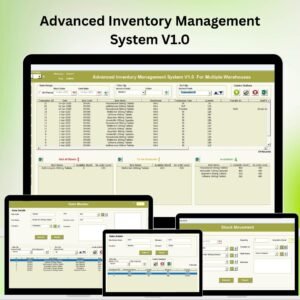
Also check our Asset Transfer Management System V1.0
Last updated: October 2026
Compatibility and Requirements
- Works in Excel desktop on Windows with macros enabled. This VBA tool does not run in Excel for the web, Google Sheets or mobile apps.
- Microsoft explains how to turn macros on in Enable or disable macros in Microsoft 365 files.
More Questions About This Template
Does this tool work in Google Sheets?
No. It is a VBA tool, so it needs Excel desktop on Windows with macros enabled.
Is there an email tool that sends messages instead of collecting them?
Yes. See Send bulk emails using VBA and Outlook and Automated Bulk Emails Form in Excel VBA.
Is there a dashboard for email campaign results?
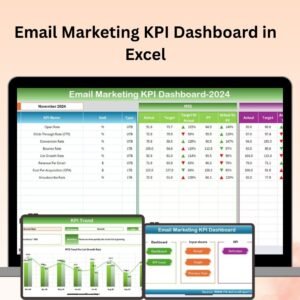
Yes. The Email Marketing KPI Dashboard in Excel tracks email marketing KPIs, and there are Power BI and Google Sheets editions as well.
Related Email and Data Consolidation Templates
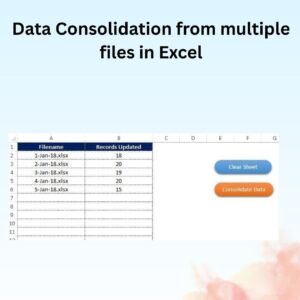
- Data Consolidation from multiple files in Excel: combine data from several Excel files into one
- Send bulk emails using VBA and Outlook: send emails in bulk from Excel
- Email Marketing KPI Dashboard in Excel: report on email campaign performance
- Email Marketing KPI Dashboard in Power BI: the Power BI edition
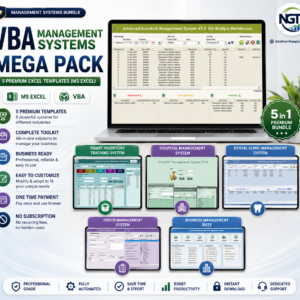
- VBA Management Systems Mega Pack: 5 Excel VBA templates in one download
Browse all Excel VBA tools.

















Reviews
There are no reviews yet.