


Managing procurement operations in the healthcare industry is a challenging task. Hospitals and healthcare organizations handle thousands of purchase orders, suppliers, medicines, medical equipment, and service contracts every month. Without a proper tracking system, monitoring procurement performance becomes time-consuming, error-prone, and inefficient.
That’s exactly where the Health Procurement KPI Dashboard in Excel becomes a powerful solution.
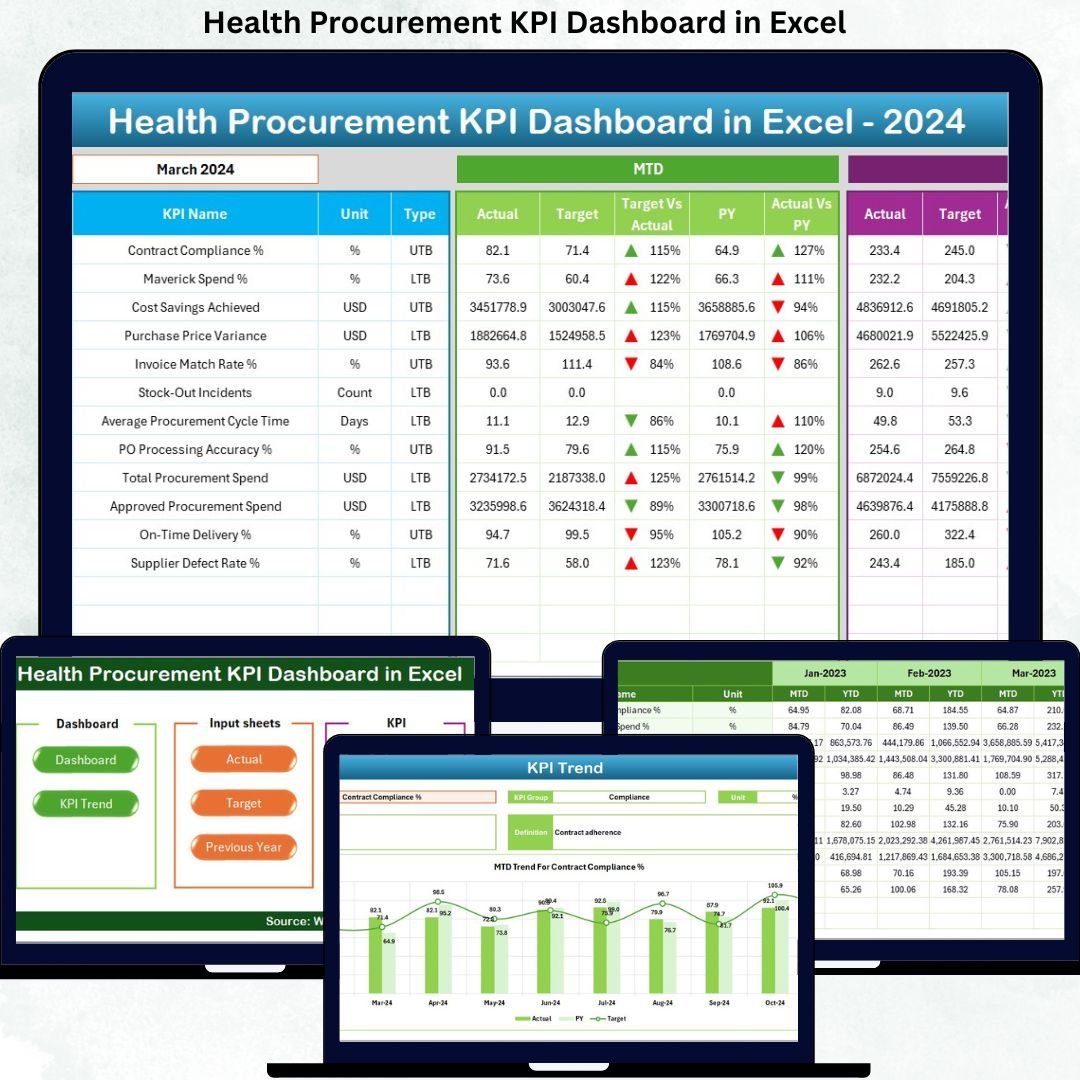
This professionally designed Excel dashboard helps healthcare organizations track, analyze, and optimize procurement performance using clear KPIs, visual reports, and structured data tracking. It transforms raw procurement data into meaningful insights that support better decision-making and cost control.
Whether you manage a hospital, clinic, or healthcare supply chain, this dashboard provides everything you need to monitor procurement efficiency from one centralized Excel file.
🚀 Key Features of Health Procurement KPI Dashboard
✅ Centralized KPI Tracking – Monitor all procurement KPIs in one dashboard
✅ Dynamic Month Selection – Change month instantly and view updated results
✅ MTD & YTD Analysis – Track Monthly and Year-to-Date performance
✅ Target vs Actual Comparison – Identify performance gaps instantly
✅ Previous Year Comparison – Measure growth and performance trends
✅ Conditional Formatting – Visual arrows highlight performance direction
✅ User-Friendly Design – No technical or BI knowledge required
✅ Fully Customizable – Easily modify KPIs as per your needs
This dashboard is designed for clarity, accuracy, and decision-making efficiency.
📊 What’s Inside the Health Procurement KPI Dashboard
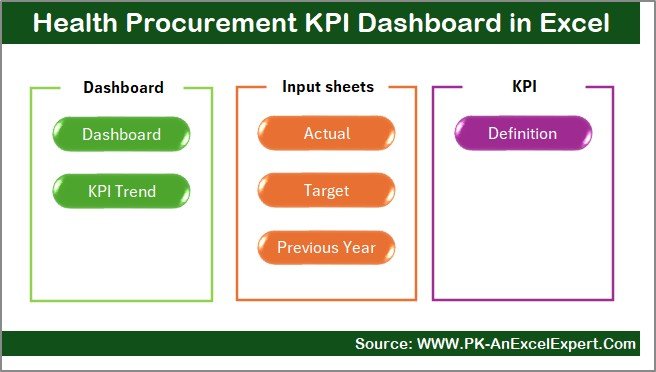
The dashboard includes 7 powerful worksheets, each designed for a specific purpose:
📌 1. Summary Page
Acts as the navigation hub of the dashboard.
Clean layout
Quick-access buttons
Easy movement between sheets
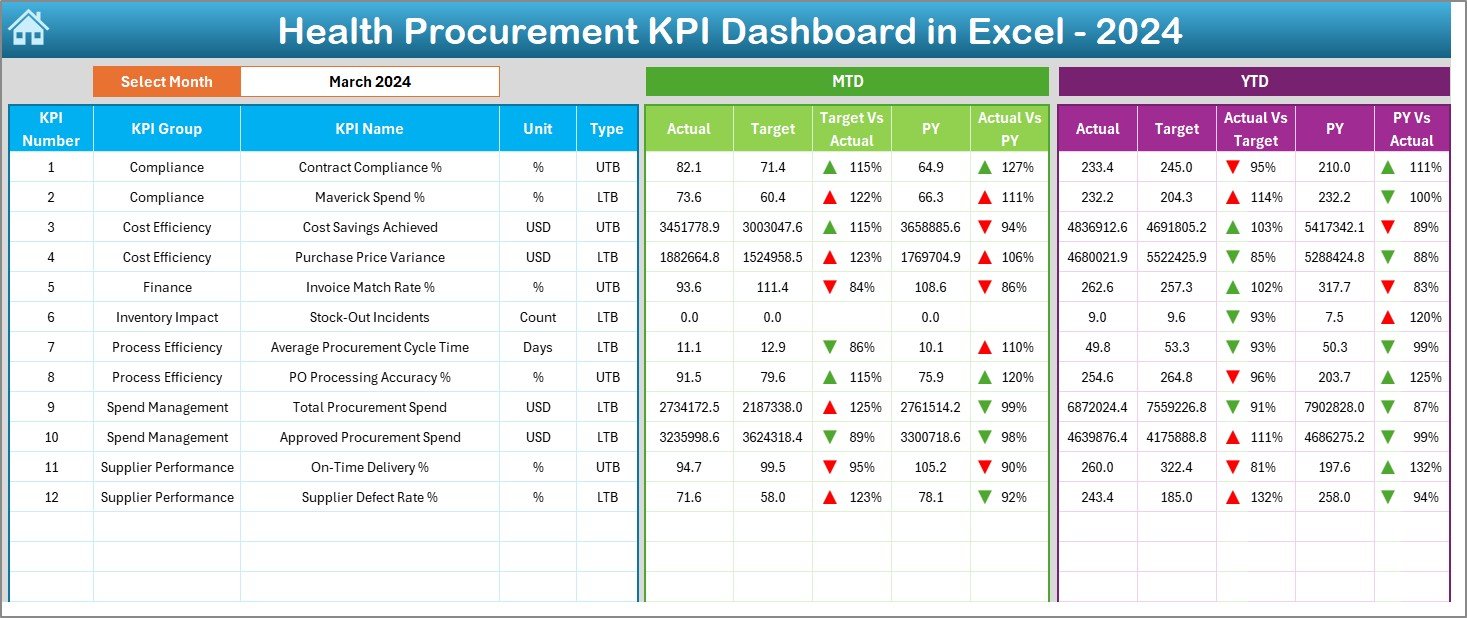
📌 2. Dashboard Sheet
The main performance view showing:
MTD Actual, Target & Previous Year
YTD Actual, Target & Previous Year
Target vs Actual comparison
Performance indicators with arrows
Month selector (Cell D3)
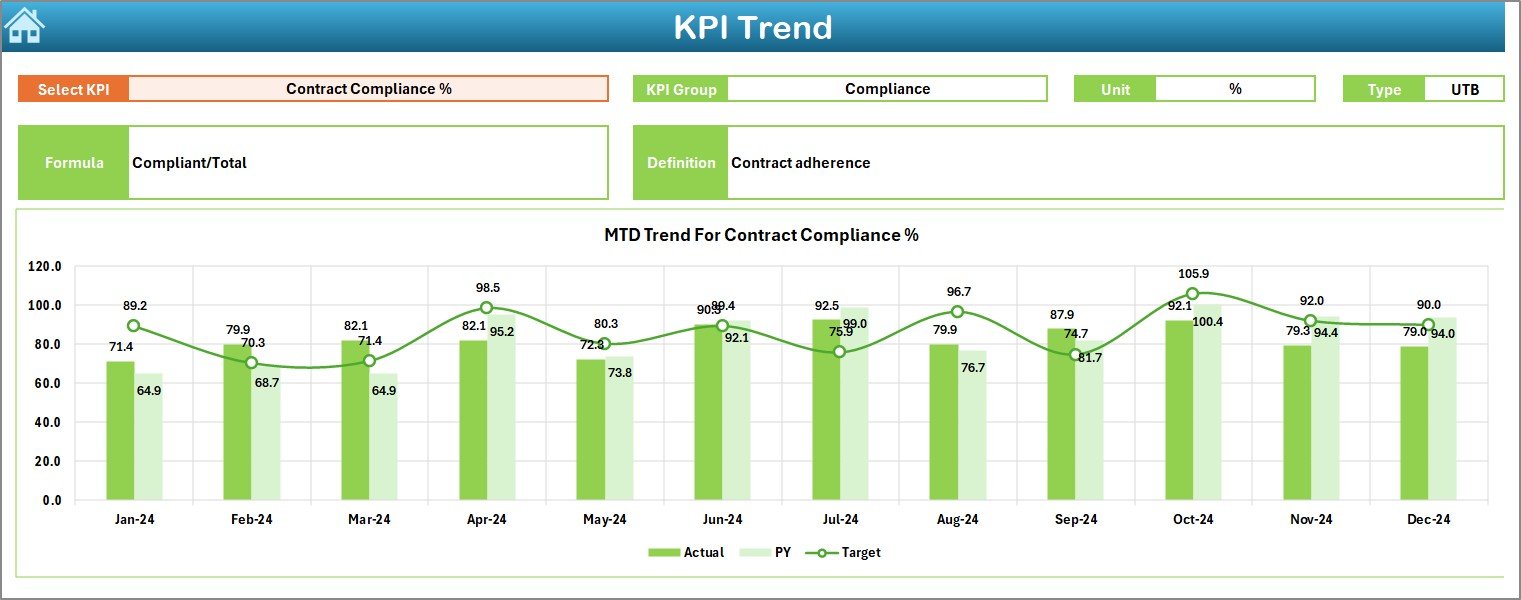
📌 3. Trend Sheet
Helps analyze performance over time:
KPI selection dropdown
KPI group, unit & type
Trend charts for MTD & YTD
Actual vs Target vs Previous Year comparison
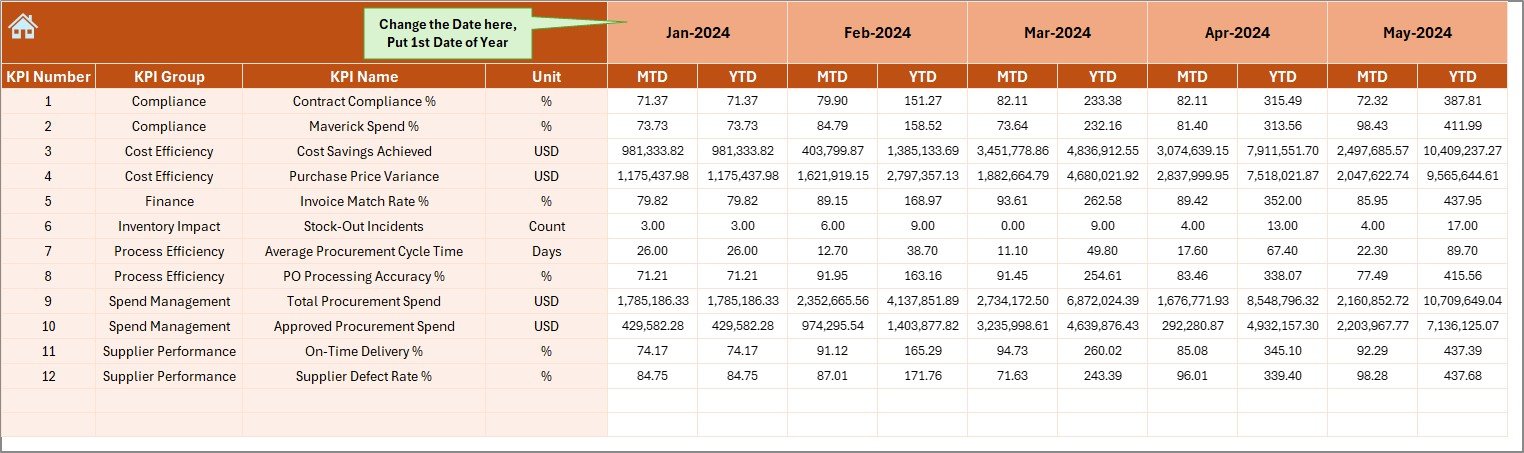
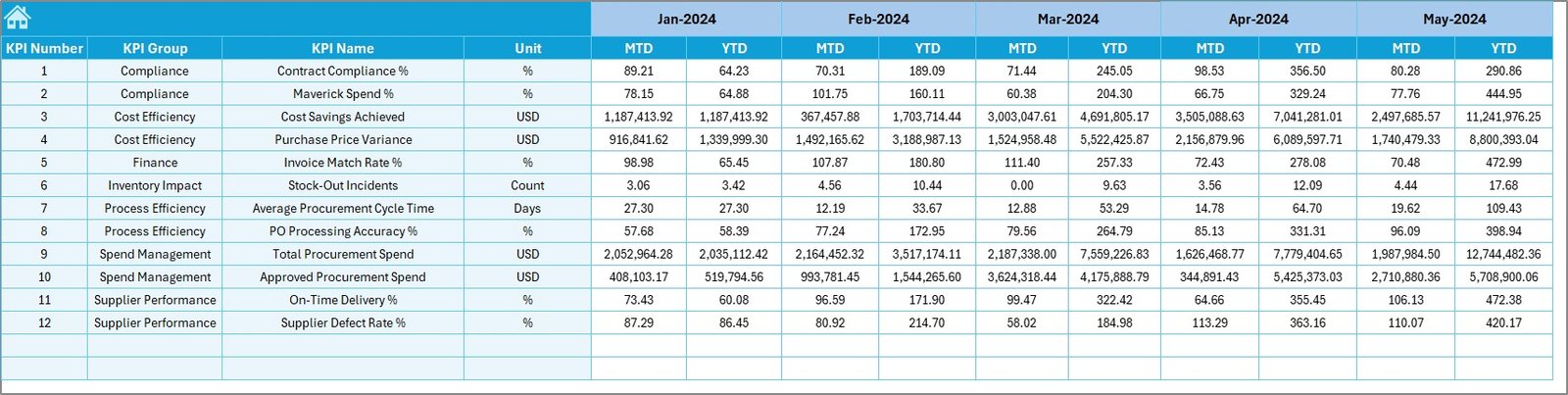
📌 4. Actual Numbers Sheet
Simple data entry format
Monthly and YTD input
Error-free structure
No formulas required
📌 5. Target Sheet
Define monthly targets
Set YTD goals
Measure achievement levels
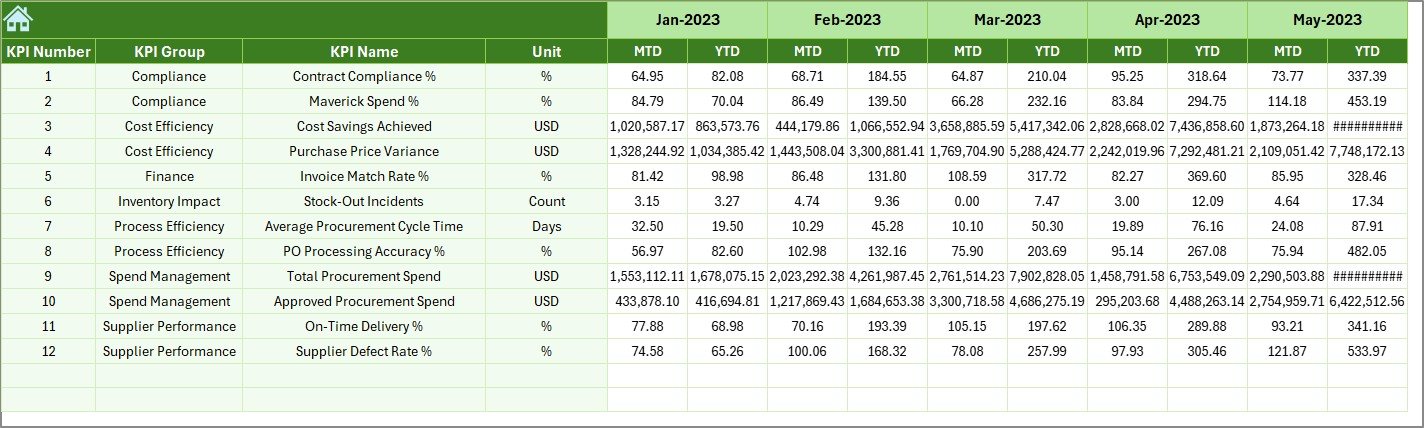
📌 6. Previous Year Sheet
Store historical data
Enable year-on-year comparison
Improve forecasting accuracy
📌 7. KPI Definition Sheet
KPI name & category
Formula & unit
KPI description
Standardized reporting reference
🧠 How to Use the Health Procurement KPI Dashboard
1️⃣ Enter actual procurement values in the Actual Sheet
2️⃣ Define targets in the Target Sheet
3️⃣ Add previous year data for comparison
4️⃣ Select the month from the dashboard
5️⃣ Instantly view performance insights
6️⃣ Analyze trends and identify gaps
7️⃣ Use results for reporting and decision-making
No advanced Excel skills required. Everything works automatically.
👥 Who Can Benefit from This Dashboard?
✔ Healthcare Procurement Managers
✔ Hospital Administrators
✔ Supply Chain Teams
✔ Finance Departments
✔ Purchase Officers
✔ Healthcare Analysts
✔ Management & Decision Makers
If you are involved in healthcare purchasing, this dashboard is built for you.
🎯 Why This Dashboard Is a Must-Have
✔ Saves time and reduces manual work
✔ Improves cost control and efficiency
✔ Enhances procurement transparency
✔ Supports data-driven decisions
✔ Improves accountability
✔ Easy to customize and scale
✔ Professional reporting format
This dashboard helps organizations gain full control over procurement performance.
Click here to read the detailed blog post
Watch the step-by-step video tutorial:



























Reviews
There are no reviews yet.