Public health programs impact millions of lives. But without a proper reporting system, teams struggle to track budgets, beneficiaries, delays, outcomes, and district performance accurately. Most departments rely on scattered spreadsheets that lead to confusion and slow decision-making. That’s why every health department needs a powerful, easy-to-use solution like the Public Health Programs Dashboard in Excel.
This ready-to-use dashboard gathers every important KPI—program status, allocated vs. utilized budget, outcome rating, delays, and monthly trends—into a clean and interactive visual system. With dynamic slicers and smart charts, teams understand performance in seconds. Whether you manage disease prevention, maternal care, nutrition, sanitation, immunization, or community outreach programs, this dashboard becomes your central command center for monitoring everything smoothly.
⚡ Key Features of Public Health Programs Dashboard in Excel
This dashboard is built to simplify program monitoring for health officers, district teams, and government departments. Each page is designed to deliver the most important insights with clarity and speed.
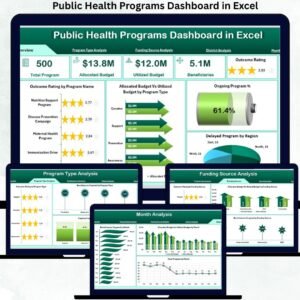
📊 Smart Overview Page
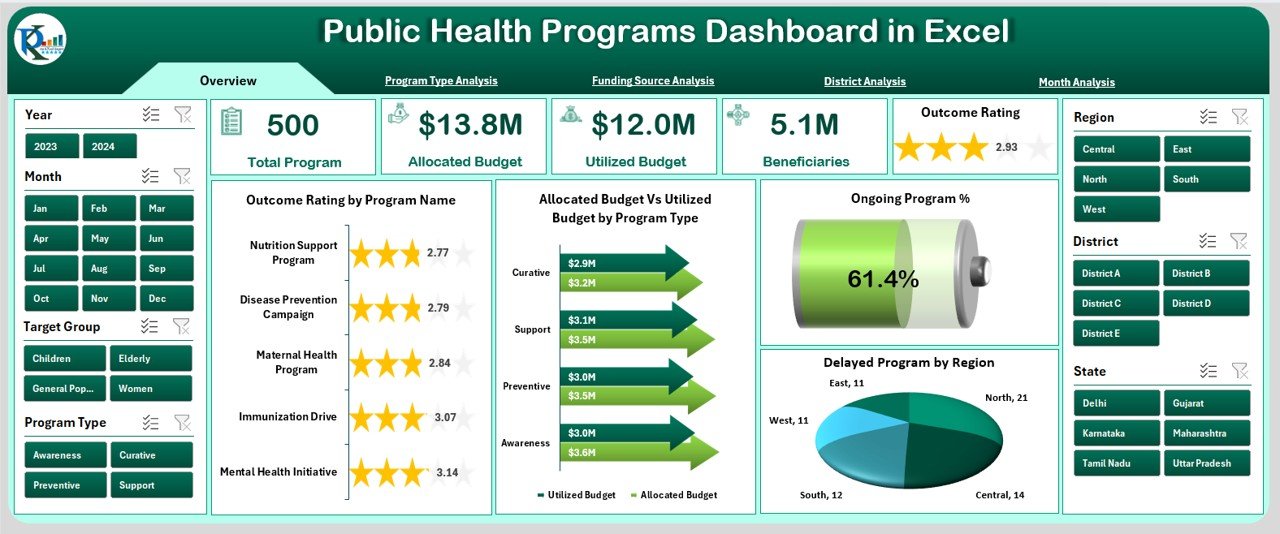
This page gives a complete snapshot of program performance the moment you open the file.
🎛 Right-side slicers to filter by program type, district, month, or funding source
🧮 Five KPI cards: Total Programs, Ongoing, Delayed, Completed & Total Beneficiaries
📈 Powerful charts including Outcome Rating, Budget Utilization, Ongoing Program %, and Delayed Programs by Region
This page helps leaders take fast and informed decisions.
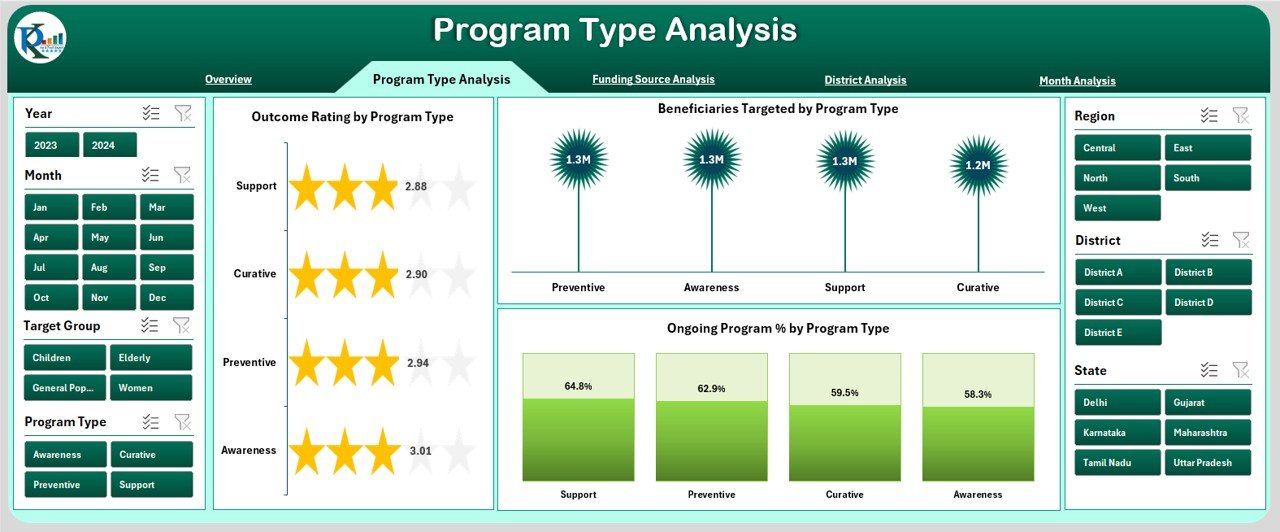
🗂 Program Type Analysis
Every program type—Nutrition, Immunization, Maternal Care, Disease Prevention, Sanitation—performs differently. This page shows:
⭐ Outcome Rating by Program Type
👥 Beneficiaries Targeted
🔄 Ongoing Program Percentage
Teams use this page to improve resources, planning, and performance across categories.
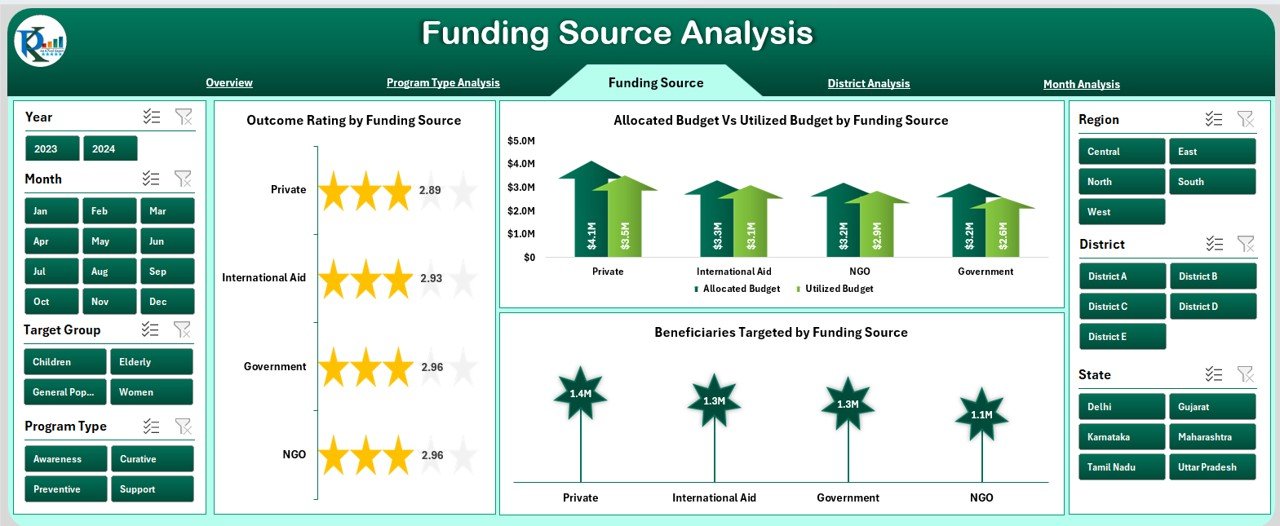
💰 Funding Source Analysis
Funding transparency is critical in public health. This page includes:
📊 Outcome Rating by Funding Source
👥 Beneficiaries Targeted
💵 Allocated vs. Utilized Budget
It supports reporting to government agencies, NGOs, donors, and partners with complete accuracy.
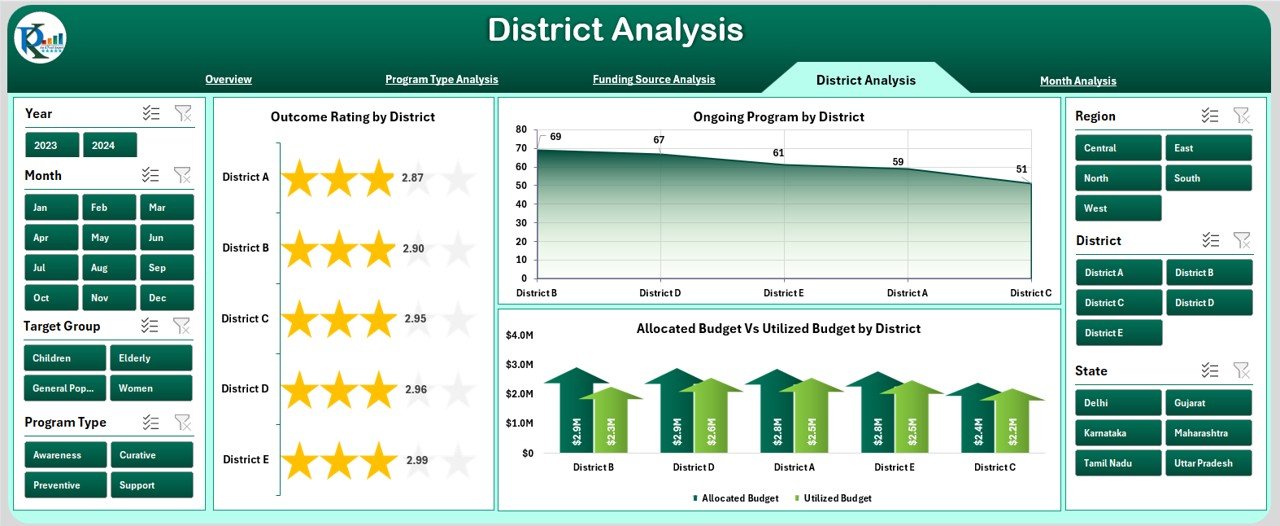
📍 District Analysis
Districts vary in performance due to geography, resources, and challenges. This page provides:
⭐ Outcome Rating by District
🔄 Ongoing Programs by District
💰 Budget Allocation vs. Utilization
This helps officers identify strong performers and support districts that need improvement.
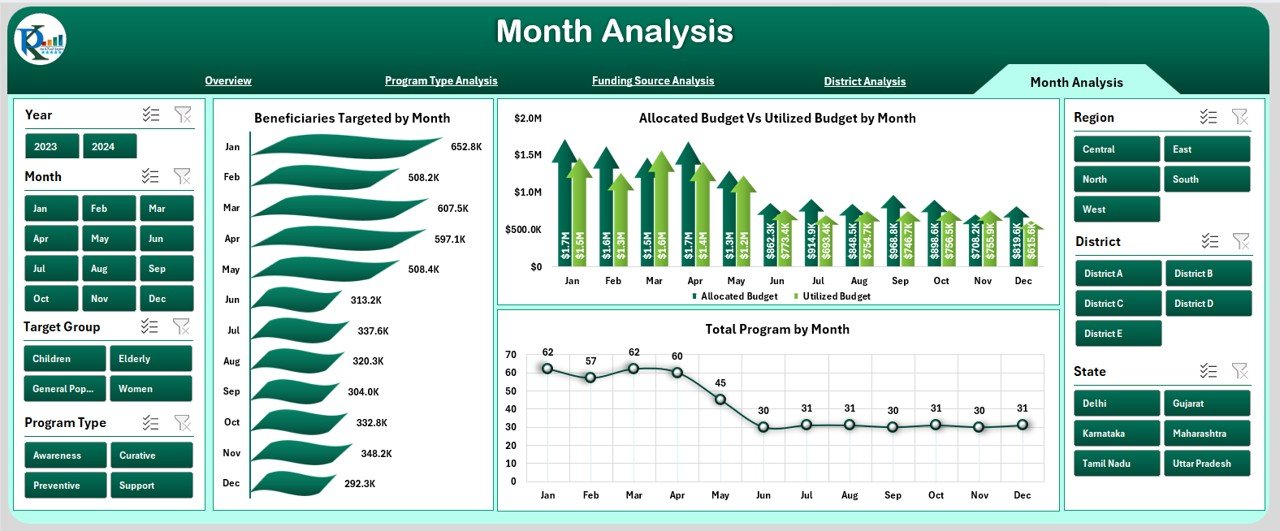
📅 Month Analysis
Public health trends change every month. This page shows:
👥 Beneficiaries Targeted by Month
💰 Budget Utilized vs. Allocated
📊 Total Programs by Month
Monthly insights support accurate planning, forecasting, and early detection of deviations.
📦 What’s Inside the Public Health Programs Dashboard in Excel
When you download this product, you get:
📁 Fully automated Excel dashboard file
📊 Data sheet with structured tables
🎛 Five analytical pages with slicers
📈 KPIs for beneficiaries, budget, outcome rating, delays & more
⚡ Instant refresh with every data update
🧩 A clean, customizable design suitable for all public health teams
This dashboard requires zero coding and works fully offline.
🧭 How to Use the Public Health Programs Dashboard in Excel
Using this dashboard is simple for any user—no technical skills required.
1️⃣ Enter or paste your latest program data into the Data Sheet
2️⃣ Refresh the dashboard (auto-updates instantly)
3️⃣ Use slicers to filter by Program Type, District, Month, or Funding Source
4️⃣ Explore each page to review budgets, delays, beneficiaries & outcomes
5️⃣ Use charts for decision-making, planning & reporting
It’s fast, smooth, and simplifies program management completely.
👥 Who Can Benefit from This Dashboard
This dashboard is perfect for:
🌐 Public Health Departments
📍 District Health Officers
🏥 Government Health Teams
🤝 NGOs & Funding Partners
📊 Monitoring & Evaluation Units
📝 Planning & Reporting Teams
If you want clear insights, faster decision-making, and improved public health outcomes—this dashboard is for you.
### Click here to read the Detailed blog post
Visit our YouTube channel to learn step-by-step video tutorials
👉 Youtube.com/@PKAnExcelExpert