



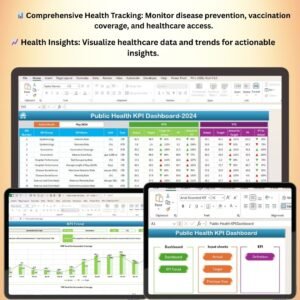
The Public Health KPI Dashboard in Excel is a comprehensive tool designed for public health professionals and organizations to monitor, track, and analyze key performance indicators (KPIs) in the field of public health. Whether you’re working in healthcare management, epidemiology, or public health policy, this dashboard helps you manage important health metrics such as disease prevention rates, vaccination coverage, healthcare access, and population health.
With this easy-to-use Excel template, you can track public health goals, visualize trends, and make data-driven decisions to improve health outcomes in communities. The dashboard provides real-time insights into key health statistics, enabling you to stay on top of vital public health initiatives, identify at-risk populations, and ensure that health programs are effective and efficient.
Key Features of the Public Health KPI Dashboard in Excel
📊 Comprehensive Health Metrics Tracking
Track critical health metrics including disease prevention rates, vaccination coverage, healthcare access, and public health spending. Monitor overall health performance and identify areas for intervention.
⚡ Real-Time Monitoring of Public Health KPIs
Monitor your public health goals and metrics in real-time. Track performance against set targets, such as vaccination rates and disease control efforts, to ensure public health objectives are met.
📈 Healthcare Access & Disease Prevention Insights
Visualize key health data such as healthcare coverage, disease prevention programs, and access to medical services. This helps improve healthcare delivery and ensures equitable access for all populations.
📅 Customizable Metrics
Easily customize the dashboard to track specific public health KPIs relevant to your community, region, or health initiative. Whether you’re focusing on infectious diseases, maternal health, or chronic disease management, the dashboard can be tailored to your needs.
🖥️ Interactive and User-Friendly Interface
This Excel-based dashboard is designed for ease of use, with an intuitive interface that makes it simple to input data and track performance over time. The dashboard also provides visual insights through charts and graphs.
Why You’ll Love the Public Health KPI Dashboard
✅ Track Key Health Metrics
Monitor disease prevention, vaccination rates, healthcare access, and other vital public health indicators in one place. Stay on top of your health programs and make data-driven decisions.
✅ Monitor Public Health Goals in Real-Time
Track public health targets and see if your initiatives are making a positive impact. Identify challenges early on and adjust your programs to improve health outcomes.
✅ Ensure Equitable Healthcare Access
Track healthcare coverage and accessibility to ensure that all populations are receiving the care they need, no matter where they live or their socio-economic status.
✅ Visualize Health Trends and Insights
With interactive charts and graphs, easily visualize health trends, track progress toward goals, and identify areas that require attention or improvement.
✅ Improve Health Program Effectiveness
Optimize your public health programs by identifying which areas are performing well and which need improvement, ensuring that you’re maximizing the impact of your resources.
What’s Inside the Public Health KPI Dashboard Template?
- KPI Tracking: Track key public health metrics, including disease prevention, vaccination rates, healthcare access, and health spending.
- Real-Time Monitoring: Stay updated on your public health goals with live performance tracking.
- Disease & Vaccination Tracking: Monitor vaccination coverage and disease prevention efforts across various regions.
- Healthcare Access Insights: Measure the availability of healthcare services and track disparities in care.
- Customizable Dashboard: Tailor the dashboard to include specific KPIs relevant to your public health priorities.
- Visual Reporting: Use interactive charts and graphs to gain insights into your public health data.
How to Use the Public Health KPI Dashboard
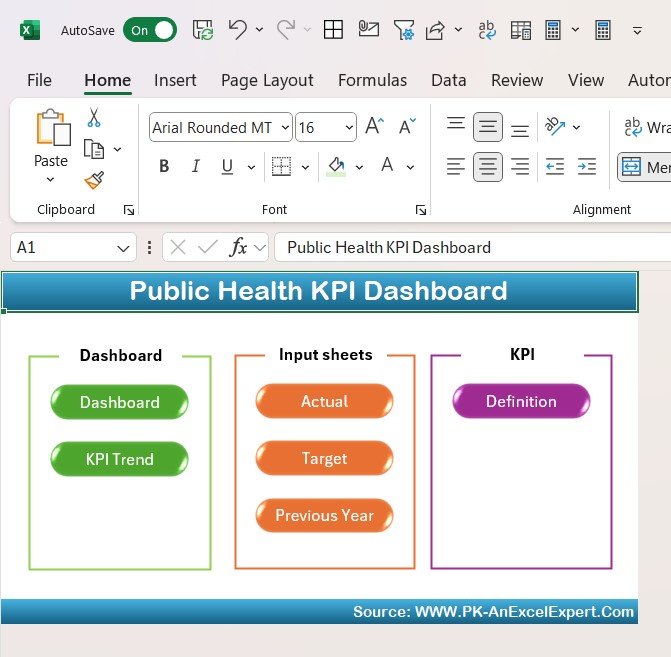
1️⃣ Download the Template: Access the Public Health KPI Dashboard instantly.
2️⃣ Input Your Data: Enter your public health metrics such as vaccination rates, disease control measures, and healthcare access data.
3️⃣ Track Health KPIs: Use the dashboard to monitor your public health goals and track key performance indicators over time.
4️⃣ Analyze & Optimize: Use insights from the dashboard to improve public health programs, track progress, and identify areas for further action.
Who Can Benefit from the Public Health KPI Dashboard?
🔹 Public Health Managers & Coordinators
🔹 Healthcare Policy Makers & Planners
🔹 Epidemiologists and Health Researchers
🔹 Government and NGO Health Organizations
🔹 Community Health Program Managers
🔹 Anyone Focused on Improving Population Health
Monitor, analyze, and optimize your public health initiatives with the Public Health KPI Dashboard in Excel. Stay on top of vital health metrics, improve program effectiveness, and ensure equitable healthcare access for all.
Click here to read the Detailed blog post
Visit our YouTube channel to learn step-by-step video tutorials
Youtube.com/@PKAnExcelExpert
Compatibility and Requirements
- Works in Microsoft Excel desktop (Excel 2016 or later, or Microsoft 365).
- The trend charts are standard Excel charts. Microsoft explains them in Create a chart from start to finish.
Frequently Asked Questions
Which public health KPIs does it track?
Disease prevention rates, vaccination coverage, healthcare access and public health spending.
Can I compare results with targets?
Yes. You can track performance against set targets, such as vaccination rates and disease control goals.
Can I track other health programs?
Yes. You can adjust the KPIs for areas such as infectious diseases, maternal health or chronic disease management.
What data do I enter?
Your public health metrics, such as vaccination rates, disease control measures and healthcare access data.
Can I compare regions?
Yes. The dashboard tracks vaccination coverage and disease prevention efforts across regions.
Related Public Health Templates
- Public Health KPI Dashboard in Power BI: the same topic for Power BI users
- Public Health KPI Dashboard in Google Sheets: the same topic in Google Sheets
- Public Health KPI Scorecard in Excel: a scorecard view of public health KPIs
- Public Health Programs KPI Dashboard in Excel: KPIs for individual health programs
- Healthcare & Hospital Management Bundle: 8 premium healthcare templates in one bundle
Browse all Excel KPI dashboards or the Excel dashboards.




















Reviews
There are no reviews yet.