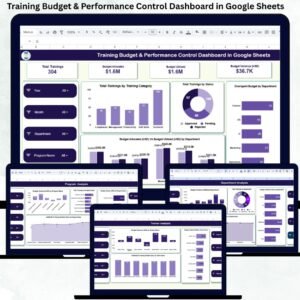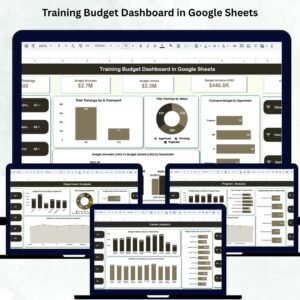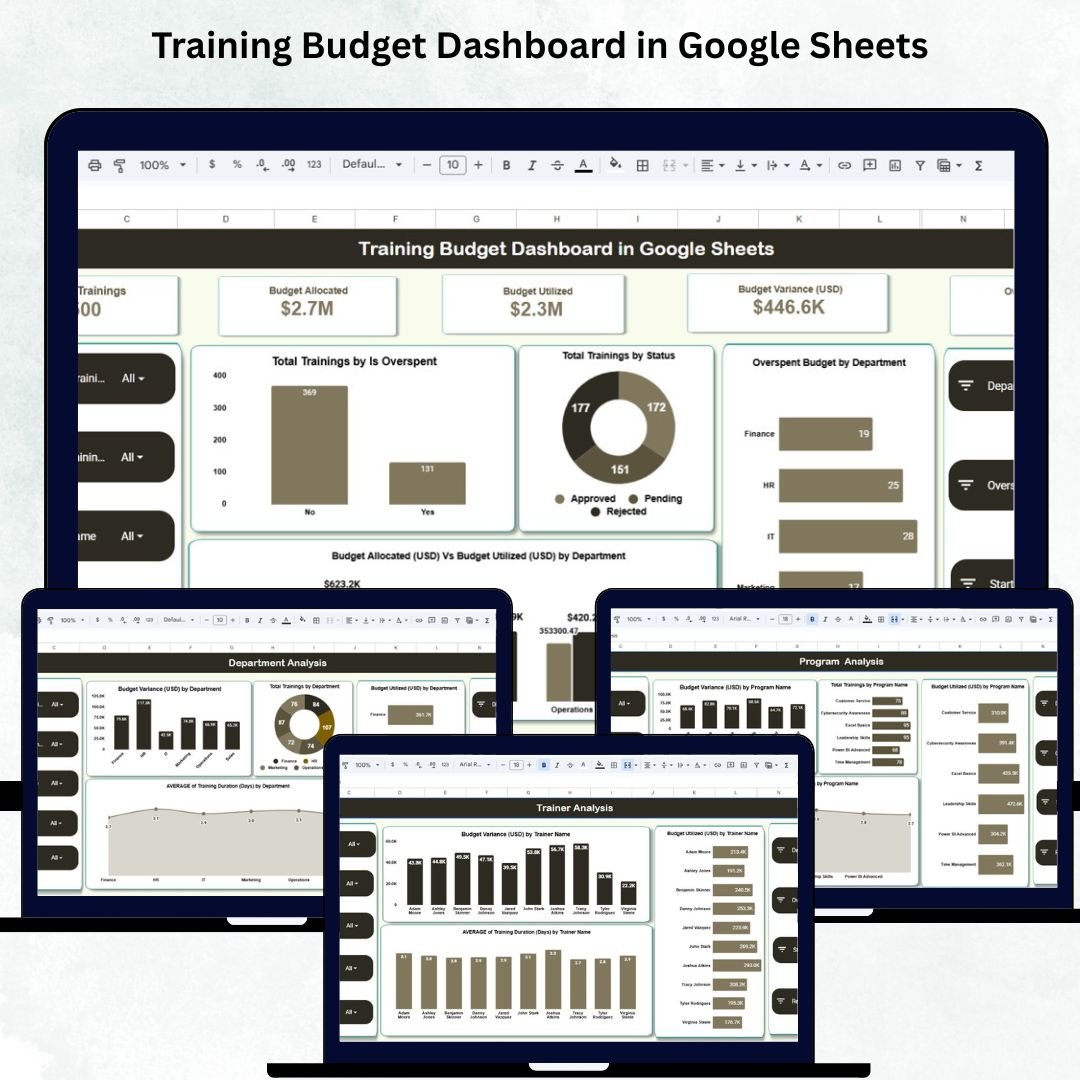
Managing training expenses can be challenging when budgets, program details, and department-wise allocations are scattered across multiple files. The Training Budget Dashboard in Google Sheets solves this problem instantly. This powerful, ready-to-use dashboard brings all your training financial insights together in one clean, interactive, and easy-to-understand platform. Whether you want to monitor training counts, track budget utilization, find overspent programs, evaluate department-wise trends, or analyze trainer performance — this dashboard gives you complete financial clarity at a glance. 📊💼
Built entirely in Google Sheets, this dashboard requires no technical skills, no coding, and no complex setup. Simply update the data sheet, and all charts, KPIs, and metrics refresh automatically. With real-time collaboration, HR teams, training managers, and L&D leaders can monitor training financials together and make faster, smarter decisions.
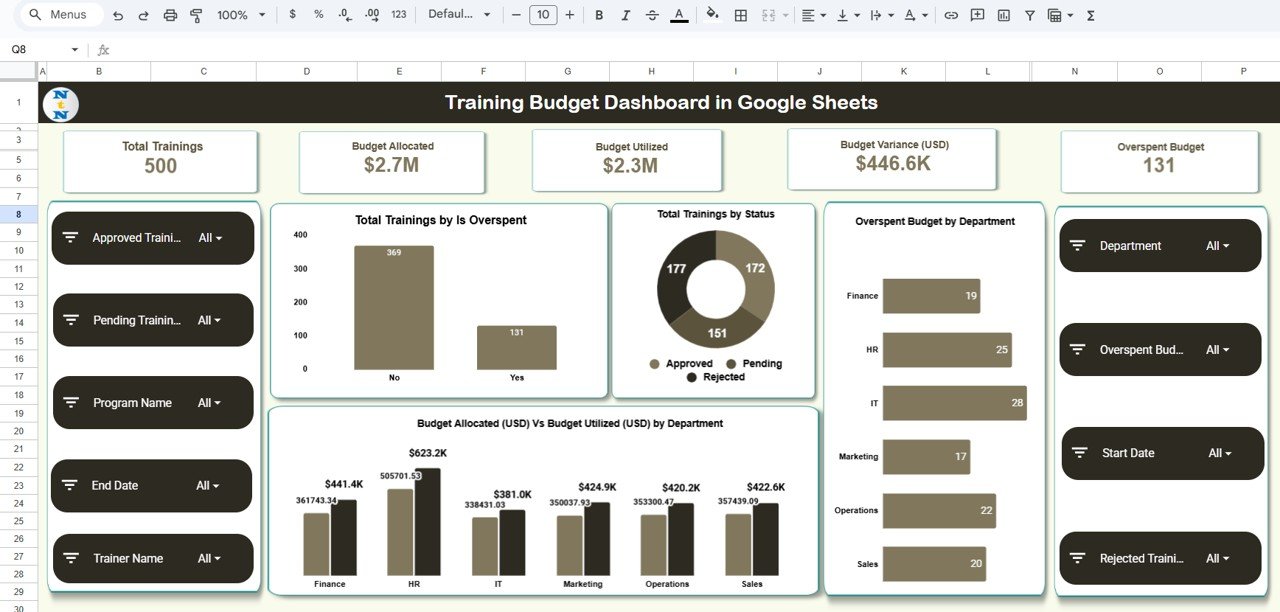
✨ Key Features of Training Budget Dashboard in Google Sheets
This Training Budget Dashboard is packed with powerful features designed to help organizations stay in control of their training investment.
🔹 Real-Time Financial Tracking
Track budget allocation, utilization, variance, and overspending in a live dashboard that updates instantly when you modify the Data sheet.
🔹 Insightful KPI Cards
Key cards include:
Total Trainings
Budget Allocated
Budget Utilized
Budget Variance (USD)
Overspent Budget
These KPIs provide a quick snapshot of your overall training performance.
🔹 Interactive Charts for Deeper Insights
Visuals include:
Trainings by Status
Overspent Trainings
Budget Utilized vs Budget Allocated
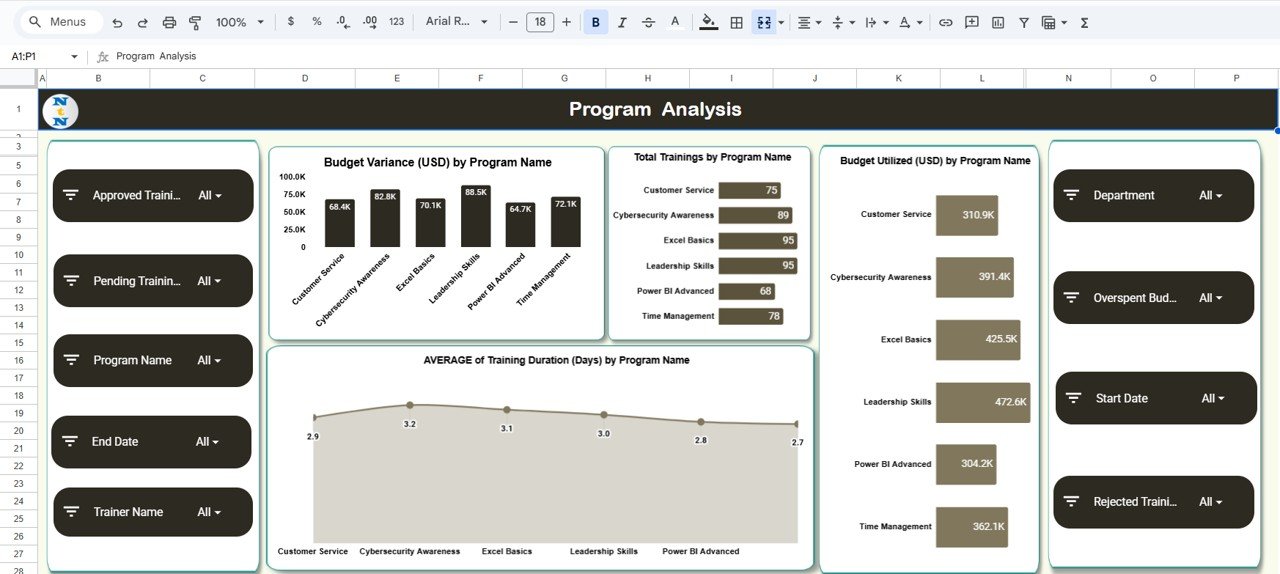
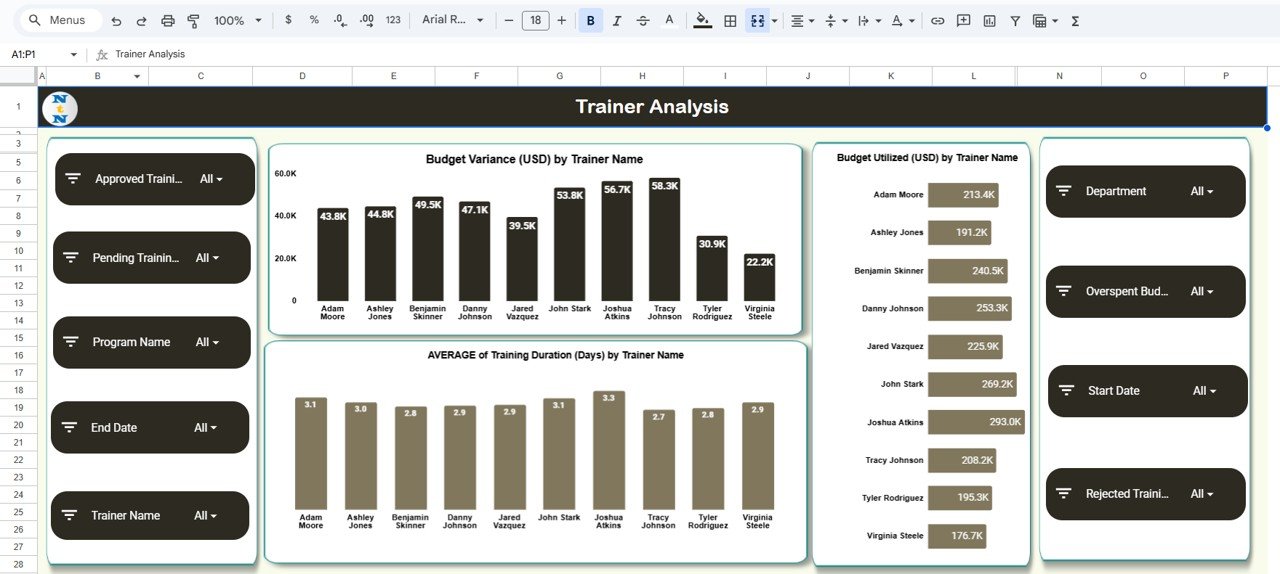
Variance by Department, Program, and Trainer
Training Duration insights
Every chart helps you see trends, patterns, and hidden inefficiencies.
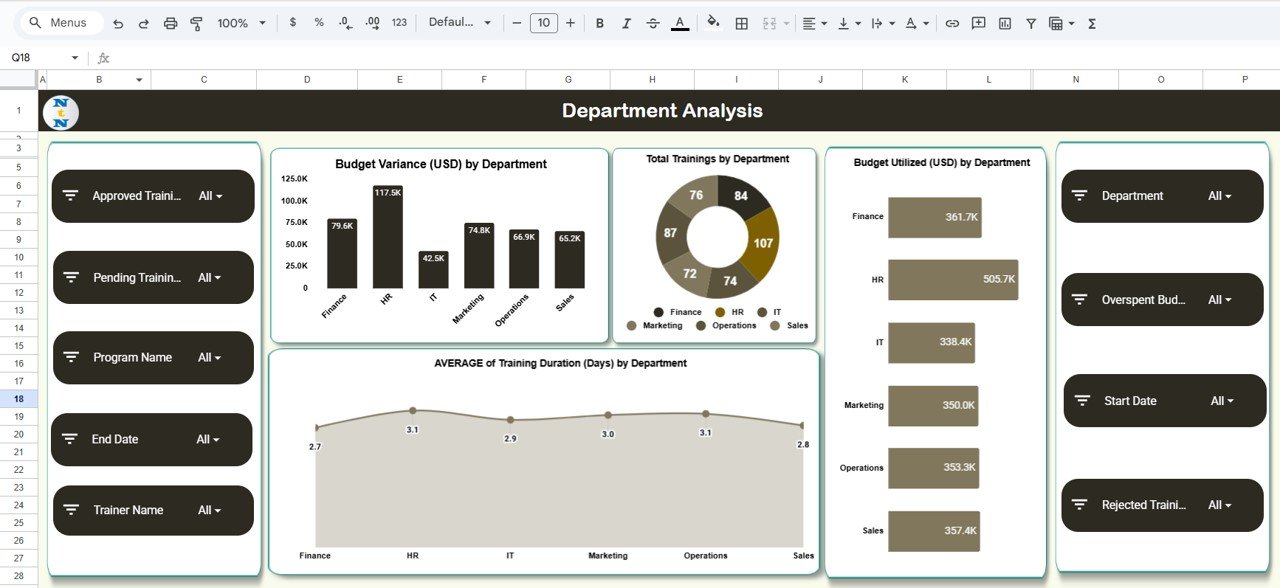
🔹 Department, Program & Trainer Analysis
Quickly identify:
Departments overspending
Programs with high cost variance
Trainers who frequently exceed budgets
Duration patterns and performance indicators
🔹 Search Tab for Quick Lookups
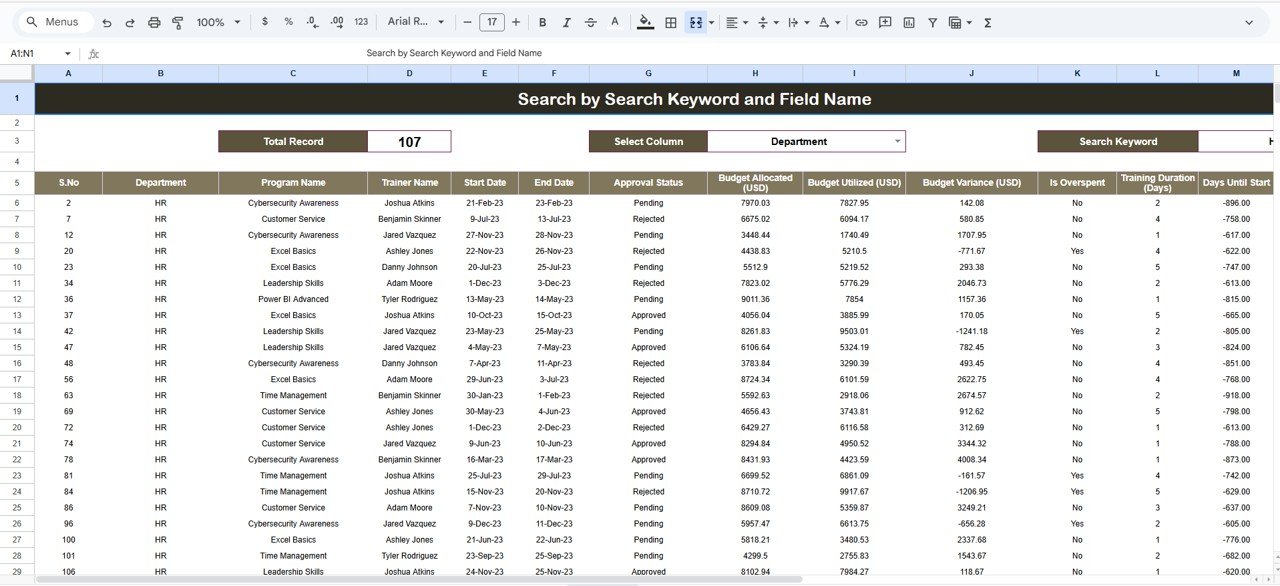
Instantly filter and find any training record using the search-friendly sheet.
🔹 100% Customizable Google Sheets Template
Add new fields, extend categories, modify visuals, or customize formulas with ease.
📦 What’s Inside the Training Budget Dashboard
Your download includes everything you need to monitor, manage, and optimize training budgets:
Dashboard Overview Sheet
With KPI cards and key charts displaying financial performance.Department Analysis Sheet
View department-wise spending, duration, and training count.Program Analysis Sheet
Identify high-cost, efficient, or overspending programs.Trainer Analysis Sheet
Monitor trainer-specific variations, duration, and spending.Search Tab
Quickly find specific training entries.Data Sheet (Master Dataset)
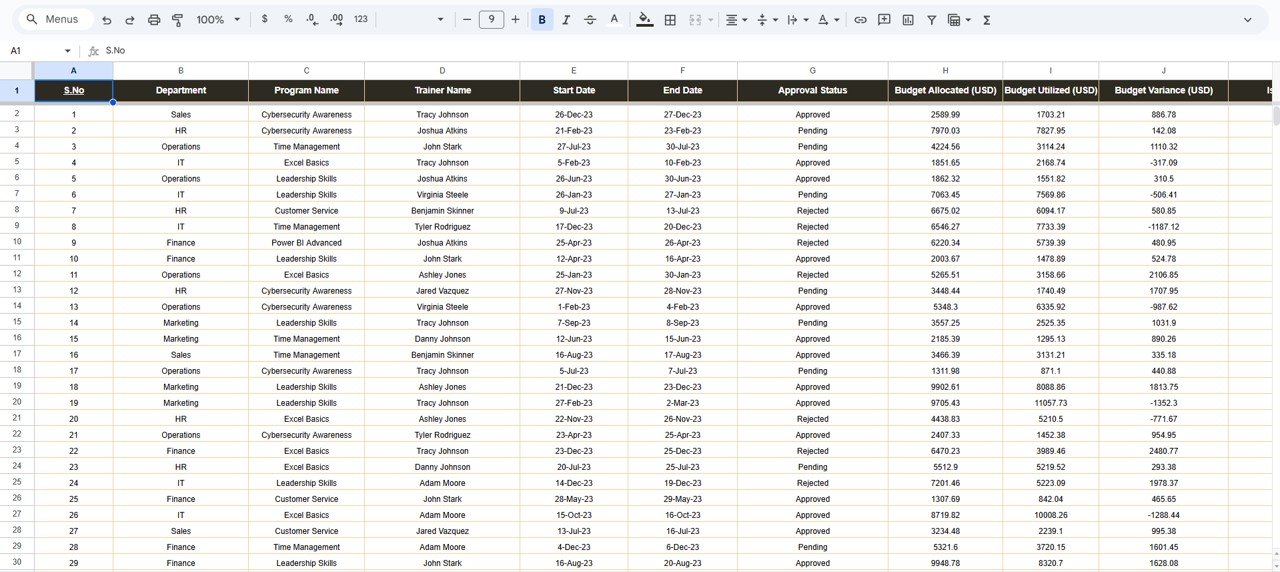
Contains fields like:
✔ Training Name
✔ Program Name
✔ Department
✔ Trainer Name
✔ Duration
✔ Budget Allocated
✔ Budget Utilized
✔ Variance
✔ Status
✔ Overspent Yes/No
✔ Training Date
✔ Notes
Every visual and calculation in the dashboard is connected to this sheet, ensuring instant updates. 🧾📈
🛠️ How to Use the Training Budget Dashboard
You can start using this dashboard in minutes. Just follow these simple steps:
🔸 Step 1: Update the Data Sheet
Enter your training records, budgets, trainer details, and status updates.
🔸 Step 2: Review KPI Cards
Instantly see totals, variance, and overspending at the top of the dashboard.
🔸 Step 3: Explore Analysis Sections
Use:
Department Analysis
Program Analysis
Trainer Analysis
to understand performance at a deeper level.
🔸 Step 4: Use the Search Tab
Find any record without scrolling through hundreds of rows.
🔸 Step 5: Make Decisions Using Trends
Identify where overspending occurs, which programs need redesigning, and where budget efficiency can be improved.
Within minutes, your training financial management becomes structured, visual, and effortless. 🚀📑
👥 Who Can Benefit from This Training Budget Dashboard?
This dashboard is perfect for anyone involved in training, learning, and financial planning, including:
HR Departments
Monitor budgets and align training goals.Training & Development Teams
Track program-level efficiency and optimize costs.L&D Managers
Understand trainer performance and duration patterns.Finance Teams
Get transparent spending insights for budgeting cycles.Corporate Trainers & Vendors
Track utilization and optimize delivery.Training Coordinators
Get full visibility of training activities and outcomes.
Whether your organization conducts 10 trainings or 1,000 annually, this dashboard ensures every dollar is accounted for wisely. 💡💵