



Managing inventory audits can be time-consuming and prone to errors if not handled systematically. The Inventory Audit Checklist in Excel is designed to streamline your auditing process, ensuring accuracy, efficiency, and compliance. Whether you are a warehouse manager, business owner, or inventory specialist, this powerful checklist provides an organized and structured approach to inventory audits.
Key Features of the Inventory Audit Checklist
This checklist includes essential components that help businesses efficiently track, evaluate, and verify inventory levels. The structured template consists of two main sections:
1. Inventory Audit Checklist Sheet
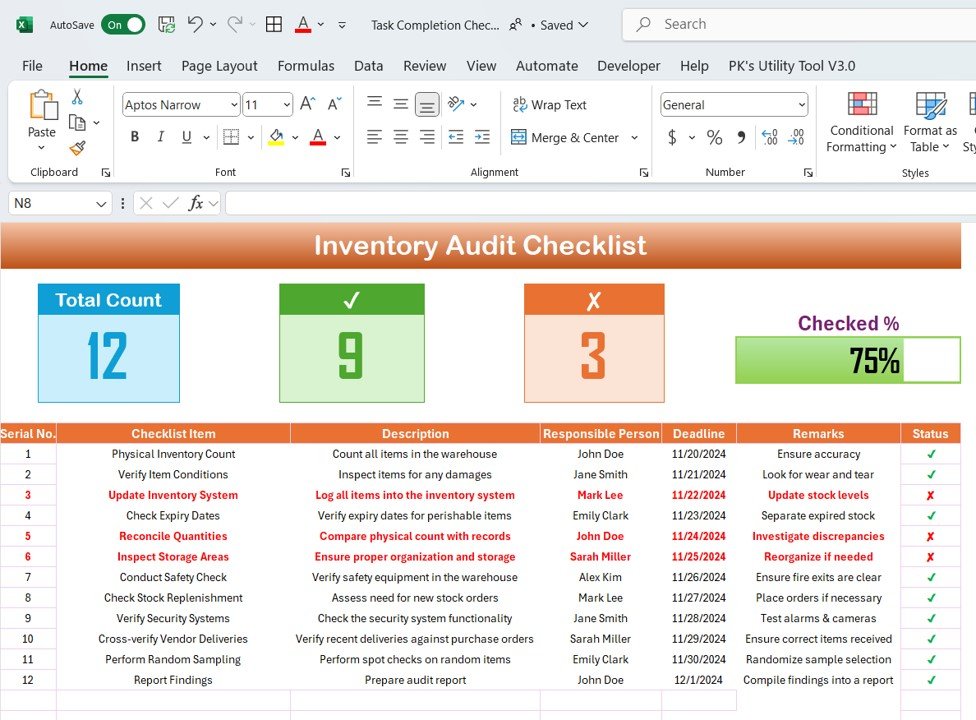
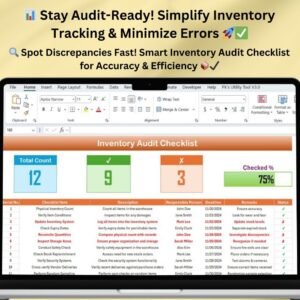
This sheet serves as the primary workspace where all audit-related tasks are recorded and managed. It includes:
- Checklist Table: Tracks all audit tasks and responsibilities.
- Top Summary Cards: Displays a quick overview of:
- Total Count: Number of checklist items.
- Checked Count: Number of completed tasks.
- Crossed Count: Number of pending or flagged tasks.
- Progress Bar: Visual representation of completed tasks.
- Detailed Checklist Columns:
- Serial No.: Auto-generated for easy reference.
- Checklist Item: Specific audit tasks.
- Description: Brief explanation of each task.
- Responsible Person: Assigned personnel using a dropdown selection.
- Deadline: Date by which the task must be completed.
- Remarks: Notes or updates related to the task.
- Status: Completed (✔) or Pending (✘).
2. Responsible Person List Sheet
This secondary sheet captures and maintains a list of responsible persons, which is used in dropdown selections in the checklist. This feature enhances accuracy and prevents manual data entry errors.
Benefits of Using the Inventory Audit Checklist
✅ Enhanced Accuracy
Regular audits help identify discrepancies between recorded and actual stock levels. By following a structured checklist, you ensure that every aspect of the inventory is thoroughly checked, reducing the likelihood of errors.
⏳ Increased Efficiency
An audit checklist ensures that all necessary steps are completed, eliminating oversight. The well-structured format improves the speed and accuracy of the audit process.
👥 Better Accountability
By assigning tasks to specific individuals and setting deadlines, the checklist promotes accountability. Team members clearly understand their responsibilities, reducing miscommunication and delays.
📊 Real-Time Progress Monitoring
The Progress Bar and status indicators offer a quick snapshot of the audit’s progress, allowing managers to take immediate corrective actions if needed.
📂 Easy Reporting & Compliance
The template facilitates seamless record-keeping, making it simple to compile audit reports. It also helps businesses comply with regulatory requirements by ensuring all necessary audit steps are documented.
Best Practices for Using the Inventory Audit Checklist
To maximize the effectiveness of this checklist, follow these best practices:
🔄 Conduct Regular Audits
Perform audits periodically (monthly, quarterly, or annually) to maintain an accurate inventory count throughout the year.
📅 Assign Clear Responsibilities
Ensure each audit task is assigned to a specific person. This enhances accountability and ensures that all tasks are completed efficiently.
⏰ Set Realistic Deadlines
Establishing reasonable deadlines ensures that audits are completed thoroughly without unnecessary delays.
📝 Keep the Checklist Updated
As your business evolves, periodically review and update the checklist to include any new inventory management requirements or processes.
🔍 Utilize Spot Checks
Perform spot checks in addition to full inventory audits to maintain ongoing accuracy and compliance.
How to Use the Inventory Audit Checklist Template?
Step 1: Download & Open the Template
Once purchased, download the Inventory Audit Checklist in Excel and open it in Microsoft Excel or Google Sheets.
Step 2: Input Inventory Audit Tasks
Fill in the Checklist Table with your specific audit tasks, ensuring each task is properly categorized.
Step 3: Assign Responsibilities
Use the Responsible Person Dropdown List to assign tasks efficiently.
Step 4: Monitor Progress
Regularly update the checklist to reflect completed tasks and review the progress bar to assess audit completion.
Step 5: Generate Reports
Use the audit records for internal reporting, compliance tracking, or decision-making.
Why Choose This Inventory Audit Checklist?
- 📥 Instant Download: Get access immediately after purchase.
- 🎯 User-Friendly Format: Simple yet powerful layout for easy usability.
- 🔄 Fully Customizable: Modify fields, colors, and structures to match your business needs.
- 📊 Improves Inventory Control: Helps prevent losses and stock discrepancies.
- ⏳ Saves Time & Reduces Errors: Automates task tracking and assignment.
Visit our YouTube channel to learn step-by-step video tutorials
Click hare to read the Detailed blog post
Compatibility and Requirements
- Works in Microsoft Excel desktop (Excel 2016 or later, or Microsoft 365).
- Status marks (✔ or ✘) and the progress bar update as you tick off tasks.
- Want to change the status colors? See Microsoft’s guide to conditional formatting.
Who Uses This Checklist
Warehouse managers, business owners and inventory specialists who run regular stock audits and need each task assigned and tracked.
Frequently Asked Questions
What do the summary cards show?
Total count of checklist items, checked count, crossed count and a progress bar for completed tasks.
Which columns does the checklist have?
Serial number, checklist item, description, responsible person, deadline, remarks and status.
How do I assign a task?
Pick a name from the responsible person dropdown. The names come from the Responsible Person List sheet, which you can edit.
Is there a Google Sheets version?
Yes. The Inventory Audit Checklist in Google Sheets covers the same audit online.
Related Inventory Audit Templates
- Inventory Audit Checklist in Google Sheets: the same checklist online
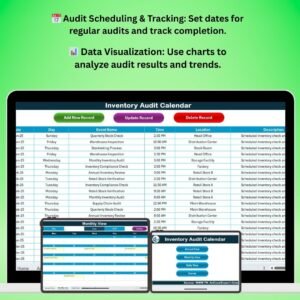
- Inventory Audit Calendar in Excel: plan audit dates across the year
- Inventory Audit Monitoring Checklist in Excel: follow up after the count
- Inventory Audit Schedule in Excel: schedule audit tasks by date
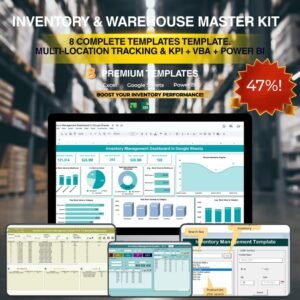
- Inventory & Warehouse Master Kit: inventory and warehouse templates in one download
Browse all Excel checklists or the Excel inventory management templates.































Reviews
There are no reviews yet.