

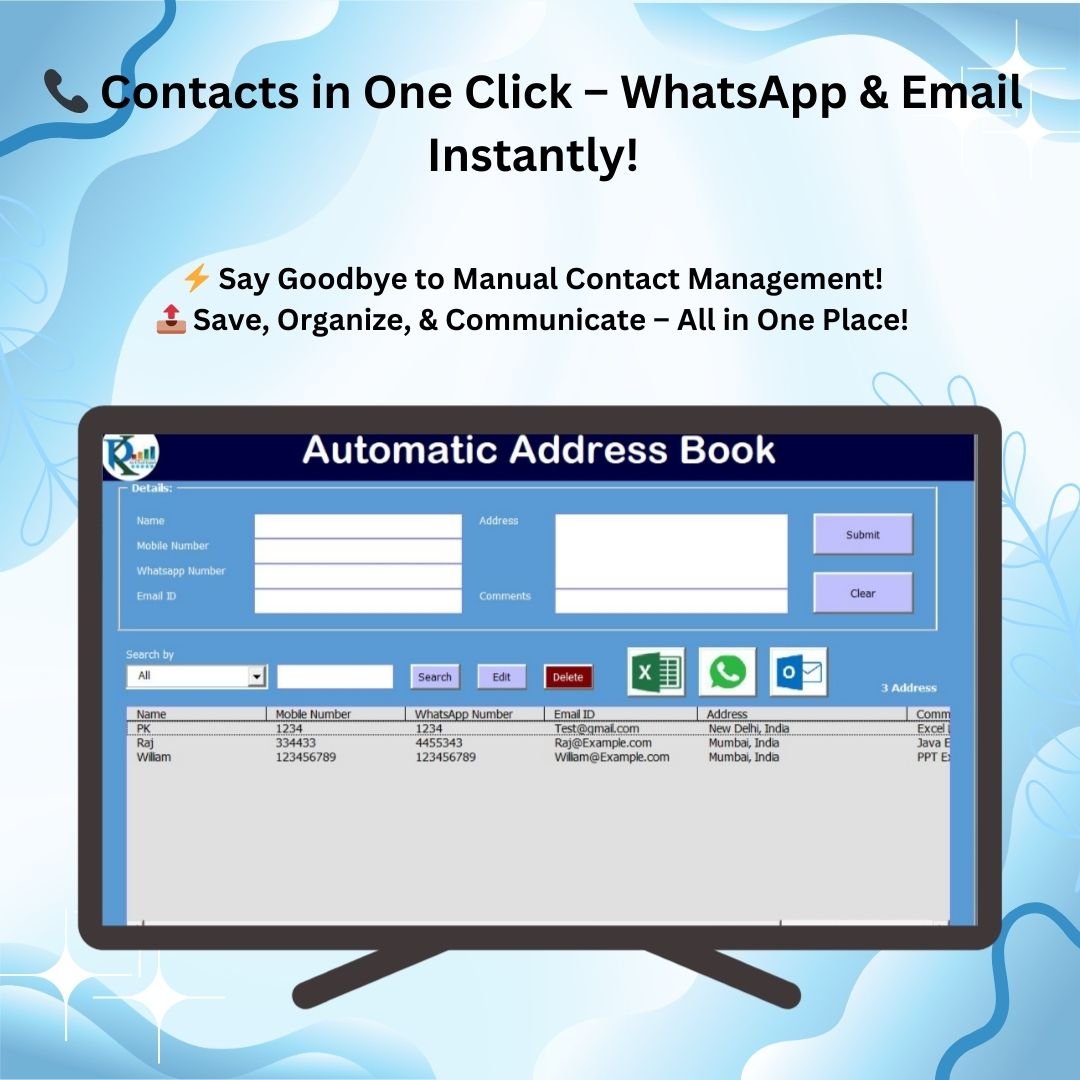
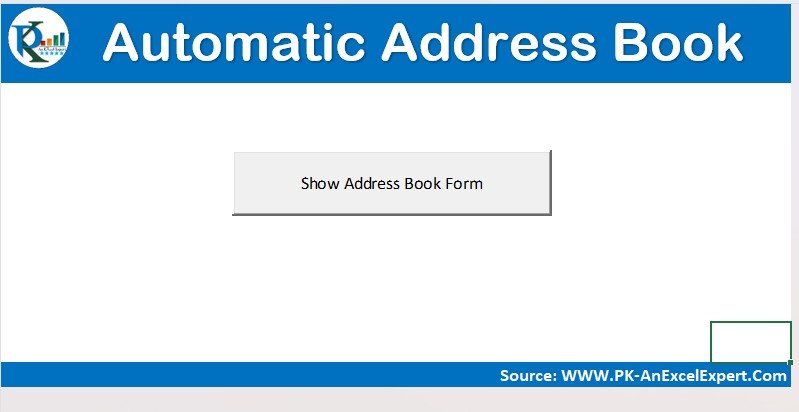

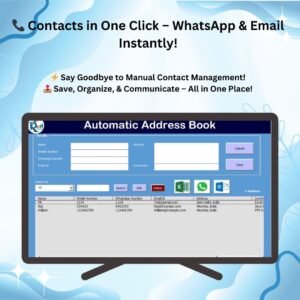
The Automated Address Book with Auto WhatsApp and Email is a ready-made Excel VBA tool that lets you store, organize and instantly contact people from one place. It suits businesses and individuals who need a simple contact list with built-in communication. You get one-click WhatsApp chats, one-click Outlook emails, quick search and filter, and easy export to Excel, all controlled with buttons.
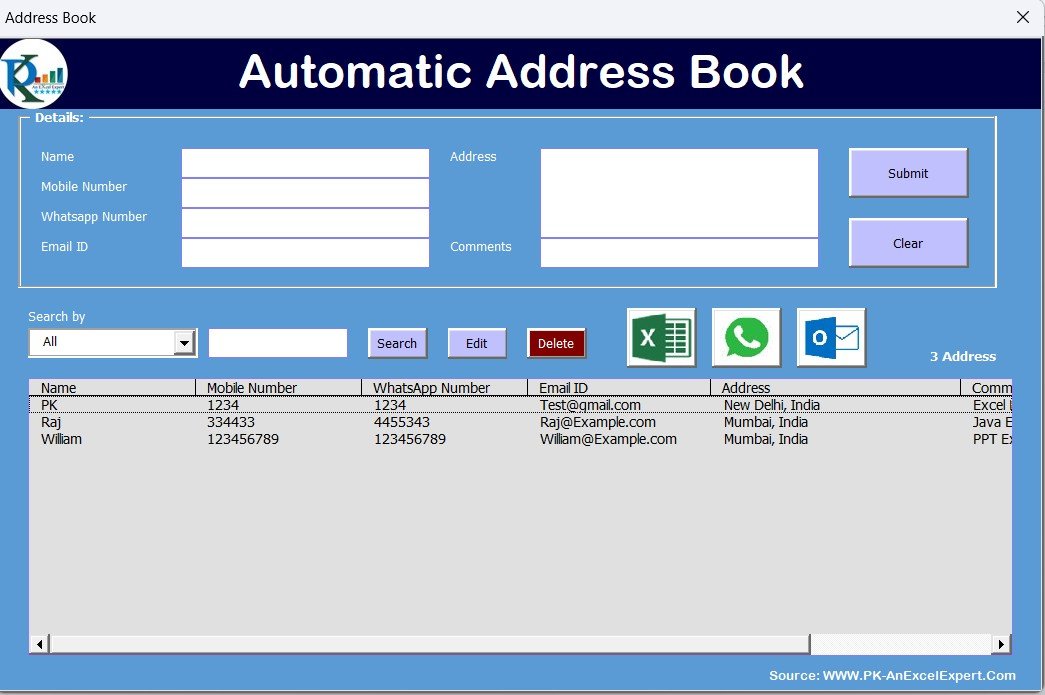
Key Features of the Automated Address Book
Comprehensive Contact Management
- Easily add, edit, delete and search contacts from a structured database.
- Store each contact’s name, mobile number, WhatsApp number, email and address in a neatly organized format.
- Simple search and filter options give you quick access to any contact.
Instant Communication with One-Click WhatsApp and Email
- Auto WhatsApp messaging: click the WhatsApp icon next to a contact to start a chat directly in your browser, without saving the number to your phone. This one-click WhatsApp option saves you from typing numbers or switching devices.
- One-click email sending: the Outlook email integration lets you send emails to stored contacts with just a click.
Export to Excel
- Quickly export your entire contact list to an Excel file for easy backup, sharing or reporting.
Easy Search and Filter
- Find contacts instantly with the dropdown filter or by entering keywords in the search bar.
- Filter contacts by name, number, email or address.
User-Friendly Interface
- A clean, intuitive design makes navigation and daily use straightforward.
- All functions are controlled with buttons, so no VBA knowledge is needed.
What’s Inside the Tool
The download is a macro-enabled Excel file (delivered as a zip) that works as a complete Excel contact management system. Here is how the main parts work together:
| Component | What it does |
|---|---|
| Contact database | Holds name, mobile number, WhatsApp number, email and address for every contact in a structured format. |
| Add / Edit / Delete buttons | Let you maintain records without touching formulas or code. |
| Search bar and dropdown filter | Find any contact by name, number, email or address. |
| WhatsApp icon | Opens a WhatsApp chat with the selected contact in your browser. |
| Email button | Sends an email to the selected contact through Outlook. |
| Export option | Saves the full contact list to a separate Excel file for backup, sharing or reporting. |
Why Choose This Address Book?
- Saves time: no need to search manually or switch between apps for messaging.
- Boosts efficiency: communicate with contacts instantly via WhatsApp and email.
- Organized data management: automated organization and export options keep your records structured.
This automated address book is an Excel contact management system that makes organizing and reaching out to contacts effortless and efficient.
Who It’s For
- Small businesses and shop owners who message customers on WhatsApp and email them regularly.
- Sales and support teams who want a quick, searchable contact list in Excel.
- Freelancers and consultants managing client contact details in one file.
- Individuals who want a tidy personal address book with fast communication options.
How to Use It
- Download and unzip the file.
- Open it in Excel and make sure macros are enabled. For step-by-step instructions on enabling macros, see this tutorial: https://www.pk-anexcelexpert.com/4-easy-ways-to-enable-macros-in-excel-vba/
- Use the buttons to add your contacts with name, mobile number, WhatsApp number, email and address.
- Search or filter to find a contact, then click the WhatsApp icon to chat or the email button to send an Outlook email.
- Export the contact list to Excel whenever you need a backup or a shareable copy.
Click here to read the detailed blog post
Watch the step-by-step video tutorial:
Frequently Asked Questions
Do I need to know VBA to use this address book?
No. All functions are controlled with buttons, so no VBA knowledge is needed. You only need to enable macros after unzipping the file.
How does the WhatsApp feature work?
Click the WhatsApp icon next to a contact and a chat opens directly in your browser. You do not need to save the number to your phone first.
Which email program does it use?
Email sending works through the Outlook email integration, letting you send an email to a stored contact with a single click.
What contact details can I store?
Each record holds a name, mobile number, WhatsApp number, email and address.
Can I back up or share my contacts?
Yes. You can export your entire contact list to an Excel file for backup, sharing or reporting.
How do I find a specific contact quickly?
Use the dropdown filter or type keywords in the search bar to filter by name, number, email or address.
Also check our Folder Automation Tool V1.0 in Excel
Last updated: October 2026
Compatibility and Requirements
- Made for Microsoft Excel desktop on Windows (Excel 2016 or later, or Microsoft 365).
- Macros must be enabled, because the buttons, WhatsApp icon and email button run on VBA. Microsoft explains how in Enable or disable macros in Microsoft 365 files.
- Email sending uses Microsoft Outlook, so Outlook should be set up on the same PC. WhatsApp chats open in your web browser.
- For a Google Sheets option, see the Auto WhatsApp and Email Address Book in Google Sheet.
Related Contact and Messaging Templates
- Customer Address Book and Follow Up System V1.0: add follow-up tracking to your contact list.
- Auto WhatsApp and Email Functionality Address Book in Google Sheet: the same idea in Google Sheets.
- Send WhatsApp and Email without VBA: a formula-based option with no macros.
- Customer Address Book Web App: a browser-based address book.
- VBA Management Systems Mega Pack: 5 Excel VBA management systems in one bundle.
Browse all Excel VBA tools or the web app templates.
















Reviews
There are no reviews yet.