


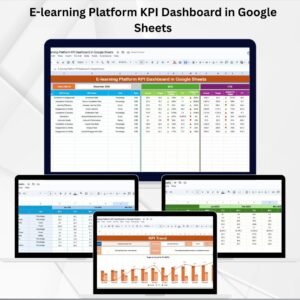
Online learning platforms thrive when engagement and performance are tracked systematically. 🎓 Without the right insights, it’s easy to lose sight of learner progress, course effectiveness, or ROI. The E-learning Platform KPI Dashboard in Google Sheets offers a ready-to-use, interactive, and cloud-based solution for consolidating all essential learning KPIs into one place.E-learning Platform KPI Dashboard in Google Sheets
This dashboard empowers course managers, administrators, and L&D strategists to measure performance, monitor engagement, and make data-driven improvements to online learning delivery.E-learning Platform KPI Dashboard in Google Sheets
🔑 Key Features of E-learning Platform KPI Dashboard in Google Sheets
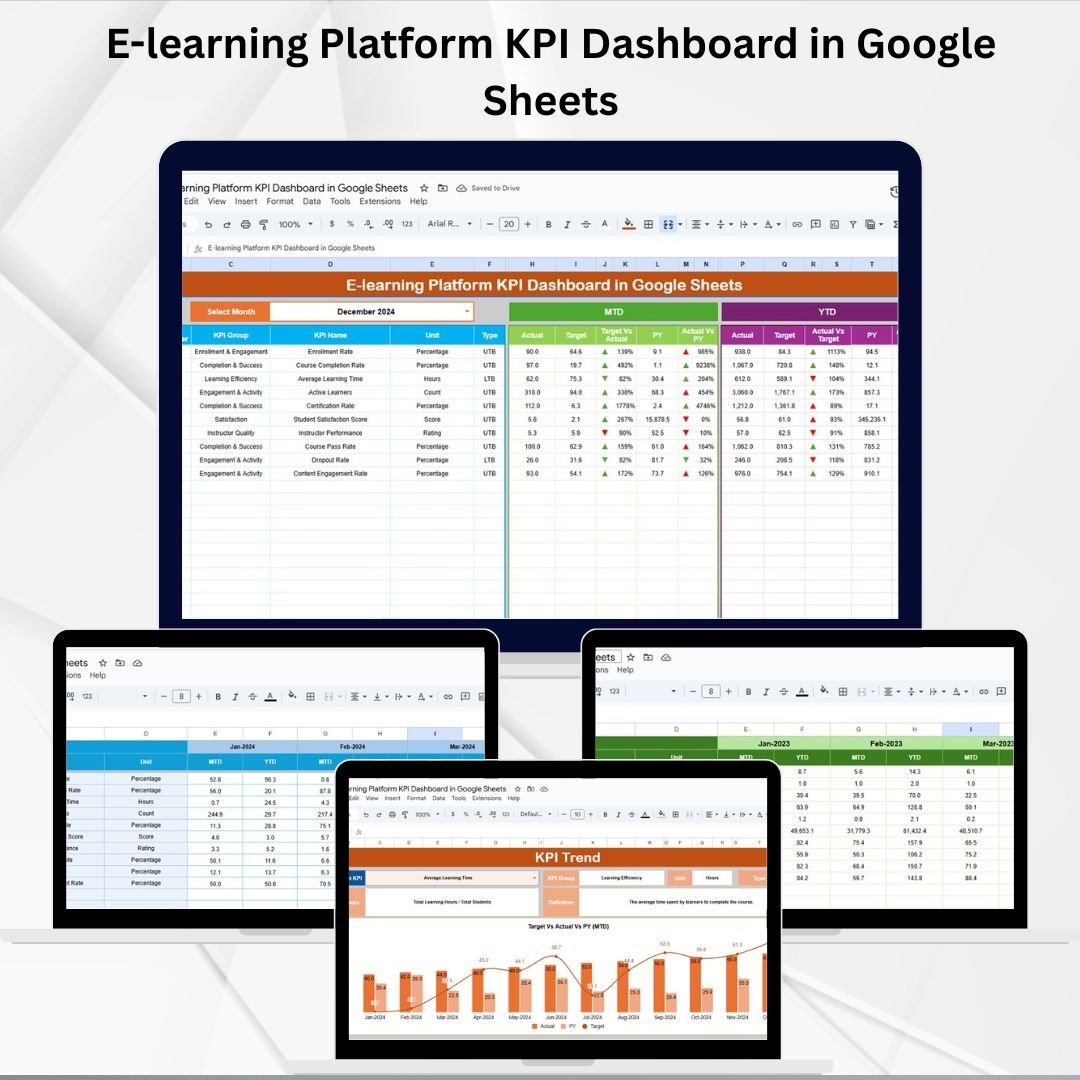
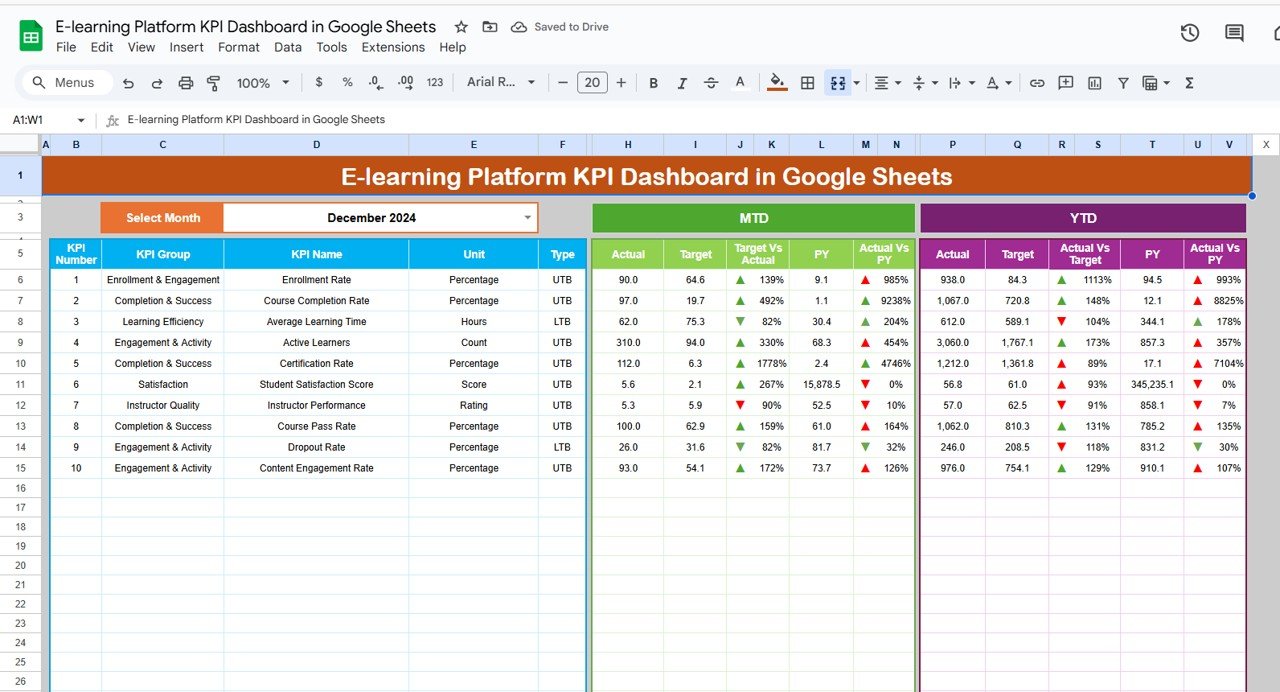
📊 Dashboard Tab (Performance Snapshot)
Drop-down to select month (auto-updates all KPIs).
View MTD (Month-to-Date) and YTD (Year-to-Date) metrics.
Compare Actual vs Target and Previous Year vs Actual.
Conditional formatting with arrows for quick performance review.
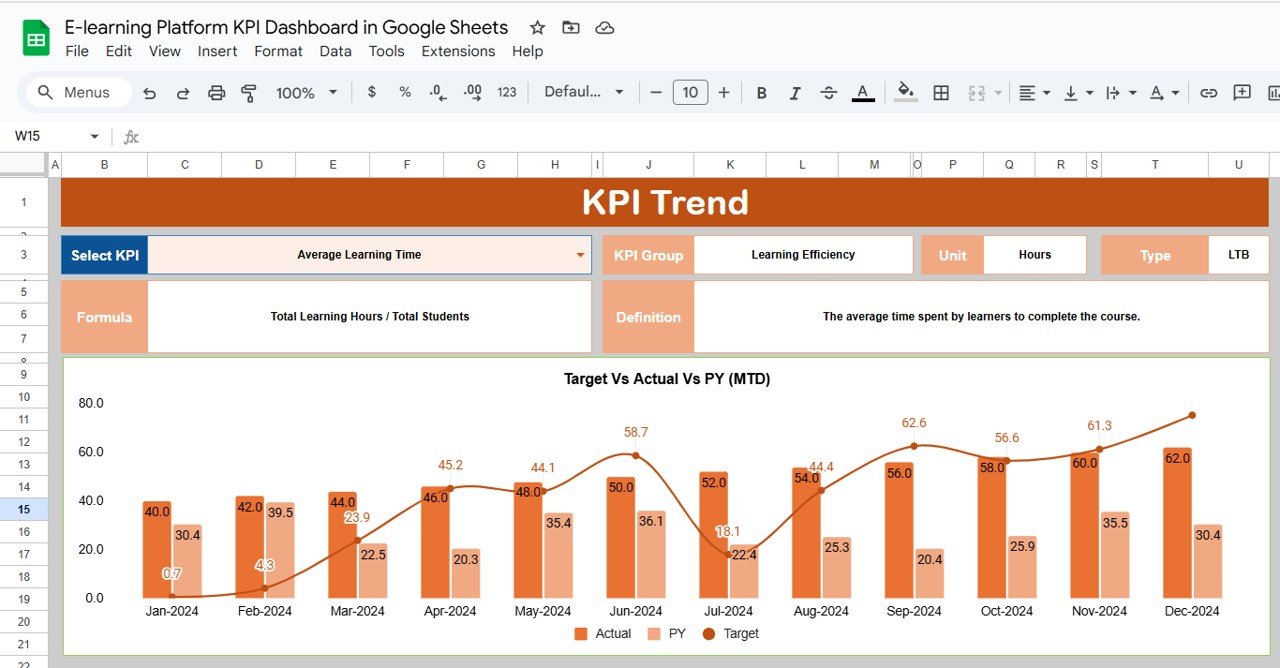
📈 KPI Trend Tab (Detailed KPI Analysis)
Select any KPI from drop-down to see detailed breakdown.
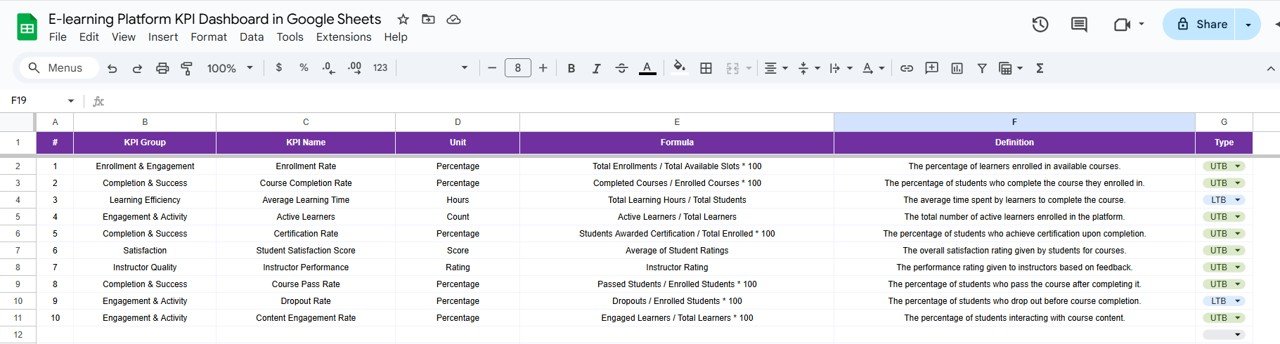
Includes KPI Group, Unit, Type (UTB/LTB), Formula, and Definition.
Spot long-term trends and track continuous improvement.
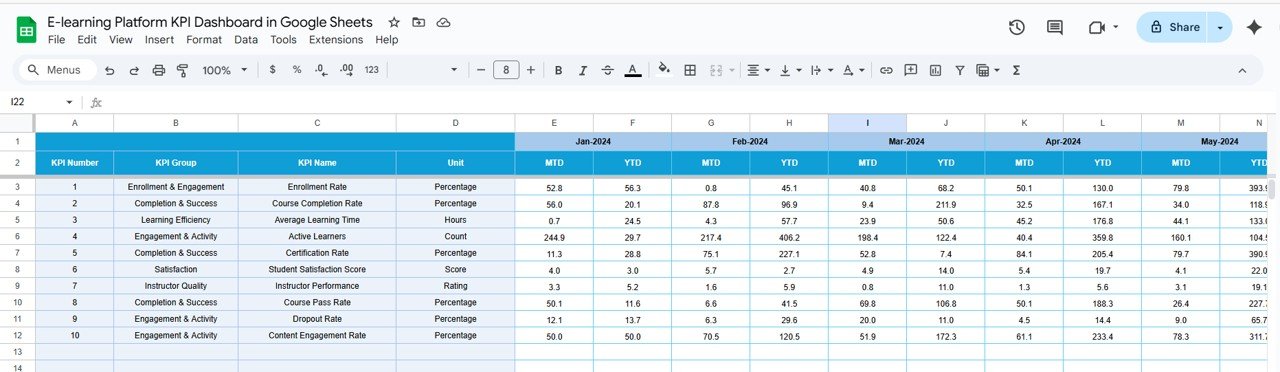
🧾 Actual Numbers Tab (Data Entry)
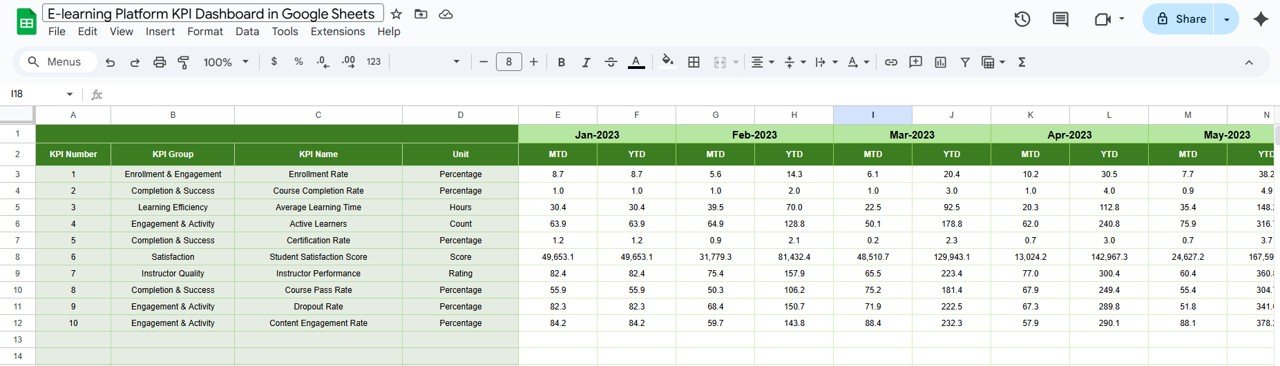
Enter actual KPI values (monthly and cumulative YTD).
Month selector ensures period-aligned reporting.
Data auto-feeds into dashboard and trend analysis.
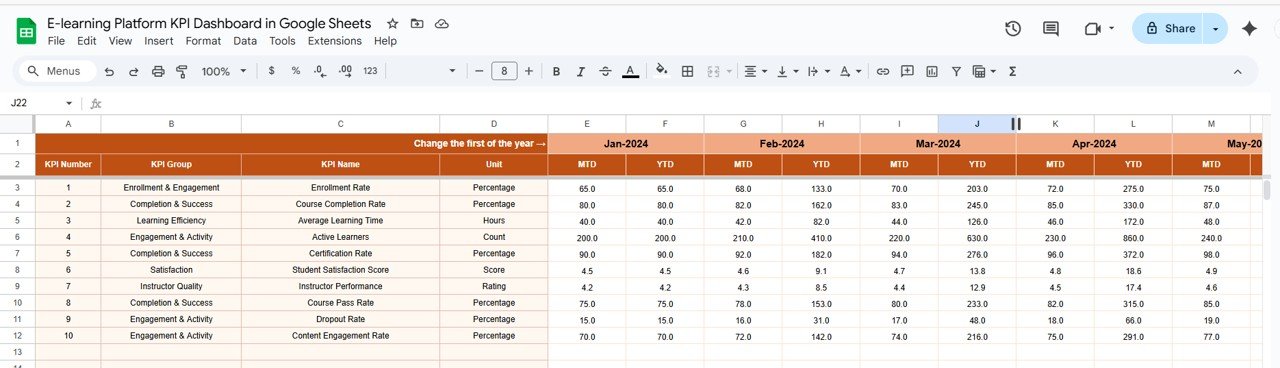
🎯 Target Tab (Goal Setting)
Input MTD and YTD targets for each KPI.
Benchmark actual performance against goals.
Adjust targets easily when strategy changes.
📉 Previous Year Numbers Tab (Benchmarking)
Record prior year’s performance for all KPIs.
Enables YOY (year-over-year) comparisons.
Useful for identifying improvements or declines.
📚 KPI Definition Tab (Reference Guide)
Stores KPI Name, Group, Unit, Formula, Definition, and Type.
Provides clarity and ensures consistency across reports.
📊 Example KPIs You Can Track
🎯 Course Completion Rate (%) – Percentage of learners finishing courses (UTB).
👩🏫 Active Users – Total number of learners engaged (UTB).
👍 Engagement Rate – Interactions per learner/session (UTB).
📚 Average Training Hours per Learner – Time spent learning (UTB).
📑 Assessment Pass Rate (%) – Ratio of learners passing tests (UTB).
⏱ Drop-off Rate – Percentage of learners who don’t finish courses (LTB).
📦 What’s Inside the Template?
✅ 6 Structured Tabs (Dashboard, KPI Trend, Actual, Target, Previous Year, KPI Definition)
✅ Pre-built conditional formatting & formulas
✅ Sample data included to get started quickly
✅ Real-time updates for MTD, YTD, and YOY tracking
✅ Customizable design to add new KPIs or adjust layouts
👥 Who Can Benefit from This Dashboard?
🎓 E-learning Providers – Measure learner engagement and platform usage.
🏫 Educational Institutions – Track course completion & effectiveness.
💼 Corporate L&D Teams – Monitor compliance training & employee upskilling.
📈 Content Strategists – Identify trends in course performance.
👨🏫 Instructors & Trainers – Improve course delivery using feedback data.
🧾 How to Use the Dashboard
📥 Download & Copy to your Google Drive.
📝 Update Actual Numbers monthly in the Actual Tab.
🎯 Input Targets in the Target Tab for each KPI.
📊 View Dashboard Tab for instant performance review.
📈 Analyze Trends in the KPI Trend Tab.
🔁 Benchmark Progress using Previous Year numbers.
🎨 Customize KPIs or charts to fit your strategy.
No coding or technical expertise needed — just plug in your data and start monitoring. 🚀
🔗 Click here to read the Detailed blog post E-learning Platform KPI Dashboard in Google Sheets
Watch the step-by-step video Demo:
🔗 Visit our YouTube channel to learn step-by-step video tutorials
Compatibility and Requirements
- Works in Google Sheets with a free Google account and a web browser.
- You make your own copy in Google Drive and work in it there.
- You pick the month and the KPI from in-cell dropdowns. Google explains these in Create an in-cell dropdown list.
Frequently Asked Questions
Which tabs are included?
There are six: Dashboard, KPI Trend, Actual Numbers, Target, Previous Year Numbers and KPI Definition.
Which KPIs can I track?
Examples include course completion rate, active users, engagement rate, average training hours per learner, assessment pass rate and drop-off rate.
How do I change the month?
Select the month from the dropdown on the Dashboard tab, and all KPIs update for MTD and YTD.
Does it come with sample data?
Yes. Sample data is included so you can see how it works before you add your own numbers.
Related E-learning Templates
- E-learning Platform KPI Dashboard in Excel: the same topic for Excel
- E-learning Platform KPI Dashboard in Power BI: the same topic built for Power BI
- Online Learning Platforms Dashboard in Google Sheets: a dashboard view of learning platform data
- E-learning Course Calendar in Google Sheets: plan course dates
- Education and School Management Bundle: a bundle of Excel and Google Sheets education templates
Browse all Google Sheets KPI dashboards or the Google Sheets dashboards.











Reviews
There are no reviews yet.