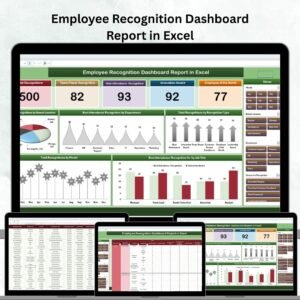
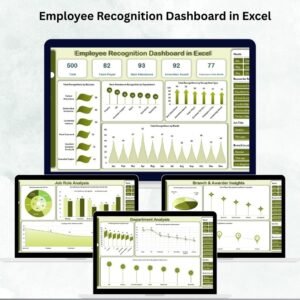
Recognizing and rewarding employees is one of the most powerful ways to boost engagement, improve performance, and create a culture of appreciation in the workplace. That’s why we built the Employee Recognition Dashboard in Excel — a ready-to-use, interactive tool that HR teams and managers can use to track, analyze, and visualize recognition data with ease. 📊✨
This all-in-one dashboard consolidates recognition data across departments, job roles, branches, and award types into a single Excel workbook. With detailed charts, KPI cards, and analysis sheets, it transforms raw recognition data into actionable insights that support better decision-making and fair recognition practices.’
🔑 Key Features of Employee Recognition Dashboard
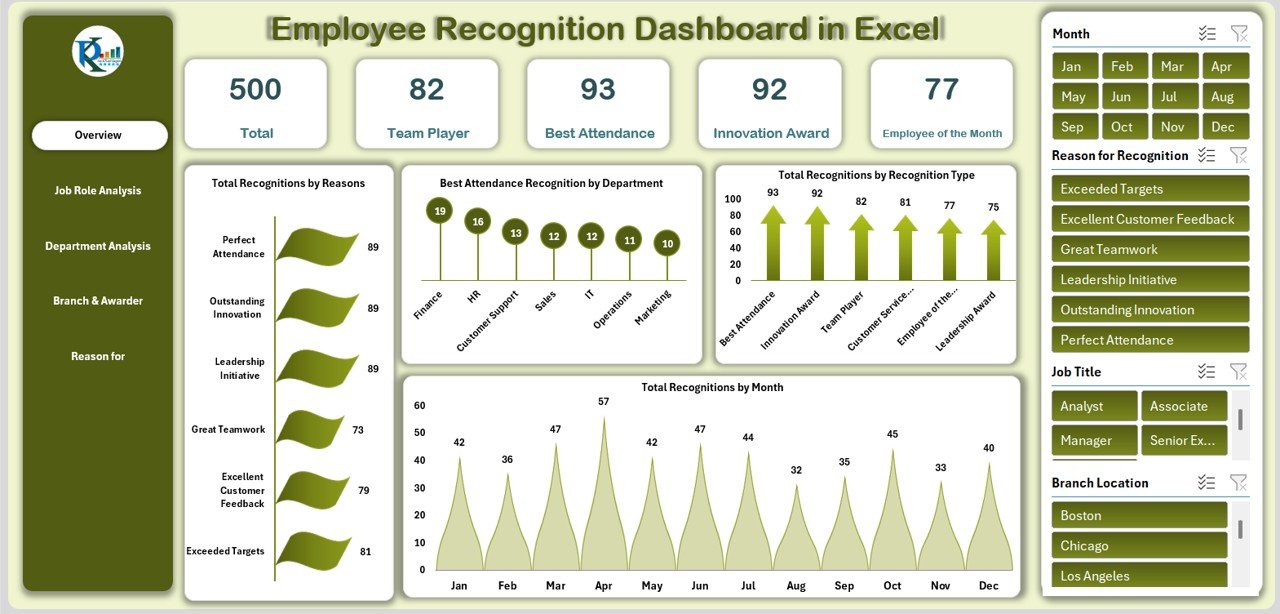
📌 Overview Sheet – A snapshot of total recognitions, team player awards, attendance recognitions, innovation awards, and Employee of the Month honors. Includes charts for recognition reasons, recognition type distribution, and monthly recognition trends.
👩💼 Job Role Analysis Sheet – Breaks down recognitions by job role. Identify which roles receive the most recognitions, compare innovation vs attendance awards, and analyze Employee of the Month trends by job title.
🏢 Department Analysis Sheet – See recognition distribution across departments. Charts show teamwork awards, customer service excellence, and overall recognitions at a departmental level.
📍 Branch & Awarder Insights Sheet – Track recognition distribution across office locations and awarders. Compare teamwork, leadership, and other awards branch by branch.
🎯 Reason for Recognition Sheet – Focus on what drives recognition. Charts reveal why employees earn Employee of the Month, attendance awards, and team player honors.
🧾 Data Sheet – The backbone of the dashboard where all recognition records are stored. Capture employee name, job title, department, branch, recognition type, recognition reason, awarder, and recognition month/year.
📦 What’s Inside the Dashboard
✅ 5 Analysis Sheets – Overview, Job Role, Department, Branch & Awarder, and Reason Analysis
✅ 1 Data Sheet – Pre-structured for easy data input
✅ Dynamic KPI Cards – Automatically updated metrics for quick insights
✅ Interactive Charts – Track recognition by type, role, department, branch, and reason
✅ Pre-Formatted Layout – Professionally designed for clarity and ease of use
✅ Customizable – Adapt to your organization’s unique recognition framework
📋 How to Use the Employee Recognition Dashboard
Download and open the Excel dashboard.
Enter recognition records in the Data Sheet.
Explore the Overview tab for high-level insights.
Dive into specific sheets for role-based, departmental, or branch-level analysis.
Use insights to improve recognition programs and share results with leadership.
No coding or advanced Excel skills required — just plug in your data and get started! 🚀
👥 Who Can Benefit from This Dashboard?
🏢 HR Teams – Monitor recognition across departments and ensure fairness.
👩💼 Managers & Leaders – Identify high-performing employees and recognize their contributions.
🌍 Branch Heads – Compare recognition practices across office locations.
📊 Executives – Gain organization-wide visibility into recognition trends.
🎯 Employees – Benefit from a fairer, more transparent recognition system.
🔗 Click here to read the Detailed blog post
Watch the step-by-step video Demo: