


Managing preventive maintenance effectively is one of the most important responsibilities for organizations that rely on machinery, equipment, and facilities. Unplanned breakdowns not only cause operational delays but also increase costs and reduce productivity. To avoid this, businesses need a clear, data-driven way to track equipment maintenance schedules, costs, and technician performance.
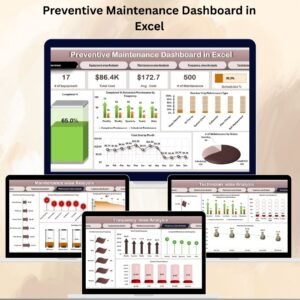
The Preventive Maintenance Dashboard in Excel is a ready-to-use, interactive tool designed to streamline maintenance management. Built entirely in Excel, it provides high-level insights, detailed breakdowns, and real-time analysis—all without the need for expensive software or complex ERP systems.
This dashboard consolidates all preventive maintenance information into a single, easy-to-navigate platform. Whether you’re a maintenance manager, technician supervisor, or business leader, you’ll gain the visibility needed to make smarter decisions, reduce downtime, and improve equipment efficiency.
🔑 Key Features of the Preventive Maintenance Dashboard
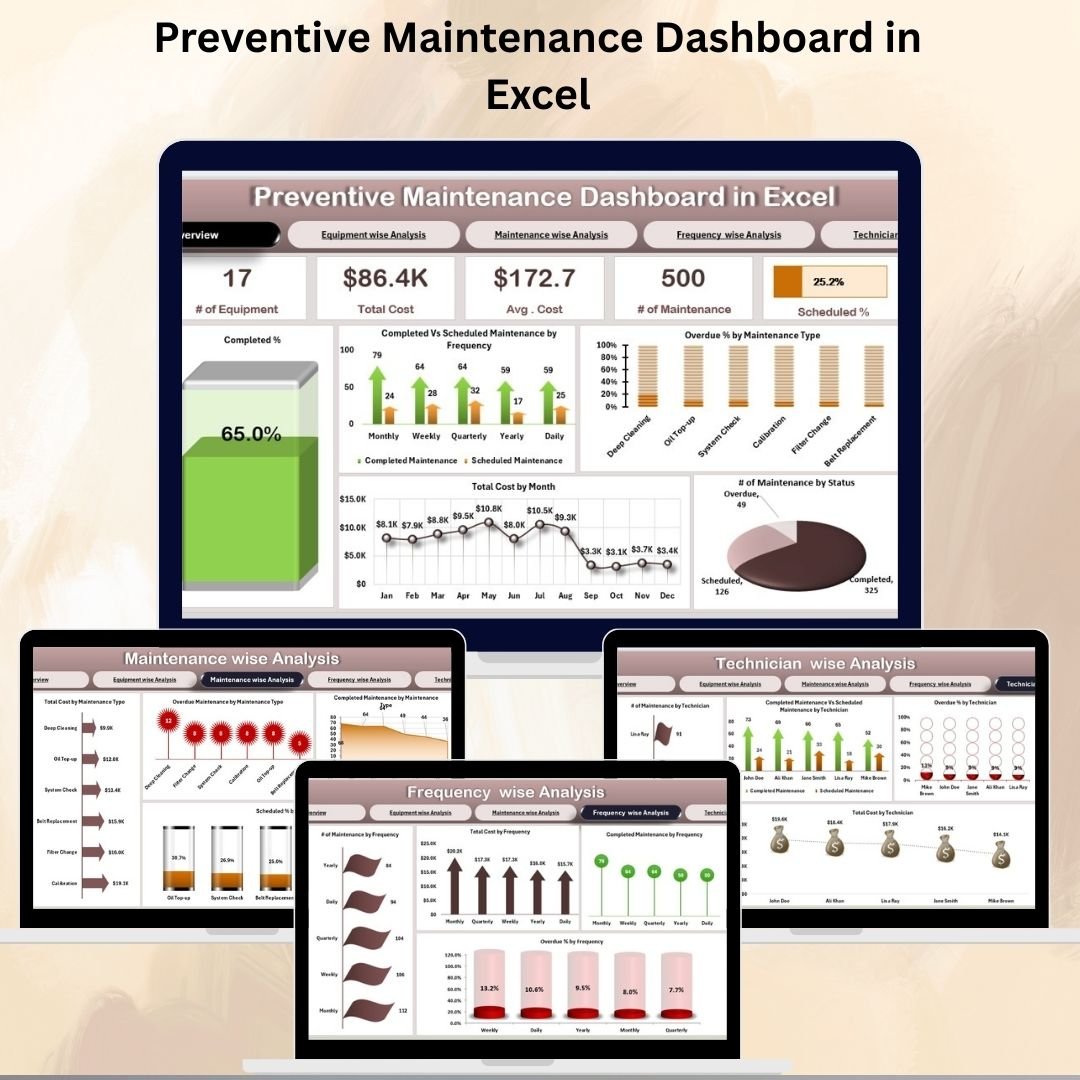
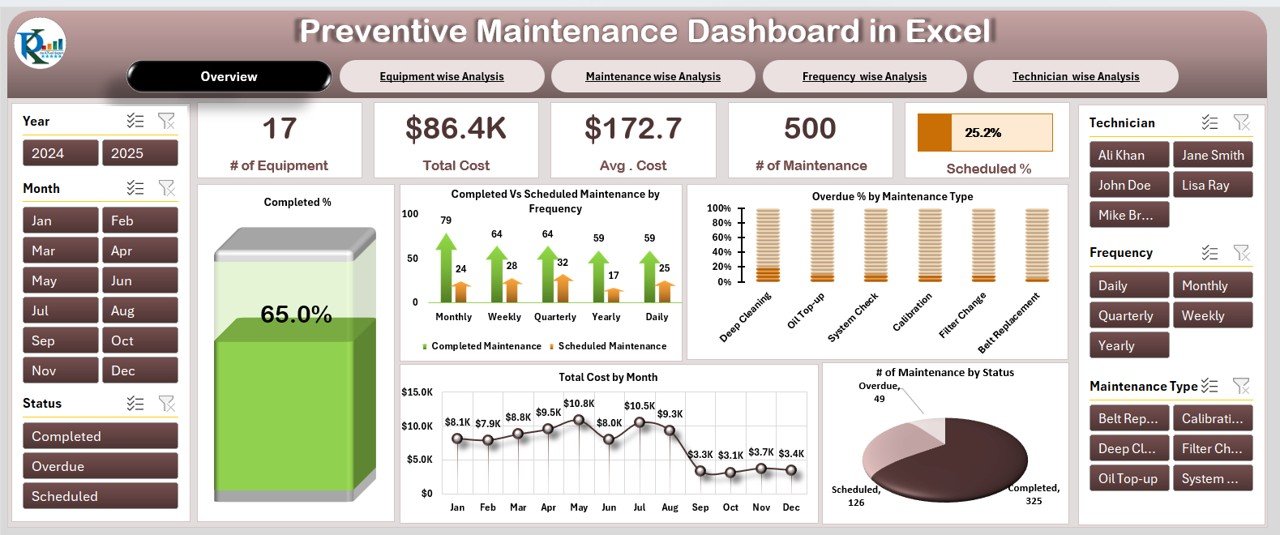
Overview Sheet – High-Level Performance Snapshot
Cards:
of Equipment
Total Cost
Average Cost
Scheduled %
of Maintenance Activities
Charts:
Completed %
Completed vs Scheduled Maintenance (Daily, Weekly, Monthly, Yearly)
Overdue % by Maintenance Type
of Maintenance by Status (Completed, Pending, Overdue)
Total Cost by Month
This sheet provides a quick snapshot of all critical maintenance KPIs.
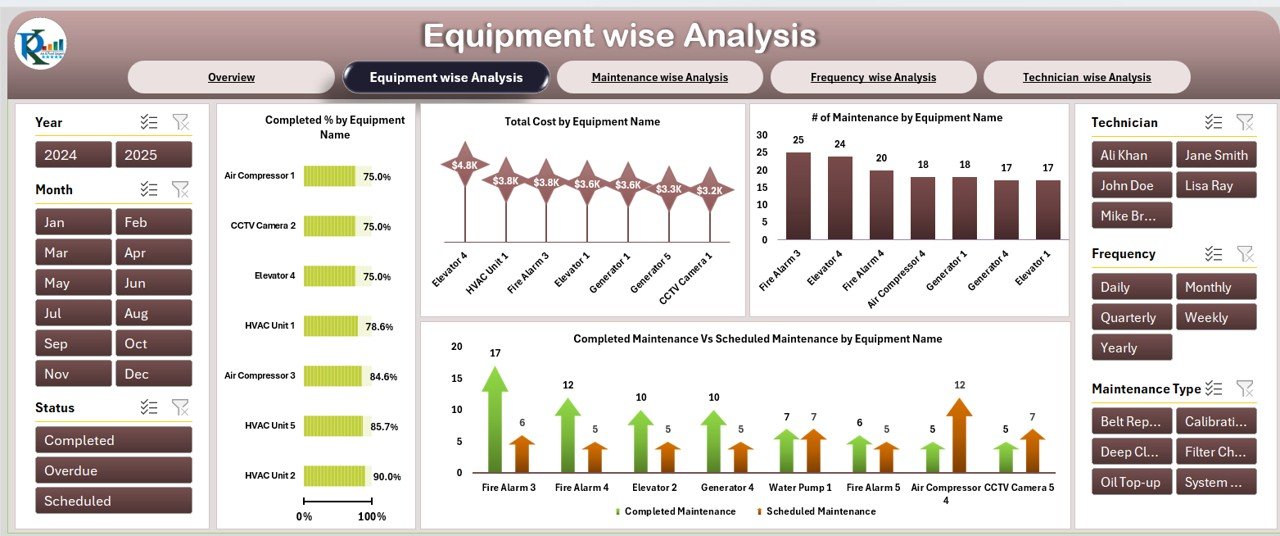
Equipment-Wise Analysis
Completed % by Equipment
Total Cost by Equipment
of Maintenance by Equipment
Completed vs Scheduled by Equipment
Perfect for identifying high-cost equipment or assets requiring frequent attention.
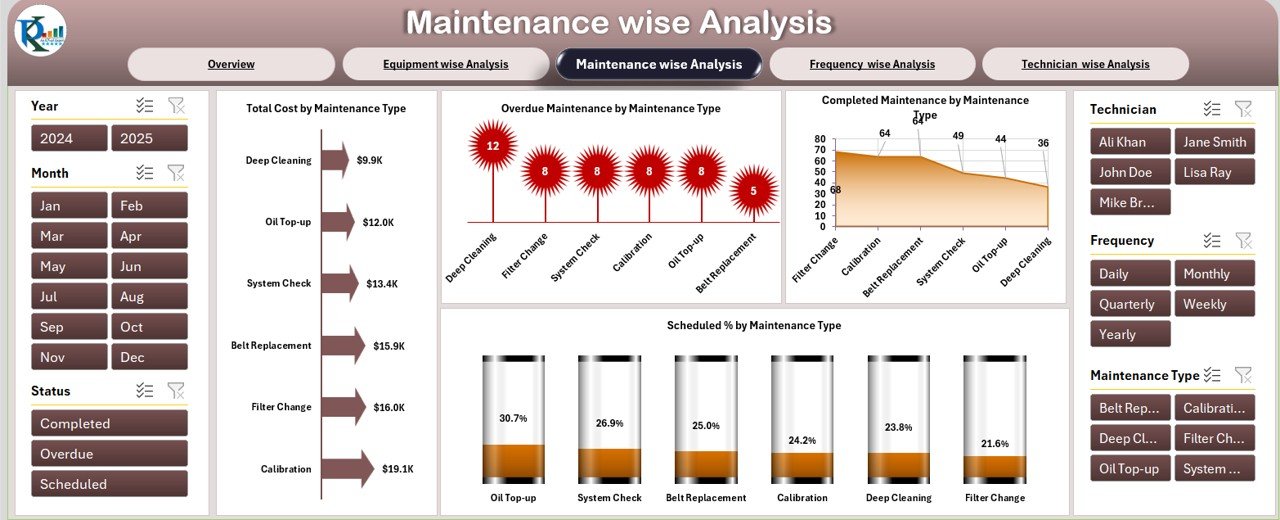
Maintenance-Wise Analysis
Total Cost by Maintenance Type
Overdue Maintenance by Type
Completed Maintenance by Type
Scheduled % by Maintenance Type
Helps you compare and optimize different maintenance activities (lubrication, inspection, calibration, etc.).
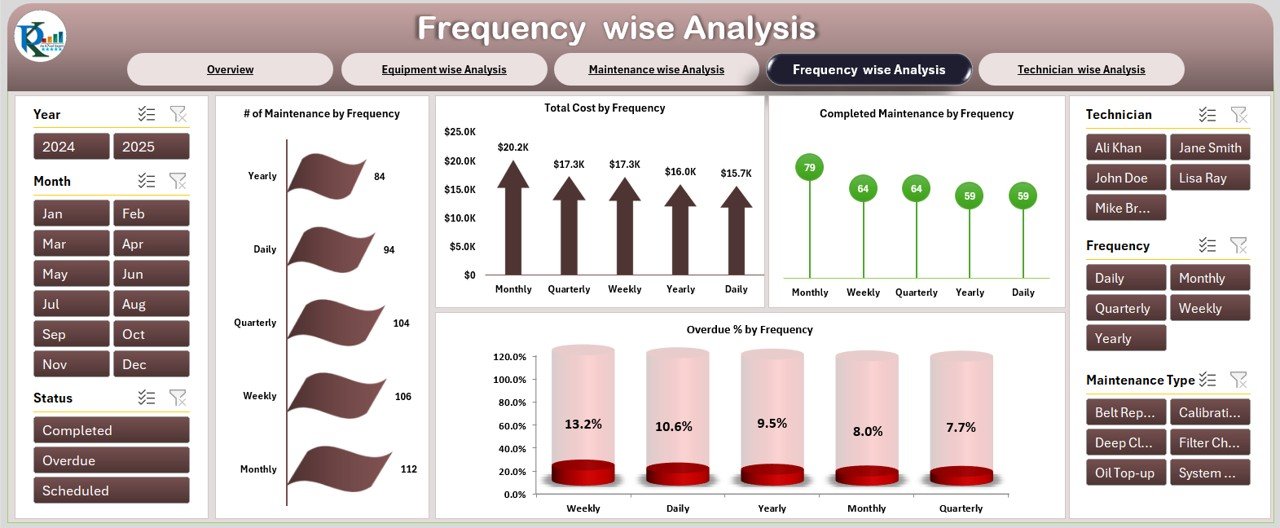
Frequency-Wise Analysis
of Maintenance by Frequency (Daily, Weekly, Monthly, Yearly)
Total Cost by Frequency
Completed Maintenance by Frequency
Overdue % by Frequency
Ensures preventive maintenance cycles are followed consistently.
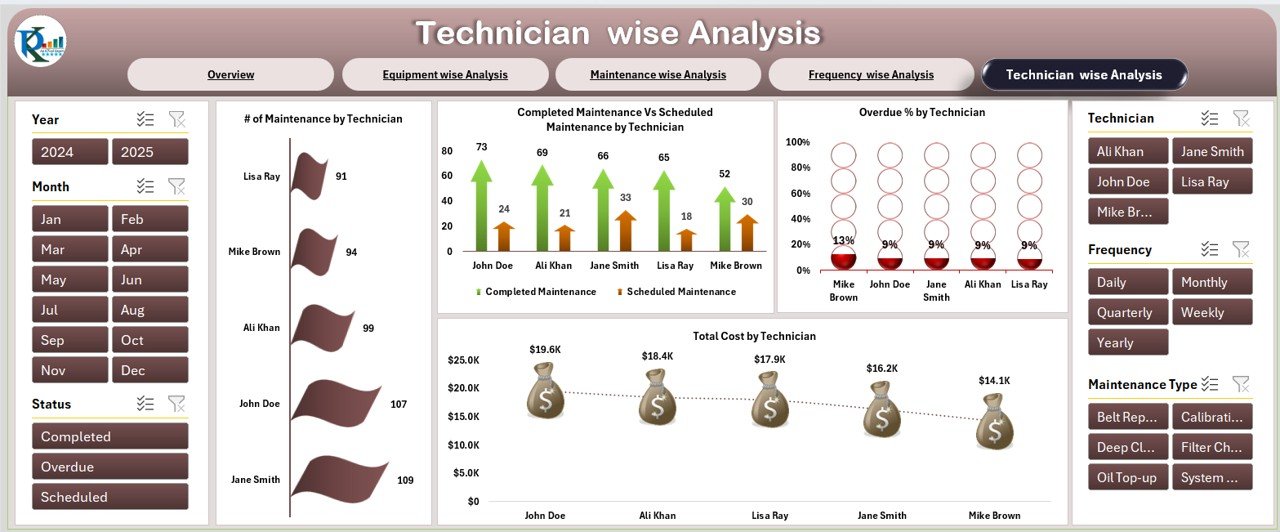
Technician-Wise Analysis
of Maintenance by Technician
Completed vs Scheduled by Technician
Overdue % by Technician
Total Cost by Technician
This view helps track technician productivity, workload, and accountability.
Data Sheet – Centralized Input Hub
Equipment Name
Maintenance Type
Scheduled Date & Completion Date
Frequency (Daily/Weekly/Monthly/Yearly)
Technician Name
Status (Completed/Pending/Overdue)
Cost
Remarks
All dashboard visuals and KPIs are dynamically linked to this data sheet.
📈 Advantages of Using This Dashboard
Centralized Data Management – Keep all equipment, costs, and technician data in one place.
Real-Time Insights – Instantly view overdue tasks, completion rates, and cost breakdowns.
Cost Optimization – Identify high-cost equipment or inefficient processes.
Improved Compliance – Ensure scheduled maintenance tasks are performed on time.
Technician Tracking – Monitor performance and allocate resources effectively.
Decision-Making Power – Use data-driven insights to improve reliability and reduce downtime.
⚡ Opportunities for Improvement
Automate alerts for overdue tasks with Excel VBA.
Integrate with ERP/CMMS for real-time updates.
Add KPI dashboards for cost per equipment or technician.
Create mobile input forms for technicians to update status in real time.
Add Gantt charts for scheduling and workload visualization.
🛠 Best Practices
Update the data sheet immediately after maintenance.
Prioritize overdue tasks to prevent breakdowns.
Use conditional formatting to highlight costly or overdue activities.
Balance technician workloads for efficiency.
Review monthly trends for long-term improvements.
✅ Conclusion
The Preventive Maintenance Dashboard in Excel is a complete, cost-effective solution for managing equipment reliability and reducing downtime. With its combination of summary KPIs, detailed analysis, and technician performance tracking, this dashboard empowers businesses to make proactive decisions, reduce costs, and maximize equipment lifespan.
Click here to read the Detailed Blog Post
Watch the step-by-step video Demo:
Visit our YouTube channel to learn step-by-step video tutorials → YouTube.com/@NeotechNavigators
Compatibility and Requirements
- Works in Microsoft Excel desktop (Excel 2016 or later, or Microsoft 365).
- Microsoft explains how Excel charts work in Create a chart from start to finish.
Frequently Asked Questions
Which analysis pages does the dashboard include?
An Overview sheet plus equipment-wise, maintenance-wise, frequency-wise and technician-wise analysis, all fed by one Data sheet.
What data do I enter?
Equipment name, maintenance type, scheduled and completion dates, frequency, technician name, status, cost and remarks.
Which statuses and frequencies does it use?
Status is Completed, Pending or Overdue. Frequency is Daily, Weekly, Monthly or Yearly.
Can I see costs by technician or equipment?
Yes. The equipment-wise and technician-wise pages show total cost, completed versus scheduled work and overdue percentages.
Related Maintenance Templates
- Preventive Maintenance Dashboard in Power BI: the same topic for Power BI users
- Preventive Maintenance Dashboard in Google Sheets: the same topic in Google Sheets
- Equipment Maintenance Log Tracker in Excel: log each maintenance job before it reaches the dashboard
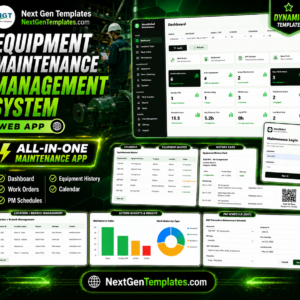
- Equipment Maintenance Management System Web App: a browser-based system for maintenance teams
Browse all Excel dashboard templates or the Excel operations templates.































Reviews
There are no reviews yet.