

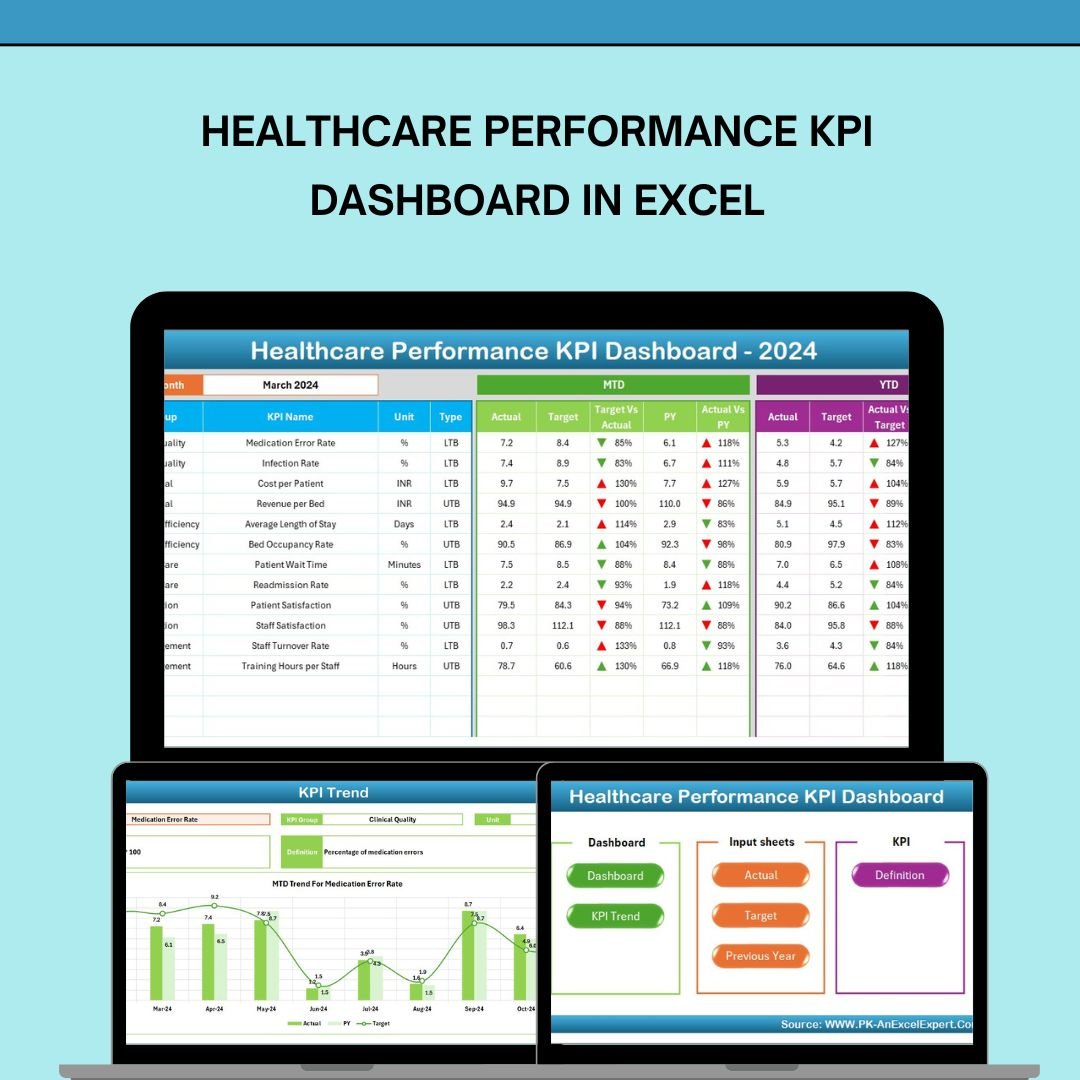

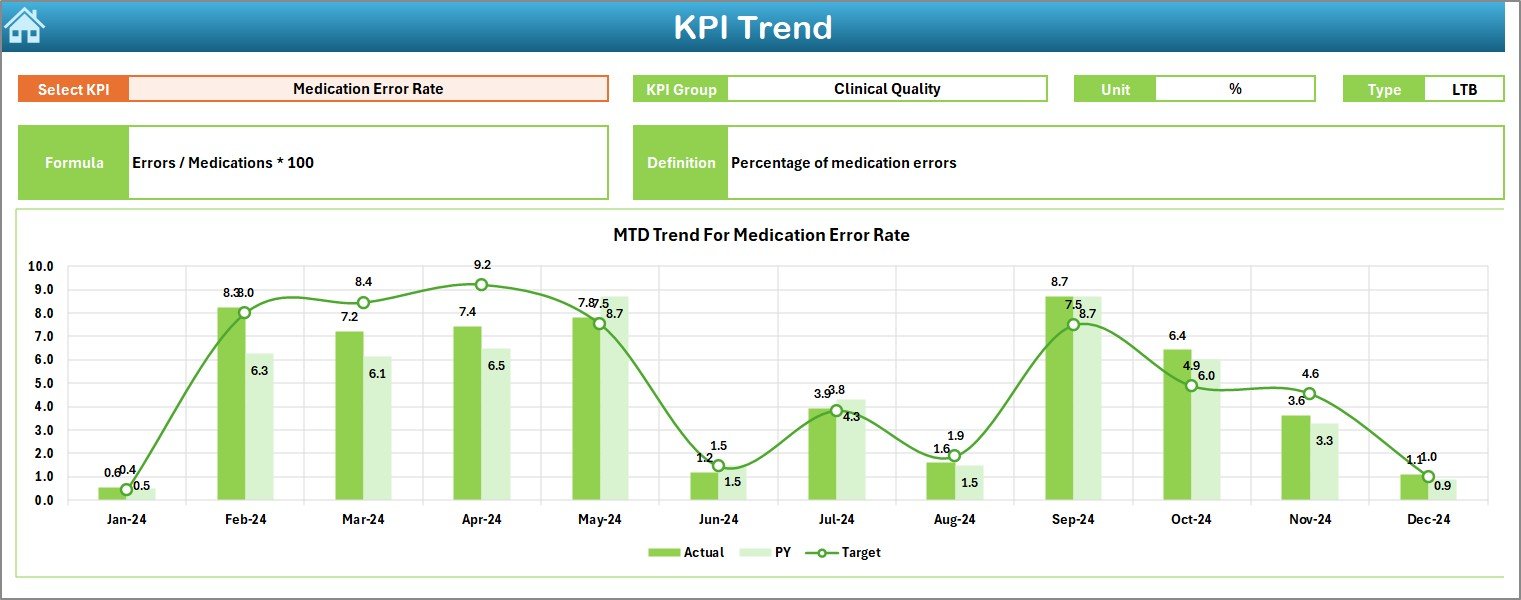
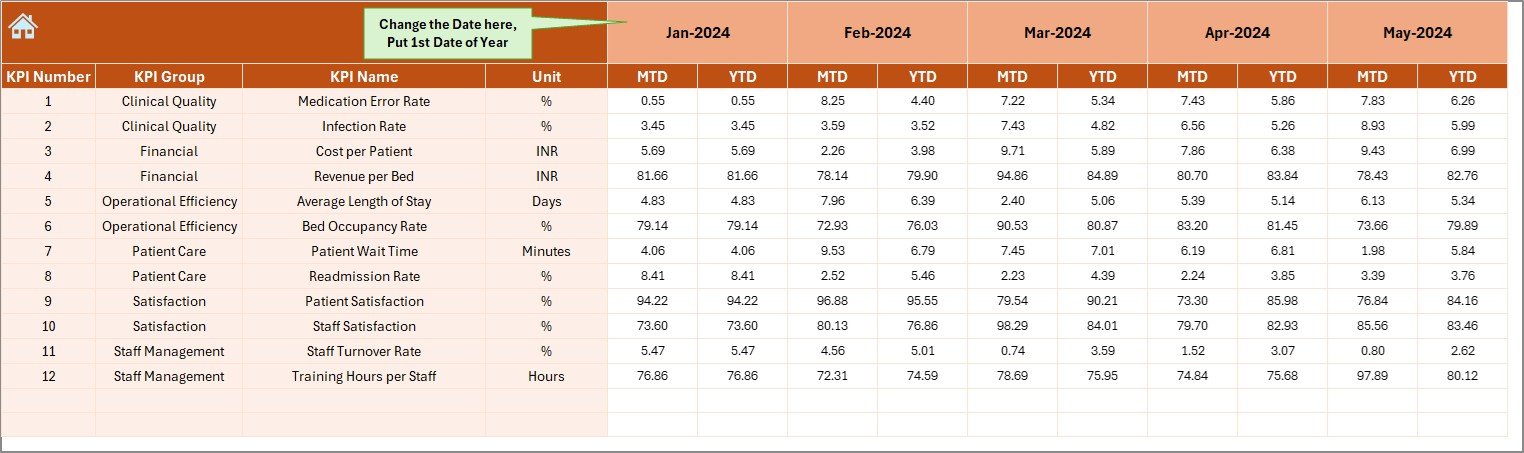
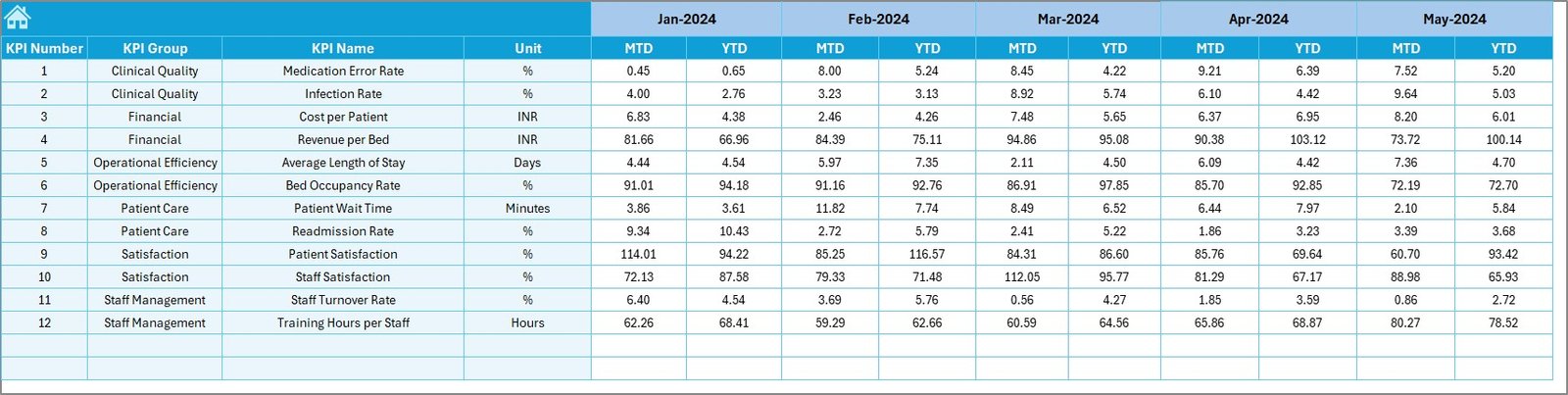
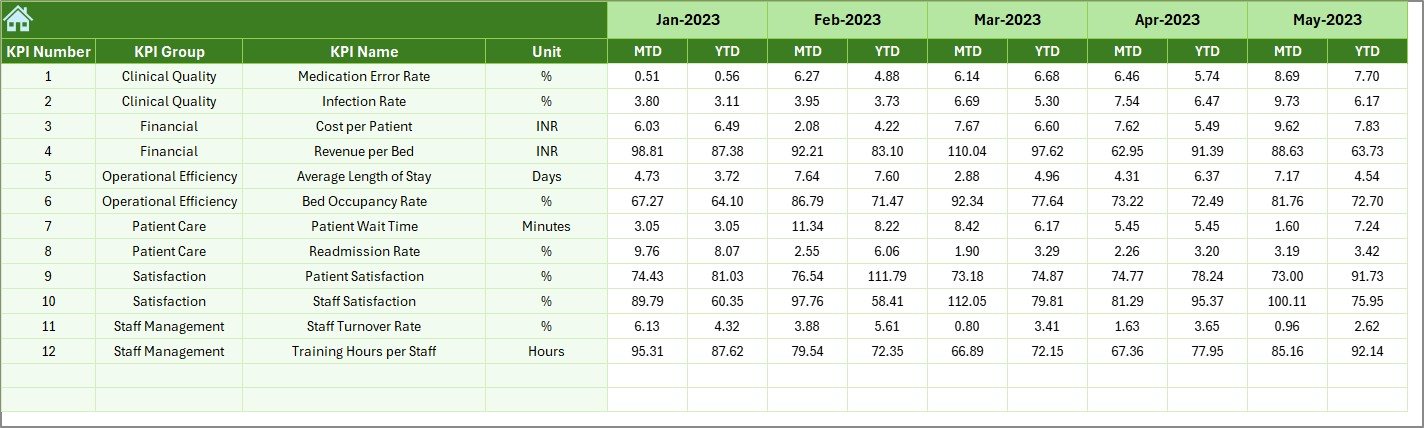
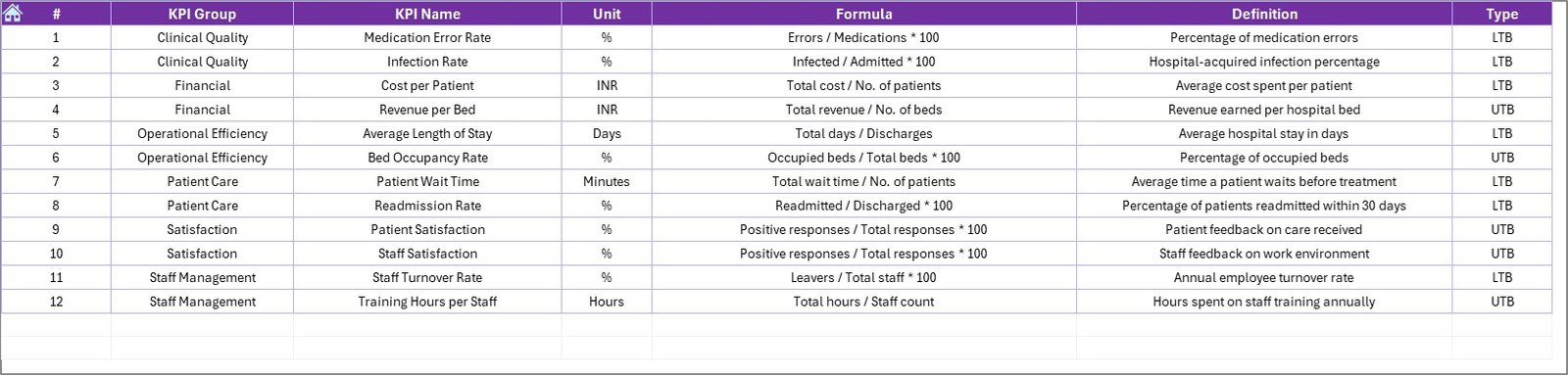

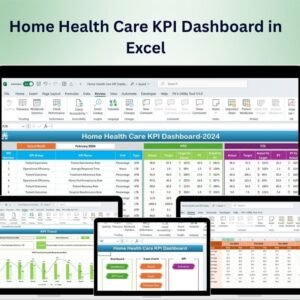
The Healthcare Performance KPI Dashboard in Excel is a comprehensive tool designed to help healthcare providers, administrators, and analysts track and monitor key performance indicators (KPIs) to assess the overall performance of healthcare operations. This Excel-based dashboard offers real-time insights into various performance metrics such as patient satisfaction, treatment outcomes, hospital readmission rates, and operational efficiency, allowing you to make data-driven decisions to improve healthcare services.
With a user-friendly interface and dynamic features, this dashboard helps healthcare organizations streamline operations, enhance patient care, and improve staff performance. Whether you’re managing a small clinic or a large hospital network, this dashboard provides the tools to optimize operations and ensure that your healthcare facility delivers the highest quality of care.
Key Features of the Healthcare Performance KPI Dashboard in Excel
📊 Comprehensive KPI Tracking
Track critical performance metrics such as patient satisfaction, wait times, hospital readmission rates, treatment effectiveness, and resource utilization. Measure the overall quality of healthcare services in real time.
📝 Patient Satisfaction Monitoring
Measure patient satisfaction using KPIs such as feedback scores, complaint rates, and service quality. Use this data to continuously improve patient care and retention.
⏱ Wait Time & Efficiency Tracking
Monitor patient wait times and operational efficiency in areas such as appointment scheduling, treatment times, and discharge processes. Identify bottlenecks and areas for improvement in healthcare workflows.
📈 Treatment Outcomes Analysis
Evaluate the effectiveness of medical treatments, therapies, and surgeries. Track treatment outcomes to ensure that patients are receiving the best care and improving according to treatment plans.
💡 Operational Efficiency Insights
Measure key operational metrics such as bed occupancy rates, staffing levels, and equipment utilization to optimize healthcare operations and reduce inefficiencies.
⚙️ Customizable Metrics
Customize the dashboard to reflect the most relevant KPIs for your healthcare organization. Adjust data inputs, add new performance indicators, and tailor reports to suit your specific needs.
Why You’ll Love the Healthcare Performance KPI Dashboard in Excel
✅ Track Healthcare Performance in Real-Time
Monitor key metrics like patient satisfaction, treatment outcomes, and hospital readmission rates in one centralized dashboard.
✅ Optimize Operational Efficiency
Identify inefficiencies in workflows, staff utilization, and resource management. Improve wait times, treatment processes, and overall patient experience.
✅ Enhance Patient Care & Satisfaction
Track patient feedback and satisfaction to ensure that healthcare services are consistently meeting patient needs. Use the insights to refine care delivery and improve patient retention.
✅ Data-Driven Decisions for Healthcare Leaders
Make informed decisions based on real-time data. Use performance metrics to guide your healthcare strategy, improve operational efficiency, and enhance service delivery.
✅ Customizable & Scalable
Tailor the dashboard to meet the specific needs of your healthcare facility. Whether you’re managing a small clinic or a large hospital network, this tool can scale accordingly.
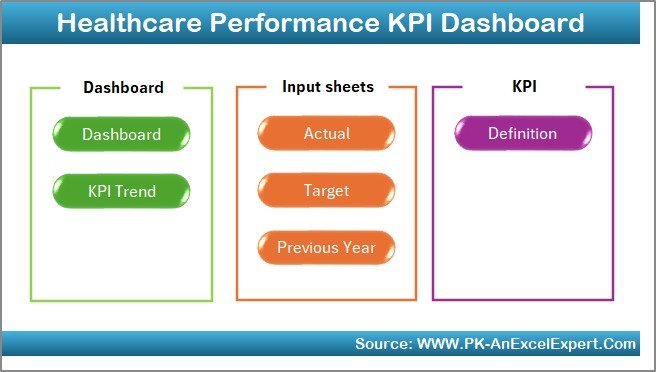
What’s Inside the Healthcare Performance KPI Dashboard in Excel?
Comprehensive KPI Tracking: Monitor critical healthcare performance metrics like patient satisfaction and treatment outcomes.
Patient Satisfaction Monitoring: Measure and track patient feedback, complaints, and retention rates.
Wait Time & Efficiency Tracking: Track operational efficiency, including wait times and process improvements.
Treatment Outcomes Analysis: Analyze treatment effectiveness and patient recovery.
Operational Efficiency Insights: Measure resource utilization and optimize staffing and equipment use.
Customizable Metrics: Adapt the dashboard to reflect your unique healthcare KPIs.
How to Use the Healthcare Performance KPI Dashboard in Excel
1️⃣ Download the Template: Access the Healthcare Performance KPI Dashboard in Excel instantly.
2️⃣ Input Healthcare Data: Enter patient satisfaction scores, treatment outcomes, wait times, and other relevant metrics.
3️⃣ Track KPIs & Performance: Monitor performance metrics related to patient care, hospital operations, and staff performance.
4️⃣ Analyze Trends & Insights: Use data analysis features to identify trends in healthcare service delivery and operational efficiency.
5️⃣ Optimize Healthcare Operations: Use insights to make data-driven decisions that improve care, reduce inefficiencies, and enhance the patient experience.
Who Can Benefit from the Healthcare Performance KPI Dashboard in Excel?
🔹 Healthcare Providers & Administrators
🔹 Hospitals & Clinics
🔹 Medical Directors & Healthcare Executives
🔹 Patient Care Coordinators
🔹 Healthcare Analysts & Consultants
🔹 Medical Practice Owners
🔹 Data Analysts & Business Intelligence Teams in Healthcare
Optimize your healthcare facility’s operations and improve patient outcomes with the Healthcare Performance KPI Dashboard in Excel. Track and monitor key metrics to drive operational efficiency and enhance the quality of care.
Click here to read the Detailed blog post
Visit our YouTube channel to learn step-by-step video tutorials
Youtube.com/@PKAnExcelExpert
Compatibility and Requirements
- Works in Microsoft Excel desktop (Excel 2016 or later, or Microsoft 365).
- Charts and KPI calculations are built into the workbook, so there is nothing else to install.
- New to Excel charts? Microsoft explains the basics in Create a chart from start to finish.
Frequently Asked Questions
Which healthcare KPIs does it track?
Patient satisfaction, wait times, hospital readmission rates, treatment effectiveness, resource utilization, bed occupancy rates, staffing levels and equipment utilization.
What data do I enter?
Patient satisfaction scores, treatment outcomes, wait times and other operational metrics for your clinic or hospital.
Can I add my own KPIs?
Yes. You can adjust data inputs, add new performance indicators and tailor the reports to your organization.
Is there a Power BI option?
Yes. The Healthcare KPI Dashboard in Power BI covers healthcare KPIs in Power BI.
Related Healthcare Templates
- Healthcare KPI Dashboard In Excel: a general healthcare KPI dashboard
- Healthcare KPI Scorecard in excel: a scorecard view against targets
- Hospital Operations KPI Dashboard in Excel: focused on hospital operations
- Healthcare KPI Dashboard in Power BI: healthcare KPIs for Power BI users
- Healthcare & Hospital Management Bundle: 8 healthcare templates in one download
Browse all Excel health and safety templates or the Excel KPI dashboards.
























Reviews
There are no reviews yet.