

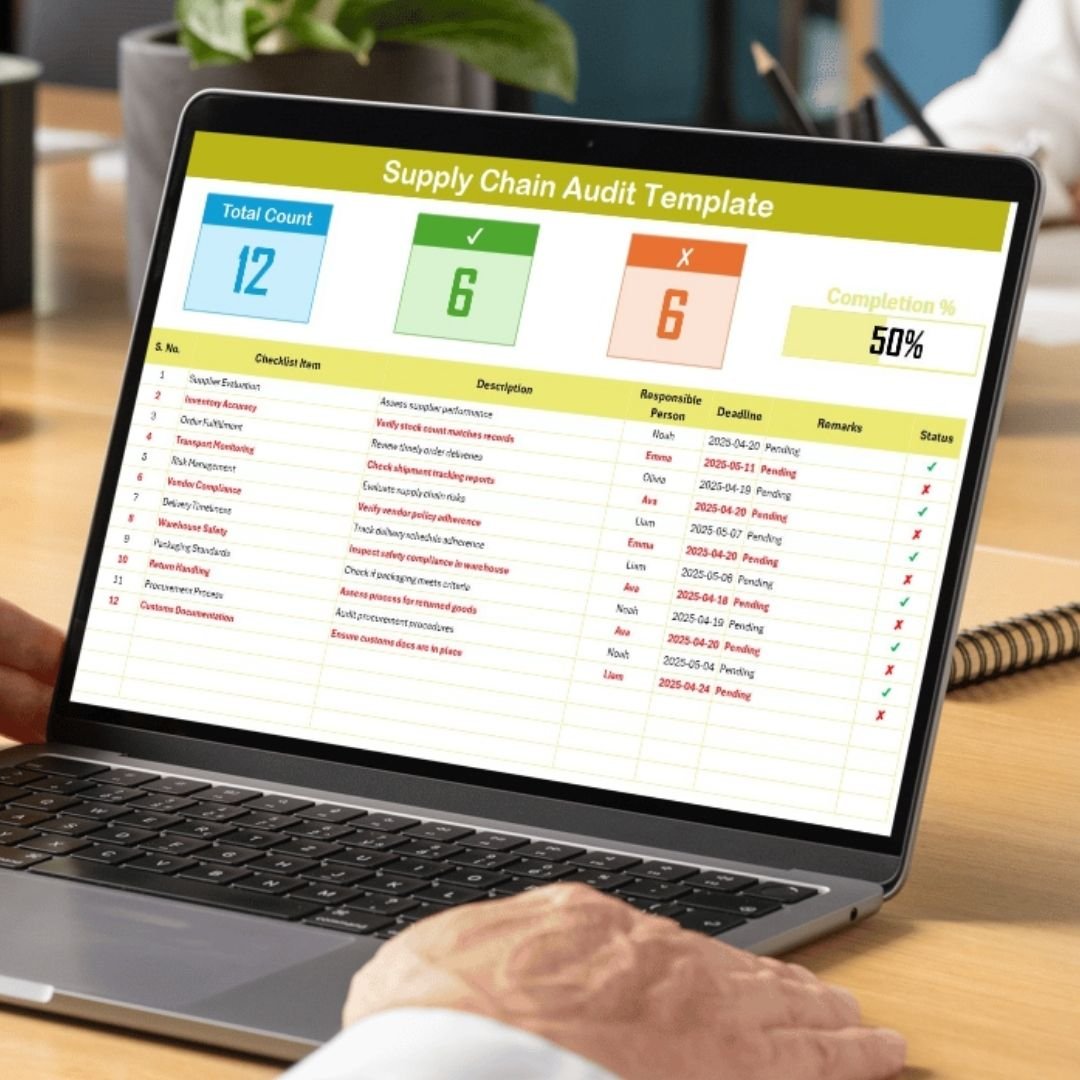


The Supply Chain Audit in Excel is a powerful tool designed to help businesses, procurement teams, and supply chain managers conduct thorough audits of their supply chain processes. This Excel-based audit template provides a comprehensive structure for tracking, evaluating, and improving the efficiency and effectiveness of your supply chain operations.
With this audit tool, you can assess key areas such as vendor performance, inventory management, shipping timelines, and order fulfillment. By identifying inefficiencies, bottlenecks, and areas of improvement, businesses can optimize their supply chain processes, reduce costs, and improve overall operational performance.
Key Features of the Supply Chain Audit in Excel
📋 Audit Checklist Tracking
Keep track of all critical audit items with an organized checklist format. The template includes sections for vendor assessments, inventory control, transportation, and more.
🔑 Vendor Performance Evaluation
Evaluate and score the performance of your suppliers and vendors based on criteria such as delivery time, quality, and cost. This section helps you identify top-performing vendors and areas where improvements are needed.
📦 Inventory Management Audit
Review your inventory management practices, including stock levels, storage conditions, and reorder points. Ensure that your inventory processes align with best practices to minimize waste and optimize stock control.
🚚 Shipping & Order Fulfillment Monitoring
Assess the efficiency of your shipping and fulfillment processes. Track delivery timelines, order accuracy, and customer satisfaction to ensure your supply chain is meeting customer expectations.
📊 Data Analysis & Reporting
Use built-in formulas and automated reports to analyze audit findings and generate actionable insights. Track key performance indicators (KPIs) such as delivery performance, order fulfillment accuracy, and vendor compliance.
⚙️ Customizable & Scalable Template
Customize the template to suit your specific supply chain needs. Add or remove sections, adjust scoring criteria, and tailor the audit process to reflect your unique supply chain processes.
Why You’ll Love the Supply Chain Audit in Excel

✅ Centralized Audit Management
Keep all supply chain audit data in one organized and easily accessible location. Track and manage all elements of your audit in a structured format.
✅ Identify Supply Chain Inefficiencies
Spot inefficiencies and bottlenecks in your supply chain by assessing vendor performance, inventory management, and order fulfillment. Use the insights to make improvements and optimize processes.
✅ Improve Vendor & Supplier Relationships
Track vendor performance and identify areas where suppliers can improve. Strengthen relationships with high-performing vendors and work collaboratively with others to enhance your supply chain.
✅ Boost Operational Efficiency
Identify operational gaps and use the audit findings to streamline processes, reduce delays, and improve the overall flow of goods and services in your supply chain.
✅ Customizable to Fit Your Needs
Tailor the audit process to suit your organization’s unique supply chain requirements. Whether you’re auditing a small business or a large enterprise, the template can be adjusted to reflect your specific needs.
What’s Inside the Supply Chain Audit in Excel?
Audit Checklist Tracking: Track essential supply chain audit items such as vendor performance and inventory management.
Vendor Performance Evaluation: Assess vendor delivery times, quality, and cost efficiency.
Inventory Management Audit: Review your inventory control, stock levels, and storage practices.
Shipping & Order Fulfillment Monitoring: Monitor shipping times, accuracy, and customer satisfaction.
Data Analysis & Reporting: Use automated reports and KPIs to identify trends and areas for improvement.
Customizable Template: Adjust the audit template to suit your specific business needs.
How to Use the Supply Chain Audit in Excel
1️⃣ Download the Template: Get the Supply Chain Audit in Excel instantly.
2️⃣ Set Up Audit Criteria: Input your key audit items, vendor details, and inventory management data.
3️⃣ Track & Evaluate Performance: Use the checklist to track vendor performance, inventory audits, and shipping accuracy.
4️⃣ Analyze Data & Generate Reports: Use the built-in reports to evaluate supply chain performance and identify areas for improvement.
5️⃣ Optimize Your Supply Chain: Make data-driven decisions to streamline operations, improve vendor relationships, and enhance supply chain efficiency.
Who Can Benefit from the Supply Chain Audit in Excel?
🔹 Supply Chain Managers & Procurement Teams
🔹 Inventory Control & Warehouse Managers
🔹 Operations & Logistics Managers
🔹 E-commerce Platforms & Online Retailers
🔹 Small & Medium Enterprises (SMBs)
🔹 Large Enterprises with Complex Supply Chains
🔹 Business Owners & Consultants in Logistics & Supply Chain
Ensure your supply chain is efficient, cost-effective, and optimized with the Supply Chain Audit in Excel. Track, evaluate, and improve your supply chain processes to enhance operational efficiency and vendor management.
Click here to read the Detailed blog post
Visit our YouTube channel to learn step-by-step video tutorials
Youtube.com/@PKAnExcelExpert





























Reviews
There are no reviews yet.