



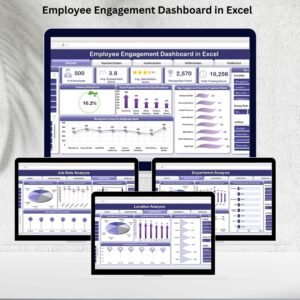
The Sales and Marketing Employee Satisfaction KPI Dashboard in Excel is a comprehensive tool designed to help HR teams, managers, and business owners monitor and improve employee satisfaction within their sales and marketing departments. This Excel-based dashboard provides real-time insights into key employee satisfaction metrics such as engagement, productivity, team collaboration, and overall morale.
By tracking these KPIs, businesses can assess the effectiveness of their employee satisfaction initiatives, identify areas for improvement, and create a more engaged and productive sales and marketing workforce. The dashboard’s user-friendly interface allows for easy tracking, analysis, and reporting, helping you make data-driven decisions that improve team performance and overall business outcomes.
Key Features of the Sales and Marketing Employee Satisfaction KPI Dashboard in Excel
📊 Employee Engagement Monitoring
Track employee engagement levels within the sales and marketing departments. Monitor metrics such as employee satisfaction, motivation, and overall happiness, which directly impact productivity and performance.
💡 Productivity & Performance Tracking
Measure employee productivity through KPIs like sales performance, lead generation, and marketing campaign effectiveness. Identify high performers and areas where additional support may be needed.
👥 Team Collaboration & Interaction
Monitor team collaboration and interaction metrics, including communication frequency, interdepartmental collaboration, and team morale. These metrics help ensure a healthy, collaborative work environment.
⏱ Time-Based Performance Tracking
Track employee satisfaction and engagement over time. Analyze trends on a daily, weekly, monthly, or quarterly basis to understand how satisfaction levels fluctuate and what actions can be taken to improve them.
📅 Survey & Feedback Analysis
Collect and analyze feedback from employees to gauge their job satisfaction. Use surveys, one-on-one interviews, and other feedback methods to gain valuable insights into employee concerns and aspirations.
⚙️ Customizable KPIs & Metrics
Tailor the dashboard to include the specific KPIs that are most relevant to your sales and marketing teams. Add or adjust metrics like turnover rate, absenteeism, or specific performance targets.
Why You’ll Love the Sales and Marketing Employee Satisfaction KPI Dashboard in Excel

✅ Track Employee Satisfaction in Real-Time
Monitor key satisfaction metrics across your sales and marketing teams. Get an accurate picture of employee engagement and morale at any given moment.
✅ Increase Productivity & Retention
Identify trends in employee performance and satisfaction. Use this data to improve engagement, increase productivity, and reduce turnover within your sales and marketing departments.
✅ Optimize Team Collaboration
Ensure that your teams are collaborating effectively. Track collaboration metrics to foster a more unified and productive work environment.
✅ Data-Driven Decisions for Team Success
Leverage insights from the dashboard to make informed decisions about team management, employee well-being, and organizational changes to improve team dynamics.
✅ Customizable & Scalable
The dashboard is fully customizable to meet the specific needs of your organization. Whether you’re managing a small team or overseeing a large sales and marketing department, this tool can be adjusted to fit your goals.
What’s Inside the Sales and Marketing Employee Satisfaction KPI Dashboard in Excel?
Employee Engagement Monitoring: Track employee satisfaction, motivation, and engagement.
Productivity & Performance Tracking: Measure KPIs related to sales and marketing performance.
Team Collaboration & Interaction: Monitor team morale and collaboration within departments.
Time-Based Analysis: Track employee satisfaction trends over different time periods.
Survey & Feedback Analysis: Collect and analyze feedback from employees to improve satisfaction.
Customizable KPIs: Adjust the dashboard to reflect the most relevant KPIs for your team.
How to Use the Sales and Marketing Employee Satisfaction KPI Dashboard in Excel
1️⃣ Download the Template: Instantly access the Sales and Marketing Employee Satisfaction KPI Dashboard in Excel.
2️⃣ Set Up KPIs & Metrics: Input your sales and marketing team data, including satisfaction scores, performance metrics, and collaboration ratings.
3️⃣ Track Employee Satisfaction: Monitor employee engagement, performance, and satisfaction in real time.
4️⃣ Analyze Trends & Data: Use time-based analysis to identify satisfaction trends and areas for improvement.
5️⃣ Make Data-Driven Decisions: Use insights from the dashboard to enhance team morale, performance, and overall satisfaction.
Who Can Benefit from the Sales and Marketing Employee Satisfaction KPI Dashboard in Excel?
🔹 HR Managers & Employee Engagement Teams
🔹 Sales & Marketing Directors
🔹 Team Leaders & Managers
🔹 Business Owners & Executives
🔹 E-commerce & Retail Teams
🔹 Data Analysts & HR Consultants
🔹 Small & Medium Enterprises (SMBs)
🔹 Large Corporations with Sales & Marketing Teams
Optimize employee satisfaction and performance within your sales and marketing departments with the Sales and Marketing Employee Satisfaction KPI Dashboard in Excel. Track key satisfaction metrics, enhance productivity, and foster a positive work environment to drive success.
Click here to read the Detailed blog post
Visit our YouTube channel to learn step-by-step video tutorials
Youtube.com/@PKAnExcelExpert
Watch the step-by-step video Demo:
Compatibility and Requirements
- Works in Microsoft Excel desktop (Excel 2016 or later, or Microsoft 365).
- New to Excel dashboards? Microsoft’s guide Create a chart from start to finish covers the basics.
Frequently Asked Questions
What does the dashboard measure?
Employee satisfaction, motivation and engagement, sales and marketing performance KPIs, team morale and collaboration, and survey feedback.
Can I use survey results?
Yes. Collect and analyze employee feedback to see what affects satisfaction.
Can I see trends over time?
Yes. Track satisfaction trends over different time periods.
Can I change the KPIs?
Yes. Adjust the dashboard to show the KPIs that matter most to your team.
Related Employee Satisfaction Templates
- Human Resources Employee Satisfaction KPI Dashboard in Excel: employee satisfaction KPIs for HR teams
- Employee Satisfaction Dashboard in Excel: a full employee satisfaction dashboard
- Employee Satisfaction Survey Tracker in Excel: log employee survey results
- Employee Engagement Survey KPI Dashboard in Excel: track engagement survey KPIs
- Sales and Marketing Training and Development KPI Dashboard in Excel: measure sales and marketing training
Browse all Excel KPI dashboards or the Excel sales and marketing templates.
































Reviews
There are no reviews yet.