

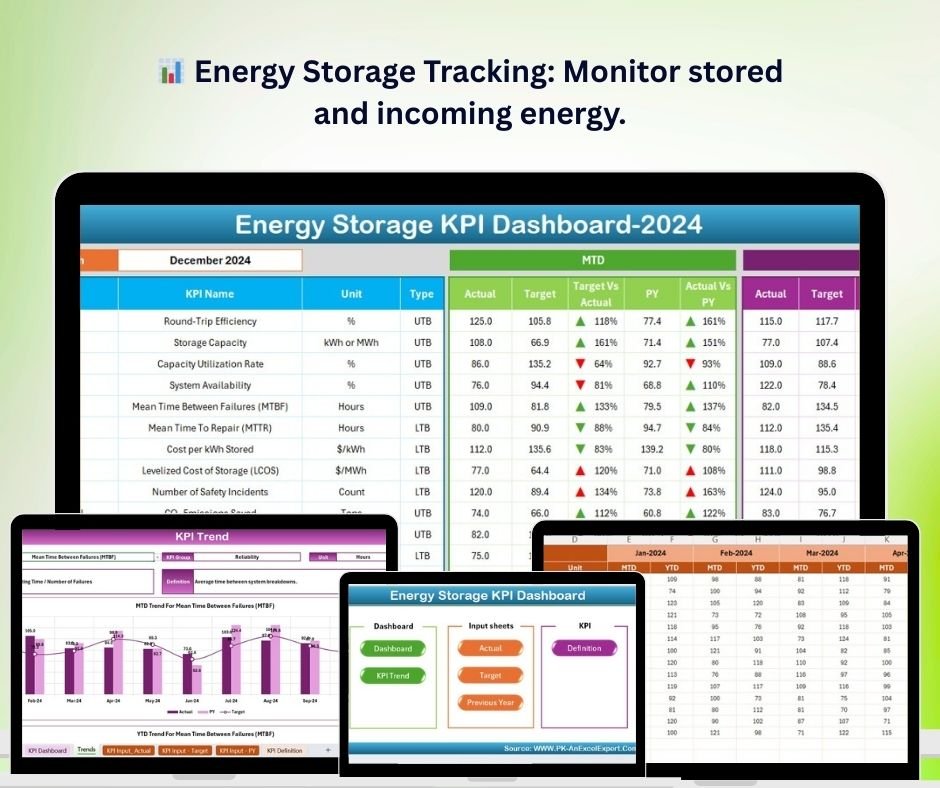
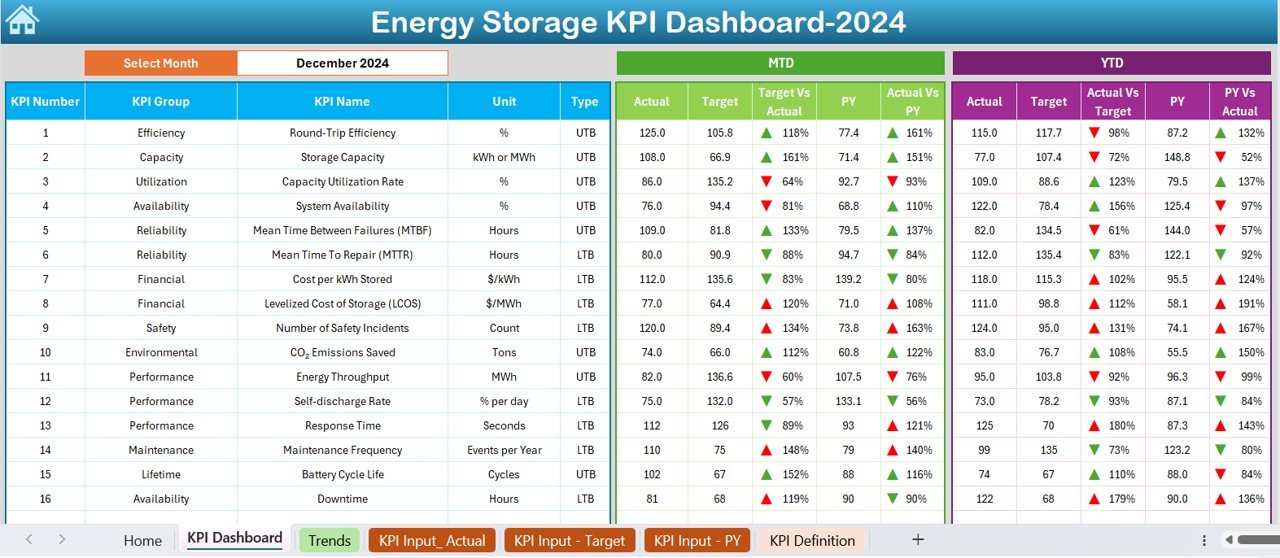
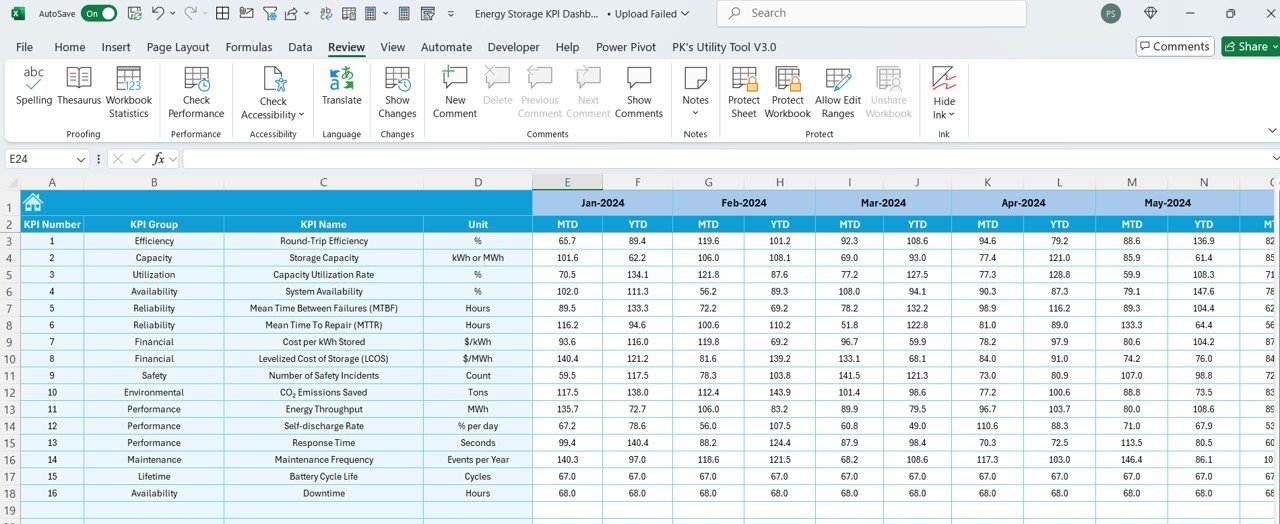

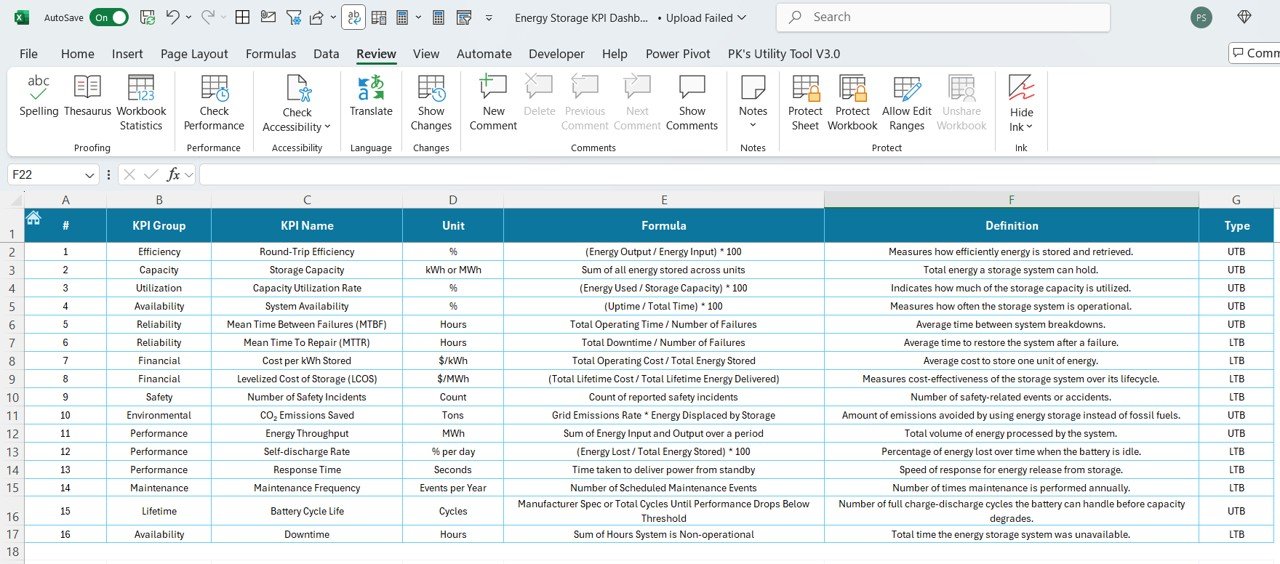

The Energy Storage KPI Dashboard in Excel is a powerful tool designed to help energy storage providers, managers, and businesses track, monitor, and optimize their energy storage systems’ performance. Whether you’re working with batteries, solar energy storage, or other energy solutions, this dashboard offers insights into key performance indicators (KPIs) such as energy stored, energy released, charge/discharge cycles, and system efficiency.
With this Excel-based dashboard, you can easily track storage capacities, monitor energy usage, and analyze performance over time. The dashboard’s intuitive interface and data visualization features make it easier for businesses to make informed decisions and improve the efficiency of their energy storage operations.
Key Features of the Energy Storage KPI Dashboard in Excel
📊 Energy Storage Tracking
Monitor the total energy stored in your systems. Track the incoming energy from various sources, such as solar or grid power, and compare it with stored energy to understand capacity utilization.
🔋 Charge/Discharge Cycles Monitoring
Track the number of charge and discharge cycles for each energy storage unit. This helps monitor the lifecycle of your storage equipment and anticipate maintenance needs.
📉 Energy Efficiency Analysis
Analyze the efficiency of your energy storage system by tracking the energy input vs. output. This allows you to evaluate how well your system is storing and releasing energy.
📅 Time-Based Performance Monitoring
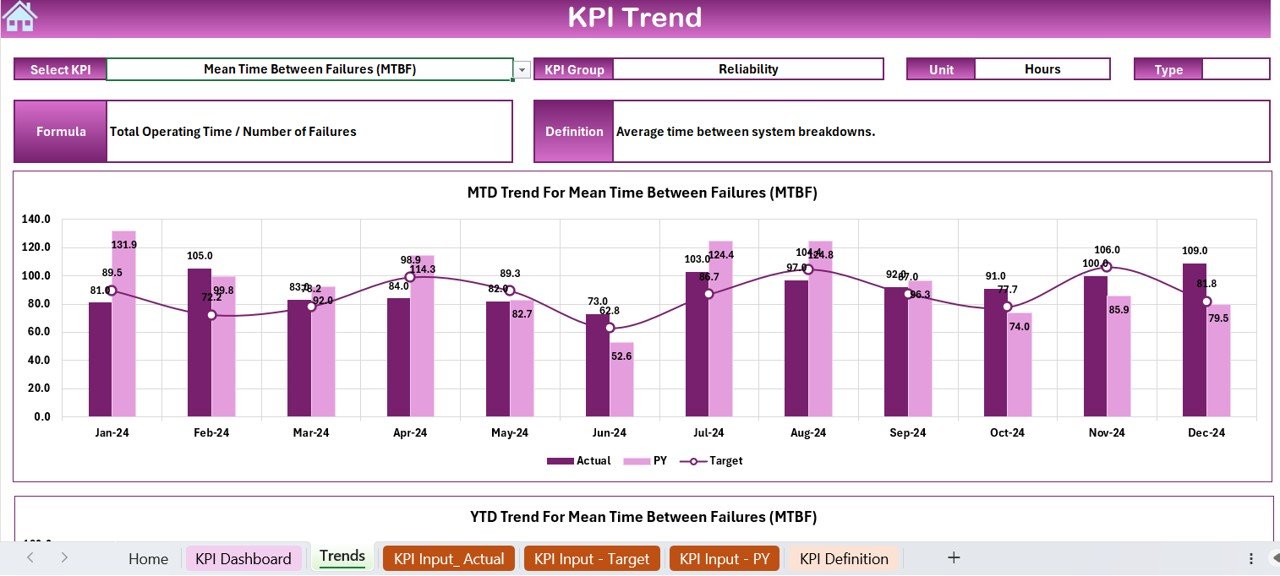
Monitor key metrics over time (daily, weekly, monthly) to identify trends and make data-driven decisions to improve system performance.
⚙️ Real-Time Data Tracking
Integrate data from your energy storage systems to provide real-time insights into energy storage and usage. This ensures that you are always up to date with the most relevant performance data.
📈 Customizable Metrics & Reporting
Customize the dashboard to track the most relevant KPIs for your energy storage system. You can add or adjust metrics based on your unique requirements and generate detailed reports on energy efficiency and storage performance.
Why You’ll Love the Energy Storage KPI Dashboard in Excel
✅ Comprehensive Performance Monitoring
Track all key metrics of your energy storage systems, from total energy stored to charge/discharge cycles, ensuring optimal performance at all times.
✅ Maximize Efficiency
Identify inefficiencies in your system by analyzing energy input and output and take proactive steps to improve performance and reduce energy losses.
✅ Proactive Maintenance Planning
Monitor the number of charge/discharge cycles to anticipate when maintenance or replacement is needed, reducing downtime and increasing system longevity.
✅ Real-Time & Time-Based Analysis
Access real-time data and analyze performance over time to make quick adjustments and long-term strategic decisions.
✅ Customizable for Any Energy Storage System
The dashboard is flexible and can be customized to suit different types of energy storage systems, whether for solar, grid-connected, or other energy solutions.
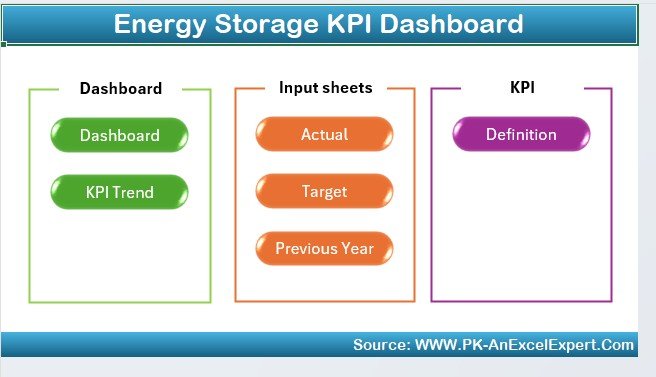
What’s Inside the Energy Storage KPI Dashboard in Excel?
Energy Storage Tracking: Monitor energy input and stored energy data.
Charge/Discharge Cycles: Track the lifecycle of energy storage units.
Energy Efficiency Metrics: Evaluate system efficiency by comparing input vs. output energy.
Time-Based Monitoring: Analyze data over various time periods to track trends.
Customizable Metrics: Add or adjust KPIs based on your specific energy storage system.
Real-Time Data Integration: Use real-time data to track and optimize performance.
How to Use the Energy Storage KPI Dashboard in Excel
1️⃣ Download the Template: Get the Energy Storage KPI Dashboard in Excel instantly.
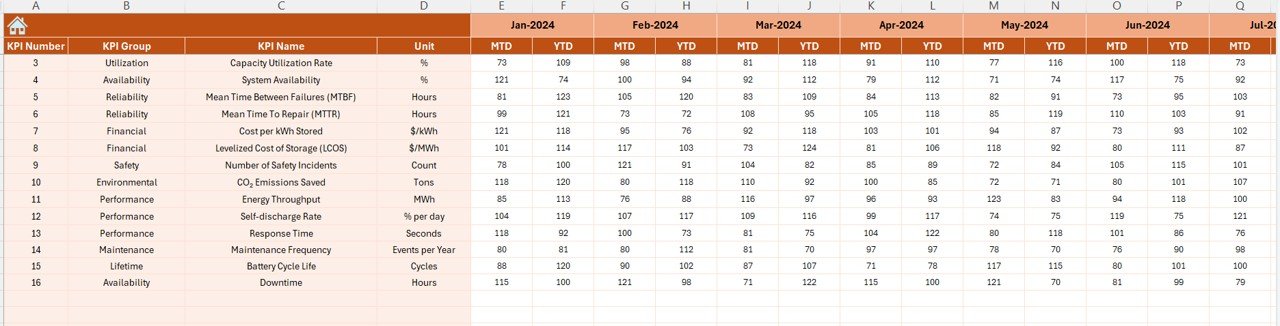
2️⃣ Integrate Your Data: Connect your energy storage system data for real-time insights.
3️⃣ Monitor Key Metrics: Track energy storage, charge/discharge cycles, and energy efficiency.
4️⃣ Analyze Performance Trends: Use time-based analysis to identify trends and make adjustments.
5️⃣ Generate Reports & Improve Efficiency: Generate reports to evaluate system performance and make data-driven improvements.
Who Can Benefit from the Energy Storage KPI Dashboard in Excel?
🔹 Energy Storage Providers & Companies
🔹 Solar Energy Companies
🔹 Electric Grid Operators
🔹 Renewable Energy Companies
🔹 Data Scientists & Energy Analysts
🔹 Business Owners & Operations Managers in Energy Storage
🔹 Small & Medium Enterprises (SMBs) in the Energy Sector
Ensure optimal performance of your energy storage system with the Energy Storage KPI Dashboard in Excel. Track energy efficiency, monitor charge cycles, and improve system reliability—all in one easy-to-use dashboard.
Click here to read the Detailed blog post
Visit our YouTube channel to learn step-by-step video tutorials
Youtube.com/@PKAnExcelExpert
Watch the step-by-step video Demo:
Compatibility and Requirements
- Works in Microsoft Excel desktop (Excel 2016 or later, or Microsoft 365).
- The dashboard shows its results as charts. Microsoft explains how they work in Create a chart from start to finish.
Frequently Asked Questions
What does the Energy Storage KPI Dashboard track?
It tracks energy stored and energy released, charge/discharge cycles, and system efficiency by comparing energy input with output.
Can I see how performance changes over time?
Yes. The dashboard has time-based monitoring, so you can look at your metrics by day, week or month and spot trends.
Can I change the KPIs?
Yes. You can add or adjust metrics to fit your own energy storage system and build reports on efficiency and storage performance.
Does it work for solar storage as well as batteries?
Yes. The page describes it for batteries, solar energy storage and other energy solutions, including grid-connected systems.
Is there a solar-specific or Google Sheets version?
There is a Solar Energy KPI Dashboard in Excel and a Solar Energy KPI Dashboard in Google Sheets.
Related Energy Templates
- Solar Energy KPI Dashboard in Excel: KPIs for solar energy systems
- Energy KPI Dashboard in Excel: general energy performance KPIs
- Energy Efficiency KPI Dashboard in Excel: a closer look at efficiency metrics
- Renewable Energy KPI Dashboard in Excel: KPIs for renewable energy operations
- Energy & ESG Sustainability Bundle: 8 Excel and Power BI energy templates in one download
Browse all Excel KPI dashboards.

































Reviews
There are no reviews yet.