

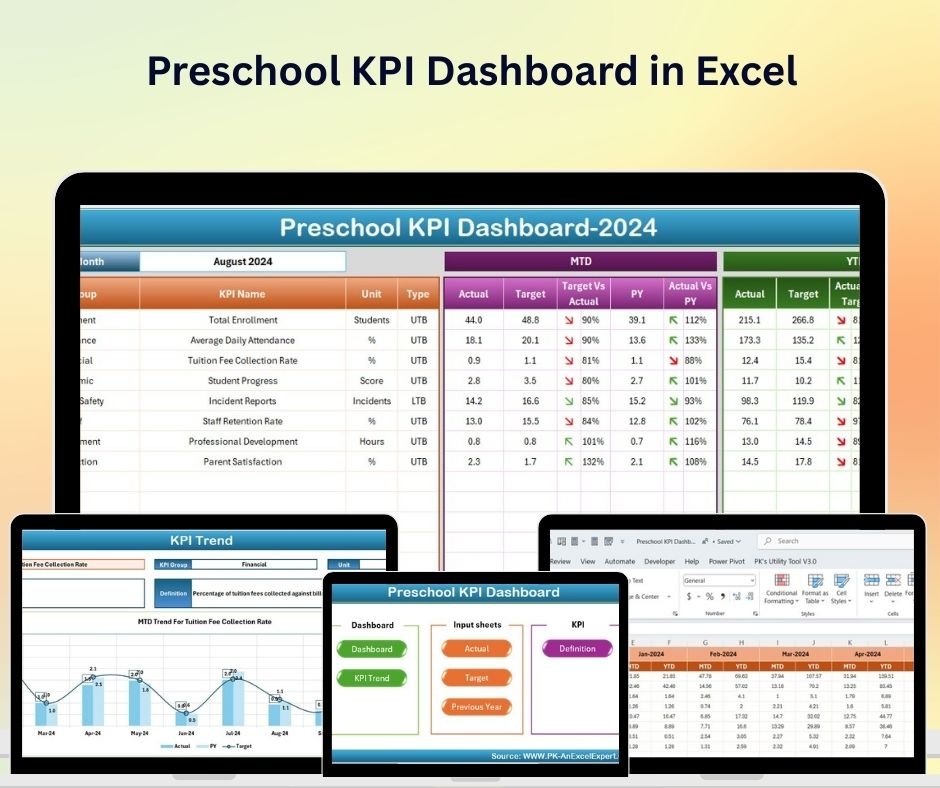




The Preschool KPI Dashboard in Excel is a powerful tool designed to help preschool owners, administrators, and educators track key performance indicators (KPIs) for their preschool operations. Whether you’re managing a single-location preschool or overseeing multiple facilities, this Excel-based dashboard provides real-time insights into important metrics such as student enrollment, attendance, staff performance, financial health, and parent satisfaction.
With interactive features and customizable elements, this dashboard allows you to monitor performance, streamline operations, and ensure that your preschool is providing high-quality care and education while maintaining financial stability.

Key Features of the Preschool KPI Dashboard in Excel:
🎓 Student Enrollment and Attendance Tracking
Track student enrollment numbers, attendance rates, and class sizes to ensure proper staffing and enrollment management.
💰 Financial Performance Monitoring
Monitor revenue from tuition fees, donations, and other funding sources, and track expenses to evaluate the financial health of your preschool.
👩🏫 Staff Performance and Productivity
Track the performance of teachers and staff, including the number of children they care for, their class participation, and staff development initiatives.
📊 Parent Satisfaction and Feedback
Monitor parent feedback, satisfaction surveys, and engagement levels to ensure that your preschool is meeting or exceeding parents’ expectations.
📅 Class and Curriculum Management
Track the progress of curriculum delivery, classroom activities, and educational goals to ensure a consistent and high-quality learning experience for children.
🚀 Why You’ll Love the Preschool KPI Dashboard in Excel:
✅ Track Student Enrollment and Attendance – Monitor student enrollment, attendance rates, and class sizes to ensure smooth operations and sufficient staffing.
✅ Evaluate Financial Health – Track revenue, tuition fees, and expenses to ensure that your preschool remains financially sustainable and efficient.
✅ Measure Staff Productivity and Performance – Track staff workload, performance, and professional development to ensure high standards of care and education.
✅ Enhance Parent Satisfaction – Track parent feedback, satisfaction scores, and engagement to maintain strong relationships and improve service quality.
✅ Ensure Curriculum and Classroom Quality – Monitor class activities and educational progress to ensure that children are receiving quality education.
✅ Fully Customizable and Interactive – Tailor the dashboard to meet your preschool’s specific needs with real-time tracking and dynamic reports.
What’s Inside the Preschool KPI Dashboard in Excel:
Student Enrollment and Attendance Tracking: Track the number of enrolled students, attendance rates, and class sizes to ensure proper classroom management.
Revenue and Expense Monitoring: Track tuition fees, donations, and other income sources, along with operational expenses, to assess financial health.
Staff Performance and Productivity: Monitor the number of children cared for by each staff member, staff hours, and professional development activities.
Parent Feedback and Satisfaction: Track satisfaction surveys and feedback from parents to ensure that your preschool is meeting their needs.
Curriculum and Classroom Monitoring: Track classroom activities, lesson plans, and the progress of educational goals for each child.
Custom Reports: Generate detailed reports on key performance metrics such as student enrollment, attendance, financial performance, and staff productivity to make informed decisions.
How to Use the Preschool KPI Dashboard in Excel:
1️⃣ Download the Template – Instantly access your Excel file upon purchase.
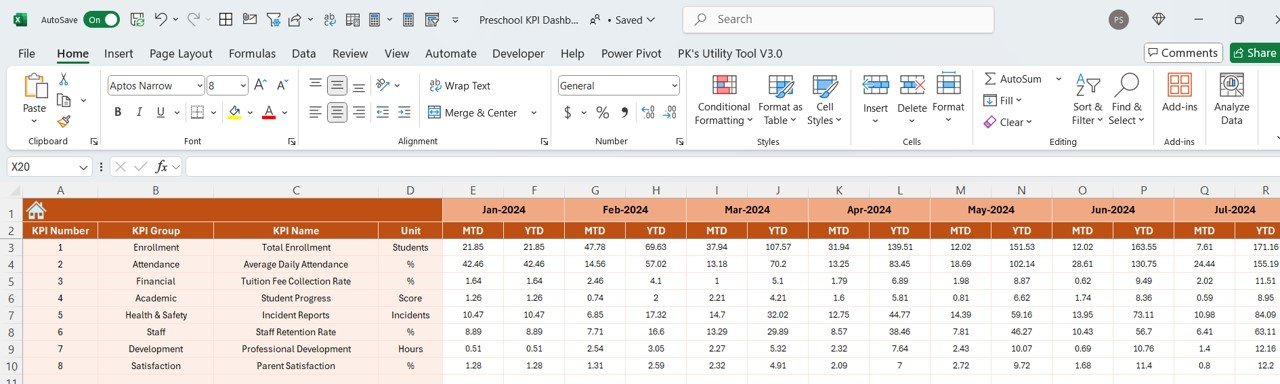
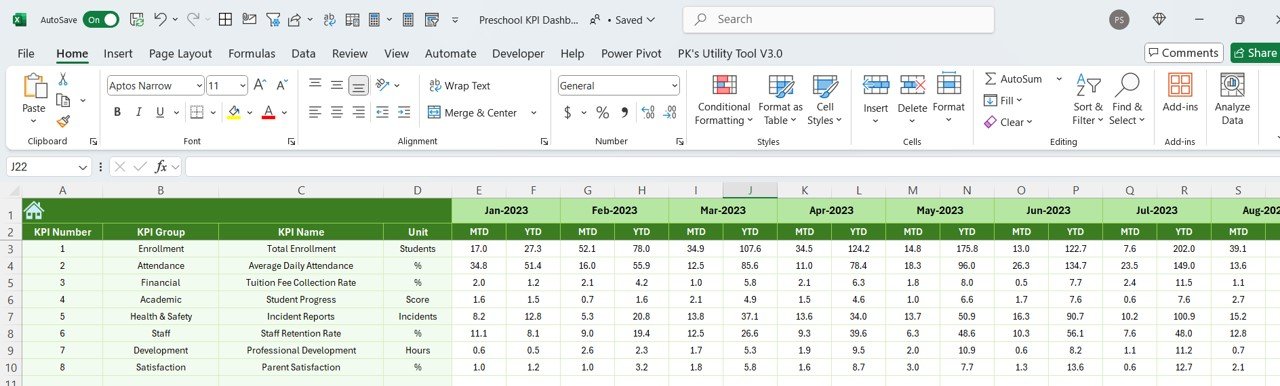
2️⃣ Input Data – Enter data such as student enrollment, attendance, tuition fees, expenses, and parent feedback to begin tracking key metrics.
3️⃣ Monitor Key Metrics – Use the dashboard to track student attendance, staff performance, revenue, and parent satisfaction in real-time.
4️⃣ Evaluate Financials – Track income and expenses to ensure that your preschool remains financially stable and profitable.
5️⃣ Generate Reports – Create detailed reports summarizing student enrollment, financials, staff performance, and parent feedback to inform business decisions.
Who Can Benefit from the Preschool KPI Dashboard in Excel:
Preschool Owners and Administrators
Preschool Teachers and Educators
Financial Analysts in Education
Human Resources Teams in Education
Marketing and Enrollment Teams
Parent Engagement Coordinators
Early Childhood Education Consultants
Childcare Facility Managers
Administrative Staff in Preschools
The Preschool KPI Dashboard in Excel is an ideal tool for managing and optimizing all aspects of preschool operations. By tracking student enrollment, financial performance, staff productivity, and parent satisfaction, this dashboard helps ensure your preschool delivers exceptional education and care while maintaining a sustainable operation.
Click here to read the Detailed blog post
https://www.pk-anexcelexpert.com/preschool-kpi-dashboard-in-excel/
Visit our YouTube channel to learn step-by-step video tutorials
Youtube.com/@PKAnExcelExpert
Compatibility and Requirements
- Works in Microsoft Excel desktop (Excel 2016 or later, or Microsoft 365).
- The KPIs are shown in interactive charts. Microsoft explains Excel charts in Create a chart from start to finish.
Frequently Asked Questions
What does the Preschool KPI Dashboard track?
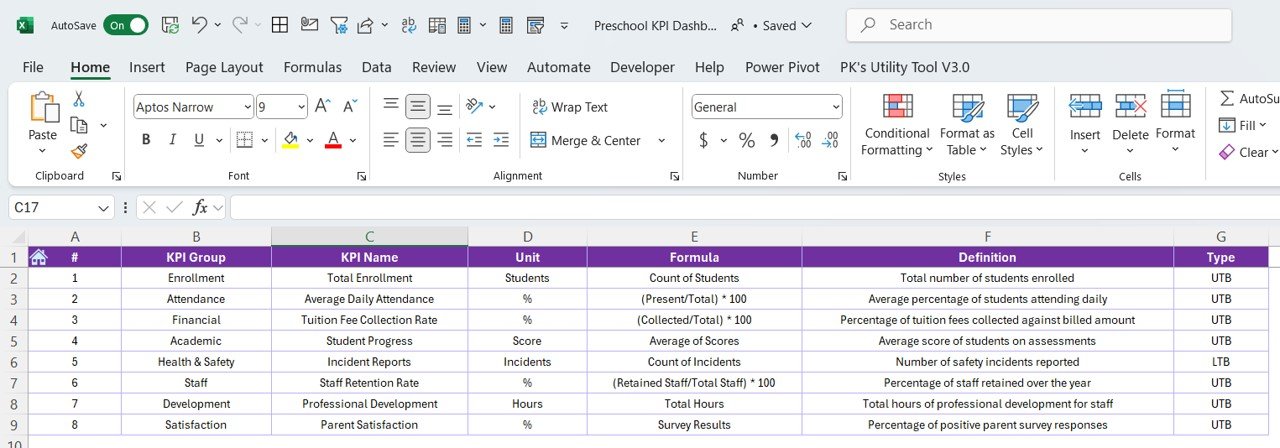
It tracks enrollment, attendance and class sizes, tuition fees, donations and expenses, staff hours and children per staff member, parent feedback, and classroom activities and learning goals.
How do I add my own data?
Enter student enrollment, attendance, tuition fees, expenses and parent feedback. Then use the dashboard to monitor the KPIs.
Can I create reports from it?
Yes. It includes custom reports on enrollment, attendance, financial performance and staff productivity.
Can I change it to fit my business?
Yes. The template is fully customizable, so you can adjust it to the KPIs and data you use.
Is there a Google Sheets or Power BI version?
Yes. The Preschool KPI Dashboard in Google Sheets and the Preschool KPI Dashboard in Power BI cover the same KPIs on those platforms.
Related Preschool and Childcare Templates
- Preschool KPI Dashboard in Google Sheets: the same dashboard in Google Sheets
- Preschool KPI Dashboard in Power BI: the same KPIs in Power BI
- Childcare Services KPI Dashboard in Excel: KPIs for childcare services
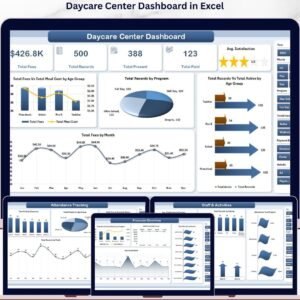
- Daycare Center Dashboard in Excel: a full dashboard for a daycare center
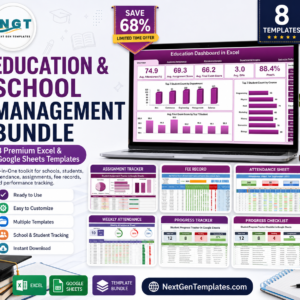
- Education & School Management Bundle: 8 school templates for Excel and Google Sheets
Browse all Excel KPI dashboards or the Excel education templates.































Reviews
There are no reviews yet.