



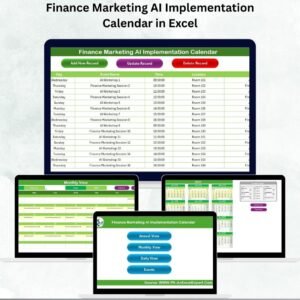
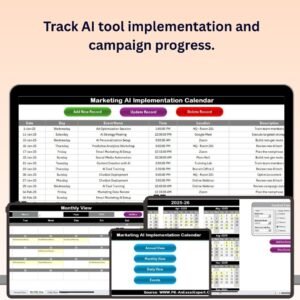
The Marketing AI Implementation Calendar in Excel is an essential tool for businesses looking to integrate artificial intelligence (AI) into their marketing strategies. This Excel-based calendar helps marketing teams and business owners plan, track, and manage AI-related marketing activities, ensuring a smooth and effective implementation. From content creation to customer segmentation and performance analysis, the calendar allows you to track every step of your AI marketing initiatives in an organized and efficient manner.
Designed for businesses of all sizes, this calendar helps you stay on top of AI milestones, deadlines, and tasks. By using this tool, marketing teams can coordinate AI projects, ensure proper execution, and optimize AI-driven marketing strategies for better results.
Key Features of the Marketing AI Implementation Calendar in Excel
📅 AI Project Timeline & Scheduling
Easily plan and track key AI-related marketing activities, including the development of AI tools, content generation, predictive analytics, and customer segmentation. Organize tasks by month, week, or day to ensure smooth execution.
📝 Task Management & Responsibility Assignment
Assign tasks to team members, track progress, and set deadlines. This feature helps streamline collaboration among marketing teams and ensures accountability at every stage of the AI implementation process.
⚙️ AI Strategy Planning
Map out your AI-driven marketing strategy with clear milestones, including setting up AI tools, designing automation processes, and analyzing customer data. Stay aligned with business goals by ensuring all aspects of the AI marketing strategy are covered.
📈 Performance Metrics Tracking
Track the performance of your AI marketing campaigns using KPIs such as engagement rates, conversion rates, and return on investment (ROI). Monitor the success of your AI tools and adjust strategies accordingly.
🔄 Continuous Improvement Tracking
Use the calendar to monitor ongoing AI projects, identify areas of improvement, and optimize strategies based on performance data. This ensures that your AI marketing efforts evolve and stay relevant.
⚙️ Customizable & Scalable
The calendar is customizable to fit your business’s specific AI implementation needs. Adjust the calendar to reflect different marketing campaigns, AI tool integrations, and timelines.
Why You’ll Love the Marketing AI Implementation Calendar in Excel

✅ Streamline AI Marketing Planning
Keep all your AI marketing tasks and deadlines in one place, ensuring that your team stays on track and meets deadlines for every stage of implementation.
✅ Enhance Collaboration & Accountability
Assign tasks to specific team members and track progress in real time. Ensure all activities are on schedule and responsibilities are clear to everyone involved.
✅ Monitor AI Performance
Track AI-driven marketing results using key performance indicators (KPIs), allowing you to measure the success of each campaign and optimize for better performance.
✅ Easy to Customize & Scale
Adapt the calendar to your specific business needs and scale it as your marketing AI initiatives grow. Customize sections for different projects, timelines, and objectives.
✅ Improved Strategy Implementation
Track and optimize your AI marketing strategy, ensuring that all tools and initiatives are aligned with your overall business goals.
What’s Inside the Marketing AI Implementation Calendar in Excel?
AI Project Timeline & Scheduling: Track AI-related activities from start to finish.
Task Management & Responsibility Assignment: Assign tasks and monitor progress.
AI Strategy Planning: Plan key milestones for your AI-driven marketing strategy.
Performance Metrics Tracking: Monitor KPIs such as engagement and ROI.
Continuous Improvement Tracking: Keep improving your AI marketing strategy based on performance.
Customizable Calendar: Adapt the calendar to your unique needs and marketing goals.
How to Use the Marketing AI Implementation Calendar in Excel
1️⃣ Download the Template: Access the Marketing AI Implementation Calendar in Excel instantly.
2️⃣ Input AI Marketing Tasks: Add tasks, deadlines, and milestones for your AI initiatives.
3️⃣ Assign Responsibilities: Assign tasks to team members and set deadlines.
4️⃣ Monitor Progress: Track the completion of tasks and performance metrics for each project.
5️⃣ Optimize Your AI Strategy: Continuously improve your AI marketing efforts based on performance data.
Who Can Benefit from the Marketing AI Implementation Calendar in Excel?
🔹 Marketing Teams & Managers
🔹 Digital Marketing Agencies
🔹 AI and Data Science Teams
🔹 Business Owners & Entrepreneurs
🔹 Marketing Executives & Strategists
🔹 Companies Implementing AI Solutions for Marketing
🔹 AI Solution Providers & Consultants
Ensure the successful implementation of your AI marketing strategies with the Marketing AI Implementation Calendar in Excel. Track tasks, assign responsibilities, and monitor performance to drive better results for your business.
Click here to read the Detailed blog post
Visit our YouTube channel to learn step-by-step video tutorials
Youtube.com/@PKAnExcelExpert
Watch the step-by-step video Demo:
Compatibility and Requirements
- Works in Microsoft Excel desktop (Excel 2016 or later, or Microsoft 365).
- New to Excel? Microsoft has a free guide: Excel for Windows training.
Frequently Asked Questions
What does the Marketing AI Implementation Calendar plan?
AI marketing activities such as AI tool development, content generation, predictive analytics and customer segmentation, organized by month or week.
Can I assign tasks and deadlines?
Yes. You can assign tasks to team members, set deadlines and track progress at each stage.
Can I track campaign results?
Yes. You can track KPIs such as engagement rates, conversion rates and return on investment (ROI) for your AI marketing campaigns.
Can I adapt it to my own campaigns?
Yes. The calendar can be adjusted for different marketing campaigns, AI tool integrations and timelines.
Related AI Implementation Calendars
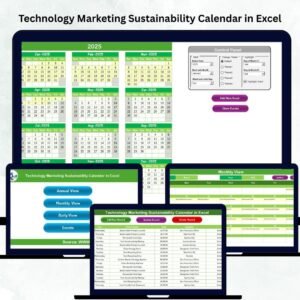
- Technology Marketing AI Implementation Calendar in Excel: AI marketing rollout for technology companies in Excel
- Education Marketing AI Implementation Calendar in Excel: AI marketing rollout for education in Excel
- Finance Marketing AI Implementation Calendar in Excel: AI marketing rollout for finance in Excel
- R&D AI Implementation Calendar in Excel: plan AI rollout in R&D on an Excel calendar
- Marketing Manager Toolkit: 9 marketing templates in one download
Browse all Excel calendars or the Excel sales and marketing templates.












Reviews
There are no reviews yet.