



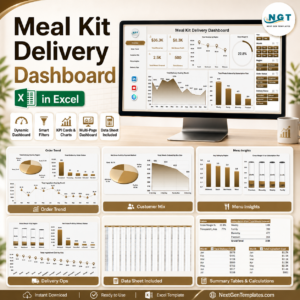
The Meal Prep Business KPI Dashboard in Excel is an essential tool for meal prep businesses, catering services, and food entrepreneurs looking to streamline their operations and track key performance indicators (KPIs) related to their meal prep business. This Excel-based dashboard helps you monitor important metrics such as food cost, profit margins, customer orders, sales performance, and inventory levels, allowing you to optimize your business and make data-driven decisions.
Designed for food businesses of all sizes, this KPI dashboard is a comprehensive solution to track every aspect of your meal prep operation, from planning and production to sales and customer satisfaction. With easy-to-read visuals and customizable features, this dashboard allows you to identify trends, monitor growth, and improve the overall efficiency of your business.

Key Features of the Meal Prep Business KPI Dashboard in Excel
📊 Sales & Revenue Tracking
Monitor your total sales, revenue per meal, and overall business growth. Track sales trends over different periods to make data-driven decisions and forecast future revenue.
💰 Profitability Monitoring
Track your cost of goods sold (COGS) and profit margins to ensure your meal prep business is running profitably. Analyze your pricing strategy and make adjustments to increase profitability.
📦 Inventory & Supply Chain Tracking
Keep track of ingredients, supplies, and packaging materials to prevent stockouts or excess inventory. Monitor inventory levels and order supplies efficiently to maintain business operations.
📈 Customer Orders & Satisfaction
Track customer orders, average order value, and customer feedback. Use this data to improve your meal offerings, customer service, and retention rates.
⚙️ Production & Efficiency Monitoring
Measure your production efficiency by tracking the time taken to prepare and package meals. Identify areas of improvement to optimize your production process and reduce costs.
🛠 Customizable Features
Adapt the dashboard to your specific business needs. Add custom KPIs, modify sales targets, and adjust inventory tracking based on the unique requirements of your meal prep business.
Why You’ll Love the Meal Prep Business KPI Dashboard in Excel
✅ Track Your Business Performance
Easily monitor essential KPIs like sales, profits, inventory levels, and customer satisfaction. Stay on top of your business’s performance and make informed decisions.
✅ Optimize Operational Efficiency
Track production times and inventory levels to optimize your meal prep operations. Identify inefficiencies and reduce costs by streamlining your processes.
✅ Improve Profit Margins
Analyze your food costs and sales prices to ensure you are maximizing profitability. Adjust your pricing strategy based on real-time insights to improve margins.
✅ Data-Driven Decisions
Leverage the data from the dashboard to make better business decisions. From pricing adjustments to inventory management, use the insights to fuel business growth.
✅ Customizable & Scalable
The dashboard is fully customizable, allowing you to modify KPIs and adjust metrics to meet the specific needs of your meal prep business. It’s scalable to grow with your business as it expands.
What’s Inside the Meal Prep Business KPI Dashboard in Excel?
- Sales & Revenue Tracking: Monitor sales, revenue per meal, and total business growth.
- Profitability Monitoring: Track cost of goods sold (COGS) and profit margins.
- Inventory & Supply Chain Tracking: Manage ingredient and packaging inventory.
- Customer Orders & Satisfaction: Track orders, average order value, and customer feedback.
- Production & Efficiency Tracking: Monitor production times and optimize your processes.
- Customizable Layout: Adapt the dashboard to your unique meal prep business needs.
How to Use the Meal Prep Business KPI Dashboard in Excel
1️⃣ Download the Template: Get instant access to the Meal Prep Business KPI Dashboard in Excel.
2️⃣ Input Your Business Data: Enter your sales, cost of goods sold, and inventory information.
3️⃣ Track Your KPIs: Monitor key metrics like profit margins, customer orders, and production efficiency.
4️⃣ Analyze Performance Trends: Use time-based analysis to identify trends and growth opportunities.
5️⃣ Optimize Your Operations: Use insights from the dashboard to improve your production process and customer satisfaction.
Who Can Benefit from the Meal Prep Business KPI Dashboard in Excel?
🔹 Meal Prep Businesses & Meal Delivery Services
🔹 Catering Companies & Food Entrepreneurs
🔹 Small & Medium-Sized Food Businesses
🔹 Business Owners in the Food Industry
🔹 Kitchen & Production Managers
🔹 Supply Chain & Inventory Managers
🔹 Customer Service & Sales Teams
Ensure the success and growth of your meal prep business with the Meal Prep Business KPI Dashboard in Excel. Track essential KPIs, optimize operations, and improve profitability with this easy-to-use and customizable tool.
Click here to read the Detailed blog post
Visit our YouTube channel to learn step-by-step video tutorials
Youtube.com/@PKAnExcelExpert
Compatibility and Requirements
- Works in Microsoft Excel desktop (Excel 2016 or later, or Microsoft 365).
- The dashboard shows its figures as charts. Microsoft explains how to build them in Create a chart from start to finish.
More Questions About This Template
Which areas of my meal prep business does it track?
It tracks sales and revenue, profitability (cost of goods sold and profit margins), inventory and supply chain, customer orders and satisfaction, and production efficiency.
What do I enter into the dashboard?
You enter your sales, cost of goods sold and inventory information. The dashboard then shows metrics such as profit margins, customer orders and production efficiency.
Can I add my own KPIs?
Yes. The layout is customizable, so you can add your own KPIs, change sales targets and adjust inventory tracking to fit your business.
Does it show trends over time?
Yes. It includes time-based analysis, so you can compare periods and spot growth opportunities.
Is there a Google Sheets or scorecard version?
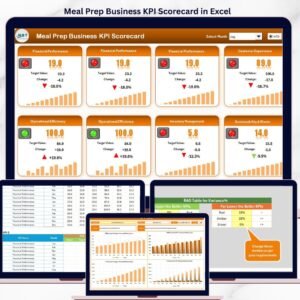
Yes. See the Meal Prep Business KPI Dashboard in Google Sheets and the Meal Prep Business KPI Scorecard in Excel.
Related Meal Prep and KPI Templates
- Meal Prep Business KPI Dashboard in Google Sheets: the same dashboard in Google Sheets
- Meal Prep Business KPI Scorecard in Excel: a scorecard view of your meal prep KPIs
- Weekly Meal Prep Checklist Template in Excel: a checklist for the weekly prep routine
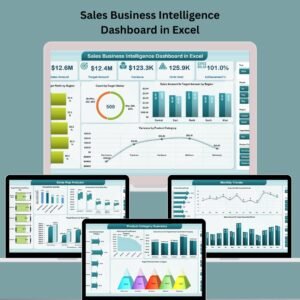
- Sales Business Intelligence Dashboard in Excel: a deeper look at sales performance
- KPI Dashboard Library (Excel): 15 KPI dashboard templates in one download
Browse all Excel KPI dashboards.










Reviews
There are no reviews yet.