

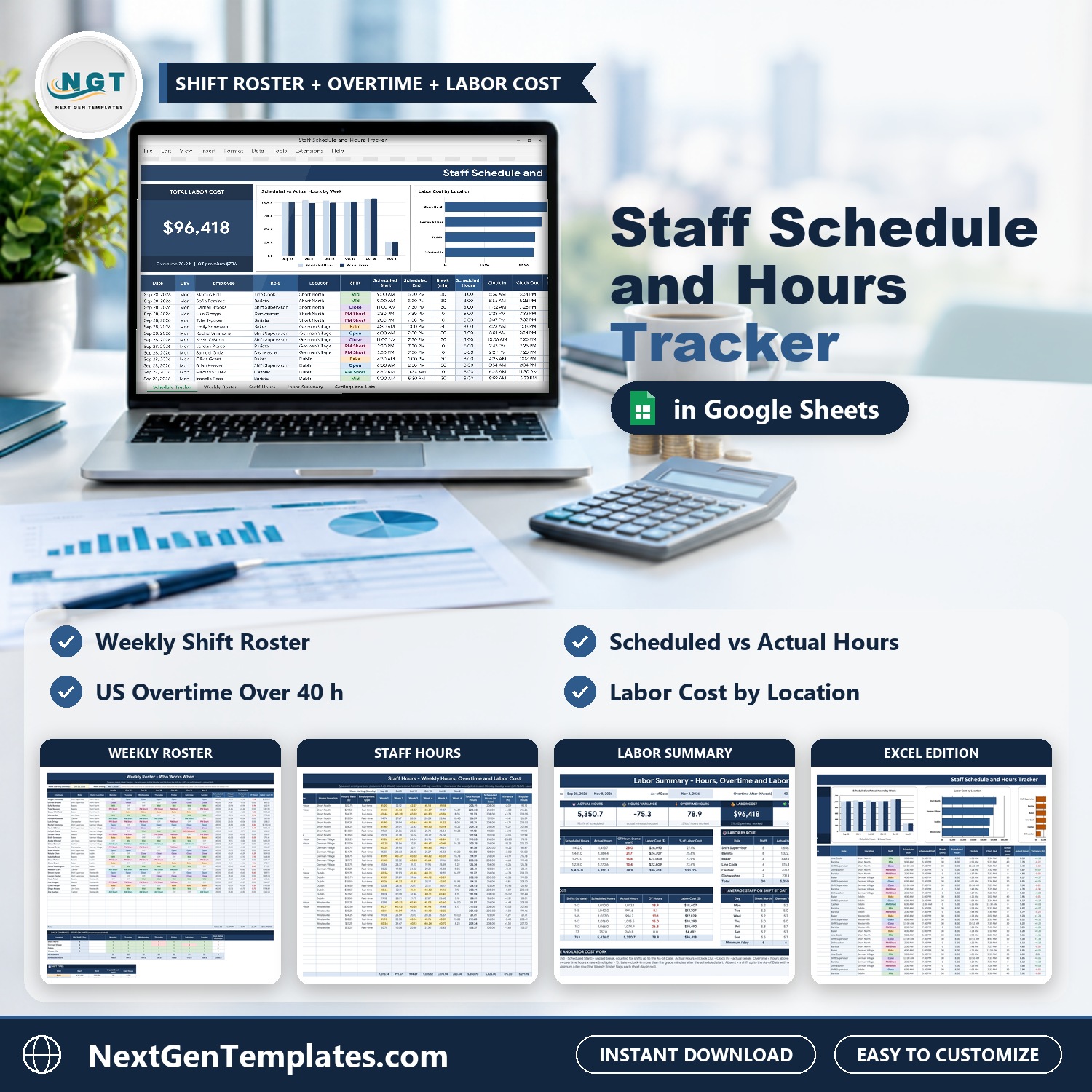

Plan the week, then pay for the hours people really worked. The Staff Schedule and Hours Tracker in Excel and Google Sheets keeps one shift log where you plan each shift and add the clock in and clock out. It then builds the weekly roster, works out actual hours, late arrivals, US overtime and labor cost, and shows the result by location and role. It comes in two editions, Google Sheets and Microsoft Excel, with the same tabs and formulas, and no macros.
Watch the Staff Schedule and Hours Tracker in Excel and Google Sheets walkthrough
Please note: this is a scheduling and hours tracker, not a payroll or tax tool, and it does not connect to a time clock. You type the clock in and clock out yourself. The sample is a fictional Ohio cafe and bakery with 30 employees at four locations. Replace it with your own team.
What You Get
- A Schedule Tracker with a Total Labor Cost card, four charts and a shift log
- Calculated actual hours, variance, minutes late, status and base pay for every shift
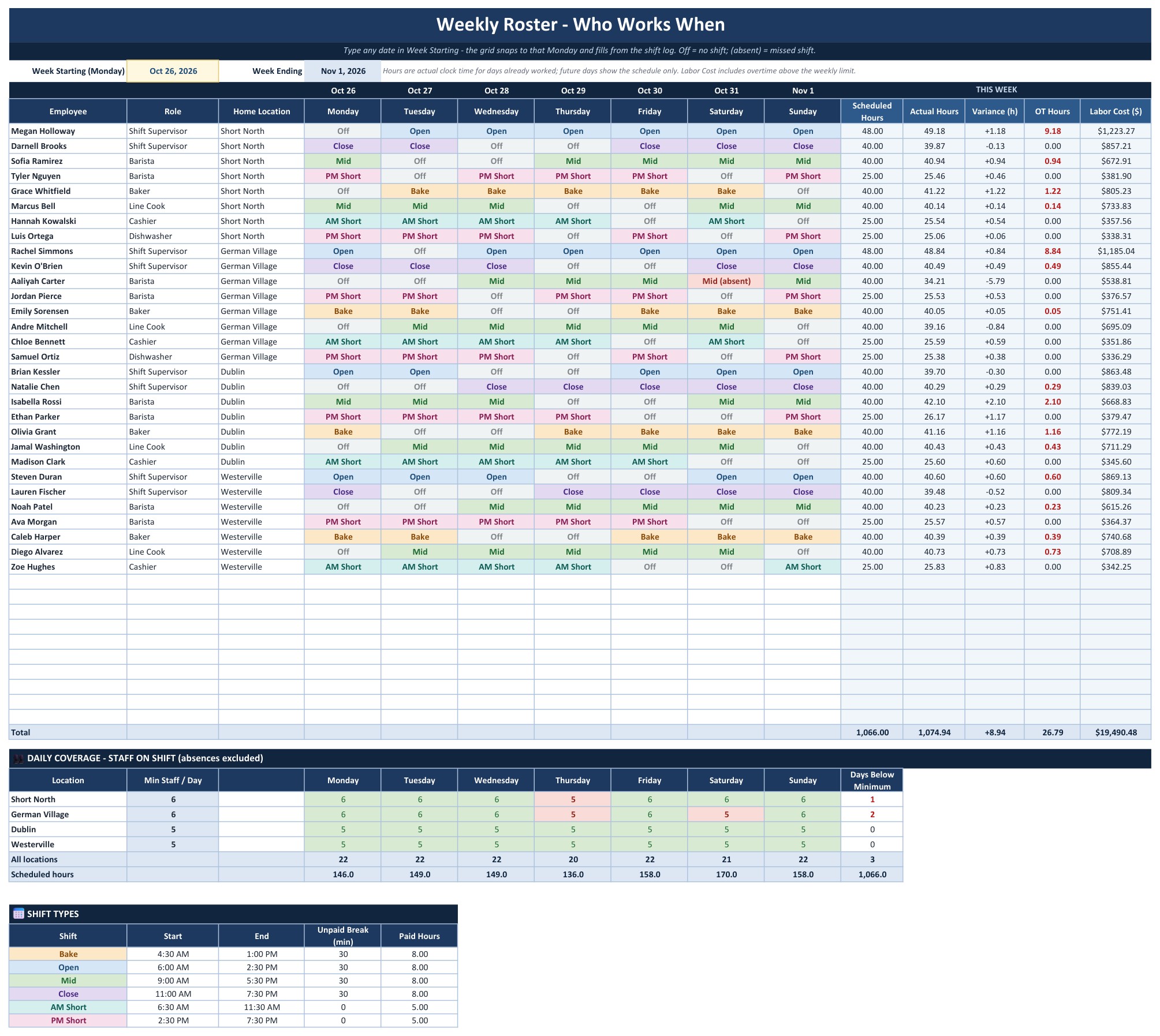
- A Weekly Roster that shows who works when, with a daily coverage check against your minimum staff
- A Staff Hours tab with regular hours, overtime hours, overtime premium and labor cost per employee
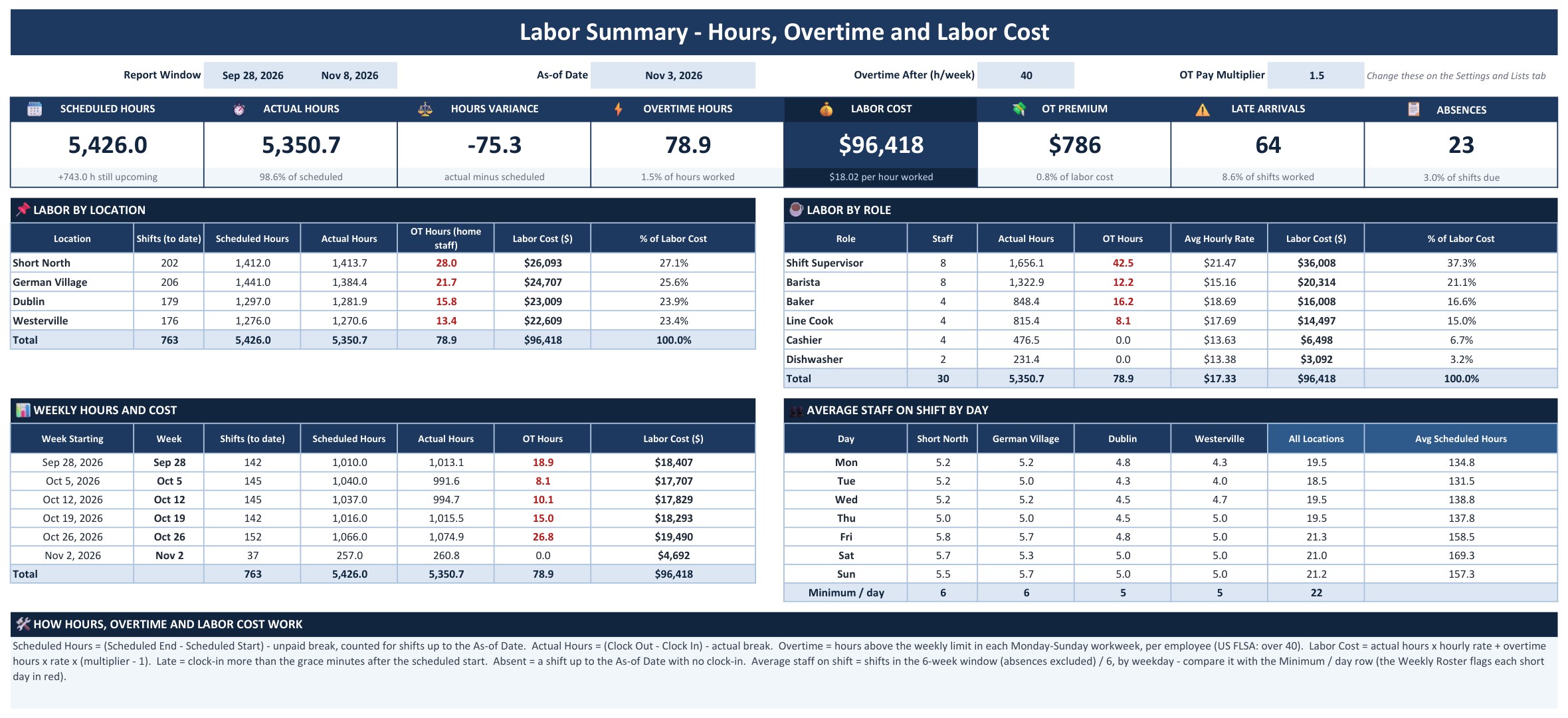
- A Labor Summary with eight KPI tiles, plus labor by location and role
- Google Sheets and Excel editions in one download, plus Settings, Instructions and Explore More Templates tabs
Key Features
Schedule Tracker
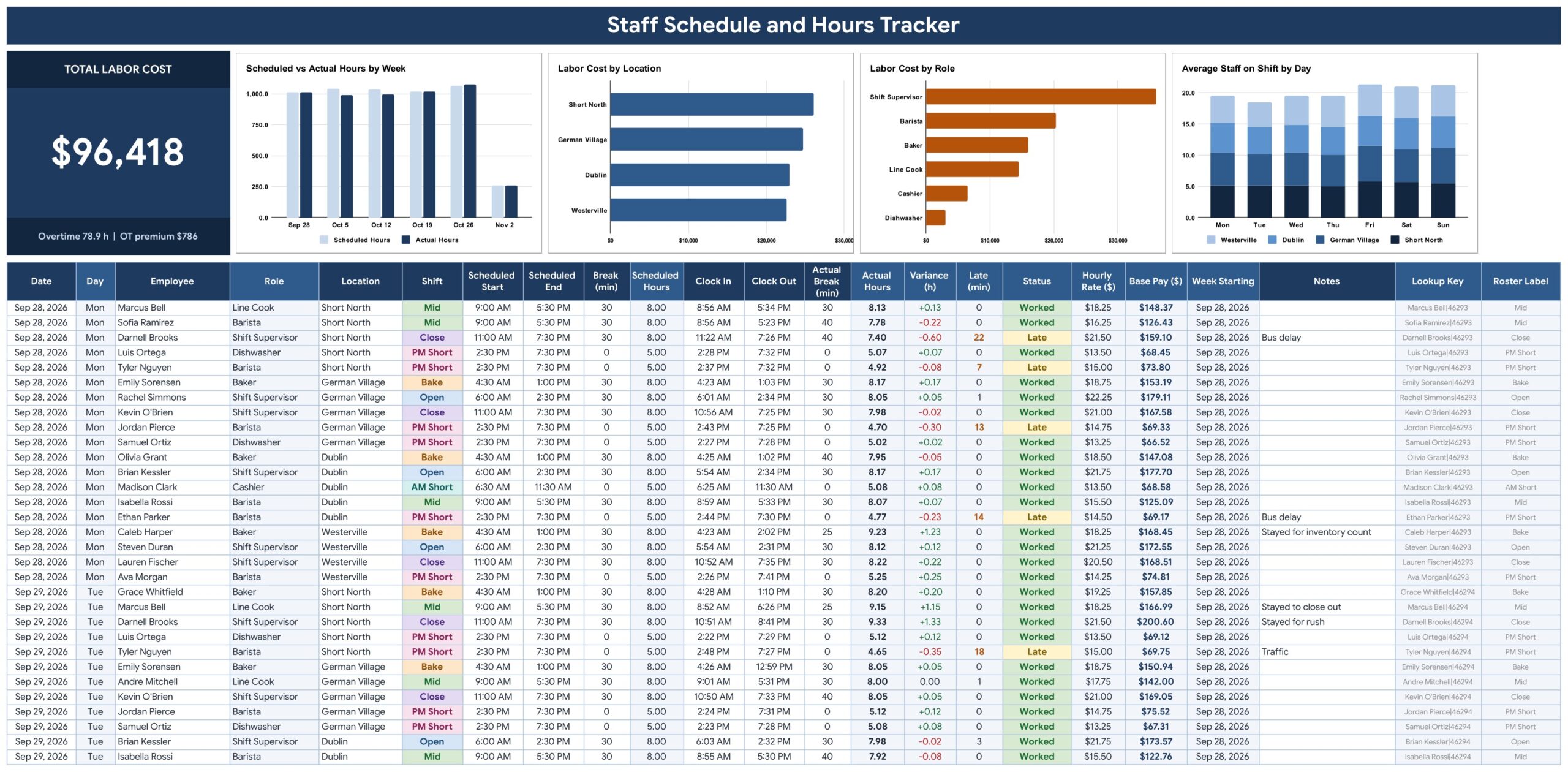
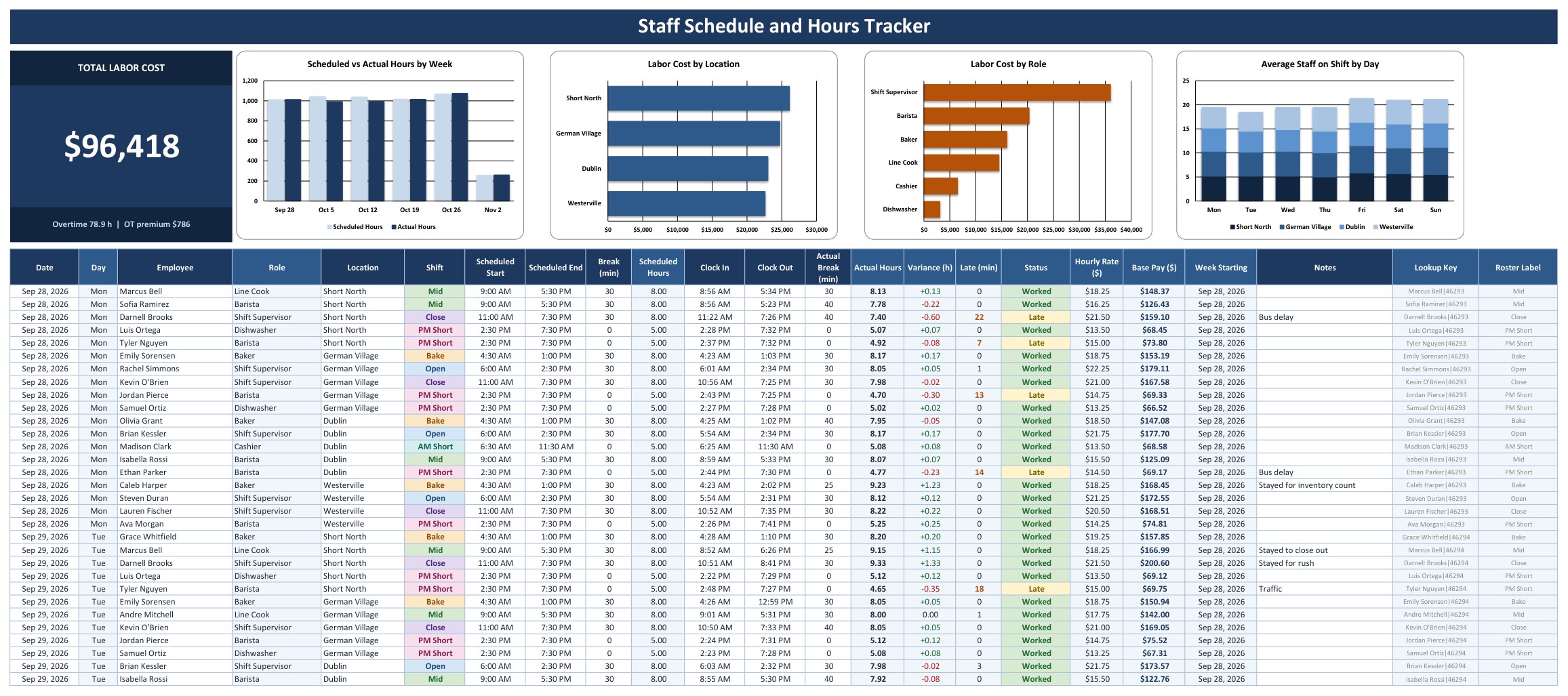
A Total Labor Cost card with the overtime hours and overtime premium sits above four charts: Scheduled vs Actual Hours by Week, Labor Cost by Location, Labor Cost by Role and Average Staff on Shift by Day. Below is the shift log. Every shift is one row with the date, employee, location, shift, scheduled start, end and unpaid break. When the shift is worked you type the clock in, clock out and actual break. The shaded columns calculate Scheduled Hours, Actual Hours, Variance, Minutes Late, Status (Worked, Late, Absent or Scheduled), Hourly Rate and Base Pay.
Weekly Roster
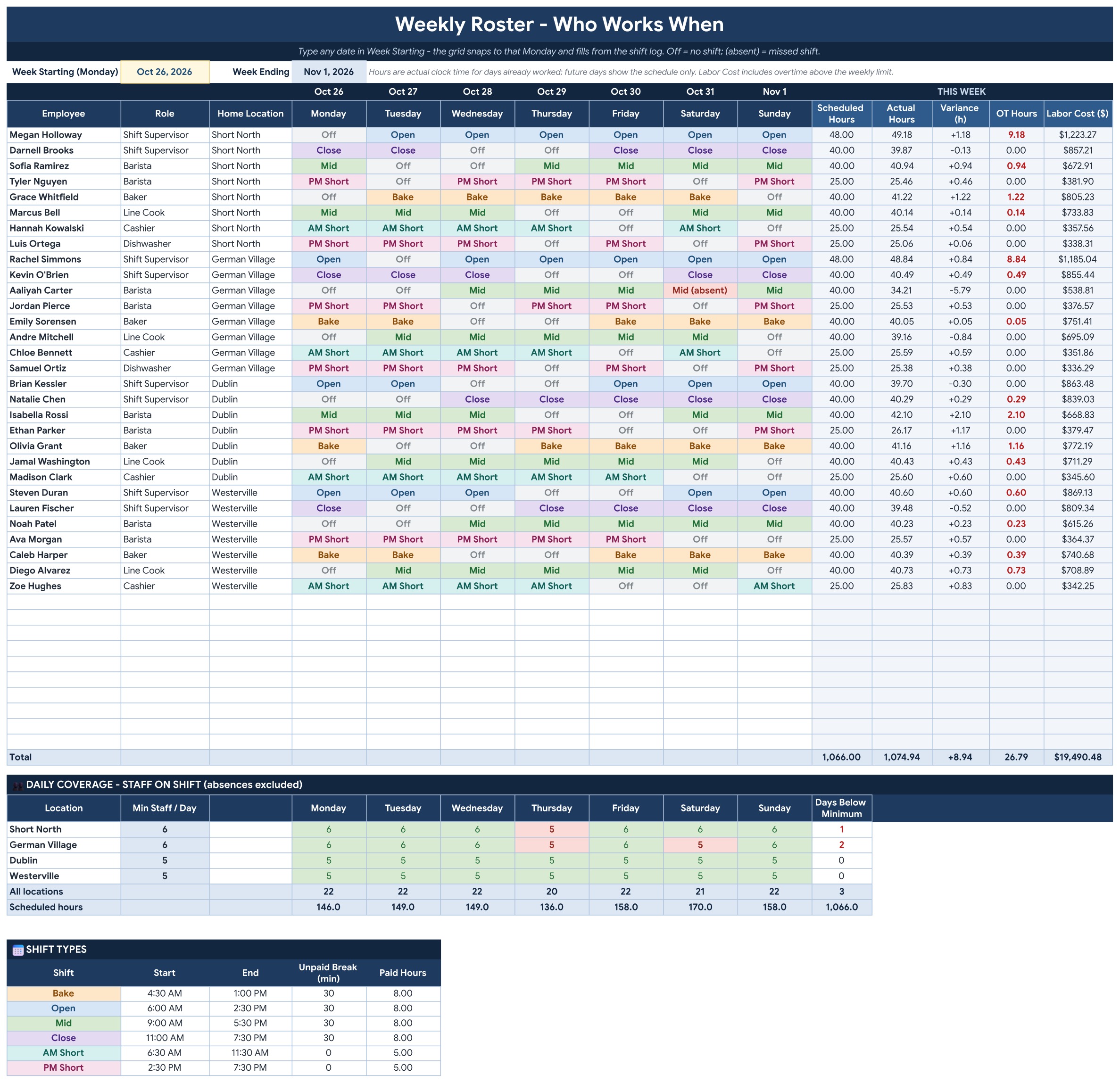
Type any date in Week Starting and the grid shows who works when, Monday to Sunday, with color-coded shifts. Off marks a day off and absent marks a missed shift. On the right are the scheduled hours, actual hours, variance, overtime hours and labor cost for that week. A daily coverage block counts the staff on shift per location per day and turns a cell red when you are below the minimum.
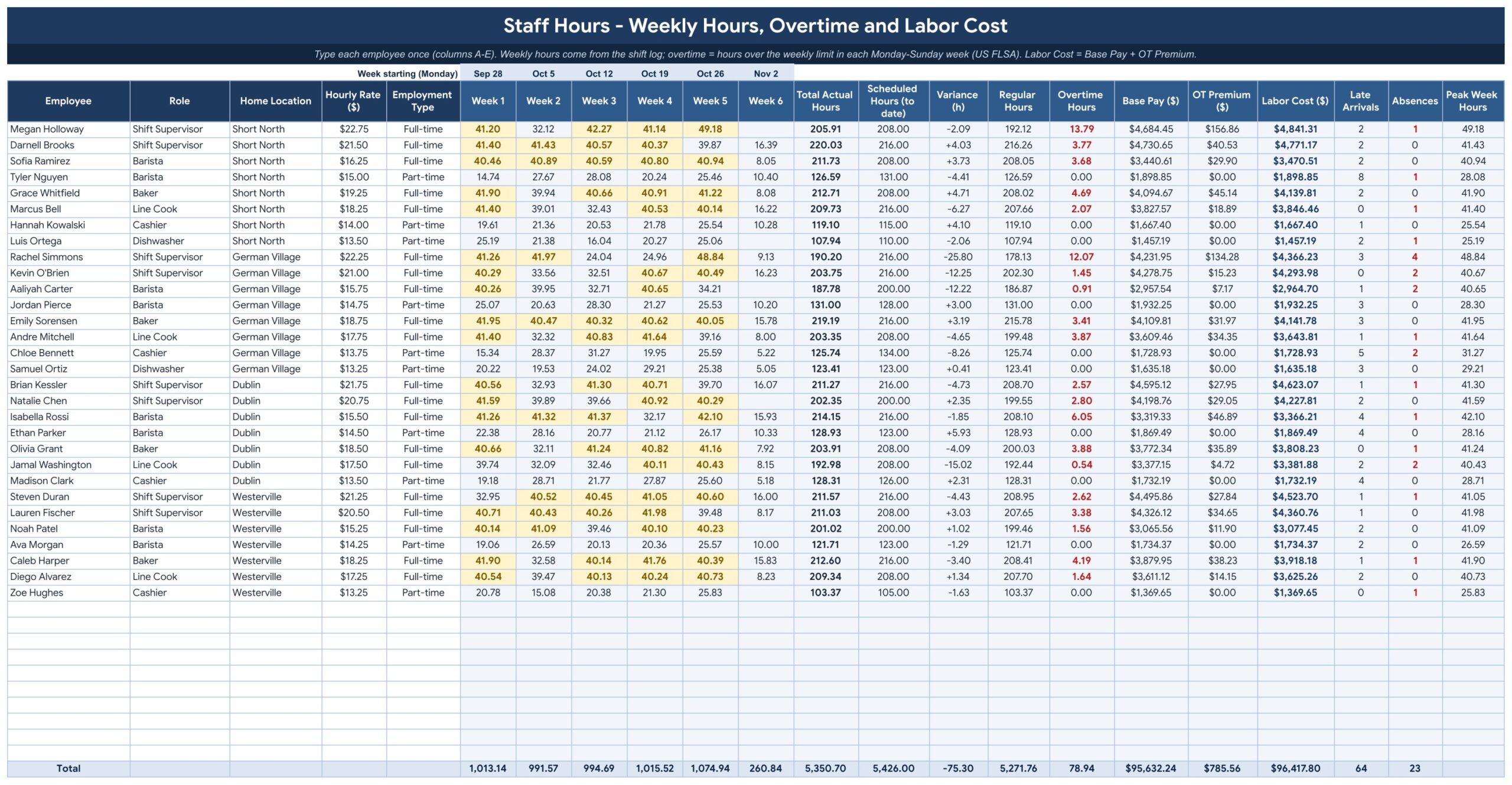
Staff Hours
List each employee once with the role, home location, hourly rate and full-time or part-time. The tracker adds up the actual hours for each of the six weeks, then shows regular hours, overtime hours, base pay, overtime premium and labor cost, plus late arrivals, absences and the peak week for every person.
Labor Summary
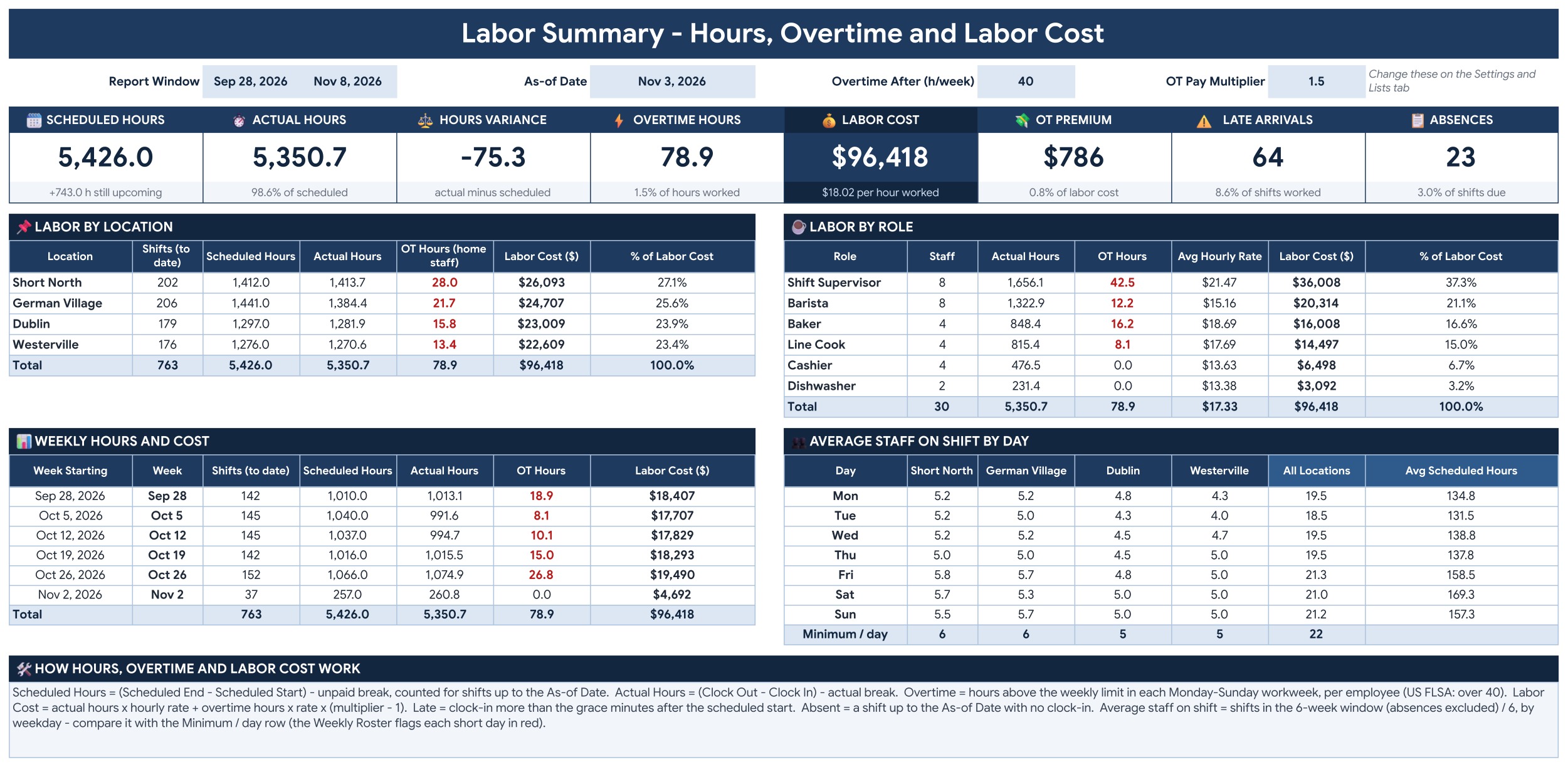
Eight KPI tiles show Scheduled Hours, Actual Hours, Hours Variance, Overtime Hours, Labor Cost, Overtime Premium, Late Arrivals and Absences. Below them are labor by location, labor by role, weekly hours and cost, and the average staff on shift by day for each location.
Settings and Lists
Set the first week, the as-of date, the overtime limit and multiplier and the late grace minutes. Rename the six roles and four locations, set the minimum staff per day for each location, and adjust the shift types with their start, end and unpaid break.

Instructions
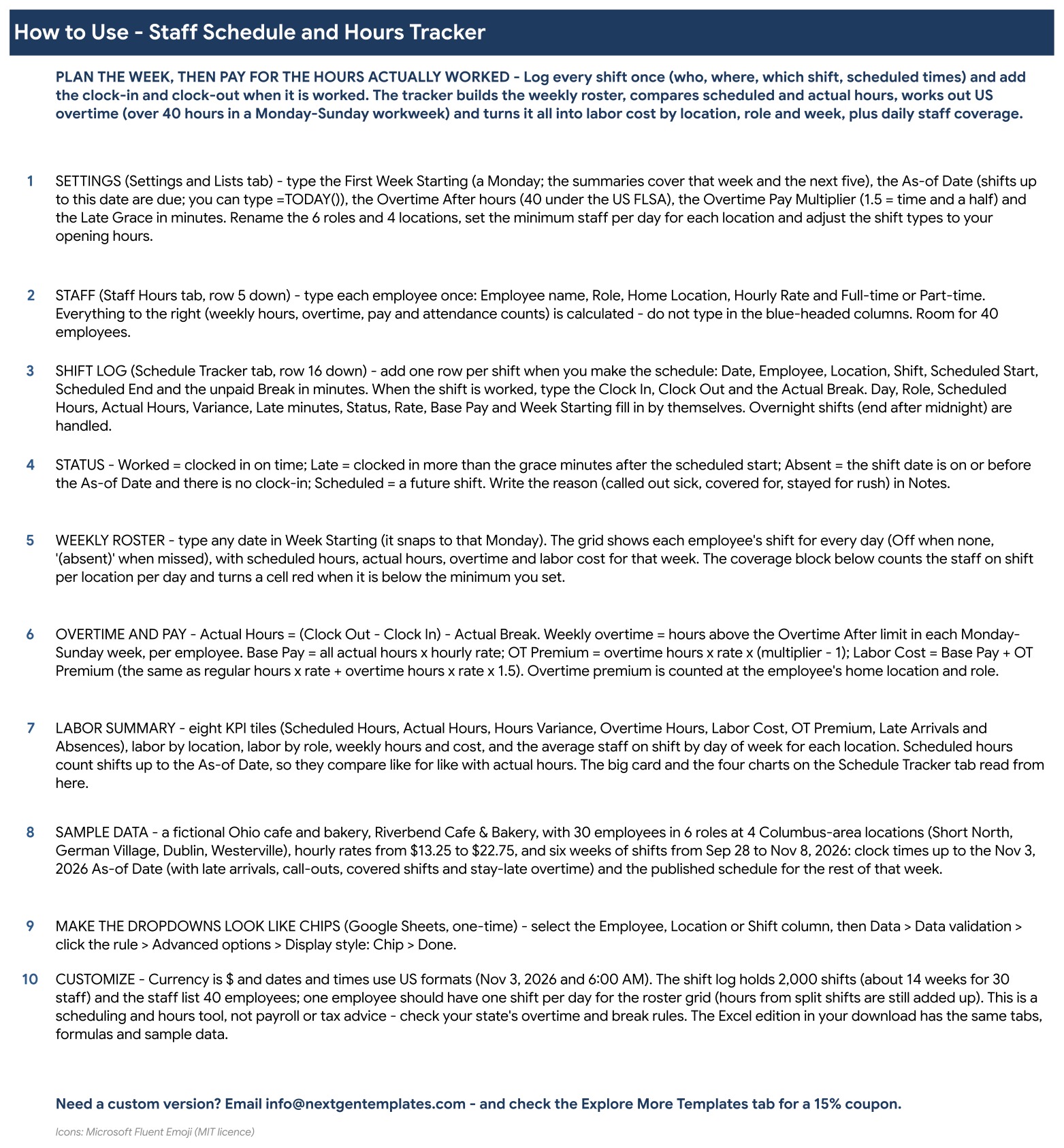
A step by step guide to setting up the file, logging shifts, reading the roster and understanding the overtime and labor cost math.
Excel edition
The same tabs, formulas and sample data in a macro-free .xlsx workbook that opens in desktop Excel.
Who Is It For?
Cafe, restaurant, retail and clinic owners, shift supervisors and office managers who build a staff schedule every week and want to see overtime and labor cost before payday. The sample data is a fictional Ohio cafe and bakery with 30 employees in six roles at four Columbus area locations, with six weeks of shifts from September 28 to November 8, 2026.
How to Use
- Download the file, open the Google Sheets link in the PDF and choose File, Make a copy, or open the Excel workbook.
- On the Settings and Lists tab set the first week, the as-of date, the overtime limit and multiplier, and rename your roles, locations and shift types.
- Type each employee once on the Staff Hours tab with the role, location, hourly rate and employment type.
- Add one row per shift on the Schedule Tracker. When a shift is worked, enter the clock in, clock out and actual break.
- Open the Weekly Roster to check coverage, then the Labor Summary to review hours, overtime and labor cost.
Comparison
| Feature | This template | Paper or blank sheet |
|---|---|---|
| Weekly roster from one shift log | Built in | Rebuild every week |
| Actual vs scheduled hours | Calculated per shift | Manual |
| US overtime over 40 hours | Calculated per employee | Manual |
| Labor cost by location and role | Included | Build yourself |
| Google Sheets and Excel | Both included | One or the other |
| Live link to a time clock | No | No |
Frequently Asked Questions
How does the tracker work out overtime?
It follows the US federal rule. For each employee it adds the actual hours worked in every Monday to Sunday workweek. Hours above the limit on the Settings and Lists tab, 40 by default, count as overtime and are paid at the multiplier you set, 1.5 by default.
What is the difference between scheduled and actual hours?
Scheduled hours come from the planned start, end and unpaid break of each shift. Actual hours come from the clock in, clock out and actual break you type when the shift is worked. The tracker shows the variance between the two for every shift and every week.
How do I plan a week and see who works when?
Type any date in Week Starting on the Weekly Roster tab. It snaps to that Monday and shows every employee’s shift for each day, with Off for days off and absent for a missed shift. A coverage block turns red when a location has fewer staff than the minimum you set.
Do I get both Google Sheets and Excel?
Yes. One download holds the Excel workbook (.xlsx, no macros) and a PDF guide with the link to the Google Sheets edition. Both have the same tabs, formulas and sample data.
Can I change the roles, locations and shift types?
Yes. The Settings and Lists tab holds six roles, four locations and six shift types that you rename to match your business, including the start and end time and unpaid break of each shift. The dropdowns follow.
How many employees and shifts does it hold?
The staff list holds 40 employees and the shift log holds 2,000 shifts, about 14 weeks for a team of 30. The weekly roster grid shows one shift per employee per day.
Is this a payroll or tax tool?
No. It is a scheduling and hours tool with a labor cost estimate. Check your state’s overtime and break rules, which can differ from the federal rule, and run your actual payroll in your payroll system.
Does it need macros or add-ons?
No. It is formulas, dropdowns and charts only, in both editions.
Get the Template
Download the Staff Schedule and Hours Tracker in Excel and Google Sheets and run your schedule and your hours from one file. For a full scheduling system with forms, see the Shift Scheduling Management System V1.0, or browse all Google Sheets templates.




Reviews
There are no reviews yet.