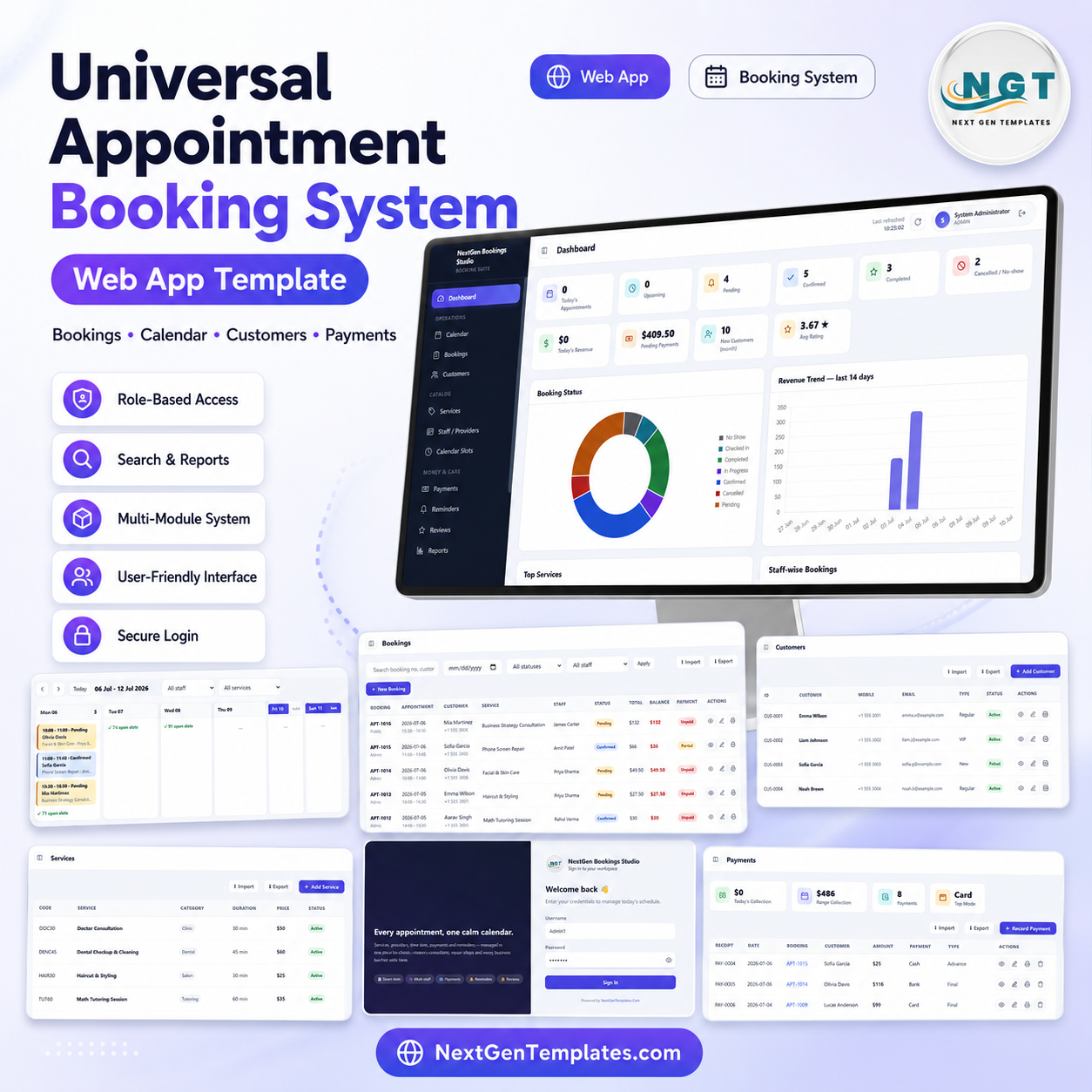
Service businesses lose time when appointments, staff availability, payments, reminders, and customer records sit in separate tools. The Universal Appointment Booking System Web App gives teams a 15-screen, multi-user booking workspace built with Google Sheets and Google Apps Script. It includes a secure login, role-based access, 10 dashboard KPI cards, 4 dashboard charts, booking tables, weekly calendar views, customer records, service catalogs, staff schedules, slots, payments, reminders, reviews, reports, users, lists, and settings. Instead of paying for a full scheduling SaaS before your workflow is ready, you can start with an editable web app template and adapt it to your service business.
Google Apps Script web apps can publish browser-based applications from Apps Script projects, which makes this template useful for teams that want a spreadsheet-backed booking system with a proper app-style interface.
Key Features of Universal Appointment Booking System Web App
- Secure login screen for team members with username and password access.
- Role-based access and user management for admins, staff, and operational users.
- Dashboard cards for today’s appointments, upcoming bookings, pending, confirmed, completed, cancelled/no-show, revenue, pending payments, new customers, and average rating.
- Charts for booking status, revenue trend, top services, and staff-wise bookings.
- Calendar screen with day, week, month, and list views.
- Booking table with appointment time, customer, service, staff, status, total, balance, and payment status.
- Customer, service, staff, availability, payment, reminder, review, report, user, list, and settings modules.
What’s Inside the Universal Appointment Booking System Web App
The system includes a complete appointment workflow. The login screen protects the workspace, the dashboard gives a management summary, and the calendar lets users view appointments by date, staff, and service. The bookings screen handles appointment records, while the customers and services screens maintain the master data needed for smooth scheduling.
The staff/providers module stores work days, break timings, skills, daily capacity, status, schedules, and off-days. The slots and availability screen can auto-generate appointment slots from working hours or create manual slots for custom availability. Manual payments, reminders, reviews, reports, user management, list management, and settings round out the operating system.
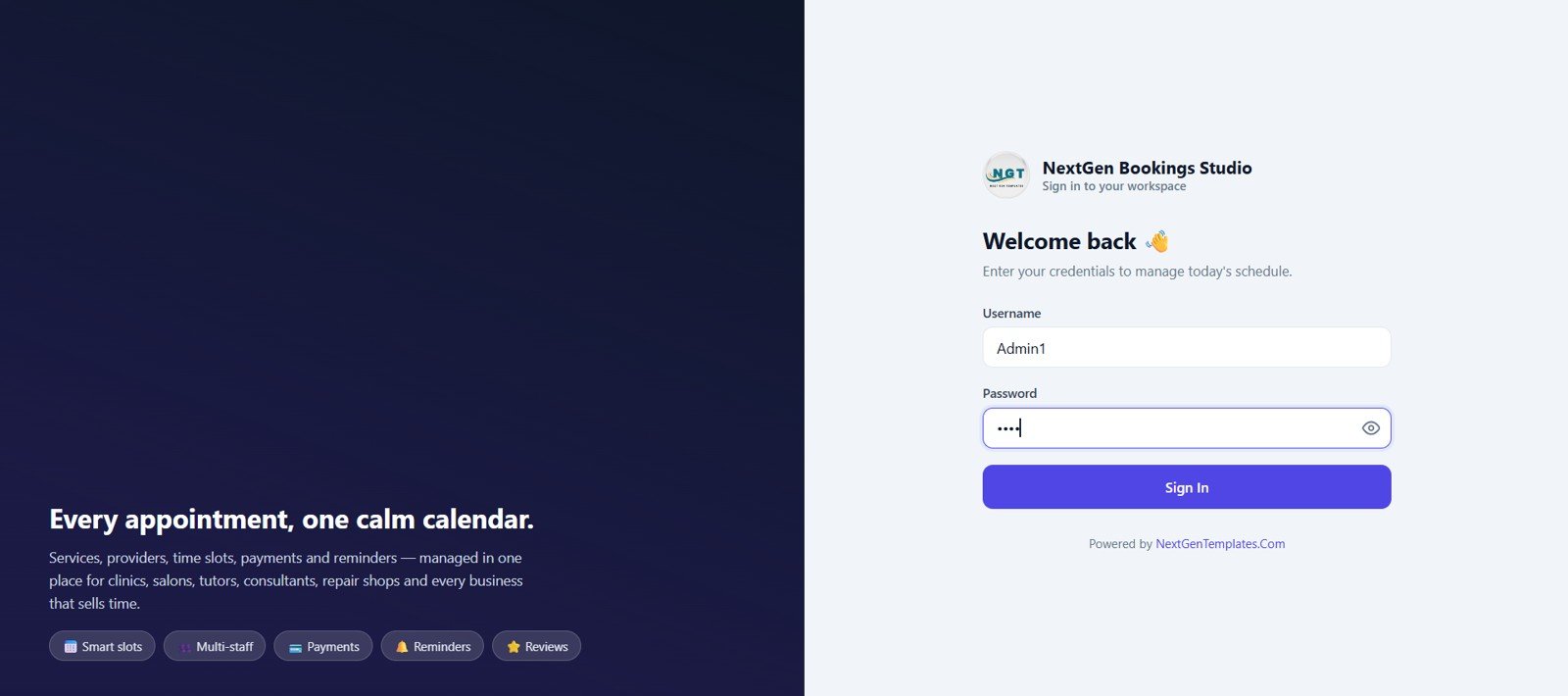
Login Screen
🚀 Try the Live Demo Before You Buy
We have deployed this web app in our own Google account so you can test every page and every role — Admin, Manager, Reception, Staff, Accounts and Viewer — with real sample data, before purchasing. No signup, no email required.
🔑 Test Login Credentials
Sign in as Admin1 for full control over the entire system, or try any of the other roles below to see exactly what each team member can access. The Staff1 login is linked to provider ST-0001 (Dr. Sarah Mehta), so you’ll see the system from a provider’s own point of view.
💡 What you get after purchase: The full source code (Code.gs + Index.html) plus a step-by-step deployment guide so you can deploy your own private instance in your own Google account in under 15 minutes.
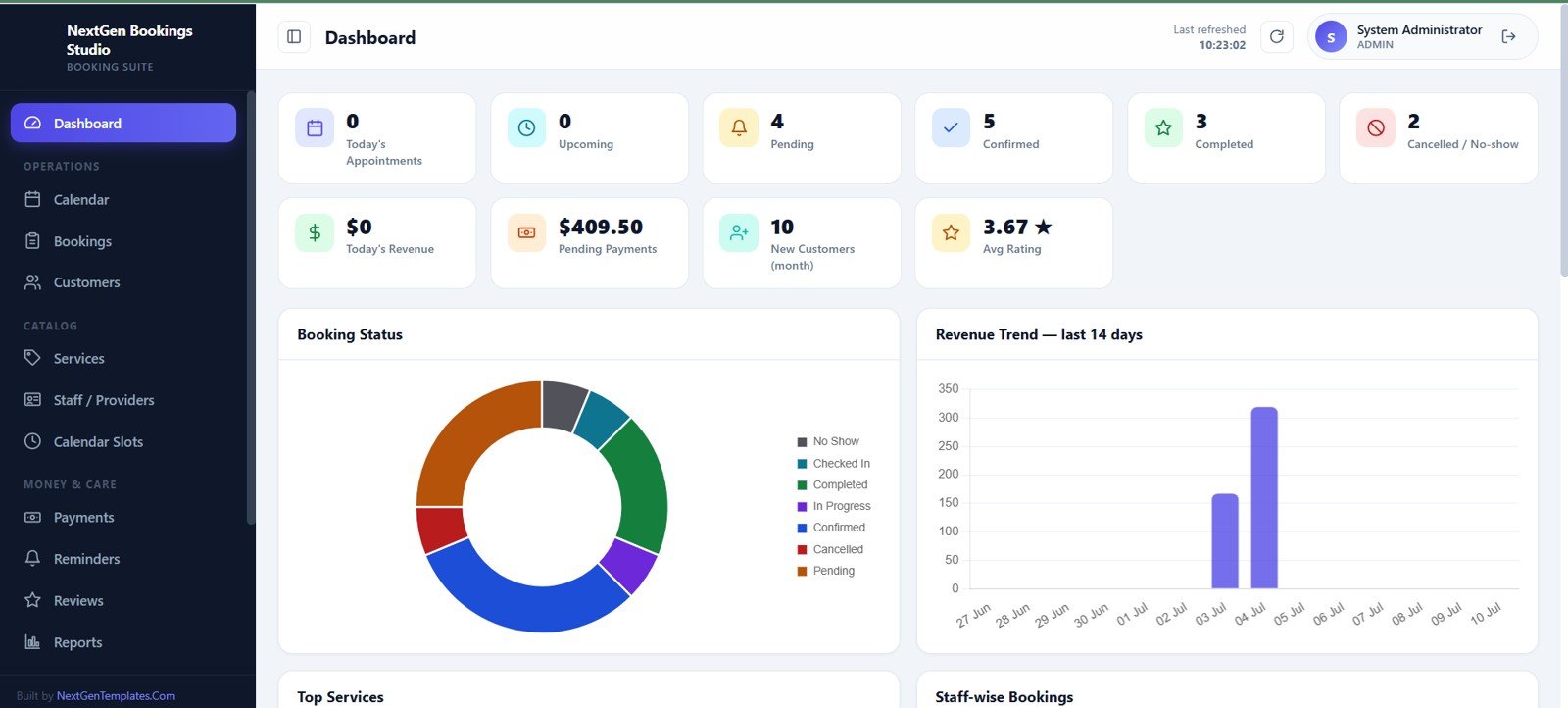
Dashboard
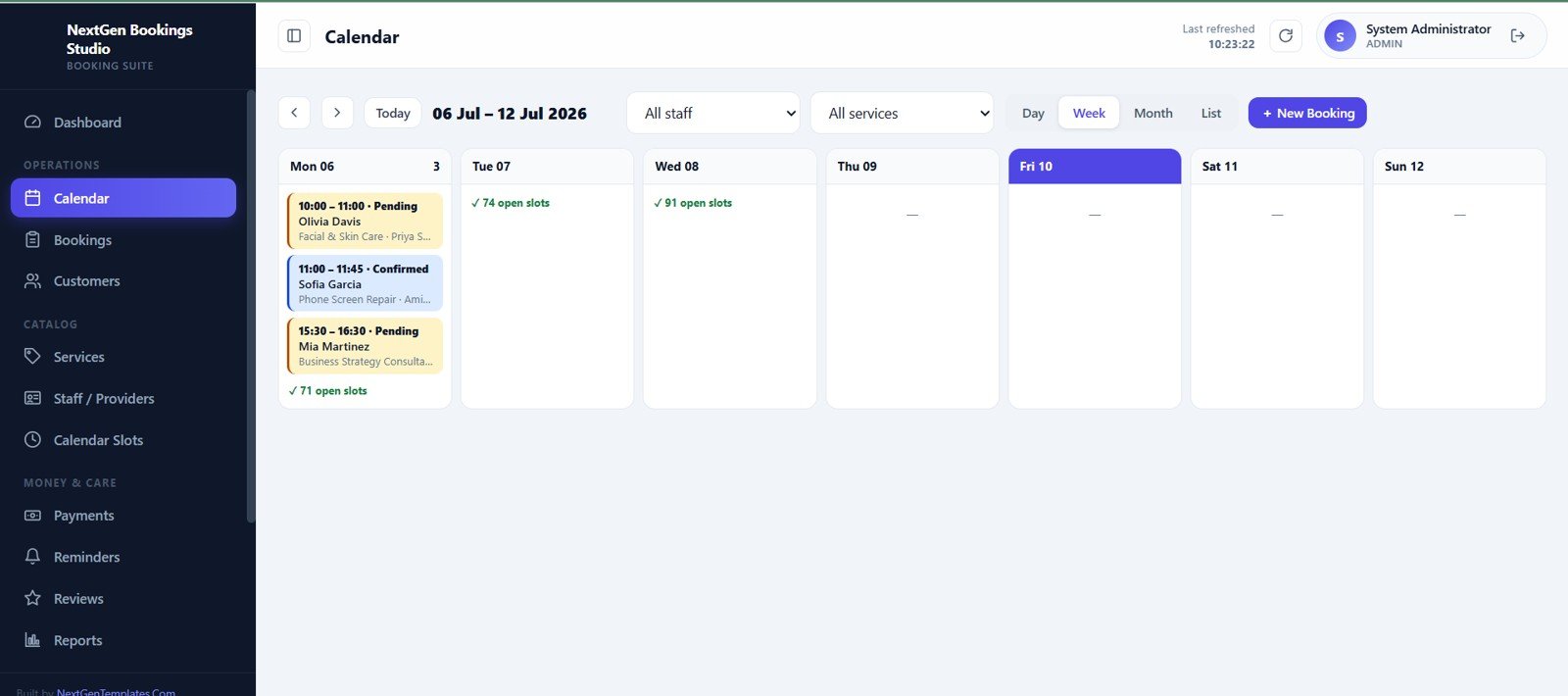
Calendar
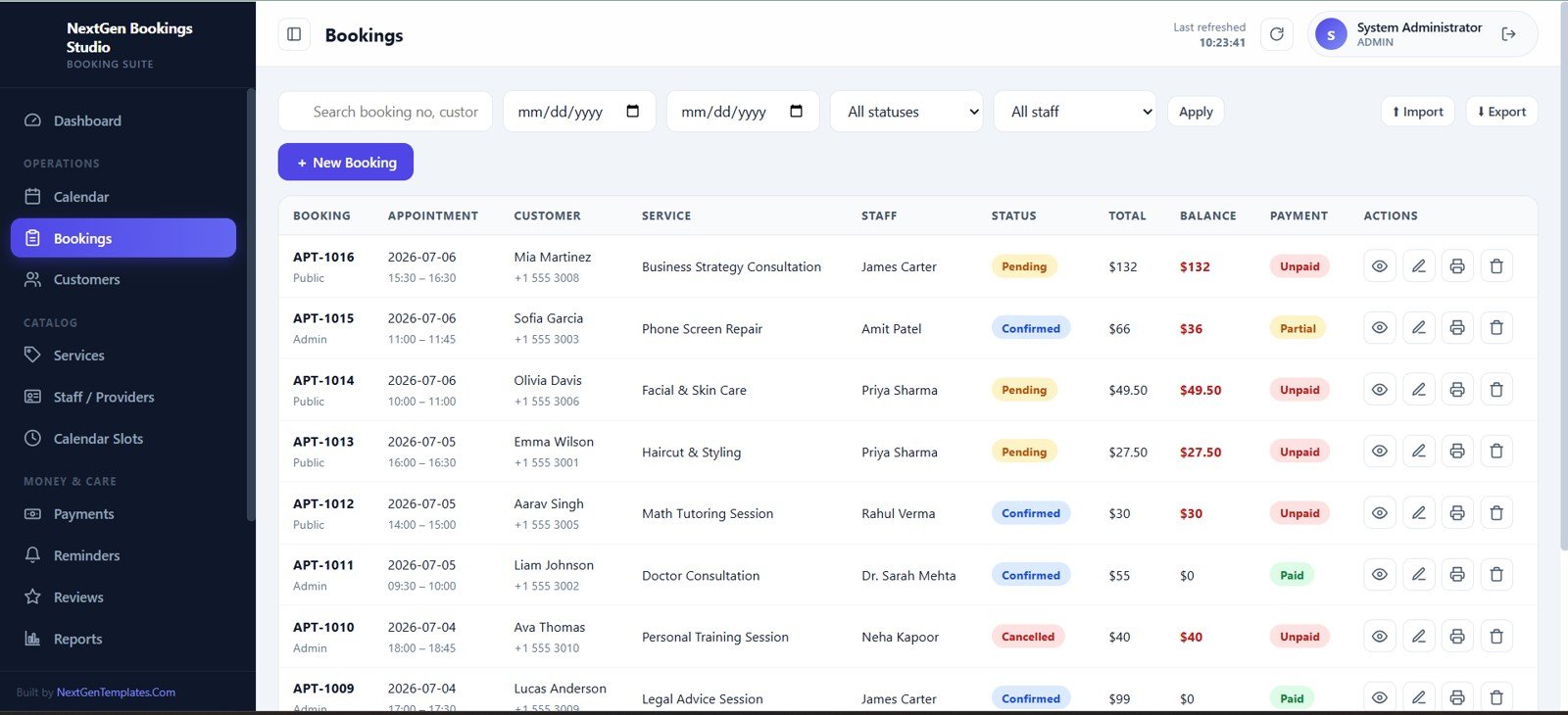
Bookings
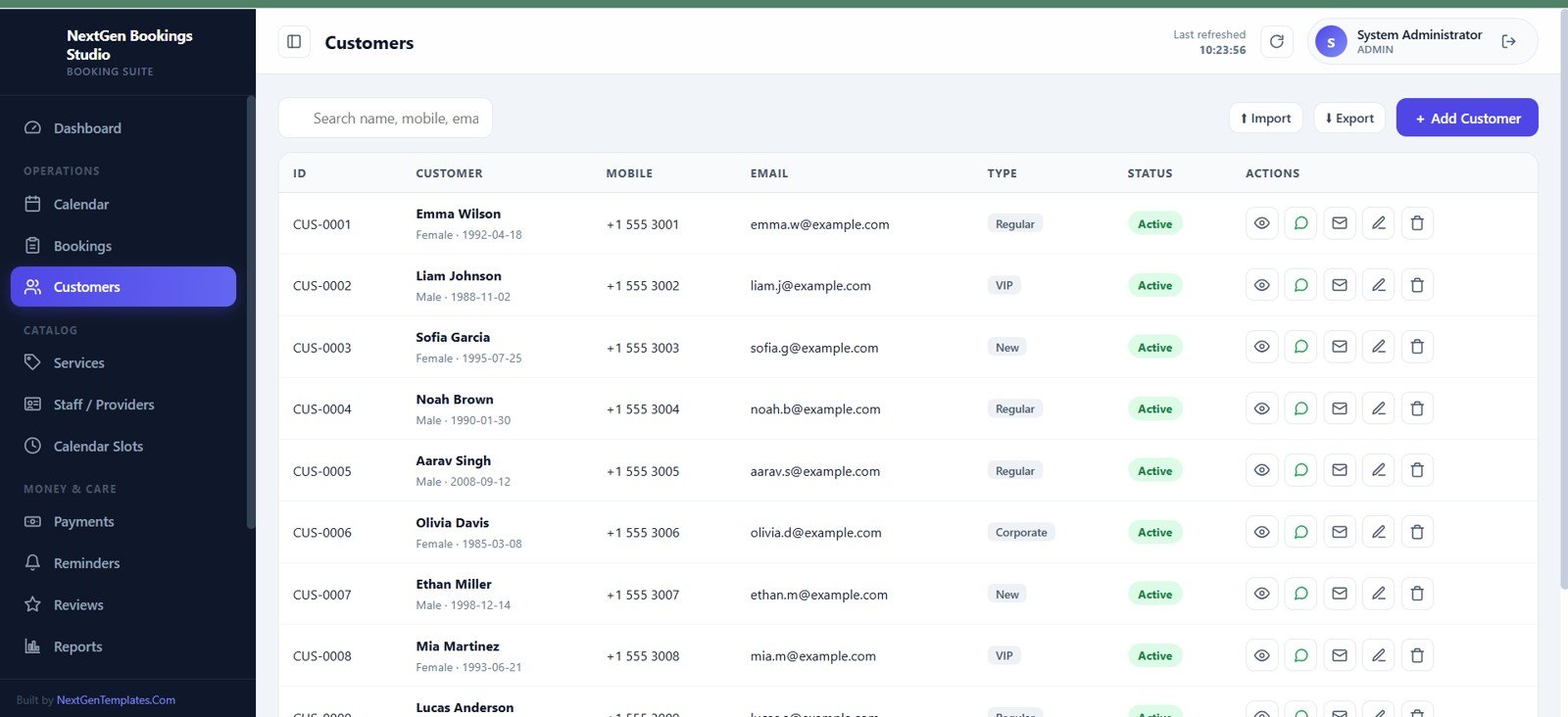
Customers
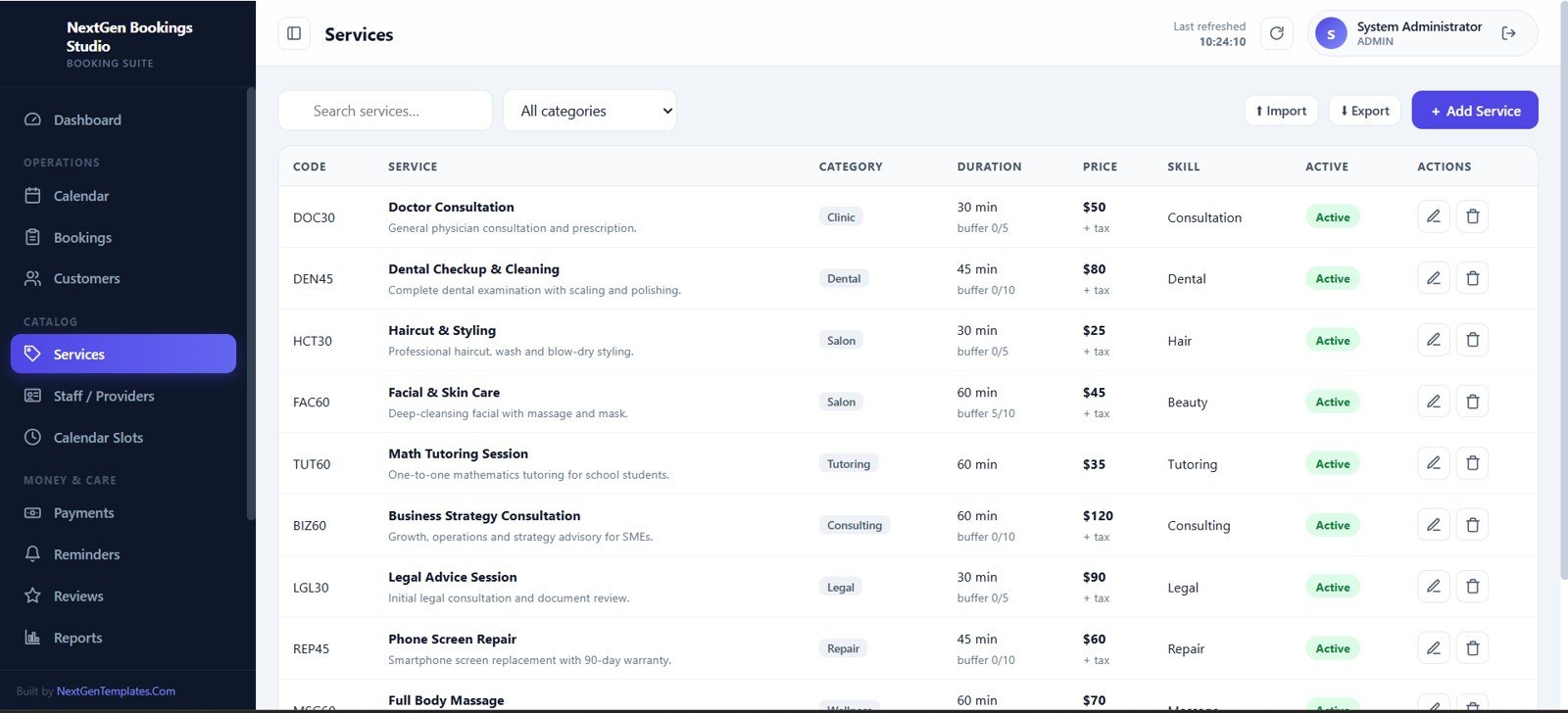
Services
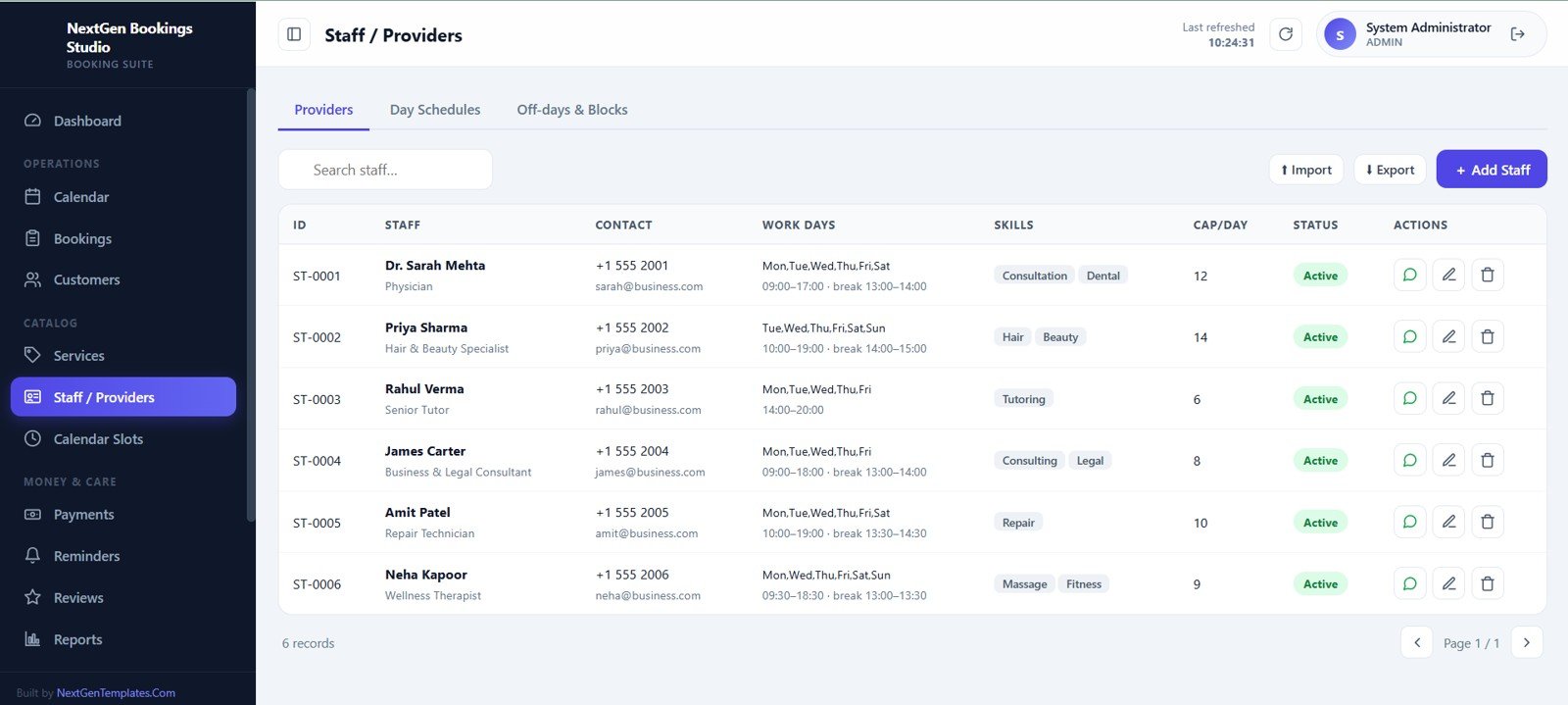
Staff / Providers
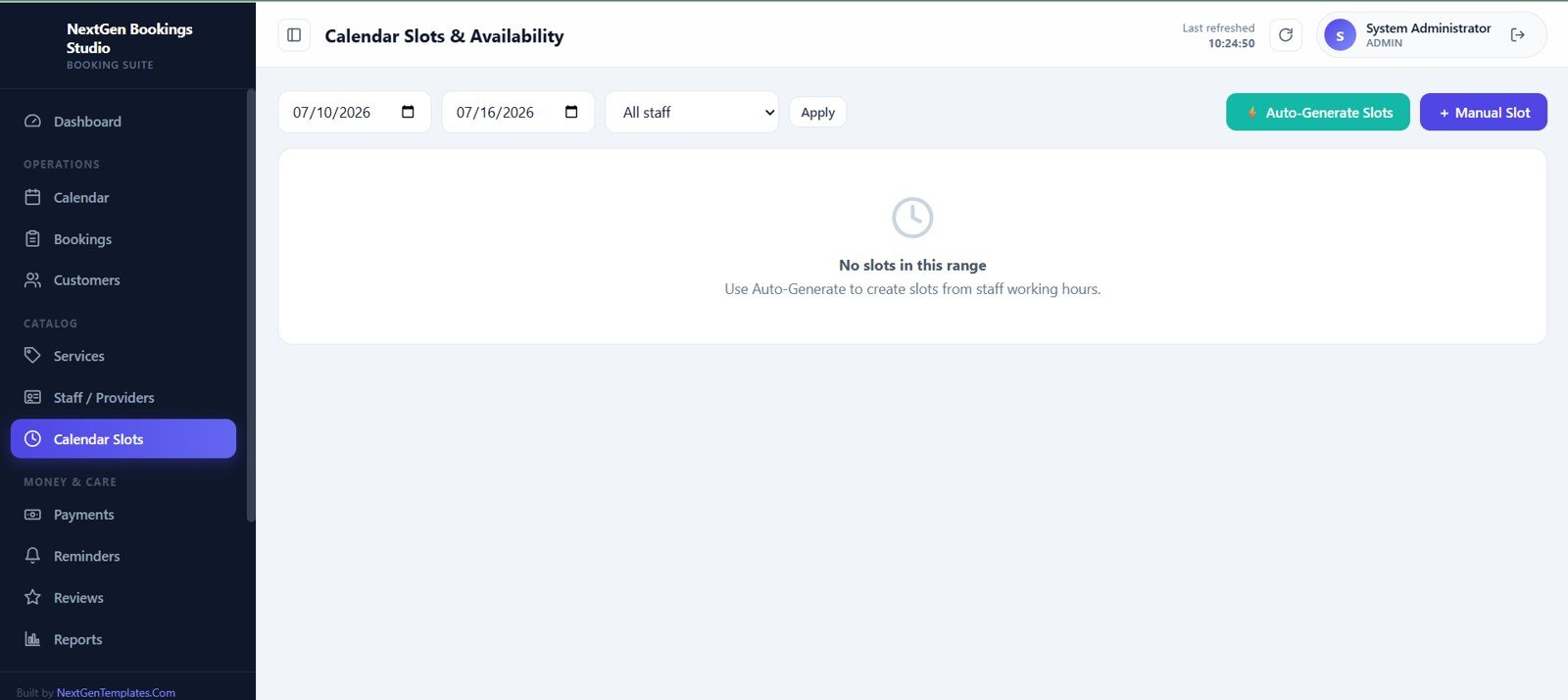
Calendar Slots and Availability
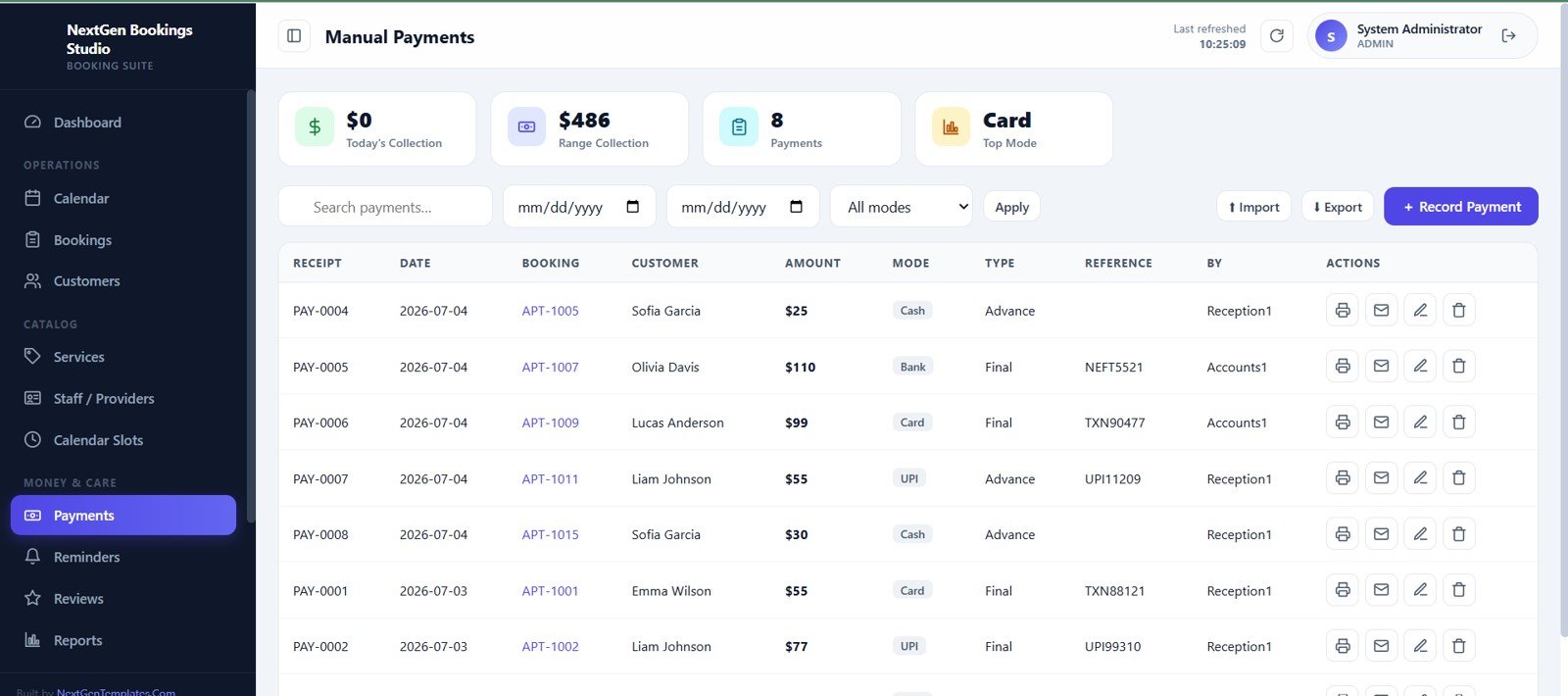
Manual Payments
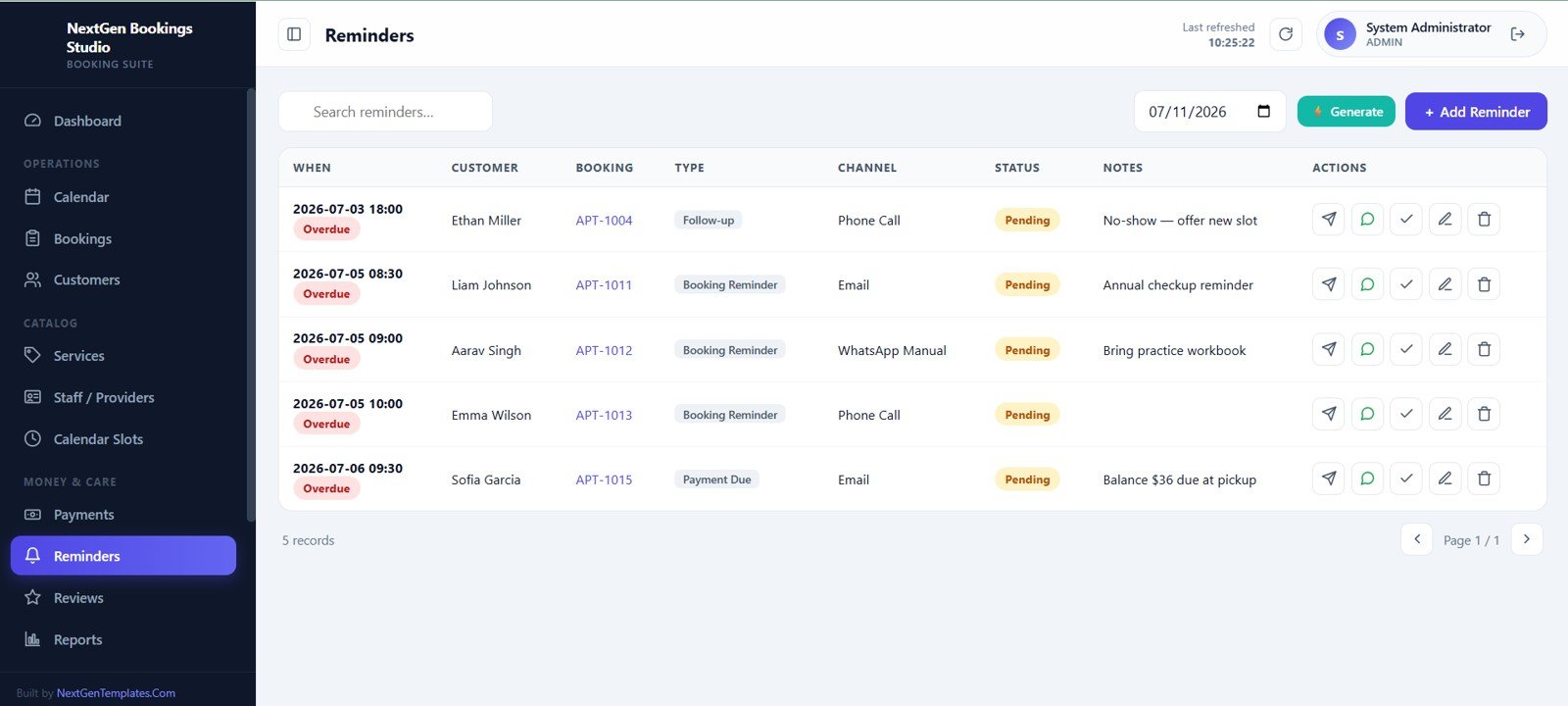
Reminders
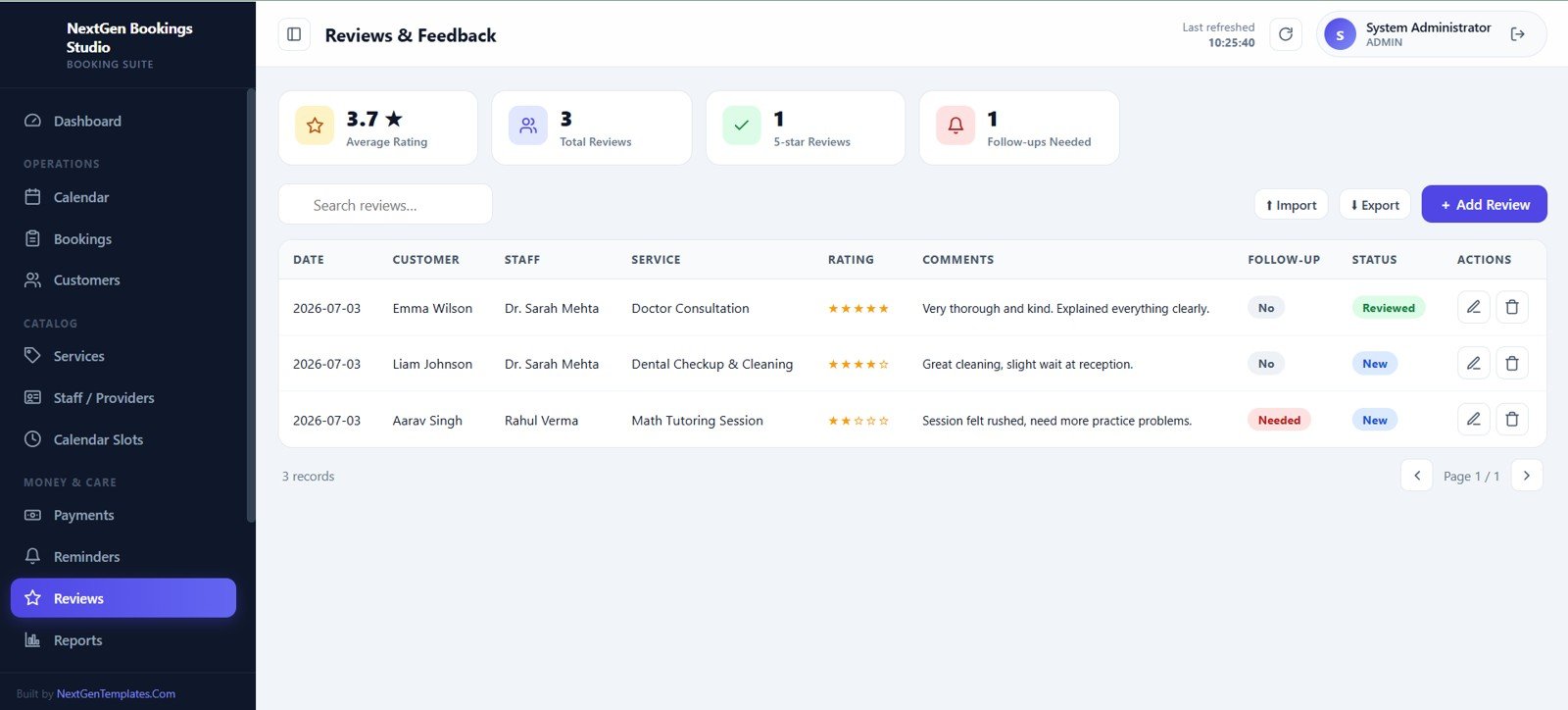
Reviews and Feedback
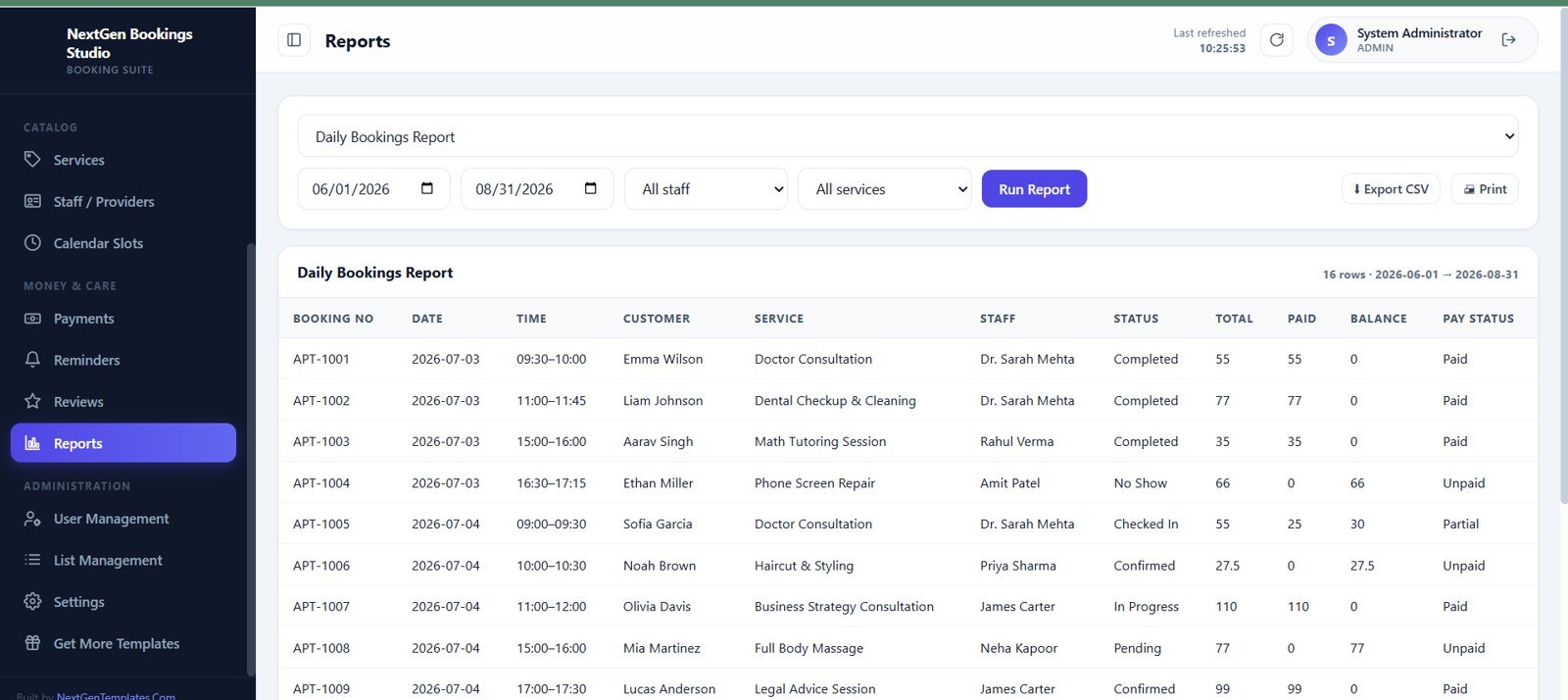
Reports
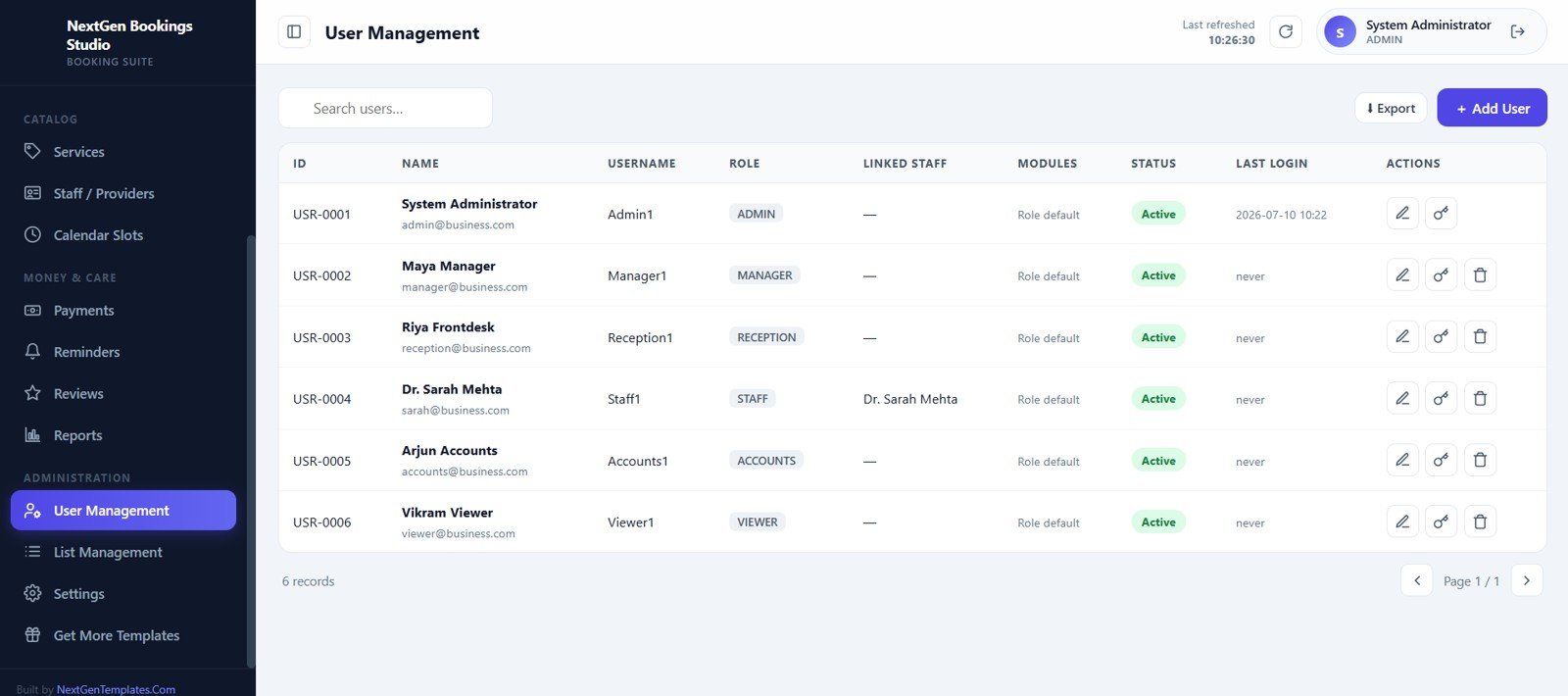
User Management
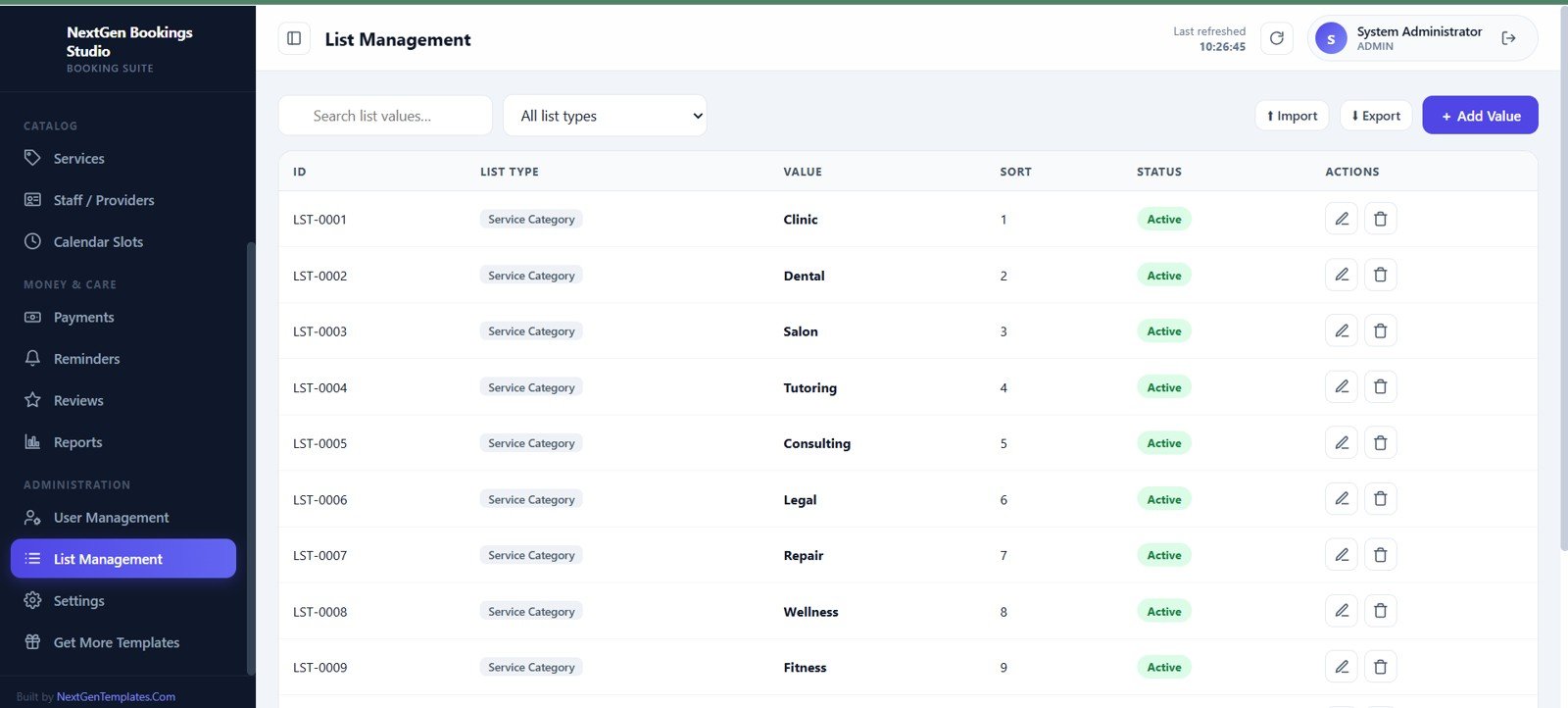
List Management
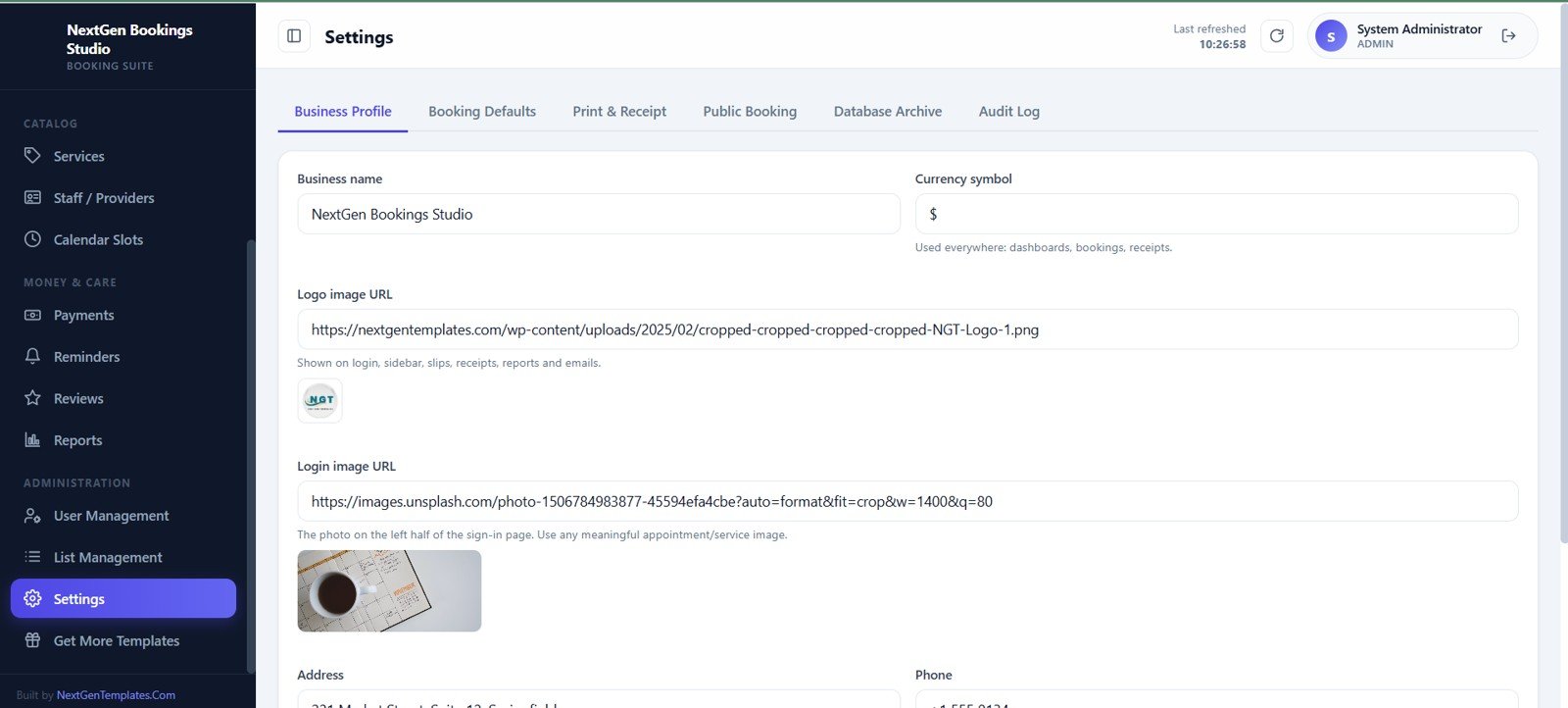
Settings
Universal Appointment Booking System Web App vs. Spreadsheet Tracker vs. Paid CRM/SaaS – Where This Fits
| Capability | This Web App Template | Spreadsheet Tracker | Paid Scheduling SaaS |
|---|---|---|---|
| Cost | One-time template purchase | Low cash cost, high setup time | Recurring subscription |
| Platform | Google Sheets and Apps Script web app | Spreadsheet tabs | Vendor cloud platform |
| Setup time | Deploy, configure, and use | Build structure yourself | Vendor onboarding |
| Role-based access | Included | Limited | Usually included by plan |
| Custom fields | Editable template | Editable but fragile | Plan and vendor dependent |
| Year-1 cost at 5 users | Template price plus existing Google account costs | Low tool cost, more manual work | Can become hundreds or thousands per year |
Who This Template Is For – and Who It’s Not For
This template is a strong fit for salons, clinics, spas, tutors, repair shops, consultants, legal offices, wellness providers, fitness studios, and other service businesses that book appointments with staff or providers. It is also useful for business owners who want an editable Apps Script foundation instead of a locked SaaS account.
It is not the right fit if you require native payment gateway integration, automatic SMS delivery, built-in accounting sync, third-party calendar sync, or enterprise compliance controls out of the box. Those can be custom projects, but they are not claimed as standard features here.
How to Use the Universal Appointment Booking System Web App
- Unzip the downloaded package and read the setup guide.
- Deploy the Google Apps Script web app in your own account.
- Create users, roles, services, staff, list values, and settings.
- Generate availability slots from staff working hours or add manual slots.
- Create appointments from the calendar or bookings screen.
- Track payments, reminders, reviews, reports, and admin activity.
Real-World Use Cases
Anika, salon owner: manages six providers, appointment slots, manual payments, reviews, and follow-up reminders from one workspace.
Dr. Mehta, clinic manager: tracks bookings, pending payments, customer history, and daily appointment status from the dashboard and reports screens.
Jordan, consulting studio owner: uses services, staff capacity, calendar views, and reminder tracking to manage client sessions without a full scheduling SaaS subscription.
Frequently Asked Questions
Is this a Google Sheets and Google Apps Script web app?
Yes. The system is described as a web app built on Google Sheets and Google Apps Script.
How many screens are included?
The app includes 15 screens: login, dashboard, calendar, bookings, customers, services, staff/providers, slots and availability, manual payments, reminders, reviews, reports, user management, list management, and settings.
Can it manage staff availability?
Yes. Staff work days, break timings, skills, daily capacity, status, schedules, and off-days or blocks are included.
Does it include payments and reminders?
Yes. The app includes manual payment tracking and reminder management screens.
Can I customize it for my business?
Yes. It is intended as an editable template foundation, so buyers can adapt fields, lists, settings, and workflows as needed.
Is there a monthly subscription from NextGenTemplates?
No. This is sold as a one-time digital template download.
About the Author
Built by PK – Microsoft Certified Professional with 15+ years of Excel, Google Sheets, and Power BI experience. Founder of NextGenTemplates, reaching 300K+ subscribers across YouTube channels. Every template is hand-built and tested before release.
Explore Related Templates
- Browse all Mini Web Apps
- Hotel Booking Management System Web App
- Logistics Management System Web App
- Browse Google Sheets templates<
Watch the step-by-step video Demo:
Download the Universal Appointment Booking System Web App today and start organizing bookings, staff schedules, customer records, payments, reminders, reviews, and reports from one editable workspace.
Last updated: July 10, 2026.