



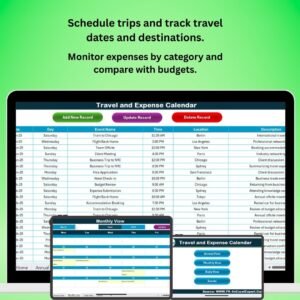
The Travel and Expense Calendar in Excel is a powerful tool designed to help businesses, travel managers, and employees easily track travel plans and associated expenses. This Excel-based calendar helps you organize business trips, monitor travel expenses, and ensure that all travel-related costs are recorded and managed effectively.
With a user-friendly interface, this calendar allows you to schedule trips, track expenses by categories, and ensure that your team stays within budget. Whether it’s for business travel or employee reimbursements, this tool provides a clear overview of travel dates, costs, and budgeting.
Key Features of the Travel and Expense Calendar in Excel:
✈️ Travel Schedule Management
Easily organize travel plans by entering trip dates, destinations, and travel purpose, ensuring all trips are well-planned and documented.
💸 Expense Tracking
Monitor and categorize travel expenses such as flights, accommodation, meals, transportation, and miscellaneous expenses, allowing for detailed cost tracking.
📊 Budget Tracking
Set travel budgets for each trip and track actual expenses against the budget, ensuring that all trips are within financial guidelines.
📅 Expense Reimbursement Tracking
Keep track of employee reimbursements for travel-related expenses, ensuring timely processing and avoiding discrepancies.
📈 Real-Time Expense Reporting
Generate real-time expense reports for management to review travel spending, providing a quick and accurate snapshot of travel and expenses.
🚀 Why You’ll Love the Travel and Expense Calendar in Excel:

✅ Streamline Travel Management – Organize travel schedules, plan trips, and track expenses all in one place, saving time and reducing administrative work.
✅ Monitor Travel Budgets – Track expenses against set budgets to prevent overspending and ensure that trips are within financial constraints.
✅ Track Reimbursements – Easily track and manage reimbursements for employee travel expenses, ensuring timely and accurate reimbursement processes.
✅ Detailed Reporting – Generate expense reports that provide valuable insights into travel costs, helping you identify savings opportunities and improve cost management.
✅ Customizable and Easy-to-Use – Fully customizable to meet your specific travel and expense tracking needs, with a simple, easy-to-use interface.
✅ Improve Financial Control – Gain better control over your travel expenses by organizing, categorizing, and tracking them efficiently.
What’s Inside the Travel and Expense Calendar in Excel:
Travel Schedule: Plan and track travel dates, destinations, and purposes to ensure smooth business trip planning.
Expense Categories: Track expenses across multiple categories, including transportation, accommodation, meals, and miscellaneous costs.
Budget and Actual Expense Tracking: Set budgets for each trip and compare them to actual expenses to ensure financial control.
Expense Reimbursement Tracking: Manage and track employee reimbursements to ensure prompt payment and prevent discrepancies.
Reporting and Analytics: Generate real-time reports to monitor travel costs, compare them with budgets, and evaluate potential savings.
Custom Reports: Create tailored reports for stakeholders and management to review the status of travel and expenses.
How to Use the Travel and Expense Calendar in Excel:
1️⃣ Download the Template – Instantly access your Excel file upon purchase.
2️⃣ Input Travel Details – Add trip dates, destinations, and purposes, and assign a budget for each trip.
3️⃣ Track Expenses – Input expenses as they occur, categorized by type (flights, accommodation, meals, etc.), and compare them with your budget.
4️⃣ Track Reimbursements – Keep track of employee reimbursements for travel expenses to ensure timely processing and accurate records.
5️⃣ Generate Reports – Create customized reports to analyze travel spending and identify areas where you can save or optimize costs.
Who Can Benefit from the Travel and Expense Calendar in Excel:
Travel Managers
Finance Departments
HR and Payroll Teams
Employees with Business Travel
Small and Medium Businesses (SMBs)
Large Enterprises with Multiple Travelers
Accountants and Bookkeepers
The Travel and Expense Calendar in Excel is the perfect solution for managing business travel and related expenses. Whether you’re tracking multiple trips or monitoring individual expenses, this calendar helps you stay organized and keep costs under control.
Click here to read the Detailed blog post
https://www.pk-anexcelexpert.com/travel-and-expense-calendar-in-excel/
Visit our YouTube channel to learn step-by-step video tutorials
Youtube.com/@PKAnExcelExpert
Compatibility and Requirements
- Works in Microsoft Excel desktop (Excel 2016 or later, or Microsoft 365).
- New to Excel? Microsoft has a free guide: Excel for Windows training.
Frequently Asked Questions
What can I track with this calendar?
You can track travel dates, destinations and trip purposes, along with expenses for transportation, accommodation, meals and other costs.
Can I compare spending with a budget?
Yes. You set a budget for each trip and compare it with the actual expenses.
Does it track reimbursements?
Yes. You can record employee reimbursements for travel expenses so they are processed on time and recorded accurately.
Is there a Google Sheets version?
Yes. The Travel and Expense Calendar in Google Sheets covers the same trip and expense tracking.
Related Travel and Expense Templates
- Travel and Expense Calendar in Google Sheets: the same calendar in Google Sheets
- Travel Expense Report Tracker in Excel: record travel expense reports in Excel
- Travel Authorization Tracker in Excel: track travel authorizations in Excel
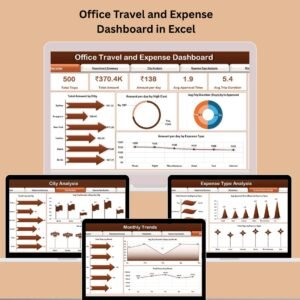
- Office Travel and Expense Dashboard in Excel: a full office travel and expense dashboard in Excel
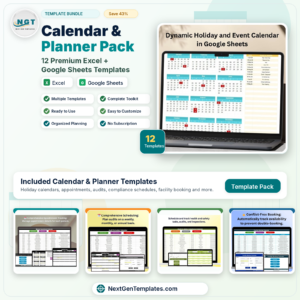
- Calendar & Planner Pack: 12 calendar and planner templates in one download
Browse all Excel calendars or the Excel financial tools.







Reviews
There are no reviews yet.