

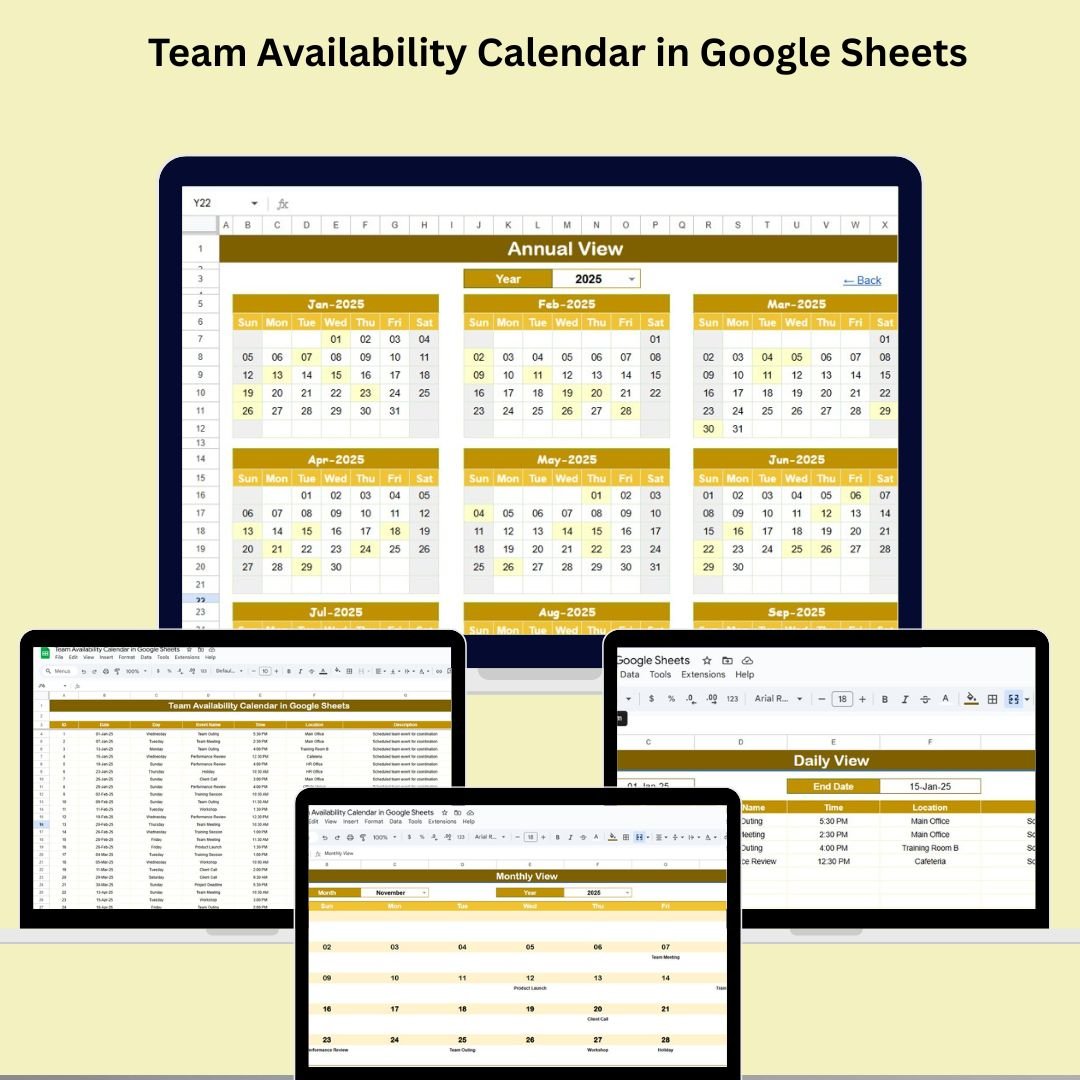

Managing your team’s availability just got easier! Introducing the Team Availability Calendar in Google Sheets—a smart, flexible, and user-friendly solution to help you stay on top of team schedules, track important events, and streamline coordination across departments.Team Availability Calendar in Google Sheets
Whether you’re planning meetings, tracking leave, or organizing project timelines, this tool gives you a 360° view of availability through dynamic Annual, Monthly, Daily views, and a centralized Events Manager. It’s perfect for remote, hybrid, or office-based teams of any size.Team Availability Calendar in Google Sheets
✨ Key Features of the Team Availability Calendar in Google Sheets
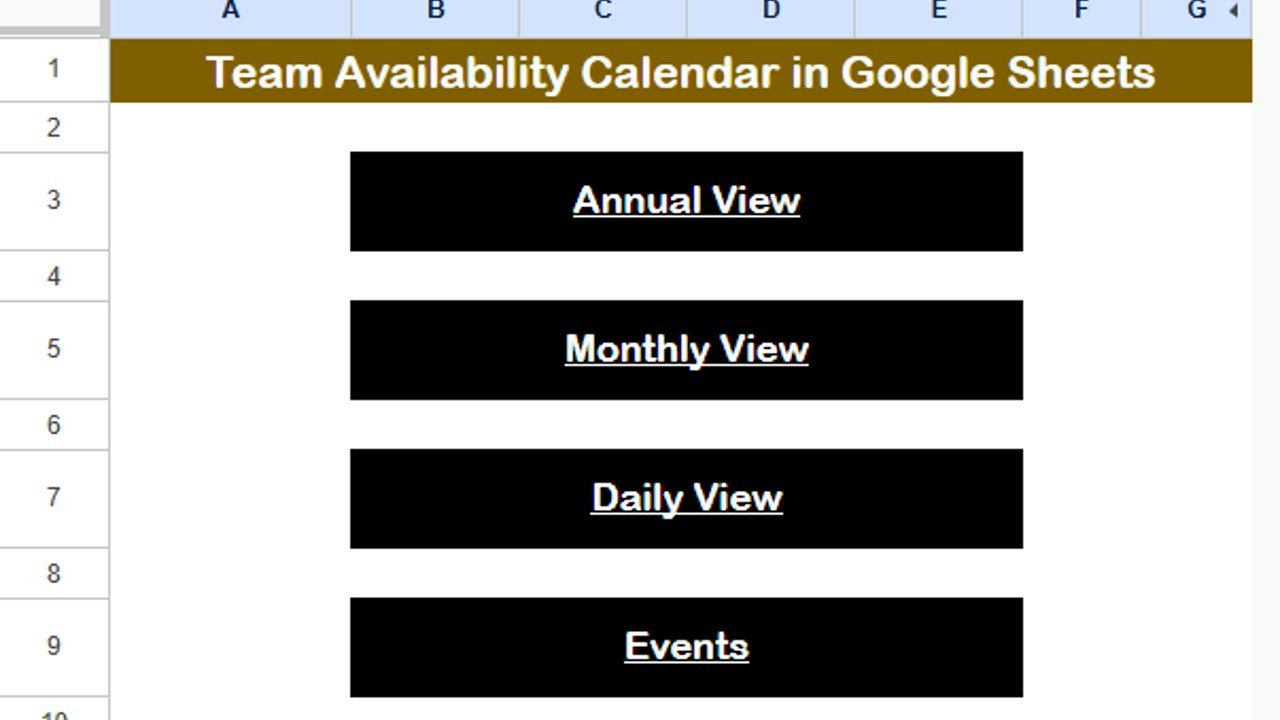
🏠 Home Sheet – Quick Navigation at Your Fingertips
One-click buttons to jump between Annual View, Monthly View, Daily View, and Events Sheet
Simple dashboard layout designed for all user levels
Serves as your go-to control panel to explore the full calendar
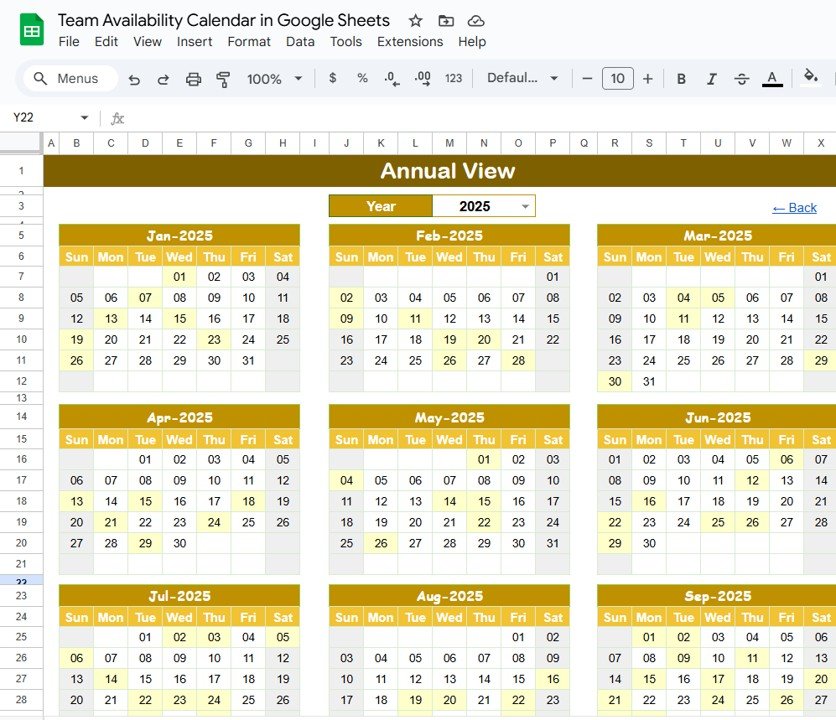
📆 Annual View Sheet – Year at a Glance
View the full year across 12 months in one place
Select any Year, set your Start Month (for fiscal or academic calendars)
Adjust starting day of the week (e.g., Sunday, Monday)
Ideal for high-level project and team planning
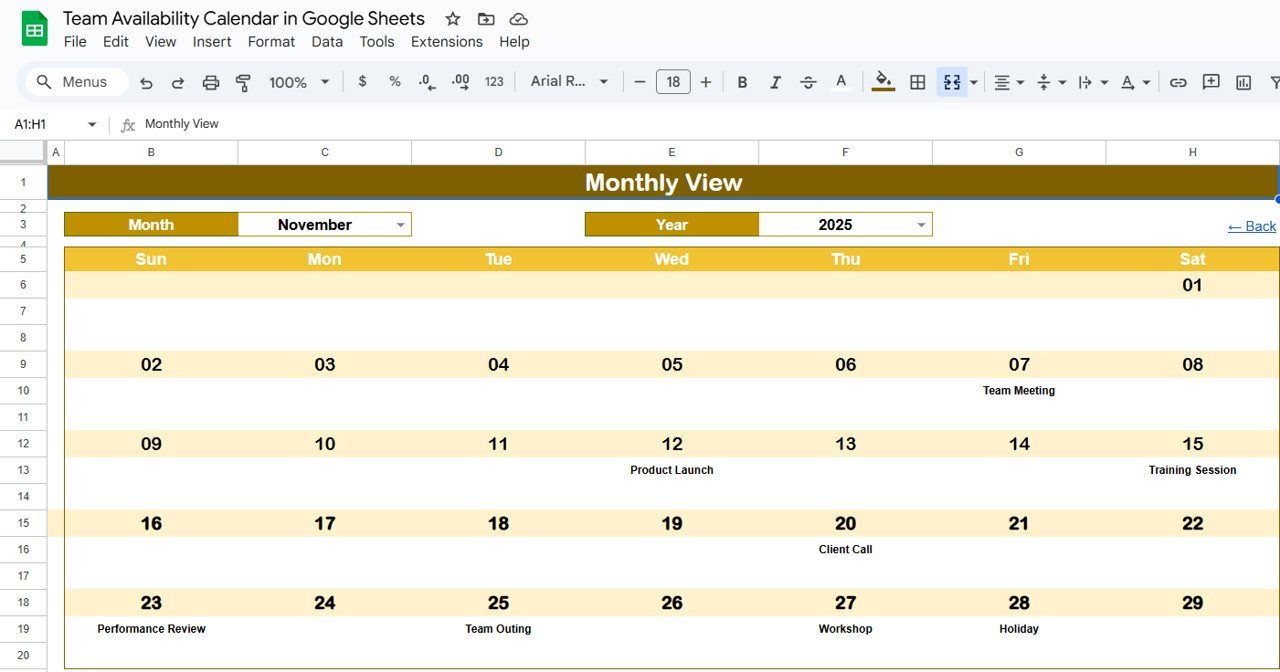
📅 Monthly View Sheet – Focused Monthly Scheduling
Pick any Month and Year to view an organized calendar
Automatically displays the selected month with events populated
Smart feature: Shows “more than 1…” if multiple events occur on the same day
Plan team tasks and meetings with clarity
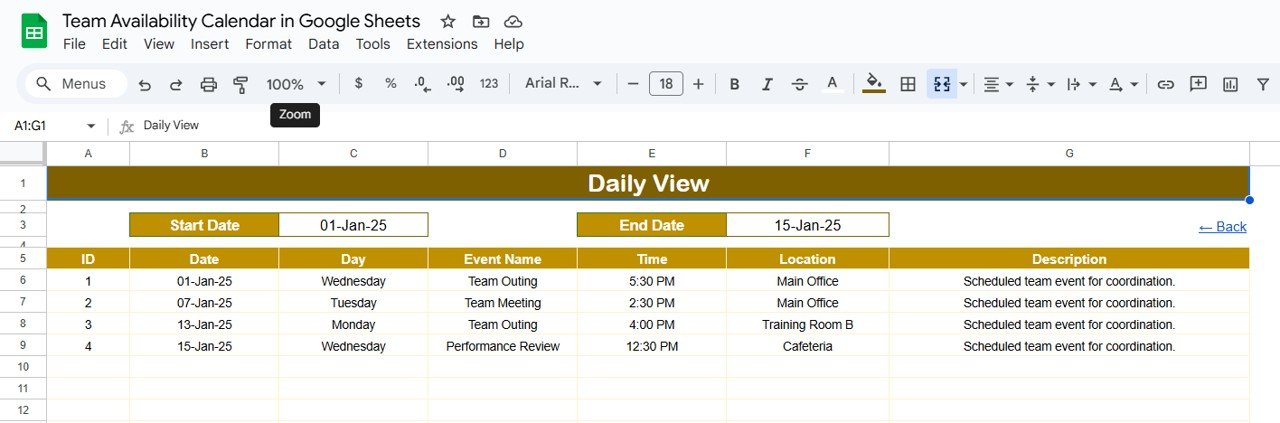
🗓️ Daily View Sheet – Zoom In on Specific Dates
Select a Start and End Date to view all events within that range
Calendar icon makes date selection quick and user-friendly
View key event info like time, location, and description in a structured table
Perfect for managing daily meetings, interviews, or time-sensitive activities
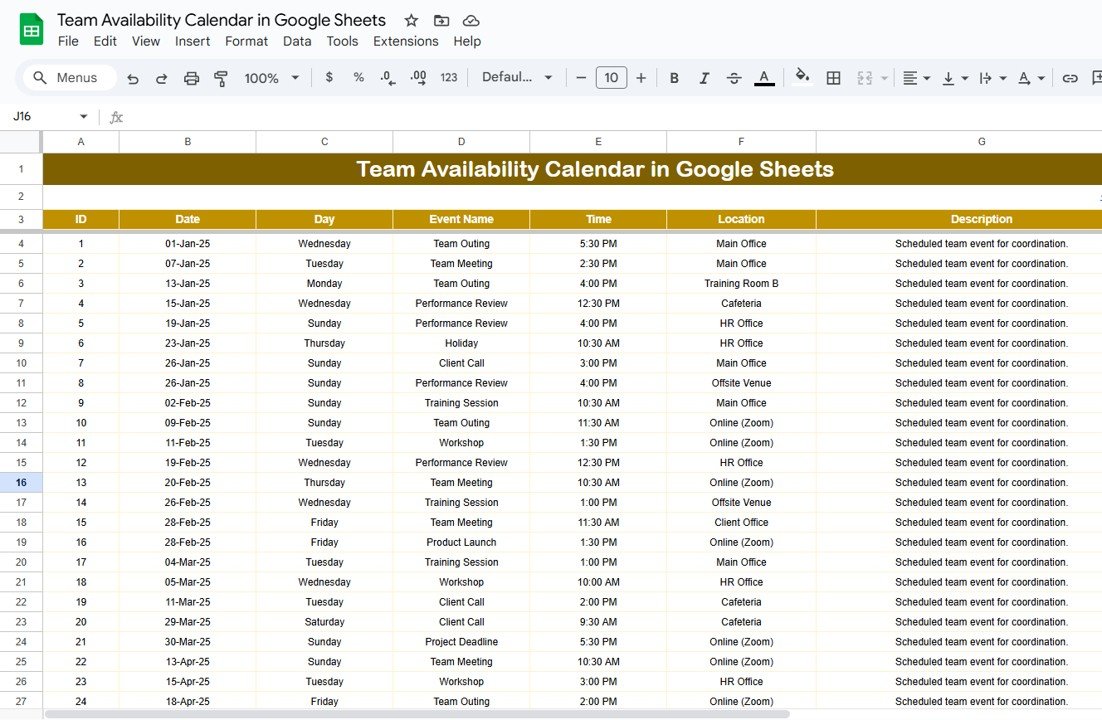
📋 Events Sheet – Your Master Event Database
Stores all event details in one place:
ID, Date, Day
Event Name, Time, Location
Description
Fully searchable and editable
Any update here reflects across all calendar views
Great for cross-checking, filtering, and reporting events
🧠 What’s Inside the Team Availability Calendar
✅ Home Sheet for smooth navigation
📅 Annual Calendar for year-round availability
📆 Monthly Calendar to focus on a single month
🗓️ Daily Event Tracker to monitor near-term tasks
📋 Events Sheet database for managing entries
🖌️ Fully editable and color-code ready for clarity
👥 Built with team collaboration in mind using Google Sheets
🔧 How to Use the Team Availability Calendar
Start at the Home Sheet – use buttons to jump to any section
Fill in events in the Events Sheet – add ID, date, event name, time, location, and description
Use slicers and filters in Daily View to check upcoming availability
Adjust the Annual View to reflect your calendar year or fiscal cycle
Collaborate live with your team via Google sharing
It’s that easy! No coding or advanced formula knowledge needed.
👥 Who Can Benefit from This Team Calendar?
👩💼 HR Managers tracking team shifts and leave
🧑💻 Project Managers planning cross-departmental timelines
📅 Executive Assistants managing C-level schedules
🧑🏫 School Administrators tracking staff presence
📈 Startup teams organizing remote collaboration
🧰 Admin teams planning company-wide events
This is a must-have tool for anyone managing multiple people’s availability.
🔗 Click here to read the Detailed blog post
Watch the step-by-step video Demo:






























Reviews
There are no reviews yet.