

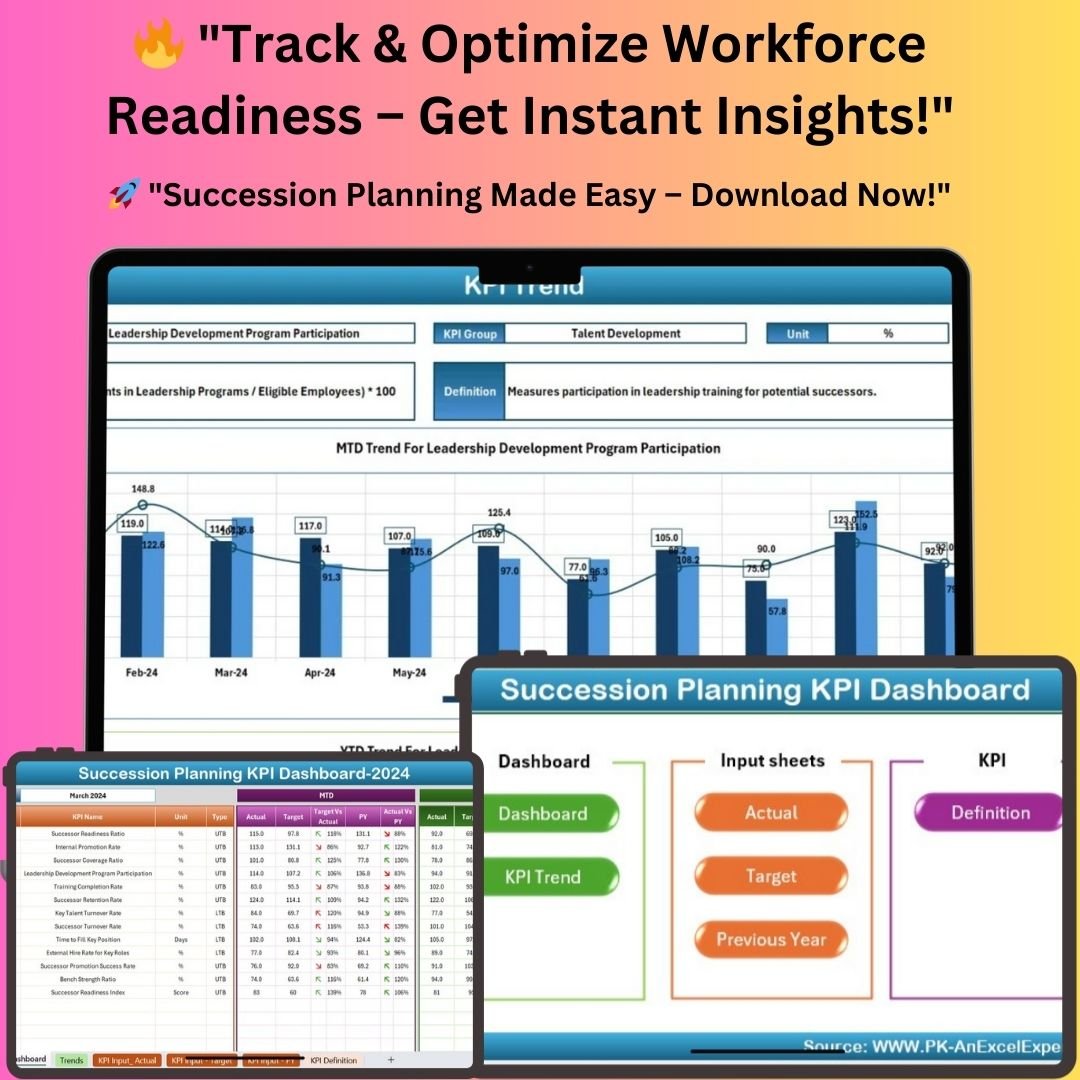
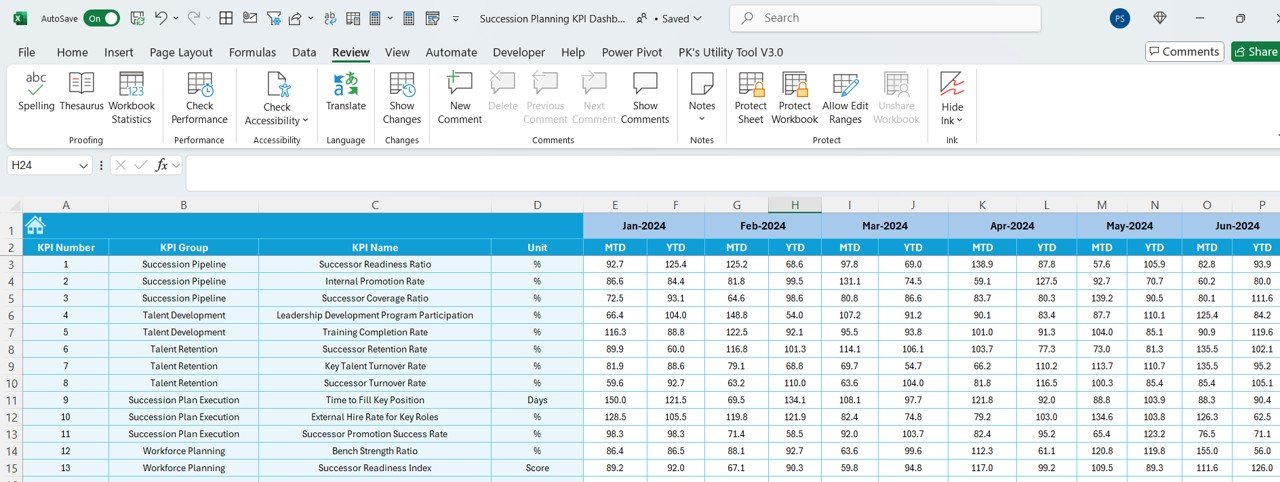
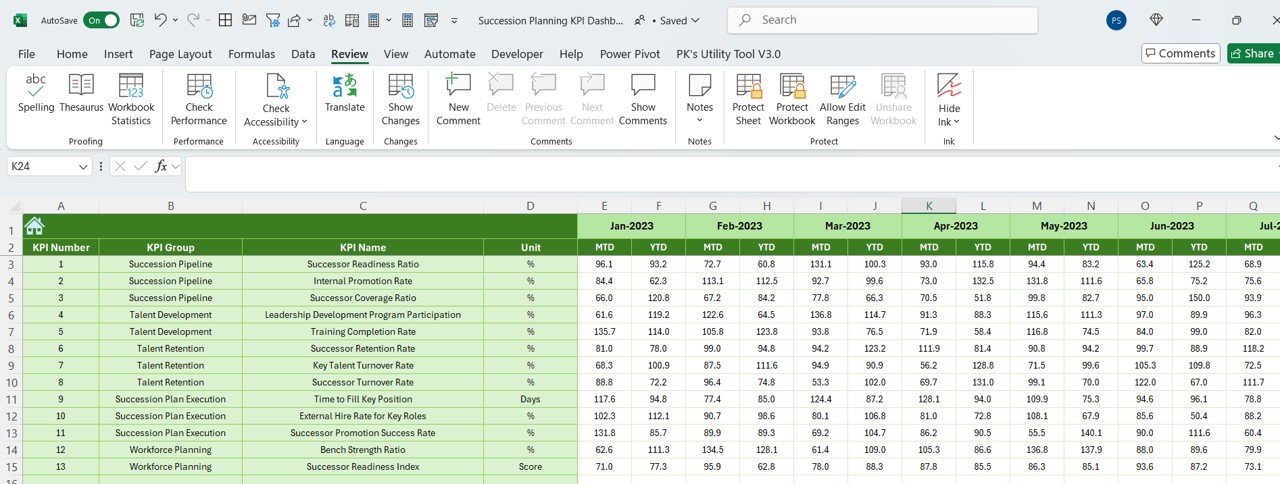

The Succession Planning KPI Dashboard in Excel is a ready-made template for monitoring the key performance indicators behind leadership readiness, internal promotions, talent retention and workforce planning. It is built for HR professionals, business leaders and talent managers who need a structured, data-driven view of their leadership pipeline. Enter your actuals, targets and previous-year numbers, and the dashboard tracks monthly and yearly trends with automated calculations and interactive visuals.
Why Use a Succession Planning KPI Dashboard?
Managing workforce succession is crucial for organizational growth. This workforce planning dashboard brings your succession planning KPIs together in one place so you can act on facts rather than guesswork:
- Identify leadership gaps and readiness levels.
- Monitor internal promotion rates and workforce stability.
- Track key HR metrics such as time-to-fill key positions, retention rates and turnover trends.
- Support real-time decision-making with automated calculations and dynamic reports.
Key Features
- Comprehensive KPI tracking – Monitor promotion rate, talent retention, workforce readiness and more.
- MTD and YTD analysis – Review Month-to-Date and Year-to-Date performance from a single month selector.
- Automated conditional formatting – Up/down arrows highlight performance trends for quick insights.
- Interactive trend charts – Visualize the progress of any KPI over time.
- Performance benchmarking – Compare actual results against targets and previous-year figures.
- Customizable input sheets – Enter actuals, targets and past performance; the dashboard does the calculations.
- Built-in KPI reference – Formulas, units and definitions documented for every metric.
What’s Inside: The Seven Sheets
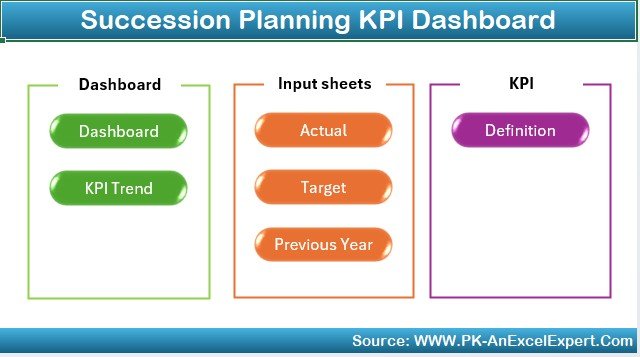
The Succession Planning KPI Dashboard in Excel includes seven dedicated sheets, each designed to streamline workforce management and keep your data accurate.
1. Home Sheet – Navigation Hub
The Home Sheet acts as a central hub with six clickable buttons, giving quick access to every KPI tracking section through a user-friendly, intuitive interface.
2. Dashboard Sheet – Comprehensive KPI Overview
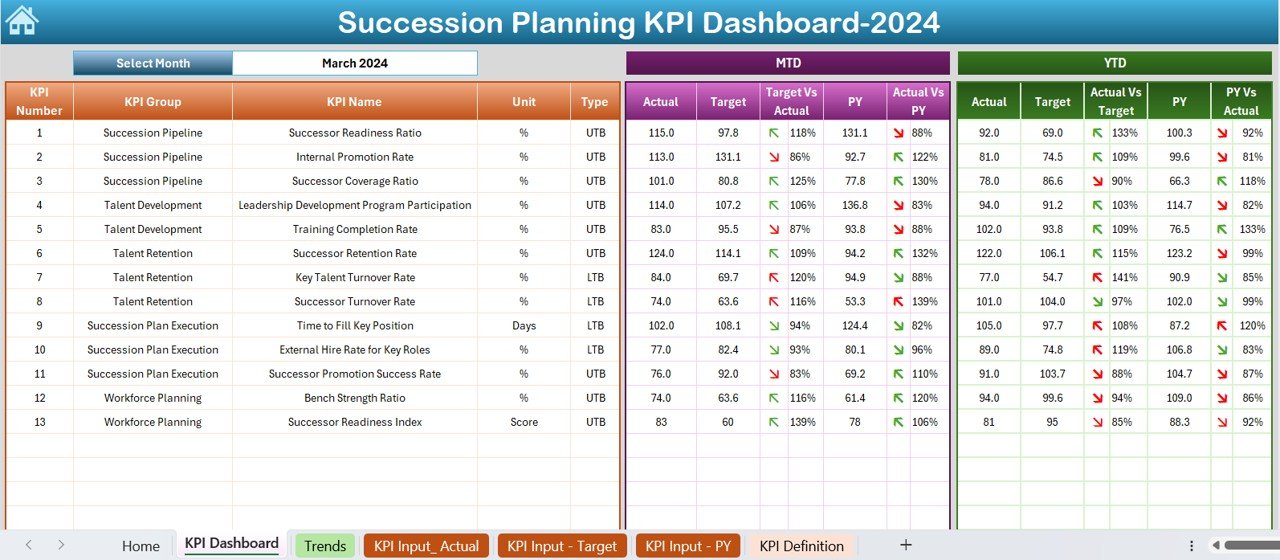
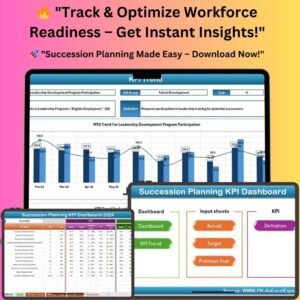
The Dashboard Sheet presents all key succession planning KPIs in a structured table.
- Select the month from the drop-down in range D3 – all data updates dynamically.
- MTD (Month-to-Date) and YTD (Year-to-Date) performance analysis.
- Up/down arrows via automated conditional formatting show which way each KPI is moving.
Key metrics tracked include:
- Successor Readiness Ratio
- Internal Promotion Rate
- Key Talent Turnover Rate
- Workforce Readiness Index
- External Hiring Rate for Key Roles
3. KPI Trend Sheet – Visual Performance Tracking
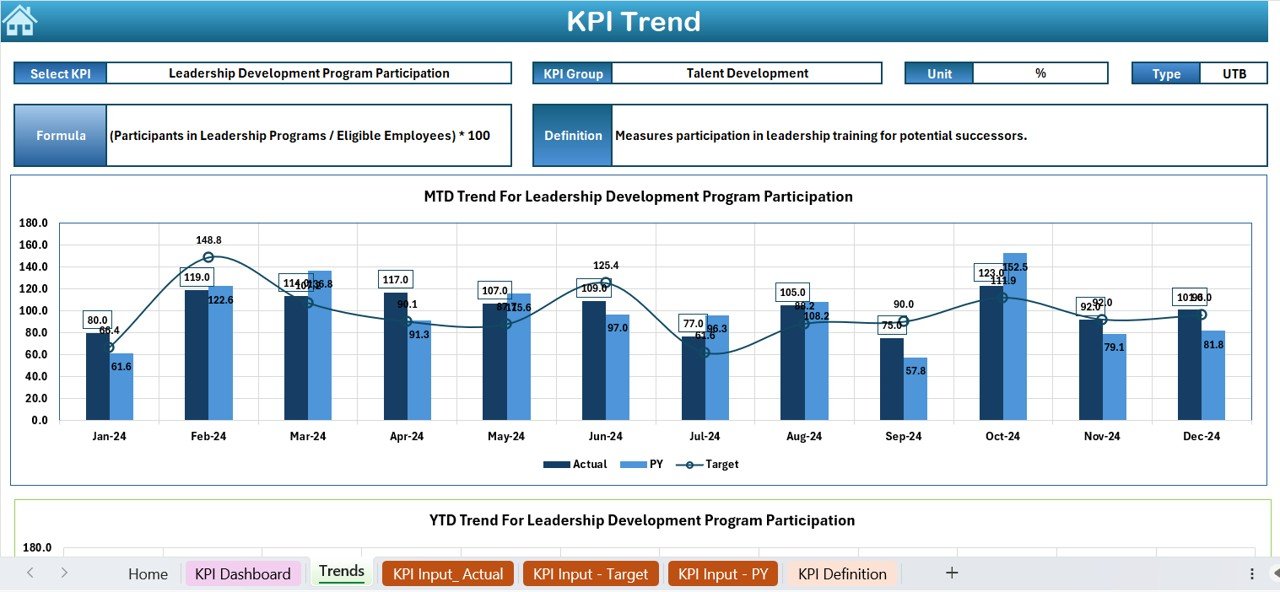
- Drop-down selection (C3) – choose any KPI to analyze its performance trend.
- Displays the KPI Group, Unit of Measurement, KPI Type (Higher is Better or Lower is Better) and the KPI Formula and Definition.
- Interactive charts for MTD and YTD KPI trends.
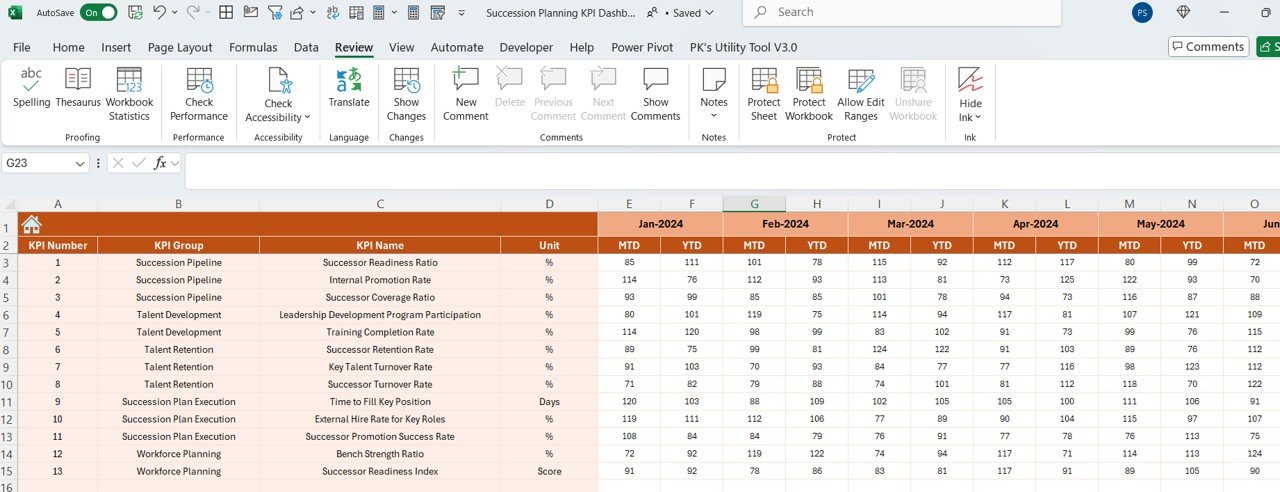
4. Actual Numbers Input Sheet – Data Entry
- Select the month (E1) – calculations update automatically.
- Auto-syncs with the Dashboard Sheet for up-to-date performance tracking.
- Removes manual calculations – just enter the data and let the dashboard do the work.
5. Target Sheet – Performance Benchmarking
- Set monthly and annual KPI goals.
- Compare actual performance against target benchmarks.
- Define success parameters for succession planning, the leadership pipeline and employee development, then identify gaps and adjust strategy.
6. Previous Year Numbers Sheet – Historical Comparison
- Records previous-year data for trend analysis and forecasting.
- Helps HR teams track long-term succession trends.
- Enables quick comparison of current vs. past performance.
7. KPI Definition Sheet – HR Metrics Reference Guide
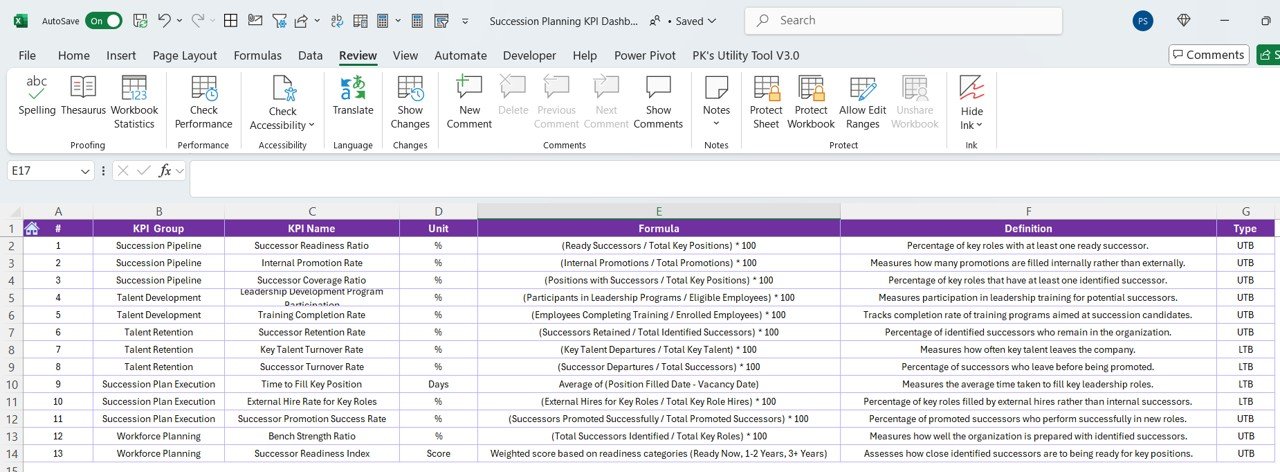
A built-in knowledge base listing the KPI Name, KPI Group, Unit of Measurement, Formula and Calculation, and KPI Definition for every tracked metric, so everyone reads the numbers the same way.
Benefits of Using This Dashboard
- Automates KPI tracking – no more manual calculations.
- Improves workforce readiness – monitor leadership pipelines effectively.
- Optimizes hiring decisions – track external hires vs. internal promotions.
- Enhances retention strategies – reduce turnover with data-driven HR planning.
- Time-saving and user-friendly – input your data and get instant results.
Who It’s For
- HR professionals reporting on succession and retention metrics.
- Business leaders who need visibility into leadership readiness.
- Talent managers building and monitoring the leadership pipeline and employee development.
How to Use It
- Open the file and start from the Home Sheet to navigate between sections.
- Review the KPI Definition Sheet to confirm each metric’s formula and unit.
- Enter monthly and annual goals in the Target Sheet and historical figures in the Previous Year Numbers Sheet.
- Record monthly results in the Actual Numbers Input Sheet.
- Pick a month on the Dashboard Sheet to see MTD and YTD results, then use the KPI Trend Sheet to explore any KPI’s trend.
Click here to read the detailed blog post
Visit our YouTube channel to learn from step-by-step video tutorials: Youtube.com/@PKAnExcelExpert
Frequently Asked Questions
What KPIs does the Succession Planning KPI Dashboard track?
It tracks succession planning KPIs including Successor Readiness Ratio, Internal Promotion Rate, Key Talent Turnover Rate, Workforce Readiness Index and External Hiring Rate for Key Roles.
Does it show monthly and yearly results?
Yes. Selecting a month on the Dashboard Sheet shows MTD and YTD performance, with up/down arrows indicating trends, and the KPI Trend Sheet charts MTD and YTD trends.
Do I need to write formulas?
No. You enter actuals, targets and previous-year numbers in the input sheets, and the dashboard calculates and updates automatically.
Can I compare performance against targets and last year?
Yes. The Target Sheet holds monthly and annual goals and the Previous Year Numbers Sheet stores historical data, so the dashboard compares actuals with both.
How do I know how each KPI is calculated?
The KPI Definition Sheet lists each KPI’s name, group, unit of measurement, formula and definition, and the KPI Trend Sheet also shows these details for the selected KPI.
Last updated: October 2026
Compatibility and Requirements
- Works in Microsoft Excel desktop (Excel 2016 or later, or Microsoft 365).
- You pick the month from a drop-down on the Dashboard, KPI Trend and Actual Numbers sheets. Microsoft explains drop-downs in Create a drop-down list.
Related Templates
- Succession Planning KPI Dashboard in Google Sheets: the same KPIs in Google Sheets
- Succession Planning KPI Dashboard in Power BI: the Power BI edition
- Workforce Planning KPI Dashboard in Excel: track workforce planning KPIs in Excel
- HR & Workforce Analytics Bundle: 10 templates for HR reporting in one download
Browse all Excel KPI dashboards.
































Reviews
There are no reviews yet.