

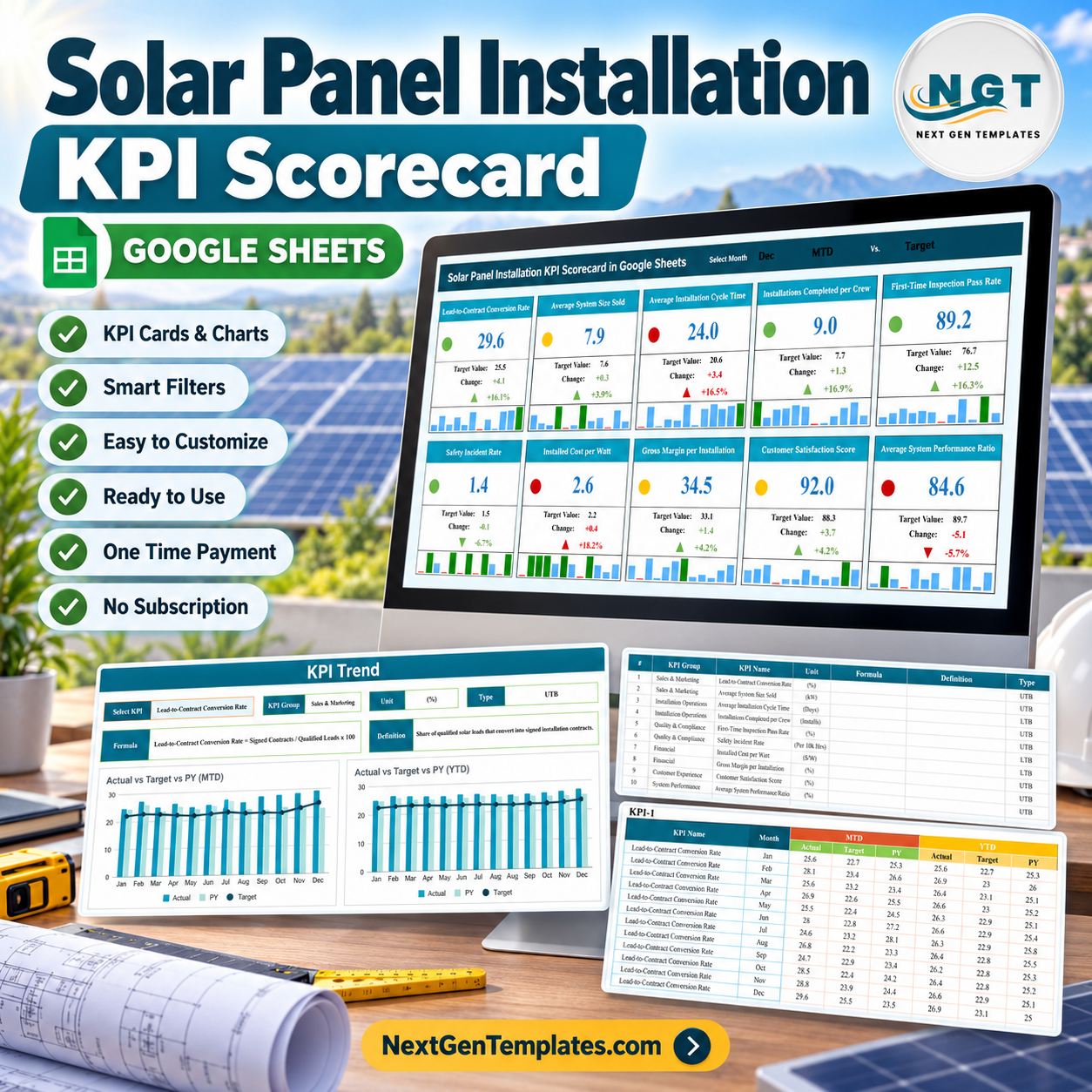

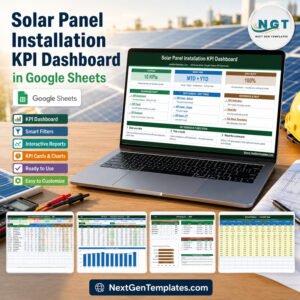
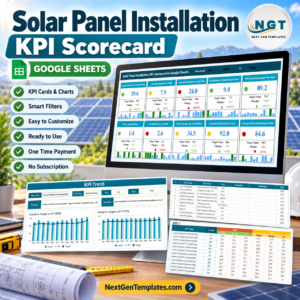
Review 10 solar installation KPIs in one month-selectable Google Sheets scorecard. The Solar Panel Installation KPI Scorecard in Google Sheets places sales, installation, quality, safety, cost, customer, and system-performance measures into compact cards with actual, target, change, status, and twelve-month mini charts. A separate trend view compares actual, target, and prior-year figures for both MTD and YTD, while the definition and data areas keep the logic visible. The current sale price is a one-time $8.99, with no subscription or add-on. Replace all demonstration values and definitions with your approved business data before relying on the results.
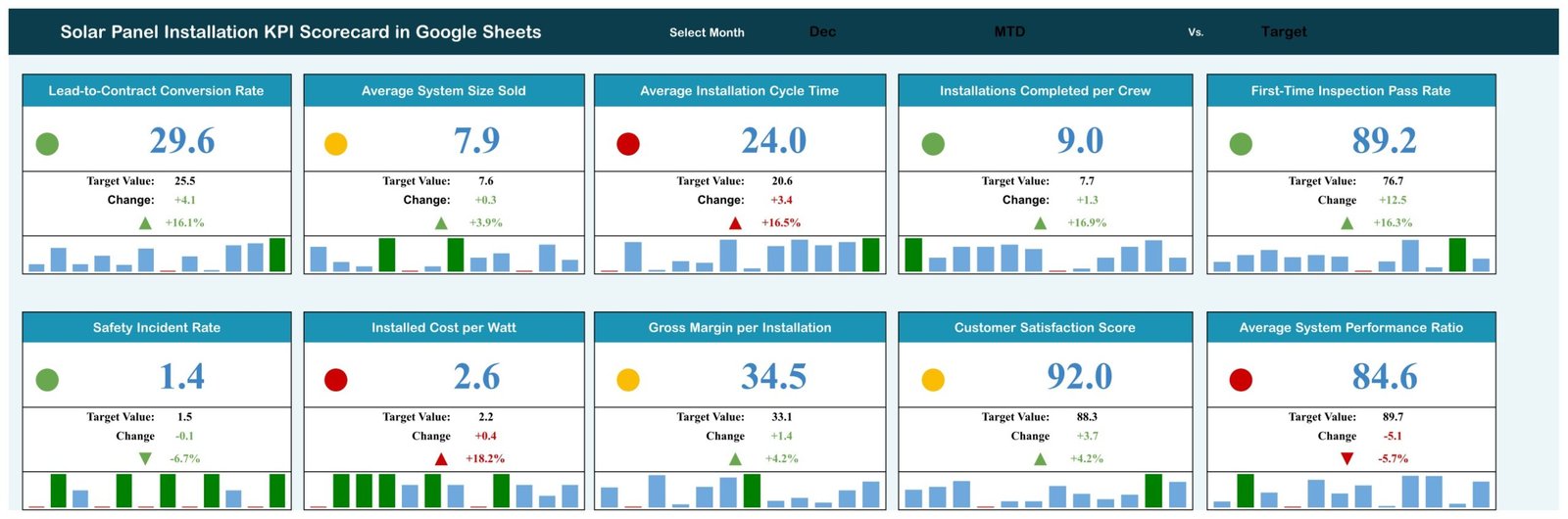
Month-selectable solar installation KPI scorecard
Key Features of Solar Panel Installation KPI Scorecard in Google Sheets
- 10 ready-made KPI cards: cover sales conversion, system size, installation cycle, crew output, inspection, safety, cost, margin, satisfaction, and performance ratio.
- Month selector: move from January to December and review the selected period.
- Actual-versus-target display: see target value, absolute change, percentage change, and colored status.
- Twelve-month sparklines: each scorecard tile carries a compact history view.
- MTD and YTD trends: compare actual, target, and prior-year performance for one selected KPI.
- Upper- and lower-the-better logic: interpret conversion and satisfaction differently from cycle time, incident rate, and cost.
- Definition master: document formula, unit, plain-language meaning, group, and KPI direction.
- Editable data tables: maintain monthly MTD and YTD actual, target, and prior-year figures.
What’s Inside the Solar Panel Installation KPI Scorecard in Google Sheets
The main scorecard shows ten cards: Lead-to-Contract Conversion Rate, Average System Size Sold, Average Installation Cycle Time, Installations Completed per Crew, First-Time Inspection Pass Rate, Safety Incident Rate, Installed Cost per Watt, Gross Margin per Installation, Customer Satisfaction Score, and Average System Performance Ratio. The sample December view clearly separates positive, caution, and adverse results, but the figures and thresholds are demonstration inputs rather than industry benchmarks.
The KPI Trend page lets the user select one metric and displays its group, unit, direction, formula, and definition. Two charts compare actual, target, and previous-year results across twelve months: one for MTD and another for YTD. The definition sheet lists all ten metrics and calculation descriptions. The data sheet stores monthly values per KPI across MTD and YTD actual, target, and prior-year columns.
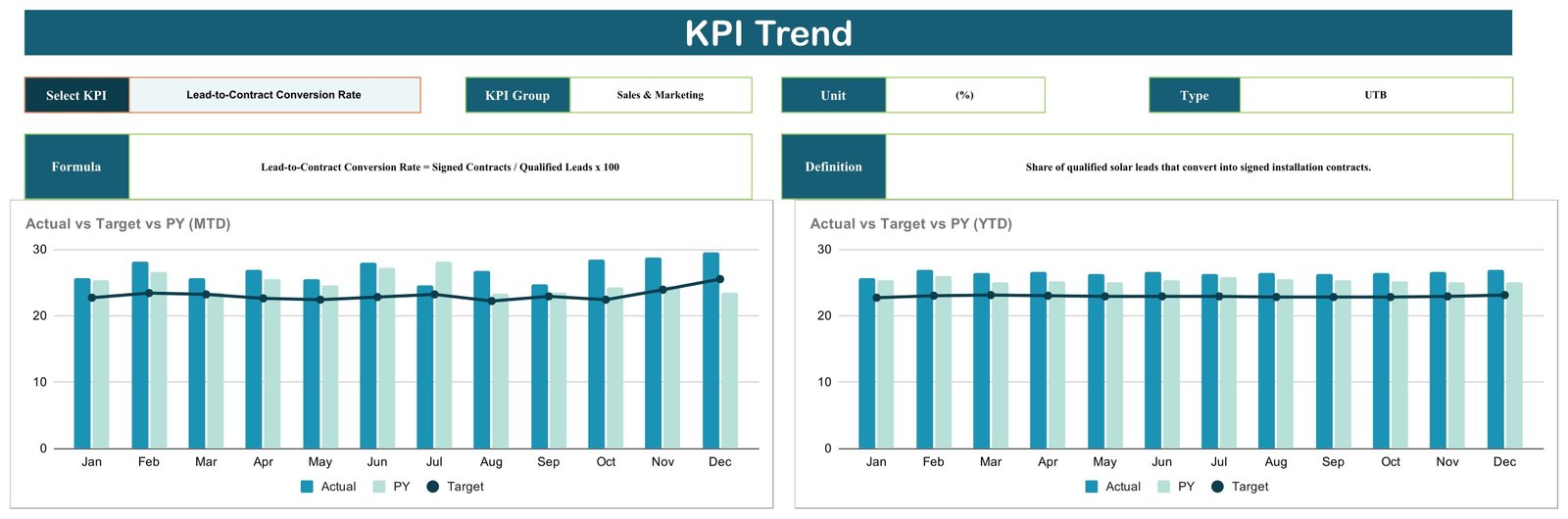
Selected-KPI trend comparison for MTD and YTD

Ten editable KPI definitions and formulas
Solar Panel Installation KPI Scorecard in Google Sheets vs. Excel vs. Paid Solar CRM – Where This Fits
| Consideration | This Google Sheets scorecard | Excel alternative | Paid solar CRM or project platform |
|---|---|---|---|
| Cost | One-time $8.99 sale price | Usually one-time workbook cost | Recurring subscription |
| Platform | Google Sheets browser or app | Microsoft Excel | Vendor web and mobile apps |
| Setup | Copy, review definitions, enter values | Download and configure | Account setup and onboarding |
| Collaboration | Native sharing and simultaneous editing | Depends on file storage and version | Usually built in |
| Custom definitions | Transparent and editable | Highly editable | Limited by vendor configuration |
| Lead, permit, and project workflow | Not included | Not normally included | Often included |
| Best fit | Prepared monthly KPI review | Desktop-led reporting | End-to-end operating workflow |
Who This Template Is For – and Who It’s Not For
This scorecard is suited to solar installation company owners, sales managers, installation managers, quality leads, safety managers, finance teams, and customer-experience leads who can prepare approved monthly totals. It works well for a regular management meeting where each KPI has a documented owner and definition.
It is not a CRM, proposal tool, permit tracker, job scheduler, crew dispatch system, inspection record, safety log, accounting ledger, energy monitoring platform, or engineering model. First-Time Inspection Pass Rate and Safety Incident Rate are user-entered management measures; the scorecard does not determine AHJ approval, OSHA compliance, electrical-code conformity, system design adequacy, or regulatory compliance. Average System Performance Ratio is not connected to an inverter or live monitoring feed.
How to Use the Solar Panel Installation KPI Scorecard in Google Sheets
- Open the purchased PDF and follow its Google Sheets link to create your editable copy.
- Review the KPI definitions, units, formulas, and upper/lower direction before entering data.
- Replace sample monthly actual, target, and previous-year figures with approved values.
- Select a month on the scorecard and review the status, change, and twelve-month mini charts.
- Choose a KPI on the Trend page to compare MTD and YTD patterns against target and prior year.
- Investigate operational causes outside the workbook and document any approved definition changes.

Monthly MTD and YTD data structure
Real-World Use Cases
Sales manager reviewing conversion
A sales manager can compare lead-to-contract conversion and average system size sold with approved targets, then use the trend page to distinguish a single-month swing from a sustained pattern.
Installation manager balancing speed and quality
An installation manager can review cycle time and installations per crew alongside first-time inspection pass rate, keeping throughput and quality in the same discussion.
Finance lead watching installation economics
A finance lead can monitor installed cost per watt and gross margin per installation while preserving the exact formula definitions used by the business.
Frequently Asked Questions
Is this a KPI dashboard or a KPI scorecard?
It is the compact KPI scorecard family: ten metric cards, a selected-KPI trend page, a definition list, and monthly data tables. It is different from the larger KPI dashboard line.
Can I change the ten KPIs?
Yes. Definitions and labels are editable, but structural formula changes should be tested in a separate copy before operational use.
Does it connect to solar CRM or monitoring software?
No. Values are entered in the Google Sheets data structure; there is no built-in CRM, inverter, telemetry, or project-system connection.
Can multiple people collaborate?
Yes. Standard Google Sheets sharing supports simultaneous editing, subject to the permissions you configure.
Does the scorecard prove inspection or safety compliance?
No. It only summarizes values you supply. It does not replace permits, inspections, incident records, safety systems, engineering review, or professional advice.
What do I receive?
You receive a PDF with the link used to create your own editable Google Sheets copy.
About the Author
Built by PK – Microsoft Certified Professional with 15+ years of Excel, Google Sheets, and Power BI experience. Founder of NextGenTemplates, reaching 300K+ subscribers across YouTube channels. Every template is hand-built and tested before release.
Explore Related Templates
Compare the broader Solar Energy KPI Scorecard in Google Sheets, the Renewable Resource KPI Dashboard in Google Sheets, the project-focused Solar Project Construction Dashboard in Google Sheets, and the analytical Solar Energy Dashboard in Excel or Power BI edition. Browse more Google Sheets KPI templates and Google Sheets products.
Give solar installation performance a compact, repeatable monthly review. Purchase the scorecard once, create your Google Sheets copy, and adapt every definition to your approved process.
Watch the step-by-step video Demo:
Last updated: September 5, 2026.
Compatibility and Requirements
- Works in Google Sheets. You need a free Google account and a web browser.
- You pick the month from a selector on the scorecard and the KPI from a selector on the trend page. Google explains dropdowns in Create an in-cell dropdown list.
More Questions About This Template
Is there an Excel version of this scorecard?
Yes. See the Solar Panel Installation KPI Scorecard in Excel.
Is there a larger dashboard for solar installation KPIs?
Yes. The Solar Panel Installation KPI Dashboard in Google Sheets is also available, with Excel and Power BI editions.
Which KPIs does the scorecard cover?
Ten KPIs: Lead-to-Contract Conversion Rate, Average System Size Sold, Average Installation Cycle Time, Installations Completed per Crew, First-Time Inspection Pass Rate, Safety Incident Rate, Installed Cost per Watt, Gross Margin per Installation, Customer Satisfaction Score and Average System Performance Ratio.






















Reviews
There are no reviews yet.