



Key Features of Robotics Training Institutes KPI Dashboard
Introducing the Robotics Training Institutes KPI Dashboard – a comprehensive, user-friendly digital solution designed specifically to help robotics training centers track, analyze, and optimize their key performance indicators (KPIs) effectively. This powerful dashboard comes packed with seven meticulously crafted worksheets, each serving a unique purpose to deliver an all-encompassing view of your institute’s performance.
- 🏠 Home Sheet: The central hub featuring 6 intuitive buttons for quick navigation to all critical sheets, ensuring effortless access and a seamless user experience.

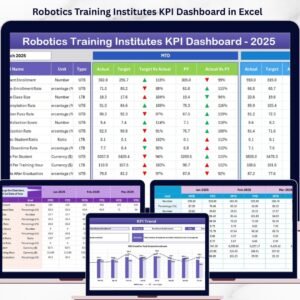
Home Page - 📊 Dashboard Sheet: The heart of the report where all KPIs are showcased with dynamic month selection. Track MTD (Month-To-Date) and YTD (Year-To-Date) Actuals, Targets, and Previous Year data side-by-side. Up/down conditional formatting arrows instantly highlight performance trends for quick decision-making.
Robotics Training Institutes KPI Dashboard - 📈 KPI Trend Sheet: Select any KPI from the dropdown to dive deep into its trends. View KPI Group, Unit, KPI Type (Lower The Better or Upper The Better), Formula, and Definition. Visualize MTD and YTD trends with clear charts for Actual, Target, and Previous Year data.
KPI Trend Sheet - ✍️ Actual Numbers Input Sheet: Easily input actual monthly and yearly numbers. Change the starting month dynamically to fit your fiscal calendar.
Actual Numbers Input sheet - 🎯 Target Number Input Sheet: Define MTD and YTD target values individually for each KPI to benchmark performance.
Target Number Input sheet - 📅 Previous Year Number Sheet: Input previous year data for effective year-over-year comparison and trend analysis.
Previous Year Number Input sheet - 📝 KPI Definition Sheet: Maintain a clear repository of KPI names, groups, units, formulas, definitions, and KPI types (Lower The Better or Upper The Better) for consistency and clarity.
KPI Definition sheet


What’s Inside the Robotics Training Institutes KPI Dashboard
This digital product is a ready-to-use Excel-based KPI dashboard tailored specifically for robotics training institutes. It includes:
- 🗂️ Seven fully integrated worksheets designed for smooth data input, analysis, and visualization
- 📅 Dynamic month selection to view and analyze data for any period
- 📊 Interactive charts and conditional formatting for instant insights on KPI performance
- ⚙️ Editable KPI definitions and formulas for customization according to your institute’s unique metrics
- 💻 User-friendly navigation with clickable buttons on the Home sheet for quick access
- 🔄 Seamless comparison of current month, year-to-date, and previous year data to track progress and growth
How to Use the Robotics Training Institutes KPI Dashboard
Getting started with this dashboard is simple and intuitive:
- 🎯 Step 1: Use the Home sheet to navigate quickly to any part of the dashboard.
- ✍️ Step 2: Input your actual monthly and yearly data in the Actual Numbers Input sheet, adjusting the starting month if necessary.
- 🎯 Step 3: Enter your target values for each KPI in the Target Number Input sheet to set benchmarks.
- 🔄 Step 4: Populate previous year numbers in the Previous Year Number sheet for accurate year-over-year comparisons.
- 📝 Step 5: Confirm or update KPI definitions, units, formulas, and types in the KPI Definition sheet to ensure precision.
- 📊 Step 6: Use the Dashboard sheet to get a comprehensive overview of current performance with clear visual indicators and conditional formatting.
- 📈 Step 7: Dive deeper into trends by selecting specific KPIs in the KPI Trend sheet to analyze month-to-date and year-to-date progress.
Who Can Benefit from This Robotics Training Institutes KPI Dashboard
This dashboard is a must-have for anyone involved in managing or optimizing robotics training institutes, including:
- 🏫 Training Managers looking for real-time performance tracking and actionable insights
- 📊 Data Analysts who want a streamlined tool to visualize and compare KPIs efficiently
- 🎓 Institute Owners who need clear, data-driven reports to make strategic decisions
- 👩🏫 Instructors and Trainers aiming to monitor training quality and effectiveness through measurable metrics
- 📈 Business Development Teams that require performance data to pitch improvements and growth opportunities
- 💼 Consultants and Advisors working with robotics training centers to optimize operations and growth
Designed with simplicity and power, this KPI dashboard empowers you to unlock data-driven success and elevate your robotics training institute’s performance to new heights.
Click here to read the Detailed blog post.
Visit our YouTube channel to learn step-by-step video tutorials
Compatibility and Requirements
- Works in Microsoft Excel desktop (Excel 2016 or later, or Microsoft 365).
- The KPI Trend sheet uses a dropdown to pick a KPI and the Dashboard sheet uses month selection. Microsoft explains dropdowns in Create a drop-down list.
Frequently Asked Questions
Which sheets are included?
Seven sheets: Home, Dashboard, KPI Trend, Actual Numbers Input, Target Number Input, Previous Year Number and KPI Definition.
How do I update the dashboard?
Enter your monthly and yearly figures in the Actual Numbers Input sheet and your goals in the Target Number Input sheet. Then pick a month on the Dashboard sheet and it updates with MTD and YTD actuals, targets and previous year data.
Can I change the starting month?
Yes. The Actual Numbers Input sheet lets you change the starting month to fit your fiscal calendar.
Can I edit the KPIs?
Yes. The KPI Definition sheet holds each KPI name, group, unit, formula, definition and type (Lower The Better or Upper The Better), and you can edit them to match your institute’s metrics.
Is there a Power BI version?
Yes. See the Robotics Training Institutes KPI Dashboard in Power BI.
Related Training Templates
- Robotics Training Institutes KPI Dashboard in Power BI: the same KPIs in Power BI
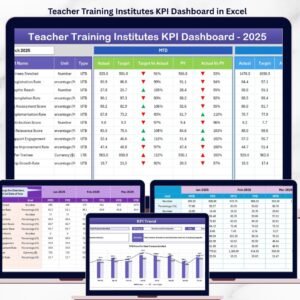
- Teacher Training Institutes KPI Dashboard in Excel: a KPI dashboard for teacher training centers
- Vocational Training KPI Dashboard in Excel: KPI tracking for vocational programs
- Employee Training KPI Dashboard in Excel: KPI tracking for staff training
- KPI Dashboard Library (Excel): 15 KPI dashboard templates in one download
Browse all Excel KPI dashboards.





Reviews
There are no reviews yet.