

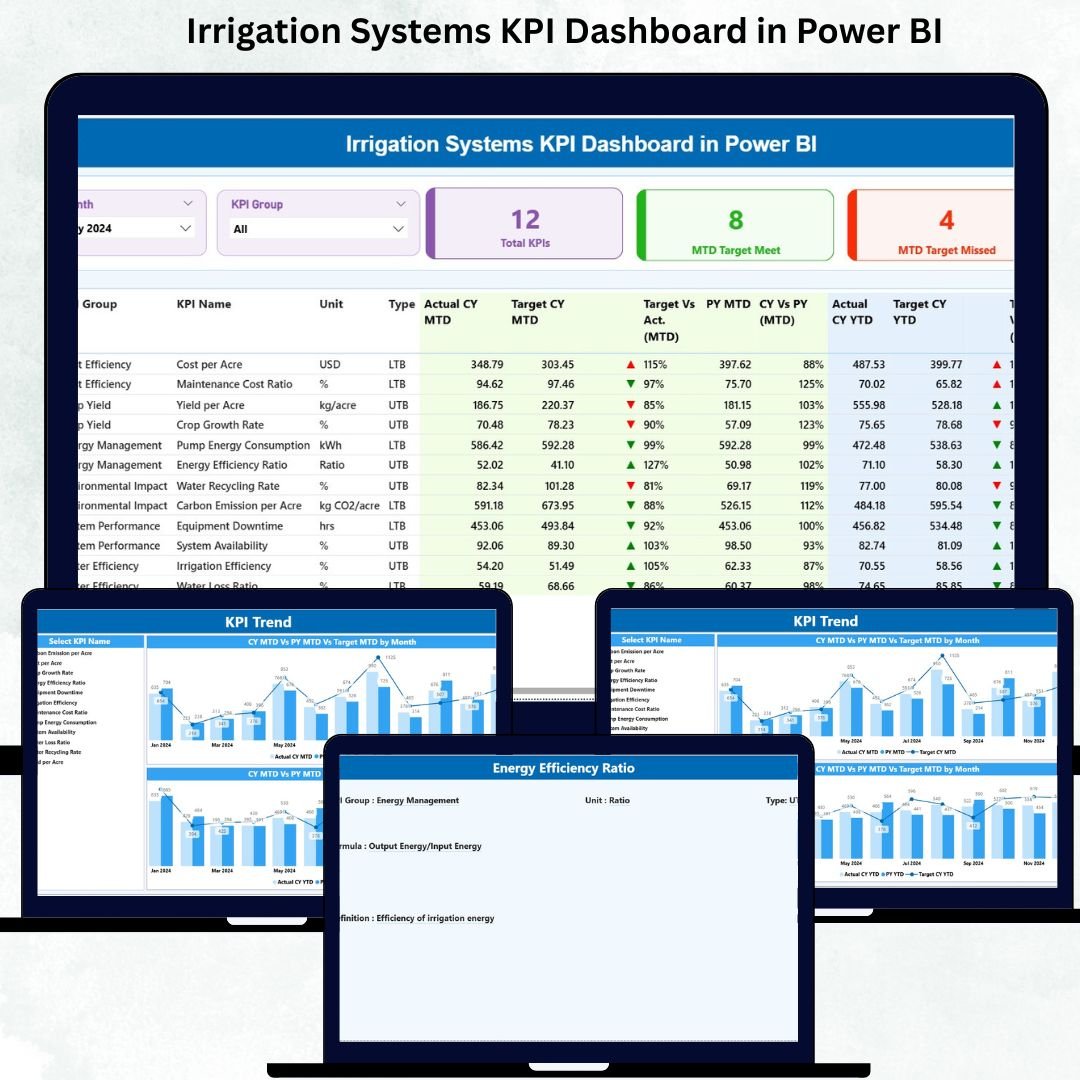

Irrigation Systems KPI Dashboard in Power BI Efficient irrigation is the backbone of modern agriculture 🌱. Monitoring water usage, pump efficiency, field coverage, and overall system performance is crucial to reducing costs, improving crop yield, and ensuring sustainability. The Irrigation Systems KPI Dashboard in Power BI is a ready-to-use solution that transforms your Excel data into actionable insights, helping farm managers, operators, and engineers make smarter decisions in real time.
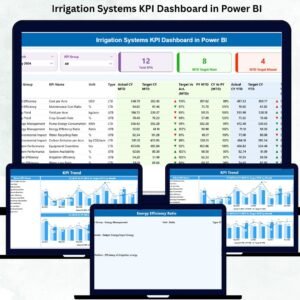
Irrigation Systems KPI Dashboard in Power BI This dashboard collects, visualizes, and tracks key irrigation KPIs through a clean, intuitive interface. Irrigation Systems KPI Dashboard in Power BI With its comprehensive structure and automated updates, managing complex irrigation systems becomes simpler, faster, and more precise.
Key Features of Irrigation Systems KPI Dashboard in Power BI 💡
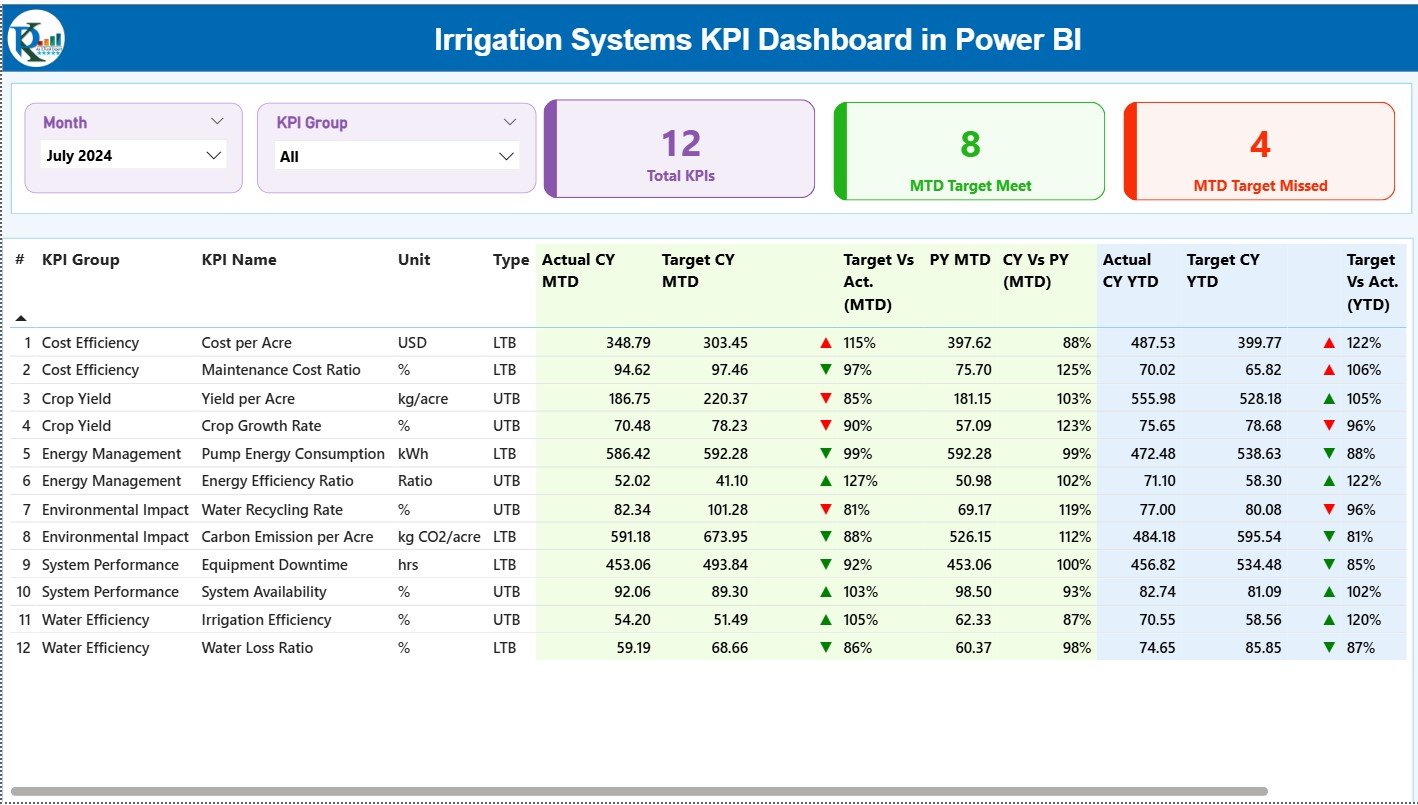
Summary Page – Central Performance Hub: View all essential KPIs at a glance. Track total KPIs, targets met, and targets missed. Filter by month or KPI group to quickly assess system health.
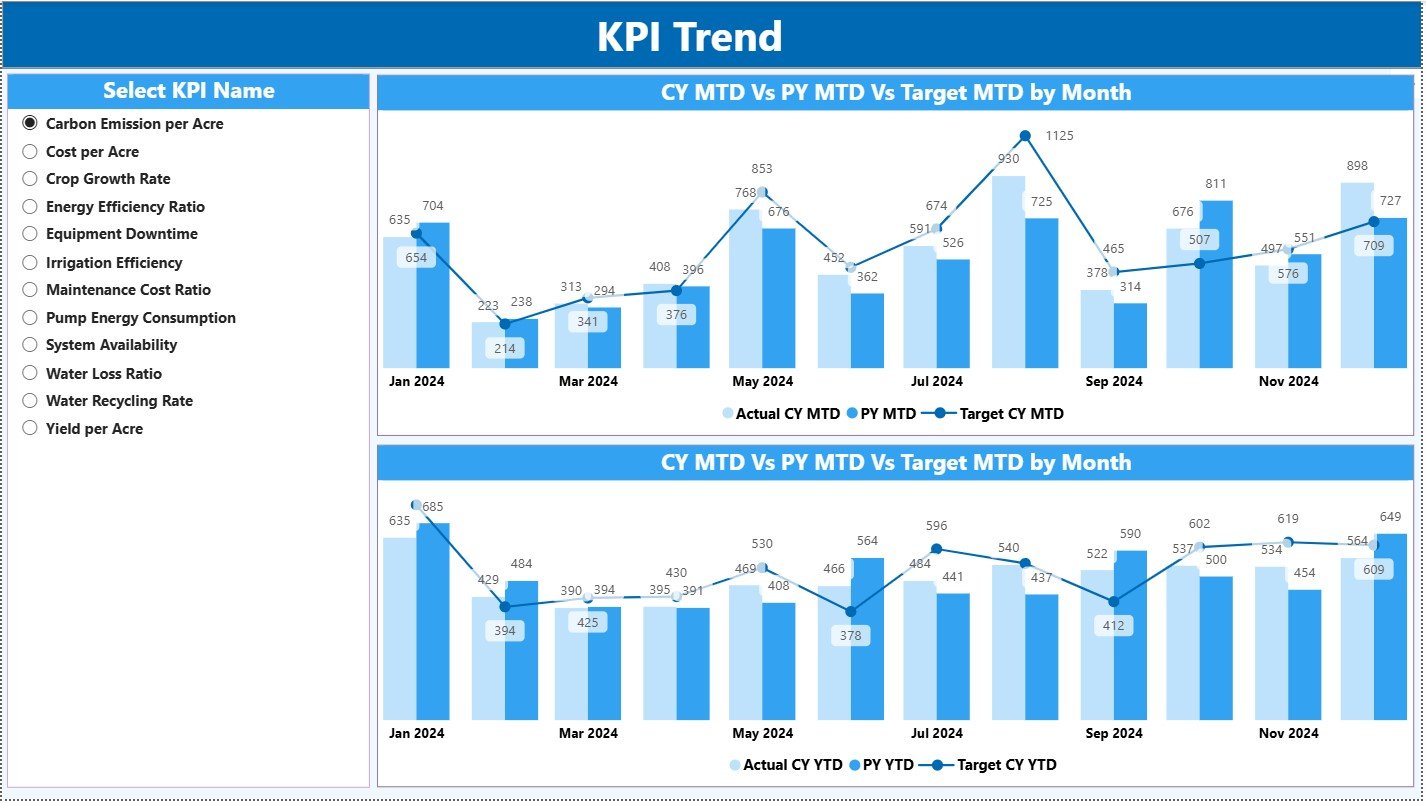
KPI Trend Page – Track Long-Term Performance 📊: Visualize trends for MTD and YTD values using combo charts. Monitor seasonal water usage, efficiency improvements, and system reliability over months or years.
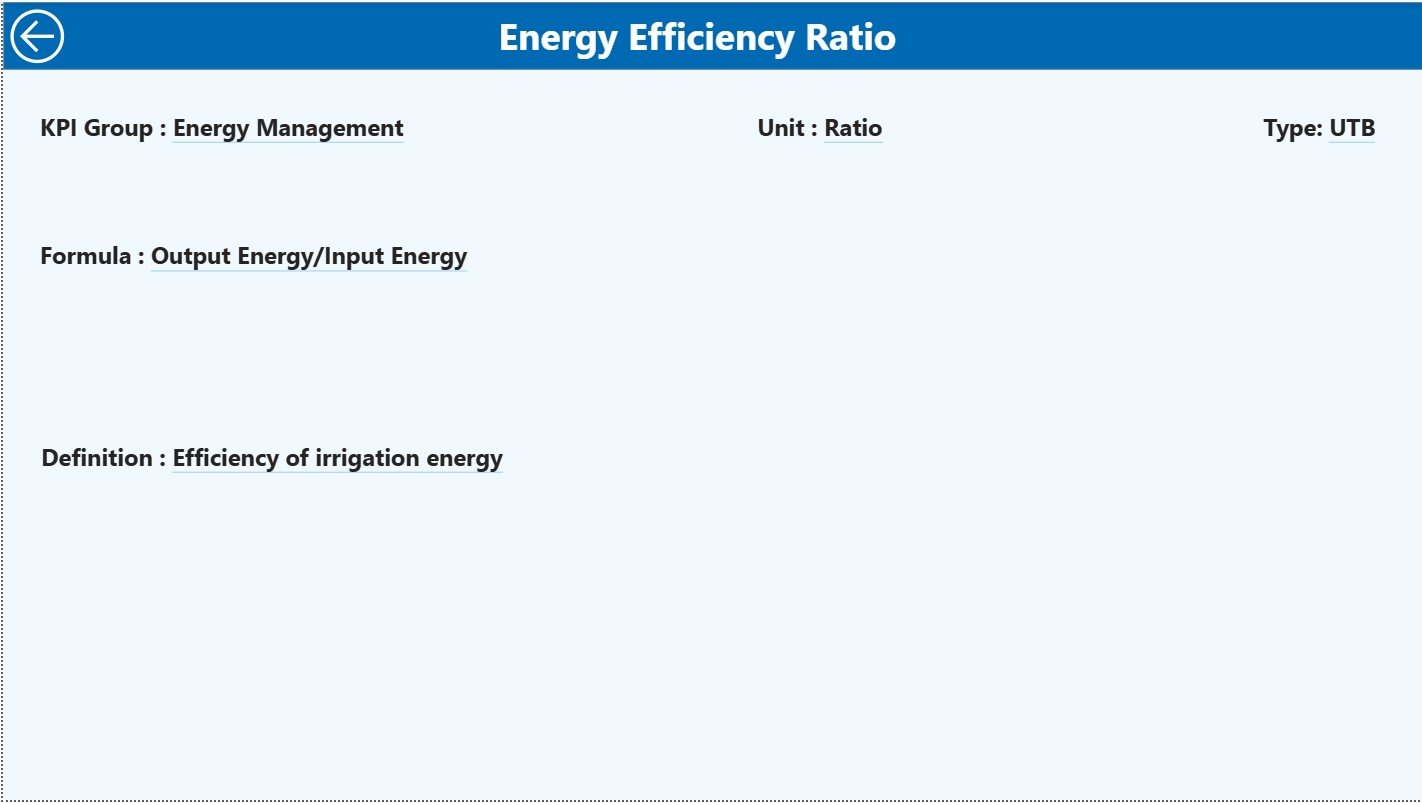
KPI Definition Page – Clear Understanding 🔍: Drill through to see each KPI’s formula, unit, and type (LTB or UTB). Remove confusion and ensure everyone on your team understands the metrics.
Real-Time Updates ⚡: As soon as data in Excel changes, Power BI updates visuals automatically, enabling immediate action.
Customizable KPIs 🛠️: Easily add or modify KPIs to match evolving operational goals and reporting requirements.
What’s Inside the Irrigation Systems KPI Dashboard 📦
Excel Data Source: Three worksheets — Input Actual, Input Target, and KPI Definition — for seamless data entry and dashboard updates.
Summary Page: Quick snapshot of KPIs with cards, detailed tables, and visual indicators (green ▲ for met, red ▼ for missed).
KPI Trend Page: Track performance trends across MTD and YTD metrics with clear visual charts.
KPI Definition Page: Provides complete KPI explanations to ensure accurate interpretation and reporting.
Best Practices Guide: Tips for maintaining data accuracy, updating KPIs, and maximizing dashboard efficiency.
How to Use the Irrigation Systems KPI Dashboard 🖥️
Enter actual and target values in the Excel sheets weekly or monthly.
Use the Summary Page to monitor overall system performance and identify KPIs that need attention.
Check the KPI Trend Page to track seasonal or long-term trends.
Drill into the KPI Definition Page for clear KPI explanations.
Apply filters such as Month and KPI Group to focus on specific areas or systems.
Share dashboard insights with your team to enable faster, data-driven decisions.
Who Can Benefit from This Irrigation KPI Dashboard 👥
Farm Managers: Quickly see pump efficiency, water usage, and system health.
Irrigation Operators: Monitor coverage, detect inefficiencies, and prevent downtime.
Agricultural Engineers: Analyze performance trends and recommend improvements.
Analysts: Compare MTD and YTD performance, generate actionable insights.
Decision Makers: Make data-backed operational and financial decisions.
Whether the goal is reducing water wastage, optimizing energy use, or improving crop output, this dashboard delivers a complete overview of irrigation performance in a visually intuitive way. It’s your ultimate tool for efficiency, sustainability, and growth.
Click here to read the Detailed blog post
Visit our YouTube channel to learn step-by-step video tutorials 🎥
Watch the step-by-step video tutorial:
Compatibility and Requirements
- Works in Power BI Desktop, which is free. You also need Microsoft Excel to enter your data in the three source worksheets (Input Actual, Input Target and KPI Definition).
- Power BI Desktop can be downloaded from Microsoft: Get Power BI Desktop.
Frequently Asked Questions
Where do I enter my irrigation data?
In the Excel data source. It has three worksheets: Input Actual, Input Target and KPI Definition. Enter your actual and target values weekly or monthly.
Which pages does the dashboard have?
Three pages: Summary, KPI Trend and KPI Definition. The Summary page shows KPI cards, a detailed table and green or red indicators for targets met or missed.
Does it show both MTD and YTD values?
Yes. The KPI Trend page uses combo charts to show MTD and YTD values over time, so you can follow seasonal water usage and efficiency changes.
Can I add my own KPIs?
Yes. You can add or change KPIs to match your goals and reporting needs. Each KPI has a formula, unit and type (LTB or UTB) on the KPI Definition page.
Is there an Excel or another Power BI version?
Yes. See the Irrigation Systems KPI Dashboard in Excel and the Irrigation Systems Dashboard in Power BI.
Related Irrigation Templates
- Irrigation Systems KPI Dashboard in Excel: the same KPIs in Excel
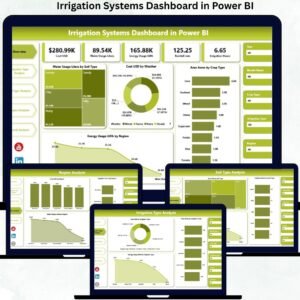
- Irrigation Systems Dashboard in Power BI: another Power BI dashboard for irrigation
- Irrigation Systems Dashboard in Excel: an Excel dashboard for irrigation systems
- Power BI Dashboard Mega Collection: 15 Power BI dashboard templates in one download
Browse all Power BI KPI dashboards.



















Reviews
There are no reviews yet.