

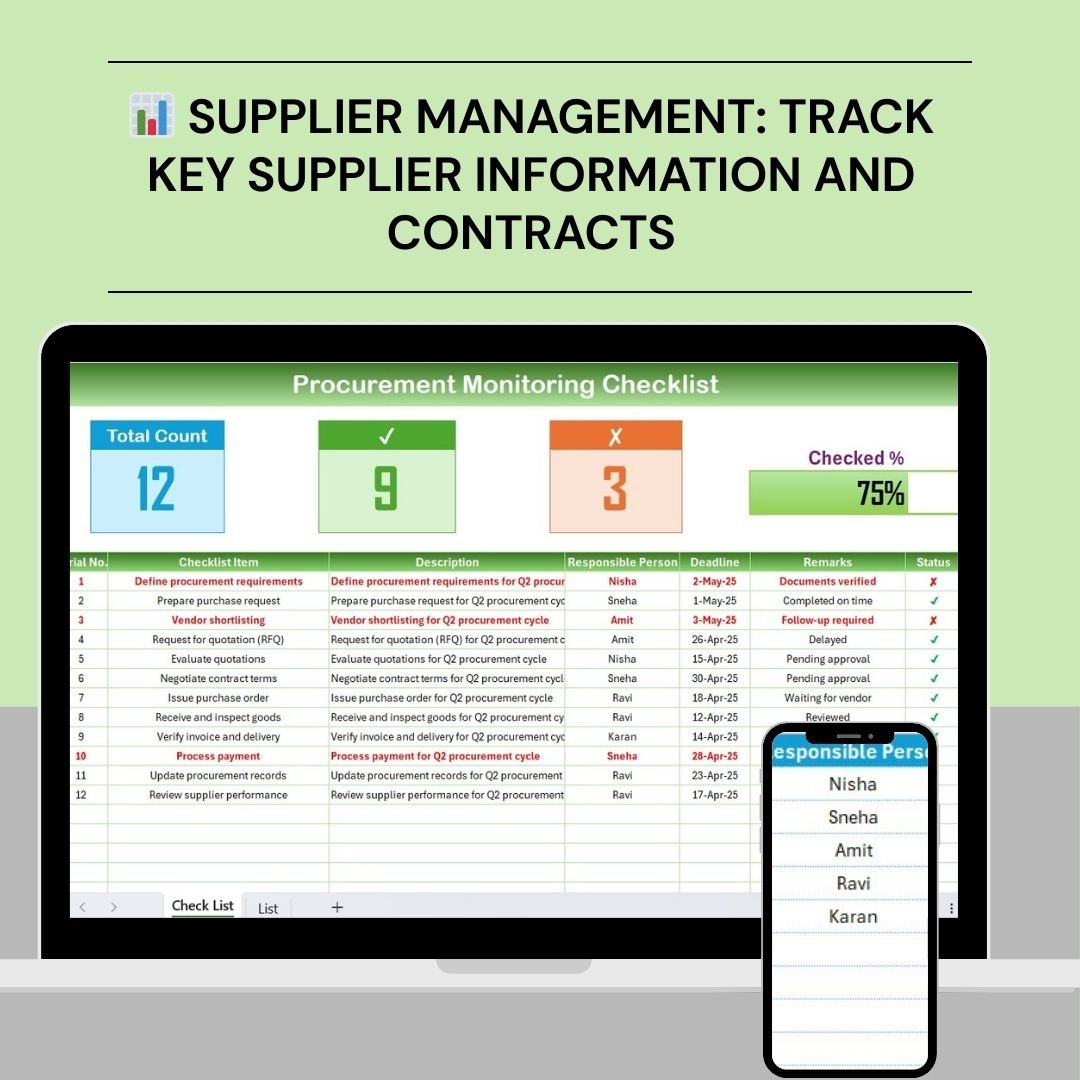

The Procurement Monitoring Checklist in Excel is an essential tool for businesses, procurement teams, and supply chain managers to ensure smooth, efficient, and compliant procurement processes. This Excel-based checklist helps track procurement activities, monitor supplier performance, and keep all related documentation organized. Whether you’re managing multiple suppliers, overseeing complex contracts, or ensuring compliance with procurement policies, this tracker ensures that all procurement steps are completed on time and within budget.
By offering an easy-to-use, customizable interface, this checklist allows users to monitor key procurement stages from supplier selection to contract management and order fulfillment. The template provides a streamlined approach for tracking procurement progress, helping businesses avoid delays, ensure accuracy, and maintain strong supplier relationships.
Key Features of the Procurement Monitoring Checklist in Excel
📊 Supplier Management & Tracking
Track key details of each supplier, such as contact information, contracts, and delivery schedules. Monitor supplier performance to ensure timely deliveries and quality service.
📝 Procurement Process Stages Tracking
Monitor every stage of the procurement process, including requisition, order placement, receipt, and payment. Stay on top of procurement timelines and ensure deadlines are met.
💼 Compliance & Documentation Monitoring
Ensure compliance with procurement policies by tracking necessary documentation, including contracts, invoices, and other legal documents. Stay organized and prepared for audits.
🔑 Budget & Cost Control
Keep track of procurement costs and ensure that expenditures stay within budget. Monitor cost overruns and implement corrective actions when needed.
📅 Time-Based Monitoring
Track procurement timelines by setting deadlines for each task. Use the checklist to identify delays, improve procurement cycles, and enhance operational efficiency.
⚙️ Customizable Features
Adapt the checklist to suit your specific procurement processes. Add or remove fields, customize statuses, and modify workflows to meet your company’s requirements.
Why You’ll Love the Procurement Monitoring Checklist in Excel
✅ Centralized Procurement Information
Keep all procurement-related data, supplier information, and documentation in one organized place for easy access and tracking.
✅ Ensure Timely Procurement Processes
Monitor procurement timelines and ensure that each step of the process is completed on schedule, preventing delays and disruptions.
✅ Improve Supplier Performance
Track supplier performance, monitor delivery timelines, and assess contract compliance to improve supplier relationships and service quality.
✅ Ensure Compliance & Accuracy
Maintain accurate records of procurement activities, ensuring compliance with internal policies and external regulations.
✅ Budget Control & Cost Efficiency
Track procurement costs, manage budgets, and ensure that all procurement expenses are within the approved limits, avoiding unnecessary overspending.
What’s Inside the Procurement Monitoring Checklist in Excel?
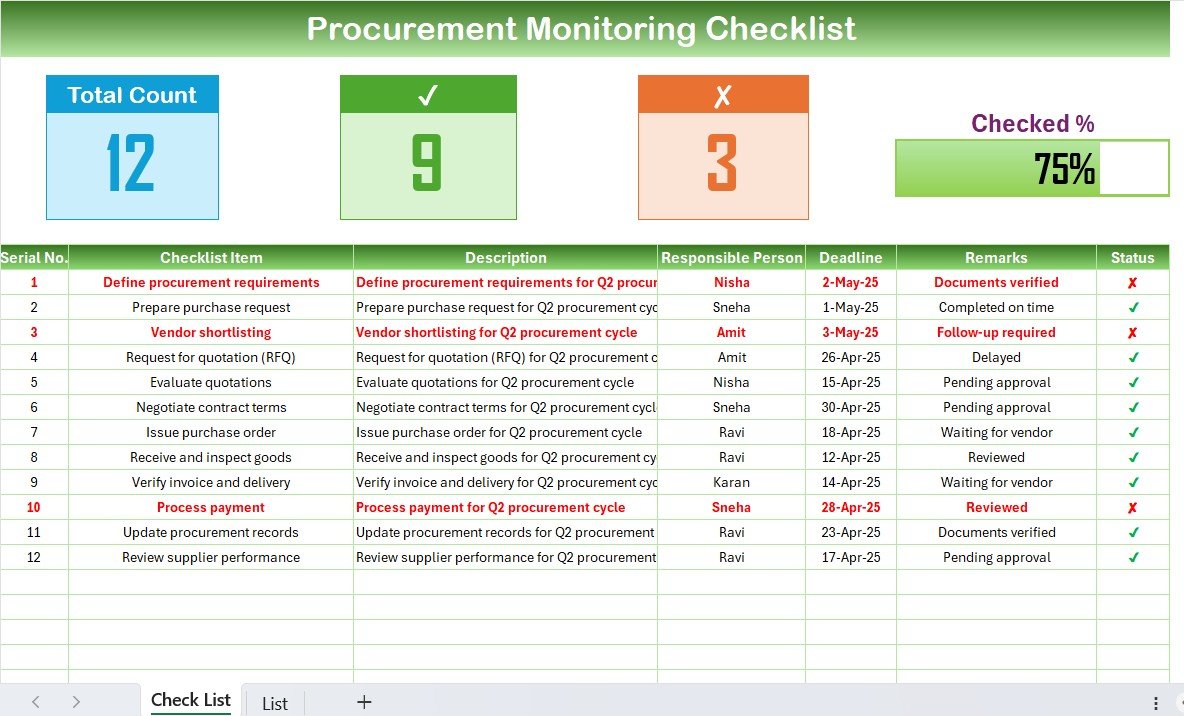
Supplier Management: Track key details such as supplier information, contracts, and delivery schedules.
Procurement Process Stages Tracking: Monitor requisitions, orders, receipts, and payments.
Compliance & Documentation Tracking: Ensure that all necessary contracts, invoices, and legal documents are on file and up to date.
Cost Monitoring: Track procurement costs and ensure budget compliance.
Time-Based Monitoring: Set deadlines for tasks and monitor the procurement timeline.
Customizable Fields: Modify the checklist to suit your specific procurement needs.
How to Use the Procurement Monitoring Checklist in Excel
1️⃣ Download the Template: Get instant access to the Procurement Monitoring Checklist in Excel.
2️⃣ Input Supplier & Procurement Details: Enter supplier information, procurement tasks, and deadlines.
3️⃣ Monitor Procurement Process: Track each stage of the procurement process to ensure everything is on schedule.
4️⃣ Ensure Compliance & Budget Control: Monitor documentation and track expenses to stay within budget.
5️⃣ Generate Reports & Analyze Data: Use the checklist to track procurement performance and generate reports for better decision-making.
Who Can Benefit from the Procurement Monitoring Checklist in Excel?
🔹 Procurement Managers & Teams
🔹 Supply Chain Managers
🔹 Business Owners & Executives
🔹 Purchasing and Procurement Professionals
🔹 Legal & Compliance Departments
🔹 Small & Medium Enterprises (SMBs)
🔹 Large Enterprises with Procurement Departments
Ensure smooth procurement processes, better supplier relationships, and cost efficiency with the Procurement Monitoring Checklist in Excel. Stay organized, compliant, and on top of your procurement operations.
Click here to read the Detailed blog post
Visit our YouTube channel to learn step-by-step video tutorials
Youtube.com/@PKAnExcelExpert
Watch the step-by-step video Demo:
Compatibility and Requirements
- Works in Microsoft Excel desktop (Excel 2016 or later, or Microsoft 365).
- You can add or remove fields and change statuses in Excel. Microsoft explains dropdown lists in Create a drop-down list.
Frequently Asked Questions
Which procurement stages can I track?
You can track requisition, order placement, receipt and payment for each purchase.
Does it cover supplier details?
Yes. You can record supplier contact information, contracts and delivery schedules, and follow supplier performance.
Can I check spending against budget?
Yes. The cost monitoring section tracks procurement costs so you can see when spending goes over budget.
How do I spot delays?
Set a deadline for each task. The time-based monitoring shows which steps are running late.
Can I change the checklist?
Yes. You can add or remove fields, customize statuses and adjust the workflow to match your process.
Related Procurement Templates
- Procurement Tracking Checklist in Excel: track each purchase step
- Procurement To-Do List Checklist in Excel: a to-do list for procurement tasks
- Procurement Dashboard in Excel: report on spend and suppliers
- Procurement Tracker and Dashboard in Google Sheets: procurement tracking in Google Sheets
- Procurement and Vendor Management Kit: 7 premium procurement templates in one bundle
Browse all Excel checklists.



























Reviews
There are no reviews yet.