




Physiotherapy and Rehabilitation Dashboard services is not just about patient care—it is also about sessions planning, therapist utilization, cost control, and treatment outcomes. Clinics and rehabilitation centers handle multiple patients, conditions, treatment plans, and therapists every day. However, when this information remains scattered across Excel sheets, tracking performance becomes slow, confusing, and error-prone.
That is exactly where the Physiotherapy and Rehabilitation Dashboard in Excel becomes a game-changing solution 🚀.
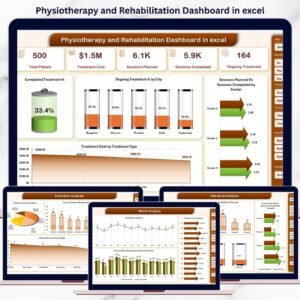
This ready-to-use Excel dashboard converts raw physiotherapy and rehabilitation data into clear KPIs, interactive charts, and actionable insights. Instead of spending hours creating reports, clinic managers and physiotherapists can instantly understand treatment progress, session completion, therapist performance, and cost trends from a single dashboard.
Designed specifically for physiotherapy clinics, rehabilitation centers, and healthcare professionals, this dashboard supports both clinical excellence and business efficiency.
🔑 Key Features of Physiotherapy and Rehabilitation Dashboard in Excel
📊 5 Structured Analysis Pages for complete performance visibility
🧭 Page Navigator for smooth navigation across pages
🎯 Interactive Slicers for quick filtering
📈 KPI Cards for instant performance checks
🧑⚕️ Therapist Performance Analysis
💰 Treatment Cost Tracking
📆 Monthly Trend Analysis
🔄 Pivot-based charts for automatic refresh
This dashboard delivers clarity, speed, and control without complex tools or software.
📂 What’s Inside the Physiotherapy and Rehabilitation Dashboard
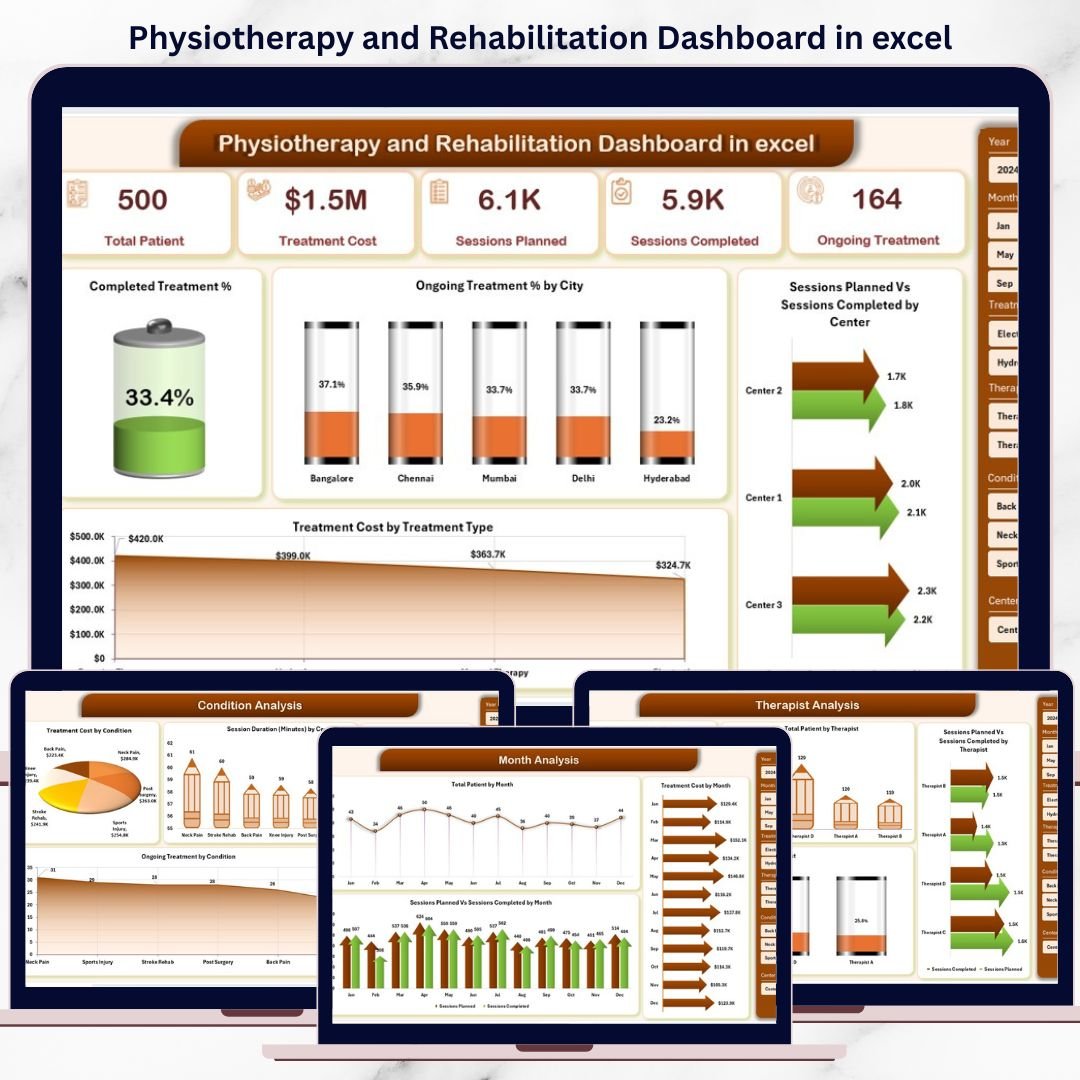
🏠 Overview Page

The Overview Page acts as the central control panel of the dashboard. It provides a high-level snapshot of clinic performance.
Key Insights:
Completed Treatment %
Ongoing Treatment % by City
Sessions Planned vs Sessions Completed by Centre
Treatment Cost by Treatment Type
This page helps managers quickly understand overall clinical and operational health.
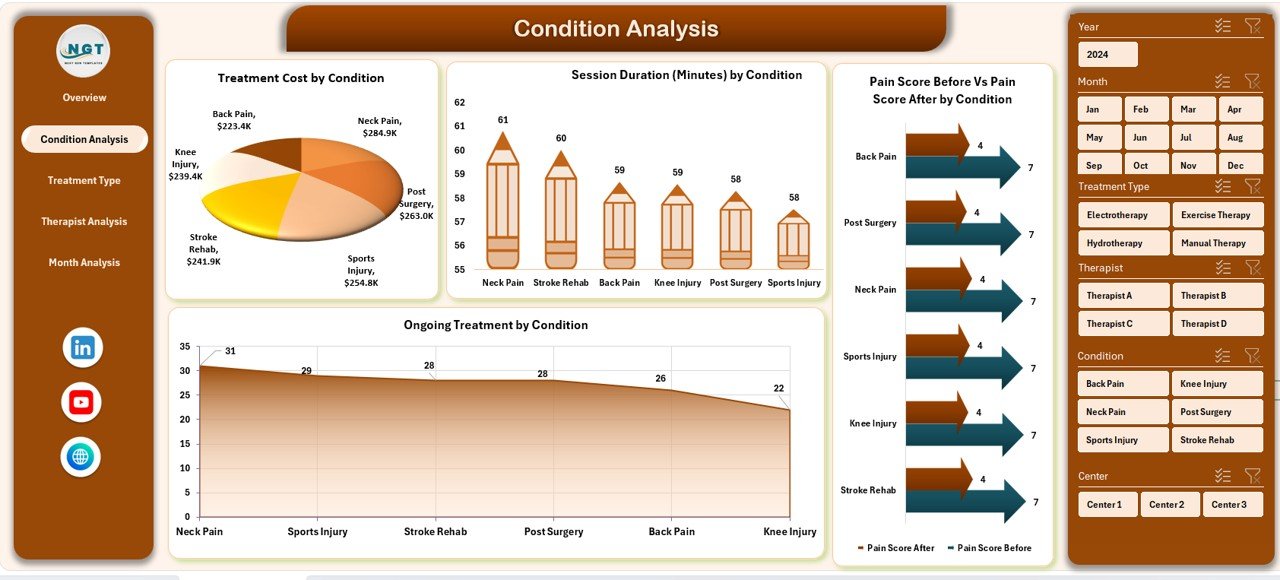
🦵 Condition Analysis Page
This page focuses on condition-wise treatment performance.
Insights Available:
Treatment Cost by Condition
Session Duration by Condition
Pain Score Before vs Pain Score After by Condition
Ongoing Treatment by Condition
Clinics can identify high-cost conditions, recovery effectiveness, and treatment efficiency.
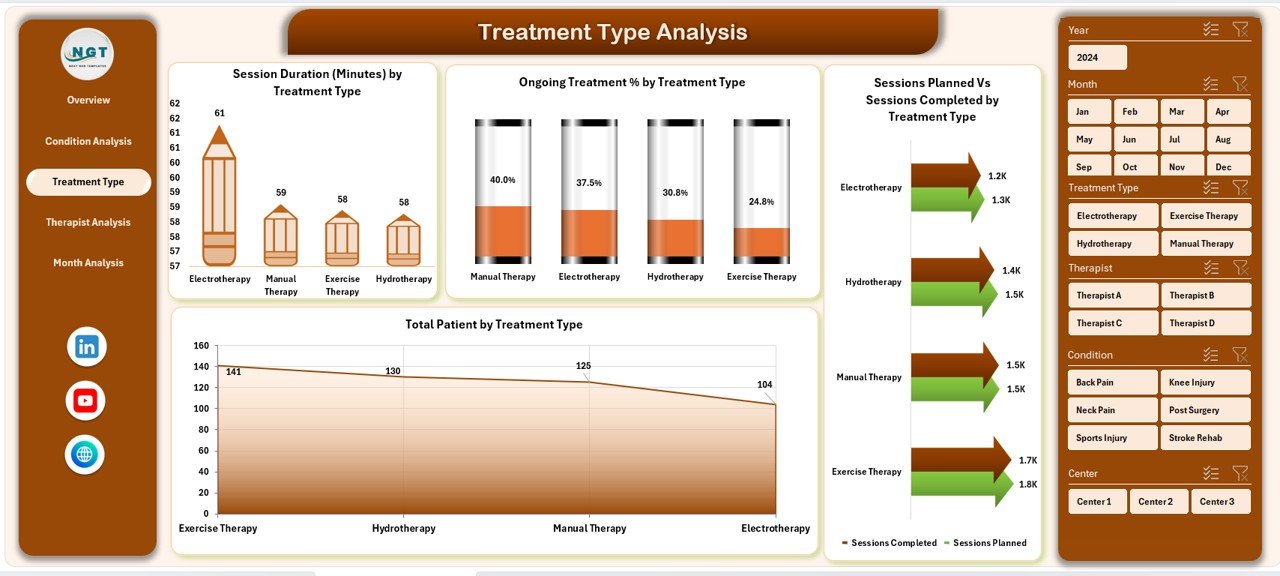
💆 Treatment Type Analysis Page
Different treatments require different resources and time. This page evaluates treatment-wise performance.
Charts Included:
Session Duration by Treatment Type
Ongoing Treatment % by Treatment Type
Sessions Planned vs Sessions Completed by Treatment Type
Total Patients by Treatment Type
This analysis helps optimize treatment offerings and improve planning.
👩⚕️ Therapist Analysis Page
Therapist productivity directly impacts patient recovery and clinic reputation.
Key Metrics:
Treatment Cost by Therapist
Total Patients by Therapist
Sessions Planned vs Sessions Completed by Therapist
Ongoing Treatment % by Therapist
Managers can balance workloads, reward high performers, and support improvement.
📆 Month Analysis Page
Healthcare demand changes over time. This page tracks monthly performance trends.
Insights Include:
Treatment Cost by Month
Total Patients by Month
Sessions Planned vs Sessions Completed by Month
This helps clinics forecast demand, staffing needs, and costs.
🛠️ How to Use the Physiotherapy and Rehabilitation Dashboard
✅ Enter or update patient and session data
✅ Refresh pivot tables (one click)
✅ Use slicers to filter by city, condition, therapist, or month
✅ Review KPIs and charts instantly
✅ Make faster clinical and business decisions
No advanced Excel skills required.
👥 Who Can Benefit from This Dashboard?
🏥 Physiotherapy Clinics
🧑⚕️ Rehabilitation Centers
🏨 Hospitals & Healthcare Groups
👤 Independent Physiotherapists
📊 Clinic Managers & Administrators
📈 Healthcare Analysts
Perfect for small clinics to multi-location rehabilitation centers.
👉 Click here to read the Detailed blog post
▶️ Visit our YouTube channel to learn step-by-step video tutorials
https://youtube.com/@PKAnExcelExpert
Watch the step-by-step video tutorial:
Compatibility and Requirements
- Works in Microsoft Excel desktop (Excel 2016 or later, or Microsoft 365).
- The charts are built on pivot tables and filtered with slicers. Microsoft explains slicers in Use slicers to filter data.
Frequently Asked Questions
How many pages does the dashboard have?
Five analysis pages: Overview, Condition Analysis, Treatment Type Analysis, Therapist Analysis and Month Analysis. A page navigator moves you between them.
What can I filter with the slicers?
You can filter by city, condition, therapist or month, and the KPI cards and charts update with your selection.
Can I compare pain before and after treatment?
Yes. The Condition Analysis page shows Pain Score Before against Pain Score After for each condition, next to treatment cost, session duration and ongoing treatment.
Can I track how each therapist performs?
Yes. The Therapist Analysis page shows treatment cost, total patients, sessions planned vs sessions completed and ongoing treatment % for each therapist.
How do I update the charts after adding data?
Enter or update the patient and session data, then refresh the pivot tables with one click. The charts and KPI cards update from there.
Is there a Power BI or Google Sheets version?
Yes. See the Physiotherapy and Rehabilitation Dashboard in Power BI and the Physiotherapy & Rehabilitation Dashboard in Google Sheets.
Related Physiotherapy and Rehabilitation Templates
- Physiotherapy and Rehabilitation Dashboard in Power BI: the same dashboard in Power BI
- Physiotherapy & Rehabilitation Dashboard in Google Sheets: the Google Sheets edition
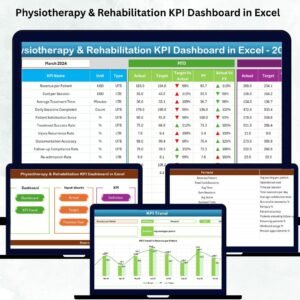
- Physiotherapy & Rehabilitation KPI Dashboard in Excel: a KPI-focused view for clinics
- Physiotherapy Session Data Entry System in Excel: a way to enter session data
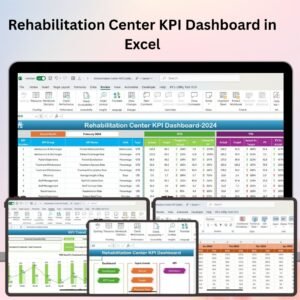
- Rehabilitation Center KPI Dashboard in Excel: KPIs for rehabilitation centers
Browse all Excel dashboards.








Reviews
There are no reviews yet.