



In today’s rapidly evolving work environment, employee retention isn’t just an HR issue—it’s a project management necessity. If your top talent is walking out the door, so is your project’s continuity. That’s why we built the Project Management Employee Retention KPI Dashboard in Excel — a ready-to-use Excel template that empowers you to track retention trends, analyze performance, and take real-time action.
Whether you’re a project manager, HR professional, or team lead, this dashboard will help you visualize key retention KPIs, identify warning signs, and strengthen your workforce stability.
✨ Key Features of the Employee Retention KPI Dashboard
📋 7 Intelligently Designed Worksheets
-
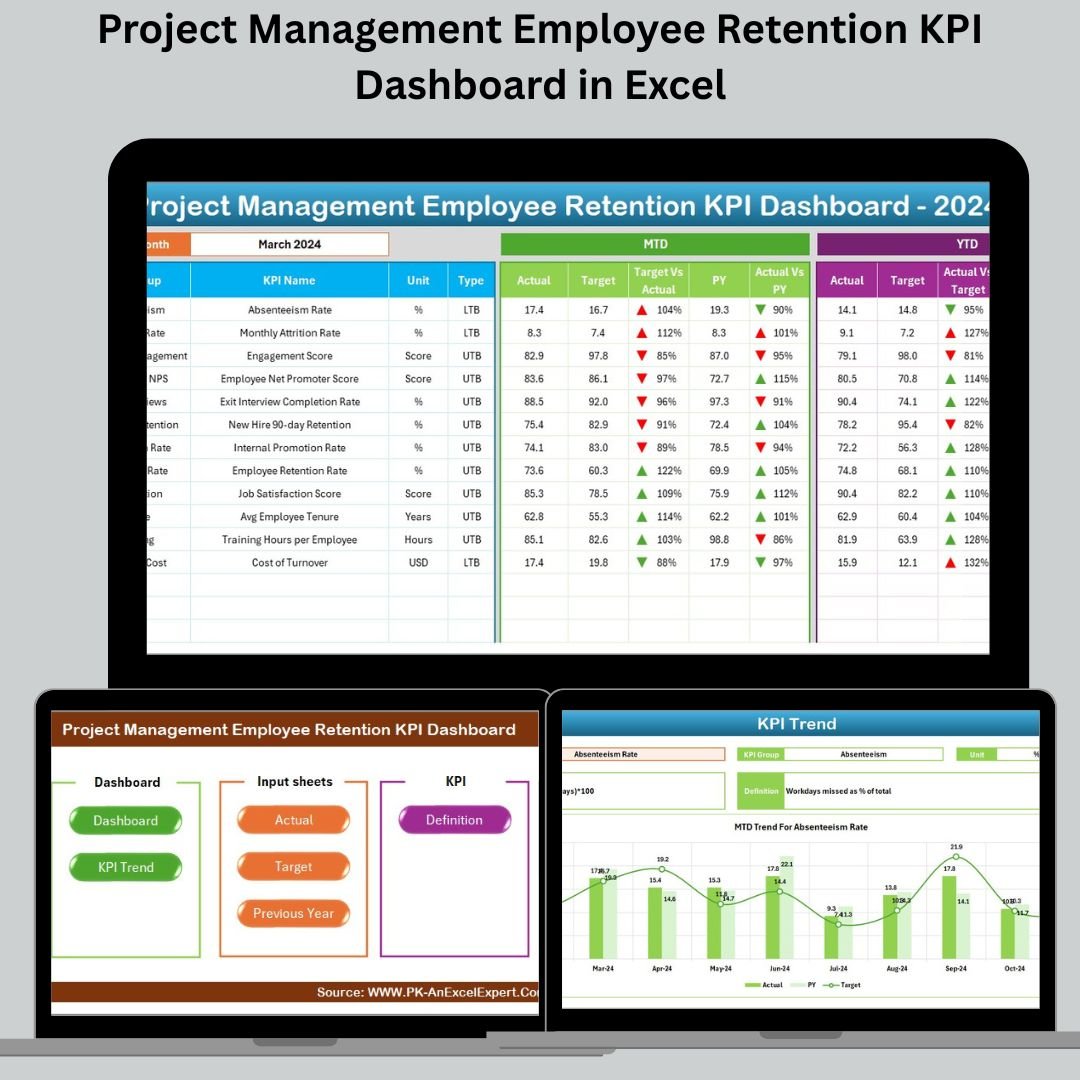
Home Sheet – Quick navigation to all key sections

-
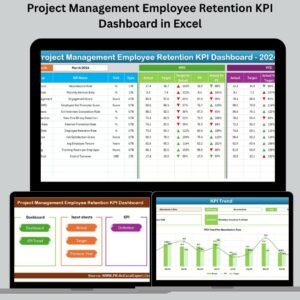
Dashboard Sheet – Visual summary with performance trends
-
KPI Trend Sheet – Analyze retention metrics over time
-
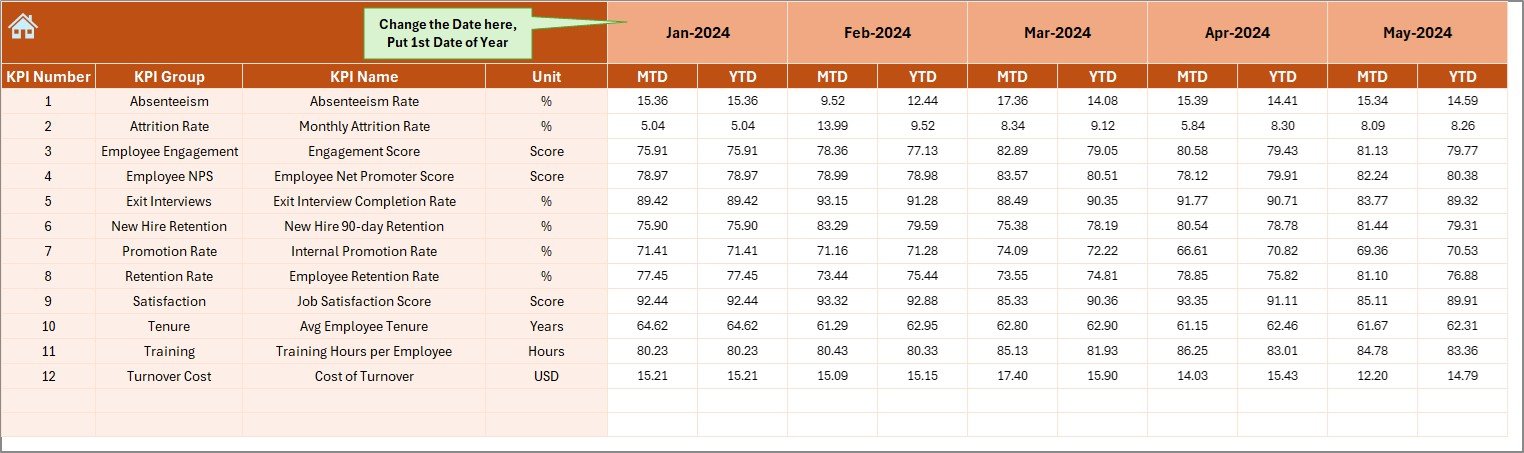
Actual Numbers Input Sheet – Feed MTD/YTD employee metrics
-
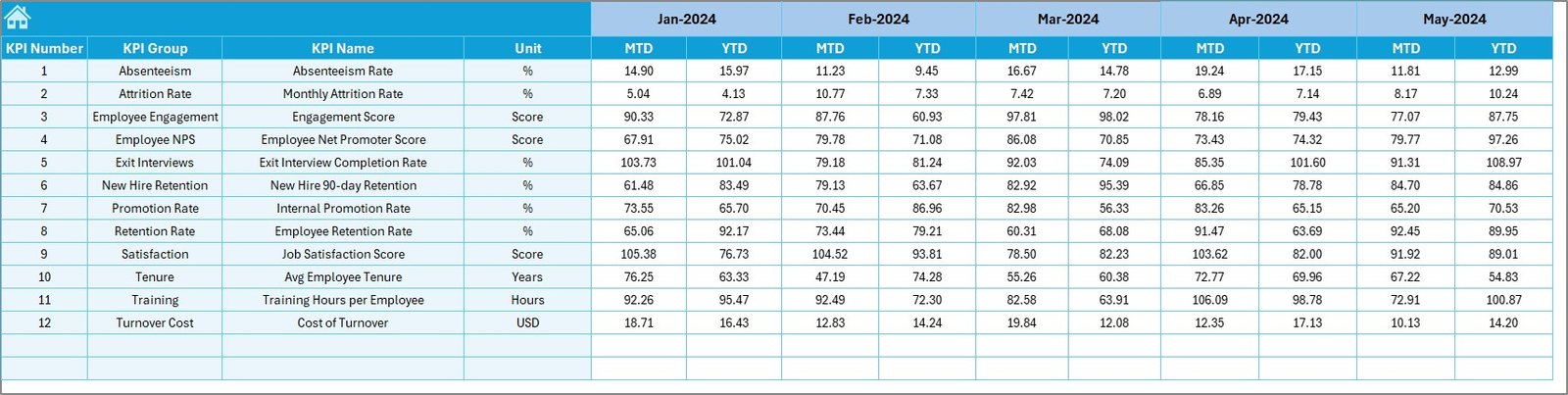
Target Sheet – Set performance goals monthly and annually
-
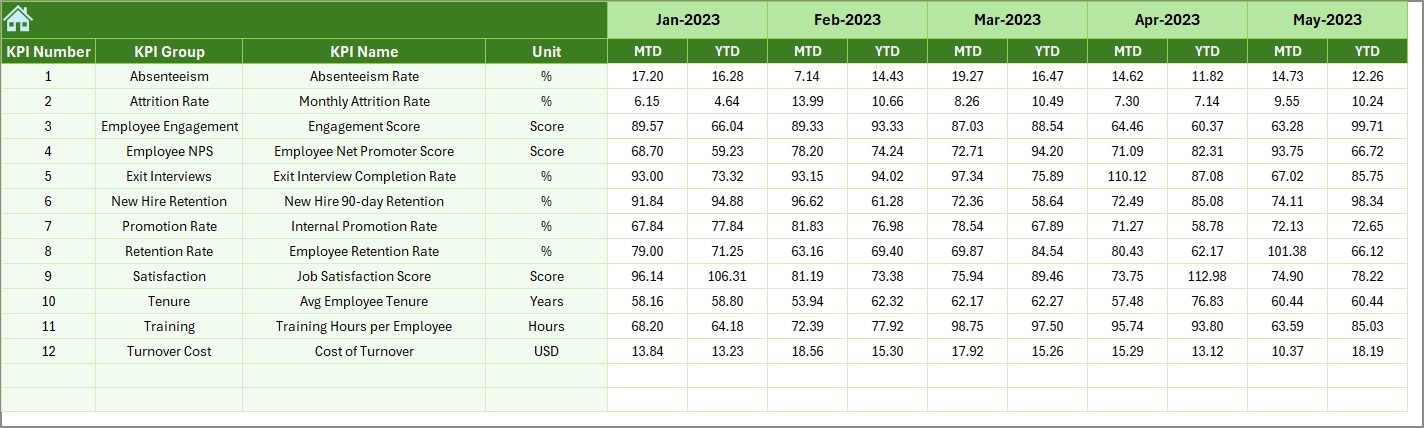
Previous Year Sheet – Store last year’s retention figures
-
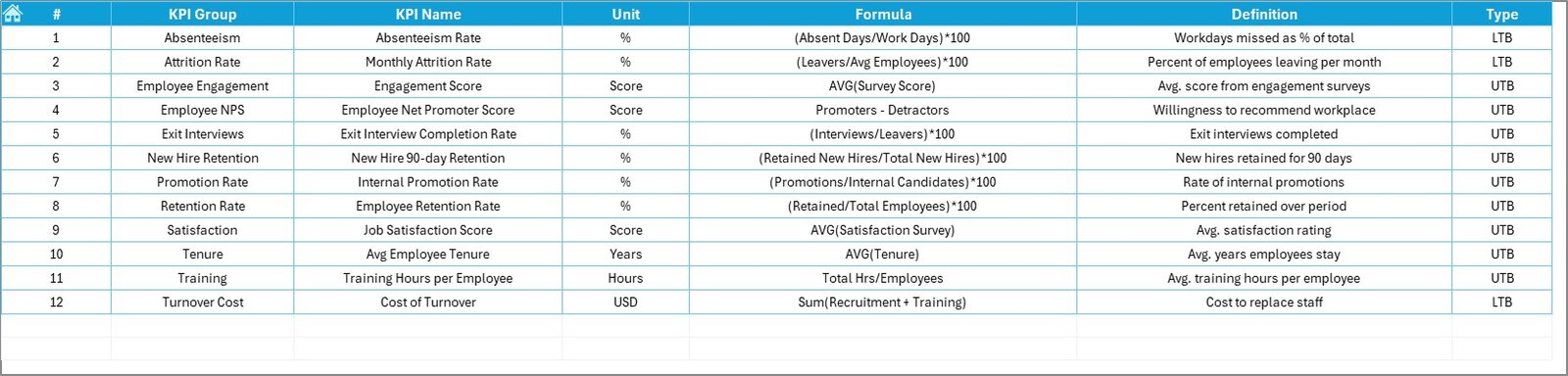
KPI Definition Sheet – Your go-to for formulas, units, and KPI types
📊 Real-Time Dashboard with Monthly Selector
-
View MTD (Month-to-Date) and YTD (Year-to-Date) metrics
-
Conditional formatting shows up/down arrows for quick visual feedback
-
See Actual vs Target vs Previous Year all in one glance
📈 Interactive KPI Trend Sheet
-
Select any KPI from a dropdown to track performance trends
-
Visualize actual, target, and previous year values for MTD & YTD
📁 Clear Data Input Sheets
-
Just plug in your monthly values—no formula editing needed
-
Use cell E1 to set the first month of the year for seamless tracking
📦 What’s Inside the Employee Retention KPI Template?
🔹 Retention Metrics Visualized – See trends for KPIs like Voluntary Turnover, Internal Mobility, and Training Completion
🔹 Target Comparisons – Align your current performance with strategic goals
🔹 Year-over-Year Insights – Monitor retention improvements over time
🔹 Conditional Formatting – Arrows and color coding instantly flag issues
🔹 Dropdown Controls – Easily filter KPIs and months without confusion
🔹 Fully Editable – Modify KPIs, charts, layouts, and colors to suit your team
🛠 How to Use the KPI Dashboard in Excel
-
✅ Open the Excel file and go to the Actual Numbers Input Sheet
-
📥 Enter your MTD and YTD retention data for the current month
-
🎯 Add your targets in the Target Sheet for goal tracking
-
🔙 Enter last year’s data in the Previous Year tab
-
📊 Navigate to the Dashboard to visualize performance
-
🔄 Use the Trend Sheet to analyze performance patterns
-
📘 Refer to the KPI Definitions tab to keep things aligned
👥 Who Can Benefit from This Template?
This dashboard is ideal for anyone involved in managing people and projects:
🧑💼 Project Managers – Track team continuity and engagement
👩💻 HR Teams – Align retention KPIs with business outcomes
📊 Team Leads – Monitor satisfaction and address turnover early
🏢 Department Heads – Justify resource planning with real data
🔍 Analysts – Convert employee metrics into actionable insights
🚀 Why Choose This Dashboard?
✨ Boost Retention Rates – See red flags before people leave
🔍 Make Informed Decisions – Use MTD/YTD data to guide strategy
🛠 Customize Freely – No code, no limits, just Excel
📈 Save Hours – Built-in formulas, dynamic visuals, and dropdowns
🎯 Stay Aligned – Share goals across project and HR teams





















Reviews
There are no reviews yet.