

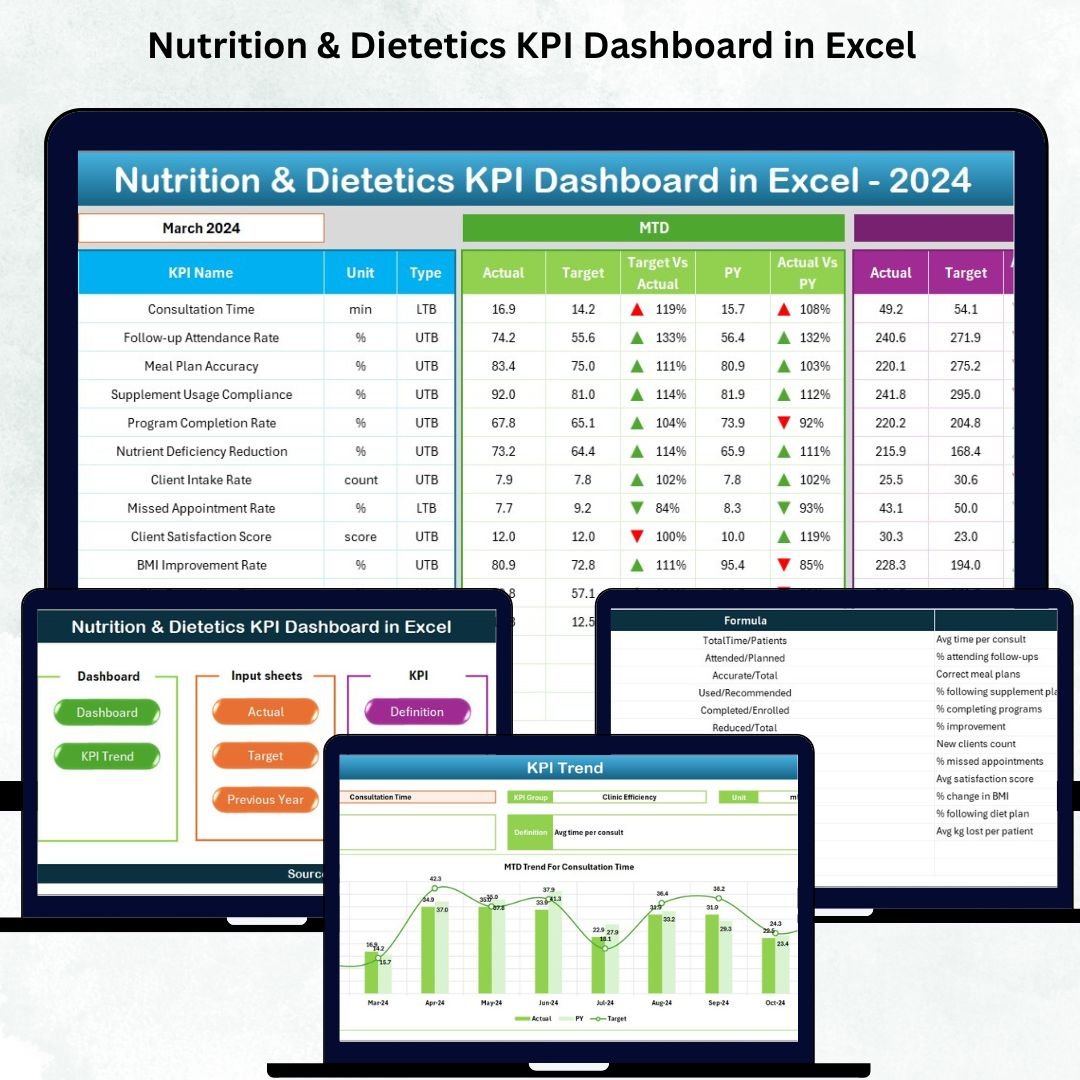


Managing nutrition and dietetics performance requires monitoring dozens of metrics—patient diet compliance, caloric plans, clinical outcomes, food quality, satisfaction scores, inventory usage, cost ratios, and more. When these numbers are tracked manually, errors increase, time gets wasted, and decision-making becomes slow. That’s why professionals today prefer automated dashboards that simplify everything.Nutrition & Dietetics KPI Dashboard in Excel
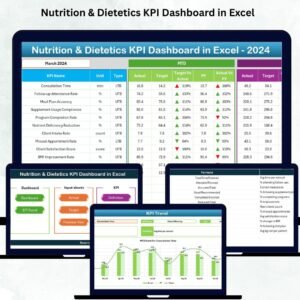
The Nutrition & Dietetics KPI Dashboard in Excel is a ready-to-use, fully automated template that brings all your KPIs into one clear and interactive reporting system. Whether you work in a clinic, hospital, fitness center, wellness program, or food service department, this dashboard helps you track key metrics, compare trends, and monitor performance without any manual effort.
This tool is designed for nutritionists, dietitians, clinical teams, food service managers, corporate wellness departments, and anyone who needs a structured and data-driven approach to nutrition and dietetics performance.
With automated MTD/YTD analysis, comparison charts, and clean data entry sheets, the dashboard gives you complete visibility—so you can take faster, better decisions that improve patient outcomes and operational efficiency.Nutrition & Dietetics KPI Dashboard in Excel
🌟 Key Features of the Nutrition & Dietetics KPI Dashboard in Excel
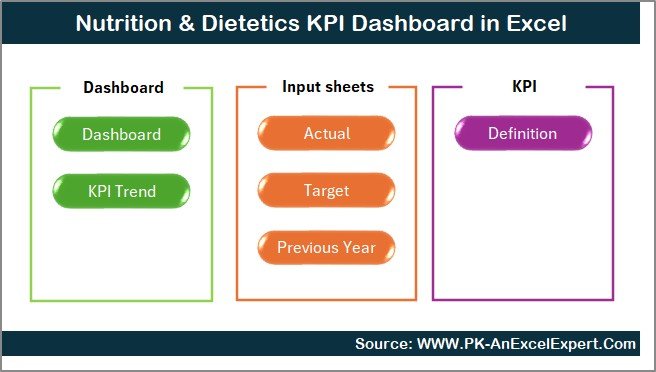
The dashboard includes 7 professionally designed worksheets, each built to simplify tracking and reporting:
1️⃣ Summary Page – Quick Navigation Hub
✔ Jump to any sheet instantly with 6 smart navigation buttons
✔ Saves scrolling time and increases speed
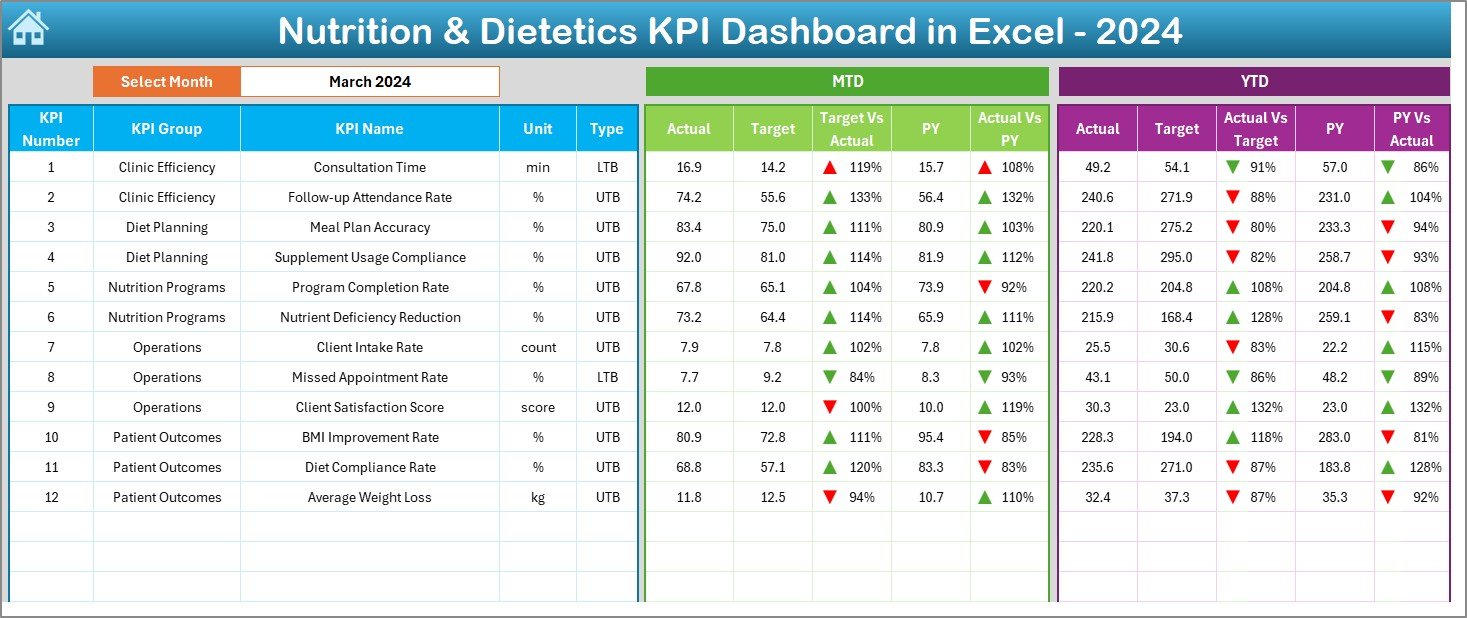
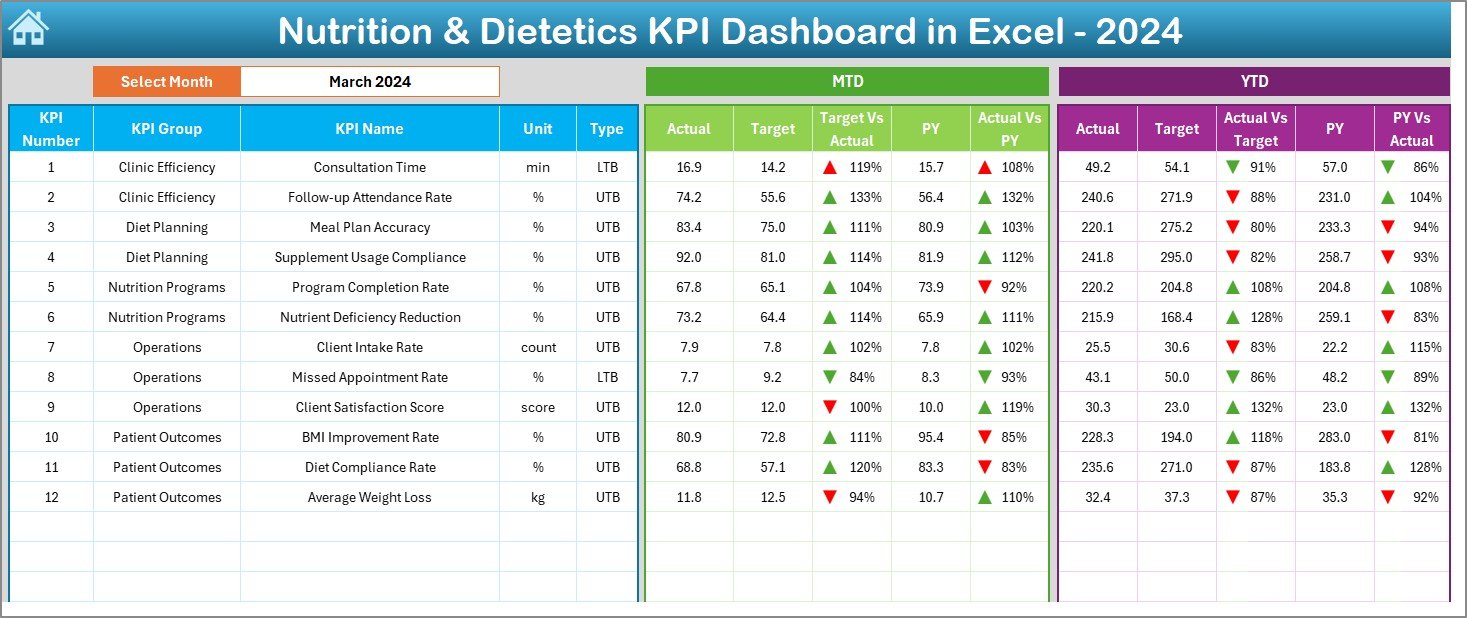
2️⃣ Dashboard Sheet – Complete KPI Insights
✔ Select the month from a simple drop-down
✔ Automatically updates MTD and YTD performance
✔ Conditional up/down arrows show KPI status instantly
✔ Compare:
MTD Actual vs Target
MTD Actual vs Previous Year
YTD Actual vs Target
YTD Actual vs Previous Year
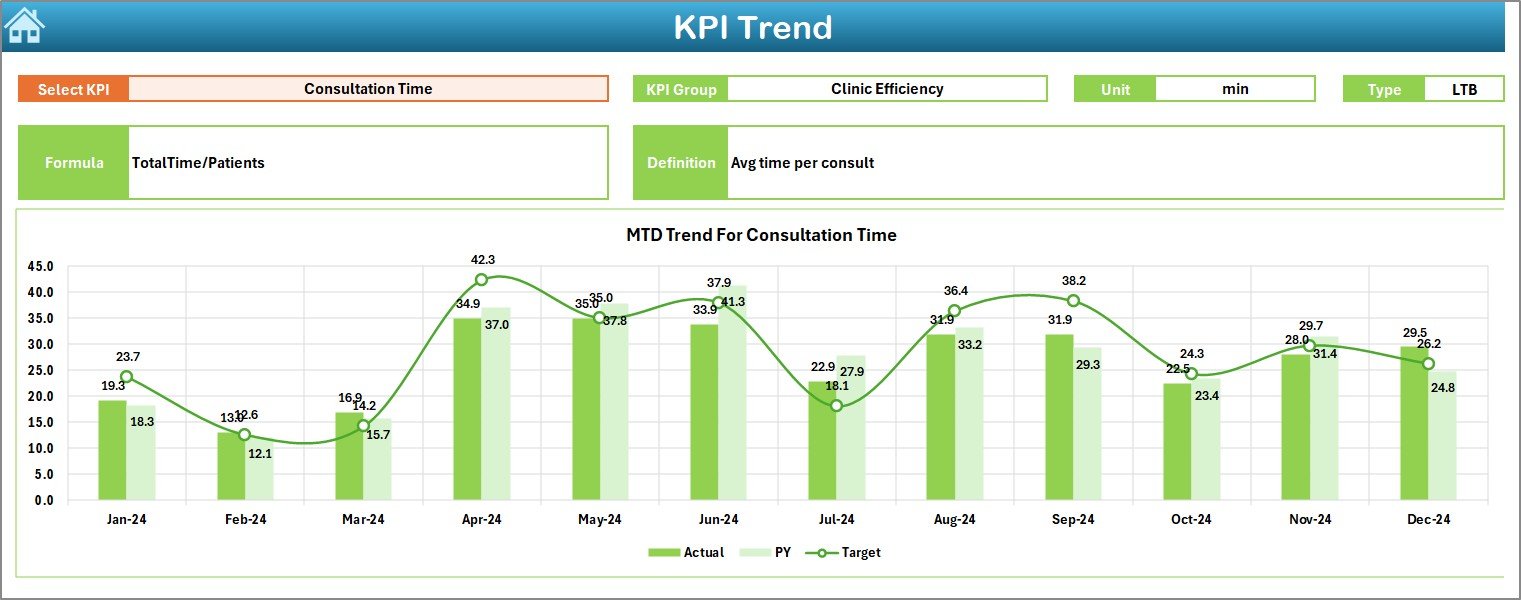
3️⃣ Trend Sheet – Deep KPI Trend Analysis
✔ Select any KPI from the dropdownNutrition & Dietetics KPI Dashboard in Excel
✔ View KPI group, unit, type, formula, definition
✔ Track trends across Actual, Target, and Previous Year
✔ Identify improvement or decline in seconds
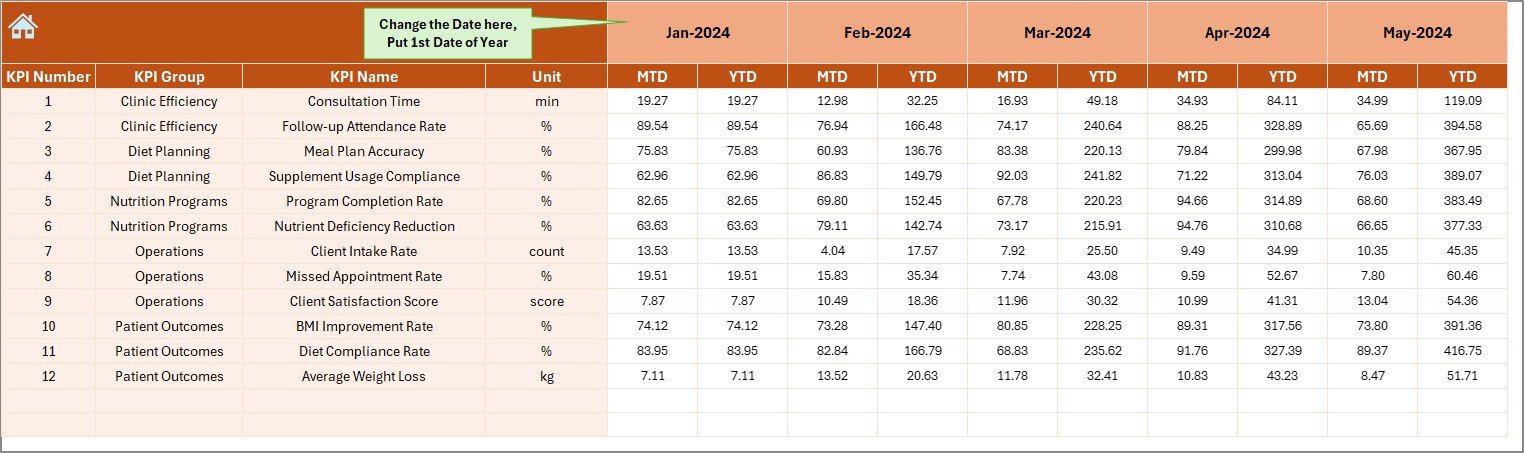
4️⃣ Actual Numbers Sheet – Smooth Data Entry
✔ Add MTD and YTD data for each KPI
✔ Select your year start month
✔ Eliminates errors with clean structure
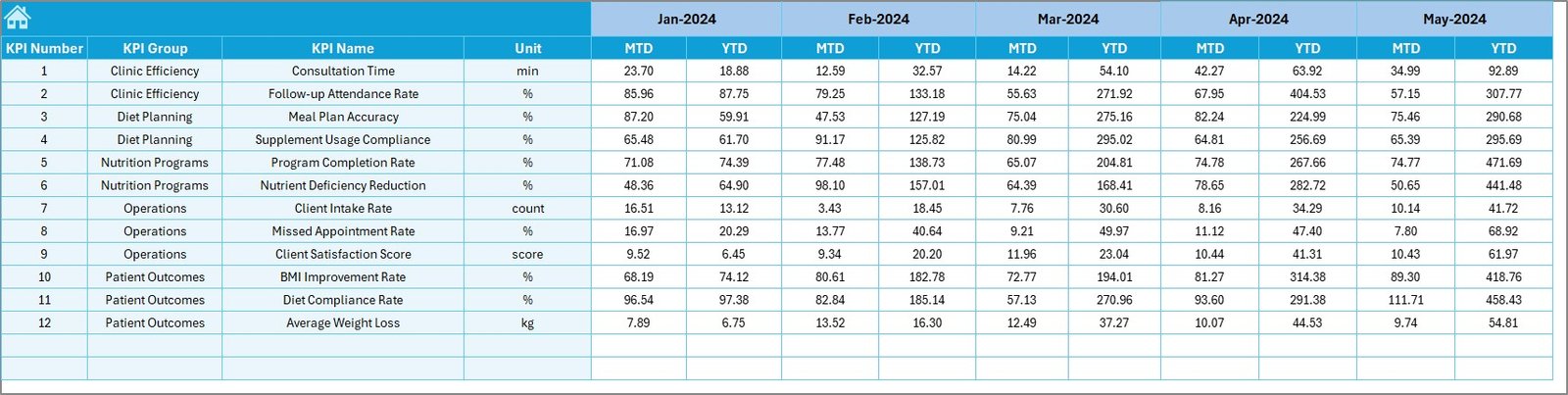
5️⃣ Target Sheet – Define Monthly Performance Goals
✔ Enter MTD & YTD targets for all KPIs
✔ Creates a clear performance roadmap
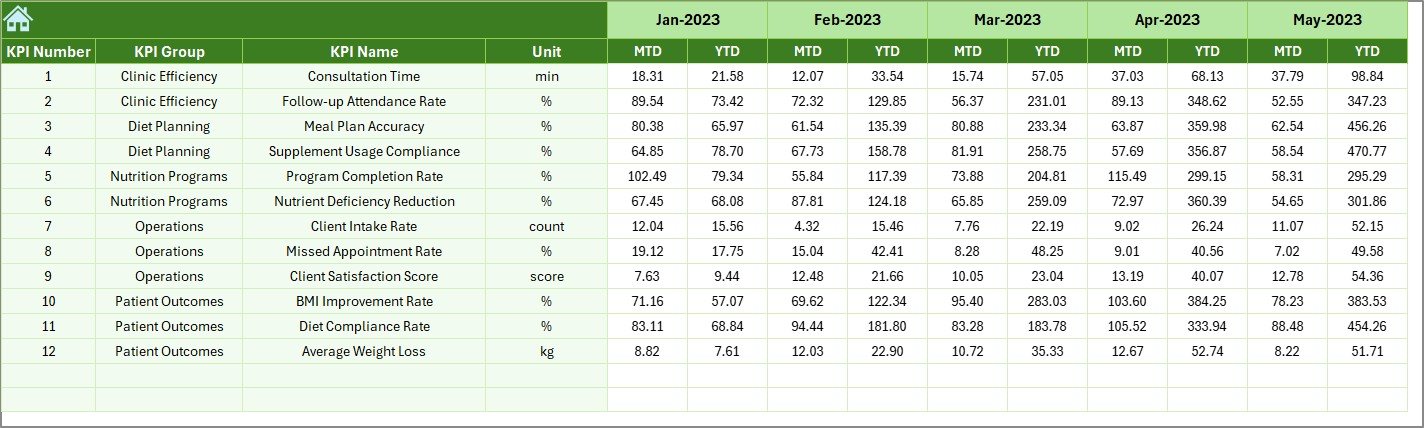
6️⃣ Previous Year Numbers Sheet – Accurate Benchmarking
✔ Input last year’s numbers
✔ Compare growth and performance gaps
7️⃣ KPI Definition Sheet – Clear KPI Understanding
✔ Includes KPI Name, Group, Unit, Formula & Definition
✔ Ensures consistent understanding across teams
📦 What’s Inside the Nutrition & Dietetics KPI Dashboard in Excel
This digital download includes:
✨ Fully automated Excel Dashboard
✨ MTD & YTD calculations
✨ Trend charts for 12 months
✨ Targets sheet for easy planning
✨ Previous year comparison
✨ KPI definition sheet
✨ Clean data entry sheet
✨ Professional layout & user-friendly design
You get a complete performance management system in a single Excel file—ready to use from day one.
🧠 How to Use the Nutrition & Dietetics KPI Dashboard in Excel
Using this dashboard is simple, even if you’re not an Excel expert:
1️⃣ Open the file and go to the Actual Numbers sheet
2️⃣ Enter your monthly MTD & YTD values
3️⃣ Add your Targets and Previous Year numbers
4️⃣ Go to the Dashboard page
5️⃣ Select any month from the dropdown
6️⃣ Instantly view performance, comparisons, and trends
No formulas to write.
No charts to create.
Everything updates automatically.
🎯 Who Can Benefit from This Nutrition & Dietetics KPI Dashboard?
This template is perfect for:
🥗 Dietitians & Nutritionists
🏥 Hospitals & Clinics
💪 Fitness & Wellness Centers
🏢 Corporate Wellness Teams
🍽 Food Service & Hospitality Departments
🏫 Schools, Colleges & Institutions
👩⚕️ Clinical Nutrition Departments
If you need accurate reporting, faster decision-making, and a clean way to track performance—this dashboard is made for you.
### Click here to read the Detailed blog post
Watch the step-by-step video tutorial:
### Visit our YouTube channel to learn step-by-step video tutorials
👉 Youtube.com/@PKAnExcelExpert
Compatibility and Requirements
- Works in Microsoft Excel desktop (Excel 2016 or later, or Microsoft 365).
- The month selector and KPI selector are drop-down lists. Microsoft explains them in Create a drop-down list.
Frequently Asked Questions
How many sheets are in the file?
Seven: Summary, Dashboard, Trend, Actual Numbers, Target, Previous Year Numbers and KPI Definition.
How do I see a different month?
Pick the month from the drop-down on the Dashboard sheet. MTD and YTD figures update for that month.
What comparisons does the dashboard make?
MTD actual against target and previous year, and YTD actual against target and previous year, with up and down arrows for each KPI.
Can I see how one KPI changes over the year?
Yes. Select a KPI on the Trend sheet to see its actual, target and previous year values with its unit, formula and definition.
Do I need to write formulas?
No. You enter actual, target and previous year numbers, and the charts and calculations update on their own.
Related Nutrition and Healthcare Templates
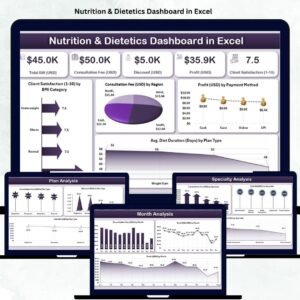
- Nutrition & Dietetics Dashboard in Excel: a full dashboard for nutrition operations
- Nutrition & Dietetics KPI Dashboard in Power BI: the Power BI edition of this KPI set
- Nutrition & Dietetics Dashboard in Google Sheets: for teams that work in Google Sheets
- Diet Plan Calendar in Excel: plan meals by day
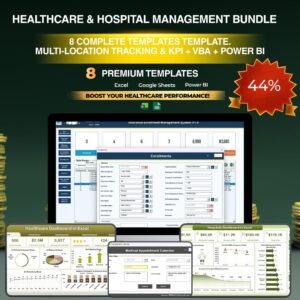
- Healthcare and Hospital Management Bundle: a bundle of healthcare templates
Browse all Excel KPI dashboards.









Reviews
There are no reviews yet.