



The Mortgage Checklist in Excel is a comprehensive and user-friendly tool designed to help homebuyers, real estate agents, and mortgage brokers stay organized throughout the mortgage process. From application to closing, this template helps you track key steps, documents, deadlines, and requirements, ensuring that nothing is overlooked during this critical financial journey.
With this Excel-based checklist, you can easily manage your mortgage application process, including gathering required documents, tracking approval milestones, and ensuring timely submission of everything required by lenders. The template is fully customizable, allowing you to tailor it to the specific needs of your mortgage process, whether you’re a first-time homebuyer, refinancing your property, or assisting clients in a professional capacity.
Key Features of the Mortgage Checklist in Excel
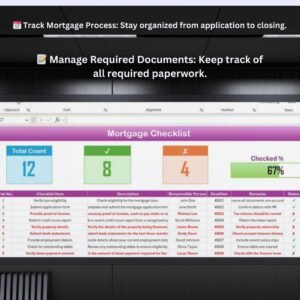
📅 Track Mortgage Application Process
Monitor the entire mortgage process from application submission to approval and closing. Track key steps, deadlines, and required documentation to stay on top of your mortgage journey.
📝 Manage Required Documents
Keep a comprehensive list of all documents needed for the mortgage application process. The checklist ensures that all paperwork is submitted on time to avoid delays in the approval process.
💼 Monitor Loan Approval Milestones
Track loan approval milestones and ensure all necessary steps, such as credit checks, appraisals, and inspections, are completed on time to move the process forward smoothly.
📈 Track Closing Date & Details
Ensure a smooth closing process by keeping track of key closing dates, fees, and final paperwork. Monitor all the necessary steps to ensure everything is in place for a successful home purchase or refinancing.
🔄 Interactive & Customizable Template
The checklist offers interactive features, like dropdown menus and progress tracking, to make the mortgage process easier to follow and manage. Customize the template to your specific needs for better organization.
Why You’ll Love the Mortgage Checklist in Excel

✅ Stay Organized Throughout the Mortgage Process
Track all necessary tasks, deadlines, and required documents in one organized place, ensuring that you never miss a step during the mortgage application process.
✅ Ensure Timely Document Submission
Manage all required paperwork by using the checklist to ensure documents are submitted promptly and correctly to prevent delays in the approval process.
✅ Keep Track of Milestones & Deadlines
Monitor key milestones, such as loan approval and inspection completion, to stay on schedule for closing. Never lose sight of important deadlines.
✅ Simplify the Mortgage Process
Make your mortgage process less stressful by having everything you need in one place, from document tracking to loan approval milestones.
✅ Fully Customizable to Your Needs
Adapt the checklist to your specific mortgage process, whether you’re a homebuyer or working as a professional in the industry.
What’s Inside the Mortgage Checklist Template in Excel?
- Mortgage Process Tracking: Track all phases of the mortgage process, including application, approval, and closing.
- Document Management: Monitor required documents such as income verification, credit checks, and property appraisals.
- Approval Milestones: Track critical milestones, including loan approval, property inspection, and final paperwork.
- Closing Date & Details: Keep track of key closing dates and final steps required for the transaction.
- Real-Time Data Insights: Use the checklist to manage timelines and ensure smooth progress throughout the mortgage process.
- Customizable Fields: Personalize the checklist with your unique mortgage process requirements.
How to Use the Mortgage Checklist in Excel
1️⃣ Download the Template: Get immediate access to the Mortgage Checklist in Excel.
2️⃣ Input Your Mortgage Data: Enter relevant mortgage application data, including deadlines, documents, and key milestones.
3️⃣ Track the Process: Use the checklist to monitor progress through each step of the mortgage process, ensuring that everything is completed on time.
4️⃣ Optimize Your Mortgage Journey: Use the insights from the checklist to ensure you’re always on top of the mortgage process and nothing is overlooked.
Who Can Benefit from the Mortgage Checklist in Excel?
🔹 Homebuyers & First-Time Buyers
🔹 Mortgage Brokers & Lenders
🔹 Real Estate Agents
🔹 Financial Advisors & Mortgage Consultants
🔹 Anyone Involved in the Mortgage Process
Ensure a seamless mortgage application process with the Mortgage Checklist in Excel. Track key steps, manage documents, and stay on top of deadlines to ensure a smooth journey from application to closing.
Click here to read the Detailed blog post
Visit our YouTube channel to learn step-by-step video tutorials
Youtube.com/@PKAnExcelExpert
Compatibility and Requirements
- Works in Microsoft Excel desktop (Excel 2016 or later, or Microsoft 365).
- The checklist uses dropdown menus. Microsoft explains them in Create a drop-down list.
Frequently Asked Questions
What does the Mortgage Checklist cover?
Each stage of the mortgage process, from application and approval to closing, plus required documents such as income verification, credit checks and property appraisals.
Which milestones can I track?
Loan approval, property inspection and final paperwork, plus key closing dates.
What do I enter?
Your mortgage application data, including deadlines, documents and key milestones.
Can I add my own steps?
Yes. You can personalize the fields to match your mortgage process.
Is there a Google Sheets version?
Yes. See the Mortgage Checklist in Google Sheets.
Related Mortgage and Loan Templates
- Mortgage Checklist in Google Sheets: the same checklist in Google Sheets
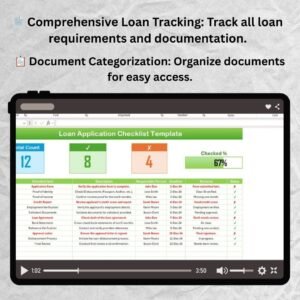
- Loan Application Checklist Template in Excel: prepare a loan application
- Mortgage Lenders KPI Dashboard in Excel: KPIs for mortgage lenders
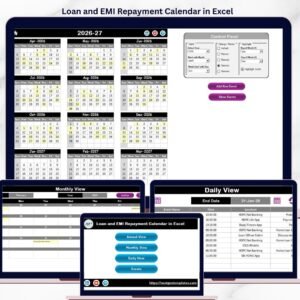
- Loan and EMI Repayment Calendar in Excel: plan loan and EMI repayments
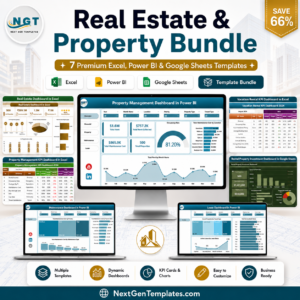
- Real Estate & Property Bundle: 7 real estate and property templates
Browse all Excel checklists.





























Reviews
There are no reviews yet.